2A297-ED-202.4G Wi-Fi Battery Doorbell
Fuwei Global Co., Ltd.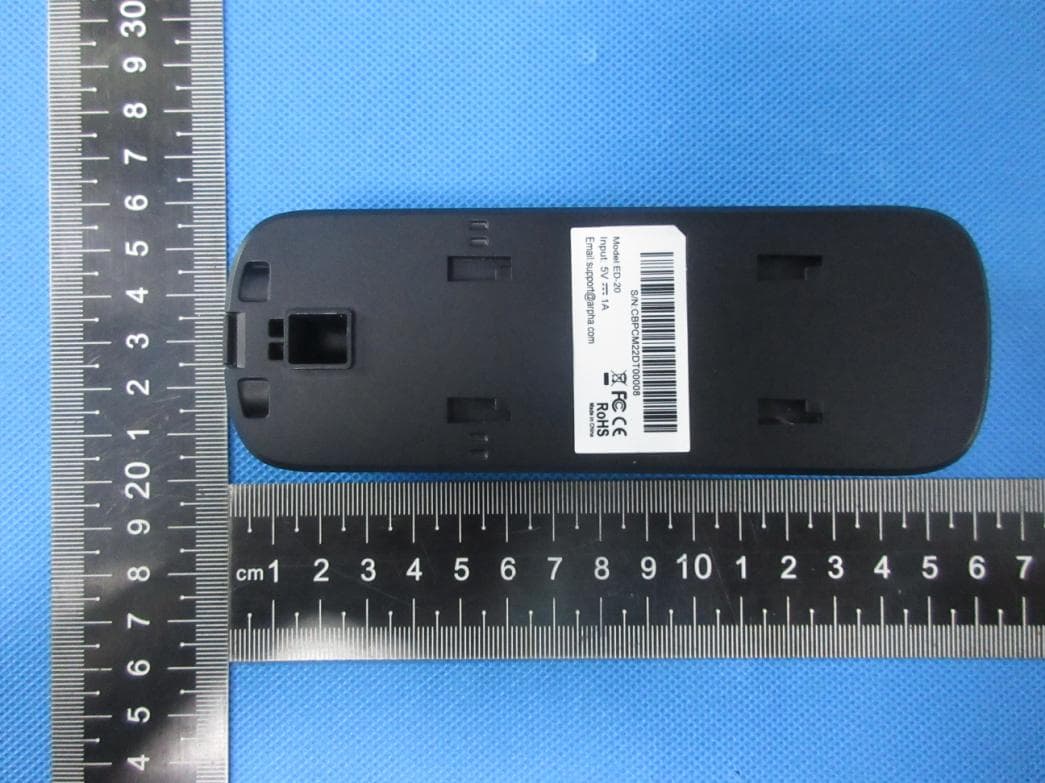
Click to zoom
Application Details
- Equipment Class
- DTS - Digital Transmission System
- Date of Grant
- Sep 26, 2022
- Application Purpose
- Original Equipment
- Date of Application
- Sep 26, 2022
- Equipment Note
- 2.4G Wi-Fi Battery Doorbell
- Frequency Range
- 2412.00000000 - 2462.00000000
- Company
- Fuwei Global Co., Ltd.
- Country
- Taiwan
Documents & Files
Document Text
Text extracted from the exhibit documents filed with the FCC. Open a document above to read the original.
Users Manual
SMART BATTERY DOORBELL USER MANUAL What’s in the Box Get Ready Frequently Asked Questions Description of assembly steps System Requirements Thank you for purchasing Smart Battery Doorbell. Get started using your new devices by downloading TuyaSmart, one convenient app that manages everything straight from your phone. Easily connect to your home Wi-Fi and control multiple devices from the touch of your fingertips *: Different products have different accessories, please refer to physical packing. Know your Wi-Fi network and password Make sure your mobile device is running iOS® 8 or higher or Android™ 4.1× or higher Make sure you’re connecting to a 2.4GHz Wi-Fi network (It can’t connect to 5GHz networks) Yes, you can share your cameras with family and friends who will have access to view the camera and control your bulbs, plugs, and other devices. In the app, press the Profile button and click on the “Home Management” button, and you will be able to give or revoke sharing permissions. In order to share, the other user should already have downloaded the app and registered a new account. Press the Reset Button (as Pic) for several seconds until camera starts to beep. Using the screw to remove the down panel Please power up the loud speaker Press the Reset Button for several seconds until device starts to dingdingdingdingdong, at the time, the lamp flashing slowly and the device enters the pairing state. Press the doorbell button to pairthe loud speaker starts to dingdong and pilot lamp offthe device paired successfully. Optional: Insert SD card as shown in Pic. SD card slot Reset hole Switch button Download the TuyaSmart app from App Store or Google Play. STEP 1. Enter your mobile phone number or email address. STEP 2. Enter the verification code and create a password. 1 Register an account on your TuyaSmart app 2 How do I reset my device? 3 Add device 4 Add device 4 Add device 4 Plug in Can I share with family and friends? 1 The range of your home Wi-Fi is heavily dependent on your home router and the conditions of the room. Check with your router specifications for exact range data. What’s the Wireless Range? 2 The device appears offline or unreachable? Make sure your Wi-Fi router is online and in range. Make sure you have the latest app functionality by clicking “Check for firmware update” in your device settings. 3 Make sure you entered the correct Wi-Fi password during the Wi-Fi setup. Check whether there are any Internet connection problems. If the Wi-Fi signal is too weak, reset your Wi-Fi router and try again. • Mobile device running iOS 8 or higher or Android 4.1x or higher Cannot connect to your Wi-Fi network. • Existing Wi-Fi Network 4 TuyaSmart app can control an unlimited amount of devices in an unlimited amount of locations. Your router may have a limit of how many devices can be connected to one router. Yes, they have same process, you can use forth step to add device How many cameras can I control? 5 Is the process same when I add the device through wifi or network cable? 6 ® TM 图纸发布类别 正式归档图纸 Open TuyaSmart APP, click “+” on the top right corner of the page “HOME”, then select “Smart Camera”. Make sure the indicator light on the device is white slowly flashing, then press “Next Step”. Read the instruction about “Scan with the camera”, click “Continue”. Enter your “Wi-Fi network and password”, click “OK”. Scan the QR Code on your phone with camera. Heard a prompt tone, click “Heard the beep”. *Please refer to the specific APP interface if there are any difference. When the indicator light on the device turns from flashing red light to steady green light, the network configuration is complete. Please read the instruction manual carefully before using the product 成品尺寸 展开尺寸 公差 单位:mm 1Hammer expansion bolt into wall body as per the hole position of locating sticke; 3Put the doorbell downward to buckle it on the back plate to complete installation. 4Mount your smart doorbell on the bracket with security screws 2Use a screw to fix the back plate; Smart Battery Doorbell ×1 User Manual ×1 Back Veneer x 1 Loud speaker x 1 USB Cable ×1 Adapter ×1 Screw bag ×1 Reset Pin×1 Screw Wrench×1 USB How to pair the doorbell with the loud speaker Security Screws-1pcsUse one to mount your Smart Doorbell on the Bracket Mounting Screws-2pcs: Use two to mount the Bracket on the wall. Wall Anchors-2pcs: (Optional) Push two anchors in the holes you drilled in the wall when installing on concrete, stucco, or brick, you should. Screws Bag Speaker Volume button Reset button Music button ①Push the power button to power on camera; ②If the indicator flash once then turn off, please charge the camera; ③Make sure the White light is slowly blinking, otherwise press the Reset button for 5s to reset. FCC WARNING This device complies with part 15 of the FCC Rules. Operation is subject to the following two conditions: (1) this device may not cause harmful interference, and (2) this device must accept any interference received, including interference that may cause undesired operation. Any changes or modifications not expressly approved by the party responsible for compliance could void the user's authority to operate the equipment. NOTE: This equipment has been tested and found to comply with the limits for a Class B digital device, pursuant to Part 15 of the FCC Rules. These limits are designed to provide reasonable protection against harmful interference in a residential installation. This equipment generates, uses and can radiate radio frequency energy and, if not installed and used in accordance with the instructions, may cause harmful interference to radio communications. However, there is no guarantee that interference will not occur in a particular installation. If this equipment does cause harmful interference to radio or television reception, which can be determined by turning the equipment off and on, the user is encouraged to try to correct the interference by one or more of the following measures: -- Reor…
Text truncated - open the document above for the full version.
External Photos
ATTACHMENT PHOTOGRAPHS OF EUT Photo 1 Photo 2 Photo 3 Photo 4 Photo 5 Photo 6
ID Label/Location Info
SN: ZR118061234567 MAC: AA:BB:CC:DD:EE:FF Smart Battery Doorbell ModelSC061-WCR2 Input5V 1A FCC ID2A297-ED-20 Fuwei Global Co.,Ltd SN: ZR118061234567 MAC: AA:BB:CC:DD:EE:FF 2.4G Wi-Fi Battery Doorbell ModelED-20 Input5V 1A FCC ID2A297-ED-20 Fuwei Global Co.,Ltd SN: ZR118061234567 MAC: AA:BB:CC:DD:EE:FF 2.4G Wi-Fi Battery Doorbell Model ED-20 Input5V 1A FCC ID2A297-ED-20 Fuwei Global Co.,Ltd 40x20mm 40x20mm 成品尺寸 单位:mm 公差: 展开图尺寸: ±0.1mm 制作规范(单位:mm) 中文字体:思源黑体 英文字体:Arial 3.1mm 7mm 5mm 版本 1.0原始版本蒋亦文20210721 物料编号变更者变更时间版本升级原因描述 智能电池门铃 SC061-WCR2-智能电池门 铃-中性英文-铭牌 SC061-WCR2 中性 合成纸不干胶 单黑 张璐璐 印刷+打印机打印 / 蒋亦文 20210721 接合方式 印刷色 材质 加工工艺 40mm 20mm 字号5pt 字号4pt 字号4pt 高度4mm 宽度按比例
Internal Photos
Photo 7 Photo 8 Photo 9 Photo 10 ANT Photo 11 Photo 12 Photo 13 Photo 14 Photo 15 Photo 16 Photo 17 Photo 18
Operational Description
version01 Fuwei Global Co., Ltd. Declaration concerning Antenna Specification It is hereby declared that the product Model No.: ED-20,K04-1A FCC ID: 2A297-ED-20 fulfills the requirement in FCC test relating to the antenna type. The device specified above confirms to the FCC recommendations for FPCB Antenna type(s) described below: Model No. of antenna: N/A Type of antenna: FPCB Antenna Gain of the antenna: 1 dBi Frequency range: The mounting of the antenna is fixed to the radio module and no other antenna should be used. Company name: Fuwei Global Co., Ltd. Address: Rm.B, 7F., No. 33, Fushun St., Zhongshan Dist., Taipei City 10427,Taiwan City: Taipei City 10427 ZIP / Postal code: Country: Taiwan Name: LI YONGYONG Date: 15/09/2022 Signature: 2412-246 2M H z
Operational Description
东莞地址:东莞市塘厦镇林村社区新太阳工业城 79 栋 杭州地址:杭州市滨江区秋溢路 500 号乐通科技园 3 栋 106 室 电话:0769-81777126 传真:0769-81777126 网址:www.ubuant.com 承认书 SPECIFICATION FOR APPROVAL 客户名称 CUSTOMER NAME: 产 品名称 PRODUCT NAME: 2.4G PCB built-in antenna L=110mm+terminal 客户料号 CUSTOMER P/N: 优比电子料号 UBP/N:UB01C110F3D2285AREV: A MANUFACTURER SIGNATURE CUSTOMER SIGNATURE CHECKED BY: Victor APPROVED BY: DATE: 2021/08/26 东莞地址:东莞市塘厦镇林村社区新太阳工业城 79 栋 杭州地址:杭州市滨江区秋溢路 500 号乐通科技园 3 栋 106 室 电话:0769-81777126 传真:0769-81777126 网址:www.ubuant.com Contents ltemDescription 1 .---------------------------------------------------------------Specification Table 2 .---------------------------------------------------------------Finished product 3 .---------------------------------------------------------------t esting report 4 .-------------------------------------------------------------Antenna Installation Diagram 东莞地址:东莞市塘厦镇林村社区新太阳工业城 79 栋 杭州地址:杭州市滨江区秋溢路 500 号乐通科技园 3 栋 106 室 电话:0769-81777126 传真:0769-81777126 网址:www.ubuant.com 1 .规格表 : 产品主要技术参数 主要技术指标 Main technical specifications 频率范围 (MHZ) 2400~2500 Frequency Range (MHZ) 2400~2500 特性阻抗(Ω) 50Impedance(Ω)50 峰值增益(dBi) ≤ 3Peak Gain(dBi) ≤ 3 输出电压 驻波比 ≤1.92 VSWR ≤1.92 极化方式 线极化 PolarizationLinear 连接方式 同轴线 + 端子 Connector TypeRF Cable+ Terminal 物理性能 Physical Properties 天线本体材料 FPCAntenna BaseFPC 工作温度 -20 °C ~+50 °C Operating Temp-20 °C ~+50 °C 保存温度 -20 °C ~+50 °C Storage Temp-20 °C ~+50 °C 东莞地址:东莞市塘厦镇林村社区新太阳工业城 79 栋 杭州地址:杭州市滨江区秋溢路 500 号乐通科技园 3 栋 106 室 电话:0769-81777126 传真:0769-81777126 网址:www.ubuant.com 2.成品图: 东莞地址:东莞市塘厦镇林村社区新太阳工业城 79 栋 杭州地址:杭州市滨江区秋溢路 500 号乐通科技园 3 栋 106 室 电话:0769-81777126 传真:0769-81777126 网址:www.ubuant.com 3.测试报告 3.1 :网络分析仪测试报告 东莞地址:东莞市塘厦镇林村社区新太阳工业城 79 栋 杭州地址:杭州市滨江区秋溢路 500 号乐通科技园 3 栋 106 室 电话:0769-81777126 传真:0769-81777126 网址:www.ubuant.com 3.2 :暗室 2D 、 3DRaditation Pattern( 整机数据 ) 3.2.1 效率及增益 Frequency (MHz)Efficiency (%)Peak Gain / dB 2400 54.8 1.00 2450 58.2 -4.98 2500 57.5 -3.82 3.2.2 2D/3D 场型图 2400MHz 2450MHz 东莞地址:东莞市塘厦镇林村社区新太阳工业城 79 栋 杭州地址:杭州市滨江区秋溢路 500 号乐通科技园 3 栋 106 室 电话:0769-81777126 传真:0769-81777126 网址:www.ubuant.com 2500MHz 2400 MHz 2450 MHz 东莞地址:东莞市塘厦镇林村社区新太阳工业城 79 栋 杭州地址:杭州市滨江区秋溢路 500 号乐通科技园 3 栋 106 室 电话:0769-81777126 传真:0769-81777126 网址:www.ubuant.com 2500 3.3 :Active test report 东莞地址:东莞市塘厦镇林村社区新太阳工业城 79 栋 杭州地址:杭州市滨江区秋溢路 500 号乐通科技园 3 栋 106 室 电话:0769-81777126 传真:0769-81777126 网址:www.ubuant.com 4 .Antenna Installation Diagram: S chematic diagram of the whole machine A ntenna location
RF Exposure Info
FCC ID: 2A297-ED-20 RF EXPOSURE EVALUATION According to FCC 1.1310: The criteria listed in the following table shall be used to evaluate the environment impact of human exposure to radio frequency(RF) Radiation as specified in §1.1307(b) Limits for Maximum Permissible Exposure (MPE) MPE Calculation Method E (V/m) = d GP**30 Power Density: Pd (W/m²) = 377 2 E E = Electric field (V/m) P = Average RF output power (W) G = EUT Antenna numeric gain (numeric) d = Separation distance between radiator and human body (m) The formula can be changed to Pd = 2 *377 **30 D GP From the EUT RF output power, the minimum mobile separation distance, d=0.2m, as well as the gain of the used antenna, the RF power density can be obtained. Measurement Result Operation Frequency: WIFI: 2412-2462MHz Power density limited: 1mW/ cm 2 Antenna Type: FPCB Antenna Antenna gain: 1dBi, R=20cm conducted power Evaluation result Power density Limits (dBm)(mW)(dBi)Numeric 2412 15.5216±117 50.1191.001.260.01261 2437 16.116±117 50.1191.001.260.01261 2462 16.3316±117 50.1191.001.260.01261 2412 15.6316±117 50.1191.001.260.01261 2437 15.8316±117 50.1191.001.260.01261 2462 16.2816±117 50.1191.001.260.01261 2412 13.2913±114 25.1191.001.260.00631 2437 13.4613±114 25.1191.001.260.00631 2462 13.413±114 25.1191.001.260.00631 2422 11.6212±113 19.9531.001.260.00501 2437 12.2412±113 19.9531.001.260.00501 2452 11.9912±113 19.9531.001.260.00501 802.11n(HT4 0) (mW/cm2 )(mW/cm2) Antenna Gain 802.11b Max tune-up power Channel Freq. (MHz) modulation Tune-up power (dBm) (dBm) 802.11g 802.11n20 Conclusion: For the max result : 0.0126≤ 1.0 for Max Power Density, compliance RF exposure.. Signature: Date: 9/22/2022 NAME AND TITLE (Please print or type): Alex Li/Manager COMPANY (Please print or type): Shenzhen NTEK Testing Technology Co., Ltd./ 1/F, Building E, Fenda Science Park, Sanwei Community, Xixiang Street Bao’an District, Shenzhen P.R. China.
Test Report
Report No.: S22010500403001 Version.1.3 Page 1 of 74 FCC RADIO TEST REPORT FCC ID: 2A297-ED-20 Product: 2.4G Wi-Fi Battery Doorbell Trade Mark: arpha Model No.: ED-20 Family Model: K04-1A Report No.: S22010500403001 Issue Date: Mar 11. 2022 Prepared for Fuwei Global Co., Ltd. Rm.B, 7F., No. 33, Fushun St., Zhongshan Dist., Taipei City 10427,Taiwan Prepared by Shenzhen NTEK Testing Technology Co., Ltd. 1/F, Building E, Fenda Science Park, Sanwei Community, Xixiang Street Bao’an District, Shenzhen P.R. China Tel. 400-800-6106, 0755-2320 0050, 0755-2320 0090 Website:http://www.ntek.org.cn Report No.: S22010500403001 Version.1.3 Page 2 of 74 TABLE OF CONTENTS 1 TEST RESULT CERTIFICATION ...................................................................................................................... 3 2 SUMMARY OF TEST RESULTS ......................................................................................................................... 4 3 FACILITIES AND ACCREDITATIONS ............................................................................................................. 5 3.1 FACILITIES..................................................................................................................................................... 5 3.2 LABORATORY ACCREDITATIONS AND LI STINGS ................................................................................. 5 3.3 MEASUREMENT UNCERTAINTY ............................................................................................................... 5 4 GENERAL DESCRIPTION OF EUT .................................................................................................................. 6 5 DESCRIPTION OF TEST MODES ..................................................................................................................... 8 6 SETUP OF EQUIPMENT UNDER TEST ......................................................................................................... 10 6.1 BLOCK DIAGRAM CONFIGURATION OF TEST SYSTEM ..................................................................... 10 6.2 SUPPORT EQUIPMENT............................................................................................................................... 11 6.3 EQUIPMENTS LIST FOR ALL TEST ITEMS .............................................................................................. 12 7 TEST REQUIREMENTS .................................................................................................................................... 14 7.1 CONDUCTED EMISSIONS TEST ............................................................................................................... 14 7.2 RADIATED SPURIOUS EMISSION ............................................................................................................ 17 7.3 6DB BANDWIDTH ....................................................................................................................................... 27 7.4 DUTY CYCLE ............................................................................................................................................... 29 7.5 MAXIMUM OUTPUT POWER .................................................................................................................... 30 7.6 POWER SPECTRAL DENSITY ................................................................................................................... 32 7.7 CONDUCTED BAND EDGE MEASUREMENT......................................................................................... 34 7.8 SPURIOUS RF CONDUCTED EMISSIONS................................................................................................ 36 7.9 ANTENNA APPLICATION .......................................................................................................................... 37 8 TEST RESULTS ................................................................................................................................................... 38 8.1 MAXIMUM CONDUCTED OUTPUT POWER........................................................................................... 38 8.2 OCCUPIED CHANNEL BANDWIDTH ....................................................................................................... 39 8.3 MAXIMUM POWER SPECTRAL DENSITY LEVEL ................................................................................. 46 8.4 BAND EDGE ................................................................................................................................................. 53 8.5 CONDUCTED RF SPURIOUS EMISSION .................................................................................................. 62 Report No.: S22010500403001 Version.1.3 Page 3 of 74 1 TEST RESULT CERTIFICATION Applicant’s name ......................... : Fuwei Global Co., Ltd. Address ....................................... : Rm.B, 7F., No. 33, Fushun St., Zhongshan Dist., Taipei City 10427,Taiwan Manufacturer's Name .................. : Dongguan Lingdu Electronic Technology Co., Ltd Address ....................................... : No. 1 Longcheng Street, Xiekeng Village, Qingxi Town, Dongguan, China Product description Product name .............................. : 2.4G Wi-Fi Battery Doorbell Model and/or type reference ..... : ED-20 Family Model ............................... : K04-1A Measurement Procedure Used: APPLICABLE STANDARDS APPLICABLE STANDARD/ TEST PROCEDURE TEST RESULT FCC 47 CFR Part 2, Subpart J FCC 47 CFR Part 15, Subpart C ANSI C63.10-2013 KDB 558074 D01 15.247 Meas Guidance v05r02 Complied This device described above has been tested by Shenzhen NTEK Testing Technology Co., Ltd., and the test results show that the equipment under test (EUT) is in compliance with the FCC requirements. And it is applicable only to the tested sample identified in the report. This report shall not be reproduced except in full, without the written approval of Shenzhen NTEK Testing Technology Co., L…
Text truncated - open the document above for the full version.
Test Setup Photos
Radiated Measurement Photos Conducted Measurement Photos
Contact Information
Applicant
Sophia Wang(Manager)
Test Firm
Shenzhen NTEK Testing Technology Co., Ltd.Alex Li
[email protected]+86-755-6115-9384
Technical Specifications
| # | Rule Parts | Frequency Range | Power Output |
|---|---|---|---|
| 1 | 15C | 2.41 GHz - 2.46 GHz | 43.00 mW |
Other Applications from Fuwei Global Co., Ltd.
2A297-DF360
Apr 13, 2026Face and Palm Vein Recognition Video Smart Lock
Equipment Class
DSC - Part 15 Security/Remote Control Transmitter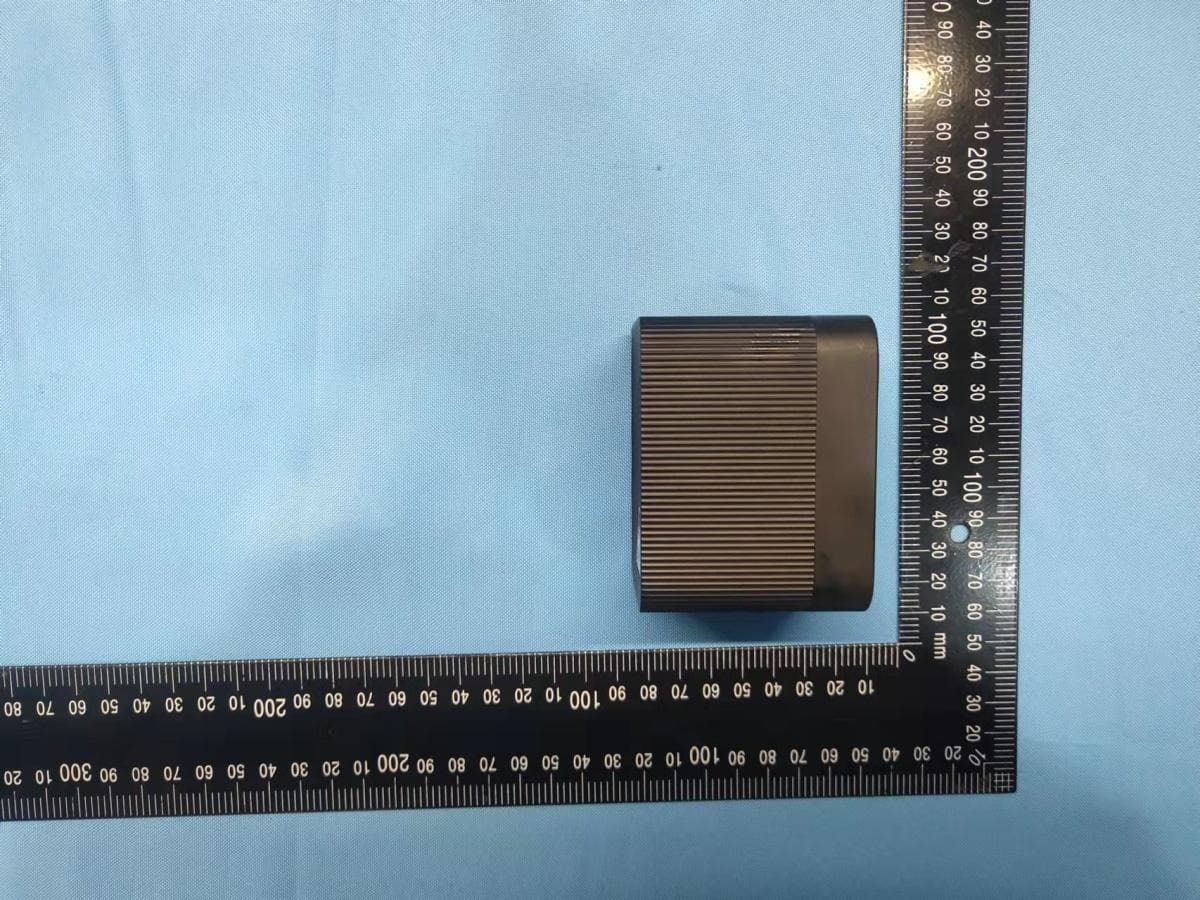
2A297EC-20
Nov 14, 20212.4G Wi-Fi Battery Camera
Equipment Class
DTS - Digital Transmission System