2A2IHCTIPC-285CWIFI IP CAMERA
Shenzhen C-tronics Co., Ltd.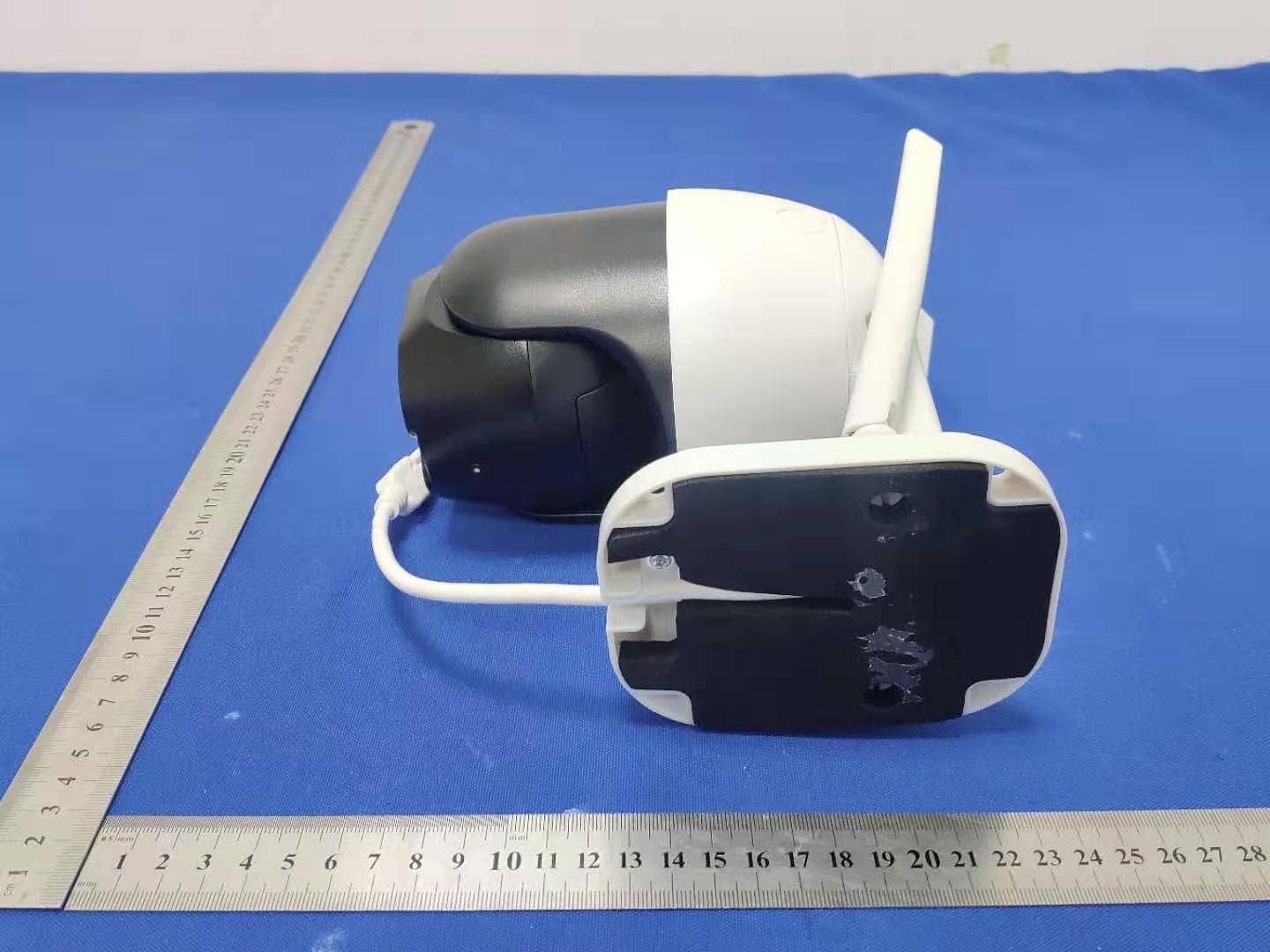
Click to zoom
Application Details
- Equipment Class
- DTS - Digital Transmission System
- Date of Grant
- Jul 12, 2021
- Application Purpose
- Original Equipment
- Date of Application
- Jul 12, 2021
- Equipment Note
- WIFI IP CAMERA
- Frequency Range
- 2412.00000000 - 2462.00000000
- Company
- Shenzhen C-tronics Co., Ltd.
- Country
- China
Documents & Files
Document Text
Text extracted from the exhibit documents filed with the FCC. Open a document above to read the original.
Users Manual
QuickStartGuide/SchnellstartAnleitung/Guíadeiniciorápido/QuidedeDémarrageRapide/GuidaRapida English/Deutsch/Español/Français/Italiano CtronicsIPCamera QuickStartGuide V2.4 QuickStartGuide/SchnellstartAnleitung/Guíadeiniciorápido/QuidedeDémarrageRapide/GuidaRapida English/Deutsch/Español/Français/Italiano ThismanualappliestothefollowingCamHiIPcameras: CamHiPTZCameras CamHiBullet/DomeIPCameras Pleasedownloadthecorrectproductinformationatwww.ipcam.xin. Pleasereadthisquickstartguidecarefullybeforeusingtheproductand keepitforfuturereference. ProductIntroduction Thisisanetworkcameraforsecuritysurveillance,Itisconnectedtothe InternetthroughnetworkcableorWi-Fifordatatransmissionandreception, youcanuseittoremotelywatchreal-timeimagesonmobilephoneandcomputer anytimeanywhere,itcansavevideointheMicroSDcardorcomputer,youcan setmotiondetectionandhumanoiddetectionalarmonthecamera,whenthealarm istriggered,thecameracansendemail,pushphonemessage,andmakealarm sound,andothermorefunctions. ProductList NO.NameQTY 1IPCamera1PCS 212VPowerAdapter1PCS 3QuickStartGuide1PCS 4InstallationAccessories1PCS 5Networkcable1PCS QuickStartGuide/SchnellstartAnleitung/Guíadeiniciorápido/QuidedeDémarrageRapide/GuidaRapida English/Deutsch/Español/Français/Italiano ProductPrecautions Theproperenvironmenttemperatureforthiscamerarangefrom-10°Cto50°C, Pleaseavoidexposingittotoomuchhotterorcolderenvironment. Wheninstallingthecamera,pleaseprotectthecamera'sinterfacecableand powersupply,pleasemakesuretheycannotbeshort-circuitedorbelengthened. Forbetteruserexperience,pleasekeepthefrontandbothsidesofthecamera lensawayfromobjectsreflectiveasglass,whitewalletc,sothatthepicture functionwellwithoutoverexposure. MakesurethecamerahasbeenplacedinareasofgoodsignaloftheWi-Fi, setitupawayfromsomewheremightjammingsignalasmetalormicrowaveoven. IfthisisaPTZrotationtypecamera,donottwistthecameratoforceit torotate,ifyouneedtoadjustthemonitoringorientation,youcanadjust itthroughthePTfunctionofthemobileAPP. TurnontheCamera UsethecorrectpoweradapterandconnectittothepowerInterfaceofthe camera,andthenwaitafewminutesuntilthecamerastartupcompleted. RebootorRestoreFactorySettings Reconnectthepowertorebootthecamera. Pressandholdtheresetbuttonfor5seconds,youwillhearthe"dong..." restarttone,thenthecamerawillrestoretofactorysettings. QuickStartGuide/SchnellstartAnleitung/Guíadeiniciorápido/QuidedeDémarrageRapide/GuidaRapida English/Deutsch/Español/Français/Italiano ConnecttheCameraandWatchonthePhone Download"CamHiPro"or"CamHi"fromGooglePlayStore/AppleAppStoreor scantheQRcodebelowtogetAPPinformation. Method1:ConnectwithWi-Fi Somethingsyouneedtocheckfirst: Pleasemakesurethatthewirelesssignalvalueofthecamerainstallation locationishigherthan70%inthesignallistofthecamera,youcancheck itinAPPlater. Connectthepowertothecamera(Donotconnectthenetworkcable),install orchecktheantennaofcamera. Android IOS QuickStartGuide/SchnellstartAnleitung/Guíadeiniciorápido/QuidedeDémarrageRapide/GuidaRapida English/Deutsch/Español/Français/Italiano Enteryourphone"Settings"-"WLAN"page,youcanfindthecamera'shotspot intheWLANlist,ifyoudonotfindthishotspot,pleaseresetthecamera andwait1minutetofindthehotspot,thehotspotnameis"IPCAM-******"(The symbol*representsanumber,forexampleIPCAM-66666),thehotspotpassword is"01234567",connectitasshownbelowShown: ThenrunAPP"CamHiPro"andfollowthestepsbelow: Findhotspotofthe camera"IPCAM-******" Thehotspotpasswordof thecamerais"01234567" Connectedhotspot QuickStartGuide/SchnellstartAnleitung/Guíadeiniciorápido/QuidedeDémarrageRapide/GuidaRapida English/Deutsch/Español/Français/Italiano Click"AddCamera" Click"IPcamera" Click"Newdevice" Click"Yes,Iwanttoadd thisdevice" Click"Addto" ChooseyourWi-Fiand enterthepassword,then click"Configure wirelessandadddevices" QuickStartGuide/SchnellstartAnleitung/Guíadeiniciorápido/QuidedeDémarrageRapide/GuidaRapida English/Deutsch/Español/Français/Italiano WhentheWi-Ficonnectionissuccessful,youwillhearthesound"ding..." fromcamera,ifnot,pleasecheckyourWi-Fipasswordandreconfigure. Method2:Connectwithnetworkcable Connectthepowerandnetworkcabletothecamera,makesurethatthecamera andmobilephoneareinthesamelocalareanetwork,andbothcanbeconnected totheInternet. RunAPPandclick"AddCamera"-"IPcamera"-"Newdevice"-"Powerison,next FindyourWi-Fiandmake sureitssignalishigher than70% Namethecameraandclick "confirm" Poweradapter Networkcable Cameraisadded,click theonlinecamerato watch QuickStartGuide/SchnellstartAnleitung/Guíadeiniciorápido/QuidedeDémarrageRapide/GuidaRapida English/Deutsch/Español/Français/Italiano step"until"Confirmaccessnetwork"page,thenfollowthestepsbelow: Ifyouwanttouseanetworkcabletoconnect,pleaseclick"Notconfigured yet,adddirectly"andcontinue. IfyouwanttochangetoWi-Ficonnect,pleaseclick"ConfigureWi-Fiand adddevices"andcontinue,whentheconfigureisfinished,youneedtounplug thenetworkcabletoactivateWi-Fi. WatchonComputer "Searchtool" Installthe"Searchtool"fromCamHiIPcameraproductinformation,youcan downloaditatwww.ipcam.xin. Click"Connectednetwork cable" Findthecameraandclick onit Choosewhethertoconfigure Wi-Fiandfinishit QuickStartGuide/SchnellstartAnleitung/Guíadeiniciorápido/QuidedeDémarrageRapide/GuidaRapida English/Deutsch/Español/Français/Italiano ThesearchtoolcanhelpyoufindcamerasintheLANandmodifytheIPaddress ofthecameraifitdoesnotmatchyournetwork. Webaccess Double-clickthecamerainthesearchtooltoopenthecamerawebpage. Inwebyoucanconfigureallparametersofcamera,ifyouarenotusingIE QuickStartGuide/SchnellstartAnleitung/Guíadeiniciorápido/QuidedeDémarrageRapide/GuidaRapida English/Deutsch/Español/Français/Italiano browsersomesettingswillbemissing. "HiP2PClient"multi-channelmanagementclient Installthe"HiP2PClient"client,youcanfindinstallationfileand instructionsinCamHiIPcameraproductinformation. Runtheclientandenterthe"Config"page,click"InputUID"toaddthe camera,youcanfindtheUIDserialnumberonthelabelofthecamera. Afteraddingthecamera,double-clickthecameratowatchthelivevideo. QuickStartGuide/SchnellstartAnleitung/Guíadeiniciorápido…
Text truncated - open the document above for the full version.
Cover Letter(s)
ShenzhenC-tronicsCo.,Ltd. AgentAuthorization Company:ShenzhenC-tronicsCo.,Ltd. Address:5#A602,ZoneA,Bao’anInternetIndustrialPark,BaoyuanRoad,Bao’ an,Shenzhen,518102,China ProductName:WIFIIPCAMERA ModelNumber(s):CTIPC-285C CTIPC-275C,CTIPC-PTZ270,CT-S20-J,CTIPC-285C,CTIPC-285C-Z4,CTIPC-290C, CTIPC-295C,CTIPO-350C,CTIPC-380C,CT-WDB02,CTSC-7S,CT-S20-G,CT-S30-J, CTIPC-500C,CTIPC-500C-Z10,CTIPC-510C,CTIPC-520C,CTIPC-530C,CTIPC-540C, CTIPC-550C,CTIPC-560C,CTIPC-570C,CTIPC-580C,CTIPC-590C,CTIPC-600C, CTIPC-610C,CTIPC-620C,CTIPC-630C,CTIPC-640C,CTIPC-650C,CT-S20,CT-S20- 4G,CT-S30,CTSC-J6,CTSC-B10,CTSC-B10-4G,CTSC-11S,CTSC-12S,CTSC-13S, CTSC-14S,CTSC-15S,CTSC-16S,CTSC-17S,CTSC-18S,CTSC-19S,CTSC-20S, CT-H885,CT-H8201,CT-H910,CT-H920,CT-H930,CT-H940,CT-H950,CT-H960,CT- H970,CT-H980,CT-H990 ProductDescription:WIFIIPCAMERA WeauthorizeMiCOMLabsInc.,575BoulderCourt,Pleasanton,California94566,USA, toactonourbehalfonallmattersconcerningthecertificationofabovenamed equipment. WedeclarethatMiCOMLabsInc.isallowedtoforwardallinformationrelatedtothe approvalandcertificationofequipmenttotheregulatoryagenciesasrequiredandto discussanyissuesconcerningtheapprovalapplication.Anyandallactscarriedoutby MiCOMLabsonourbehalfshallhavethesameeffectasactsofourown. Signature:Date:2021/7/5 Name:MaXin Title:Manager Company:ShenzhenC-tronicsCo.,Ltd.
Cover Letter(s)
ShenzhenC-tronicsCo.,Ltd. OfficeofEngineeringTechnology FederalCommunicationsCommission 7435OaklandMillsRoad Columbia,MD21046 USA Date:2021/7/5 Subject;RequestforConfidentiality FCCID:2A2IHCTIPC-285C ToWhomItMayConcern, PursuanttotheprovisionsoftheCommission’srulesTitle47Sections§0.457and§0.459,we arerequestingtheCommissiontowithholdthefollowingattachment(s)asconfidential documentsfrompublicdisclosureindefinitely. Thesedocumentscontaindetailedsystemandequipmentdescriptionsandareconsideredas proprietaryinformationinoperationoftheequipment.Thepublicdisclosureofthesedocuments mightbeharmfultoourcompanyandwouldgivecompetitorsanunfairadvantageinthemarket. SchematicDiagram BlockDiagram OperationalDescription Inadditionaltoabovementioneddocuments,inordertocomplywiththemarketingregulations inTitle47CFR§2.803andtheimportationrulesinTitle47CFR§2.1204,whileensuringthat businesssensitiveinformationremainsconfidentialuntiltheactualmarketingofnewly authorizeddevices,werequestShortTermConfidentialityofthefollowingattachment(s); UserManual For45days,pursuanttoPublicNoticeDA04-1705. OR For180dayspursuanttoKDB726920D01. Itisourunderstandingthatallmeasurementtestreports,FCCIDlabelformatand correspondenceduringthecertificationreviewprocesscannotbegrantedasconfidential documentsandthisinformationwillbeavailableforpublicreviewoncethegrantofequipment authorizationisissued. Sincerely, Signature: Name:MaXin Title:Manager
Cover Letter(s)
ShenzhenC-tronicsCo.,Ltd. ModelDifference 2021/7/5 EUTNAME:WIFIIPCAMERA MODEL:CTIPC-285C CTIPC-275C,CTIPC-PTZ270,CT-S20-J,CTIPC-285C,CTIPC-285C-Z4,CTIPC- 290C,CTIPC-295C,CTIPO-350C,CTIPC-380C,CT-WDB02,CTSC-7S,CT-S20-G, CT-S30-J,CTIPC-500C,CTIPC-500C-Z10,CTIPC-510C,CTIPC-520C,CTIPC-530C, CTIPC-540C,CTIPC-550C,CTIPC-560C,CTIPC-570C,CTIPC-580C,CTIPC-590C, CTIPC-600C,CTIPC-610C,CTIPC-620C,CTIPC-630C,CTIPC-640C,CTIPC-650C, CT-S20,CT-S20-4G,CT-S30,CTSC-J6,CTSC-B10,CTSC-B10-4G,CTSC-11S, CTSC-12S,CTSC-13S,CTSC-14S,CTSC-15S,CTSC-16S,CTSC-17S,CTSC-18S, CTSC-19S,CTSC-20S,CT-H885,CT-H8201,CT-H910,CT-H920,CT-H930,CT- H940,CT-H950,CT-H960,CT-H970,CT-H980,CT-H990 AllthemodelarethesamecircuitandRFmodule,exceptmodelnames. Sincerely Client’ssignature Client’sname/title:MaXin/Manager Contactinformation/address:5#A602,ZoneA,Bao’anInternetIndustrial Park,BaoyuanRoad,Bao’an,Shenzhen,518102,China
External Photos
ExternalPhotos
ID Label/Location Info
Size:20*10mm WIFIIPCAMERA Model:CTIPC-285C FCCID:2A2IHCTIPC-285C Label location
Internal Photos
InternalPhotos Antenna
RF Exposure Info
FCC§15.247(i),§2.1091–RFExposure FCCID:2A2IHCTIPC-285C Appliedprocedures/limit AccordingtoFCC§15.247(i)and§1.1307(b)(1),systemsoperatingundertheprovisionsofthis sectionshallbeoperatedinamannerthatensuresthatthepublicisnotexposedtoradio frequencyenergylevelinexcessoftheCommission’sguidelines. LimitsforOccupational/ControlledExposure Frequency Range(MHz) ElectricField Strength(E) (V/m) MagneticField Strength(H) (A/m) PowerDensity(S) (mW/cm 2 ) AveragingTime |E| 2 ,|H| 2 orS (minutes) 0.3-3.06141.63(100)*6 3.0-301842/f4.89/f(900/f)*6 30-30061.40.1631.06 300-1500F/3006 1500-100,00056 Note:ƒisfrequencyinMHz *=Powerdensitylimitisapplicableatfrequenciesgreaterthan100MHz LimitsforGeneralPopulation/UncontrolledExposure Frequency Range(MHz) ElectricField Strength(E) (V/m) MagneticField Strength(H) (A/m) PowerDensity(S) (mW/cm 2 ) AveragingTime |E| 2 ,|H| 2 orS (minutes) 0.3-1.346141.63(100)*30 1.34-30824/f2.19/f(180/f)*30 30-30027.50.0730.230 300-1500F/150030 1500-100,0001.030 Note:f=frequencyinMHz *=Plane-waveequivalentpowerdensity MPEPREDICTION PredicationofMPElimitatagivendistance,EquationfromOETBulletin65,Edition97-01 Where:S=powerdensity P=powerinputtoantenna G=powergainoftheantennainthedirectionofinterestrelativetoanisotropicradiator R=distancetothecenterofradiationoftheantenna,R=0.2m TESTRESULTS Tuneup Produce power Maximu mpeak output power (dBm) Output power to antenn a (mW) Antenna Gain (numeric) Power Density (S) (mW/ cm2) Limit (mW / cm2 ) Result WIFI16±11750.121.122(0.5dBi)0.011191Pass
Test Report
No.:BCTC/RF-EMC-005Page: 1 of 67 Edition:A.3 TESTREPORT ShenzhenBCTCTestingCo.,Ltd. ReportNo.:BCTC2106359841E Applicant:ShenzhenC-tronicsCo.,Ltd. ProductName:WIFIIPCAMERA Model/Type reference: CTIPC-285C TestedDate:2021-06-07to2021-06-22 IssuedDate:2021-07-09 ReportNo.:BCTC2106359841E No.:BCTC/RF-EMC-005Page: 2 of 67 Edition:A.3 FCCID:2A2IHCTIPC-285C Thetestreportiseffectiveonlywithbothsignatureandspecializedstamp.Thisresult(s)showninthisreport referonlytothesample(s)tested.WithoutwrittenapprovalofShenzhenBCTCTestingCo.,Ltd,thisreport can’tbereproducedexceptinfull.Thetestedsample(s)andthesampleinformationareprovidedbythe client. ProductName:WIFIIPCAMERA Trademark:Ctronics Model/Typereference: CTIPC-285C MoremodelsRef.the4.1ProductInformation PreparedFor:ShenzhenC-tronicsCo.,Ltd. Address: 5#A602,ZoneA,Bao’anInternetIndustrialPark,Baoyuan Road,Bao’an,Shenzhen,518102,China Manufacturer:Shenzhengastviewtechnologyco.,Ltd. Address: 4#3,HongFaJiaTeLiGaoXinPark,ShiYanRoad,Bao’an, Shenzhen,518102,China PreparedBy:ShenzhenBCTCTestingCo.,Ltd. Address: 1-2/F.,BuildingB,PengzhouIndustrialPark,No.158,Fuyuan 1stRoad,Tangwei,FuhaiSubdistrict,Bao'anDistrict, Shenzhen,Guangdong,China SampleReceivedDate:2021-06-07 SampletestedDate:2021-06-07to2021-06-22 IssueDate:2021-07-09 ReportNo.:BCTC2106359841E TestStandards FCCPart15.247 ANSIC63.10-2013 TestResultsPASS Remark:ThisisWIFI-2.4GHzbandradiotestreport. Testedby:Approvedby: KelseyTan/ProjectHandlerZeroZhou/Reviewer ReportNo.:BCTC2106359841E No.:BCTC/RF-EMC-005Page: 3 of 67 Edition:A.3 TABLEOFCONTENT TestReportDeclarationPage 1.VERSION ........................................................................................................................ 5 2.TESTSUMMARY .......................................................................................................... 6 3.MEASUREMENTUNCERTAINTY ............................................................................. 7 4.PRODUCTINFORMATIONANDTESTSETUP ..................................................... 8 4.1ProductInformation .................................................................................................. 8 4.2TestSetupConfiguration ......................................................................................... 9 4.3SupportEquipment ................................................................................................. 10 4.4ChannelList ............................................................................................................. 10 4.5TestMode ................................................................................................................ 11 4.6tableofparametersoftextsoftwaresetting ....................................................... 11 5.TESTFACILITYANDTESTINSTRUMENTUSED .............................................. 12 5.1TestFacility .............................................................................................................. 12 5.2TestInstrumentUsed ............................................................................................. 12 6.CONDUCTEDEMISSIONS ....................................................................................... 14 6.1BlockDiagramOfTestSetup ............................................................................... 14 6.2Limit ........................................................................................................................... 14 6.3Testprocedure ........................................................................................................ 14 6.4EUToperatingConditions ..................................................................................... 14 6.5TestResult ............................................................................................................... 15 7.RADIATEDEMISSIONS ............................................................................................ 17 7.1BlockDiagramOfTestSetup ............................................................................... 17 7.2Limit ........................................................................................................................... 18 7.3Testprocedure ........................................................................................................ 19 7.4EUToperatingConditions ..................................................................................... 21 7.5TestResult ............................................................................................................... 21 8.RADIATEDBANDEMISSIONMEASUREMENTANDRESTRICTEDBANDS OFOPERATION .............................................................................................................. 28 8.1BlockDiagramOfTestSetup ............................................................................... 28 8.2Limit ........................................................................................................................... 28 8.3Testprocedure ........................................................................................................ 29 8.4EUToperatingConditions ..................................................................................... 29 8.5TestResult ............................................................................................................... 30 9.POWERSPECTRALDENSITYTEST ..................................................................... 32 9.1BlockDiagramOfTestSetup ............................................................................... 32 9.2Limit ........................................................................................................................... 32 9.3Testprocedure ........................................................................................................ 32 9.4EUToperatingConditions ..................................................................................... 32 9.5TestResult ...............................................................…
Text truncated - open the document above for the full version.
Test Setup Photos
ReportNo.:BCTC2106359841E No.:BCTC/RF-EMC-005Page: 65 of 67 Edition:A.3 16.EUTTESTSETUPPHOTOGRAPHS ConductedEmission ReportNo.:BCTC2106359841E No.:BCTC/RF-EMC-005Page: 66 of 67 Edition:A.3 RadiatedMeasurementPhotos
Contact Information
Applicant
Ma Xin
Technical Contact
Test Firm
Shenzhen BCTC Testing Co., Ltd.Sally He
[email protected]15999690624
Technical Specifications
| # | Rule Parts | Frequency Range | Power Output |
|---|---|---|---|
| 1 | 15C | 2.41 GHz - 2.46 GHz | 45.81 mW |