2A2LE-CL01ASSD Drive
Clexi Tech Inc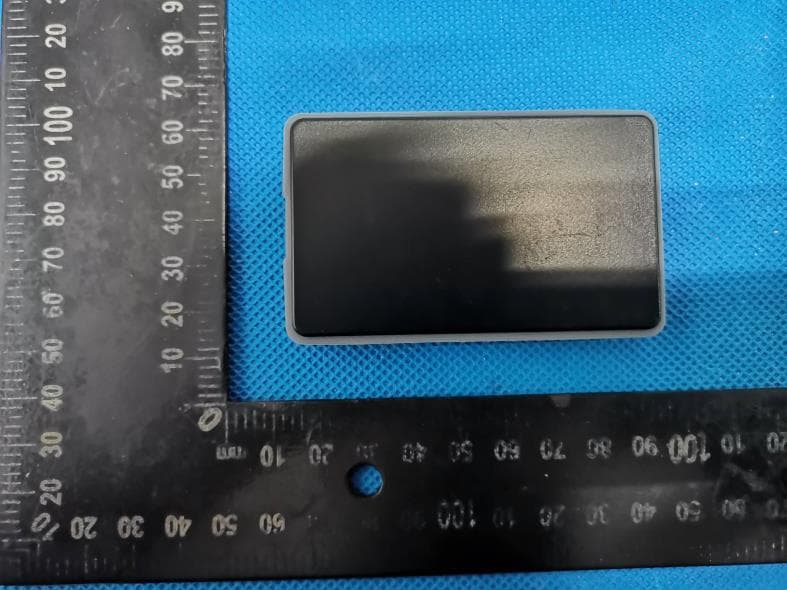
Click to zoom
Application Details
- Equipment Class
- DTS - Digital Transmission System
- Date of Grant
- Jul 23, 2021
- Application Purpose
- Original Equipment
- Date of Application
- Jul 22, 2021
- Equipment Note
- SSD Drive
- Frequency Range
- 2402.00000000 - 2480.00000000
- Company
- Clexi Tech Inc
- Country
- Canada
Documents & Files
Document Text
Text extracted from the exhibit documents filed with the FCC. Open a document above to read the original.
Users Manual
Cléxi Info Cléxi is the world’s 1st smart secure SSD drive. Experience the safe, quick, and convenient access to your data via your smartphone. Enjoy the Features: Cléxi offers unique and cool features, such as: Easy unlock: Unlock your drive securely with just a tap of your smartphone. Find my Cléxi: Track the exact location of your drive on the world’s map. Data sharing: Choose a candidate and share your drive with them safe, secure, and fast. Access management: Freeze or wipe out your data via this feature in case of losing your drive. Phone replacement: Replace your current smartphone with a new one without any hassle. Add a new Cléxi drive: Simply add a new Cléxi drive to your current app and account. 1st time registration 3.Press the “Add a new Cléxi” button in your app and push the button of your Cléxi drive. 1.Plug your Cléxi into a USB port. 2.Open the Cléxi app and login with either Google, LinkedIn, or Facebook account. 5.If you are asked to upgrade the Cléxi firmware, simply follow the steps on the app. 4.Tap your smartphone on the Cléxi and follow the wizard. Unlock 3.Tap your smartphone on the Cléxi drive. 1.Plug your Cléxi into a USB port. 2.Push the button of your Cléxi drive. LED Status Check the status of your drive through LEDs. Green LEDs: The Cléxi drive is unlocked and ready to use. Blinking blue LEDs: The Cléxi drive is seeking your phone to be tapped. Blinking red LEDs: Your phone cannot be found or the Bluetooth is turned off. Using your Cléxi Drive: Button on Cléxi This key works as a starting procedure, for starting press the key on your drive. Turn on your smartphone’s Bluetooth Connect your SSD drive to your device: Cléxi comes with a USB C port. Connect your drive with a cable to the device you want to use. You will not need any additional software. Specifications Model Capacity Encryption Engine Dimensions Weight Read/Write Speed Interfaces Integrated Storage NAND type SSD Drive 128 GB / 512 GB / 1 TB - INIC-3637 (FIPS Certified) 76*48*9.7 mm 18 g Up to 400 MB/s USB 3.1 Gen 1 Type-C NGFF M.2 SSD Micron TLC FCC Warnning: This equipment has been tested and found to comply with the limits for a Class B digital device, pursuant to part 15 of the FCC Rules. These limits are designed to provide reasonable protection against harmful interference in a residential installation. This equipment generates, uses and can radiate radio frequency energy and, if not installed and used in accordance with the instructions, may cause harmful interference to radio communications. However, there is no guarantee that interference will not occur in a particular installation. If this equipment does cause harmful interference to radio or television reception, which can be determined by turning the equipment off and on, the user is encouraged to try to correct the interference by one or more of the following measures: • Reorient or relocate the receiving antenna. • Increase the separation between the equipment and receiver. • Connect the equipment into an outlet on a circuit different from that to which the receiver is connected. • Consult the dealer or an experienced radio/TV technician for help. Caution: Any changes or modifications to this device not explicitly approved by manufacturer could void your authority to operate this equipment. This device complies with part 15 of the FCC Rules. Operation is subject to the following two conditions: (1)This device may not cause harmful interference, and (2) this device must accept any interference received, including interference that may cause undesired operation. This equipment complies with FCC radiation exposure limits set forth for an uncontrolled environment. This equipment should be installed and operated with minimum distance 20cm between the radiator and your body.
Cover Letter(s)
CONFIDENTIALITY REQUEST for Certification Service in USA Federal Communication Commission Equipment Authorization Division, Application Processing Branch 7435 Oakland Mills Road Columbia, MD 21046 Date:<2021-7-14> Pursuant to Paragraphs §0.457 and 0.459 of the Commission’s Rules (47 C.F.R.) and Section §552(b)(4) of the Freedom of Information Act, we requests confidentiality for the following products: FCC ID Model name 2A2LE-CL01A CL01A For the product stated above, we request that the following information be held confidential; Exhibits Long-Term Confidentiality Short-Term Confidentiality Short-Term Confidentiality Days External Photos Internal Photos Block Diagram Schematics Test Setup Photos User’s Manual Parts List Tune Up Operational Descriptions The long-term confidentiality exhibits contain our trade secrets and proprietary information that could be of benefit to our competitors. The short-term confidentiality on the basis of ensuring that business sensitive information remains confidential until the actual marketing of our new device. If you have any questions, please feel free to contact me at the address shown below. Sincerely, Name/Title: Samane Alimohamadian/Manager Company: Clexi Tech Inc Address: 401-68 Water Street Vancouver, BC, Canada Phone: +1 (604) 783-2267 Fax: N/A E-Mail: [email protected]
Cover Letter(s)
Clexi Tech Inc 401-68 Water Street Vancouver, BC, Canada Federal Communications Commission Authorization and Evaluation Division Equipment Authorization Branch 7435 Oakland Mills Road Columbia, MD 21046 2021-7-14 To whom it may concern: We, Clexi Tech Inc the undersigned, hereby authorize Eurofins Product Service GmbH to act on our behalf in all matters relating to applications for equipment authorization FCC ID: 2A2LE-CL01A including the signing of all documents related to these matters. Any and all acts carried out by Eurofins Product Service GmbH on our behalf shall have the same effect as acts of our own. We also hereby certify that no party to this application is subject to a denial of benefits, including FCC benefits, pursuant to Section 5301 of the Anti-Drug Abuse Act of 1988, 21 U.S.C. 862. Sincerely, Name/Title: Samane Alimohamadian/Manager Company: Clexi Tech Inc Address: 401-68 Water Street Vancouver, BC, Canada Phone: +1 (604) 783-2267 Fax: N/A E-Mail: [email protected]
External Photos
FCC ID: 2A2LE-CL01A External Photos of the EUT FCC ID: 2A2LE-CL01A
Internal Photos
FCC ID: 2A2LE-CL01A Internal Photos of the EUT BT Antenna
Test Setup Photos
FCC ID: 2A2LE-CL01A Test Setup Photos of the EUT Test Setup Photo(s) of Radiated Emissions Measurement Fig. 1 Fig. 2 FCC ID: 2A2LE-CL01A Test Setup Photo of Line Conducted Emissions Measurement
Contact Information
Applicant
Samane Alimohamadian(Manager)
Test Firm
Shenzhen GUOREN Certification Technology Service CSam Wang
[email protected]+86 755 23408306
Technical Specifications
| # | Rule Parts | Frequency Range | Power Output |
|---|---|---|---|
| 1 | 15C | 2.40 GHz - 2.48 GHz | 300.00 µW |