2A32L-BBM04-TXBaby monitor
Shenzhen Velocity Technology Innovations Co,.Ltd.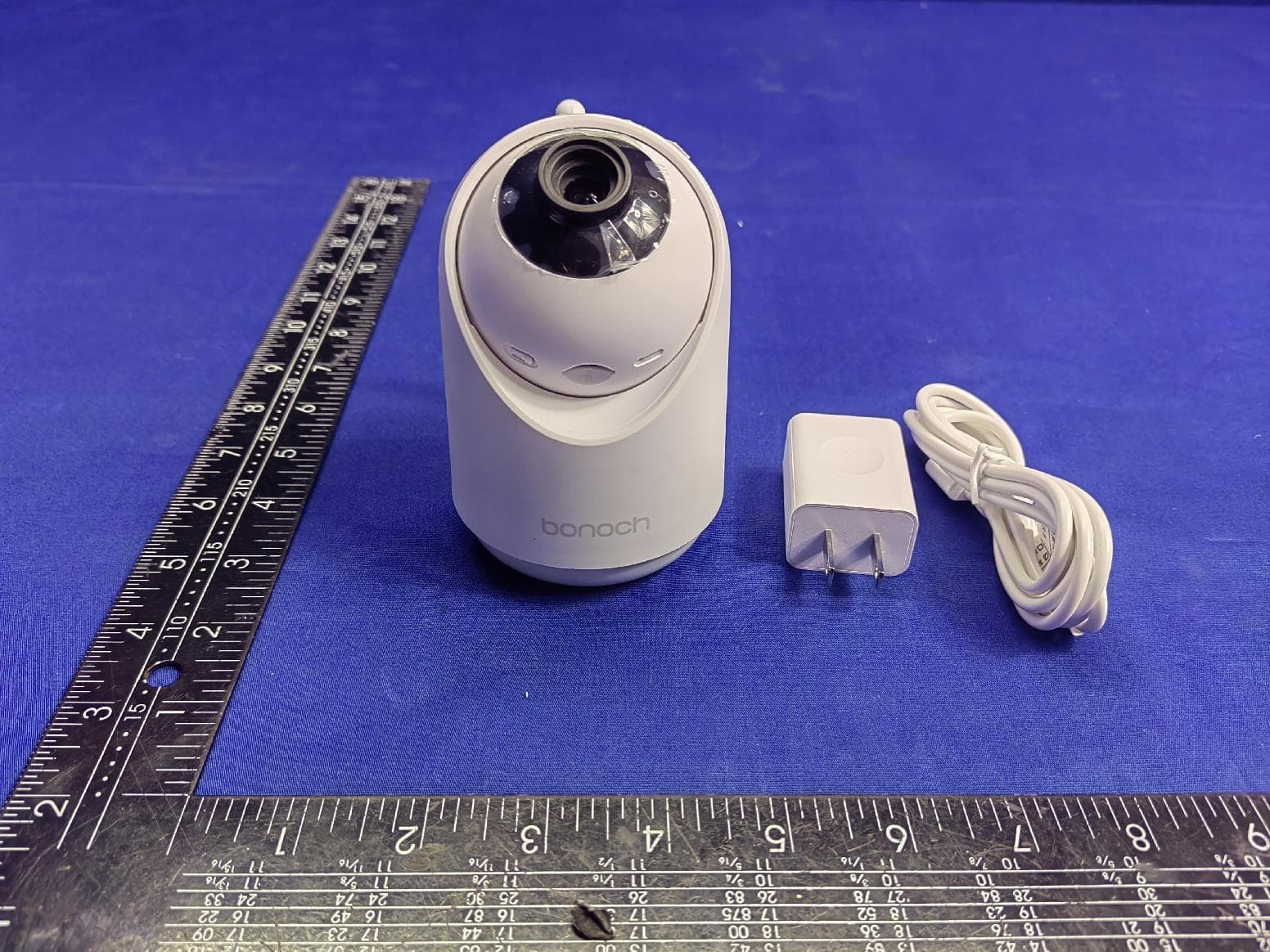
Click to zoom
Application Details
- Equipment Class
- DTS - Digital Transmission System
- Date of Grant
- Apr 26, 2023
- Application Purpose
- Original Equipment
- Date of Application
- Apr 26, 2023
- Equipment Note
- Baby monitor
- Frequency Range
- 906.00000000 - 922.00000000
- Country
- China
Documents & Files
Document Text
Text extracted from the exhibit documents filed with the FCC. Open a document above to read the original.
Users Manual
Video Baby Monitor We will update the manual frequently, you can scan the QR code or visit the website to get the latest version of the manual Contents 1. Overview (01-03) Packing List (01) Baby Unit (02) Parent Unit (03) 2. Getting Started (04) 3. Camera Placement ( on the wall ) (05) 4. Function Operation (06-07) 5. Switching Cameras (08) 6. Replacing the Camera Len (09) 7. Maintenance and Warranty (10) 8. Information on Disposal of Product (10) 9. Warning and Safety Instructions (10) 10. Troubleshooting (11) 1. Overview 1.1 Packing List EN 01 Baby Unit (Camera) x 1 Set Screw x2 Parent Unit x 1 Wide-Angle Len x 1 Positioning Card USB C Cable x 2 USB Chargerx 2 User Manual x 1 7800mAh Extra-Long Battery Life USER MANUAL 05 06 03 02 10 09 08 01 1.2 Baby Unit 01.02.03. Light SensorStandard CameraMicrophone 04.05.06. Pairing ButtonTF SlotReset Hole 07.08.09.10. USB-C Charging PortAntennaTemperature SensorPower Switch 04 EN 02 07 02 03 05 08 11 12 09 10 1.3 Parent Unit DisplayPower ButtonVolumeVolume Level IndicatorPower IndicatorMenu/Back/Camera/Video Recording 1.2.3.4.5.6. 7.8.9.10.11.12. ZoomUp Arrow KeyLeft Arrow KeyOK ButtonRight Arrow KeyDown Arrow Key 13.14.15.16.17.18.19. Play MusicIntercomMicrophoneAntennaSpeakerUSB-C Charging PortReset Hole 01 06 07 14 15 16 17 19 18 04 13 EN 03 2. Getting Started Step 1.Connect the AC power adapter with camera. Plug the AC power adapter into power socket. Notes The two units has already been paired in factory settings, so no repeated operation is needed in most cases. But if the auto pairing failed or you want to add more cameras, please try step 3 and step 4. Step 2. Press for two seconds to turn on the parent unit. Step 3.Set the parent unit to prepare for connecting. Step 4.Long Press PAIR button for five seconds until you hear the prompt tone. 4 yg p p re cameras, p l ease try step 3 and step 4. o i ng . SL o sep EN 04 S t Sepr 123 Long Press OK button to unbid 3. Camera Placement ( on the wall ) Put the camera at the pre-installation angle, then viewing from the display monitor, check if the angle is OKUsing positioning card included, punch two holes horizontally apart with the same separation as the installation holes at the bottom of the camera Push the matching anchors into the holes.Screw on with a screwdriver, leaving 1cm of the screw outside of the hole Align the camera with the protruding screw, press and hold it down Step 1. Step 2. Step 3. EN 05 4. Function Operation 1234 08 08 Crying DetectMotion DetectAlarm Volume 1533 HighLow EN 06 Long Press OK button to unbid Lullaby Loop Playback Volume Anti-flicker Dormant Brightness Languages Date/Time Camera Info Version Info 1 2 EN 07 5. Switching Camera 5.1 Switch cameras manually When two or more cameras are connected,Press the "OK" button to enter the split screen mode. You can now use the arrow keys to select a screen you want to zoom in, and press the "OK" button again to switch to the new camera screen.To turn off multiple cameras scan mode,press the"OK" button for 3 seconds, the loop logo of the camera at the top of the screen will disappear. 5.2 Turn on multiple cameras scan mode 5.2 Turn off multiple cameras scan mode When two or more cameras are connected,When the screendisplays a single camera at the same time,press the "OK" buttonfor 3 seconds, "Scan mode on" displays at the bottom left of thescreen, and the loop logo of the camera appears at the top of the screen. The baby monitor will automatically loop real-time video from up to 4 cameras in single-screen mode every 15 seconds or in split-screen mode every 30 seconds. 2 EN 08 6. Replacing the Camera Len Rotate to remove the decorative ring of the original lens (please keep the removed decorative ring properly, it needs to be reinstalled later when using the standard lens) Take out the additional wide-angle lens, align it and screw it in, pay attention to make sure it is installed in place Note: After installation, remove the lens protection cover for normal use ve ring of h e removed d s to be standard lens ) Ta ke out the ad ali g n it and scr e make sure it is i s tallation, remove the lens p rotection cover f EN 09 9. Warning and Safety InstructionsFollow these safety precautions to prevent fire, injury, or damage to the product and your baby. Read and keep instructions handy: It's very important to read all the safety and operation instructions before use. Warnings: 7. Maintenance and WarrantyMaintenanceAll of the following maintenance procedures should only be performed when baby and parent units are unplugged and turned off.Clean the surfaces of the baby and parent units with a soft, fluff-free cloth.Never use cleaning agents or solvents.If the units become dirty, use a slightly damp cloth to wipe surfaces. Take care not to allow water into any openings.Warranty termsThis baby monitor comes with a one-year warranty (replace or refund) and lifetime technical support. The warranty terms do not apply to any product that has been subject to abuse, misuse, negligence, or accident. If you have warranty or support issues, please contact the customer service of Amazon seller before leaving your review.8. Information on Product DisposalAlways dispose of your product (with a non-removable pre-installed battery) at the end of its life in an environmentally respon sible way and in accordance with your local waste disposal requirements. All cardboard and paper packaging materials should be recycled in accordance with your local council waste regulations. 6ft EN 10 10. Troubleshooting No signal on the Parent UnitThe power adapters may not be properly connected.Confirm the toggle switch of the Baby Unit is in "Power On" positionConfirm the Parent Unit has power and is powered onEnsure the Baby Unit and Parent Unit are not far from each other. The baby Unit and Parent Unit may not be properly paired. Follow the PAIRING instructions. Interference or poor connectionOpening the folded antenna upright improves signal receptionMove the B…
Text truncated - open the document above for the full version.
External Photos
EUTEXTERNALPHOTOGRAPHS ----------------Theend----------------
Internal Photos
Page1of4 EUTINTERNALPHOTOGRAPHS Antenna Page2of4 Page3of4 Page4of4 ----------------Theend----------------
RF Exposure Info
FCCID:2A32L-BBM04-TX RFEXPOSUREEVALUATION AccordingtoFCC1.1310:Thecriterialistedinthefollowingtableshallbeusedtoevaluate theenvironmentimpactofhumanexposuretoradiofrequency(RF)Radiationasspecifiedin §1.1307(b) LimitsforMaximumPermissibleExposure(MPE) Frequency Range(MHz) ElectricField Strength(V/m) MagneticField Strength(A/m) Power Density(mW/cm 2 ) AverageTime (A)LimitsforOccupational/ControlExposures 300-1500----F/3006 1500-100000----56 (B)LimitsforGeneralPopulation/UncontrolExposures 300-1500----F/15006 1500-100000----130 1.1Friistransmissionformula:Pd=(Pout*G)\(4*pi*R 2 ) Where Pd=PowerdensityinmW/cm 2 Pout=outputpowertoantennainmW G=Numericgainoftheantennarelativetoisotropicantenna Pi=3.1416 R=distancebetweenobservationpointandcenteroftheradiatorin20cm PdthelimitofMPE,1mW/cm 2 .Ifweknowthemaximumgainofthendtotalpowerinputto theantenna,throughthecalculation,wewillknowthedistancewheretheMPElimitis reached. 1.2MeasurementResult Mode Max Measured power (dBm) Max tune-up power (dBm) Antenna gain Antenna Gain Numeric Evaluation result (mW/cm2) Powerdensity Limits (mW/cm2) 2.4GWIFI25.583271.191.320.13111 ----------------THEENDOFREPORT---------------
Test Report
ShenzhenyiixnElectronicTechnologyCo.,Ltd ShenzhenyixinElectronicTechnologyCo.,Ltd Pagenumber1-10 SPECIFICATION for GY-ANAntenna CustomerNo. ProductNo. YX-BBM-TX-RF1.13-57MM-V2.0 Author:XiaofengZengReview:Wenshihao ReleaseDate:2022.11.05 ShenZhenyixinElectronicTechnologyCo.,Ltd 1212,BlockA,HuafengHeadquartersEconomicBuilding,288Xixiang Avenue,XixiangStreet,Bao'anDistrict,Shenzhen E-mail:[email protected] Tel:17898458992 ShenzhenShuodianElectronicTechnologyCo.,Ltd Date:2014-6-30Page number2-8 ShenzhenyixinElectronicTechnologyCo.,Ltd ShenzhenyixinElectronicTechnologyCo.,Ltd Pagenumber2-10 Contents SPECIFICATION....................................................................................................................1 SHENZHENYIXINELECTRONICTECHNOLOGYCO.,LTD..................................................1 CONTENTS..............................................................................................................................2 1.BILATERALCONFIRMATIONPAGE............................................................................3 2.GENERAL.........................................................................................................................4 3.GENERALPRODUCTSPECIFICATIONS..................................................................4 4.SPECIFICATIONDETIALS..............................................................................................5 4.1MECHANICALPROPERTIES.................................................................................................5 4.2ELECTRICPERFORMANCE...............................................................................................8 5.PRODUCTPACKAGING..............................................................................................10 6.DOCUMENTRESUME.................................................................................................11 ShenzhenShuodianElectronicTechnologyCo.,Ltd Date:2014-6-30Page number3-8 ShenzhenyixinElectronicTechnologyCo.,Ltd ShenzhenyixinElectronicTechnologyCo.,Ltd Pagenumber3-10 1.BilateralConfirmationpage 1.1Customersignature Customer:WoanTechnology(Shenzhen)Co.,Ltd Separtment/postSignDate HardwareEngineer/RD Mechanical/MD ProjectManager/PM Commercial/Puchasing Checker 1.2SignatureofShuoDianTechnologycompany Separtment/postSignDate AntennaEngineer/RD Mechanical/MD ProjectManager/PM QA Checker ShenzhenShuodianElectronicTechnologyCo.,Ltd Date:2014-6-30Page number4-8 ShenzhenyixinElectronicTechnologyCo.,Ltd ShenzhenyixinElectronicTechnologyCo.,Ltd Pagenumber4-10 2.General 2.1Scopeofapplication GY-RX-915antenna 2.2Operatingtemperaturerange Temperaturerangeofthisproduct:-20~+65°C 2.3Storagetemperaturerange: Thisproductisstoredat-30~+75°C 3.Generalproductspecifications NO.ITEMSDETAILS 1Type TX-AN-915antenna 2 OperatingFrequency Band 915MHZ 3VSWR≤2.0 4Gain1.0±0.5dBi 5RadiationEfficiency≥40% 6Impedance50Ω 7AntennaTypeDipole 8PolarizationmodeLinearpolarization 9Antennacomposition PCB+1.13Coaxialline+IPEX1generationterminal 10EntityPicture ShenzhenShuodianElectronicTechnologyCo.,Ltd Date:2014-6-30Page number5-8 ShenzhenyixinElectronicTechnologyCo.,Ltd ShenzhenyixinElectronicTechnologyCo.,Ltd Pagenumber5-10 4.SpecificationDetials 4.1MechanicalProperties 4.11ProductComposition : No.MaterialSize(MM) 1PCB 74.38*4.43*0.8MMgreen 2Coaxialline 1.13Whitecoaxialline+IPex1terminal +Totallength57MM 4.12Apperance Goodappearancewithoutscars、dirts、protuberances,etc. 4.13AntennaPictureandStructureDimension Refertoproductdrawings: ShenzhenShuodianElectronicTechnologyCo.,Ltd Date:2014-6-30Page number6-8 ShenzhenyixinElectronicTechnologyCo.,Ltd ShenzhenyixinElectronicTechnologyCo.,Ltd Pagenumber6-10 Productdrawings: ShenzhenShuodianElectronicTechnologyCo.,Ltd Date:2014-6-30Page number6-8 ShenzhenyixinElectronicTechnologyCo.,Ltd ShenzhenyixinElectronicTechnologyCo.,Ltd Pagenumber6-10 ShenzhenShuodianElectronicTechnologyCo.,Ltd Date:2014-6-30Page number8-8 ShenzhenyixinElectronicTechnologyCo.,Ltd ShenzhenyixinElectronicTechnologyCo.,Ltd Pagenumber8-10 4.2ElectricPerformance 4.21Testcondition Environment : Temperature : 10 °C ——+30 °C Humidity : ≤80% ( +40 °C) Atmospher : 750mmkg±30mmkg Equipment : NetworkAnalyzer:AgilentE8358A AnechiorChamber:ETS 4.22 TestDataforElectricalPerformance: 4.22.1S11oftheAntenna: Marker900MHz915MHz920Mhz930MHz Returnloss-9.61-14.15-13.28-9.43 VSWR1.941.501.592.08 ShenzhenShuodianElectronicTechnologyCo.,Ltd Date:2014-6-30Page number9-8 ShenzhenyixinElectronicTechnologyCo.,Ltd ShenzhenyixinElectronicTechnologyCo.,Ltd Pagenumber9-10 4.22.2Passivegain、efficiencyandRadiationPattern: Freq.(MHz)Gain(dBi)Efficiency(%) 9000.7147.9 9100.6045.5 9151.1951.0 9200.7348.2 9300.4840.3 ShenzhenShuodianElectronicTechnologyCo.,Ltd Date:2014-6-30Page number10-8 ShenzhenyixinElectronicTechnologyCo.,Ltd ShenzhenyixinElectronicTechnologyCo.,Ltd Pagenumber10-10 4.22.3Radiationpatternofantenna,frequency:915MHz E1sideHplane E2side ShenzhenShuodianElectronicTechnologyCo.,Ltd Date:2014-6-30Page number11-8 ShenzhenyixinElectronicTechnologyCo.,Ltd ShenzhenyixinElectronicTechnologyCo.,Ltd Pagenumber11-10 5.ProductPackaging Mannerofpacking: Packedinselfsealedbags,200pcseach. 6.DocumentResume DocumentNo. ReleaseDate2022/11/05 AuthorXiofengZeng ReviewWH RevisedHistory DateVersionRevisedRecord 2022/11/051.00NewProject
Test Report
ReportNo.ENS2212160131W00101RPage1of47Ver.1.0 TESTREPORT ProductName:Babymonitor ModelNumber:BBM04,BBM04-TX,BBM06,BBM08 FCCID:2A32L-BBM04-TX Preparedfor:ShenzhenVelocityTechnologyInnovations Co.,Ltd. Address:Rm209,211,213,215,Bldg424,BagualingIndustrial Zone,YuanlingStr,FutianDistrict,ShenZhen,China Preparedby:EMTEK(SHENZHEN)CO.,LTD. Address:Building69,MajialongIndustryZone,NanshanDistrict, Shenzhen,Guangdong,China Tel:(0755)26954280 Fax:(0755)26954282 ReportNumber:ENS2212160131W00101R Date(s)ofTests:December17,2022toFebruary6,2023 Dateofissue:February7,2023 $二维码$ ReportNo.ENS2212160131W00101RPage2of47Ver.1.0 TableofContents 1TESTRESULTCERTIFICATION......................................................................................................................3 2EUTTECHNICALDESCRIPTION....................................................................................................................5 3SUMMARYOFTESTRESULT...........................................................................................................................6 4TESTMETHODOLOGY......................................................................................................................................7 4.1GENERALDESCRIPTIONOFAPPLIEDSTANDARDS.............................................................................7 4.2MEASUREMENTEQUIPMENTUSED.........................................................................................................7 4.3DESCRIPTIONOFTESTMODES.................................................................................................................8 5FACILITIESANDACCREDITATIONS.............................................................................................................9 5.1FACILITIES......................................................................................................................................................9 5.2EQUIPMENT....................................................................................................................................................9 5.3LABORATORYACCREDITATIONSANDLISTINGS.................................................................................9 6TESTSYSTEMUNCERTAINTY......................................................................................................................10 7SETUPOFEQUIPMENTUNDERTEST.........................................................................................................11 7.1RADIOFREQUENCYTESTSETUP1.........................................................................................................11 7.2RADIOFREQUENCYTESTSETUP2.........................................................................................................11 7.3CONDUCTEDEMISSIONTESTSETUP.....................................................................................................14 7.4BLOCKDIAGRAMCONFIGURATIONOFTESTSYSTEM....................................................................15 7.5SUPPORTEQUIPMENT...............................................................................................................................15 8TESTREQUIREMENTS....................................................................................................................................16 8.1DTS6DBBANDWIDTH...............................................................................................................................16 8.2DTS99%BANDWIDTH...............................................................................................................................19 8.3MAXIMUMPEAKCONDUCTEDOUTPUTPOWER...............................................................................22 8.4MAXIMUMPOWERSPECTRALDENSITY..............................................................................................24 8.5UNWANTEDEMISSIONSINNON-RESTRICTEDFREQUENCYBANDS............................................27 8.6RADIATEDSPURIOUSEMISSION.............................................................................................................34 8.7CONDUCTEDEMISSIONSTEST...............................................................................................................44 8.8ANTENNAAPPLICATION...........................................................................................................................47 ReportNo.ENS2212160131W00101RPage3of47Ver.1.0 1TESTRESULTCERTIFICATION Applicant:ShenzhenVelocityTechnologyInnovations Co.,Ltd. Address: Rm209,211,213,215,Bldg424,BagualingIndustrialZone,YuanlingStr, FutianDistrict,ShenZhen,China Manufacturer:ShenzhenVelocityTechnologyInnovations Co.,Ltd. Address: Rm209,211,213,215,Bldg424,BagualingIndustrialZone,YuanlingStr, FutianDistrict,ShenZhen,China EUT:Babymonitor ModelName:BBM04,BBM04-TX,BBM06,BBM08 Trademark:bonoch MeasurementProcedureUsed: APPLICABLESTANDARDS STANDARDTESTRESULT FCC47CFRPart2,SubpartJ FCC47CFRPart15,SubpartC PASS ICRSS-GEN,Issue5(04-2018)+A1(03-2019)+A2(02-2021) ICRSS-247Issue2(02-2017) PASS TheaboveequipmentwastestedbyEMTEK(SHENZHEN)CO.,LTD.Thetestdata,dataevaluation,test procedures,andequipmentconfigurationsshowninthisreportweremadeinaccordancewiththe proceduresgiveninANSIC63.10(2013)andtheenergyemittedbythesampleEUTtestedasdescribed inthisreportisincompliancewiththerequirementsofFCCRulesPart2,Part15.247,ICRSS-247Issue 2andICRSS-GEN,Issue5. Thetestresultsofthisreportrelateonlytothetestedsampleidentifiedinthisreport. DateofTest:December17,2022toJanuary12,2023 Preparedby: UnaYu/Editor Reviewer: JoeXia/Supervisor Approve&AuthorizedSigner:LisaWang/Manager ReportNo.ENS2212160131W00101RPage4of47Ver.1.0 ModifiedHistory VersionReportNo.RevisionDateSummary V1.0ENS2212160131W00101R/OriginalReport ReportNo.ENS2212160131W00101RPage5of47Ver.1.0 2EUTTECHNICALDESCRIPTION Product: Babymonitor ModelNumber: BBM04,BBM04-TX,BBM06,BBM08 Samplenumber:2# DeviceType: 802.11ahWIFI DataRate:802.11ah:150Kbps,32.5Mbps; Modulation:OFDMwithBPSK/QPSK/16QAM/64QAM OperatingFrequencyRange:906-922M…
Text truncated - open the document above for the full version.
Test Setup Photos
PhotosofConductedEmissionMeasurement SpuriousEmissionTestSetup(Below30MHz) SpuriousEmissionTestSetup(30MHz-1GHz)
Contact Information
Applicant
Richie Gong(Senior Product Manager)
Test Firm
EMTEK (Shenzhen) Co., Ltd.Lisa Wang
[email protected]8675526954280
Technical Specifications
| # | Rule Parts | Frequency Range | Power Output |
|---|---|---|---|
| 1 | 15C | 906 MHz - 922 MHz | 361.70 mW |
Other Applications from Shenzhen Velocity Technology Innovations Co,.Ltd.
2A32L-BBM07
Jan 29, 2024Baby Monitor
Equipment Class
DSS - Part 15 Spread Spectrum Transmitter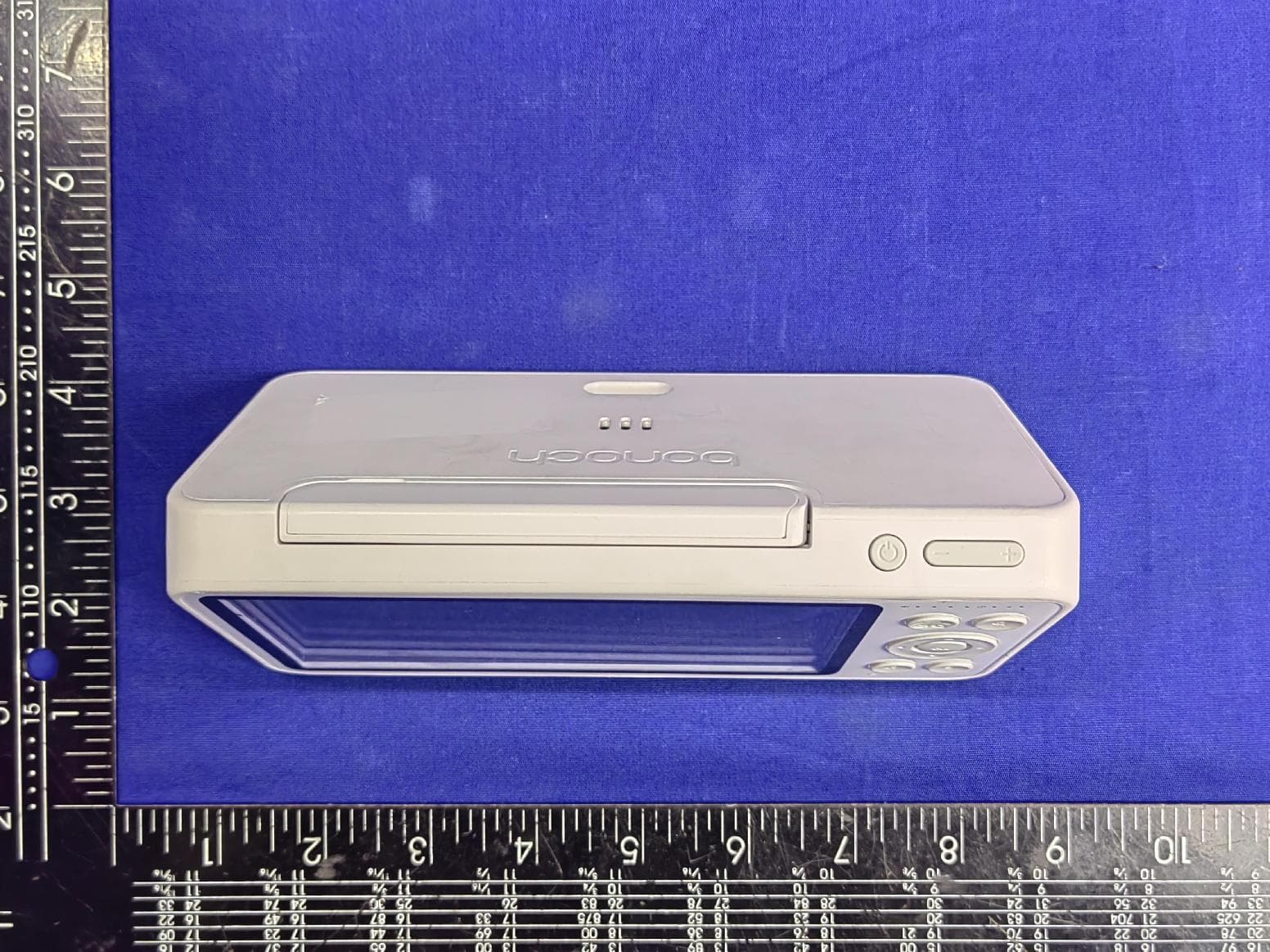
2A32L-BBM04
Apr 26, 2023Baby monitor
Equipment Class
DTS - Digital Transmission System