2A396DIY-WF-SMARTWiFi Video Camera Module
Shenzhen Fuvision Electronics Company Limited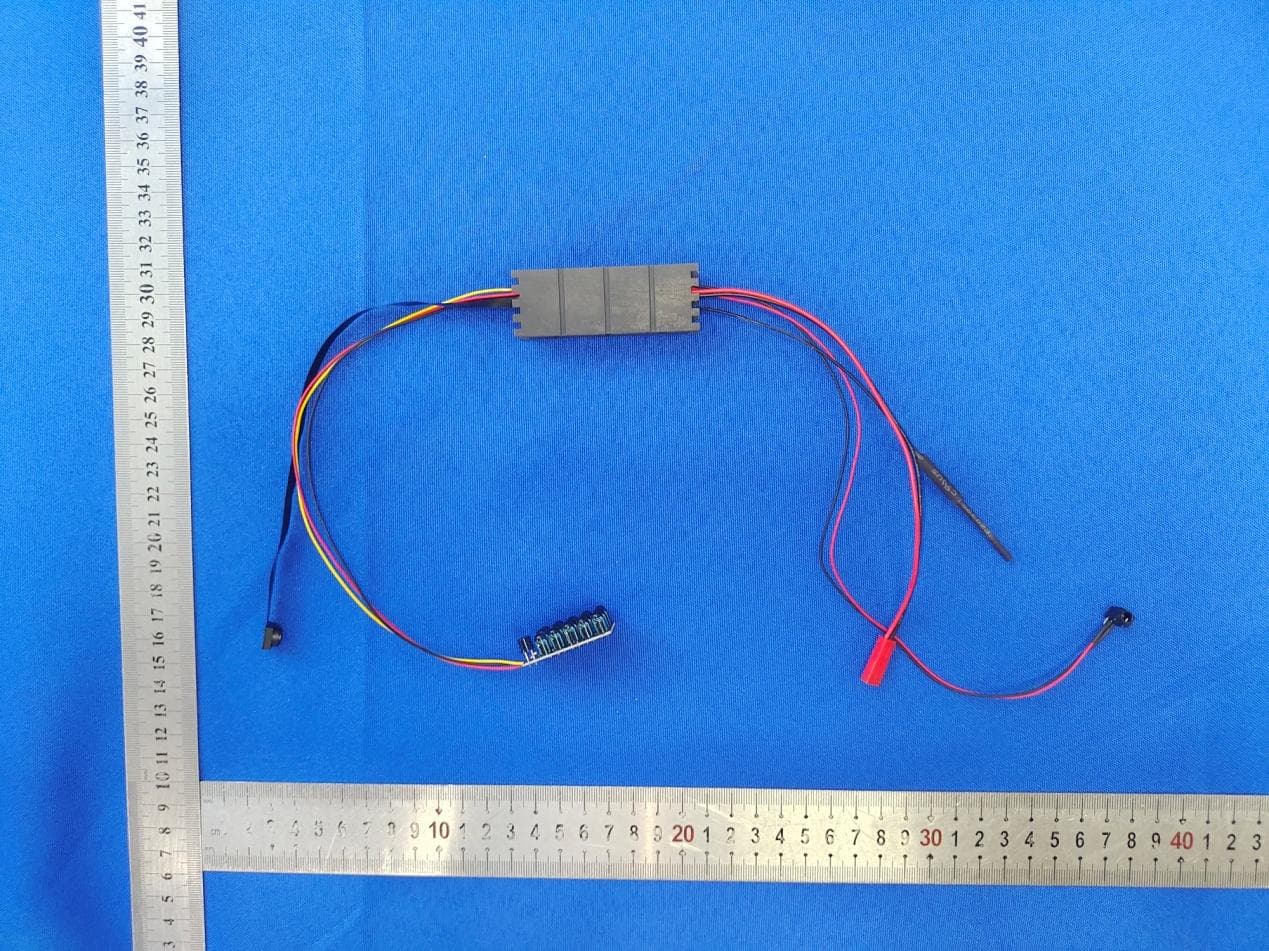
Click to zoom
Application Details
- Equipment Class
- DTS - Digital Transmission System
- Date of Grant
- Sep 18, 2022
- Application Purpose
- Original Equipment
- Date of Application
- Sep 18, 2022
- Equipment Note
- WiFi Video Camera Module
- Frequency Range
- 2412.00000000 - 2462.00000000
- Country
- China
Documents & Files
Document Text
Text extracted from the exhibit documents filed with the FCC. Open a document above to read the original.
Users Manual
11/5/2021 User Manual DIY-WF-SMART P a g e | 1 Need Help? Get FREE USA-based technical support direct from PalmVID Call 800-618-7491 or email [email protected] Table of Contents Important SD Card Information ................................................................................ 2 High Capacity Cards ............................................................................................... 2 About This Device ..................................................................................................... 3 Setup Concept Overview .......................................................................................... 4 Powering the Device ................................................................................................. 5 Charging the Battery .............................................................................................. 5 Installing the App on a Phone or Tablet .................................................................... 6 Installing the App on an iPhone or iPad .................................................................... 6 Installing the App on an Android device ................................................................... 6 Adding the Camera to the App ................................................................................. 6 Configuring Camera Settings .................................................................................. 13 Cam Name .............................................................................................................. 14 Device Information ................................................................................................. 14 Tap-to-Run and Automation ................................................................................... 15 Basic Function Settings ........................................................................................... 15 Display Settings ....................................................................................................... 16 Detection Alarm Settings ........................................................................................ 16 Storage Settings ...................................................................................................... 17 Share Device ........................................................................................................... 17 Add to Home Screen ............................................................................................... 18 Video Playback ........................................................................................................ 20 Video Playback (continued) .................................................................................... 22 Troubleshooting...................................................................................................... 24 P a g e | 2 Need Help? Get FREE USA-based technical support direct from PalmVID Call 800-618-7491 or email [email protected] Important SD Card Information Micro SD cards MUST be inserted properly or damage may occur. SD Cards in these devices are spring loaded. To insert the SD card, push the card into the slot until a click is heard or felt. Once the card clicks it will lock into place. To remove the card, press the card inward to unlock the spring and the card will come out. NEVER FORCE AN SD CARD IN OR OUT! Micro SD cards are available in different speed classes. For video recording, the micro SD card MUST be Class 10 or UHS-1 or higher. The Class can be determined by locating a small symbol on the label side of the card. Example: Class 6 Class 10 UHS-1 UHS-3 The micro SD card MUST be FAT32 format. For cards larger than 32GB, refer to the information on high capacity cards below. ALWAYS stop recording and power off the device before inserting or removing a Micro SD card. The SD card may become corrupted if the device is not powered off. High Capacity Cards 64GB or larger cards must be formatted FAT32 using “GUI Format”. To download refer to: ridgecrop.co.uk/index.htm?guiformat.htm To format an SD Card to FAT32 to use with a PalmVid camera, please follow these instructions: 1.Navigate to this link (Click on it) 2.Click on the picture of the software (On the website, see Figure 1) 3.Save the software, it should be located in the Downloads folder. 4.If a popup appears asking to allow this program to make changes to the computer, select YES. 5.Select the drive of the Micro SD Card 6.Press Start! If an error message about the drive being in use is displayed, close all windows except for FAT32 Format and try again. Figure 1 P a g e | 3 Need Help? Get FREE USA-based technical support direct from PalmVID Call 800-618-7491 or email [email protected] About This Device Important Information These cameras output a WiFi unique to each device. When the device is powered on for the first time, a WiFi network is generated by the camera that looks like a series of number and letters. The network looks similar to SmartLife-0000. RESET BUTTON Use a small tool such as a paperclip or toothpick to depress the reset button. Press and hold the button for 10 seconds to reset SD CARD SLOT Gently insert a Micro SD card into this slot. The card should insert easily, and will click and lock into place Micro USB Port Use the included USB cable and charger to provide constant power to the camera with this USB port On/Off Switch This small white switch turns the camera on or off, the Right position is On (as pictured) P a g e | 4 Need Help? Get FREE USA-based technical support direct from PalmVID Call 800-618-7491 or email [email protected] Setup Concept Overview PLEASE READ THIS PAGE FIRST BEFORE ATTEMPTING SETUP The main goal of the initial setup is to “program” this camera with the name and password of the main WiFi network/router where the camera will be deployed. After the initial setup is completed the camera will attempt to use that information to connect itself to the …
Text truncated - open the document above for the full version.
Cover Letter(s)
Shenzhen Fuvision Electronics Company Limited Letter of Authorization Company: Shenzhen Fuvision Electronics Company Limited Address: 101 No.41, Xinyuan Industrial Zone, Guxing Community, Street, Bao'an District, Shenzhen, China Product name: WiFi Video Camera Module Trade name: N/A Model name: DIY-WF-SMART, DIY-WF-1000V1, DIY-WF-1000V2, DIY-WF-1000V3, DIY-WF-1000V4, DIY-WF-1000V5, DIY-WF-1000V6, DIY-WF-1000V7, DIY-WF-1000V8, DIY-WF-1000V9, DIY-WF-1000V10, DIY-WF-1000V11, DIY-WF-1000V12, DIY-WF-1000V13, DIY-WF-1000V14, DIY-WF-1000V15, DIY-WF-1000V16, DIY-WF-1000V17, DIY-WF-1000V18, DIY-WF-1000V19, DIY-WF-1000V20, DIY-WF-1000V21, DIY-WF-1000V22, DIY-WF-1000V23, DIY-WF-1000V24, DIY-WF-1000V25, DIY-WF-1000V26, DIY-WF-1000V27, DIY-WF-1000V28, DIY-WF-1000V29, DIY-WF-1000V30, DIY-WF-1000V31, DIY-WF-1000V32, DIY-WF-1000V33, DIY-WF-1000V34, DIY-WF-1000V35, DIY-WF-1000V36, DIY-WF-1000V37, DIY-WF-1000V38, DIY-WF-1000V39, DIY-WF-1000V40, DIY-WF-1000V41, DIY-WF-1000V42, DIY-WF-1000V43, DIY-WF-1000V44, DIY-WF-1000V45, DIY-WF-1000V46, DIY-WF-1000V47, DIY-WF-1000V48, DIY-WF-1000V49 FCC Identifier: 2A396DIY-WF-SMART We authorize MiCOM LabsInc, 575 Boulder Court, Pleasanton, California94566, USA, to act on our behalf on all matters concerning the above named equipment. Any individual within MiCOM Labs is authorized to act on our behalf and take action on the application. We declare that MiCOM LabsInc, 575 Boulder Court, Pleasanton, California 94566, USA, is allowed to forward all information related to the approval project to the Federal Communication Commission and to discuss any issues concerning the approval application. Any and all acts carried out by MiCOM Labs on our behalf shall have the same effect as acts of our own. Name: Tingfang Zhang Date: Sep. 08, 2022 Title: manager Signature of applicant:
Cover Letter(s)
Model Difference Declaration To Whom It May Concern, We, Shenzhen Fuvision Electronics Company Limited Product name: WiFi Video Camera Module Trade name: N/A Model name: DIY-WF-SMART, DIY-WF-1000V1, DIY-WF-1000V2, DIY-WF-1000V3, DIY-WF-1000V4, DIY-WF-1000V5, DIY-WF-1000V6, DIY-WF-1000V7, DIY-WF-1000V8, DIY-WF-1000V9, DIY-WF-1000V10, DIY-WF-1000V11, DIY-WF-1000V12, DIY-WF-1000V13, DIY-WF-1000V14, DIY-WF-1000V15, DIY-WF-1000V16, DIY-WF-1000V17, DIY-WF-1000V18, DIY-WF-1000V19, DIY-WF-1000V20, DIY-WF-1000V21, DIY-WF-1000V22, DIY-WF-1000V23, DIY-WF-1000V24, DIY-WF-1000V25, DIY-WF-1000V26, DIY-WF-1000V27, DIY-WF-1000V28, DIY-WF-1000V29, DIY-WF-1000V30, DIY-WF-1000V31, DIY-WF-1000V32, DIY-WF-1000V33, DIY-WF-1000V34, DIY-WF-1000V35, DIY-WF-1000V36, DIY-WF-1000V37, DIY-WF-1000V38, DIY-WF-1000V39, DIY-WF-1000V40, DIY-WF-1000V41, DIY-WF-1000V42, DIY-WF-1000V43, DIY-WF-1000V44, DIY-WF-1000V45, DIY-WF-1000V46, DIY-WF-1000V47, DIY-WF-1000V48, DIY-WF-1000V49 All model’s the function, software and electric circuit are the same, only with a product color and model named different. Test sample model: DIY-WF-SMART. Please contact me if you have any question. Date: 2022.09.08 Name: Tingfang Zhang Title: manager Company: Shenzhen Ruichenxi Technology Co., Ltd.
Cover Letter(s)
Date: Sep. 08, 2022 < Shenzhen Fuvision Electronics Company Limited > Office of Engineering Technology Federal Communications Commission 7435 Oakland Mills Road Columbia, MD21046 Subject; Request for Long Term Confidentiality FCC ID: 2A396DIY-WF-SMART To Whom It May Concern, Pursuant to the provisions of the Commission’s rules Title 47 Sections §0.457 and §0.459, we are requesting the Commission to withhold the following attachment(s) as confidential documents from public disclosure indefinitely. These documents contain detailed system and equipment descriptions and are considered as proprietary information in operation of the equipment. The public disclosure of these documents might be harmful to our company and would give competitors an unfair advantage in the market. Schematic Diagram Block Diagram Parts List Operational Description Tune-up Procedure It is our understanding that all measurement test reports, FCC ID label format and correspondence during the certification review process cannot be granted as confidential documents and this information will be available for public review once the grant of equipment authorization is issued. Sincerely, Signature: Name: Tingfang Zhang Title: manager
External Photos
Model: DIY-WF-SMART Model: DIY-WF-SMART Model: DIY-WF-SMART
ID Label/Location Info
FCC ID LABEL: Label Location: FCC ID: 2A396DIY-WF-SMART Product Name: WiFi Video Camera Module Model Name: DIY-WF-SMART This device complies with Part 15 of the FCC Rules. Operation is subject to the following two conditions: (1)This device may not cause harmful interference, and (2)This device must accept any interference received, including interference that may cause undesired operation. Long: 3cm Width: 2cm
Internal Photos
Model: DIY-WF-SMART Model: DIY-WF-SMART Model: DIY-WF-SMART Internal Antenna
Test Report
深圳市鑫尔盛科技有限公司 ShenZhenXinErShengTechnologyCo.,Ltd 承 认 书 SPECIFICATIONFORAPPROVAL 承 认 书 客户名称: 产品名称:WIFI铜管天线L=125MM带扣(4.5*24.5MM) 客户料号: 厂商料号:SFANT12G12245 送样数量:5PCS 制作审核核准送样日期 Biao LisenAmy 2022.08.30 客户承认: 承认审核核准承认日期 承认情况:新产品□ 产品变更 承认项目:□承认书一式三份□样品 5PCS 承认结论:□接收□拒绝 公司地址:深圳市宝安区福永凤凰第四工业区岭下路96号D栋3楼 电话: 0755-33881455 传真: 0755-33233276 Email:[email protected] Shenzhen Fuvision Electronics Company Limited N/A 深圳市鑫尔盛科技有限公司 ShenZhenXinErShengTechnologyCo.,Ltd 产品主要技术参数 主要技术参数 Maintechnicalspecifications 频率范围(GHZ) 2.4-2.5FrequencyRange(GHZ)2.4-2.5 阻抗(Ω) 50±10 Impedance(Ω) 50±10 增益(dBi)2.5±0.5 Gain(dBi) 2.5±0.5 反射损耗≤-10 ReTurnLoss(dB) ≤-10 输出电压驻波比≤1.92 VSWR ≤1.92 最大功率 1WAdmittedPower1W 极化方式垂直极化 PolarizationLinearVertical 连接方式 IPEXConnectorTypeWeld 物理特性 PhysicalProperties 天线本体材料铜 AntennaBasecopper 工作温度-20°C-+60°C OperatingTemp -20°C-+60°C 保存温度-20°C-+70°C StorageTemp -20°C-+70°C 原材料清单: 组件编号组件名称原料主要材质使用数量单位备注 1 铜铜 1PCS 2 线材线材 1PCS 3 热缩管热缩管 1PCS 深圳市鑫尔盛科技有限公司 ShenZhenXinErShengTechnologyCo.,Ltd 成品图 深圳市鑫尔盛科技有限公司 ShenZhenXinErShengTechnologyCo.,Ltd 产品主要技术参数 网络分析仪测试报告: 驻波比: 相对增益: 深圳市鑫尔盛科技有限公司 ShenZhenXinErShengTechnologyCo.,Ltd 2D、3DRaditationPattern 2.4GGain(Peak):2.67dBiEfficiency:62.9% 2.45GGain(Peak):2.73dBiEfficiency:64.9% 2.5GGain(Peak):2.81dBiEfficiency:60.8%
Test Report
MPE ESTIMATION FCC ID: 2A396DIY-WF-SMART 1. Limit for General Population/Uncontrolled Exposures Frequency Power Density(mW/cm2) Averaging Time(minutes) 300MHz-1.5GHz F/1500 30 1.5GHz-100GHz 1.0 30 Note: F= Frequency in MHz 2. Estimation Result Mode Max PK Output Power(dBm) Tune Up Power(dBm) Max Tune Up Power(mW) Antenna Gain(dBi) Antenna Gain (linear) MPE (mW/cm²) 11b 12.04 12±1(13) 19.95 3 1.9953 0.007923 11g 10.67 11±1(12) 15.85 3 1.9953 0.006295 11n/HT20 10.27 11±1(12) 15.85 3 1.9953 0.006295 Note: Note: The estimation distance is 20cm. Note: PK Output power=conducted power. Conducted power see the test report UNIA22081916ER-61, antenna gain=3dBi. ------The End------
Test Report
Page 1 of 62 Report No.: UNIA22081916ER-61 FCC RADIO TEST REPORT FCC ID: 2A396DIY-WF-SMART Sample: WiFi Video Camera Module Trade Name: N/A Main Model: DIY-WF-SMART Additional Model: Refer to page 7 Report No.: UNIA22081916ER-61 Prepared for Shenzhen Fuvision Electronics Company Limited 101 No.41, Xinyuan Industrial Zone, Guxing Community, Street, Bao'an District, Shenzhen, China Prepared by Shenzhen United Testing Technology Co., Ltd. 2F, Annex Bldg, Jiahuangyuan Tech Park, #365 Baotian 1 Rd, Tiegang Community, Xixiang Str, Bao'an District, Shenzhen, China Page 2 of 62 Report No.: UNIA22081916ER-61 TEST RESULT CERTIFICATION Applicant .............................. : Shenzhen Fuvision Electronics Company Limited Address ................................. : 101 No.41, Xinyuan Industrial Zone, Guxing Community, Street, Bao'an District, Shenzhen, China Manufacturer ........................ : Shenzhen Fuvision Electronics Company Limited Address ................................. : 101 No.41, Xinyuan Industrial Zone, Guxing Community, Street, Bao'an District, Shenzhen, China Product description Product ....................................... : WiFi Video Camera Module Trade Name ........................... : N/A Model Name .......................... : DIY-WF-SMART, additional models refer to page 7 Test Methods ........................ : FCC Rules and Regulations Part 15 Subpart C Section 15.247 ANSI C63.10: 2013 This device described above has been tested by Shenzhen United Testing Technology Co., Ltd., and the test results show that the equipment under test (EUT) is in compliance with the FCC requirements. And it is applicable only to the tested sample identified in the report. This report shall not be reproduced except in full, without the written approval of UNI, this document may be altered or revised by Shenzhen United Testing Technology Co., Ltd., personnel only, and shall be noted in the revision of the document. Date of Test ........................................... : Date (s) of performance of tests ............. : Aug. 19, 2022 ~ Sep. 01, 2022 Date of Issue .......................................... : Sep. 08, 2022 Test Result.............................................. : Pass Prepared by: Kahn yang/Supervisor Reviewer: Kelly Cheng/Supervisor Approved & Authorized Signer: Liuze/Manager Page 3 of 62 Report No.: UNIA22081916ER-61 Table of Contents Page 1 TEST SUMMARY ........................................................................................................ 5 2 GENERAL INFORMATION ......................................................................................... 7 2.1 GENERAL DESCRIPTION OF EUT .............................................................................. 7 2.2 CARRIER FREQUENCY OF CHANNELS ..................................................................... 8 2.3 TEST MODE ................................................................................................................. 8 2.4 TEST SETUP ................................................................................................................ 9 2.5 DESCRIPTION TEST PERIPHERAL AND EUT PERIPHERAL ..................................... 9 2.6 MEASUREMENT INSTRUMENTS LIST ..................................................................... 10 3 CONDUCTED EMISSION ......................................................................................... 11 3.1 TEST LIMIT ................................................................................................................. 11 3.2 TEST SETUP .............................................................................................................. 11 3.3 TEST PROCEDURE ................................................................................................... 12 3.4 TEST RESULT ............................................................................................................ 12 4 RADIATED EMISSION .............................................................................................. 15 4.1 TEST LIMIT ................................................................................................................. 15 4.2 TEST SETUP .............................................................................................................. 16 4.3 TEST PROCEDURE ................................................................................................... 17 4.4 TEST RESULT ............................................................................................................ 17 5 OCCUPIED BANDWIDTH ......................................................................................... 35 5.1 TEST LIMIT ................................................................................................................. 35 5.2 TEST PROCEDURE ................................................................................................... 35 5.3 EQUIPMENT USED .................................................................................................... 35 5.4 TEST RESULT ............................................................................................................ 35 6 POWER SPECTRAL DENSITY ................................................................................ 42 6.1 TEST LIMIT ................................................................................................................. 42 6.2 TEST PROCEDURE ................................................................................................... 42 6.3 EQUIPMENT USED .................................................................................................... 42 6.4 TEST RESULT ............................................................................................................ 42 7 PEAK OUTPUT POWER .......................................................................................... 49 7.1 TEST LIMIT .......................................................................…
Text truncated - open the document above for the full version.
Test Setup Photos
Model: DIY-WF-SMART Radiated Emission test Model: DIY-WF-SMART Conducted Emission test
Contact Information
Applicant
Tingfang Zhang(manager)
Technical Contact
Test Firm
Shenzhen United Testing Technology Co., Ltd.Liu Ze
[email protected]86-755-86180996
Technical Specifications
| # | Rule Parts | Frequency Range | Power Output |
|---|---|---|---|
| 1 | 15C | 2.41 GHz - 2.46 GHz | 16.00 mW |