2A4MZ-VL888Rugged Smart Phone
VALIFONE (SHENZHEN) COMMUNICATION EQUIPMENT .,LTD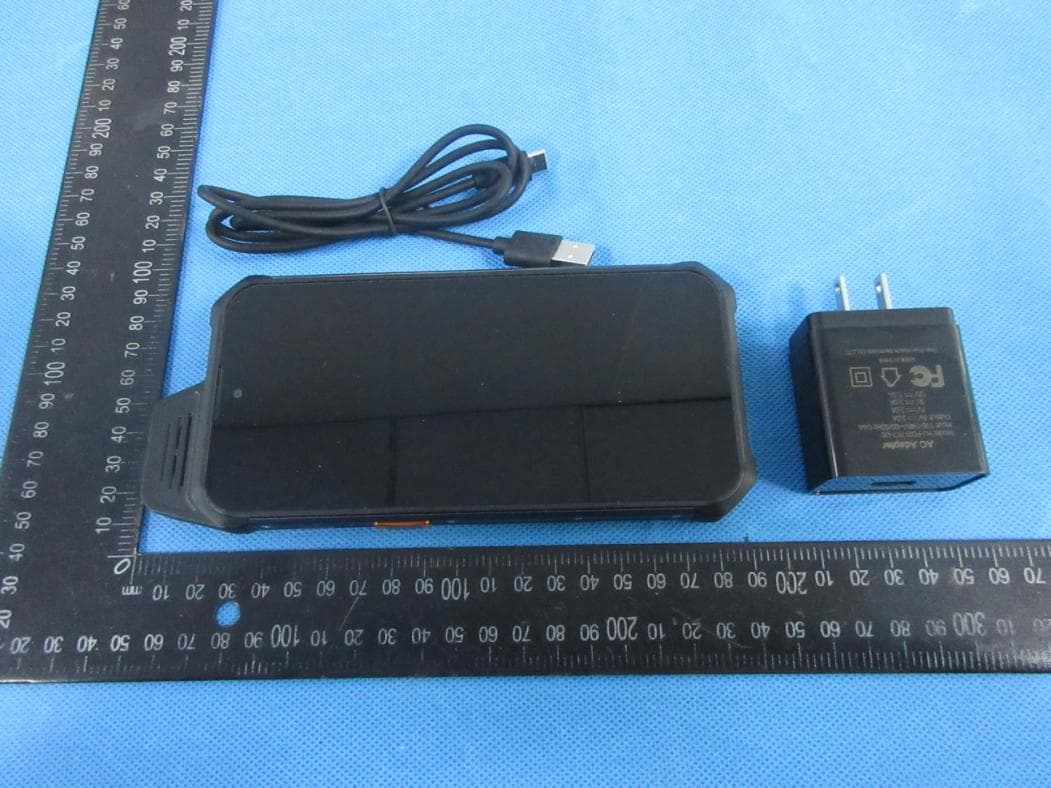
Click to zoom
Application Details
- Equipment Class
- DXX - Part 15 Low Power Communication Device Transmitter
- Date of Grant
- Mar 02, 2022
- Application Purpose
- Original Equipment
- Date of Application
- Mar 02, 2022
- Equipment Note
- Rugged Smart Phone
- Frequency Range
- 13.56000000 - 13.56000000
- Country
- China
Documents & Files
Document Text
Text extracted from the exhibit documents filed with the FCC. Open a document above to read the original.
Users Manual
1 W888 USER MANUAL 2 1. KeybuttonsInstruction 3 1.1 Power button: Long press the Power button to turn-ondevice. When turn on, it will take a little bit of your time to finish some settings like language, time zone, wifi, etc. In any interface, press power button one second into lock and unlock interface. Long press the power button into a bar to choose power off, restart, sreeenshot, or emergency. 1.2 Volume button: Press the volume button to adjust the volume of playing music, radio, or video (the volume button can adjust by the volume of the circulation). Press the volume button into volume bar settingto adjust the volume of media, call, Ring, Alarm. 1.3 PTT button: There are PTT buttons on left sides of device which is orange. 4 1.4 Touch button(from left to right) Return to last running application. Return to the main interface. Long press to launch Google Assistant. Return to a higer interface or exit a running program. 2. Install SIM card, TF card 5 Please turn off device before you install or take out the SIM cards or TF card. Open the SIM card cover, take out the tray to putting the SIM card as shown.Then push the tray to device. Please pay attention SIM card chip face to display of device. The device support SD expension. There are alternative of SD card or SIM card2. 6 3. Status Icon E: GSM 3G: WCDMA 4G: 4G LTE Notification Call forwarding Play music Miss calling Connected WLAN New SMS or MMS Calling out Alarm Clock Airplane mode Vibration mode Silent Bluetooth Battery capacity Connect to PC Barcode reader on Connected earphone Charging 7 4. Apps & Notifications 4.1 Apps When in homepage, tab and slide up to find all related apps. Tab return icon on the bottom of the screen to return to homepage. Setting->apps & notifications, check recently opened apps and default apps. Setting up app permissions like location, microphone, camera, etc. 4.2 Notifications Notification will include new message,Calendar events or ongoing events, such as in caller diverting or in calling status. You could also open notification to check phone operator or open message, reminder or events notification. When there is a new notification. Below operations could be done after you slide it down to open the notification *Tab the notification to open relating app. *Tab and press the bottom then slide up to shut down the notification. 8 4.3 Unknown sources Setting->apps¬ifications->special app access->install unknown apps, setting if it’s allowed to download application from non-electric market. When your setting is allowed, your phone and personal data will be easy to be attacked by applications of unknown sources, you will be responsible for the loss because of these applications. 5. Home page management 5.1 Expand the homepage Main interface to go beyond the screen width for more spaces in which new shortcuts, widgets and more other items can be added. In addition, users can horizontally swipe their fingers at the homepage screen to move to the left or right of the expanded the homepage interface. Choosing widgets, add whichever one you want to show in the homepage, it will automatically in the blank space of homepage. When in homepage interface, tab and pin any app icon, to drag it to the blank space of homepage. 9 5.2 Move homepage interface icons: 1. Tabbing and pin the icon till device vibration 2. Stay still of your finger and drag the icon to the place where you want it to be on the homepage. 5.3 Remove homepage interface icons. 1. Tabbing and pin the icon till device vibration 2. Stay still of your finger, drag the icon to “remove” When all the icons and widgets in the homepage been deleted, this homepage will be deleted automatically. 6. Wireless and network 6.1 SIM: Setting SIM1 or SIM 2 card turn on/off which in the menu settingsNetwork&internet-->SIM cards. When in dual standby mode, choose preferred carrier in settings->Network&Internet->Sim cards->preferred sim for 6.2 SIM cards application Please find the SIM toolkit menu in the main system to understand more information 10 6.3 Wi-Fi SettingsNetwork&internet-》Wi-Fi-》turn on-> choose the Wi-Fi name and input the password to connect to Wi-Fi 6.4 Bluetooth SettingsConnected devicesConnection preferencesBluetoothturn on choose the one of available devices to pair. More: Airplane mode: there is no any service after you turn on the function. 6.5VPN Add VPN in setting->Network&Internet->VPN 6.6 Hot spot & Tethering Allow the equipment of wireless network without through wireless router connected to each other (Wi-Fi hotspots) Share your mobile connection via USB(USB sharing network) Share phone’s internet connection via Bluetooth 11 6.7 Mobile network Check data usage,open or close 4G/3G service, change network mode,access point name,select a network provider in operators 7. Display Setting device display brightness, wallpaper, Auto Rotate Screen, sleeping mode, font sizeand other display function. 8. Storage CheckSD card and relevant display information of mobile phone, can download or format SD card. 9. Battery: Show the usage of battery capacity. 10. Apps&Notification: Manage and delete installed applications, app permissions, set up app notifications,Check and control storage usage of running service and apps. 11. Gestures: System-->Gestures, this is for setting up preventing ringing. 12 12. Security & Location 12.1 Setting->Security status Security staus including the screen lock and Lock screen preferences. Lock the screen with a pattern, PIN, or password 12.2 Privacy Privacy are including the Location/Show Passwords/Device admin apps /Encryption & Credentials/Trust agents/Screen pinningrelated managements. Location: setting the functions related to position positioning. Enryption& credential: Trust Agents: Allows the application to access security credentials and other credential. Storage and install from mobile phone:After clicked,you will Install storage encryption certificates from mobile.Clear credentials: Clear all the credent…
Text truncated - open the document above for the full version.
Cover Letter(s)
Co m Ad d Com Pro d Mo d Pro d We to a equ We ap p disc MiC Sig Na m Title Com VAL mpany: VAL dress: 4D, BL mmunity, Xin duct Name: R del Number( duct Descript authorize M act on our be uipment. declare th a proval and c cuss any iss COM Labs o nature: me: a e: M mpany: V LIFONE (SH IFONE (SHE LD 2, Tingw n'an Street, B Rugged Sma s): W888, W tion: Rugged MiCOM Lab ehalf on all at MiCOM L certification sues concer on our beha i chuan Fu Manager VALIFONE ( HENZHEN) Agent ENZHEN) C wei Industrial Bao'an Distri art Phone W880,W999 d Smart Phon bs Inc.,575 B matters con Labs Inc. is of equipm e rning the ap alf shall have u (SHENZHE ) COMMUN t Autho COMMUNIC Park, No.6, ct, Shenzhe n ne Boulder Co ncerning th allowed to f ent to the re pproval app e the same EN) COMMU NICATION E orizatio CATION EQ Liufang Roa n China urt, Pleasa n e certificatio forward all i gulatory ag plication. An effect as a UNICATION EQUIPMEN on QUIPMENT ad, Zone 67, nton, Califo on of above information encies as r ny and all ac cts of our o Date: 20 N EQUIPME T .,LTD .,LTD Xingdong ornia 94566, e named related to t equired and cts carried o wn. 22/02/25 ENT .,LTD , USA, the d to out by
Cover Letter(s)
VALIFONE (SHENZHEN) COMMUNICATION EQUIPMENT .,LTD Family models difference declaration Product Name: Rugged Smart Phone Model Name: W888, W880,W999 Difference declaration: All the model are the same circuit and RF module, except the model names. Regards, Signature Name: ai chuan Fu Date: 2022-02-25
Cover Letter(s)
Office o Federa 7435 O Columb USA Subjec t FCC ID To Wh o Pursua are req u docume These d propriet might b In addi t in Title busine s authoriz For 4 O For 1 It is ou r corresp docume authoriz Sincere Signatu Name: Title: M Email: a VAL of Engineeri l Communic Oakland Mills bia, MD 210 t; Request f D:2A4MZ-VL om It May C nt to the pro uesting the ents from pu documents tary informa be harmful to Schemat Block Di Parts Lis Operatio Tune-up FCC_So tional to abo 47 CFR §2 ss sensitive zed devices External Test Set Internal P User Ma 45 days, pu OR 180 days pu r understand pondence du ents and thi zation is iss ely, ure: ai chuan Fu anager alisa.shen@n LIFONE (SH ing Techno cations Com s Road 046 for Confiden L888 Concern, ovisions of t Commissio ublic disclos contain det ation in ope o our comp tic Diagram agram st onal Descrip Procedure oftware_Sec ove mention .803 and th informatio n s, we reque Photos tup Photos Photos anual rsuant to P u ursuantto KD ding that all uring the ce s informatio sued. u ntek.org.cn HENZHEN) logy mmission ntiality the Commis on to withho sure indefin tailed syste ration of th e any and wo m ption curity_Requ ned docume e importatio n remains c st Short Te ublic Notice DB 726920 l measurem ertification re on will be av ) COMMUN ssion’s rule old the follow nitely. m and equi e equipmen ould give co uirements_fo ents, in orde on rules in T confidential rm Confide e DA 04-170 0 D01. ment test rep eview proce vailable for NICATION E s Title 47 S wing attach pment desc nt. The publ ompetitors a for_UNII_de er to comply Title 47 CFR until the act ntiality of th 05. ports, FCC ess cannot public revi e EQUIPMEN Sections §0. hment(s) as criptions an ic disclosu r an unfair ad evices y with the m R §2.1204, tual market he following ID label for be granted ew once the T .,LTD Date: 202 2 457 and §0 confidentia d are consi re of these d vantage in marketing re while ensu ting of newly attachmen mat and as confide n e grant of eq 2/02/25 0.459, we al dered as documents the market . egulations ring that y t(s); ntial quipment .
External Photos
ATTACHMENT PHOTOGRAPHS OF EUT Photo 1 Photo 2 Photo 3 Photo 4 Photo 5 Photo 6 Photo 7 Photo 8 Photo 9 Photo 10
ID Label/Location Info
40X50MM
Internal Photos
ATTACHMENT PHOTOGRAPHS OF EUT Photo 1 Photo 2 Photo 3 Photo 4 Photo 5 Photo 6 Photo 7 Photo 8 Photo 9 Photo 10 Photo 11 Photo 12 Photo 13 Photo 14 Photo 15 Photo 16 Photo 17 Photo 18 Photo 19 Photo 20 WIFI/BT/G PS ANT LTE AUX ANT Photo 21 Photo 22 GSM/WCDMA/L TE Main ANT NFC ANT
Test Setup Photos
RADIATED SPURIOUS EMISSION Conducted Measurement Photos
Contact Information
Applicant
ai chuan Fu(Manager)
Technical Contact
Test Firm
Shenzhen NTEK Testing Technology Co., Ltd.Alex Li
[email protected]+86-755-6115-9384
Technical Specifications
| # | Rule Parts | Frequency Range | Power Output |
|---|---|---|---|
| 1 | 15C | 13.56 MHz - 13.56 MHz | - |