2A4T8-ST30Smart Watch
Shenzhen Mumi United Intelligent Technology Co., LTD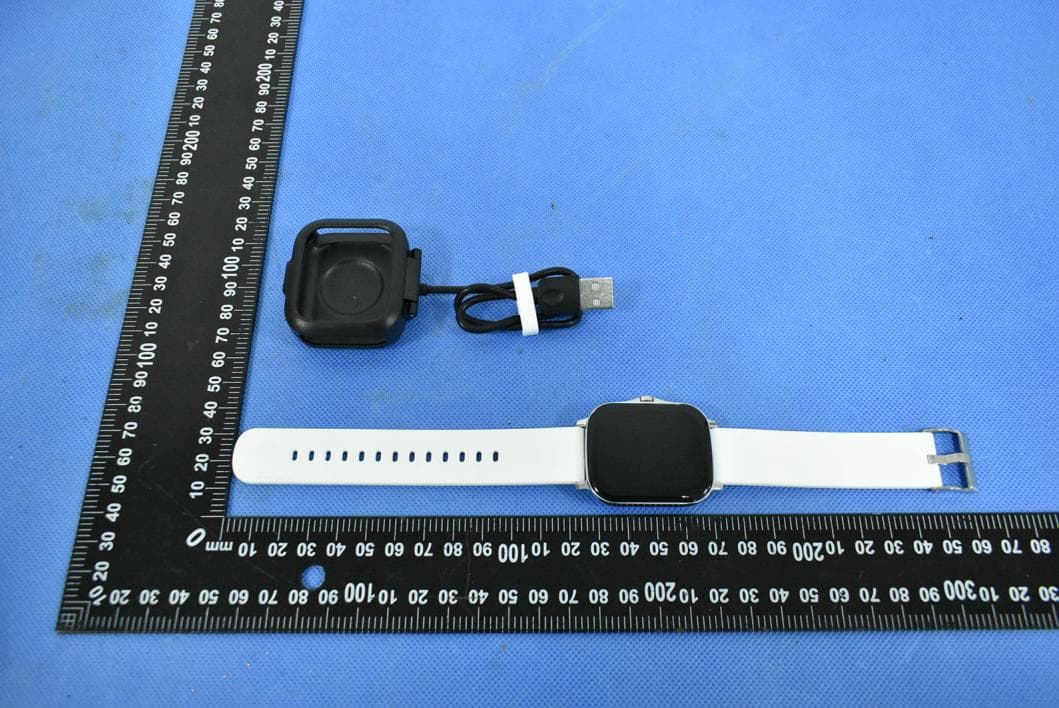
Click to zoom
Application Details
- Equipment Class
- DTS - Digital Transmission System
- Date of Grant
- Mar 02, 2022
- Application Purpose
- Original Equipment
- Date of Application
- Mar 02, 2022
- Equipment Note
- Smart Watch
- Frequency Range
- 2402.00000000 - 2480.00000000
- Country
- China
Documents & Files
Document Text
Text extracted from the exhibit documents filed with the FCC. Open a document above to read the original.
Users Manual
User manual Notice for Use When measuring, the sensor close to the skin and avoid moving; Product measurement results are only used for reference instead of medical purposes and basis; Please fully charge before using. The charging time needs about 2 hours; Please use the standard accessories for charging to avoid charging accidents; Please do not charge under the condition of humidity or being stained with water; Charging diagram Put the watch into the charging stand, and align the 4 contacts with the charging position; connect the other end to the standard USB port to charge. APP Installation & Connection Scan the QR code or enter the APP Store and search for "V band" in the App Store to download and install the APP. Note: Android supports 5.0 and above, IOS supports 9.0 and above; Bluetooth hardware 5.0 and above . Device connection For the first use, To bind the watch, click selection of binding device and find out the device to be connected. If there are several devices nearby, select MAC address of own watch to bind, If the watch binds with mobile successfully, there will be bluetooth icon on top of watch.(Note: Before using the Bluetooth function, please confirm whether the system Bluetooth synchronization switch is turned on) For audio connection, you need to turn on the Bluetooth switch of the watch, and then turn on the phone to search for ***-Audio to connect. Android phones need to read all notification permissions such as contact information, and the APP is assigned to run in the background in the phone settings. Tips: For IOS devices, please press pair the Bluetooth for the first time connecting. Watch function description Swipe up to enter a message notification. Swipe down to enter the shortcut menu. Swipe left to enter the menu interface. On the dial interface, swipe the watch to the right to split the screen to display frequently used functions.. Features Change main interface On main interface, ltouch the screen to select the main interface. Intelligent voice Connect the mobile phone Bluetooth, you can voice control the mobile phone. Bluetooth display Enter the number on the dial interface of the watch or mobile phone to enter the dial. The watch and mobile phone will be synchronized in real time. Bluetooth call This watch supports Bluetooth call. Address book Click the sync address book on the APP side, and the watch can import 2000 items. Sports record Display the current number of exercise steps, exercise mileage and calorie consumption. Smart lock screen Set a password in the settings to protect privacy. Heart rate Measure the current heart rate value and display the measurement result. blood pressure Measure the current blood pressure value and display the measurement result. Blood oxygen Measure the current blood oxygen value and display the measurement result. Sleep It can record and display the total length of sleep, and the length of deep sleep and light sleep. For more detailed information analysis and data recording, you can log in to the APP to view. Note: Sleep data starts to detect sleep from 9pm. Sport mode The sport mode menu supports multiple sport modes such as walking/running, climbing/badminton/yoga/tennis/bicycle/elliptical/basketball. In each mode interface, exercise time and calories are recorded, click to enter, and swipe right to exit. Game For sports, leisure and entertainment, use small games on your wrist to relax your mood. Bluetooth music After connecting the mobile phone Bluetooth, click to control the previous song, next song, play, pause and other operations of the phone. Message notification Open the reminder on the APP. When there is QQ, WeChat, call, SMS and other information on the mobile phone, the watch vibrates and displays the content of the message. Find phone When the bracelet is connected to the APP, click to enter to find the phone, and the phone ringtone will ring later. Set up Language switching, screen rest time, screen brightness, factory reset, shutdown, version number. More features Weather, SOS,calculator, alarm clock, stopwatch, remote photography, sedentary reminder, drinking water reminder, charging reminder, etc. [APP operation introduction] 1. 1. User registration: Users can be registered by mobile phone number and email address, which is convenient for users to save and share the records of sports and health information. For unregistered temporary users, they cannot record and save related information. 2. Connect the watch: In Add Device, search for the device, click and bind this device. Note: If you cannot find the name of the watch device, please check whether the bracelet is powered on and turned on; if the bracelet is turned on, but you cannot find the device, it means that the bracelet is connected to other mobile phones, then you should first If you are using an Apple mobile phone, you need to find the device name in the Bluetooth settings and click Ignore this device to connect to the new mobile phone normally. 3. Step counting function: In the step menu in the APP, the steps, calories and mileage are recorded, and the percentage of completion can be displayed according to the set target steps, which can be distinguished from jogging, jogging and fast running. Click to enter You can view the daily history of each week and month. 4. Sleep function: display the daily, weekly, and monthly sleep data in the form of a graph, and calculate the daily sleep quality and sleep duration, as well as query historical records. 5. Training function: It can facilitate real-time training, record exercise steps, time, calories, mileage and movement track, and query historical training records. 6. Detection function: The detection menu in the APP includes heart rate, blood oxygen, and blood pressure detection. At the same time, the watch sends a test request, which will be displayed synchronously in the APP, and it is also saved when viewing the history. 7. About the software: If the APP or bracelet firmware is updated, th…
Text truncated - open the document above for the full version.
Attestation Statements
Shenzhen Mumi United Intelligent Technology Co., LTD Model Difference Product Name: Smart Watch Model Number: ST30, ST3, ST5, ST6, ST6 Pro, ST20, ST22, HH01, BF01, U52, U57, ST50, ST60, ST70, ST80, ST90, ST100, ST7, ST8, ST9, Watch7 FCC Identifier: 2A4T8-ST30 All the models are the same circuit and RF module, except the mode names and outlook color. Regards Sincerely Client’s signature Client’s name / title: Davy Wu / Manager Contact information: Room 334, Overseas Students Pioneer Park, Qinglin West Road, Longgang District, Shenzhen, China.
Cover Letter(s)
Shenzhen Mumi United Intelligent Technology Co., LTD 1/1 Letter of Authorization Company: Shenzhen Mumi United Intelligent Technology Co., LTD Address: Room 334, Overseas Students Pioneer Park, Qinglin West Road, Longgang District, Shenzhen, China. Product Name: Smart Watch Model Number: ST30, ST3, ST5, ST6, ST6 Pro, ST20, ST22, HH01, BF01, U52, U57, ST50, ST60, ST70, ST80, ST90, ST100, ST7, ST8, ST9, Watch7 FCC Identifier: 2A4T8-ST30 We authorize LGAI Technological Center S.A., Ronda de la Font del Carme, s/n, 08193 Bellaterra, Spain, to act on our behalf on all matters concerning the above named equipment. Any individual within LGAI Technological Center S.A. is authorized to act on our behalf and take action on the application. We declare that authorize LGAI Technological Center S.A., Ronda de la Font del Carme, s/n, 08193 Bellaterra, Spain, is allowed to forward all information related to the approval project to the Federal Communication Commission and to discuss any issues concerning the approval application. Any and all acts carried out by LGAI Technological Center S.A. on our behalf shall have the same effect as acts of our own. Name: Davy Wu Date: 2022-02-25 Title: Manager Signature of applicant:
Cover Letter(s)
Shenzhen Mumi United Intelligent Technology Co., LTD 1/1 Office of Engineering Technology Federal Communications Commission 7435 Oakland Mills Road Columbia, MD 21046 Date: 2022-02-25 Subject: Request for Confidentiality FCC ID: 2A4T8-ST30 To Whom It May Concern, Pursuant to the provisions of Sections 0.457 and 0.459 of Commission's rules (47CFR0.457, 0.459), we are requesting the Commission to withhold the following attachment(s) as confidential document from public disclosure. Exhibits Long-Term Confidentiality Short-Term Confidentiality NOTE 2 ID Label/Location No No Attestation Statement No No External Photos No ☐ Block Diagram ☒ ☐ Schematics ☒ ☐ Test Report No No Test Setup Photos No ☐ User’s Manual No ☐ Internal Photos No ☐ Parts List / Tune Up ☐ ☐ RF Exposure Info No No Operational Description ☒ ☐ Cover Letter(s) No No SDR Software / Security Info ☐ No NOTE 1: Long-Term Confidentiality may be permitted under special conditions (See II. LONG-TERM CONFIDENTIALITY, Section 3 of KDB 726920, use last in force) NOTE 2: Short-Term Confidentiality can be requested for a maximum of 180 days from the date of the grant. Above mentioned document contains detailed system and equipment description are considered as proprietary information in operation of the equipment. The public disclosure of above documents might be harmful to our company and would give competitor an unfair advantage in the market. It is our understanding that all measurement test reports, FCC ID label format and correspondent during certification review process cannot be granted as confidential documents and those information will be available for public review once the grant of equipment authorization is issued. Sincerely, Signature: Name: Davy Wu Title: Manager
External Photos
EUT PHOTO(External Photos) ※※※※※ END OF REPORT ※※※※※
ID Label/Location Info
Size:5.5*3.5mm Model: ST30 FCC ID: 2A4T8-ST30 Label location
Internal Photos
EUT PHOTO(Internal Photos) ANT2 (T2) EDR Photos ANT1 (T1) BLE Photos ※※※※※ END OF REPORT ※※※※※
RF Exposure Info
FCC ID: 2A4T8-ST30 RF Exposure Evaluation According to KDB 447498 and part 2.1093,Unless specifically required by the published RF exposure KDB procedures, standalone 1-g head or body and 10-g extremity SAR evaluation for general population exposure conditions, by measurement or numerical simulation, is not required when the corresponding SAR Test Exclusion Threshold condition(s), listed below, is (are) satisfied. For 100 MHz to 6 GHz and test separation distances ≤ 50 mm, the 1-g and 10-g SAR test exclusion thresholds are determined by the following: [(max. power of channel, including tune-up tolerance, mW) / (min. test separation distance, mm)] · [√f (GHz) ] ≤ 3.0 for 1-g SAR, and ≤ 7.5 for 10-g extremity SAR, where f (GHz) is the RF channel transmit frequency in GHz Power and distance are rounded to the nearest mW and mm before calculation The result is rounded to one decimal place for comparison Here, For BT Mode Mode tune-up power. (dBm) Max. tune-up power. (dBm) tune-up power. (mW) Frequency(MHz) Min. distance(mm) Calc. thresholds limit BLE -4±1 -3 0.50 2480 5 0.16 3.0 EDR 5±1 6 3.98 2480 5 1.25 3.0 So a SAR test is not required
Test Report
Shenzhen DL Testing Technology Co., Ltd. Report No.: DL-20220224002-2E Test Report Tel: 400-688-3552 Web:www.dl-cert.com Email: [email protected] Page 1 of 39 FCC Part 15C Test Report FCC ID: 2A4T8-ST30 Applicant: Shenzhen Mumi United Intelligent Technology Co., LTD Address: Room 334, Overseas Students Pioneer Park, Qinglin West Road, Longgang District, Shenzhen, China. Manufacturer: Shenzhen Mumi United Intelligent Technology Co., LTD Address: Room 334, Overseas Students Pioneer Park, Qinglin West Road, Longgang District, Shenzhen, China. EUT: Smart Watch Trade Mark: N/A Model Number: ST30, ST3, ST5, ST6, ST6 Pro, ST20, ST22, HH01, BF01, U52, U57, ST50, ST60, ST70, ST80, ST90, ST100, ST7, ST8, ST9, Watch7 Date of Receipt: Feb. 18, 2022 Test Date: Feb. 18, 2022 - Feb. 24, 2022 Date of Report: Feb. 24, 2022 Prepared By: Shenzhen DL Testing Technology Co., Ltd. Address: 101-201, Building C, Shuanghuan, No.8, Baoqing Road, Baolong Industrial Zone, Baolong Street, Longgang District, Shenzhen, Guangdong, China Applicable Standards: FCC PART 15 C 15.247 ANSI C63.4:2014 Test Result: Pass Report Number: DL-20220224002-2E Prepared (Test Engineer): Alisa Song Reviewer (Supervisor): Jack Bu Approved (Manager): Jade Yang This test report is based on a single evaluation of one sample of above mentioned products. It is not permitted to be duplicated in extracts without written approval of Shenzhen DL Testing Technology Co., Ltd. Shenzhen DL Testing Technology Co., Ltd. Report No.: DL-20220224002-2E Test Report Tel: 400-688-3552 Web:www.dl-cert.com Email: [email protected] Page 2 of 39 Table of Contents Page 1 . SUMMARY OF TEST RESULTS 4 1.1 MEASUREMENT UNCERTAINTY 4 2 . GENERAL INFORMATION 5 2.1 GENERAL DESCRIPTION OF EUT 5 2.2 DESCRIPTION OF TEST MODES 6 2.3 BLOCK DIGRAM SHOWING THE CONFIGURATION OF SYSTEM TESTED 6 2.4 DESCRIPTION OF SUPPORT UNITS(CONDUCTED MODE) 7 2.5 TABLE OF PARAMETERS OF TEST SOFTWARE SETTING 7 2.6 EQUIPMENTS LIST FOR ALL TEST ITEMS 8 3 . EMC EMISSION TEST 9 3.1 CONDUCTED EMISSION MEASUREMENT 9 3.1.1 POWER LINE CONDUCTED EMISSION LIMITS 9 3.1.2 TEST PROCEDURE 9 3.1.3 DEVIATION FROM TEST STANDARD 9 3.1.4 TEST SETUP 10 3.1.5 EUT OPERATING CONDITIONS 10 3.1.6 TEST RESULTS 10 3.2 RADIATED EMISSION MEASUREMENT 13 3.2.1 RADIATED EMISSION LIMITS 13 3.2.2 TEST PROCEDURE 14 3.2.3 DEVIATION FROM TEST STANDARD 14 3.2.4 TEST SETUP 14 3.2.5 EUT OPERATING CONDITIONS 15 3.2.6 TEST RESULTS (BETWEEN 9KHZ – 30 MHZ) 16 3.2.7 TEST RESULTS (BETWEEN 30MHZ – 1GHZ) 17 3.2.8 TEST RESULTS (1GHZ~25GHZ) 19 3.3 RADIATED BAND EMISSION MEASUREMENT 21 3.3.1 TEST REQUIREMENT: 21 3.3.2 TEST PROCEDURE 21 3.3.3 DEVIATION FROM TEST STANDARD 21 3.3.4 TEST SETUP 22 3.3.5 EUT OPERATING CONDITIONS 22 4 . PEAK OUTPUT POWER 26 4.1 APPLIED PROCEDURES / LIMIT 26 4.1.1 TEST PROCEDURE 26 4.1.2 DEVIATION FROM STANDARD 26 4.1.3 TEST SETUP 26 Shenzhen DL Testing Technology Co., Ltd. Report No.: DL-20220224002-2E Test Report Tel: 400-688-3552 Web:www.dl-cert.com Email: [email protected] Page 3 of 39 Table of Contents Page 4.1.4 EUT OPERATION CONDITIONS 26 4.1.5 TEST RESULTS 27 5 . POWER SPECTRAL DENSITY TEST 29 5.1 APPLIED PROCEDURES / LIMIT 29 5.1.1 TEST PROCEDURE 29 5.1.2 DEVIATION FROM STANDARD 29 5.1.3 TEST SETUP 29 5.1.4 EUT OPERATION CONDITIONS 29 5.1.5 TEST RESULTS 29 6 . 6DB BANDWIDTH TEST 31 6.1 APPLIED PROCEDURES / LIMIT 31 6.1.1 TEST PROCEDURE 31 6.1.2 DEVIATION FROM STANDARD 31 6.1.3 TEST SETUP 31 6.1.4 EUT OPERATION CONDITIONS 31 6.1.5 TEST RESULTS 31 7 . ANTENNA REQUIREMENT 34 7.1 STANDARD REQUIREMENT 34 7.2 EUT ANTENNA 34 8 . TEST SETUP PHOTO 35 9 . EUT PHOTO 37 Shenzhen DL Testing Technology Co., Ltd. Report No.: DL-20220224002-2E Test Report Tel: 400-688-3552 Web:www.dl-cert.com Email: [email protected] Page 4 of 39 1. SUMMARY OF TEST RESULTS Test procedures according to the technical standards: FCC Part15 (15.247) , Subpart C Standard Section Test Item Judgment Remark 15.207 Conducted Emission PASS 15.247(c) Radiated Spurious Emission PASS 15.205 Band Edge Emission PASS 15.247(b)(1) Peak Output Power PASS 15.247(a)(2) 6dB Bandwidth PASS 15.247(d) Power Spectral Density PASS 15.203 Antenna Requirement PASS NOTE: (1)” N/A” denotes test is not applicable in this Test Report 1.1 MEASUREMENT UNCERTAINTY The reported uncertainty of measurement y ± U, where expended uncertainty U is based on a standard uncertainty multiplied by a coverage factor of k=2,providing a level of confidence of approximately 95 %。 No. Item Uncertainty 1 Conducted Emission Test ±2.56dB 2 RF power,conducted ±0.42dB 3 Spurious emissions,conducted ±2.76dB 4 All emissions,radiated(<1G) ±3.65dB 5 All emissions,radiated(>1G) ±4.89dB 6 Temperature ±0.5°C 7 Humidity ±2% Shenzhen DL Testing Technology Co., Ltd. Report No.: DL-20220224002-2E Test Report Tel: 400-688-3552 Web:www.dl-cert.com Email: [email protected] Page 5 of 39 2. GENERAL INFORMATION 2.1 GENERAL DESCRIPTION OF EUT Product Name: Smart Watch Trademark N/A Model No.: ST30, ST3, ST5, ST6, ST6 Pro, ST20, ST22, HH01, BF01, U52, U57, ST50, ST60, ST70, ST80, ST90, ST100, ST7, ST8, ST9, Watch7 Model Difference All samples are the same except the model name, so we prepare " ST30" for test only. BT Version: 5.0 Operation Frequency: 2402~2480MHz Channel numbers: 40 Channels Channel separation: 2M Modulation technology: GFSK Antenna Type: EDR: Internal Antenna*1 BLE: Internal Antenna*1 Antenna gain: EDR: 0 dBi BLE: 0 dBi Power supply: DC 5V from charger DC 3.7V from battery Note: 1.For a more detailed features description, please refer to the manufacturer’s specifications or the User's Manual. 2.The EUT’s all information provided by client. 2. Channel Lis Channel List Channel Frequency (MHz) Channel Frequency (MHz) Channel Frequency (MHz) 01 2402 11 2422 23 2444 02 2404 12 2424 24 2446 ~ ~ ~ ~ 9 2418 20 2440 39 2478 10 2420 21 2442 40 2480 Shenzhen DL Testing Technology Co., Ltd. Report No.: DL-20220224002-2E Test Report Tel: 400-688-3552 Web:www.dl-cert.com Email: [email protected] Page …
Text truncated - open the document above for the full version.
Test Setup Photos
EUT TEST PHOTO
Contact Information
Applicant
Davy Wu
Technical Contact
Test Firm
Shenzhen DL Testing Technology Co., Ltd.Jade Yang
[email protected]400-688-3552
Technical Specifications
| # | Rule Parts | Frequency Range | Power Output |
|---|---|---|---|
| 1 | 15C | 2.40 GHz - 2.48 GHz | 480.00 µW |