2A54U-DTNOI7MAXSmart Watch
Shenzhen Xinkeying Technology Co., Ltd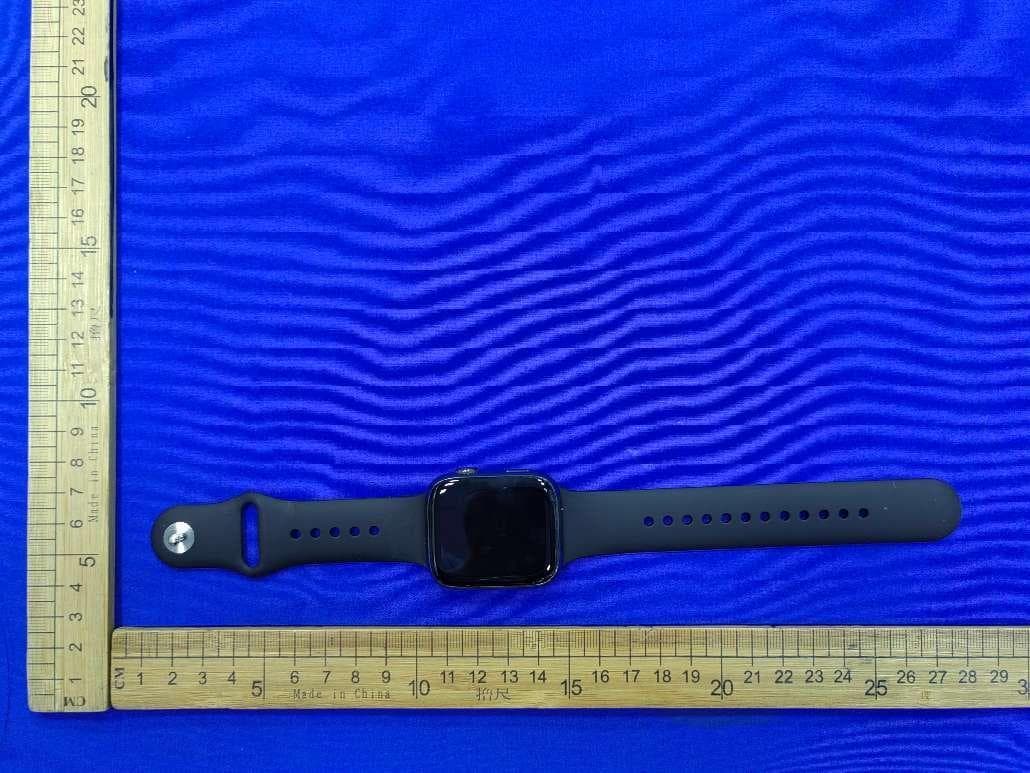
Click to zoom
Application Details
- Equipment Class
- DTS - Digital Transmission System
- Date of Grant
- Jul 16, 2022
- Application Purpose
- Original Equipment
- Date of Application
- Jul 16, 2022
- Equipment Note
- Smart Watch
- Frequency Range
- 2402.00000000 - 2480.00000000
- Country
- China
Documents & Files
Document Text
Text extracted from the exhibit documents filed with the FCC. Open a document above to read the original.
Users Manual
SmartWatch USERMANUAL DTNO.17Max Thankyouforchoosingoursmartwatch.Youcanfully understandtheuseandoperationoftheequipmentbyreading thismanual.Thecompanyreservestherighttomodifythe contentsofthismanualwithoutanypriornotice. Packageboxcontains:apackingbox,amanual,awatchbody,anda chargingcable. I.Watchfunctiondescription Buttondescription: 1)Whenthewatchisintheoff-screenstate,shortpresstherotarybuttontoturnonthescreen,and shortpresstherotarybuttonagaintoturnoffthescreen; 2)Whenthewatchisinthedialinterface,double-clicktherotarybuttontoenterthemenu interface,continuallydouble-clickittochangethemenustyle;rotatetherotarybuttontoswitch thedial;shortpressthebarbuttontoenterthemulti-sportmode,orlong-presstoquicklymake emergencycalls(needtoconnecttotheBluetoothofamobilephonetouse); 3)Inthemenuinterface,rotatetherotarybuttontoturnthepage;shortpressanybuttonstoget backtothedialinterface; 4)Inanyinterface,longpresstherotarybuttonfor15secondstoforceafactoryreset; 5)Wheninthesecond-levelinterfaceorthethird-levelinterface,shortpressanybuttonstoreturn tothedialinterface; 6)Longpresstherotarybuttontocontrolthewatchon/off. Charginginstructions: Wirelesscharging,asshowninthepicturebelow. 1.1Shortcutfunction: 1)Swipetothelefttofindthe"+"icon,clicktheicontoaddpartofthemenuasashortcut function. 2)ScrolldowntofindBluetoothconnectionstatus,time,power,donotdisturbmode,brightness adjustmentandotherfunctions. 3)Swipetotherighttodisplay,time/date/week,thelatestmessage(entertoviewmultiple messages)/turnonoroffBluetoothforcallsanddisplaysomeoftherecentlyusedmenufunctions. 4)Scrolluptoenterthemenuinterface,andscrollupanddowntofindthecorresponding function. 5)Longpressthewatchfacetoswitchthewatchface,selectoneandtapittosetitsuccessfully. 1.2Pushmessage 1)WhenthewatchisboundtotheAPP,andthenotificationpermissionisturnedon,thenew messagesreceivedinthenotificationbarofthemobilephonewillbepushedtothewatch,anda totalof10messagescanbesaved.Themessagesreceivedover10messageswillbeoverwritten onebyone. 2)Scrolltothebottomandpressthedeleteicontoclearallmessagerecords. 1.3Drop-downmenu Scrolldownthewatchfacetoenterthedrop-downmenuinterface. 1)Bluetoothconnectionstatus;timedisplay,powerdisplay; 2)Icon,toshowtheversionofthewatchandtheBluetoothaddress; 3)Icon,toadjustthebrightnessofthescreen; 4)Icon,tocontrolthemusic; 5)Icon,tosetthephonenumberoftheemergencycall.Inthedialinterface,longpressthebar buttontoquicklymaketheemergencycall. 6)Swipeleftformoreshortcutfunctions:GPS,modeselection,powersavingmode,alarm, flashlight,SOS(inpowersavingmode,thebrightnessdisplaywillbeslightlydifferent) 1.4Phone/CallHistory 1)Enterthetelephonefunction,click"Open"toturnonthecallingBluetooth,youcanseeaname oftheaudio/callingBluetooth,findthethenameinthemobilephone'sBluetoothlistandbindit. Aftertheyaresuccessfullyconnected,youcanusethewatchtoanswerorhanguptheBluetooth calls. 2)CallrecordscansavetherecordsofBluetoothcalls. 3)Enterthekeyboard,inputphonenumbertomakeBluetoothcalls. 1.5Message AfteryousuccessfullybindthewatchtotheAPP,andthecorrespondingnotificationspermission isallowedinyourmobilephonesystem,notificationsreceivedinyourmobilephonecanbe pushedtothewatch. 1.5.1.Incomingcallnotification: TurnonthecallreminderintheAPP.Whenthephonereceivesacall,thewatchwillringor vibrate. 1.5.2.SMSnotification: TheSMSnotificationcanbeenabledintheAPP.WhenoneormoreSMSmessagesarereceived onthemobilephone,thewatchwillreceiveoneormoreSMSremindersatthesametime. 1.5.3.Otherapplications’notification: TurnonthecorrespondingapplicationnotificationswitchintheAPP,suchasWeChat,QQ, Outlook,Facebookandotherapplications.Whenthemobilephonereceivesone/multiple applicationnotifications,thewatchwillreceiveone/multiplecorrespondingmessageremindersat thesametime. 1.6Frequentlyusedcontacts BindthewatchtotheAPPfirst,thenopentheAPP,tap“Device”>“Frequentcontacts”>“Add contacts(upto20contactscanbeadded)>“Syntowatch”. 1.7Fitnessdata Thefitnessdataisturnedonbydefault.Enterthefitnessdatainterfaceandscrolldowntodisplay thecurrentnumberofsteps,distance,andcaloriesofthewatch.Thedatawillbeclearedat00:00 everyday. 1.8Smartmodeselection Whenthewatchisswitchedtowatchmode,thewatchwilldisconnecttheBluetoothconnection andthewatchcanbeusedindependently,makingitmorepower-efficient. Whenthewatchisswitchedbacktosmartmode,thewatchcanconnecttotheAPPonthe phonetoperformmoresmartoperations. 1.9Sportsmodes(strike,running,cycling,ropeskipping,badminton,basketball,footballetc.) 1.9.1Selectthecorrespondingexercisemode,clickthestartbuttononthescreentoenterthe correspondingexercisemode;clickthestartbuttontostartorpausethecalculationoftheexercise, clicktheendbuttontoendtheexerciseandsavethedata. 1.9.2Whentheexercisetimeislongerthan1minute,theexercisedatacanbesaved;whenthe exerciseislessthanoneminute,itwillprompt"Toolittledatatosave". 1.9.3Newlyaddedmoreexercisemodestochoosefrom,suchasgym,yoga,indoorrunningand freetraining. 1.9.4NewlyaddedtheGPSmovementtrack.WhenyoustartthesportfunctionintheAPP,the watchwillenterthesportmodesimultaneously.Aftertheexercise,thedataintheAPPlikeGPS movementtrackwillsynchronizetothewatchforyoutocheckconveniently. 1.10Heartrate Wearthewatchonyourwristcorrectly,entertheheartratefeature,andyoucanmeasuretheheart rateforonceeachtime(Pleasemakesureyouwearitfirmlywhenyoumeasure). 1.11ECG Wearthewatchonyourwristcorrectly,entertheECGfeature(needtoopentheinterfaceof "ECGDetection"intheAPP),youcanmeasuretheECGforonceeachtime,andthesingleECG measurementresultcanbesavedintheAPPsimultaneously.Thisfunctionneedsthewatchto connecttotheAPPtouse(Pleasemakesureyouwearitfirmlywhenyoumeasure). 2.0MyQRcode ConnectthewatchtotheAPP,findMyQRCodeintheAPP,selectWeChat/QQ/Alipayandother "ReceivemoneyQRcode"tosynctothewatch(PleasefollowtheinstructionsintheAPPforthe specificoperation). 2.1Calculator Simplecalculationscanbeperformedwithwatch. 2.2Remotecontrolmusic ConnectingthewatchtotheAPP,youcancontrolthephone'smusic,andsongswillbebroadcast onthephone. ConnectingtothecallingBluetoothofyourmobilephoneeither,youcancontroltheph…
Text truncated - open the document above for the full version.
Cover Letter(s)
ShenzhenXinkeyingTechnologyCo.,Ltd AgentAuthorization Company:ShenzhenXinkeyingTechnologyCo.,Ltd Address:8/F,BlockC,Han'sInnovationBuilding,XiliRoad,NanshanDistrict, Shenzhen,China WeauthorizeMiCOMLabsInc.,575BoulderCourt,Pleasanton,California94566,USA, toactonourbehalfonallmattersconcerningthecertificationofabovenamed equipment. WedeclarethatMiCOMLabsInc.isallowedtoforwardallinformationrelatedtothe approvalandcertificationofequipmenttotheregulatoryagenciesasrequiredandto discussanyissuesconcerningtheapprovalapplication.Anyandallactscarriedoutby MiCOMLabsonourbehalfshallhavethesameeffectasactsofourown Model Number(s):DTNO.I 7max, DTNO.I 7 Pro,DTNO.I 7 Mini,DTNO.I 7+Max, DTNO.I 7 ProMax Product Description: Smart Watch . Signature:Date:Jun25,2022 Name:MengtingChen Title:Projectbusiness Company:ShenzhenXinkeyingTechnologyCo.,Ltd
Cover Letter(s)
ShenzhenXinkeyingTechnologyCo.,Ltd OfficeofEngineeringTechnology FederalCommunicationsCommission 7435OaklandMillsRoad Columbia,MD21046 USA Date:2022-06-25 Subject;RequestforConfidentiality FCCID:2A54U-DTNOI7MAX ToWhomItMayConcern, PursuanttotheprovisionsoftheCommission’srulesTitle47Sections§0.457and§0.459,we arerequestingtheCommissiontowithholdthefollowingattachment(s)asconfidential documentsfrompublicdisclosureindefinitely. Thesedocumentscontaindetailedsystemandequipmentdescriptionsandareconsideredas proprietaryinformationinoperationoftheequipment.Thepublicdisclosureofthesedocuments mightbeharmfultoourcompanyandwouldgivecompetitorsanunfairadvantageinthemarket. SchematicDiagram BlockDiagram PartsList OperationalDescription Tune-upProcedure Itisourunderstandingthatallmeasurementtestreports,FCCIDlabelformatand correspondenceduringthecertificationreviewprocesscannotbegrantedasconfidential documentsandthisinformationwillbeavailableforpublicreviewoncethegrantofequipment authorizationisissued. Sincerely, Signature: Name:MengtingChen Title:Projectbusiness
Cover Letter(s)
version01 ShenzhenXinkeyingTechnologyCo.,Ltd Modeldifferencestatement It is hereby declared that the product Product Name: Smart Watch Model: DTNO.I 7max Listed Model(s): DTNO.I 7 Pro,DTNO.I 7 Mini,DTNO.I 7 Max+,DTNO.I 7 ProMax FCC ID: 2A54U-DTNOI7MAX Trade Mark: DT NO.I The difference between product models is only that the appearance color is not the same, and the different model names are tailored to the market demand. Other power supply methods, internal structures, circuits and key components are the same, without affecting safety and electromagnetic compatibility performance. Sincerely, Signature [ MengtingChen ] [Projectbusiness] [ShenzhenXinkeyingTechnologyCo.,Ltd]
External Photos
ExternalPhotographs Photo1 Photo2 Photo3 Photo4 Photo5 Photo6 Photo7
ID Label/Location Info
Smartwatch Model:DTNO.I7max FCCID:2A54U-DTNOI7MAX DTNO.I MadeinChina
Internal Photos
InternalPhotographs Photo1 Photo2 Photo3 Photo4 Photo5 Photo6 Photo7 Photo8 Photo9 Photo10
RF Exposure Info
KSIGN(Guangdong)TestingCo.,Ltd. WestSideof1/F.,BuildingC,ZoneA,FuyuanNewFactory,JiujiuIndustrialPark, Minzhu,Shatou,Shajing,Bao'anDistrict,Shenzhen,Guangdong,People’sRepublicofChina Tel.:+(86)755-29852678Fax:+(86)755-29852397E-mail:[email protected]:www.gdksign.com KSIGN(Guangdong)TestingCo.,Ltd. RFExposureEvaluation FCCID:2A54U-DTNOI7MAX REQUIREMENT KDB447498D01GeneralRFExposureGuidancev07,Clause4.3.1(a) [(max.powerofchannel,includingtune-uptolerance,mW)/(min.testseparationdistance,mm)]·[√f(GHz)]≤3.0 Where -f(GHz)istheRFchanneltransmitfrequencyinGHz -PoweranddistanceareroundedtothenearestmWandmmbeforecalculation -Thetestexclusionsareapplicableonlywhentheminimumtestseparationdistanceis≤50mm,andfortransmission frequenciesbetween100MHzand6GHz.Whentheminimumtestseparationdistanceis<5mm,adistanceof5mm accordingto4.1f)isappliedtodetermineSARtestexclusion. TESTRESULT PassedNotApplicable BT Testmode Channel Frequency (MHz) Max. Measured Power (dBm) Tuneup tolerance (dBm) Max. Tune up Power (dBm) Maximum Output Power (mW) Calculating data LimitResults DH5 24023.424±153.160.9802 3.00Pass 24414.035±163.981.2440 24803.644±153.160.9960 2DH5 24023.904±153.160.9802 24414.595±163.981.2440 24804.105±163.981.2539 3DH5 24024.285±163.981.2340 24414.665±163.981.2440 24804.505±163.981.2539 KSIGN(Guangdong)TestingCo.,Ltd. WestSideof1/F.,BuildingC,ZoneA,FuyuanNewFactory,JiujiuIndustrialPark, Minzhu,Shatou,Shajing,Bao'anDistrict,Shenzhen,Guangdong,People’sRepublicofChina Tel.:+(86)755-29852678Fax:+(86)755-29852397E-mail:[email protected]:www.gdksign.com KSIGN(Guangdong)TestingCo.,Ltd. BLE Testmode Channel Frequency (MHz) Max. Measured Power (dBm) Tuneup tolerance (dBm) Max. Tuneup Power (dBm) Maximum Output Power (mW) Calculating data LimitResults GFSK_1M 24023.434±15 3.160.9802 3.00Pass 24403.064±153.160.9879 24803.194±153.160.9960 GFSK_2M 24023.464±153.160.9802 24403.074±153.160.9879 24803.214±153.160.9960 Note: -Themaximumantennagainis-0.7dBi. -Theexposuresafetydistanceislessthan5mm. -BLEandBT cantransmitsimultaneously :0.996+1.2539=2.2499<3,soSARevaluationisnotrequired. --THEEND--
Test Report
KSIGN(Guangdong)TestingCo., Ltd . TRF No. FCC Part 15.247_R1 Add:WestSide of 1/F., BuildingC, ZoneA, FuyuanNew Factory,JiujiuIndustrialPark,Minzhu,Shatou, Shajing,Bao'anDistrict,Shenzhen,Guangdong,China Tel:+(86)0755-29852678Fax: +(86)0755-29852397E-m ail:[email protected]:www.gdksign.com Page1 of 45ReportNo.: KS2206S2706 E01 TESTREPORT ReportNo.:KS2206S2706 E01 FCCID:2A54U-DTNOI7MAX Applicant:ShenzhenXinkeyingTechnologyCo. ,Ltd Address: 8/F,BlockC, Han'sInnovationBuilding,XiliRoad,Nanshan District,Shenzhen,China Manufacturer......................................:ShenzhenXinkeyingTechnologyCo., Ltd Address..............................................: 8/F,BlockC, Han'sInnovationBuilding,XiliRoad,Nanshan District,Shenzhen,China ProductName:SmartWatch TradeMark:DTNO.I Model/Typereference:DTNO.I7 Max ListedModel(s):DTNO.I7 Pro,DTNO.I7 Mini,DTNO.I7 Max+,DTNO.I7 ProMax Standard: FCC15.247 ANSIC63.10:2013 Dateof Receipt:June22 , 20 22 Dateof Test Date:June22 , 20 22~July 01 , 20 22 Dateof issue:July 01 , 20 22 Testresult:Pass Preparedby: ( PrintedName+ Signature) Sky Dong Approvedby: ( PrintedName+ Signature) Neil Wan TestingLaboratoryName:KSIGN(Guangdong)TestingCo., Ltd. Address: WestSide of 1/F., BuildingC, ZoneA, FuyuanNew Factory,Jiujiu IndustrialPark,Minzhu,Shatou,Shajing,Bao'anDistrict, Shenzhen,Guangdong,China This test reportmay be duplicatedcompletelyfor legaluse with the approvalof the applicant.It shouldnot be reproducedexceptin full, withoutthe writtenapprovalof our laboratory.The clientshouldnot use it to claimproductendorsementby KSIGN. The test resultsin the reportonly applyto the testedsample.The test reportshallbe invalidwithoutall the signaturesof testingengineers,reviewerandapprover. Any objectionsmustbe raisedto KSIGNwithin15 dayssincethe date whenthe reportis received.It will not be takeninto considerationbeyondthis limit.The test reportmerelycorrespondto the test sample. TRF No. FCC Part 15.247_R1 Add:WestSide of 1/F., BuildingC, ZoneA, FuyuanNew Factory,JiujiuIndustrialPark,Minzhu,Shatou, Shajing,Bao'anDistrict,Shenzhen,Guangdong,China Tel:+(86)0755-29852678Fax: +(86)0755-29852397E-m ail:[email protected]:www.gdksign.com Page2 of 46ReportNo.: KS2206S2706 E01 TableOf Contents 1. TESTSTANDARDS.............................................................................................................................................................3 2. SUMMARY..............................................................................................................................................................................4 2.1 ProductDescription..........................................................................................................................................................................4 2.2 EquipmentUnderTest....................................................................................................................................................................4 2.3 Shortdescriptionof the EquipmentunderTest (EUT)......................................................................................................4 2.4 EUT operationmode........................................................................................................................................................................5 2.5 BlockDiagramof Test Setup........................................................................................................................................................5 2.6 RelatedSubmittal(s)/ Grant(s)...................................................................................................................................................5 2.7 Modifications........................................................................................................................................................................................5 3. TESTENVIRONMENT.........................................................................................................................................................6 3.1 Addressof the test laboratory......................................................................................................................................................6 3.2 Test Facility..........................................................................................................................................................................................6 3.3 Environmentalconditions...............................................................................................................................................................6 3.4 Summaryof measurementresults.............................................................................................................................................8 3.5 Statementof the measurementuncertainty...........................................................................................................................8 3.6 EquipmentsUsedduringthe Test...........................................................................................................................................10 4. TESTCONDITIONSANDRESULTS............................................................................................................................11 4.1 AC PowerConductedEmission................................................................................................................................................11 4.2 RadiatedEmissionsand BandEdge......................................................................................................................................14 4.3 MaximumPeakOutputPower...................................................................................................................................................29 4.4 PowerSpectralDensity..............................................................................................................................................…
Text truncated - open the document above for the full version.
Test Setup Photos
RadiatedMeasurement(Below1GHz) RadiatedMeasurement(Above1GHz) ConductedEmission
Contact Information
Applicant
Meng ting Chen(Project business)
Technical Contact
Test Firm
KSIGN (Guangdong) Testing Co., Ltd.Neil Wan
[email protected]+(86) 0755-2985 2678
Technical Specifications
| # | Rule Parts | Frequency Range | Power Output |
|---|---|---|---|
| 1 | 15C | 2.40 GHz - 2.48 GHz | 2.20 mW |
Other Applications from Shenzhen Xinkeying Technology Co., Ltd
2A54U-DT8ULTRA
Nov 06, 2022Sports smart watch
Equipment Class
DSS - Part 15 Spread Spectrum Transmitter2A54U-C80A
Jul 28, 2022Smart watch
Equipment Class
DTS - Digital Transmission System2A54U-DT3PROMAX
Jul 28, 2022Smart watch
Equipment Class
DSS - Part 15 Spread Spectrum Transmitter2A54U-DT103
Jul 27, 2022Smart watch
Equipment Class
DTS - Digital Transmission System
2A54U-DT102
Jul 10, 2022Smart Watch
Equipment Class
DTS - Digital Transmission System