2A7JY-P11keyboard
Shenzhen qian jue jia pin Technology Co., Ltd.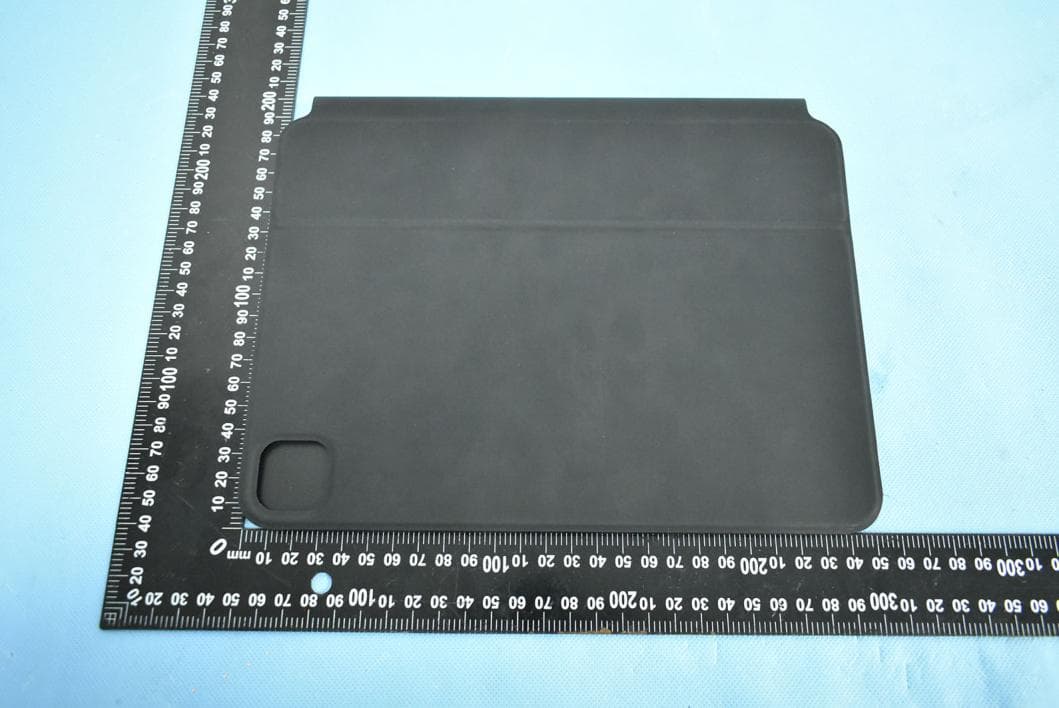
Click to zoom
Application Details
- Equipment Class
- DXX - Part 15 Low Power Communication Device Transmitter
- Date of Grant
- Jul 02, 2022
- Application Purpose
- Original Equipment
- Date of Application
- Jun 29, 2022
- Equipment Note
- keyboard
- Frequency Range
- 2402.00000000 - 2480.00000000
- Country
- China
Documents & Files
Document Text
Text extracted from the exhibit documents filed with the FCC. Open a document above to read the original.
Users Manual
WIRELESS KEYBOARD CASE 无线键盘保护套 使用手册 感谢您购买本产品。 使用产品前请仔细阅读使用说明书,请妥善保管好。 适配机型: 11寸 iPad pro(第一代/第二代/第三代) 10.9寸iPad Air(第四代) 安装方式 无线连接 触控板手势说明 单指操作 双指操作 三指操作 快捷键说明 售后保修卡 充电和保养 指示灯说明 开关按键 强磁自动对位吸附, 即可安装完成 0~130º开合,可自由调节 开关按键 指示灯 长按2秒为开机 开机状态再按1秒为蓝牙连接 长按3秒为关机 开机状态再按1秒为蓝牙连接 开启你iPad里的蓝牙,让蓝牙处 于NO打开搜索状态。 在iPad机器的其他设备,上搜索到 键盘无线信号(iPad keyboard)点击 连接,配对成功,无线信号灯亮绿灯。 打开你ipad的设置 1 2 34 注意:(第二次开始,开机蓝牙自动连接) 保养: Type-C充电接口/9V 输入 5V 常温下保存,正常电压下 充电如长时间不用需适时为键 盘充电(2个月左右充一次) ①:长按2秒为开机,亮绿灯。 ②:开机状态再按1秒为蓝牙连接,绿灯闪烁,配对成功,亮绿灯。 ③:低电压红灯闪烁,充电常亮红灯,充满电为常亮绿灯。 点按:用单手指按下直 至有点按感觉。 打开程序坞:用单指将 指针轻扫过屏幕底部。 前往主屏幕:用单指将 指针轻扫过屏幕底部。 出现程序坞后,再次将 指针轻扫过屏幕底部。 向上或向下滚动:双指 向上或向下轻扫。 缩放:双指靠近放置,张 开以放大,或者捏合以 缩小。 向左或向右滚动:双指向 左或向右轻扫。 打开“控制中心”单指将 指针移动到屏幕右上角 的状态图标,然后点按或 者单指再次向上轻扫。 打开“通知中心”单指将 指针移动到屏幕左上角 的状态图标,然后点按或 者单指再次向上轻扫。 拖移:点按住项目,然 后用手指在触控板上 滑动以移动它。 点按住:用单手指按住。 从主屏幕打开搜索:双 指向下轻扫。 前往主屏幕:三指向上 轻扫 打开APP切换器:三指向 上轻扫停顿一下然后抬 起手指。 辅助点按:单指将光标 移动到APP图标上,然 后双指轻点或点按以 打开APP菜单。 在打开的APP之间切 换:三指先向右轻扫, 然后左右轻扫切换。 打开“今天”视图:在主屏 幕或锁定屏幕可见时, 用双指向右轻扫。 温馨提示: ● 操作系统:ios15.0及以上(设备必须支持触控) ● 轻触设置(无线配对成功后):设置→通用→触控板-→轻点按/双指辅助点(打开) ● 灵敏度设置:设置→通用触控板→跟踪速度(调至合适的速度)。 ● 触控板(无物理按键款):无“拖动”手势功能选项。 型 号: P11 连接方式: 蓝牙传输(BLE5.2) 产品颜色: 黑色 充电接口: 5V/Type-C 主要材料: PU皮革+ABS+铝合金 产品功能: 蓝牙键盘输入/触控手势 操作距离: 10m 工作电流:﹤10mA 充电电流: 240mA 待机时间: 满电﹤80天(不亮背光情况下) 锂电池容量: 400mAh 充电时间:﹤2H 净 重: 成品尺寸: 251.6mm*195.6mm*17mm 型:机配适 注意事项 规格参数 ● 在使用本产品前,请先阅读并遵守以下注意事项,以确保产品性能最佳,并被正确和安 全使用。 ● 在使用本产品时请远离心脏起搏器助听器、植入耳蜗等医用产品,请保持此产品与心 脏起搏器之间超过15厘米的距离。并向医用设备制造商咨询使用限制条件。 ● 请在温度0°C~35°C范围内使用本设备,并在温度-20°C~45°C范围内存放产品。当环境 温度过高或过低时,可能会引起产品故障。 ● 请勿将产品置于火源以及加热产品周围,如暖器、烤箱等可能产生高温的地方以免发 生着火、爆炸危险。 ● 请勿在浴室等潮湿环境中使用本产品,接触水可能会导致产品故障或损坏。 ● 请勿自行拆解或修理本产品。 ● 请将本产品存放在儿童接触不到的地方。 ● 连接产品时,请参考本产品使用手册的连接方式, 相当于windo 不要随意连接不配套的设备。 1. Option+R: ® 2. Option+G: © 3. Option+=: ≠ 4. Option+>: ≥ 5. Option+<: ≤ 相当于Windows 的Ctrl 键, Apple Key, 花键 1. Command+Z 撤销 2. Command+x 剪切 3. Command+C 拷贝(Copy) 4. Command+V 粘贴 背光开关按键 5. Command+A 全选(AIl) 切换输入法语言快捷键 该键主要功能:快速切换各种语言输入法 Contr control Control 键主要功能(Controf键通常用于应用的切换ol 键, 控制键ol+空格 切换输入法 1. Contr 2. Control+箭头 切换窗口 3. Control+tab 切换标签 4. Control+command+空格 调出表情与符号 6. Command+S 保存(Save) 7. Command+F 查找(Find) 8. Command+Shift+3 截取全部屏幕到文件 9. Command+ Shift+Control+3 截取全部屏希到剪贴板 10. Command +Shift+4 截取所选屏幕区域到一个文件, 或按空格键仅捕捉一个窗口 6. Option+/: ÷ 7. Option+P: π 8. Option+V: √ 9. Option+J: Δ 10. Option+Z: Ω 11. Option+X: ≈ 12. Option+M: μ 13. Option+S: β 14. Option+w: ∑ 15. Option+5: ∞ * 为保证您的售后权益,请妥善保管好有效的购机凭证。 * 感谢您购买本产品,本产品自售出起一年内免费保修服务(客户需承担寄回运 费),请妥善保存保修卡并填写相关的信息,以备保修使用。 * 自购买起7天内无理由退款退货,且不影响二次销售,客户需承担寄回运费。 * 自购买起7天且30天内非人为损坏的质量问题,不予退款退货,可换货,客户需承担 寄回运费。 * 顾客在使用过程中出现人为故障,维修将收取相应的维修费用。 退货换货保修 产品名称: 联系地址: 产品型号: 用户姓名:联系电话: 不良原因: 生产日期 / DATE 检验员 / CHECKER 6 7 8 1 2 3 45 12 34 1. Option+R: ® 2. Option+G: © 3. Option+=: ≠ 4. Option+>: ≥ 5. Option+<: ≤ 6. Option+/: ÷ 7. Option+P: π 8. Option+V: √ 9. Option+J: Δ 10. Option+Z: Ω 11. Option+X: ≈ 12. Option+M: μ 13. Option+S: β 14. Option+w: ∑ 15. Option+5: ∞ DATE CHECKER 14 15 16 10 11 1213 WIRELESS KEYBOARD CASE WIRELESS KEYBOARD CASE Using Manual 9 Thanks for purchasing our product. Please read carefully before using this keyboard Compatible : iPad Pro 11-inch 2018 iPad Pro 11-inch 2021 iPad Pro 11-inch 2020 iPad Air 10.9-inch 2020 Illustration Super magnets auto adsorption Switch Button Switch Button Press & hold for 2s to power on Press again for 1s to enter Pairing status Press & hold for 3s to power off Connection Free adjustable between 0-130° Charging and Maintenance Indicator Indicator Press for 1s to enter Pairing status Open Bluetooth on your iPad that can search device Open setting on your iPad Note: keyboard will connect automaticly for the second time. Find “iPad Keyboard” and click, the indicator will turn green and means connect successfully Type-C charging port 5V/9V input Maintenance: Store at room temperature, and charge the keyboard at normal voltage if it is not used for a long time (charge once every 2 months) ①: Press and hold for 2s to power on, and the green light is always on. ②: Press and hold for 1s in the power-on state to connect to the bluetooth, the green light flashes, the pairing is successful, and the green light is on.hen charging, ③: The low voltage red light flashes, the red light is always on w and the green light is always on when fully charged. Touchpad Gesture One finger Click. Press with one Two fingers Finger until you feel a click. Click and hold. Press and hold with one finger. Drag. One finger press and the other finger slide on the touchpad to drag it. Go Home. Use one finger to swipe the pointer past the bottom of the screen. After the Dock appears, swipe the pointer past the bottom of the screen again. Open Control Center. Use one finger to move the pointer to select the status icons at the top right, then click. Or select the status icons at the top right, then swipe up with one finger. Open Control Center. Use one finger to move the pointer to select the status icons at the top left, then click. Or select the status icons at the top left, then swipe up with one finger. Open the Dock. Use one finger to swipe the pointer past the bottom of the screen. Scroll up or down. Swipe two fingers up or down. Scroll left or right. Swipe two fingers left or right. Zoom. Place two fingers near each other. Pinch open to zoom in, or pinch Open search from the Three fingers closed to zoom out. Home screen. Swipe down with two fingers. Open Today’s View. When the Home screen or the Lock screen is visible, use two fingers to swipe right. Secondary click. Click with two fingers to show the quick actions menu for items like icons on the Home screen, Go Home. Swipt up with three fingers. Switch between open Apps. Swipe left ot right with three fingers. Open App switcher. Three fingers swipe up, pause and then lift your fingers. Warmly Tips: Please upgrade iPad to the latest iOS system, at least above 15.0. Tap Settings (after successful wireless pairing): Settings→General→ Trackpad-→Tap/Two-finger Assist Point (on). Sensitivity settings: Settings → …
Text truncated - open the document above for the full version.
Attestation Statements
Shenzhen qian jue jia pin Technology Co., Ltd. Model Difference Product Name: keyboard Model Number: P11, P129, P12, P13, P14, P15, P16, P17, P18, P19 FCC Identifier: 2A7JY-P11 All the models are the same circuit and RF module, except the mode names and outlook color. Regards Sincerely Client’s signature Client’s name / title: Jade Yang / Manager Contact information: Floor 3, No.20 Meihua Road, Baishixia East District, Fuyong Sub- district Office, Baoan District, Shenzhen
Cover Letter(s)
Shenzhen qian jue jia pin Technology Co., Ltd. 1/1 Letter of Authorization Company: Shenzhen qian jue jia pin Technology Co., Ltd. Address: Floor 3, No.20 Meihua Road, Baishixia East District, Fuyong Sub-district Office, Baoan District, Shenzhen Product Name: keyboard Model Number: P11, P129, P12, P13, P14, P15, P16, P17, P18, P19 FCC Identifier: 2A7JY-P11 We authorize LGAI Technological Center S.A., Ronda de la Font del Carme, s/n, 08193 Bellaterra, Spain, to act on our behalf on all matters concerning the above named equipment. Any individual within LGAI Technological Center S.A. is authorized to act on our behalf and take action on the application. We declare that authorize LGAI Technological Center S.A., Ronda de la Font del Carme, s/n, 08193 Bellaterra, Spain, is allowed to forward all information related to the approval project to the Federal Communication Commission and to discuss any issues concerning the approval application. Any and all acts carried out by LGAI Technological Center S.A. on our behalf shall have the same effect as acts of our own. Name: Jade Yang Date: 2022-06-27 Title: Manager Signature of applicant:
Cover Letter(s)
Shenzhen qian jue jia pin Technology Co., Ltd. 1/1 Office of Engineering Technology Federal Communications Commission 7435 Oakland Mills Road Columbia, MD 21046 Date: 2022-06-27 Subject: Request for Confidentiality FCC ID: 2A7JY-P11 To Whom It May Concern, Pursuant to the provisions of Sections 0.457 and 0.459 of Commission's rules (47CFR0.457, 0.459), we are requesting the Commission to withhold the following attachment(s) as confidential document from public disclosure. Exhibits Long-Term Confidentiality Short-Term Confidentiality NOTE 2 ID Label/Location No No Attestation Statement No No External Photos No ☐ Block Diagram ☒ ☐ Schematics ☒ ☐ Test Report No No Test Setup Photos No ☐ User’s Manual No ☐ Internal Photos No ☐ Parts List / Tune Up ☐ ☐ RF Exposure Info No No Operational Description ☒ ☐ Cover Letter(s) No No SDR Software / Security Info ☐ No NOTE 1: Long-Term Confidentiality may be permitted under special conditions (See II. LONG-TERM CONFIDENTIALITY, Section 3 of KDB 726920, use last in force) NOTE 2: Short-Term Confidentiality can be requested for a maximum of 180 days from the date of the grant. Above mentioned document contains detailed system and equipment description are considered as proprietary information in operation of the equipment. The public disclosure of above documents might be harmful to our company and would give competitor an unfair advantage in the market. It is our understanding that all measurement test reports, FCC ID label format and correspondent during certification review process cannot be granted as confidential documents and those information will be available for public review once the grant of equipment authorization is issued. Sincerely, Signature: Name: Jade Yang Title: Manager
External Photos
EUT PHOTO(External Photos) ※※※※※ END OF REPORT ※※※※※
ID Label/Location Info
Size:10*06mm MODEL: P11 FCC ID: 2A7JY-P11 Label location
Internal Photos
EUT PHOTO(Internal Photos) ANT ※※※※※ END OF REPORT ※※※※※
Test Report
Shenzhen DL Testing Technology Co., Ltd. Report No.: DL-20220621004E Test Report Tel: 400-688-3552 Web:www.dl-cert.com Email: [email protected] Page 1 of 33 FCC Part 15C Test Report FCC ID: 2A7JY-P11 Applicant: Shenzhen qian jue jia pin Technology Co., Ltd. Address: Floor 3, No.20 Meihua Road, Baishixia East District, Fuyong Sub-district Office, Baoan District, Shenzhen Manufacturer: Shenzhen qian jue jia pin Technology Co., Ltd. Address: Floor 3, No.20 Meihua Road, Baishixia East District, Fuyong Sub-district Office, Baoan District, Shenzhen EUT: keyboard Trade Mark: N/A Model Number: P11, P129, P12, P13, P14, P15, P16, P17, P18, P19 Date of Receipt: Jun. 13, 2022 Test Date: Jun. 13, 2022 - Jun. 22, 2022 Date of Report: Jun. 22, 2022 Prepared By: Shenzhen DL Testing Technology Co., Ltd. Address: 101-201, Building C, Shuanghuan, No.8, Baoqing Road, Baolong Industrial Zone, Baolong Street, Longgang District, Shenzhen, Guangdong, China Applicable Standards: FCC PART 15 C 15.249 ANSI C63.10:2013 Test Result: Pass Report Number: DL-20220621004E Prepared (Test Engineer): Alisa Song Reviewer (Supervisor): Jack Bu Approved (Manager): Jade Yang This test report is based on a single evaluation of one sample of above mentioned products. It is not permitted to be duplicated in extracts without written approval of Shenzhen DL Testing Technology Co., Ltd. Shenzhen DL Testing Technology Co., Ltd. Report No.: DL-20220621004E Test Report Tel: 400-688-3552 Web:www.dl-cert.com Email: [email protected] Page 2 of 33 Table of Contents Page 1 . SUMMARY OF TEST RESULTS 4 1.1 MEASUREMENT UNCERTAINTY 4 2 . GENERAL INFORMATION 5 2.1 GENERAL DESCRIPTION OF EUT 5 2.2 DESCRIPTION OF TEST MODES 6 2.3 BLOCK DIGRAM SHOWING THE CONFIGURATION OF SYSTEM TESTED 7 2.4 DESCRIPTION OF SUPPORT UNITS(CONDUCTED MODE) 7 2.5 TABLE OF PARAMETERS OF TEST SOFTWARE SETTING 7 2.6 EQUIPMENTS LIST FOR ALL TEST ITEMS 8 3 . EMC EMISSION TEST 9 3.1 CONDUCTED EMISSION MEASUREMENT 9 3.1.1 POWER LINE CONDUCTED EMISSION LIMITS 9 3.1.2 TEST PROCEDURE 9 3.1.3 DEVIATION FROM TEST STANDARD 9 3.1.4 TEST SETUP 10 3.1.5 EUT OPERATING CONDITIONS 10 3.1.6 TEST RESULTS 10 3.2 RADIATED EMISSION MEASUREMENT 13 3.2.1 RADIATED EMISSION LIMITS 13 3.2.2 TEST PROCEDURE 14 3.2.3 DEVIATION FROM TEST STANDARD 14 3.2.4 TEST SETUP 14 3.2.5 EUT OPERATING CONDITIONS 15 3.2.6 TEST RESULTS (BETWEEN 9KHZ – 30 MHZ) 16 3.2.7 TEST RESULTS (BETWEEN 30MHZ – 1GHZ) 17 3.2.8 TEST RESULTS (1GHZ~25GHZ) 19 3.3 RADIATED BAND EMISSION MEASUREMENT 20 3.3.1 TEST REQUIREMENT: 20 3.3.2 TEST PROCEDURE 20 3.3.3 DEVIATION FROM TEST STANDARD 20 3.3.4 TEST SETUP 21 3.3.5 EUT OPERATING CONDITIONS 21 4 . BANDWIDTH TEST 23 4.1 APPLIED PROCEDURES / LIMIT 23 4.1.1 TEST PROCEDURE 23 4.1.2 DEVIATION FROM STANDARD 23 Shenzhen DL Testing Technology Co., Ltd. Report No.: DL-20220621004E Test Report Tel: 400-688-3552 Web:www.dl-cert.com Email: [email protected] Page 3 of 33 Table of Contents Page 4.1.3 TEST SETUP 23 4.1.4 EUT OPERATION CONDITIONS 23 4.1.5 TEST RESULTS 24 5 . ANTENNA REQUIREMENT 25 5.1 STANDARD REQUIREMENT 25 5.2 EUT ANTENNA 25 6 . TEST SEUUP PHOTO 26 7 . EUT PHOTO 28 Shenzhen DL Testing Technology Co., Ltd. Report No.: DL-20220621004E Test Report Tel: 400-688-3552 Web:www.dl-cert.com Email: [email protected] Page 4 of 33 1. SUMMARY OF TEST RESULTS Test procedures according to the technical standards: FCC Part15 (15.249) , Subpart C Standard Section Test Item Judgment Remark 15.207 Conducted Emission PASS 15.205(a) 15.209(a) 15.249(a) 15.249(c) Fundamental &Radiated Spurious Emission Measurement PASS 15.249(d) Band Edge Emission PASS 15.215(c) 20dB Bandwidth PASS 15.203 Antenna Requirement PASS NOTE: (1)” N/A” denotes test is not applicable in this Test Report 1.1 MEASUREMENT UNCERTAINTY The reported uncertainty of measurement y ± U, where expended uncertainty U is based on a standard uncertainty multiplied by a coverage factor of k=2,providing a level of confidence of approximately 95 %. No. Item Uncertainty 1 Conducted Emission Test ±2.56dB 2 RF power,conducted ±0.42dB 3 Spurious emissions,conducted ±2.76dB 4 All emissions,radiated(<1G) ±3.65dB 5 All emissions,radiated(>1G) ±4.89dB 6 Temperature ±0.5°C 7 Humidity ±2% Shenzhen DL Testing Technology Co., Ltd. Report No.: DL-20220621004E Test Report Tel: 400-688-3552 Web:www.dl-cert.com Email: [email protected] Page 5 of 33 2. GENERAL INFORMATION 2.1 GENERAL DESCRIPTION OF EUT Product Name: keyboard Trademark N/A Model No.: P11, P129, P12, P13, P14, P15, P16, P17, P18, P19 Model Difference All samples are the same except the model name and outlook color, so we prepare " P11" for test only. BT Version: 5.2 Operation Frequency: 2402~2480MHz Channel numbers: 40 Channels Channel separation: 2M Modulation technology: GFSK Antenna Type: Internal Antenna Antenna gain: 1.5 dBi Power supply: DC 5V from charger DC 3.7V from battery Note: 1.For a more detailed features description, please refer to the manufacturer’s specifications or the User's Manual. 2.The EUT’s all information provided by client. Shenzhen DL Testing Technology Co., Ltd. Report No.: DL-20220621004E Test Report Tel: 400-688-3552 Web:www.dl-cert.com Email: [email protected] Page 6 of 33 3. Channel List Channel Frequency (MHz) Channel Frequency (MHz) Channel Frequency (MHz) 00 2402 14 2430 27 2456 01 2404 15 2432 28 2458 02 2406 16 2434 29 2460 03 2408 17 2436 30 2462 04 2410 18 2438 31 2464 05 2412 19 2440 32 2466 06 2414 20 2442 33 2468 07 2416 21 2444 34 2470 08 2418 22 2446 35 2472 09 2420 23 2448 36 2474 10 2422 24 2450 37 2476 11 2424 25 2452 38 2478 12 2426 26 2454 39 2480 13 2428 / / / / 2.2 DESCRIPTION OF TEST MODES Note: (1) The measurements are performed at the highest, middle, lowest available channels. To investigate the maximum EMI emission characteristics generates from EUT, the test system was pre-scanning tested base on the consideration of following EUT operation mode or test configuration mode which possible have effect on EMI emission level. Each of th…
Text truncated - open the document above for the full version.
Test Setup Photos
EUT TEST PHOTO
Contact Information
Applicant
Jade Yang
Technical Contact
Test Firm
Shenzhen DL Testing Technology Co., Ltd.Jade Yang
[email protected]400-688-3552
Technical Specifications
| # | Rule Parts | Frequency Range | Power Output |
|---|---|---|---|
| 1 | 15C | 2.40 GHz - 2.48 GHz | - |