2A8RFSENSIOV3Air Quality Monitor
Sensio Air Inc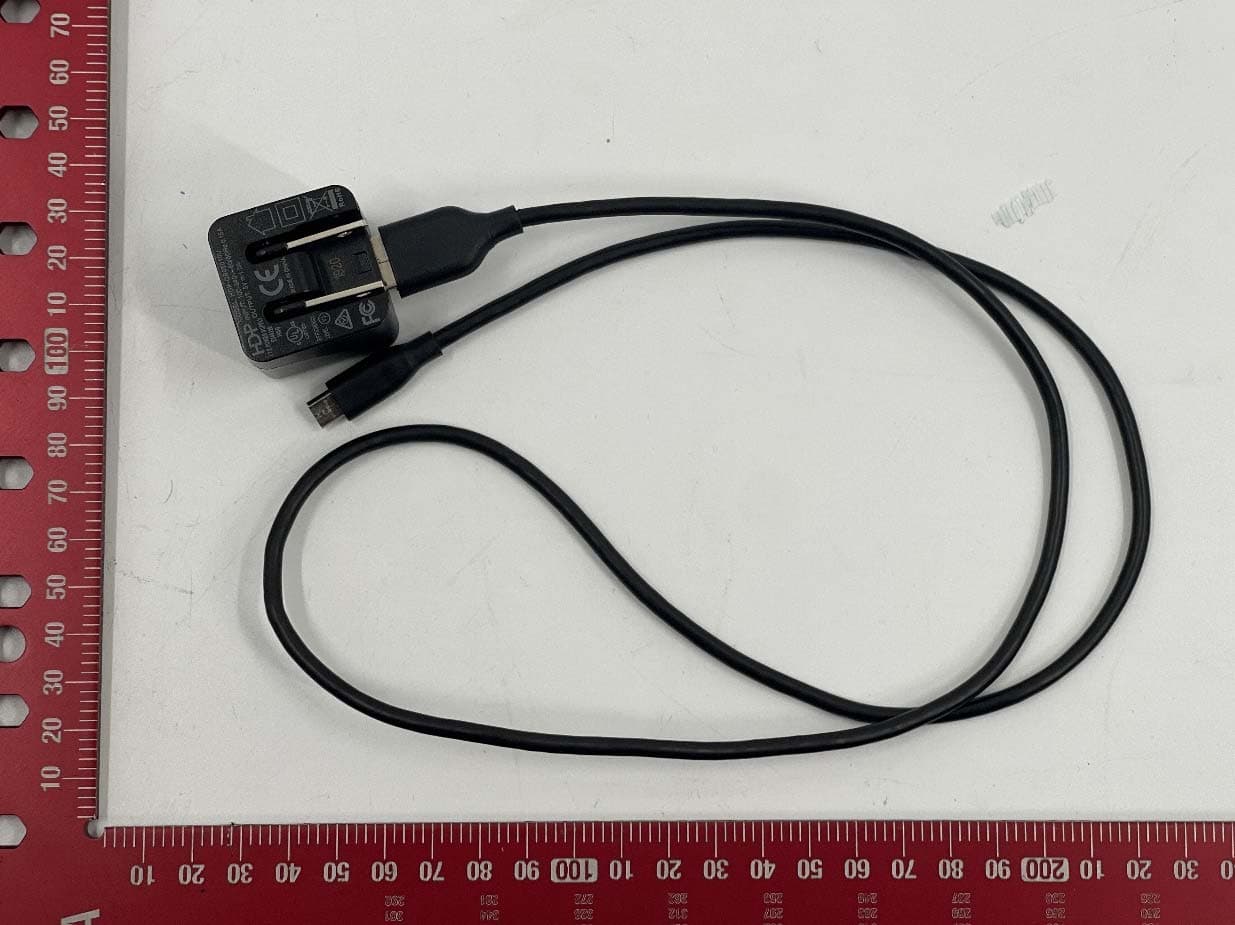
Click to zoom
Application Details
- Equipment Class
- DTS - Digital Transmission System
- Date of Grant
- Oct 05, 2023
- Application Purpose
- Original Equipment
- Date of Application
- Oct 05, 2023
- Equipment Note
- Air Quality Monitor
- Frequency Range
- 2412.00000000 - 2462.00000000
- Company
- Sensio Air Inc
- Country
- United States
Documents & Files
Document Text
Text extracted from the exhibit documents filed with the FCC. Open a document above to read the original.
Users Manual
WLABLTD 86-90PaulSt EC2A4NE,London,UK SensioAirV3UserManual UpdatedJuly31,2023. Introduction TheSensioAirindoorsensoristhefirstallergentrackerabletoidentifyallergensintheairin real-time. Currently,allergendetectionisdonemanuallybytrainedscientistsusingasporetrap(sticky tape)andanalyzingitwithexpensiveequipment. SensioAirispoweredbyArtificialIntelligenceandMachineLearningandperformsallergen characterizationwithanaccuracysignificantlysuperiortolaboratorytesting. Thesensorisupdatableremotelytodetectmoreparticlesbasedonthecustomer'sneeds. Thecurrentversionofthesensorisabletoidentifymold,dustmites,animaldanderand pollen. It'salsoabletomonitorindoorparameterssuchaspollution(VOCandCO2)aswellas temperature,humidity,someunitsmightbefittedwithoneormoreofthesesensors. IMPORTANTNOTICE Theunitsareallfittedwithanti-tamperstickers.Ifyouremoveortamperwiththeunityoumay beliableunderthetermsofconditionsofusage.Attemptingtoreverseengineerthedevice willexposeyouoryourcompanytoseriouslegalconsequences.SensioAirisaregistered trademark.Boththehardwareandsoftwarearepatentprotected. TechnicalSpecification SensorsTemperature,humidity,VOC,CO2, Pathogensensor Wireless802.11g/[email protected] Powerinputmicro-USB,5Volts Powerconsumption600mW(min95mA;typical105mA; max350mA) Dimensionsdiameterof70mm,heightof3.3mm Weight187g Operatingtemperature0to40degreesCelsius Additionalsensors SensorManufacturerModel VOCandeCO2SciosenseENS160-BGLM Temperatureand Humidity SensirionSHT31-DIS-F2.5KS Detectedallergens MoldAlternaria,Aspergillus,Botrytis, Chaetomium,Cladosporium, Penicillium,Fusarium TreepollenAsh,Aspen,Beech,Birch,Boxelder, BoxEuropean,BirchEuropean, CedarJapanese,CedarMountain, Cottonwood,Hazelnut,Mulberry, Olive,Palm,Poplar,Sycamore, CypressItalian,CypressJapanese, Elm,Oak 2 WeedpollenLamb'squarter,Mugwortcommon, Mugwortjapanese,Pigweed, Plantain,Ragweed,Sagebrush, GrasspollenBermuda,Johnson,Kentuckyblue, Orchard,Ryegrass. DustmitesHousedustmites. AnimaldanderCat,Dog. OtherSkinflakes Prerequisites Beforeusingthedevice,pleaseensurethatyouhavethefollowing: ●Apowersocket ●Theexactnameandpasswordofyour2.4GHzWPA2WiFinetwork PLEASENOTETHATTHESENSORWILLNOTCONNECTTO5GHzWifi ●TheSensioAirmobileapplication(availableoniPhoneorAndroid)orawebbrowser onyourMacorPC,preferablyChrome. Devicemanagement A-Recommendeduse 1-Lightinterfereswiththereadingofthesensor,thebestwaytoplaceasensorisaway fromlightinthedarkestpossibleplaceoftheroom,makesurethere’snooverheadlighting- avoiddirectsunlightorlightsourcesinterferingwiththesensor. 2-Havingmorethanacoupleofsensorslikeanywifiproducthamperstherightoperationof thedevices,whiletheymightwork,theloadontheroutermightposeissueswithdata transfer. 3-Thewificonnectivityworksfromboththeappandthedesktop,makesureyoutryboth beforecallingus. 3 4-Devicesaretobeusedwithintheconditionofuse.Donotexposethedevicesto nonstandardconditions.Pleasedonotexposetoextremeconditionslikeheat,sunlightor humidity,anddonotleaveoutsideorexposedtowater. 5-Pleasedonotattempttoopenthedevicesasthiswillbreakthecalibration 6-Pleasemakesurethestickeronthetopofthedevicethatsayspeel,isremoved,donot touchorwipetheglass,onlyusecannedairforclearingparticlesfromtheanalysisplate. Theidealpositionisabout120cmfromthefloorwiththedevicepointingupwards. Donotcoverthedevice,donotuseitoutdoors. B-Registeryourdevicewiththeapp DownloadtheSensioAirmobileapplicationavailableforiPhoneandAndroid.Inorderto connectyourindoordevicetotheapp,youmusthavebeengrantedspecial [email protected] C-ConnectingyourdevicetotheWiFiNetwork-ExplainerVideo FastTrack(Ifyouknowwhatyou’redoing): Pleaseconnectthedevicesonebyone,astheymayinterferewitheachother Step1-Pleasewaitforthebluelighttoappear,checkonbothyourphoneorcomputerto seeifthenetworkSensioAirappearswhenitdoes Step2-AssoonasyouconnectGotoyourbrowserandtypein http://192.168.1.1/setup_network?ssid=InputNetworkName&password=InputNetworkPass word PleasereplacethelettersinboldandblackwithNetworkNameandNetworkPassword- refreshthepagejustincaseittakestimeuntilitflashesgreen Step3-Lookatyourdevice,isitnowflashinggreen?ifyesthenitisconnectedifnotplease pleasetrystep2again- Step4-ifyoudonotseethenetworkpleaseunplugthedeviceandtryagainfromStep1 Ifyournetworknamehascharacterslike+,|,%pleasegotothetroubleshootingsectionof thismanual. 4 SettingupYourDevice Beforestarting,pleasemakesurethatyouhaveastronginternetconnectionandthatyou knowtheusername/passwordofyourWiFinetwork.Also,downloadtheSensioAirAppfor AndroidoriPhone. Connectthedeviceusingthemicro-USBcableprovided.Plugitintoapoweroutletwiththe providedadaptorandcable.Ifthedeviceisproperlypowered,youshouldseetheLEDturn blue. Step1-OpentheSensioAirmobileapplication,taponadddevice(A)thenopentheWiFi settingsofyourphone,eitherbyclickingonthe“opensettings”button(B)orbygoingoutof themobileapplicationandopeningthesettingsdirectly. Step2-InyourphoneWiFisetting,selectthenetworkcalled“SensioAir”.Thisnetworkdoes notrequireapassword(C).GobackintheSensioAirmobileappandtapon“NextStep” (D). Step3-IntheConfigureWiFiwindow,taponthearrowandselectthenewWiFinetwork youwishthedevicetoconnecttofromthescrolllist.InfigureE,thenewWiFinetworkis calledNETGEAR93forexample. Step4-Inthetextbox,enterthenewWiFinetworkpassword.Payextraattentionwhile typingasitmustmatchexactlythepassword(casesensitive).TaponSubmit(F). Step5-Waitforafewseconds,thedevicewillrestartandtheLEDwillturngreenthenwhite iftheWiFicredentialsarecorrect.Ifthisisthecase,taponcontinue(G).Ifnot,pleasego backtostep3. Connectingyourdevicewithabrowser Step1-Connectyourcomputertothe"SensioAir"WiFinetwork. Step2-Usingyourregularbrowser,enterthefollowingIPaddressinthebrowserbar: "192.168.1.1" Step3-Inthetextbox,enterthenetworknameandpasswordofyourWiFinetwork.Please notethatthisiscase-sensitive. 5 Step4-Clickonthesubmitbutton.Thedevicewillrebootandautomaticallyconnecttoyour WiFi. Step5-Waitforafewseconds,thedevicewillrestartandtheLEDwillturngreenthenwhite iftheWiFicredentialsarecorrect.Ifthisisthecase,taponcontinue.I…
Text truncated - open the document above for the full version.
Attestation Statements
05/23/2023 TO:FederalCommunicationsCommission AuthorizationandEvaluationDivision 7435OaklandMillsRoad Columbia,MD21046,USA RE:AttestationStatementsPart2.911(d)(7)requestfor28ARFSENSIOV3 SensioAirInc.,theundersigned,herebyauthorizeSensioAirInc.toactasourdesignatedU.S. agentforserviceofprocess,SensioAirInc.acceptstomaintainanagentfornolessthanone yearafterthegranteehasterminatedallmarketingandimportationortheconclusionofany Commission-relatedproceedinginvolvingtheequipment. SensioAirInc.acceptstheresponsibilitytoactasdesignatedU.S.agentforserviceofprocess, providesanagentfornolessthanoneyearafterthegranteehasterminatedallmarketingand importationortheconclusionofanyCommission-relatedproceedinginvolvingtheequipment. ApplicantInformation: Companyname:SensioAirInc. ContactName:LachlanFriedewald Address:440NWolfeRd,Sunnyvale,94085CA TelephoneNo:(669)600-0507 Email:[email protected] U.S.AgentInformation: CompanyName:SensioAirInc. Address:440NWolfeRd,Sunnyvale,94085CA ContactName:LachlanFriedewald TelephoneNo:(669)600-0507 Email:[email protected] ApplicantSignature: Applicantprintedname:LachlanFriedewald
Attestation Statements
05/23/2023 EurofinsElectricalandElectronicTestingNA,Inc. 914WestPatapscoAvenue Baltimore,MD21230 RE:AttestationStatementsPart2.911(d)(5)(i)requestfor28ARFSENSIOV3 SensioAirInc.(“theapplicant”)certifiesthattheequipmentforwhichauthorizationissoughtis not“covered”equipmentprohibitedfromreceivinganequipmentauthorizationpursuantto section2.903oftheFCCrules. Sincerely, ____________________ LachlanFriedewald SensioAirInc. 05/23/2023 EurofinsElectricalandElectronicTestingNA,Inc. 914WestPatapscoAvenue Baltimore,MD21230 RE:AttestationStatementsPart2.911(d)(5)(ii)requestfor28ARFSENSIOV3 SensioAirInc.(“theapplicant”)certifiesthat,asofthedateofthefilingoftheapplication,the applicantisnotidentifiedontheCoveredListasanentityproducing“covered”equipment. Sincerely, ____________________ LachlanFriedewald SensioAirInc.
Attestation Statements
05/26/2023 AUTHORITYTOACTASAGENTTO Innovation,ScienceandEconomicDevelopmentCanada Towhomitmayconcern: IappointCanadianCertificationConsulting,Inc.toactasagentinthepreparationofthis informationfortheSensioAirV3underInnovation,ScienceandEconomicDevelopment Canada,DC-01.Icertifythattheexhibitsproperlydescribethedeviceorsystemforwhich certificationand/ormarkingissought;thattheLabel(s)describedwillbeaffixedtoeachitem, andthattherequiredcustomerinformation,asdescribedintheapplicableCanadianStandard, willbeprovidedwitheachitemmanufacturedordistributedbytheapplicant. Datedthe26thofMay,2023 By:LachlanFriedewald Signed___________________________Printed:___________________________ Title:OperationsManagerTelephone:(669)600-0507 Applicant(CompanyName):SensioAirInc.
Cover Letter(s)
SENSIOAIRINC 440NWolfeRoad 94085Sunnyvale CAUSA WLABLTD 86-90PaulStreet EC2A4NELondon UnitedKingdom [email protected]|www.wlab.io June15,2023 EurofinsElectricalandElectronicTestingNA,Inc. 914WestPatapscoAvenue Baltimore,MD21230 RE:CONFIDENTIALITYREQUESTFOREUTModel: SensioAirHomeFCCID#28ARFSENSIOV3 ToWhomItMayConcern: Thisletterservesasanofficialrequestforconfidentialityundersections0.457and0.459ofCFR 47.Wehaverequestedthatthefollowingitemsrequiredtobesubmittedwiththisapplicationbe permanentlywithheldfrompublicreview: -BlockDiagram -Schematics -InternalPhotos -Partslist Theabovedocumentsareproprietarycompanyinformationthatcouldnevergetintothe possessionofourcompetition. Sincerely, _________________ LachlanFriedewald OperationsManager
External Photos
EUT View 1 (Metal Enclosure) EUT View 2 (Metal Enclosure) EUT View 3 (Metal Enclosure) EUT View 4 (Metal Enclosure) EUT View 5 (Plastic Enclosure) EUT View 6 (Plastic Enclosure) EUT View 7 (Plastic Enclosure) EUT View 8 (Plastic Enclosure) EUT View 9 EUT View 10 EUT View 11 EUT View 12
Operational Description
OperationDescriptionforSensioAirV3 TheuserbeginsbyselectingalocationfortheSensioAirdevice.Thedeviceispoweredby connectingittothemainsusingtheincludedUSBcableandthe5VUSBswitchingpower supply. Uponinitialactivation,thedeviceentersWiFiAPmode,waitingfortheusertoconnecttoits opennetwork.Oncetheuserlogsintothisnetwork,theycanselectthepreferred2.4GhzWiFi networktowhichtheywantthedeviceconnected.Uponenteringthecorrectcredentials,the devicerebootsandinitiatesnormaloperation. Onstartup,thedeviceexecutesaself-checkbeforelookingforWiFicredentialsstoredinits non-volatilememory.Ifitlocatesthesecredentials,itattemptstoconnecttothecorresponding network. Successfulnetworkconnectionenablesthedevicetoutilizeuniquecredentialssavedona HardwareSecurityModule(HSM).Thisfacilitatesasecureconnectiontocloudservices. Onceconnected,thedeviceoperatesinaloop,executingthefollowingactionsatuser-defined intervals: ● Capturingreadingsfromenvironmentalsensors. ● Capturingandanalyzingdatafromtheparticlesensor. ● Uploadingandsynchronizingthevalueswiththecloudservices. Userscanalsointeractwiththedevice.Theycaninitiateparticleanalysisbypressingthe device'scapturebutton.Thedevicewillresumenormalautomatedprocessesafterthis.To clearthesavedWiFicredentials,userscanpresstheresetbuttonfor30seconds.Operation statuscanbeviewedviathedevice'sindicatingLEDs,orbycheckingvaluesontheSensioAir mobileapporwebpage. Thesuccessfuloperationofthedeviceismonitoredbyseveralwatchdogs,enablingitto functionautonomouslywithoutrequiringinteractionfromtheuserbeyondtheinitialsetup. Thedevice'ssuccessfuloperationandanyerrormessagescanbeviewedremotely.The device'sfirmwarecanbeupdatedusingtheOverTheAirprocess.
Operational Description
Main Loop Send S3 Task Boot init Sensor/Camera init Factory Reset WiFi init WiFi provisioning Task FreeRTOS start Scheduler Startup Daemon Wifi Credentials / Network check Task Join network TaskUser Input Watchdog init Get sensor values Task Get Image Task Get presigned URL LED Task Device settings Task Device settings Task Sync device with MQTT Task Sync device with MQTTTake imageSave to buffer/FLASH Upload to S3 Timer Watchdog Log Task Send to S3 Sync device with MQTT Get Image LED Task Sync device with MQTTUpdate device settingsSync device with MQTT Erase memory Device health check SENSIO Air V3 rC Firmware
RF Exposure Info
Christopher Martin
Test Report
Confidential Inventek Systems, LLC. DOC-DS-20075-1.0 Page 1 of 8 Inventek Systems OEM Wi-Fi Antennas P/N: W24P-U Confidential Inventek Systems, LLC. DOC-DS-20075-1.0 Page 2 of 8 Table of Contents 1 GENERAL DESCRIPTION ....................................................................................... 3 2 PART NUMBER DETAIL DESCRIPTION .............................................................. 3 Ordering Information................................................................................................. 3 3 GENERAL FEATURES ............................................................................................. 3 3.1 Environmental Specifications ............................................................................. 3 4 Features ....................................................................................................................... 4 5 Applications ................................................................................................................ 4 6 Electrical Specifications.............................................................................................. 4 6.1 Return Loss(S¹¹) .................................................................................................. 4 6.2 Smith Chart(S¹¹) .................................................................................................. 5 7 Antenna Dimensions (unit: mm) ................................................................................. 5 8 Radiation Pattern ......................................................................................................... 6 8.1 3D Gain Pattern (Radiation Pattern at 2442 MHz) ............................................. 6 8.2 9-2 Efficiency Table ........................................................................................... 7 8.3 9-3 Efficiency vs. Frequency .............................................................................. 7 9 Electrical Specifications.............................................................................................. 7 10 REVISION CONTROL .............................................................................................. 8 11 CONTACT INFORMATION ..................................................................................... 8 Confidential Inventek Systems, LLC. DOC-DS-20075-1.0 Page 3 of 8 1 GENERAL DESCRIPTION The Inventek 2400-2500 Mhz Wi-Fi PCB (30 x 5 mm) antennas let you integrate Wi-Fi functionality into your product quickly and easily. It’s suitable for a wide range of applications and recommended for use with Inventek eS-Wi-Fi modules. 2 PART NUMBER DETAIL DESCRIPTION Ordering Information Device Description Ordering Number W24P-U 2400-2500 Mhz Wi-Fi PCB antenna with U.Fl connector and 90 mm cable length W24P-U 3 GENERAL FEATURES Characteristics Specifications Unit Outline Dimensions 30 x 5.0 x .05 mm Center Frequency 2442 MHz Bandwith 100 min. MHz VSWR 2 max. Impedance 50 Ω Polarization Linear Polarization Gain Peak 3.2 (typical) dBi Efficiency 79 (typical) % 3.1 Environmental Specifications Item Description Operating temperature rang -40 deg. C to +80 deg. C Storage temperature range -55 deg. C to +100 deg. C Humidity 95% max non-condensing Confidential Inventek Systems, LLC. DOC-DS-20075-1.0 Page 4 of 8 4 Features Stable and reliable in performances PCB antenna has excellent sensitivity to consistently provide high signal reception efficiency Compact size RoHS compliance 5 Applications *IEEE802.11 (b/g/n). *Hand-held devices when WiFi (802.11 b/g/n) functions are needed. 6 Electrical Specifications 6.1 Return Loss(S¹¹) Confidential Inventek Systems, LLC. DOC-DS-20075-1.0 Page 5 of 8 6.2 Smith Chart(S¹¹) 7 Antenna Dimensions (unit: mm) Our standard cable length is 90mm long. Minimum order custom cable lengths can be special order by request. Confidential Inventek Systems, LLC. DOC-DS-20075-1.0 Page 6 of 8 8 Radiation Pattern 8.1 3D Gain Pattern (Radiation Pattern at 2442 MHz) 2.4 Confidential Inventek Systems, LLC. DOC-DS-20075-1.0 Page 7 of 8 8.2 9-2 Efficiency Table 8.3 9-3 Efficiency vs. Frequency 9 Electrical Specifications Frequency(GHz) 2.400 2.412 2.417 2.422 2.427 2.432 2.437 2.442 2.447 2.452 2.457 2.462 2.467 2.472 2.484 Efficiency(dB) -1.51 -1.26 -1.21 -1.13 -1.09 -0.99 -0.90 -1.01 -1.06 -1.04 -0.87 -0.79 -0.82 -0.86 -0.98 Efficiency (%) 70.63 74.82 75.68 77.09 77.80 79.62 81.28 79.25 78.34 78.70 81.85 83.37 82.79 82.04 79.80 Gain(dBi) 2.76 2.96 3.02 3.05 3.15 3.24 3.32 3.26 3.23 3.26 3.42 3.55 3.56 3.58 3.48 Confidential Inventek Systems, LLC. DOC-DS-20075-1.0 Page 8 of 8 RoHS: Restriction of Hazardous Substances (RoHS) directive has come into force since 1st July 2006 all electronic products sold in the EU must be free of hazardous materials, such as lead. 10 REVISION CONTROL Document : W24P-U 2.4 Ghz PCB antenna Internal Release DOC-DS-20075 Date Author Revision Comment 10/1/2013 FMT 1.0 Preliminary 11 CONTACT INFORMATION Inventek Systems 2 Republic Road Billerica Ma, 01862 Tel: 978-667-1962 [email protected] www.inventeksys.com Inventek Systems reserves the right to make changes without further notice to any products or data herein to improve reliability, function, or design. The information contained within is believed to be accurate and reliable. However Inventek Systems does not assume any liability arising out of the application or use of this information, nor the application or use of any product or circuit described herein, neither does it convey any license under its patent rights nor the rights of others.
Test Setup Photos
Radiated Emission Test below 1GHz Front View Radiated Emission Test below 1GHz Rear View Radiated Emission Test above 1GHz Front View Radiated Emission Test above 1GHz Rear View
Contact Information
Applicant
Eve Tamraz(Chief Scientist)
Technical Contact
Sensio Air IncCyrille Najjar
[email protected]1 415 23 00014
440 N Wolfe Road · Sunnyvale, California · United States
Test Firm
EUROFINS ELECTRICAL AND ELECTRONIC TESTING NA, INCGreg Kovolenko
Technical Specifications
| # | Rule Parts | Frequency Range | Power Output |
|---|---|---|---|
| 1 | 15C | 2.41 GHz - 2.46 GHz | 51.88 mW |