2A9HQ-J15601Wifi Digital photo frame
Shenzhen jiashicai Digital Co., Ltd.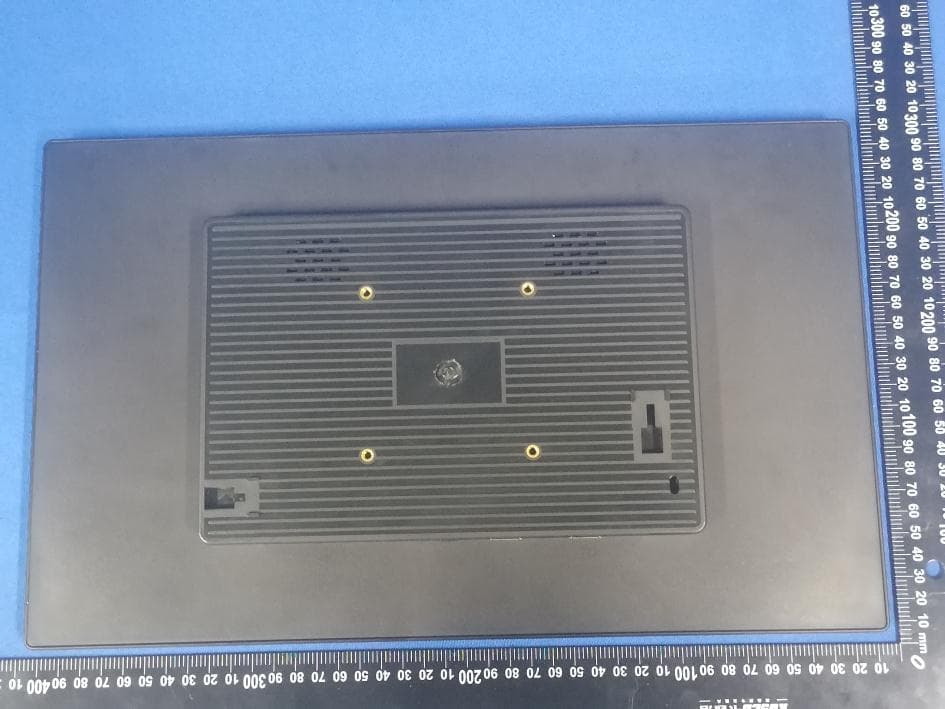
Click to zoom
Application Details
- Equipment Class
- DXX - Part 15 Low Power Communication Device Transmitter
- Date of Grant
- Nov 27, 2022
- Application Purpose
- Original Equipment
- Date of Application
- Nov 27, 2022
- Equipment Note
- Wifi Digital photo frame
- Frequency Range
- 2402.00000000 - 2480.00000000
- Country
- China
Documents & Files
Document Text
Text extracted from the exhibit documents filed with the FCC. Open a document above to read the original.
Users Manual
Wifi Digital photo frame User Manual I Specification: Android 6.0 system CPU: Allwinner Quad core 1.5 Ghz RAM: 1G DDR3 ROM: 8GB G-sensor WIFI: 2.4GHz 802.11b/g/n Bluetooth V4.0 Touch screen: Multi-Touch screen I/O interface: SD / USB / Mini USB/ Earphone port/RJ45 Photo format: JPG, BMP, GIF, PNG Audio format: MP3, WMA, APE Video format: MPEG1/2/4, AVI, RMVB, MOV, MKV (UP TO 1080P) Language: English, French, German, Spanish, Italian, Dutch, Polish and etc. II Instructions 1. Operating interface 1.1 You will enter into the main interface after it turns on. 1.2 In main interface, you can move the software icon, press the icon in 1 second, then you can move it to anywhere in main interface. 1.3 Delete icons in main interface : Press the icon in 1 second, and then you can remove it (it means delete). 1.4 Toolbar From left to right: Volume down ,Recent application, Main interface, Return, Volume III up. 1.5 Guide for OSD function Check recent execution of the application program. Back to main interface. No matter which interface showed on screen, you can click the key at the bottom to back to main interface. In main interface, you can check all application program, and press any icon of application program in one 1 second, then you can see this icon in main interface. 2. Setting 2.1 Wireless & Networks Wi-Fi Click “ ON/ OFF” to open and close wifi. If Wifi does not need password, just select connect” to link it. Once Wifi have connection history, information will be saved automatically. Wifi icon will be showed at the top-right corner. Data usage Display the current software and memory capacity. IV 2.2 Device Sound Volume/ Default notification sound/ Touch sounds/ Screen lock sound , you can use tick or non-tick to set it up. Display Brightness/ Wallpaper/ Sleep/ Daydream/ Font size/ Navigation show/ Cast screen/ Full screen mode and etc. Storage Check the available storage space, the users can clear away SD card(format internal memory), and choose options that can do media scan for external SD card and USB. Apps Manage application program. Select setting- apps-downloaded- uninstall, choose the one you want it remove, then enter into below interface, click delete, finished 2.3 Personal Location You can choose “google location reporting” service. V Security Screen lock/ Owner info/ Make passwords visible/ Device administrators/ Unknown sources/ Verify apps/ Credential storage/ Storage type/ Trusted credentials/ Install from SD card/ Clear credentials. Language & input Option for language, text input, automatic error correction, choose the keyboard and input method you like, and set text language output, pointer speed. Backup & reset Back up my data, save all your files and settings. Factory data reset , return to factory settings. VI Warning: Once you select “factory data reset”, all personal data will be deleted from the product, please backup your data before executing. 2.4 System Date & Time The users can use date and time that provided by internet, or manually set and choose date, time and display format. Accessibility To help users who are blind or weak sight, intercom system provides voice feedback. You can search and download this application program from internet. Printing Connect to printer and print the files. ● Developer options For Professional engineer usage. ● About tablet Click this option to get the information for product. 3 Commonly application program VII Browser When your product linked Wi-Fi, click browser icon on desktop to open website, interface showed as below, ● Calculator There is a built-in calculator in the product, click icon to calculate, Calender The users can use calender to check dates, time and memo etc.please log into google account ahead. a. Click calender icon, a dialog box named “google account” is popping out, click “next step” to continue. VIII b. If you have no google account, please click“create” to create a new google account, if you have, please click“log-in” to continue. c. Input google email and password, then click“next step” to continue. d. When you finished set-up, pages will be exited automatically and back to main interface. Then click the calender icon again to verify date, time, add memo and so on. Click menu button, 1 day, 7 weeks, agenda, today and other options will be popping out, show as below interface, Clock Click clock icon to operate this application program. When operating this program, you can set up this clock. Download Click all the download details. IX People You can log in one or more email address. Click the mailbox icon and follow the steps to set up your email account, after setting can receive or send mail. Click the mailbox icon to read the message, if you set only one email account, it will immediately open. If you have set up multiple accounts, they will be listed on the account interface. Click the email account you want, and then click on "Inbox", it will list all the messages, and then click on the message you want to open. You can reply to, forward, or delete messages. On the Inbox screen, you can compose a new message, click on the menu to set about plans to get more mail accounts. File Manager Click the File Manager icon to browse saved file(stored on local device, SD card or U disk). Music Click the Music icon to play music. All songs will be listed, you can select the one you wanted. X Search APK files on your product, or search online: click icon Play video Click the video player icon to run the application. All videos will be listed, select the video you want to play. XI Remarks: Install new program. You can download this application program via internet, then install it online, or install it via SD card and USB. Just click and install it, run it after finishing this installation. ★ Important Safety Precautions ※ To avoid fire, electric shock and other risks, please comply with below measures: ● Do not place the product under raining and mo…
Text truncated - open the document above for the full version.
Attestation Statements
Shenzhen jiashicai Digital Co., Ltd. Family models declaration letter. 2022-11-23 We Shenzhen jiashicai Digital Co., Ltd. Of C302,Building10,Huafeng Tech. Park,Fengtang Ave.,Tangwei,Fuhai St.,Baoan,Shenzhen,China Product: Wifi Digital photo frame Model Name: J15601 Serial Model: J1001, J1008, J1010, J11602, J1201, J1202, J13301, J13302, J1401, J1405, J1501, J1502, J15601, J18505, J21504, J21505, J23605, J23805, J2701, J3201 All the model are the same circuit and RF module,except model names. Thanks Sincerely, Signature Name: Zhuowei Wu Date: 2022-11-23 Title: Manager
Cover Letter(s)
Shenzhen jiashicai Digital Co., Ltd. Long Term Confidentiality Request Letter (2022-11-23) Eurofins Electrical and Electronic Testing NA, Inc. 914 West Patapsco Avenue Baltimore, MD 21230 RE: CONFIDENTIALITY REQUEST FOR(Wifi Digital photo frame / J15601, J1001, J1008, J1010, J11602, J1201, J1202, J13301, J13302, J1401, J1405, J1501, J1502, J15601, J18505, J21504, J21505, J23605, J23805, J2701, J3201 / FCC ID: 2A9HQ-J15601) To Whom It May Concern: - This letter serves as an official request for confidentiality under sections 0.457 and 0.459 of CFR 47. We have requested that the - - Block Diagram - Schematics - Operational Description required to be submitted with this application be permanently withheld from public review. The above materials contain trade secrets and proprietary information not customarily released to the public. The public disclosure of these materials may be harmful to the applicant and provide unjustified benefits to its competitors. Please contact me if there is any information you may need. Sincerely, Client’s signature : Client’s name / title : Zhuowei Wu / Manager Contact information / address: C302,Building10,Huafeng Tech. Park,Fengtang Ave.,Tangwei,Fuhai St.,Baoan,Shenzhen,China
ID Label/Location Info
5cm Model: J15601 FCC ID: 2A9HQ-J15601 This device complies with part 15 of the FCC Rules. Operation is subject to the following two conditions: (1) This device may not cause harmful interference, and (2)this device must accept any interference received, including interference that may causeundesired operation. Label Location 3cm
Internal Photos
TX ANT
Test Report
Drawing of antenna Gain & Efficiency 公司地址:深圳市宝安区福永镇重庆路新福工业园B5栋4楼 深圳顺达成科技有限公司
Test Report
Project No.:ZKT-221104L8211E-1 Page 1 of 35 FCC TEST REPORT FCC ID:2A9HQ-J15601 Report Number. ................................ : ZKT-221104L8211E-1 Date of Test ................................................. : Nov. 03 to Nov. 15, 2022 Date of issue .................................... : Nov. 15, 2022 Total number of pages ...................... 35 Test Result ..................................... : PASS Testing Laboratory. ........................... : Shenzhen ZKT Technology Co., Ltd. Address .......................................... : 1/F, No. 101, Building B, No. 6, Tangwei Community Industrial Avenue, Fuhai Street, Bao'an District, Shenzhen, China Applicant's name ............................ : Shenzhen jiashicai Digital Co., Ltd. Address .......................................... : C302,Building10,Huafeng Tech. Park,Fengtang Ave.,Tangwei,Fuhai St.,Baoan,Shenzhen,China Manufacturer's name ..................... : Shenzhen jiashicai Digital Co., Ltd. Address .......................................... : C302,Building10,Huafeng Tech. Park,Fengtang Ave.,Tangwei,Fuhai St.,Baoan,Shenzhen,China Test specification: Standard ........................................... : FCC CFR Title 47 Part 15 Subpart C Section 15.249 ANSI C63.10:2013 Test procedure ................................. : / Non-standard test method ............. : N/A Test Report Form No. .................... : TRF-EL-111_V0 Test Report Form(s) Originator .... : ZKT Testing Master TRF .................................... : Dated: 2022-11-15 This device described above has been tested by ZKT, and the test results show that the equipment under test (EUT) is in compliance with the FCC requirements. And it is applicable only to the tested sample identified in the report. This report shall not be reproduced except in full, without the written approval of ZKT, this document may be altered or revised by ZKT, personal only, and shall be noted in the revision of the document. Product name ................................... : Wifi Digital photo frame Trademark ...................................... : N/A Model/Type reference ...................... : J15601, J1001, J1008, J1010, J11602, J1201, J1202, J13301, J13302, J1401, J1405, J1501, J1502, J15601, J18505, J21504, J21505, J23605, J23805, J2701, J3201 Ratings ............................................. : AC100-240V,50/60Hz Project No.:ZKT-221104L8211E-1 Page 2 of 35 Testing procedure and testing location: Testing Laboratory ..................................... : Shenzhen ZKT Technology Co., Ltd. Address ...................................................... : 1/F, No. 101, Building B, No. 6, Tangwei Community Industrial Avenue, Fuhai Street, Bao'an District, Shenzhen, China Alen He Tested by (name + signature) .................... : Joe Liu Reviewer (name + signature) ..................... : Lake Xie Approved (name + signature) .................... : Project No.:ZKT-221104L8211E-1 Page 3 of 35 Table of Contents Page 1.VERSION 5 2.SUMMARY OF TEST RESULTS 6 2.1 TEST FACILITY 7 2.2 MEASUREMENT UNCERTAINTY 7 3. GENERAL INFORMATION 8 3.1 GENERAL DESCRIPTION OF EUT 8 3.2 DESCRIPTION OF TEST MODES 9 3.3 BLOCK DIGRAM SHOWING THE CONFIGURATION OF SYSTEM TESTED 9 3.4 DESCRIPTION OF SUPPORT UNITS(CONDUCTED MODE) 10 3.5 EQUIPMENTS LIST FOR ALL TEST ITEMS 11 4. EMC EMISSION TEST 13 4.1 CONDUCTED EMISSION MEASUREMENT 13 4.1.1 1POWER LINE CONDUCTED EMISSION LIMITS 13 4.1.2 TEST PROCEDURE 13 4.1.3 DEVIATION FROM TEST STANDARD 13 4.1.4 TEST SETUP 14 4.1.5 EUT OPERATING CONDITIONS 14 4.1.6 TEST RESULTS 15 4.2 RADIATED EMISSION MEASUREMENT 17 4.2.1 RADIATED EMISSION LIMITS 17 4.2.2 TEST PROCEDURE 18 4.2.3 DEVIATION FROM TEST STANDARD 18 4.2.4 TEST SETUP 18 4.2.5 EUT OPERATING CONDITIONS 19 5. BANDWIDTH OF FREQUENCY BAND EDGE 25 5.1 TEST REQUIREMENT: 25 5.2 TEST PROCEDURE 25 5.3 DEVIATION FROM TEST STANDARD 25 5.4 TEST SETUP 25 5.5 EUT OPERATING CONDITIONS 26 5.6 TEST RESULT 27 6. CHANNEL BANDWIDTH 29 7.1 APPLIED PROCEDURES / LIMIT 29 7.2 TEST PROCEDURE 29 7.3 DEVIATION FROM STANDARD 29 7.4 TEST SETUP 29 Project No.:ZKT-221104L8211E-1 Page 4 of 35 Table of Contents Page 7.5 EUT OPERATION CONDITIONS 29 7.6 TEST RESULTS 30 8. CONDUCTED SPURIOUS EMISSION 32 8.1 APPLICABLE STANDARD 32 8.2 TEST PROCEDURE 32 8.3 DEVIATION FROM STANDARD 32 8.4 TEST SETUP 32 8.5 EUT OPERATION CONDITIONS 32 9.ANTENNA REQUIREMENT 34 10. TEST SETUP PHOTO 35 11. EUT CONSTRUCTIONAL DETAILS 35 Project No.:ZKT-221104L8211E-1 Page 5 of 35 1.VERSION Report No. Version Description Approved ZKT-221104L8211E-1 Rev.01 Initial issue of report Nov. 15, 2022 Project No.:ZKT-221104L8211E-1 Page 6 of 35 2.1SUMMARY OF TEST RESULTS Test procedures according to the technical standards: FCC Part15 (15.249) , Subpart C Standard Section Test Item Judgment Remark FCC part 15.203 Antenna requirement PASS FCC part 15.207 AC Power Line Conducted Emission PASS FCC part 15.249 Fundamental &Radiated Spurious Emission Measurement PASS FCC part 15.215 (c) 20dB Channel Bandwidth PASS FCC part 15.205 Band Edge PASS NOTE: (1)” N/A” denotes test is not applicable in this Test Report Project No.:ZKT-221104L8211E-1 Page 7 of 35 2.11.1 TEST FACILITY Shenzhen ZKT Technology Co., Ltd. Add. : 1/F, No. 101, Building B, No. 6, Tangwei Community Industrial Avenue, Fuhai Street, Bao'an District, Shenzhen, China FCC Test Firm Registration Number: 692225 Designation Number: CN1299 IC Registered No.: 27033 2.21.2 MEASUREMENT UNCERTAINTY The reported uncertainty of measurement y ± U,where expended uncertainty U is based on a standard uncertainty multiplied by a coverage factor of k=2,providing a level of confidence of approximately 95 %。 No. Item Uncertainty 1 Conducted Emission Test ±1.38dB 2 RF power conducted ±0.16dB 3 Spurious emissions conducted ±0.21dB 4 All emissions radiated(<1G) ±4.68dB 5 All emissions radiated(>1G) ±4.89dB 6 Temperature ±0.5°C 7 Humidity ±2% Project No.:ZKT-221104L8211E-1 Page 8 of 35 3. GENERAL INFORMATION 3.1 GENERAL DESCRIPTION OF EUT Product N…
Text truncated - open the document above for the full version.
Test Setup Photos
Test Setup Photograph Radiated Emissions Test Setup Below 1G Above 1G Conduction Emissions Test Setup
Contact Information
Applicant
Zhuowei Wu(Manager)
Technical Contact
Shenzhen ZKT Technology Co., Ltd.Alen He
[email protected]0086-13620010775
1/F, No. 101, Building B, No. 6, Tangwei · Shenzhen · China
Test Firm
Shenzhen ZKT Technology Co., Ltd.Lake Xie
[email protected]0086-13620010775
Technical Specifications
| # | Rule Parts | Frequency Range | Power Output |
|---|---|---|---|
| 1 | 15C | 2.40 GHz - 2.48 GHz | - |
Other Applications from Shenzhen jiashicai Digital Co., Ltd.
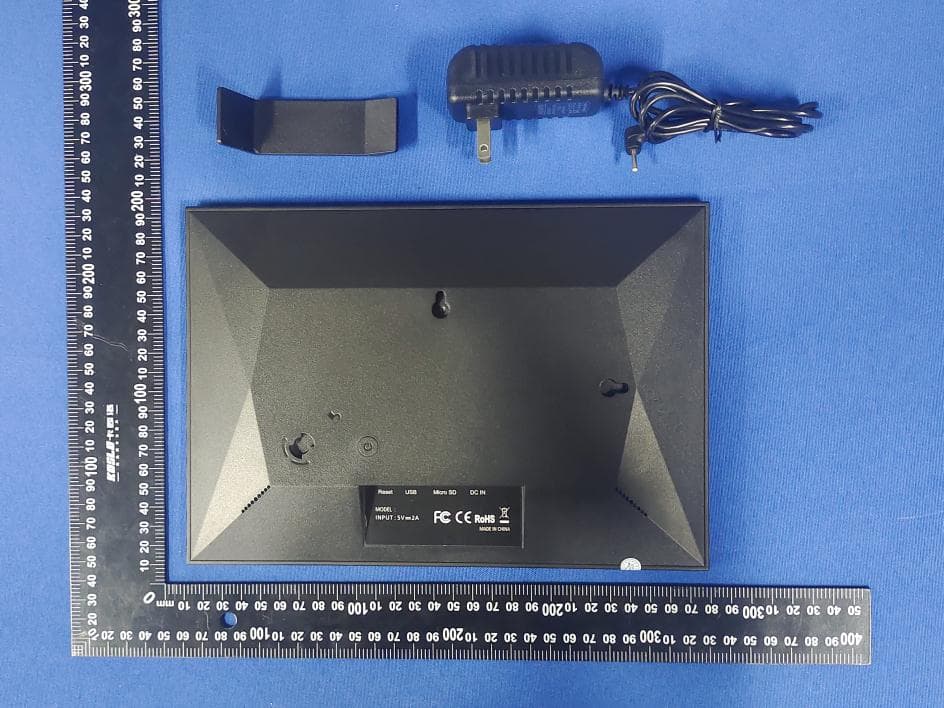
2A9HQ-J1007
Dec 13, 2022Wifi Digital photo frame
Equipment Class
DTS - Digital Transmission System