2AA86-SP200fish finder
Shenzhen Phiradar Technology Co., Ltd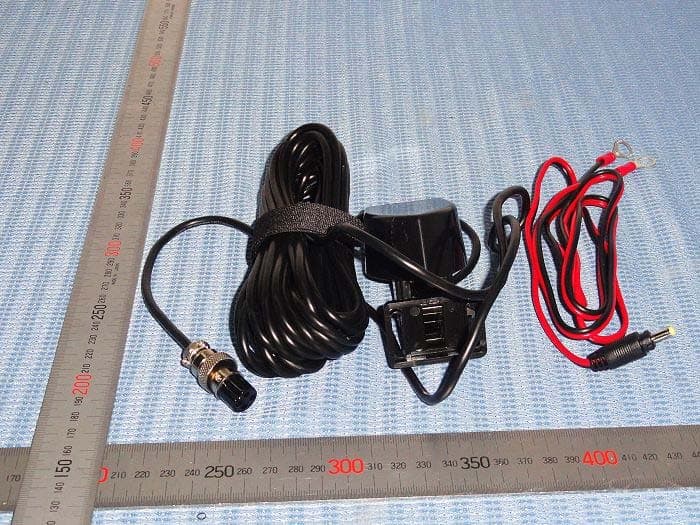
Click to zoom
Application Details
- Equipment Class
- DTS - Digital Transmission System
- Date of Grant
- Jan 10, 2014
- Application Purpose
- Original Equipment
- Date of Application
- Jan 10, 2014
- Equipment Note
- fish finder
- Frequency Range
- 2422.00000000 - 2452.00000000
- Country
- China
Documents & Files
Document Text
Text extracted from the exhibit documents filed with the FCC. Open a document above to read the original.
Users Manual
Instruction Manual Contents WelcomeFeatures & SpecificationsWiFi Connection Sharing a SignalSonarPhone OperationMenu Functions Using the T-PODInstalling a T-BoxPortable T-Box Use Where To BuyHow To Get HelpRegister Your Warranty Welcome to SonarPhone What is SonarPhone? As the name implies, SonarPhone turns your smartphone or tablet into a fully functional touch screen sonar system that will rival the performance of sonar systems costing hundreds more. You don’t need cell phone coverage to use it. The SonarPhone Sonar Transmitter will work anywhere in the world. The SonarPhone transmitter creates its own WiFi hotspot and you can share its signal with as many people as you wish or 1/24Vexilar SonarPhone Instruction Manual 2013/12/16http://vexilar.com/apps/sonarphone/instructions/sonarphone-instructions.html password protect it just for yourself. The use of the SonarPhone App beyond DEMO mode requires a WiFi connection to a SonarPhone T-POD or T-BOX Sonar System. You can either share an existing signal or purchase a Sonar System for yourself. SonarPhone Overview This Depth Sounder Mobile Application is designed for amateur and professional fishermen alike. It will allow you see fish, depth and bottom contour of a body of water. This high performance sonar system, when coupled with a T-POD or T-BOX, will rival the performance of many high-cost stand-alone sonar systems. Sonar technology is based on sound waves which are transmitted into the water. The system uses sonar to locate and define structure, bottom contour and composition, as well as depth directly below the transducer. When in the water, the transducer (T-POD or T-BOX) sends a sound wave signal downward and determines distance by measuring the time between the transmission of the sound wave and when the sound wave is bounced off an object. Then it uses the reflected signal to interpret depth and composition of an object or bottom structure. Choose the System That Works Best for You 2/24Vexilar SonarPhone Instruction Manual 2013/12/16http://vexilar.com/apps/sonarphone/instructions/sonarphone-instructions.html • Display Type: iPhone or iPad • Digital Depth Indicator • Water Temperature • Automatic Ranging • Fish Icon • Depth and Fish Alarm • Zoom Bottom Track • Keel Offset Setting • Noise Rejection • Surface Clarity • Battery Indicator • WiFi Wireless Link T-POD Specifications • Depth Range Max: 120 feet (40M) • Depth Range Min: 2 feet (0.6M) • Sonar Frequency: 125 kHz Single Beam • Cone Angle: 30 Degrees • Sonar Power: 3.7V Rechargeable Battery • Audible Alarms: Fish, Shallow, Low Battery • Operational: -20 — 80°C • Wireless distance: 100 Yards (90M) T-BOX Specifications (See Section: Where to Buy) Features & Specifications SonarPhone Features 3/24Vexilar SonarPhone Instruction Manual 2013/12/16http://vexilar.com/apps/sonarphone/instructions/sonarphone-instructions.html •Depth Range Max: 320 feet (100M) • Depth Range Min: 2 feet (0.6M) • Sonar Frequency: 200/83KHz Duel Beam • Cone Angles: Dual Beam 20 or 40 Degree • Sonar Power: 12V DC power • Audible Alarms: Fish, Shallow, Low Battery • Operational: -20 — 80°C • Wireless distance: 100 Yards (90M) How to Connect to a T-POD or T-BOX iOS Devices 1. Start the T-POD or T-BOX by powering up the T-BOX or placing the T-POD into the water. (Use a wet paper towel to power up the T-POD if at home) 2. Go to your iPhone or iPad's main "Settings" page . 3. Go to "WiFi". Your iPhone will search for new signals and should find the T-POD or T-BOX signal. 4. Select the T-POD or T-BOX that appears 5. If a master password is set for the T-POD or T-BOX, you will need to enter this password to access the signal. Tap "Join" to connect. 6. Press your iPhone's home button, then located and tap the SonarPhone icon to start the app. 7. (Optional) Tap “System Setup” to change the default SonarPhone username and password. Note that if you change the default, you will need to exit SonarPhone, return to step 2 and then re-select the T-POD or T-BOX. 8. (First Run Only) Tap "Master" and enter the default password (12345678) or the new password you set up in the last step. 4/24Vexilar SonarPhone Instruction Manual 2013/12/16http://vexilar.com/apps/sonarphone/instructions/sonarphone-instructions.html Setup is Complete. Tap "Connect Now" to begin using SonarPhone. Android Devices 1. Start the T-POD or T-BOX by powering up the T-BOX or placing the T-POD into the water. (Use a wet paper towel to power up the T-POD if at home) 2. Go to “WiFi” setting and be sure it is “ON”. Your SonarPhone system is transmitting and WiFi signal and you should see it on your WiFi networks listing. 3. Select the WiFi SonarPhone source you wish to use, at this point if several other SonarPhone's are being used nearby, you will see them as well, but as you will soon find, they are protected by a security code the primary operator of the system. Ask them for the Security code so they can share their signal with you. If you are using the system by yourself the WPA security code from the factory is 12345678. 4. DO NOT leave the WiFi settings screen until you see you are connected to the WiFi channel you have selected. 5. Now you can exit the settings feature and open the SonarPhone App. 6. If you are watching another sonar system and are a “Slave” to the system, you simply hit the “Connect Now” button and enter the sonar function. 7. (First Run Only) If you are want to control the system, you will need to establish yourself as the Master. Hit the “Master” button and enter your chosen personal access code. This will insure nobody else takes control of your sonar signal. Note: If no master is assigned, slave option will not work. 8. Once you are the master, it will show the WiFi channel is selected on this phone or tablet you simply need to it the “Connect Now”. 9. Note there is a WiFi channel signal strength screen you should note then simply hit “START” and you are now using SonarPhone. IMPORTANT: WiFi signal range can be effected by many ext…
Text truncated - open the document above for the full version.
Cover Letter(s)
DATE : Dec 23, 2013 Equipment Autorisation Division Federal Communications Commission 7435 Oakland Mills Road Columbia, MD 21046 FCC ID: 2AA86-SP200 Product Name: fish finder Request for Confidentiality Pursuant to Sections 0.457 and 0.459 of the commissions rules, we hereby request that the following documents be held confidential: • Schematics • Block diagram • Operational Description These materials contain trade secrets and proprietary information and are not customarily released to the public. The public disclosure of this information might be harmful to the company and provide unjustified benefits to our competitors. Dated this Dec 23, 2013 Agency agreement expiration date: Usually Give 8 - 12 Months By: Vicky Signature Printed Title: Manager On behalf of : Shenzhen Phiradar Technology Co., Ltd Telephone: Shenzhen Phiradar Technology Co., Ltd
External Photos
Photo for the EUT Photos of EUT Photos of EUT Photos of EUT
ID Label/Location Info
Shenzhen Phiradar Technology Co., Ltd Product Name: fish finder Model: SP200 FCC ID: 2AA86-SP200 This device complies with part 15 of the FCC rules. Operation is subject to the following two conditions (1) this device may not cause harmful interference, and (2) this device must accept any interference received, including interference that may cause undesired operation.
ID Label/Location Info
Mark Location: FCC Label Location
Internal Photos
Photos of EUT Photos of EUT Photos of EUT Photos of EUT Photos of EUT Photos of EUT Photos of EUT
RF Exposure Info
Maximum Permissible Exposure Applicable Standard Systems operating under the provisions of this section shall be operated in a manner that ensures that the public is not exposed to radio frequency energy level in excess limit for maximum permissible exposure. In accordance with 47 CFR FCC Part 2 Subpart J, section 2.1091 this device has been defined as a mobile device whereby a distance of 0.2m normally can be maintained between the user and the device. (a) Limits for Occupational / Controlled Exposure Frequency Range (MHz) Electric Field Strength (E) (V/m) Magnetic Field Strength (H) (A/m) Power Density (S) (mW/cm 2 ) Averaging Times ︱E︱ 2 , ︱H︱ 2 or S (minutes) 0.3-3.0 614 1.63 (100)* 6 3.0-30 1842/f 4.89/f (900/f)* 6 30-300 61.4 0.163 1.0 6 300-1500 F/300 6 1500-100000 5 6 (b) Limits for General Population / Uncontrolled Exposure Frequency Range (MHz) Electric Field Strength (E) (V/m) Magnetic Field Strength (H) (A/m) Power Density (S) (mW/cm 2 ) Averaging Times ︱E︱ 2 , ︱H︱ 2 or S (minutes) 0.3-1.34 614 1.63 (100)* 30 1.34-30 824/f 2.19/f (180/f)* 30 30-300 27.5 0.073 0.2 30 300-1500 F/1500 30 1500-100000 1.0 30 Note: f=frequency in MHz; *Plane-wave equivalent power density MPE Calculation Method E (V/m) = (30*P*G) 0.5 /d Power Density: Pd (W/m 2 ) = E 2 /377 E = Electric Field (V/m) P = Peak RF output Power (W) G = EUT Antenna numeric gain (numeric) d = Separation distance between radiator and human body (m) The formula can be changed to Pd = (30*P*G) / (377*d 2 ) From the peak EUT RF output power, the minimum mobile separation distance, d=0.2m, as well as the gain of the used antenna, the RF power density can be obtained. Calculated Result and Limit Antenna Gain: 2.0dBi Antenna Gain (Numeric) Peak Output Power (dBm) Peak Output Power (mW) Power Density (S) (mW/cm 2 ) Limit of Power Density (S) (mW/cm 2 ) Test Result 1.585 16.33 42.95 0.0135 1 Compiles Note: the worse case was recorded.
Test Report
ISO/IEC17025Accredited Lab. Report No: FCC 1312017 File reference No: 2013-12-16 Applicant: Shenzhen Phiradar Technology Co., Ltd Product: fish finder Model No: SP200 Trademark: phiradar/vexilar Test Standards: FCC Part 15 Subpart C, Paragraph 15.247 Test result: It is herewith confirmed and found to comply with the requirements set up by ANSI C63.4,FCC Part 15 Subpart C, Paragraph 15.247 regulations for the evaluation of electromagnetic compatibility Approved By Jack Chung Manager Dated: December 16, 2013 Results appearing herein relate only to the sample tested The technical reports is issued errors and omissions exempt and is subject to withdrawal at SHENZHEN TIMEWAY TECHNOLOGY CONSULTING CO., LTD 5/F,Block 4, Anhua Industrial Zone.,No.8 TaiRan Rd.CheGongMiao,FuTian District, Shenzhen,CHINA. Tel (755) 83448688 Fax (755) 83442996 Report No: 1312017 Page 2 of 100 Date: 2013-12-16 The report refers only to the sample tested and does not apply to the bulk. This report is issued in confidence to the client and it will be strictly treated as such by the Shenzhen Timeway Technology Consulting Co .,Ltd. It may not be reproduced rather in its entirety or in part and it may not be used for adverting. The client to whom the report is issued may, however, show or send it . or a certified copy there of prepared by the Shenzhen Timeway Technology Consulting co .,Ltd to his customer. Supplier or others persons directly concerned. Shenzhen Timeway Technology Consulting co .,Ltd will not, without the consent of the client enter into any discussion of correspondence with any third party concerning the contents of the report. In the event of the improper use of the report. The Shenzhen Timeway Technology Consulting co .,Ltd reserves the rights to withdraw it and to adopt any other remedies which may be appropriate. Special Statement˖ The testing quality ability of our laboratory meet with “Quality Law of People’s Republic of China” Clause 19. The testing quality system of our laboratory meet with ISO/IEC-17025 requirements, which is approved by CNAL. This approval result is accepted by MRA of APLAC. Our test facility is recognized, certified, or accredited by the following organizations: CNAL-LAB Code: L2292 The EMC Laboratory has been assessed and in compliance with CNAL/AC01:2002 accreditation criteria for testing Laboratories (identical to ISO/IEC 17025:1999 General Requirements) for the Competence of testing Laboratories. FCC-Registration No.: 899988 The EMC Laboratory has been registered and fully described in a report filed with the (FCC) Federal Communications commission. The acceptance letter from the FCC is maintained in our files. Registration No.: 899988. IC-Registration No.: IC5205A-02 The EMC Laboratory has been registered and fully described in a report filed with the (IC) Industry Canada. The acceptance letter from the IC is maintained in our files. Registration IC No.: 5205A-02. Report No: 1312017 Page 3 of 100 Date: 2013-12-16 The report refers only to the sample tested and does not apply to the bulk. This report is issued in confidence to the client and it will be strictly treated as such by the Shenzhen Timeway Technology Consulting Co .,Ltd. It may not be reproduced rather in its entirety or in part and it may not be used for adverting. The client to whom the report is issued may, however, show or send it . or a certified copy there of prepared by the Shenzhen Timeway Technology Consulting co .,Ltd to his customer. Supplier or others persons directly concerned. Shenzhen Timeway Technology Consulting co .,Ltd will not, without the consent of the client enter into any discussion of correspondence with any third party concerning the contents of the report. In the event of the improper use of the report. The Shenzhen Timeway Technology Consulting co .,Ltd reserves the rights to withdraw it and to adopt any other remedies which may be appropriate. Test Report Conclusion Content 1.0 General Details ................................................................................................ 4 1.1 Test Lab Details................................................................................................ 4 1.2 Applicant Details.............................................................................................. 4 1.3 Description of EUT .......................................................................................... 4 1.4 Submitted Sample............................................................................................. 5 1.5 Test Duration.................................................................................... 5 1.6 Test Uncertainty.................................................................................. 5 1.7 Test By.......................................................................................................... 5 2.0 List of Measurement Equipment......................................................................... 6 3.0 Technical Details............................................................................................. 8 3.1 Summary of Test Results..................................................................................... 8 3.2 Test Standards.................................................................................................. 8 4.0 EUT Modification.............................................................................................8 5.0 Power Line Conducted Emission Test...................................................................... 9 5.1 Schematics of the Test........................................................................................ 9 5.2 Test Method and Test Procedure............................................................................ 9 5.3 Configuration of the EUT.................................................................................... 9 5.4 EUT Operating Condition...........................................................................…
Text truncated - open the document above for the full version.
Test Setup Photos
Conducted Emission Test Setup: Radiated Emission Test Setup:
Contact Information
Applicant
Vicky Vicky
Test Firm
Shenzhen Timeway Testing LaboratoriesJack Chung
Technical Specifications
| # | Rule Parts | Frequency Range | Power Output |
|---|---|---|---|
| 2 | 15C | 2.42 GHz - 2.45 GHz | 25.12 mW |
Other Applications from Shenzhen Phiradar Technology Co., Ltd
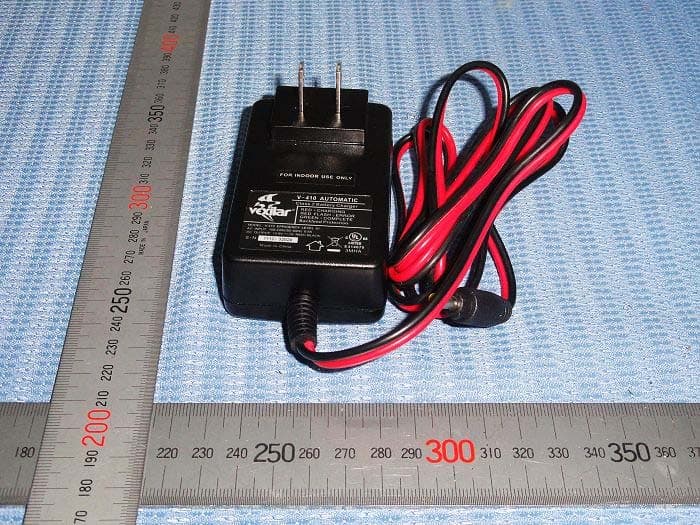
2AA86-SP300
Jan 10, 2014fish finder
Equipment Class
DTS - Digital Transmission System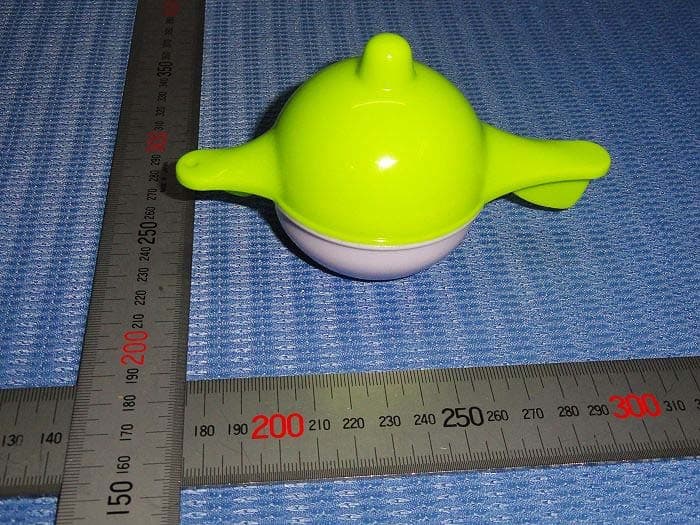
2AA86-SP100
Nov 25, 2013fish finder
Equipment Class
DTS - Digital Transmission System