2AAC3F7HD2CORENEWTablet PC
Amelia World Corporation dba LINSAY
Click to zoom
Application Details
- Equipment Class
- JBC - Part 15 Class B Computing Device/Personal Computer
- Date of Grant
- May 08, 2014
- Application Purpose
- Original Equipment
- Date of Application
- May 08, 2014
- Equipment Note
- Tablet PC
- Country
- United States
Documents & Files
Document Text
Text extracted from the exhibit documents filed with the FCC. Open a document above to read the original.
Users Manual
User Manual This manual contains important safety precautions and information of correct use. Please be sure to read this manual carefully before use so as to avoid any accidents. Do not place the product in hot, wet or dusty envi ronment, especially in summer, do not leave the product inside a car with all windows closed. Avoid dropping, impacting or shaking the product violently, otherwise it may cause damages or malfunctions. Select a proper volume to avoid ear problem when using earphones. Be sure to use the provided chargers and accessories in the package. Be sure to charge the product when t he following situations take place, - The battery icon shows lower or empty. - Operation keys do not respond properly. - The device shows on the top right corner. FCC Notice This device complies with Part 15 of the FCC Rule s. Operation is subject to the following two conditions: (1) This device may not cause harmful interfer ence, and (2) this device must accept any interference received, including interferenc e that may cause undesired operation. NOTE 1: This equipment has been tested and found to comply with the limits for a Class B digital device, pursuant to part 15 of the FCC Rules. These limits are designed to provide reasonable protection against harmful interference in a resident ial installation. This equipment generates, uses and can radiate radio frequency energy and, if no t installed and used in accordance with the instructions, may cause harmful interference to radio communications. However, there is no guarantee that interference will not occur in a particular installati on. If this equipment does cause harmful interference to radio or television rec eption, which can be determined by turning the equipment off and on, the user is encouraged to try to correct the interference by one or more of the following measures: - Reorient or relocate the receiving antenna. - Increase the separation between the equipment and receiver. -Connect the equipment into an outlet on a circuit diffe rent from that to which the receiver is connected. -Consult the dealer or an experienc ed radio/TV technician for help. NOTE 2: Any changes or modifications to this unit not expressly approved by the party responsible for compliance could void the us er's authority to operate the equipment. Page 1 specification Hardware 7High Definition TFT LCD Touch Screen(1024*600/800*480) Capacitive multi-touch (10 touch) point function CPU: Dual Cortex TM -A7 Core RAM : DDR3 1G (3D accelerator possible for 3D games) Wi-Fi (IEEE802.11 b/g/n) for internet connection USB host for OTG function G-sensor Micro SD card slot recognizing up to 32GB Built-in speaker & Built-in MIC 5V DC power adapter keyboard ,mouse,Earphone Software Andriod 4.2 ICS Google browser Wi-Fi connection e-Book function (all e-book formats supported by application) VoIP phone function with Wi-Fi connection Video: AVI, RM/ RMVB, FLV, MPG4 – 1, MPEG – 2 etc. Audio: MP3, WMA, AAC, WAV etc. Photo: JPEG, BMP, GIF, PNG, TIFF 1. Power On/Off 2 . Desktop After turning on the device, desktop displays with shortcut icons and arrow panel at the right side Page 4 3 . Standby mode(Screen off mode) / Unlock the screen After standby mode o , slide the lock icon in order to unlock the screen. 4 . System settings On the desktop, press menu butt on and select system settings. Press System Settings 1.Wireless & networks Set up each setting as you like. Wi-Fi settings - Press Wi-Fi settings, then the device will automatically search the availabl e Wi-Fi signals. Select the network you want to connect with. 2.Data usage Page 3.More... Slide mobile data switch to select open or close the flow usage. 4. Sound 5. Display 6. Storage Set up each setting as you like. Check device memory and microSD card status. Unmount SD card – Unmount the SD card for safe removal. 7. Battery 8. Apps Check battery usage status. Manage downloaded or running applications. Downloaded All installed application are listing. Keep pressing an application to manage. Running services Press Uninstall to uninstall the selected application. View and control currently running services. 9. Account & sync Create your account. After connecting Wi-Fi network, the e-mailing system synchronizes your account with the device. Emails are automatically downloaded into the device. 10. Location services Google’s location service - Let apps use data fr om sources such as WiFi and mobile networks to determine your approximate location 11. Security Screen lock – Protect your device from una uthorized use by creating a personal screen unlock pattern. Make passwords visi ble – Show password as you type. Unknown sources - If you want to allow installation of non-Market Applications, Press Unknow n sources and presses OK. nstall from SD card – Install enc rypted certi cates from SD card. 12. Language & input Language – Choose your preferable language. Keyboard & input method – Change keyboard & keyboard settings. On Language & input settings, if you need other languages besides English on keyboard, press the relevant keyboard and enter the c hosen Keyboard settings, select Keyboards, press the language you need. 13. Backup &Reset 14. Date&time Set date & time and format 15. Accessibility Set date & time and format 16. Developer options Set options for application development 17. About tablet See status, legal information, ETC Page 16 How to connect/disconnect the device with/from the computer On main desktop, connect the device with the PC, touch right side of the status bar on t he bottom of desktop Press “USB connected”, select “Turn on USB storage”. The device is recognized at Explorer of the computer. Now you can use it as an external storage. Arter Afterfinishingyourwork,Press “ TurnonUSBstorage ” tounmountit. How to install Applications(.apk file) into the device Method 1. 1. Connect the device with internet. See above [1.Wireless & networks] in order to connect internet. 2. Run “Getjar” and search the appli…
Text truncated - open the document above for the full version.
External Photos
Amelia World Corporation dba LINSAY Model: F-7HD2CORE REPORT NO.: STR14048346I-1 FCC PART 15.247 EXHIBIT 2 - EUT EXTERNAL PHOTOGRAPHS EUT View 1 EUT View 2 Amelia World Corporation dba LINSAY Model: F-7HD2CORE REPORT NO.: STR14048346I-1 FCC PART 15.247 EUT View 3 EUT View 4 Amelia World Corporation dba LINSAY Model: F-7HD2CORE REPORT NO.: STR14048346I-1 FCC PART 15.247 EUT View 5 EUT View 6 Amelia World Corporation dba LINSAY Model: F-7HD2CORE REPORT NO.: STR14048346I-1 FCC PART 15.247 EUT View 7
ID Label/Location Info
Amelia World Corporation dba LINSAY Model: F-7HD2CORE REPORT NO.: STR14048346I-1 FCC PART 15.247 EXHIBIT 1 - PRODUCT LABELING Proposed FCC ID Label Format FCC ID: 2AAC3F7HD2CORENEW This device complies with Part 15 of the FCC Rules. Operation is subject to the following two conditions: (1) This device may not cause harmful interference, and (2) this device must accept any interference received, including interference that may cause undesired operation. Specifications: Text is Black in color and justified. Labels are printed in indelible ink on permanent adhesive silk-screened onto the EUT or shall be affixed at a conspicuous location on the EUT. Proposed Label Location on EUT FCC ID Label Location
ID Label/Location Info
Amelia World Corporation dba LINSAY Model: F-7HD2CORE REPORT NO.: STR14048346I-1 FCC PART 15.247 EXHIBIT 1 - PRODUCT LABELING Proposed FCC ID Label Format FCC ID: 2AAC3F7HD2CORENEW This device complies with Part 15 of the FCC Rules. Operation is subject to the following two conditions: (1) This device may not cause harmful interference, and (2) this device must accept any interference received, including interference that may cause undesired operation. Specifications: Text is Black in color and justified. Labels are printed in indelible ink on permanent adhesive silk-screened onto the EUT or shall be affixed at a conspicuous location on the EUT. Proposed Label Location on EUT FCC ID Label Location
Internal Photos
Amelia World Corporation dba LINSAY Model: F-7HD2CORE REPORT NO.: STR14048346I-1 FCC PART 15.247 EXHIBIT 3 - EUT INTERNAL PHOTOGRAPHS EUT Housing and Board View 1 Solder Board-Component View 1 Wi-Fi Antenna Amelia World Corporation dba LINSAY Model: F-7HD2CORE REPORT NO.: STR14048346I-1 FCC PART 15.247 Solder Board-Component View 2 Solder Board-Component View 3 Amelia World Corporation dba LINSAY Model: F-7HD2CORE REPORT NO.: STR14048346I-1 FCC PART 15.247 Solder Board-Component View 4 Solder Board-Component View 5
RF Exposure Info
RF Exposure Requirements Product Description: Tablet PC Model No.: F-7HD2CORE FCC ID: 2AAC3F7HD2CORENEW According to the KDB-447498 D01 V05r02, the following RF exposure evaluation shall to demonstrate RF exposure compliance. Wi-Fi (802.11b/g/n) Tx frequency range: 2412~2472MHz Device category: Portable Device Maximum Conducted Output Power: 6.1518mW (7.89dBm) Maximum Antenna Gain: 1.5dBi Maximum EIRP Output Power: 8.6896mW (9.39dBm) Minimum Distance: 5mm Limit: 10mW Source-based time-averaged EIRP output power is 8.6896 mW < 10 mW So the transmitter complies with the RF exposure requirements and the SAR is not required.
Test Report
Amelia World Corporation dba LINSAY Model: F-7HD2CORE REPORT NO.: STR14048346I-2 PAGE 1 OF 20 FCC PART 15B FCC Part 15B Measurement and Test Report For Amelia World Corporation dba LINSAY 16340 West Dixie Highway, North Miami Beach, Florida FCC ID: 2AAC3F7HD2CORENEW Test Standards: FCC Part 15 Subpart B Product Description: Tablet PC Tested Model: F-7HD2CORE Report No.: STR14048346I-2 Tested Date: 2014-04-23 to 2014-05-06 Issued Date: 2014-05-08 Tested By: Lebron Wang / Engineer Reviewed By: Lahm Peng / EMC Manager Approved & Authorized By: Jandy so / PSQ Manager Prepared By: Shenzhen SEM.Test Technology Co., Ltd. 1/F, Building A, Hongwei Industrial Park, Liuxian 2nd Road, Bao'an District, Shenzhen, P.R.C.(518101) Tel.: +86-755-33663308 Fax.: +86-755-33663309 Website: www.semtest.com.cn Note: This test report is limited to the above client company and the product model only. It may not be duplicated without prior permitted by Shenzhen SEM.Test Technology Co., Ltd. Amelia World Corporation dba LINSAY Model: F-7HD2CORE REPORT NO.: STR14048346I-2 PAGE 2 OF 20 FCC PART 15B TABLE OF CONTENTS 1. GENERAL INFORMATION ................................................................................................................................... 3 1.1 PRODUCT DESCRIPTION FOR EQUIPMENT UNDER TEST (EUT) ............................................................................... 3 1.2 TEST STANDARDS ................................................................................................................................................... 4 1.3 TEST METHODOLOGY ............................................................................................................................................. 4 1.4 TEST FACILITY ....................................................................................................................................................... 4 1.5 EUT SETUP AND OPERATION MODE ...................................................................................................................... 5 2. SUMMARY OF TEST RESULTS ........................................................................................................................... 6 3. CONDUCTED EMISSIONS .................................................................................................................................... 7 3.1 MEASUREMENT UNCERTAINTY .............................................................................................................................. 7 3.2 TEST EQUIPMENT LIST AND DETAILS ..................................................................................................................... 7 3.3 TEST PROCEDURE ................................................................................................................................................... 7 3.4 BASIC TEST SETUP BLOCK DIAGRAM ..................................................................................................................... 7 3.5 ENVIRONMENTAL CONDITIONS .............................................................................................................................. 8 3.6 SUMMARY OF TEST RESULTS/PLOTS ...................................................................................................................... 8 3.7 CONDUCTED EMISSIONS TEST DATA ...................................................................................................................... 8 4. RADIATED EMISSIONS ....................................................................................................................................... 11 4.1 MEASUREMENT UNCERTAINTY ............................................................................................................................ 11 4.2 TEST EQUIPMENT LIST AND DETAILS ................................................................................................................... 11 4.3 TEST PROCEDURE ................................................................................................................................................. 11 4.4 TEST RECEIVER SETUP ......................................................................................................................................... 12 4.5 CORRECTED AMPLITUDE & MARGIN CALCULATION ............................................................................................ 12 4.6 ENVIRONMENTAL CONDITIONS ............................................................................................................................ 12 4.7 SUMMARY OF TEST RESULTS/PLOTS .................................................................................................................... 12 Amelia World Corporation dba LINSAY Model: F-7HD2CORE REPORT NO.: STR14048346I-2 PAGE 3 OF 20 FCC PART 15B 1. GENERAL INFORMATION 1.1 Product Description for Equipment Under Test (EUT) Client Information Applicant: Amelia World Corporation dba LINSAY Address of applicant: 16340 West Dixie Highway, North Miami Beach, Florida Manufacturer: Amelia World Corporation dba LINSAY Address of manufacturer: 16340 West Dixie Highway, North Miami Beach, Florida General Description of EUT Product Name: Tablet PC Trade Name: LINSAY Model No.: F-7HD2CORE Add Models: / Note: The test data is gathered from a production sample, provided by the manufacturer. Technical Characteristics of EUT Rated Voltage: Operating: DC 3.7V battery, Charging: DC 5V/2A Power Adapter Model: PSYA05010US (Input: AC 100-240V, Output: DC 5V 2A) Highest Internal Frequency: 1.5GHz Lowest Internal Frequency: 32.768kHz Classification of ITE: Class B Amelia World Corporation dba LINSAY Model: F-7HD2CORE REPORT NO.: STR14048346I-2 PAGE 4 OF 20 FCC PART 15B 1.2 Test Standards The following report is prepared on behalf of the Amelia World Corporation dba LINSAY in accordance with Part 2, Subpart J, and Part 15, Subparts A and B of the Federal Communication Commissions rules. The objective is to det…
Text truncated - open the document above for the full version.
Test Setup Photos
Amelia World Corporation dba LINSAY Model: F-7HD2CORE REPORT NO.: STR14048346I-2 FCC PART 15B EXHIBIT 4 - TEST SETUP PHOTOGRAPHS Conducted Emission Test Setup Radiation Emission Test Setup Charging & playing mode Amelia World Corporation dba LINSAY Model: F-7HD2CORE REPORT NO.: STR14048346I-2 FCC PART 15B Downloading mode Amelia World Corporation dba LINSAY Model: F-7HD2CORE REPORT NO.: STR14048346I-2 FCC PART 15B
Contact Information
Applicant
Victor Montero(Director)
Test Firm
Shenzhen SEM.Test Technology Co., Ltd.Jandy So
Technical Specifications
| # | Rule Parts | Frequency Range | Power Output |
|---|---|---|---|
| 1 | 15B | - | - |
Other Applications from Amelia World Corporation dba LINSAY

2AAC3-F10XIPV
Jul 23, 2023Tablet PC
Equipment Class
DSS - Part 15 Spread Spectrum Transmitter
2AAC3-F10XIPSQ
Oct 26, 2021Tablet PC with Bluetooth and WIFI
Equipment Class
DSS - Part 15 Spread Spectrum Transmitter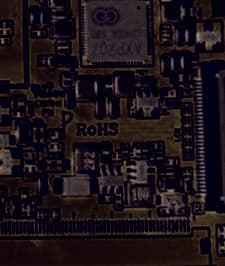
2AAC3-NF7HD4CORE
Jul 19, 2020Tablet PC with 2.4G WiFi and Bluetooth
Equipment Class
DTS - Digital Transmission System
2AAC3-NF10XIPS
Jul 19, 2020TABLET PC with 2.4G WiFi and Bluetooth
Equipment Class
DSS - Part 15 Spread Spectrum Transmitter
2AAC3F7XHD
Sep 22, 2015Tablet PC
Equipment Class
JBC - Part 15 Class B Computing Device/Personal Computer