2AAGO355RVideo Baby Monitor
IMODESTY TECHNOLOGY CORP.
Click to zoom
Application Details
- Equipment Class
- DSS - Part 15 Spread Spectrum Transmitter
- Date of Grant
- Jul 25, 2021
- Application Purpose
- Original Equipment
- Date of Application
- Jul 25, 2021
- Equipment Note
- Video Baby Monitor
- Frequency Range
- 2410.00000000 - 2473.00000000
- Company
- IMODESTY TECHNOLOGY CORP.
- Country
- Taiwan
Documents & Files
Document Text
Text extracted from the exhibit documents filed with the FCC. Open a document above to read the original.
Users Manual
INSTRUCTION MANUAL EN 1 3.3 ft (1meter) LED Never place the baby unit or the cord within 3.3 ft of the crib. Connect the small plug of power adapter to the Baby unit and push the DC plug to the end. Only use the enclosed adapter (5V DC 1000mA). You will see green LED is turned on. Connect the small plug of power adapter to Parent unit and push the connector the end. Only use the enclosed adapter (5V DC 2000mA). Recommend charging time of at least 3 hours before first time use. Setup and use your digital video baby monitor 1 3 Installing Baby Unit 2 Place Baby Unit on a flat surface, such as a desk or shelf or mount the camera on a wall. EN 2 When battery level is low, the power on off LED flashes red, monitors comes with sound alert and battery icon on LCD display flashes red. Extend life cycle of battery : Only charge the battery when the battery life indicator is low. Constant recharging of your battery before the low battery indicator light comes on will decrease the life of your batteries. Optimize battery life : Louder speaker level consume more battery power and shorten battery life. Switch on power saving mode and tune speaker sound level to level 1 to have optimized battery life. Precaution: use of battery for Parent Unit EN 3 Frequently Asked Questions Monitor cannot hold camera connection Please check whether monitor is selected to CAMERA SCAN mode. Monitor switches between paired cameras around every 10 seconds. When monitor switch the camera which is not powered on, monitor display Lost Link. You could use SPLIT VIEW button to select the camera you want to watch. EN 4 Sound Bar This sound bar is designed for deaf parents to reflect sound level picked up from camera. You could disable this display in menu. EN 5 Save more battery energy with ECO mode by switching off both screen and audio POWER SAVING button switches off screen and keeps audio on (default setting "SCREEN OFF"). You have another choice of switching off both screen and audio by using ECO mode option. In ECO mode, both sound and screen is shut off when monitor is entering POWER SAVING. Monitor will be activated when camera detects sound that exceeds the activation sound level you selected (Default level is medium). You could select activation sound level between loud, medium, quiet level in menu. EN 6 Switch off “Quick Guide” When you are familiar with this monitor, you could switch off this Quick Guide in menu. EN 7 Pairing Camera Choose from unpaired cameras in Menu first, you would see pairing message shows up on screen. During the pairing message is on screen, press camera pairing button 3 seconds. When camera and monitor is paired, video is on screen automatically. DE 9 LED 3.3 ft (1 meter) Stellen Sie die Babyeinheit oder das Kabel niemals in einem Abstand von 3.3 ft (1 Meter) zum Kinderbett auf. Schließen Sie den kleinen Stecker des Netzteils an die Babyeinheit an und schieben Sie die DC-Buchse bis zum Anschlag. Verwenden Sie nur den mitgelieferten Adapter (5V DC 1000mA). Sie werden sehen, dass die grüne LED eingeschaltet ist. Schließen Sie den kleinen Stecker des Netzteils an die Elterneinheit an und schieben Sie den Stecker bis zum Anschlag. Verwenden Sie nur den mitgelieferten Adapter (5V DC 2000mA). Empfohlen wird eine Ladezeit von mindestens 3 Stunden vor dem ersten Gebrauch. Richten Sie Ihren digitalen Video-Babyphone ein und verwenden Sie ihn 1 3 Babyeinheit installieren 2 Stellen Sie die Babyeinheit auf eine ebene Fläche, z. B. einen Schreibtisch oder ein Regal, oder bringen Sie die Kamera an einer Wand an. DE 10 Wenn der Batteriestand niedrig ist, blinkt die Ein / Aus-LED rot, die Monitore sind mit einem akustischen Signal ausgestattet und das Batteriesymbol auf dem LCD-Display blinkt rot. Batterielebensdauer verlängern : Laden Sie die Batterie nur auf, wenn die Batterielebensdaueranzeige niedrig zeigt. Durch ständiges Aufladen des Akkus, bevor die Anzeige für niedrigen Akkuladestand aufleuchtet, wird die Lebensdauer Ihrer Akkus verkürzt. Optimieren Sie die Akkulaufzeit : Lautere Lautsprecher verbrauchen mehr Akkuleistung und verkürzen die Akkulaufzeit. Schalten Sie den Energiesparmodus ein und stellen Sie die Lautstärke der Lautsprecher auf Stufe 1 ein, um die Batterielebensdauer zu optimieren. Vorsichtsmaßnahme: Verwendung einer Batterie für die Elterneinheit DE 11 Häufig gestellte Fragen Der Monitor kann die Kameraverbindung nicht halten Bitte überprüfen Sie, ob der Monitor auf CAMERA SCAN eingestellt ist. Der Monitor wechselt etwa alle 10 Sekunden zwischen den gekoppelten Kameras. Wenn der Monitor auf die nicht eingeschaltete Kamera umschaltet, zeigt der Monitor Lost Link an. Mit der Taste SPLIT VIEW können Sie die Kamera auswählen, die Sie ansehen möchten. DE 12 Sound Bar Diese Soundbar wurde für gehörlose Eltern entwickelt, um den von der Kamera aufgenommenen Schallpegel wiederzugeben. Sie können diese Anzeige im Menü deaktivieren. DE 13 Sparen Sie im ECO-Modus mehr Batterieenergie, indem Sie Bildschirm und Audio ausschalten Die POWER SAVING-Taste schaltet den Bildschirm aus und hält den Ton an (Standardeinstellung "SCREEN OFF"). Sie haben eine andere Möglichkeit, sowohl den Bildschirm als auch den Ton im ECO-Modus auszuschalten. Im ECO-Modus werden sowohl der Ton als auch der Bildschirm ausgeschaltet, wenn der Monitor in der POWER SAVING-Modus wechselt. Der Monitor wird aktiviert, wenn die Kamera einen Ton erkennt, der den von Ihnen ausgewählten Aktivierungspegel überschreitet (Standardpegel ist mittel). Sie können den Aktivierungspegel im Menü zwischen laut, mittel und leise einstellen. DE 14 Schalten Sie die Kurzanleitung aus Wenn Sie mit diesem Monitor vertraut sind, können Sie diese Bildschirmtipps im Menü deaktivieren. DE 15 Kamera koppeln/Pairing Wählen Sie im Menü zunächst eine ungekoppelte Kamera aus. Die Pairing-Meldung wird auf dem Bildschirm angezeigt. Während die Pairing-Meldung auf dem Bildschirm angezeigt wird, drücken Sie die Taste für das Pairing der Kamera 3 Sekunde lang. We…
Text truncated - open the document above for the full version.
External Photos
Registration number: W6M22104-20868-C-1 FCC ID: 2AAGO355R Worldwide Testing Services(Taiwan) Co., Ltd. Appendix page 2 of 18 External Photos Registration number: W6M22104-20868-C-1 FCC ID: 2AAGO355R Worldwide Testing Services(Taiwan) Co., Ltd. Appendix page 3 of 18 Registration number: W6M22104-20868-C-1 FCC ID: 2AAGO355R Worldwide Testing Services(Taiwan) Co., Ltd. Appendix page 4 of 18 Registration number: W6M22104-20868-C-1 FCC ID: 2AAGO355R Worldwide Testing Services(Taiwan) Co., Ltd. Appendix page 5 of 18 Registration number: W6M22104-20868-C-1 FCC ID: 2AAGO355R Worldwide Testing Services(Taiwan) Co., Ltd. Appendix page 6 of 18 Registration number: W6M22104-20868-C-1 FCC ID: 2AAGO355R Worldwide Testing Services(Taiwan) Co., Ltd. Appendix page 7 of 18 Registration number: W6M22104-20868-C-1 FCC ID: 2AAGO355R Worldwide Testing Services(Taiwan) Co., Ltd. Appendix page 8 of 18 Registration number: W6M22104-20868-C-1 FCC ID: 2AAGO355R Worldwide Testing Services(Taiwan) Co., Ltd. Appendix page 9 of 18
ID Label/Location Info
型號 : 55355 RX / 規格 : Rating label 55355 804-000131-00001Fion210608初版 料號 版本 製圖 日期 概述 Rating Label Changing Content / 檢定標籤變更內容 Rating Label Changing Content / 檢定標籤變更內容 Rating Label Changing Content / 檢定標籤變更內容 DESIGN BY 2013 Model 55355R Made in China Video Baby Monitor - Monitor Input : DC 5.0V 2A FCC ID : 2AAGO355R Only use power supplier listed in the user guide Size:48(W)*30(H)mm Part Number / 編號 Version / 版本 Drawing / 製圖 Date / 日期 Model / 型號 Unit / 單位 : mm Scale / 比例 : 1:1 Material / 材質 : 80g 塑銅紙,強黏膠 Description / 規格 Rating label 55355 001 804-000131-00Fion 2021.06.08 55355 RX Rating Label Example Rating Label Example 產品檢定標籤規範 Rating Label Example 產品檢定標籤規範 DESIGN BY 2013 Size:48(W)*30(H)mm Rating Label Position Rating Label Example 產品檢定標籤規範 Rating Label Example 產品檢定標籤規範 DESIGN BY 2013
Internal Photos
Registration number: W6M22104-20868-C-1 FCC ID: 2AAGO355R Worldwide Testing Services(Taiwan) Co., Ltd. Appendix page 10 of 18 Internal Photos LCD1 Registration number: W6M22104-20868-C-1 FCC ID: 2AAGO355R Worldwide Testing Services(Taiwan) Co., Ltd. Appendix page 11 of 18 LCD2 Registration number: W6M22104-20868-C-1 FCC ID: 2AAGO355R Worldwide Testing Services(Taiwan) Co., Ltd. Appendix page 12 of 18 Registration number: W6M22104-20868-C-1 FCC ID: 2AAGO355R Worldwide Testing Services(Taiwan) Co., Ltd. Appendix page 13 of 18 Registration number: W6M22104-20868-C-1 FCC ID: 2AAGO355R Worldwide Testing Services(Taiwan) Co., Ltd. Appendix page 14 of 18 Registration number: W6M22104-20868-C-1 FCC ID: 2AAGO355R Worldwide Testing Services(Taiwan) Co., Ltd. Appendix page 15 of 18
RF Exposure Info
Registration number: W6M22104-20868-C-1 FCC ID: 2AAGO355R Worldwide Testing Services(Taiwan) Co., Ltd. Page 15 of 38 3.2 Equivalent Isotropic Radiated Power (EIRP) FCC Rule: 15.247(b)(3) EIRP = max. conducted output power + antenna gain EIRP = 13.98 dBm + 2 dBi [antenna gain claimed by manufacturer] = 15.98 dBm = 39.63 mW Test equipment used: ETSTW-RE 055 3.3 Exemption Limits for Routine Evaluation according to 47 CFR FCC Part 2 Subpart J, section 2.1091 FCC OET Bulletin 65 Edition 97.01 determines the equations for predicting RF fields and applicable limits. The prediction for power density in the far-field but will over-predict power density in the near field, where it could be used for walking a “worst case” or conservative prediction. Systems operating under the provisions of this section shall be operated in a manner that ensures that the public is not exposed to radio frequency energy levels in excess limit for maximum permissible exposure. In accordance with 47 CFR FCC Part 2 Subpart J, section 2.1091 this device has been defined as a mobile device whereby a distance of 20 cm normally can be maintained between the user and the device. MPE Calculation Method E = Electric field (V/m) P = output power (W) G = EUT Antenna numeric gain (numeric) d = Separation distance between radiator and human body (m) The formula can be changed to mW/cm 2 . Established separation distance is 20 cm. Operating frequency band : 2410-2473 MHz The product meets RF exposure requirement. Because the power density of 0.0079 mW/cm 2 at 2410 MHz is below the power density limit of 1 mW/cm 2 .
Test Report
of Applicant: IMODESTY TECHNOLOGY CORP. Address: 7F., No.257, Wenxing Rd., Zhubei City, Hsinchu County 302, Taiwan (R.O.C.) Tested and Prepared by Worldwide Testing Services (Taiwan) Co., Ltd. FCC Registration No.: TW1477, TW0020, TW1072 Industry Canada filed test laboratory Reg. No. 20037 Report No.: W6M22104-20868-C-1 6F, NO. 58, LANE 188, RUEY-KUANG RD., NEIHU TAIPEI 114, TAIWAN, R.O.C. TEL: 886-2-66068877 FAX: 886-2-66068879 E-mail: [email protected] 47 CFR PART 15 SUBPART C TEST REPORT for Video Baby Monitor Model No.: 55355R FCC ID: 2AAGO355R Registration num ber: W6M22104-20868-C-1 FCC ID: 2AAGO355R Worldwide Testing Services(Taiwan) Co., Ltd. Page 1 of 38 TABLE OF CONTENTS CERTIFICATION OF TEST REPORT ................................................................................................ 2 1 GENERAL INFORMATION .......................................................................................................... 2 1.1 NOTES .............................................................................................................................................................................. 2 1.2 TESTING LABORATORY ................................................................................................................................................ 3 1.2.1 Location .................................................................................................................................. 3 1.2.2 Details of accreditation status ................................................................................................ 3 1.3 DETAILS OF APPROVAL HOLDER ............................................................................................................................... 3 1.4 APPLICATION DETAILS ................................................................................................................................................. 3 1.5 GENERAL INFORMATION OF TEST ITEM ................................................................................................................... 4 1.6 TEST STANDARDS .......................................................................................................................................................... 4 2 TECHNICAL TEST ......................................................................................................................... 5 2.1 SUMMARY OF TEST RESULTS ...................................................................................................................................... 5 2.2 TEST ENVIRONMENT ..................................................................................................................................................... 5 2.3 TEST EQUIPMENT LIST ................................................................................................................................................ 6 2.4 GENERAL TEST PROCEDURE ...................................................................................................................................... 9 3 TEST RESULTS (ENCLOSURE) ................................................................................................ 11 3.1 PEAK OUTPUT POWER (TRANSMITTER) ................................................................................................................. 12 3.2 EQUIVALENT ISOTROPIC RADIATED POWER (EIRP) ......................................................................................... 15 3.3 EXEMPTION LIMITS FOR ROUTINE EVALUATION ACCORDING TO 47 CFR FCC PART 2 SUBPARTJ, SECTION 2.1091 .................................................................................................................................................................... 15 3.4 TRANSMITTER RADIATED EMISSIONS IN RESTRICTED BANDS ........................................................................ 16 3.5 SPURIOUS EMISSIONS (TX) ........................................................................................................................................ 17 3.6 CARRIER FREQUENCY SEPARATION ...................................................................................................................... 19 3.7 NUMBER OF HOPPING FREQUENCIES ..................................................................................................................... 22 3.7.1 Pseudorandom Frequency Hopping Sequence .............................................................. 23 3.7.2 Coordination of hopping sequences to other transmitters .................................................... 23 3.7.3 System Receiver Hopping Capability ................................................................................... 23 3.8 TIME OF OCCUPANCY (DWELL TIME) ................................................................................................................... 24 3.9 20DB BANDWIDTH ..................................................................................................................................................... 28 3.9.1 System Receiver Input Bandwidth ......................................................................................... 30 3.10 BAND-EDGE COMPLIANCE OF RF EMISSIONS ...................................................................................................... 31 3.11 RADIATED EMISSIONS FROM RECEIVER PART ..................................................................................................... 34 3.12 POWER LINE CONDUCTED EMISSION ..................................................................................................................... 35 Appendix: Photos and Diagrams Registration number: W6M2210 4-20868-C-1 FCC ID: 2AAGO355R Worldwide Testing Services(Taiwan) Co., Ltd. Page 2 of 38 1 General Information 1.1 Notes The purpose of conformity testing is to increase the probability of adherence to the essential requirements or conformity specifications, as appropriate. The complexity of the technical spec…
Text truncated - open the document above for the full version.
Test Setup Photos
Registration number: W6M22104-20868-C-1 FCC ID: 2AAGO355R Worldwide Testing Services(Taiwan) Co., Ltd. Appendix page 16 of 18 Set Up Photo of Radiated Emission Below 1GHz Registration number: W6M22104-20868-C-1 FCC ID: 2AAGO355R Worldwide Testing Services(Taiwan) Co., Ltd. Appendix page 17 of 18 Above 1GHz Registration number: W6M22104-20868-C-1 FCC ID: 2AAGO355R Worldwide Testing Services(Taiwan) Co., Ltd. Appendix page 18 of 18 Set Up Photo of Conducted Emission LCD1+LCD2
Contact Information
Applicant
YI CHENG TANG(Vice President)
Technical Contact
Worldwide Testing Services (Taiwan) Co., Ltd.Danny Sung
[email protected]+886266068877
6F., No.58, Lane 188, Ruiguang Rd., Neihu District · Taipei · Taiwan
Test Firm
Worldwide Testing Services (Taiwan) Co., Ltd.Rex Kao
Technical Specifications
| # | Rule Parts | Frequency Range | Power Output |
|---|---|---|---|
| 1 | 15C | 2.41 GHz - 2.47 GHz | 25.00 mW |
Other Applications from IMODESTY TECHNOLOGY CORP.

2AAGO985PT
Jul 27, 2021Video Baby Monitor
Equipment Class
DSS - Part 15 Spread Spectrum Transmitter
2AAGO985T
Jul 27, 2021Video Baby Monitor
Equipment Class
DSS - Part 15 Spread Spectrum Transmitter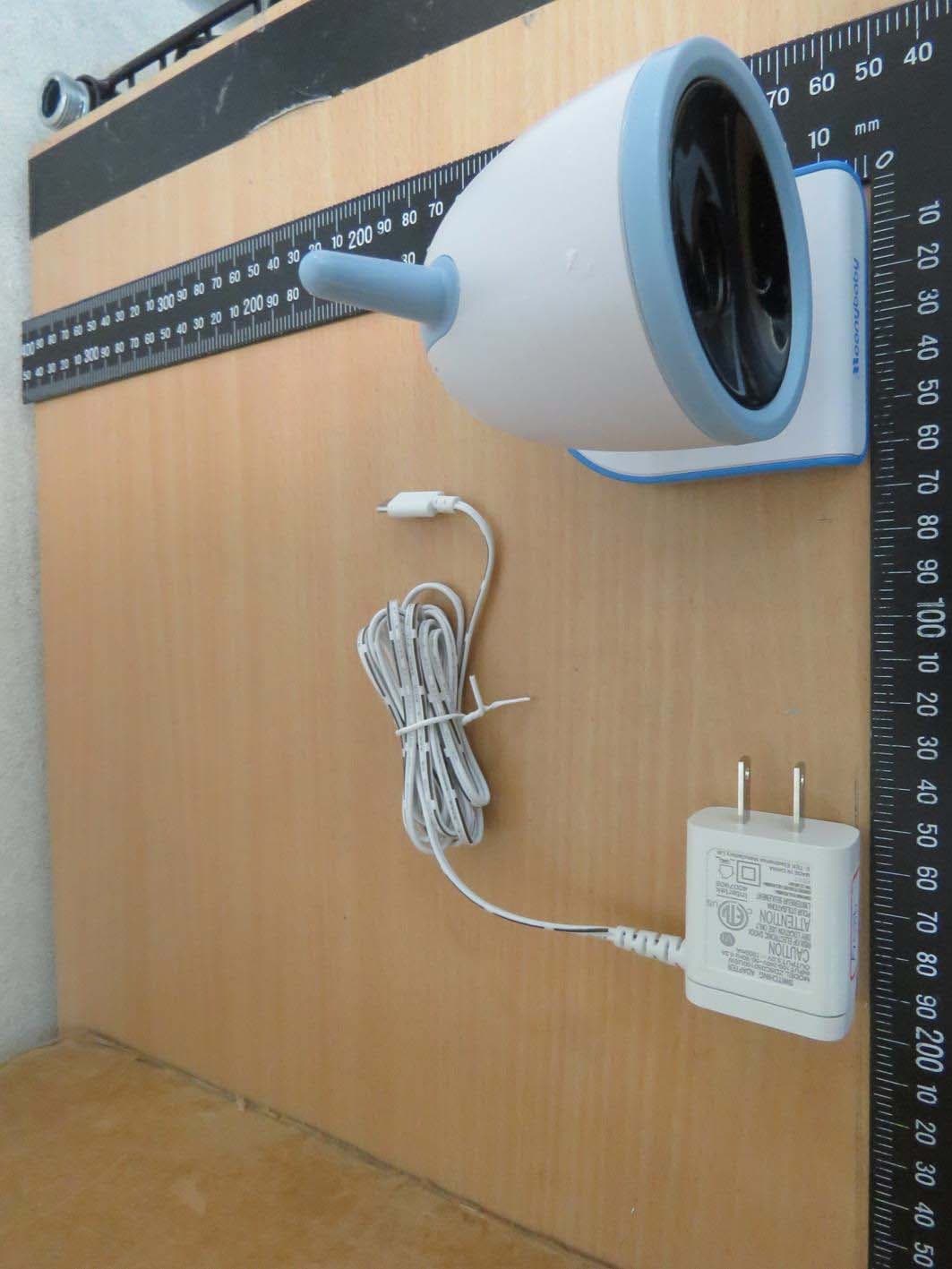
2AAGOMNB976TX
Feb 16, 2020Video Baby Monitor
Equipment Class
DSS - Part 15 Spread Spectrum Transmitter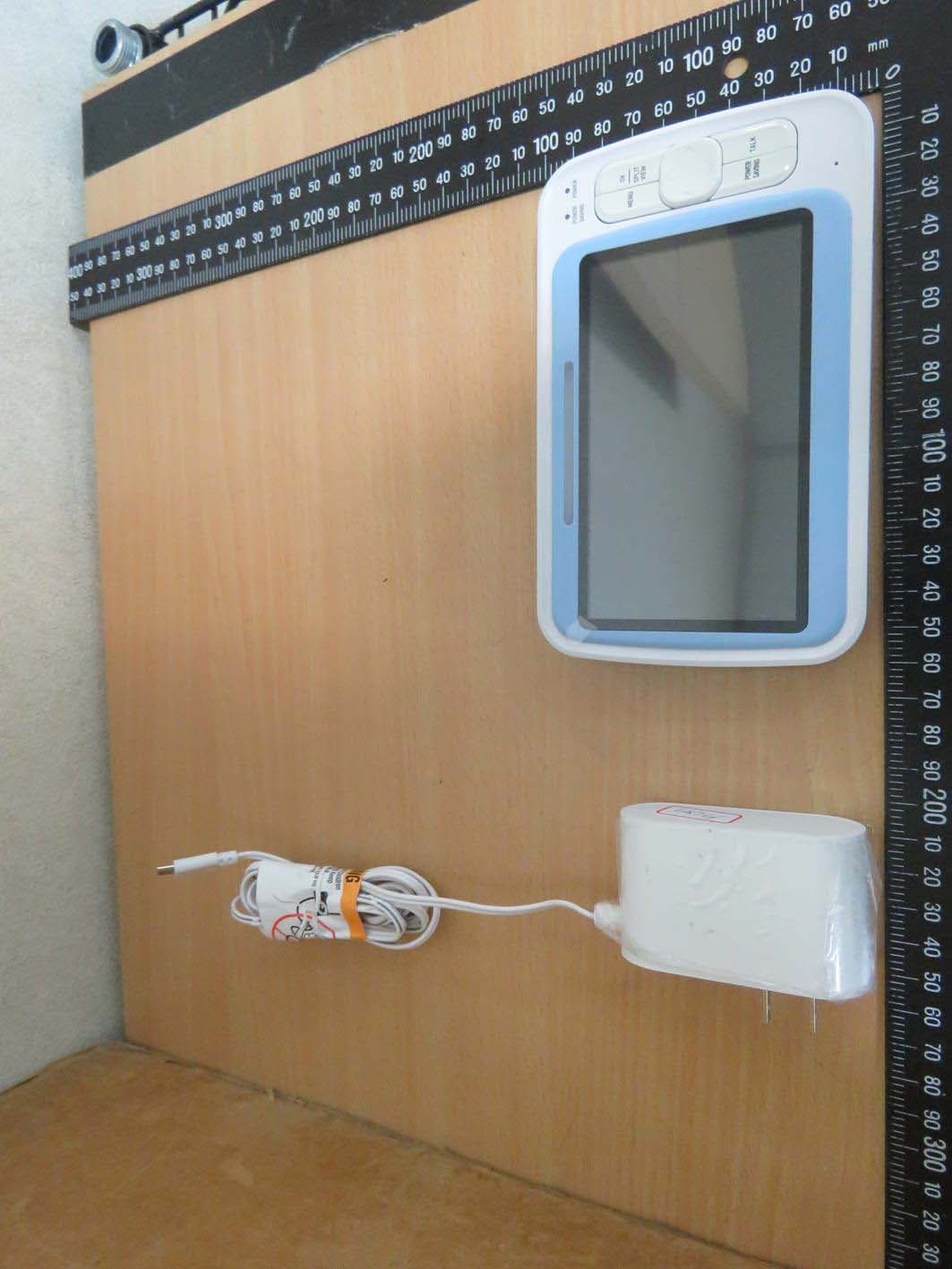
2AAGOMNB976RX
Feb 16, 2020Video Baby Monitor
Equipment Class
DSS - Part 15 Spread Spectrum Transmitter