2AAOVT10DynaVox T10
Tobii Dynavox LLC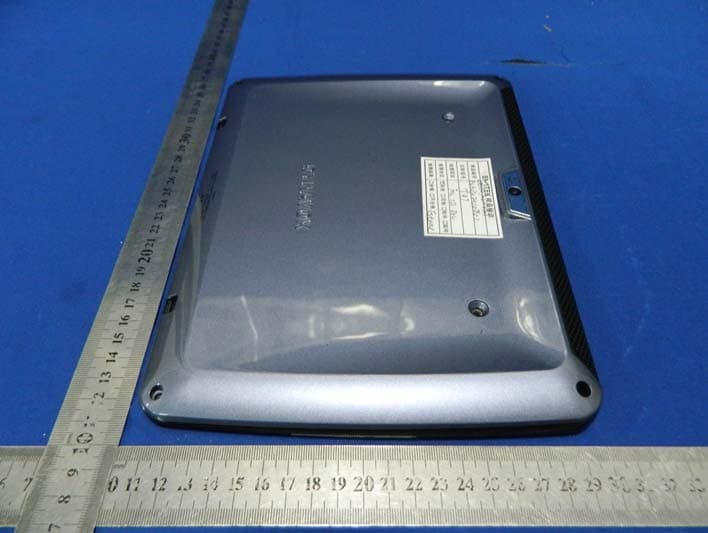
Click to zoom
Application Details
- Equipment Class
- DTS - Digital Transmission System
- Date of Grant
- Aug 28, 2013
- Application Purpose
- Original Equipment
- Date of Application
- Aug 28, 2013
- Equipment Note
- DynaVox T10
- Frequency Range
- 2412.00000000 - 2462.00000000
- Company
- Tobii Dynavox LLC
- Country
- United States
Documents & Files
Document Text
Text extracted from the exhibit documents filed with the FCC. Open a document above to read the original.
Users Manual
DynaVox T10 User’s Guide DynaVox T10 User’s Guide Copyright © 2013 DynaVox Systems LLC All rights reserved. No part of this book may be reproduced, stored in a retrieval system, or transmitted in any form, by any means (electronic, photocopying, recording, or otherwise) without the prior written permission of the publisher. Copyright protection claimed includes all forms and matters of copyrightable material and information allowed by statutory or judicial law or hereafter granted, including without limitation, material generated from the software programs which are displayed on the screen such as screen displays, menus, etc. Although every precaution has been taken in the preparation of this book, the publisher assumes no responsibility for errors or omissions. In North America: For information, write to: DynaVox Systems LLC 2100 Wharton Street, Suite 400 Pittsburgh, Pennsylvania 15203 USA The European Authorized Representative is:DynaVox Systems Ltd. Pure Offices Plato Close Tachbrook Park Leamington Spa Warwickshire United Kingdom CV34 6WE DynaVox® is a registered trademark of DynaVox Systems LLC. DynaVoxT10™ is a registered trademark of DynaVox Systems LLC. All other brand and product names mentioned are trademarks or registered trademarks of their respective holders. First Edition Published August 2013 Created in the United States of America Caution 39 DynaVox T10 User ’s Guide DynaVox T10 User’s Guide1 Introduction The DynaVox® T10 is an integrated hardware and software solution for AAC, which features the DynaVox Compass™ communication software. This User’s Guide provides an overview of the basic operation of your T10. It points out key hardware features, briefly explains how to customize the pages and their content, and describes the most frequently-used features and functions of your T10. Resources This User’s Guide is only a brief, introductory reference for your T10. Many other resources are available. NOTE On your T10, select the Settings button on the Toolbar to open the Settings menu. Then select Help. A menu will open with links to myDynaVox.com to access documentation, Help Videos, and the Knowledgebase. myDynaVox myDynaVox.com is your personal online storage and administration website that you can use to manage the Compass software running on your T10. It is available to you from anywhere via the web. Go to www.myDynaVox.com to register for an account. Your myDynaVox account integrates you with a community of clinicians, technical experts, and your peers and provides you with a responsive community of help and support. After you set up your account, you can access it from anywhere on the web to: •Register your T10 •Upload, download, and share communication pages •Receive software updates and new communication content •Backup and restore user data •Access implementation and therapy supports and tools •View and participate in discussion forums •Find technical support and documentation resources •Search the Knowledgebase •View help videos •Manage your user profile 2 Additional Documentation A Quick Start Guide was shipped with your DynaVox T10. This guide provides an overview of your T10, walks you through setting up and personalizing your new T10, and setting up and logging in to your myDynaVox.com account. Technical Support NOTE Before you contact DynaVox Technical Support, write down the serial number of your T10. It can be found on the bottom edge of your device - or select the Settings button at the top of the Toolbar. Then select Help from the Settings menu, and select the About button. My T10 serial number is:______________________________ Technical Support United States & Canada 1-866-DYNAVOX (396-2869) M - F, 8:00 a.m. - 6:00 p.m. (EST) www.dynavoxtech.com Your DynaVox Sales Consultant: 1-888-697-7332 If you are not a resident of North America, please call the dealer from whom you purchased your device. DynaVox T10 User’s Guide3 Hardware Overview 2314 5 7 6 5 Front: Top: 4 8 99 Back: Bottom: 10 11 12 13 14 99 DynaVox T10 User’s Guide5 CAUTION The LCD may show "image persistence" if the same image or page is displayed for four (4) consecutive hours or longer. The visual artifacts may or may not be noticeable or distracting. They will not cause permanent damage to the LCD. Front:1Charging Indicator: Lit when the battery is charging. Turns off when the battery is fully charged. 2Power Button: To turn the T10 on, press and hold until the splash screen appears. Press and release to put to sleep. To shut down the T10, press and hold until the shutdown menu appears. 3Front-facing Camera: Takes photographs of people and objects in view of the T10 screen - for example, self portraits. 4Ambient Light Sensor: Adjusts the screen brightness based on the surrounding light. Top5Speakers: Dual speakers provide an extensive range of volume. 6Volume Rocker Switch: Press on the + side of the switch to increase volume. Press on the - side of the switch to decrease volume. Right Side7Speaker/Headphone/External Microphone Jack: Connect an external speaker, headphones for private audio, or an external microphone. Back8Rear-facing Camera: Use for taking custom photos. 9Lanyard connections: Provide attachment points for the T10 strap. Bottom10 Charger Port: Plug in the adapter/charger to charge the battery. 11Micro USB Port: Connect to a micro-USB to full-size USB cable adaptor. (To connect to a PC.) 12 30-Pin Dock Connector: (for future use) 13Micro HDMI Port: Connect an external monitor to your T10. 14 Microphone: Record custom sounds. 6 Charging the Battery When the battery charge is low, the T10 will emit an audible beep. You should plug in your T10 and recharge the battery immediately. 1. Plug the charger into a wall outlet. 2. Connect the charger to the charger port on the device (Page 4, #10). The charging indicator, (Page 3, #1) will illuminate while your T10 is charging. The charging indicator will automatically turn off when it is fully charged. 3. After your T10 is fully charged…
Text truncated - open the document above for the full version.
Attestation Statements
Dynavox Systems LLC 2013-08-7 To: Federal Communications Commission 7435 Oakland Mills Road Columbia, MD FCC ID: 2AAOVT10 To Whom It May Concern: This letter is to ascertain that Dynavox Systems LLC. FCC ID: 2AAOVT10 DynaVox T10, Model No.: T10 has been the units used for conducting FCC compliance testing, the DoC part will be tested by FCC recognized test lab. If you have any question or concerns, pls. contact us. Sincerely, Signature Tony Pavlik / Vice President, Operations E-mail: [email protected] Phone: 412 381 4883 Fax: 412 381 5241 Address 2100 Wharton Street Suite 400 Pittsburgh Pennsylvania 15203 USA
ID Label/Location Info
Label Location Proposed Label Location on EUT
ID Label/Location Info
Dynavox DynaVox T10 FCC ID: 2AAOVT10 IC: 5534A-T10 Model Number:T10 Made in China This device complies with Part 15 of the FCC Rules. Operation is subject to the following two conditions: (1) this device may not cause harmful interference, and (2) this device must accept any interference received, including interference that may cause undesired operation.
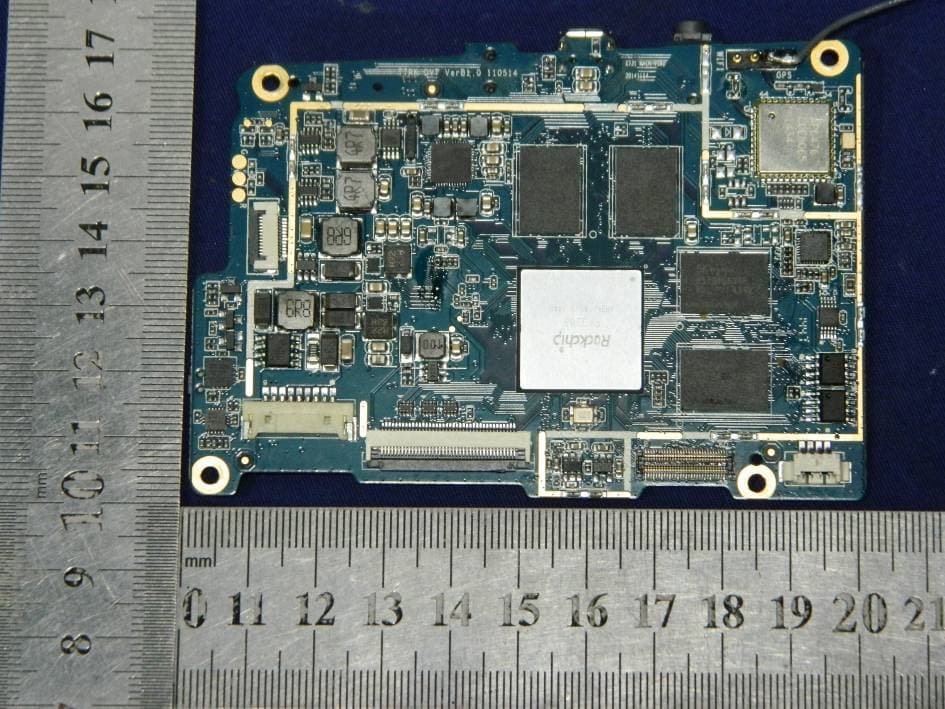
Internal Photos
Antenna Wifi & Bluetooth Module
RF Exposure Info
Report No.: RXA1307-0098SAR01R1 Page 1 of 67 TESTING No. L2264 SAR TEST REPORT Product Name DynaVox T10 Model T10 FCC ID 2AAOVT10 Client Dynavox Systems LLC Manufacturer Dynavox Systems LLC Date of issue August 27, 2013 TA Technology (Shanghai) Co., Ltd. TA Technology (Shanghai) Co., Ltd. Test Report Report No.: RXA1307-0098SAR01R1 Page 2 of 67 GENERAL SUMMARY Reference Standard(s) FCC 47CFR §2.1093 Radiofrequency Radiation Exposure Evaluation: Portable Devices ANSI C95.1, 1992: Safety Levels with Respect to Human Exposure to Radio Frequency Electromagnetic Fields, 3 kHz to 300 GHz.(IEEE Std C95.1-1991) KDB 865664 D01 SAR measurement 100 MHz to 6 GHz v01r01: SAR Measurement Requirements for 100 MHz to 6 GHz KDB 447498 D01 General RF Exposure Guidance v05r01: Mobile and Portable Device RF Exposure Procedures and Equipment Authorization Policies KDB 616217 D04 SAR for laptop and tablets v01r01: SAR Evaluation Considerations for Laptop, Notebook, Netbook and Tablet Computers KDB 248227 D01 SAR meas for 802 11 a b g v01r02: SAR Measurement Procedures for 802.11a/b/g Transmitters. Conclusion This portable wireless equipment has been measured in all cases requested by the relevant standards. Test results in Chapter 7 of this test report are below limits specified in the relevant standards for the tested bands only. General Judgment: Pass Comment The test result only responds to the measured sample. Approved by Director Revised by SAR Manager Performed by SAR Engineer TA Technology (Shanghai) Co., Ltd. Test Report Report No.: RXA1307-0098SAR01R1 Page 3 of 67 TABLE OF CONTENT 1. General Information ........................................................................................................................ 5 1.1. Notes of the Test Report............................................................................................................. 5 1.2. Testing Laboratory ...................................................................................................................... 5 1.3. Applicant Information................................................................................................................... 6 1.4. Manufacturer Information ............................................................................................................ 6 1.5. Information of EUT ...................................................................................................................... 7 1.6. The Maximum Reported SAR 1g Values ....................................................................................... 8 1.7. Test Date..................................................................................................................................... 8 2. SAR Measurements System Configuration ..................................................................................... 9 2.1. SAR Measurement Set-up........................................................................................................... 9 2.2. DASY5 E-field Probe System .................................................................................................... 10 2.2.1. EX3DV4 Probe Specification .......................................................................................... 10 2.2.2. E-field Probe Calibration ..................................................................................................11 2.3. Other Test Equipment ............................................................................................................... 11 2.3.1. Device Holder for Transmitters ........................................................................................11 2.3.2. Phantom .........................................................................................................................12 2.4. Scanning Procedure .................................................................................................................. 12 2.5. Data Storage and Evaluation.....................................................................................................14 2.5.1. Data Storage...................................................................................................................14 2.5.2. Data Evaluation by SEMCAD ......................................................................................... 14 3. Laboratory Environment................................................................................................................ 16 4. Tissue-equivalent Liquid ............................................................................................................... 17 4.1. Tissue-equivalent Liquid Ingredients ......................................................................................... 17 4.2. Tissue-equivalent Liquid Properties .......................................................................................... 17 5. System Check ............................................................................................................................... 18 5.1. Description of System Check ....................................................................................................18 5.2. System Check Results .............................................................................................................. 19 6. Operational Conditions during Test ............................................................................................... 20 6.1. General Description of Test Procedures.................................................................................... 20 6.2. Measurement Variability ............................................................................................................ 21 6.3. Test Position.............................................................................................................................. 22 6.3.1. Test Positions Requirements ................................................................................…
Text truncated - open the document above for the full version.
Test Report
TRF No:FCC 15.247/A TRF No:RSS-210/A Page 1 of 59 Report No ES130702010E1 Shenzhen EMTEK Co.,Ltd. Building 69, Majialong Industry Zone, Nanshan District, Shenzhen,Guangdong,China www.emtek.com.cn Tel: +86-755-2695 4280 Fax: +86-755-2695 4282 Access to the World ELECTROMAGNETIC EMISSIONS COMPLIANCE REPORT INTENTIONAL RADIATOR CERTIFICATION TO FCC PART 15 SUBPART C AND CANADIAN RSS 210 ISSUE 8 REQUIREMENTS OF DynaVox T10 MODEL No.: T10 FCC ID: 2AAOVT10 IC ID: 5534A-T10 Tr a d e m ark : N / A REPORT NO: ES130702010E1 ISSUE DATE: July 29, 2013 Prepared for Dynavox Systems LLC 2100 Wharton Street Suite 400 Pittsburgh Pennsylvania 15203 USA Prepared by SHENZHEN EMTEK CO., LTD Bldg 69, Majialong Industry Zone, Nanshan District, Shenzhen, Guangdong, China TEL: 86-755-26954280 FAX: 86-755-26954282 TRF No:FCC 15.247/A TRF No:RSS-210/A Page 2 of 59 Report No ES130702010E1 Shenzhen EMTEK Co.,Ltd. Building 69, Majialong Industry Zone, Nanshan District, Shenzhen,Guangdong,China www.emtek.com.cn Tel: +86-755-2695 4280 Fax: +86-755-2695 4282 Access to the World VERIFICATION OF COMPLIANCE Applicant: Dynavox Systems LLC 2100 Wharton Street Suite 400 Pittsburgh Pennsylvania 15203 USA Manufacturer: Dynavox Systems LLC 2100 Wharton Street Suite 400 Pittsburgh Pennsylvania 15203 USA Product Description: DynaVox T10 Model Number: T10 File Number: ES130702010E1 Date of Test: July 15, 2013 to July 25, 2013 We hereby certify that: The above equipment was tested by SHENZHEN EMTEK CO., LTD. The test data, data evaluation, test procedures, and equipment configurations shown in this report were made in accordance with the procedures given in ANSI C63.4 (2009) and the energy emitted by the sample EUT tested as described in this report is in compliance with conducted and radiated emission limits of FCC Rules Part 15.247 and Canadian RSS 210 ISSUE 8 REQUIREMENTS The test results of this report relate only to the tested sample identified in this report. Date of Test : July 15, 2013 to July 25, 2013 Prepared by : Joe Xia/Editor Reviewer : June Xie/Supervisor Approve & Authorized Signer : Lisa Wang/Manager TRF No:FCC 15.247/A TRF No:RSS-210/A Page 3 of 59 Report No ES130702010E1 Shenzhen EMTEK Co.,Ltd. Building 69, Majialong Industry Zone, Nanshan District, Shenzhen,Guangdong,China www.emtek.com.cn Tel: +86-755-2695 4280 Fax: +86-755-2695 4282 Access to the World Ta b l e o f C o n t e n t s 1. GENERAL INFORMATION................................................................................................... 5 1.1 P RODUCT DESCRIPTION......................................................................................................... 5 1.2 R ELATED SUBMITTAL(S) / GRANT(S) ..................................................................................... 5 1.3 T EST METHODOLOGY............................................................................................................ 6 1.4 S PECIAL ACCESSORIES.......................................................................................................... 6 1.5 E QUIPMENT MODIFICATIONS................................................................................................. 6 1.6 T EST FACILITY...................................................................................................................... 6 2. SYSTEM TEST CONFIGURATION...................................................................................... 7 2.1 EUT CONFIGURATION........................................................................................................... 7 2.2 EUT EXERCISE...................................................................................................................... 7 2.3 T EST PROCEDURE.................................................................................................................. 7 2.4 C ONFIGURATION OF TESTED SYSTEM.................................................................................... 7 3. DESCRIPTION OF TEST MODES........................................................................................ 9 4. SUMMARY OF TEST RESULTS ......................................................................................... 10 5. CONDUCTED EMISSIONS TEST....................................................................................... 11 5.1 M EASUREMENT PROCEDURE............................................................................................... 11 5.2 T EST SET-UP (BLOCK DIAGRAM OF CONFIGURATION)....................................................... 11 5.3 M EASUREMENT EQUIPMENT USED...................................................................................... 11 5.4 C ONDUCTED EMISSION LIMIT............................................................................................. 11 5.5 M EASUREMENT RESULT...................................................................................................... 12 6. RADIATED EMISSION TEST.............................................................................................. 13 6.1 M EASUREMENT PROCEDURE............................................................................................... 13 6.2 T EST SET-UP (BLOCK DIAGRAM OF CONFIGURATION)....................................................... 13 6.3 M EASUREMENT EQUIPMENT USED...................................................................................... 14 6.4 R ADIATED EMISSION LIMIT................................................................................................. 14 6.5 M EASUREMENT RESULT...................................................................................................... 16 7. 6DB BANDWIDTH TEST AND 99% BANDWIDTH TEST............................................. 24 7.1 M EASUREMENT PROCEDURE............................................................................................... 24 7.2 T EST SET-UP (BLOCK DIAGRAM OF CONFIGURATION)....................................................... 24 7.3 M EASUREMENT E…
Text truncated - open the document above for the full version.
Test Setup Photos
Conducted Emission Test Radiated Emission Test
Contact Information
Applicant
Anthony Pavlik(Vice President, Global Operations)
Test Firm
EMTEK (Shenzhen) Co., Ltd.David Lee
Technical Specifications
| # | Rule Parts | Frequency Range | Power Output |
|---|---|---|---|
| 1 | 15C | 2.41 GHz - 2.46 GHz | 272.00 mW |
Other Applications from Tobii Dynavox LLC
2AAOV-T7
Feb 11, 2015Tobii DynaVox T7
Equipment Class
DTS - Digital Transmission System
2AAOV-T10
Feb 02, 2015Tobii DynaVox T10+
Equipment Class
DTS - Digital Transmission System
2AAOVT15
Jun 08, 2014DynaVox T15
Equipment Class
DTS - Digital Transmission System