2AAP8-HSAG001CARHP Wireless Earbuds G2
Guoguang Electric Co.,Ltd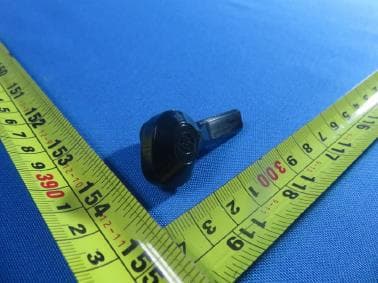
Click to zoom
Application Details
- Equipment Class
- DSS - Part 15 Spread Spectrum Transmitter
- Date of Grant
- Aug 22, 2020
- Application Purpose
- Original Equipment
- Date of Application
- Aug 22, 2020
- Equipment Note
- HP Wireless Earbuds G2
- Frequency Range
- 2402.00000000 - 2480.00000000
- Company
- Guoguang Electric Co.,Ltd
- Country
- China
Documents & Files
Document Text
Text extracted from the exhibit documents filed with the FCC. Open a document above to read the original.
Users Manual
إشعارات المنتج Pemberitahuan produk Бележки за продукта Obavještenja o proizvodu Informace o produktu Produktbemærkninger Produkthinweise Tootemärkused Avisos sobre el producto Σημειώσεις προϊόντος Informations sur le produit Obavijesti o proizvodima Normative del prodotto Өнім туралы ескертулер Paziņojumi par izstrādājumu Įspėjimuose dėl produktų Termékinformációk Productaankondigingen Produktopplysninger Informacje na temat produktów Avisos do produto Avisos sobre o produto Notificări despre produs Уведомления о продукте Upozornenia o produkte Obvestila o izdelku Tuoteohjeista Obaveštenja o proizvodu Produktmeddelanden ประกาศเก ี ่ ยวก ั บผล ิ ตภ ั ณฑ ์ Ürün Bildirimleri Зауваження щодо виробу 제품 고지사항 产品通告 產品注意事項 © Copyright 2015-2019 HP Development Company, L.P. Bluetooth is a trademark owned by its proprietor and used by HP Inc. under license. Java is a registered trademark of Oracle and/or its affiliates. The information contained herein is subject to change without notice. The only warranties for HP products and services are set forth in the express warranty statements accompanying such products and services. Nothing herein should be construed as constituting an additional warranty. HP shall not be liable for technical or editorial errors or omissions contained herein. Eleventh Edition: September 2019 First Edition: August 2015 Product Notices Regulatory Notices This document provides country- and region-specific non-wireless and wireless regulatory notices and compliance information for your product. Some of these notices may not apply to your product. 이 문서에는 국가 및 지역별 유무선 규제사항 설명과 제품의 준수 정보가 있습니다. 이러한 정보 중 일부는 귀하의 제품에 적용되지 않을 수 있습니다. Federal Communications Commission notice This equipment has been tested and found to comply with the limits for a Class B digital device, pursuant to Part 15 of the FCC Rules. These limits are designed to provide reasonable protection against harmful interference in a residential installation. This equipment generates, uses, and can radiate radio frequency energy and, if not installed and used in accordance with the instructions, may cause harmful interference to radio communications. However, there is no guarantee that interference will not occur in a particular installation. If this equipment does cause harmful interference to radio or television reception, which can be determined by turning the equipment off and on, the user is encouraged to try to correct the interference by one or more of the following measures: • Reorient or relocate the receiving antenna. • Increase the separation between the equipment and receiver. • Connect the equipment to an outlet on a circuit different from that to which the receiver is connected. • Consult the dealer or an experienced radio or television technician for help. This device complies with Part 15 of the FCC Rules. Operation is subject to the following two conditions: 1. This device may not cause harmful interference, and 2. This device must accept any interference received, including interference that may cause undesired operation. For questions regarding this product, write to HP Inc. 1501 Page Mill Road Palo Alto, CA 94304 email [email protected], or call HP at 650-857-1501. To identify your product, refer to the part, series, or model number located on the product. Modifications The FCC requires the user to be notified that any changes or modifications made to this device that are not expressly approved by HP may void the user’s authority to operate the equipment. Cables To maintain compliance with FCC Rules and Regulations, connections to this device must be made with shielded cables having metallic RFI/EMI connector hoods. Products with wireless LAN devices or HP Mobile Broadband Modules This device must not be co-located or operating in conjunction with any other antenna or transmitter. WARNING: Exposure to Radio Frequency Radiation The radiated output power of this device is below the FCC/ Industry Canada radio frequency exposure limits. Nevertheless, the device should be used in such a manner that the potential for human contact is minimized during normal operation of tablet PCs and notebook computers. During normal operation of tablet PCs and notebook computers with displays equal to or less than 30.5 cm (12 inches): To avoid the possibility of exceeding the FCC/Industry Canada radio frequency exposure limits, human proximity to the antennas should not be less than 2.5 cm (1 inch). To identify the location of the wireless antennas, refer to the computer user guides included with your computer. During normal operation of notebook computers with displays greater than 30.5 cm (12 inches): To avoid the possibility of exceeding the FCC/Industry Canada radio frequency exposure limits, human proximity to the antennas should not be less than 20 cm (8 inches), including when the computer display is closed. To identify the location of the wireless antennas, refer to the computer user guides included with your computer. CAUTION: When using IEEE 802.11a wireless LAN, this product is restricted to indoor use, due to its operation in the 5.15- to 5.25-GHz frequency range. FCC/Industry Canada requires this product to be used indoors for the frequency range of 5.15 GHz to 5.25 GHz to reduce the potential for harmful interference to co-channel mobile satellite systems. High-power radar is allocated as the primary user of the 5.25- to 5.35-GHz and 5.65- to 5.85-GHz bands. These radar stations can cause interference with and/or damage to this device. The antennas for this device are not replaceable. Any attempt at user access will damage your computer. Brazil notice Este equipamento não tem direito à proteção contra interferência prejudicial e não pode causar interferência em sistemas devidamente autorizados. Canada notices This Class B digital apparatus meets all requirements of the Canadian Interference-Causing Equipment Regulations CAN ICES- 3(B)/NMB-3(B). If this device has WLAN or Bluetooth® capability, the devi…
Text truncated - open the document above for the full version.
Users Manual
Color Side 1: BLACK Flat size: 32.97 X 19.95 in. Fold 1: 7-panel accordion Fold 2: 7-panel accordion Color Side 2: BLACK Finished size: 4.71 X 2.85 in. ARABIC 4 Go to http://www.hp.com/support, and then follow the instructions to identify your product for manuals. Select Manuals to download the HP Bluetooth Pairing User Guide. Case and earbuds components 1 Left light: If the case is not connected to power, blinks once when the left earbud is fully charged. Blinks for 5 s when the left earbud is charging. If the case is connected to power, turns on when the left earbud is fully charged. Center light: Blinks once when the case is fully charged. Blinks for 5 s when the case needs to be charged. Right light: If the case is not connected to power, blinks once when the right earbud is fully charged. Blinks for 5 s when the right earbud is charging. If the case is connected to power, turns on when the right earbud is fully charged. 2 USB Type-C port 3 Charging status button 4 Touch sensor area 5 Bluetooth/Power light 6 Noise-reducing microphones To turn the earbuds on: • Insert the earbuds in your ear or tap and hold the sensor area for more than 2 s. The power light blinks white. To put the earbuds in a Sleep state: • R emove the earbuds from your ears for more than 45 s or tap and hold the sensor area for more than 4 s The power light blinks white and the sleep sound plays. To connect to a device via Bluetooth: 1. P air a Bluetooth device according to the device manufacturer’s instructions. 2. When the e arbuds are removed from the case or turned on, the earbuds attempt to connect to the last connected Bluetooth device for 8 s. The Bluetooth light blinks blue continuously. 3. If the Bluetooth connection is successful, the earbuds play a chime twice and the Bluetooth light blinks blue. If the Bluetooth connection is not successful, the earbuds attempt to connect 10 times. If the connection is lost, the Bluetooth light quickly blinks blue. To play music: 1. When the e arbuds are on, tap the sensor area to play music. Tap the sensor area again to pause the music. While the music plays, the light blinks blue. 2. Tap and hold the sensor area on the left earbud for 2 s to play the previous track. Tap and hold the sensor area on the right earbud for 2 s to play the next track. To use the voice assistant: • Tap the sensor area three times. To manage phone calls: 1. Tap the sensor area to answer an incoming call. When there is an incoming call, the lights blink blue and white continuously. During the call, the light blinks white continuously. 2. Tap and hold the sensor area for more than 2 s to reject or end a call. To control the volume: • Do uble-tap the right sensor area to increase the volume. Double-tap the left sensor area to decrease the volume. Double-tap and hold your finger on the sensor area to increase or decrease the volume incrementally. A sound plays when the earbuds are set to the maximum volume. BAHASA INDONESIA 4 Go to http://www.hp.com/support, and then follow the instructions to identify your product for manuals. Select Manuals to download the HP Bluetooth Pairing User Guide. Case and earbuds components 1 Left light: If the case is not connected to power, blinks once when the left earbud is fully charged. Blinks for 5 s when the left earbud is charging. If the case is connected to power, turns on when the left earbud is fully charged. Center light: Blinks once when the case is fully charged. Blinks for 5 s when the case needs to be charged. Right light: If the case is not connected to power, blinks once when the right earbud is fully charged. Blinks for 5 s when the right earbud is charging. If the case is connected to power, turns on when the right earbud is fully charged. 2 USB Type-C port 3 Charging status button 4 Touch sensor area 5 Bluetooth/Power light 6 Noise-reducing microphones To turn the earbuds on: • Inser t the earbuds in your ear or tap and hold the sensor area for more than 2 s. The power light blinks white. To put the earbuds in a Sleep state: • R emove the earbuds from your ears for more than 45 s or tap and hold the sensor area for more than 4 s The power light blinks white and the sleep sound plays. To connect to a device via Bluetooth: 1. P air a Bluetooth device according to the device manufacturer’s instructions. 2. When the e arbuds are removed from the case or turned on, the earbuds attempt to connect to the last connected Bluetooth device for 8 s. The Bluetooth light blinks blue continuously. 3. If the Bluetooth connection is successful, the earbuds play a chime twice and the Bluetooth light blinks blue. If the Bluetooth connection is not successful, the earbuds attempt to connect 10 times. If the connection is lost, the Bluetooth light quickly blinks blue. To play music: 1. When the e arbuds are on, tap the sensor area to play music. Tap the sensor area again to pause the music. While the music plays, the light blinks blue. 2. Tap and hold the sensor area on the left earbud for 2 s to play the previous track. Tap and hold the sensor area on the right earbud for 2 s to play the next track. To use the voice assistant: • Tap the sensor area three times. To manage phone calls: 1. Tap the sensor area to answer an incoming call. When there is an incoming call, the lights blink blue and white continuously. During the call, the light blinks white continuously. 2. Tap and hold the sensor area for more than 2 s to reject or end a call. To control the volume: • Double-tap the right sensor area to increase the volume. Double-tap the left sensor area to decrease the volume. Double-tap and hold your finger on the sensor area to increase or decrease the volume incrementally. A sound plays when the earbuds are set to the maximum volume. BULGARIAN 4 Go to http://www.hp.com/support, and then follow the instructions to identify your product for manuals. Select Manuals to download the HP Bluetooth Pairing User Guide. Case and earbuds components 1 Left light: If the case is n…
Text truncated - open the document above for the full version.
External Photos
External Photographs Page 2 of 3 UL Verification Services (Guangzhou) Co., Ltd, Song Shan Lake Branch This report shall not be reproduced except in full, without the written approval of UL Verification Services (Guangzhou) Co., Ltd, Song Shan Lake Branch. . View of EUT-1 View of EUT-2 Page 3 of 3 UL Verification Services (Guangzhou) Co., Ltd, Song Shan Lake Branch This report shall not be reproduced except in full, without the written approval of UL Verification Services (Guangzhou) Co., Ltd, Song Shan Lake Branch. . View of EUT-3
ID Label/Location Info
ABL CASE TOP INSIDE COVER TOP FRONTLEFT CASE BOTTOM INSIDE COVER BOTTOM A A B B BACK
Internal Photos
Internal Photographs Page 2 of 5 UL Verification Services (Guangzhou) Co., Ltd, Song Shan Lake Branch This report shall not be reproduced except in full, without the written approval of UL Verification Services (Guangzhou) Co., Ltd, Song Shan Lake Branch. Internal View of EUT-1 Internal View of EUT-2 Page 3 of 5 UL Verification Services (Guangzhou) Co., Ltd, Song Shan Lake Branch This report shall not be reproduced except in full, without the written approval of UL Verification Services (Guangzhou) Co., Ltd, Song Shan Lake Branch. Internal View of EUT-3 Internal View of EUT-4 Page 4 of 5 UL Verification Services (Guangzhou) Co., Ltd, Song Shan Lake Branch This report shall not be reproduced except in full, without the written approval of UL Verification Services (Guangzhou) Co., Ltd, Song Shan Lake Branch. Internal View of EUT-5 Internal View of EUT-6 Page 5 of 5 UL Verification Services (Guangzhou) Co., Ltd, Song Shan Lake Branch This report shall not be reproduced except in full, without the written approval of UL Verification Services (Guangzhou) Co., Ltd, Song Shan Lake Branch. Internal View of EUT-7 Internal View of EUT-8 Antenna
Test Report
The results reported herein have been performed in accordance with the laboratory’s terms of accreditation. This report shall not be reproduced except in full without the written approval of the Laboratory. The results in this report apply to the test sample(s) mentioned above at the time of the testing period only and are not to be used to indicate applicability to other similar products. This report does not imply that the product(s) has met the criteria for certification. CFR 47 FCC PART 15 SUBPART C ISED RSS-247 ISSUE 2 CERTIFICATION TEST REPORT For HP Wireless Earbuds G2 MODEL NUMBER: HSA-G001CA HVIN: R Earbud FCC ID: 2AAP8-HSAG001CAR IC: 9043A-HSAG001CAR REPORT NUMBER: 4789469051-4 ISSUE DATE: August 07, 2020 Prepared for Guoguang Electric Company Ltd. No. 8 Jinghu Rd, Xinya Street, Huadu Region, Guangzhou P. R. China 510800 Prepared by UL Verification Services (Guangzhou) Co., Ltd, Song Shan Lake Branch Building 10, Innovation Technology Park, No. 1, Li Bin Road, Song Shan Lake Hi- Tech Development Zone Dongguan, 523808, People’s Republic of China Tel: +86 769 22038881 Fax: +86 769 33244054 Website: www.ul.com REPORT NO.: 4789469051-4 Page 2 of 103 UL Verification Services (Guangzhou) Co., Ltd, Song Shan Lake Branch FORM No.: 10-SL-F0086 This report shall not be reproduced except in full, without the written approval of UL Verification Services (Guangzhou) Co., Ltd, Song Shan Lake Branch. Revision History Rev. Issue Date Revisions Revised By V0 08/07/2020 Initial Issue REPORT NO.: 4789469051-4 Page 3 of 103 UL Verification Services (Guangzhou) Co., Ltd, Song Shan Lake Branch FORM No.: 10-SL-F0086 This report shall not be reproduced except in full, without the written approval of UL Verification Services (Guangzhou) Co., Ltd, Song Shan Lake Branch. Summary of Test Results Clause Test Items FCC/ISED Rules Test Results 1 20dB Bandwidth and 99% Occupied Bandwidth FCC 15.247 (a) (1) RSS-247 Clause 5.1 (a) RSS-Gen Clause 6.7 Pass 2 Conducted Output Power FCC 15.247 (b) (1) RSS-247 Clause 5.1 (b) Pass 3 Carrier Hopping Channel Separation FCC 15.247 (a) (1) RSS-247 Clause 5.1 (b) Pass 4 Number of Hopping Frequency 15.247 (a) (1) III RSS-247 Clause 5.1 (d) Pass 5 Time of Occupancy (Dwell Time) 15.247 (a) (1) III RSS-247 Clause 5.1 (d) Pass 6 Conducted Bandedge FCC 15.247 (d) RSS-247 Clause 5.5 Pass 7 Radiated Bandedge and Spurious FCC 15.247 (d) FCC 15.209 FCC 15.205 RSS-247 Clause 5.5 RSS-GEN Clause 8.9 RSS-GEN Clause 8.10 Pass 8 Antenna Requirement FCC 15.203 RSS-GEN Clause 6.8 Pass Note: 1.This test report is only published to and used by the applicant, and it is not for evidence purpose in China. 2. The measurement result for the sample received is <Pass> according to < CFR 47 FCC PART 15 SUBPART C >< ISED RSS-247 > when <Accuracy Method> decision rule is applied. REPORT NO.: 4789469051-4 Page 4 of 103 UL Verification Services (Guangzhou) Co., Ltd, Song Shan Lake Branch FORM No.: 10-SL-F0086 This report shall not be reproduced except in full, without the written approval of UL Verification Services (Guangzhou) Co., Ltd, Song Shan Lake Branch. TABLE OF CONTENTS 1. ATTESTATION OF TEST RESULTS ................................................................................. 6 2. TEST METHODOLOGY ..................................................................................................... 7 3. FACILITIES AND ACCREDITATION ................................................................................. 7 4. CALIBRATION AND UNCERTAINTY ................................................................................ 8 4.1. MEASURING INSTRUMENT CALIBRATION .............................................................. 8 4.2. MEASUREMENT UNCERTAINTY ............................................................................... 8 5. EQUIPMENT UNDER TEST ............................................................................................... 9 5.1. DESCRIPTION OF EUT .............................................................................................. 9 5.2. MAXIMUM PEAK OUTPUT POWER ........................................................................... 9 5.3. PACKET TYPE CONFIGURATION ............................................................................. 9 5.4. CHANNEL LIST ..........................................................................................................10 5.5. TEST CHANNEL CONFIGURATION ..........................................................................10 5.6. WORST-CASE CONFIGURATIONS...........................................................................10 5.7. THE WORSE CASE POWER SETTING PARAMETER ..............................................11 5.8. DESCRIPTION OF AVAILABLE ANTENNAS .............................................................11 5.9. DESCRIPTION OF TEST SETUP ...............................................................................12 6. MEASURING INSTRUMENT AND SOFTWARE USED ....................................................13 7. ANTENNA PORT TEST RESULTS ...................................................................................15 7.1. ON TIME AND DUTY CYCLE .....................................................................................15 7.2. 20 dB BANDWIDTH AND 99% OCCUPIED BANDWIDTH .........................................16 7.3. CONDUCTED OUTPUT POWER ...............................................................................18 7.4. CARRIER FREQUENCY SEPARATION .....................................................................19 7.5. NUMBER OF HOPPING FREQUENCIES ..................................................................21 7.6. TIME OF OCCUPANCY (DWELL TIME) .....................................................................23 7.7. CONDUCTED BANDEDGE AND SPURIOUS EMISSION ..........................................25 8. RADIATED TEST RESULTS .............................................................................................27 8.1. RESTRICTED BANDED…
Text truncated - open the document above for the full version.
Test Setup Photos
Appendix II Setup Photographs RADIATED RF MEASUREMENT SETUP (ABOVE 1 GHz) RADIATED RF MEASUREMENT SETUP (30MHz~1GHz) MEASUREMENT POSITION RADIATED RF MEASUREMENT SETUP (Below 30MHz)
Contact Information
Applicant
Alan Song
Test Firm
UL Verification Services (Guangzhou) Co., Ltd.Stephen Guo
[email protected]+86 0769 33817120
Technical Specifications
| # | Rule Parts | Frequency Range | Power Output |
|---|---|---|---|
| 1 | 15C | 2.40 GHz - 2.48 GHz | 1.82 mW |
Other Applications from Guoguang Electric Co.,Ltd
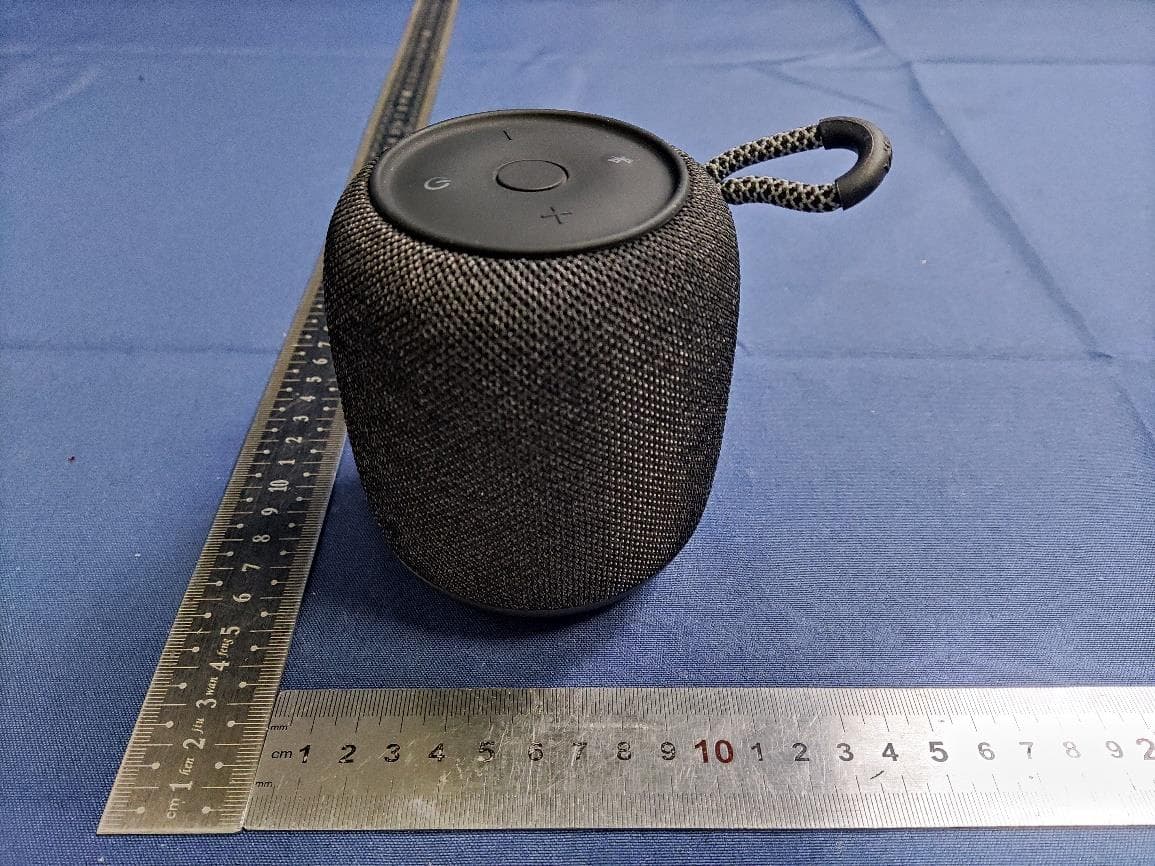
2AAP8-VIFA122
Feb 05, 2024Portable Bluetooth Speaker
Equipment Class
DSS - Part 15 Spread Spectrum Transmitter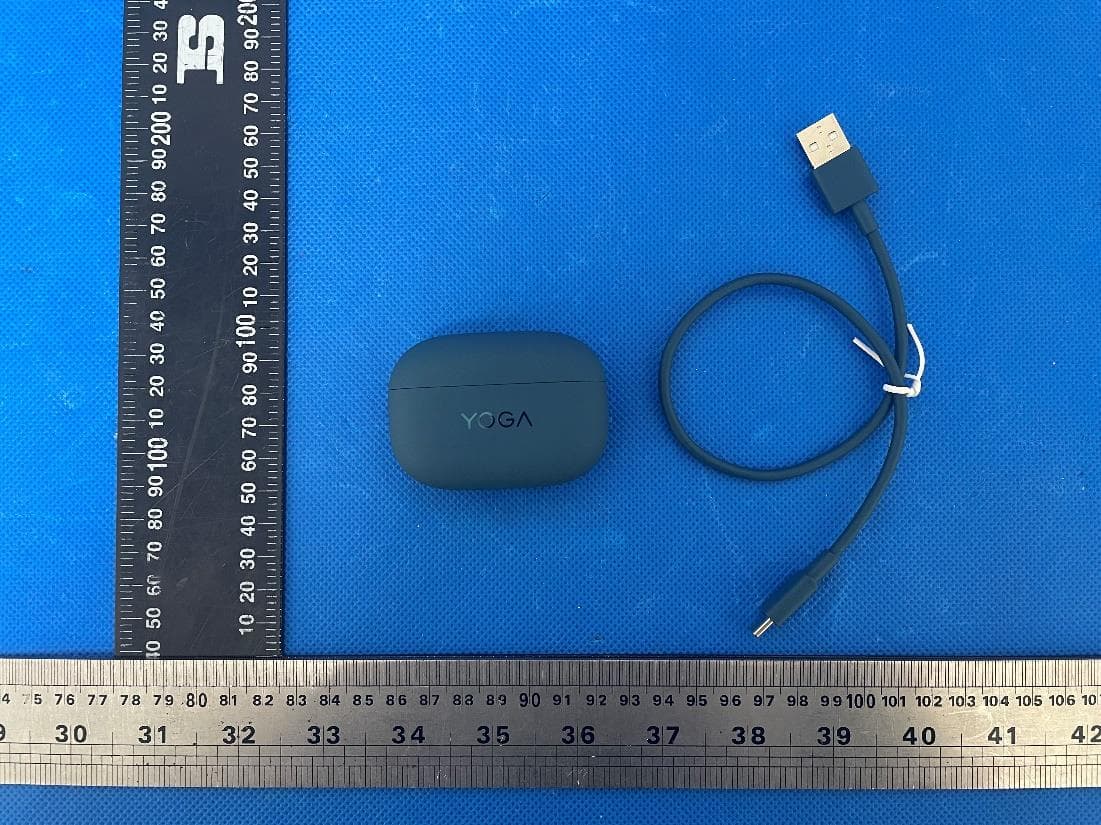
2AAP8-LT310
Jan 16, 2024Lenovo YOGA True Wireless Stereo Earbuds
Equipment Class
DTS - Digital Transmission System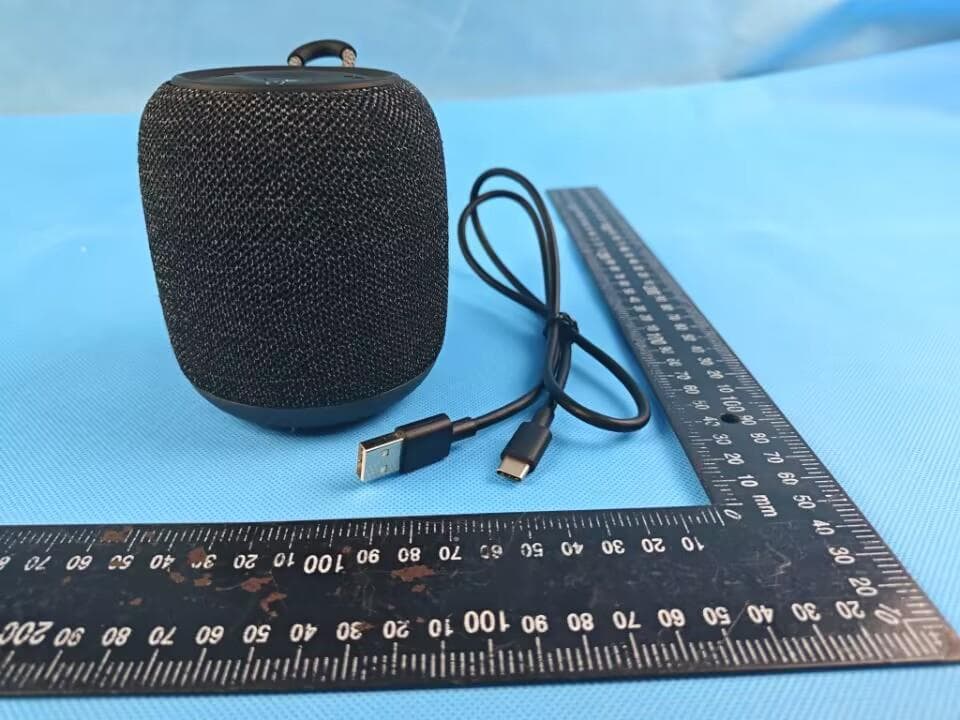
2AAP8-VIFA150
Sep 27, 2023Vifa AI Intelligent Speaker
Equipment Class
DTS - Digital Transmission System
2AAP8-VIFA062
Jul 06, 2023Portable Wireless Speaker
Equipment Class
DSS - Part 15 Spread Spectrum Transmitter
2AAP8-VIFANORDIC3-2
Jan 09, 2023Portable Wireless Speaker
Equipment Class
DSS - Part 15 Spread Spectrum Transmitter