2AAPV-X620wireless barcode scanner
Foshan Xincode Electronics Technology Co., Ltd.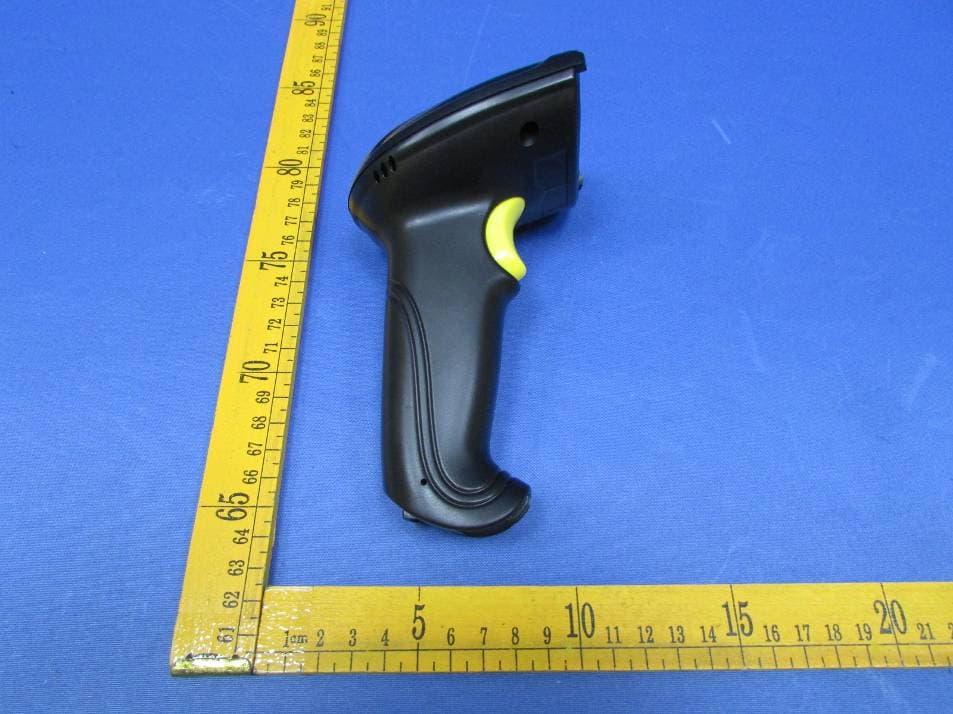
Click to zoom
Application Details
- Equipment Class
- DXX - Part 15 Low Power Communication Device Transmitter
- Date of Grant
- Dec 15, 2015
- Application Purpose
- Original Equipment
- Date of Application
- Dec 15, 2015
- Equipment Note
- wireless barcode scanner
- Frequency Range
- 2402.00000000 - 2478.00000000
- Country
- China
Documents & Files
Document Text
Text extracted from the exhibit documents filed with the FCC. Open a document above to read the original.
Users Manual
wireless barcode scanner X-620 User Manual V:1.0 Performance Strong decoding capability Rugged housing design Proprietary intellectual property Comfortable and convenient to use long life time button--3 million times long lasting lithium battery with 700mAh Packing list: 1*wireless barcode scanner; 1*user manual; wireless barcode scanner knowledge With the high-performance processor and decoder, it has a rapid decoding and high precision reading ability.It can read bar codes easily on paper, products, etc. because of the high resistance to environmental interference. The scanning distance of it is much longer than other similar products. It has the advantages of fast speed, high accuracy and excellent reading performance. Housing Design Description shock resistance cover trigger button indicator light cable disassembly hole To pull out the cable from the scanner, please plug in the clip to the cable disassembly hole. The scanner transfers data to the computer via the adapter. Please connect the adapter to the fixed computer USB interface. Do not plug in or pull out the adapter frequently in order to help improving the working efficiency and avoid man-made damage. First, connect the USB adapter to the computer.(No driver needed.) Second, place the cursor to where you want to enter the information or open a document in the computer, then use the barcode scanner to scan 1D barcodes. When the document shows the information, it reads successfully. Third, connect the charging cable to the bottom of the scanner and use the computer USB interface or USB adapter to charge. The charging time is 2 hours. After finishing charging, the scanner can work 10 hours continuously. How to Use Warning: 1. Please pull out the power supply and cable from the scanner in stormy weather to avoid damaging. 2. Keep away from heat and maintain ventilation. 3. Keep away from water in the environment of storage, transportation and operation. 4. Please use the original USB adapter of the device. 1 The wireless barcode scanner has been set well before delivery. It can be used directly. Please do not scan the barcodes in the manual optionally to test the scanner. In case of scanning the setting barcodes and abnormal condition occurs, scan the 'initialization setting' barcode and 'serial mode' barcode in the manual. Maintain a bevel between the scanner and the barcode to make a best reading. Do not keep the scanner in 90°with the barcode, otherwise the scanner can't read. The scanner must aim at the barcode and the beam must cover the whole barcode. If don't, error maybe occur. Size: 168mm*73mm*93mm Weight: 300g Charging interface: RJ-45 plug, 2 meters (with 5V charger, red light for charging, green light for battery charged) Housing material: ABS+PC Light source: visible laser diode, wave length 650nmTrigger mode: manual (long press the button to turn off the scanner) Scanning mode: single line scanning Scanning speed: 150±2 scans/sec Resolution: ≥3mil Error rate: 1/50million Scanning resolution: minimum 30% contrast Transmit frequency: 2.4G Transmit distance: 30 meters customized) Depth of scanning field: 5mm-630mm Scanning angle: ±60°±65°±42° Decoding capability: international standard 1D barcodes like LIPC/EAN/JAN, UPC/EAN with Supplemental, LICC/EAN 128, Code 39, MSI, Code11, Codabar, ( Reading Angle correct way of reading correct way of reading incorrect way of reading incorrect way of reading Initialization Setting Serial Mode Technology Parameters Physical Parameters Performance Parameters Electrical Parameters Charging time: 2 hours Charging voltage: DC5V±5% Power:100MW(operation),500MW (maximum) Currency:20MA(operation),100MA(maximum) Standby currency: <20uA Environmental Parameters Light intensity: 3000-12000LUX Temperature: 0°C-50 (operation mode);-40°C-60°C(storage) Package level: IP 52 Shock resistance: design to fall from 2 meters height from concrete surface °C Scanning Standard Correct Way of Scanning Incorrect Way of Scanning 23 Incorrect Way of Scanning Wireless Barcode Scanner Operation Press the button. The scanner will beep two times and indicator light is on. Power On Power Off Press the button for 5 seconds. The indicator light is off. LED Indicator& Beeper Indicator Light Color Instruction Green light and will be off soon a short beep when reading successfully Beep Sound Instruction A short beep reading barcodes and the green light will be off soon A long beep low voltage and please connect the charger to charge Double short beep turn on the scanner Three long beep fail to upload data and need to reset the channel setting Scanning Mode Setup Setup instruction: Normal mode means real-time transmission. Scan 'Normal Mode' bar code,the scanner will be in real-time transmission. In inventory mode, the scanner will save the barcode it reads. When need to upload the data to computer, scan 'Data Upload' bar code. Scan 'Total Number of Data' bar code, the computer will show how many bar codes the scanner reads under inventory mode. Scan 'clear data' bar code means clear all the bar codes being read under inventory mode. Normal ModeInventory Mode Data Upload Total Number of Data Clear Data To set sleep time, first we need to scan 'sleep time' bar code. Second, scan the time you want to set. Sleep Time Setting Paired with the Adapter& User ID Settings Sleep Time 20 seconds 30 seconds60 seconds 2 minutes 5 minutes 10 minutes20 minutes Channel Settings If the scanner doesn't connect to the computer (data will not be uploaded to the computer), please do the following steps Channel settings need to be finished within 10 seconds after connect the adapter to the computer USB interface. Scan 'Channel Settings' bar code Scan two numeral bar codes on page 6. For example, scan '0' a nd '1' , channel number will be 01. The setting range of the channel number can only be 01-20. Channel Settings 45 User ID Settings First, scan 'ID settings' . Scan two numeral bar codes below. For example, scan '0' a nd '1…
Text truncated - open the document above for the full version.
Cover Letter(s)
Foshan Xincode Electronics Ivlanager ry'1>ed name and TitJ-e
External Photos
Waltek Services (Shenzhen) Co.,Ltd. http://www.waltek.com.cn Photographs - Constructional Details Model X-620- External Photos Waltek Services (Shenzhen) Co.,Ltd. http://www.waltek.com.cn Waltek Services (Shenzhen) Co.,Ltd. http://www.waltek.com.cn
ID Label/Location Info
FCC Label Sample and Label Location for model: X-620 The Label must not be a stick-on paper. The Label on these products must be permanently affixed to the product and readily visible at the time of purchase and must last the expected lifetime of the equipment not be readily detachable. Model: X-620 FCC ID:2AAPV-X620 This device complies with part 15 of the FCC Rules. Operation is subject to the following two conditions: (1) This device may not cause harmful interference, and (2) this device must accept any interference received, including interference that may cause undesired operation.
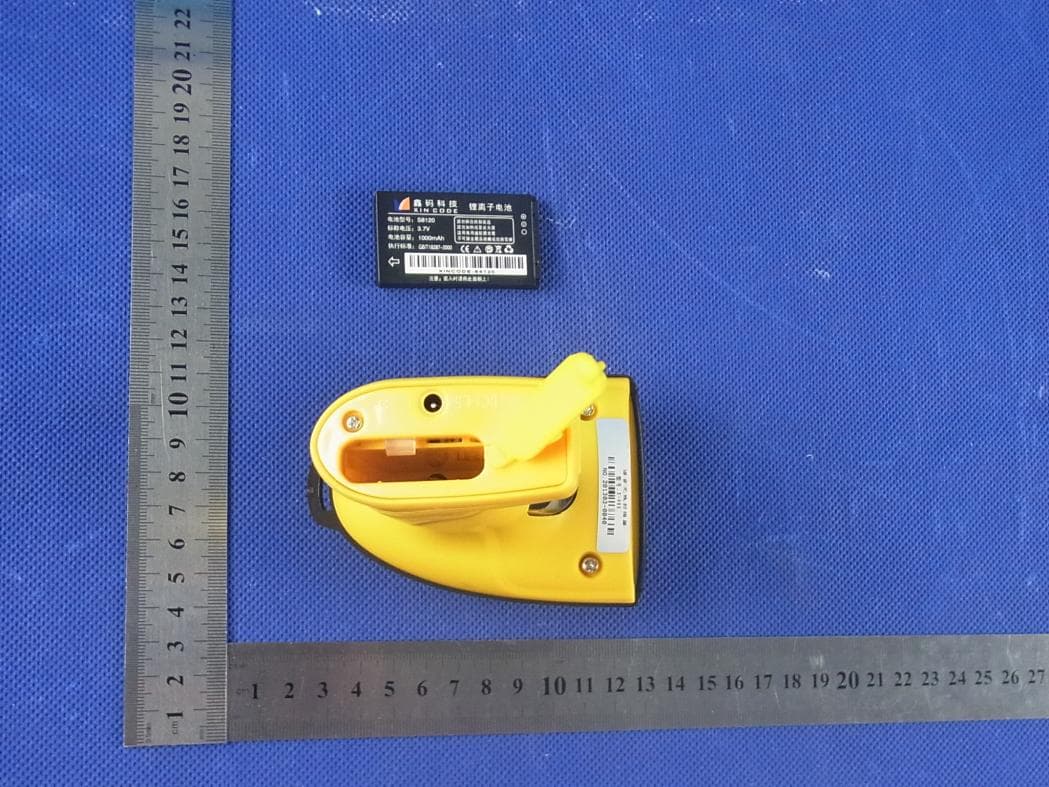
Internal Photos
Waltek Services (Shenzhen) Co.,Ltd. http://www.waltek.com.cn Model X-620- Internal Photos Waltek Services (Shenzhen) Co.,Ltd. http://www.waltek.com.cn Waltek Services (Shenzhen) Co.,Ltd. http://www.waltek.com.cn Waltek Services (Shenzhen) Co.,Ltd. http://www.waltek.com.cn Waltek Services (Shenzhen) Co.,Ltd. http://www.waltek.com.cn Waltek Services (Shenzhen) Co.,Ltd. http://www.waltek.com.cn Waltek Services (Shenzhen) Co.,Ltd. http://www.waltek.com.cn Waltek Services (Shenzhen) Co.,Ltd. http://www.waltek.com.cn ANT Waltek Services (Shenzhen) Co.,Ltd. http://www.waltek.com.cn
Test Report
TEST REPORT Waltek Services (Shenzhen) Co.,Ltd. http://www.waltek.com.cn Page 1 of 36 Reference No. .................... : WTF15S0831496E FCC ID ................................ : 2AAPV-X620 Applicant ............................ : Foshan Xincode Electronics Technology Co., Ltd. Address .............................. : 3rd Floor, 4th Block, Yuxi Industrial Zone, Shi Hu Zhou, Sanshui District, Foshan, Guangdong, China Manufacturer .................... : The same as above. Address .............................. : The same as above. Product Name .................... : wireless barcode scanner Model No. ........................... : X-620, X-620D, X-600, X-630A, X-988, X-4600W, X-7200W, X- 9700W, GT-730W, GT-750W, X-660, X-9700B, X-620C Standards ........................... : FCC CFR47 Part 15 Section 15.249: 2015 Date of Receipt sample .... : Aug. 07, 2015 Date of Test ....................... : Aug. 08 – Dec. 16, 2015 Date of Issue ...................... : Dec. 16, 2015 Test Result ......................... : Pass Remarks: The results shown in this test report refer only to the sample(s) tested, this test report cannot be reproduced, except in full, without prior written permission of the company. The report would be invalid without specific stamp of test institute and the signatures of compiler and approver. Prepared By: Waltek Services (Shenzhen) Co., Ltd. Address: 1/F., Fukangtai Building, West Baima Road, Songgang Street, Baoan District, Shenzhen, Guangdong, China Tel :+86-755-83551033 Fax:+86-755-83552400 Compiled by: Approved by: Zero Zhou / Test Engineer Philo Zhong / Manager Reference No.: WTF15S0831496E Page 2 of 36 Waltek Services (Shenzhen) Co.,Ltd. http://www.waltek.com.cn 2 Test Summary Test Items Test Requirement Result Conducted Emissions 15.207 PASS Radiated Emission 15.249(a) 15.209 15.205(a) PASS Periodic Operation 15.35(c) PASS Outside of Band Emission 15.249 15.205 15.209 PASS 20dB Bandwidth 15:215(c) PASS Antenna Requirement 15.203 PASS Reference No.: WTF15S0831496E Page 3 of 36 Waltek Services (Shenzhen) Co.,Ltd. http://www.waltek.com.cn 3 Contents Page 1 COVER PAGE ........................................................................................................................................... 1 2 TEST SUMMARY .................................................................................................................................................. 2 3 CONTENTS ............................................................................................................................................................ 3 4 GENERAL INFORMATION .................................................................................................................................. 4 4.1 GENERAL DESCRIPTION OF E.U.T. ........................................................................................................... 4 4.2 DETAILS OF E.U.T. ..................................................................................................................................... 4 4.3 TEST FACILITY ............................................................................................................................................ 4 5 EQUIPMENT USED DURING TEST................................................................................................................... 5 5.1 EQUIPMENTS LIST ...................................................................................................................................... 5 5.2 DESCRIPTION OF SUPPORT UNITS ............................................................................................................ 5 5.3 MEASUREMENT UNCERTAINTY .................................................................................................................. 5 5.4 TEST EQUIPMENT CALIBRATION ................................................................................................................ 5 6 CONDUCTED EMISSION .................................................................................................................................... 6 6.1 E.U.T. OPERATION .................................................................................................................................... 6 6.2 EUT SETUP ................................................................................................................................................ 6 6.3 MEASUREMENT DESCRIPTION ................................................................................................................... 6 6.4 TEST RESULT ............................................................................................................................................. 7 7 RADIATION EMISSION TEST ............................................................................................................................. 9 7.1 EUT OPERATION ........................................................................................................................................ 9 7.2 TEST SETUP ............................................................................................................................................. 10 7.3 SPECTRUM ANALYZER SETUP ................................................................................................................. 11 7.4 TEST PROCEDURE.................................................................................................................................... 12 7.5 TEST RESULT ........................................................................................................................................... 13 8 PERIODIC OPERATION ..................................................................................................................................... 16 9 OUTSIDE OF BAND EMISSION ....................................................................................................................... 18 9.1 TEST PROCEDURE............…
Text truncated - open the document above for the full version.
Test Setup Photos
Waltek Services (Shenzhen) Co.,Ltd. http://www.waltek.com.cn Photographs- Model X-620 Test Setup Photograph – Conducted Emission Test Setup at Test Site 1# Radiat ion Emission Test frequency 12MHz to 30MHz at test site 2# Waltek Services (Shenzhen) Co.,Ltd. http://www.waltek.com.cn Test frequency from 30MHz to 1GHz at test site 2# Test frequency above 1GHz at test site 1#
Contact Information
Applicant
yong chen(Manger)
Test Firm
Waltek Services(Shenzhen) Co., Ltd.philo zhong
Technical Specifications
| # | Rule Parts | Frequency Range | Power Output |
|---|---|---|---|
| 1 | 15C | 2.40 GHz - 2.48 GHz | - |
Other Applications from Foshan Xincode Electronics Technology Co., Ltd.
2AAPVX-988
Aug 12, 2013Wireless Barcode Scanner
Equipment Class
DXX - Part 15 Low Power Communication Device Transmitter