2AAQLM9704Tablet PC
More Star Industrial Group Limited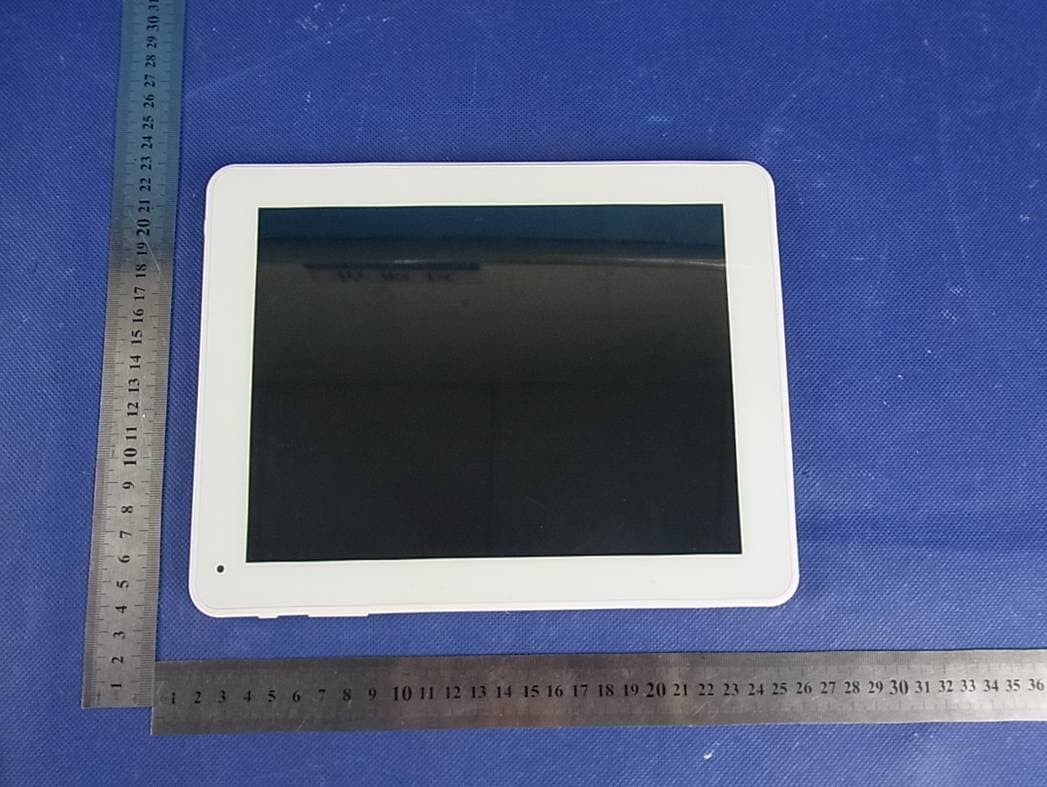
Click to zoom
Application Details
- Equipment Class
- DTS - Digital Transmission System
- Date of Grant
- Aug 07, 2013
- Application Purpose
- Original Equipment
- Date of Application
- Aug 07, 2013
- Equipment Note
- Tablet PC
- Frequency Range
- 2412.00000000 - 2462.00000000
- Country
- China
Documents & Files
Document Text
Text extracted from the exhibit documents filed with the FCC. Open a document above to read the original.
Users Manual
USER MANUAL Tablet PC M9704 Appearance..................................................................................................................... 3 Turn On and turn Off....................................................................................................... 4 1. Desktop........................................................................................................................ 4 2. Locking desktop......................................................................................................... 5 1.Player......................................................................................................................................6 2.Music.........................................................................................................................................6 3. Sound recorder........................................................................................................... 7 4. Camera........................................................................................................................ 7 Taking pictures............................................................................................................................7 Recording video...........................................................................................................................8 5. Browser....................................................................................................................... 8 6. Play Store.................................................................................................................... 9 7. Calendar....................................................................................................................... 9 New event.....................................................................................................................................9 8. Clock......................................................................................................................... 10 Alarm clock................................................................................................................................10 9. Calculator.................................................................................................................. 11 10. Downloads.............................................................................................................. 11 11. Maps......................................................................................................................... 11 12. E-mail....................................................................................................................... 11 13. File Manager............................................................................................................ 13 14.Copying files between PC and the device............................................................. 14 Deleting files..............................................................................................................................14 15.Settings..................................................................................................................... 14 16.Wi-Fi network settings............................................................................................. 16 17. TF card usage.......................................................................................................... 16 Installing programs/ Uninstalling the application.................................................................17 Downloading applications from Internet directly..................................................................17 Uninstalling the application.....................................................................................................18 Charging the device..................................................................................................................18 Note................................................................................................................................18 Appearance ① ② ③ ④ ⑤ ⑥ ⑦ ①On/Off ②DC-5V ③HDMI ④USB HOST ⑤TF Card ⑥USB OTG ⑦ Headset jack ☆ Note that USB OTG port can connect USB device as well as computer PC ,while USB HOST Vo l u m e + Volume-- Return Front camera Horn Back camera RESET can only connect USB dongle but not connect computer pc . Turn On and turn Off Turning on: Press and hold the power switch for five seconds Turning off: Press and hold the power switch for five seconds – Tap Turn Off – Tap OK Screen locking/unlocking: Press the power switch to lock/unlock the screen. Force shut-down: If the device doesn’t have response, press the Reset key to restart the device. Note: Do not force shut down the device unless necessary. Under normal condition, please follow the normal procedure to turn off the device. Reset key: Press the Reset key to restart the device.。 Touch screen Ta p : Tap to select an icon or option. Tap and hold: Tap and hold an icon to drag it to the desktop. Drag and drop: Drag and drop on the desktop to switch among different interfaces. ☆ To avoid scratching or breaking the screen, do not put any object on it. 1. Desktop 1:Tap to view all applications 3 2 1 4 5 6 7 8 9 10 11 12 2:Voice search shortcut 3 :Google search 4:Return to current operation 5:Return to desktop directly from the program interface 6:Multipage task selection key 7:Menu function shortcut 8:USB connection symbol 9 : : TF card connection status 10 : Current time 11: WIFI connection signal symbol 12 : Battery status On desktop, tap the Menu key to show the menu list and perform the operation. At the same time, set common programs on desktop by tapping and holding the program icon to move to the desktop; 2. Locking desktop If the PC won’t be used for a long time, or the power switch is tapped, the device enters standby state. The standby has two states. One is deep-sleep standby, in which the screen is turned off;…
Text truncated - open the document above for the full version.
Cover Letter(s)
SCS-F18: Project and Product Certification Representative Authorization Letter Page 1 of 2 Rev 3.0 775 Montague Expressway Milpitas, CA 95035 Tel: 408-526-1188 Fax: 408-526-1088 Email: [email protected] Project and Product Certification Representative Authorization Letter Revision History Reason for Amendment (current / obsolete) From To Approved Date Initial Release (obsolete) 1.0 1.0 Nov-14-2006 Revised wording (obsolete) 1.0 2.0 Sept–25-2007 Updated company template (current) 2.0 3.0 Jan-31-2012 SCS-F18: Project and Product Certification Representative Authorization Letter Page 2 of 2 Rev 3.0 More Star Industrial Group Limited 2013-7-26 To: SIEMIC, INC. 775 Montague Expressway, Milpitas, CA 95035 USA Dear Sir/Madam, Re: Project and Product Certification Representative Authorization Letter We, _____ More Star Industrial Group Limited _____hereby authorize SIEMIC, INC. to act as a Certification Body for certifying for the following project(s): Product description: Tablet PC model name: M9704 We affirm that between SIEMIC and ___ More Star Industrial Group Limited _ __, any difference in understanding, including test plan, measurement methods, applicable standards and relevant procedures and processes have been resolved prior to commencement of testing activities. Sincerely, Client’s signature Client’s name / title : coral yu / mangaer Contact information / address : 3&4 F , D building , ZhuangBian Industrial Park, GuShu, XiXiang , Bao'an, shenzhen, guangdong, china
Cover Letter(s)
SCS-F19: Confidentiality Request Letter Page 1 of 2 Rev 3.0 775 Montague Expressway Milpitas, CA 95035 Tel: 408-526-1188 Fax: 408-526-1088 Email: [email protected] Confidentiality Request Letter Revision History Reason for Amendment (current / obsolete) From To Approved Date Initial Release (obsolete) 1.0 1.0 Nov-14-2006 Adding CFR 2.459 (obsolete) 1.0 2.0 August – 11 - 2008 Updated company template & Added text box (current) 2.0 3.0 Jan-31-2012 SCS-F19: Confidentiality Request Letter Page 2 of 2 Rev 3.0 More Star Industrial Group Limited 2013-7-26 To: Federal Communications Commission Authorization and Evaluation Division 7435 Oakland Mills Road Columbia, MD Subject: Permanent Confidentiality Request for FCC ID: 2AAQLM9704 We hereby request confidential treatment of information accompanying this application as outlined below: - Block Diagram - Schematics - Operational Description The above materials contain trade secrets and proprietary information not customarily released to the public. The public disclosure of these materials may be harmful to the applicant and provide unjustified benefits to its competitors. The applicant understands that pursuant to Section 0.457 & 0.459 of the Rules, disclosure of this application and all accompanying documentation will not be made before the date of the Grant for this application. Sincerely, Client’s signature Client’s name / title : Coral yu / mangaer Contact information / address : 3&4 F , D building , ZhuangBian Industrial Park, GuShu, XiXiang , Bao'an, shenzhen, guangdong, china
External Photos
APPENDIX-PHOTOGRAPHS OF EUT CONSTRUCTIONAL DETAILS Photo 1 Photo 2 Photo 3 Photo 4 Photo 5 Photo 6 Photo 7 Photo 8
ID Label/Location Info
Tablet PC FCC ID: 2AAQLM9704 M/N: M9704
Internal Photos
Photo 9 Photo 10 ANT Photo 11 Photo 12 Photo 13 Photo 14 Photo 15 Photo 16 Photo 17 Photo 18 Photo 19 Photo 20
RF Exposure Info
FCC ID: 2AAQLM9704 RF EXPOSURE EVALUATION METHOD SAR Test Exclusion Thresholds for 100 MHz – 6 GHz and ≤ 50 mm Approximate SAR Test Exclusion Power Thresholds at Selected Frequencies and Test Separation Distances are illustrated in the following Table. The 1-g and 10-g SAR test exclusion thresholds for 100 MHz to 6 GHz at test separation distances ≤ 50 mm are determined by: [(max. power of channel, including tune-up tolerance, mW)/(min. test separation distance, mm)] · [√f(GHz)] ≤ 3.0 for 1-g SAR and ≤ 7.5 for 10-g extremity SAR,where f(GHz) is the RF channel transmit frequency in GHz Power and distance are rounded to the nearest mW and mm before calculation The result is rounded to one decimal place for comparison The test exclusions are applicable only when the minimum test separation distance is ≤ 50 mm and for transmission frequencies between 100 MHz and 6 GHz. When the minimum test separation distance is < 5 mm, a distance of 5 mm is applied to determine SAR test exclusion. FCC ID: 2AAQLM9704 Maximum measured transmitter power. frequency Maximum Peak Conducted Output Power Max Antenna Gain GHz dBm dBi 2.412 9.62 0.65 Remark: The best case gain of the antenna is 0.65dBi. 0.65dBi logarithmic terms convert to numeric result is nearly 1.16 9.62dbm=9.16mW [(max. power of channel, including tune-up tolerance, mW)/(min. test separation distance,mm)] · [√f(GHz)]= 9.16/5*√2.412=2.85≤3.0 Threshold at which no SAR required is 10mw and ≤ 3.0 for 1-g SAR, Separation distance is 5mm. Conclusion: No SAR is required.
Test Report
FCC RADIO TEST REPORT FCC ID:2AAQLM9704 Product: Tablet PC Trade Name: N/A Model Name: M9704 Serial Model: N/A Report No.: BZT-2013NT0725008F1 Prepared for More Star Industrial Group Limited 3&4 F, D building, Zhuangbian Industrial Park, GuShu, XiXiang, Bao’an, ShenZhen, P.R. China Prepared by BZT Testing Technology Co., Ltd. 1/F, Building E, Fenda Science Park, Sanwei Community, Xixiang Street Bao’an District, Shenzhen P.R. China BZT Testing Technology Co., Ltd Page 2 of 57 Report No.: BZT-2013NT0725008F1 TEST RESULT CERTIFICATION Applicant’s name................. : More Star Industrial Group Limited Address ................................. : 3&4 F, D building, Zhuangbian Industrial Park, GuShu, XiXiang , Bao’an, ShenZhen, P.R. China Manufacture's Name............ : More Star Industrial Group Limited Address ................................. : 3&4 F, D building, Zhuangbian Industrial Park, GuShu, XiXiang , Bao'an, ShenZhen, P.R. China Product description Product name ........................... : Tablet PC Model and/or type reference : M9704 Serial Model .............................. : N/A Standards............................. : FCC Part15.247 Test procedure .............................. ANSI C63.4-2003 This device described above has been tested by BZT, and the test results show that the equipment under test (EUT) is in compliance with the FCC requirements. And it is applicable only to the tested sample identified in the report. This report shall not be reproduced except in full, without the written approval of BZT, this document may be altered or revised by BZT, personal only, and shall be noted in the revision of the document. Date of Test............................................: Date (s) of performance of tests .............: 21 Jul. 2013 ~29Jul. 2013 Date of Issue...........................................: 29 Jul. 2013 Test Result...............................................: Pass Testing Engineer : (Polo Cha) Technical Manager : (Tom Zhang) Authorized Signatory : (Bovey Yang) BZT Testing Technology Co., Ltd Page 3 of 57 Report No.: BZT-2013NT0725008F1 Table of Contents Page 1 . SUMMARY OF TEST RESULTS 5 1.1 TEST FACILITY 6 1.2 MEASUREMENT UNCERTAINTY 6 2 . GENERAL INFORMATION 7 2.1 GENERAL DESCRIPTION OF EUT 7 2.2 DESCRIPTION OF TEST MODES 9 2.3 BLOCK DIGRAM SHOWING THE CONFIGURATION OF SYSTEM TESTED 10 2.4 DESCRIPTION OF SUPPORT UNITS(CONDUCTED MODE) 11 2.5 EQUIPMENTS LIST FOR ALL TEST ITEMS 12 3 . EMC EMISSION TEST 13 3.1 CONDUCTED EMISSION MEASUREMENT 13 3.1.1 POWER LINE CONDUCTED EMISSION LIMITS 13 3.1.2 TEST PROCEDURE 14 3.1.3 DEVIATION FROM TEST STANDARD 14 3.1.4 TEST SETUP 14 3.1.5 EUT OPERATING CONDITIONS 14 3.1.6 TEST RESULTS 15 3.2 RADIATED EMISSION MEASUREMENT 17 3.2.1 RADIATED EMISSION LIMITS 17 3.2.2 TEST PROCEDURE 18 3.2.3 DEVIATION FROM TEST STANDARD 18 3.2.4 TEST SETUP 19 3.2.5 EUT OPERATING CONDITIONS 20 3.2.6 TEST RESULTS (BETWEEN 9KHZ – 30 MHZ) 21 3.2.7 TEST RESULTS (BETWEEN 30MHZ – 1GHZ) 22 3.2.8 TEST RESULTS (ABOVE 1000 MHZ) 23 4 . POWER SPECTRAL DENSITY TEST 33 4.1 APPLIED PROCEDURES / LIMIT 33 4.1.1 TEST PROCEDURE 33 4.1.2 DEVIATION FROM STANDARD 33 4.1.3 TEST SETUP 33 4.1.4 EUT OPERATION CONDITIONS 33 4.1.5 TEST RESULTS 34 5 . BANDWIDTH TEST 40 5.1 APPLIED PROCEDURES / LIMIT 40 5.1.1 TEST PROCEDURE 40 BZT Testing Technology Co., Ltd Page 4 of 57 Report No.: BZT-2013NT0725008F1 Table of Contents Page 5.1.2 EUT OPERATION CONDITIONS 40 5.1.3 TEST RESULTS 41 6 . PEAK OUTPUT POWER TEST 47 6.1 APPLIED PROCEDURES / LIMIT 47 6.1.1 TEST PROCEDURE 47 6.1.2 DEVIATION FROM STANDARD 47 6.1.3 TEST SETUP 47 6.1.4 EUT OPERATION CONDITIONS 47 6.1.5 TEST RESULTS 48 7 . 100 KHZ BANDWIDTH OF FREQUENCY BAND EDGE 49 7.1 DEVIATION FROM STANDARD 49 7.2 TEST SETUP 49 7.3 EUT OPERATION CONDITIONS 49 7.4 TEST RESULTS 50 8 . ANTENNA REQUIREMENT 55 8.1 STANDARD REQUIREMENT 55 8.2 EUT ANTENNA 55 9 . EUT TEST PHOTO 56 APPENDIX-PHOTOGRAPHS OF EUT CONSTRUCTIONAL DETAILS BZT Testing Technology Co., Ltd Page 5 of 57 Report No.: BZT-2013NT0725008F1 1. SUMMARY OF TEST RESULTS Test procedures according to the technical standards: FCC Part15 (15.247) , Subpart C Standard Section Test Item Judgment Remark 15.207 Conducted Emission PASS 15.247 (a)(2) 6dB Bandwidth PASS 15.247 (b) Peak Output Power PASS 15.247 (c) Radiated Spurious Emission PASS 15.247 (d) Power Spectral Density PASS 15.205 Band Edge Emission PASS 15.203 Antenna Requirement PASS NOTE: (1)” N/A” denotes test is not applicable in this Test Report BZT Testing Technology Co., Ltd Page 6 of 57 Report No.: BZT-2013NT0725008F1 1.1 TEST FACILITY BZT Testing Technology Co., Ltd Add.:1/F, Building E, Fenda Science Park, Sanwei Community, Xixiang Street, Bao’an District, Shenzhen P.R. China. FCC Registration No.: 701733 1.2 MEASUREMENT UNCERTAINTY The reported uncertainty of measurement y ± U,where expended uncertainty U is based on a standard uncertainty multiplied by a coverage factor of k=2,providing a level of confidence of approximately 95 %。 No. Item Uncertainty 1 Conducted Emission Test ±1.38dB 2 RF power,conducted ±0.16dB 3 Spurious emissions,conducted ±0.21dB 4 All emissions,radiated(<1G) ±4.68dB 5 All emissions,radiated(>1G) ±4.89dB 6 Temperature ±0.5°C 7 Humidity ±2% BZT Testing Technology Co., Ltd Page 7 of 57 Report No.: BZT-2013NT0725008F1 2. GENERAL INFORMATION 2.1 GENERAL DESCRIPTION OF EUT Equipment Tablet PC Trade Name N/A Model Name M9704 Serial Model N/A Model Difference N/A Product Description The EUT is a Tablet PC Operation Frequency: 802.11b/g/n:2412~2462 MHz Modulation Type: CCK/OFDM/DBPSK Bit Rate of Transmitter 802.11b:11/5.5/2/1 Mbps 802.11g:54/48/36/24/18/12/9/6Mbps 802.11n:150/144.44/130/117/115.56/1 04/86.67/78/52/6.5Mbps Number Of Channel 802.11b/g/n:11CH Antenna Designation: Please see Note 3. Output Power(Conducted): 802.11b: 9.62 dBm (Max.) 802.11g: 8.62 dBm (Max.) 802.11n: 6.97 dBm (Max.) Antenna Gain (dBi) 0.65dbi Based on the application, features, or specification exhibited in User's Manual, t…
Text truncated - open the document above for the full version.
Test Setup Photos
BZT Testing Technology Co., Ltd. Page 75 of 76 Report No.: BZT-2013NT0725008F2 11. EUT TEST PHOTO Radiated Measurement Photos BZT Testing Technology Co., Ltd. Page 76 of 76 Report No.: BZT-2013NT0725008F2 CONDUCTED EMISSION Photos
Contact Information
Applicant
Coral yu(mananger)
Test Firm
BZT Testing Technology Co., Ltd.Bruce Zhang
Technical Specifications
| # | Rule Parts | Frequency Range | Power Output |
|---|---|---|---|
| 1 | 15C | 2.41 GHz - 2.46 GHz | 9.16 mW |
Other Applications from More Star Industrial Group Limited

2AAQL-M9706
Jan 26, 2014Tablet PC
Equipment Class
NII - Unlicensed National Information Infrastructure TX