2AB3E-ISP120REMRemote Control for the Party Boat
ION Audio, LLC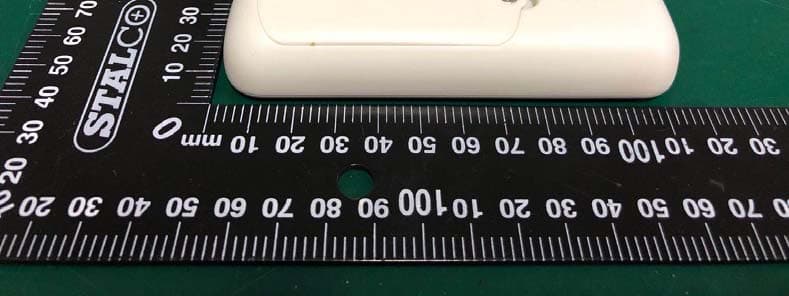
Click to zoom
Application Details
- Equipment Class
- DSC - Part 15 Security/Remote Control Transmitter
- Date of Grant
- Mar 21, 2020
- Application Purpose
- Original Equipment
- Date of Application
- Mar 19, 2020
- Equipment Note
- Remote Control for the Party Boat
- Frequency Range
- 433.92000000 - 433.92000000
- Company
- ION Audio, LLC
- Country
- United States
Documents & Files
Document Text
Text extracted from the exhibit documents filed with the FCC. Open a document above to read the original.
Users Manual
Manual Version 1.1 1 2 534 7 6 8 11 1 2 9 10 Party Boat Quickstart Guide Box Contents Party Boat Remote Control Power Adapter (2) AAA Batteries Screwdriver for Remote Control Quickstart Guide/Safety & Warranty Information Support IMPORTANT: For the full User Guide, visit ionaudio.com. For the latest information about this product (documentation, technical specifications, system requirements, compatibility information, etc.) and product registration, visit ionaudio.com. For additional product support, visit ionaudio.com/support. Features IMPORTANT: This equipment is not suitable for use in locations where children are likely to be present. Note: Use the included remote control to turn on the boat motors, change the direction of the boat, FM radio controls, playback/pause, track selection, volume, and to power off the unit. 1. Volume Up (+) / Down (-): Press these buttons to change the volume of the speaker. 2. Previous (<) / Next (>) Track/Tune: Press and release these buttons to go to the previous or next FM radio station. Press and hold these buttons to seek backwards or forward for a clear FM radio station. Press and release these buttons to skip to the previous or next Bluetooth track. 3. FM Mode: Press this button to enter FM mode. Hold the button for 3 seconds to enter Preset Creation mode. 4. Bluetooth Button: Press this button briefly to begin Bluetooth connecting. Press and hold this button to disconnect a paired Bluetooth device. 5. Bluetooth/FM Indicator: This LED blinks blue when Bluetooth pairing or illuminates solid blue when connected to a Bluetooth device. When in FM mode, this LED is solid green and blinks slowly when in FM Preset Creation mode. 6. Power On/Off: Press and hold this button to turn Party Boat on/off. Press this button twice to enable or disable voice prompts. Note: Party Boat will power off after 1 hour if there is no audio playing. 7. Charging Indicator: The LED is solid red when the battery is charging. When the power is on and the battery is fully charged, the red LED will turn off. Note: A voice prompt will be heard when the unit needs to be charged. 8. Play/Pause: Press to play or pause a track from a connected Bluetooth device. Press and release this button to select a previously saved preset station. 9. Power Adapter Input*: Insert the included power adapter here to charge Party Boat. Make sure Party Boat and its connections are dry before charging. Never charge when wet. 10. USB Charge Port*: Connect your smartphone's charge cable here to charge it. In order to charge a device, Party Boat needs to be powered on. 11. Aux Input*: This stereo 1/8” (3.5 mm) input can be used to connect a CD player, MP3 player, or other audio source. *IMPORTANT: Cover the Aux In, USB Charging Port, and Power Adapter Input with the cap in the locked position when using Party Boat in water. Make sure Party Boat and its connections are dry before charging. Never charge when wet. Driving Party Boat Using the Remote CAUTION: Always keep hands, fingers, hair, tools, and any loose or hanging objects away from rotating parts. Note: To ensure Party Boat does not travel out of range of the remote (75 ft. / 22.9 m), the Party Boat motors will stop after 10 seconds of traveling in a single direction. Press the directional button again if you would like the motors to continue. Press and release a directional button on the remote control to move Party Boat in that direction. To move in a new direction, press and release a different directional button. To make a right or left turn when driving straight, press the Right or Left directional buttons. As Party Boat turns, press the Up directional button when the boat is facing 90 degrees to stop turning and continue in the new direction. To stop Party Boat from moving, press and release the same directional button again. Adjusting the Motor Speed: 1. Press and hold the Play/Pause button and the Up button on the remote control for 2 seconds to enter Motor Speed Adjustment mode. Party Boat will then move forward and continuously play a tone. 2. Press and release the Left or Right directional button to adjust the speed of the left or right motor. 3. Press and release the Up button to increase the speed of the motor at increments of 5% each time it is pressed. Press and release the Down button to increase the speed of the motor at increments of 5% each time it is pressed. 4. Press and hold the Play/Pause button and the Up button again to save the speed and exit. Note: If a button is not pressed within 10 seconds, it will automatically save and exit the Motor Speed Adjustment mode. The default motor speed is 100% when first starting up. The unit will remember the speed when powering off. App Control IMPORTANT: To ensure the best possible experience with the ION Sound XP app, use the most current Android OS or iOS on your device. Note: Ensure that your device has internet access via your service provider or wireless connection. You can also download the app on your computer, but remember to connect and sync your device to transfer the app. Follow these steps to download the free app on your device: 1. Open the Apple App Store or Google Play on your device. 2. Search for the ION Sound XP app. 3. Follow the on-screen instructions to download and install the app. 4. Once downloaded, the ION Sound XP app will appear on your device's home screen. Solar Charging To use the solar panel to charge Party Boat, place the loudspeaker in direct sunlight for at least 3 hours for best results. The rate of charging depends on the amount of sunlight the solar panel receives. The unit will charge slower when receiving indirect sunlight. Using the Radio Selecting a Radio Station: 1. Press the FM button. 2. Select a radio station using the </> buttons. Saving a Preset: 1. Press and release the </> buttons to select a FM radio station that you want to save as a preset. 2. Press and hold the FM button for 3 seconds to enter Preset Creation mode. 3. Press and release …
Text truncated - open the document above for the full version.
Attestation Statements
ION Audio, LLC I, the undersigned, Declaration: They are identical to each other, only except for model name, appearance in color or decorating parts and silkscreen for marketing purpose. 1) Model No.: Party Boat Remote 2) Model No.: iSP120REM 3) Model No.: Party Boat RemoteXXXXXXXX (XX can be 0-9, A-Z or blank) 4) Model No.: iSP120REMXXXXXXXX (XX can be 0-9, A-Z or blank) FCC ID: 2AB3E-ISP120REM Sincerely, Client’s signature : 2019/12/17 Client’s name / title: Jacky Liao / Safety/Senior Compliance Manager Contact information / address: 200 Scenic View Drive, Cumberland, RI 02864, U.S.A. Telephone: 886-2- 2717-2389 Fax No.: 886-2- 2717-2735 *************************************************************************
Cover Letter(s)
C5266091_X8_Ed.1 1/1 Letter of Authorization Company: ION Audio, LLC Address: 200 Scenic View Drive, Cumberland, RI 02864, U.S.A. Product Name: Remote Control for the Party Boat Model Number: Party Boat Remote, iSP120REM, Party Boat RemoteXXXXXXXX, iSP120REMXXXXXXXX FCC Identifier: 2AB3E-ISP120REM We authorize LGAI Technological Center S.A., Ronda de la Font del Carme, s/n, 08193 Bellaterra, Spain, to act on our behalf on all matters concerning the above named equipment. Any individual within LGAI Technological Center S.A. is authorized to act on our behalf and take action on the application. We declare that authorize LGAI Technological Center S.A., Ronda de la Font del Carme, s/n, 08193 Bellaterra, Spain, is allowed to forward all information related to the approval project to the Federal Communication Commission and to discuss any issues concerning the approval application. Any and all acts carried out by LGAI Technological Center S.A. on our behalf shall have the same effect as acts of our own. Name: Jacky Liao Date: 12/17/2019 Title: Safety/Senior Compliance Manager Signature of applicant:
Cover Letter(s)
C5266091_X10_Ed.1 1/1 ION Audio, LLC Office of Engineering Technology Federal Communications Commission 7435 Oakland Mills Road Columbia, MD 21046 Date: 12/17/2019 Subject: Request for Confidentiality FCC ID: 2AB3E-ISP120REM To Whom It May Concern, Pursuant to the provisions of Sections 0.457 and 0.459 of Commission's rules (47CFR0.457, 0.459), we are requesting the Commission to withhold the following attachment(s) as confidential document from public disclosure. Exhibits Long-Term Confidentiality Short-Term Confidentiality ID Label/Location No No Attestation Statement No No External Photos No Block Diagram Schematics Test Report No No Test Setup Photos No User’s Manual Internal Photos Parts List / Tune Up RF Exposure Info Operational Description Cover Letter(s) No No SDR Software / Security Info No Above mentioned document contains detailed system and equipment description are considered as proprietary information in operation of the equipment. The public disclosure of above documents might be harmful to our company and would give competitor an unfair advantage in the market. It is our understanding that all measurement test reports, FCC ID label format and correspondent during certification review process cannot be granted as confidential documents and those information will be available for public review once the grant of equipment authorization is issued. Sincerely, Signature: 2019/12/17 Name: Jacky Liao Title: Safety/Senior Compliance Manager
External Photos
External Photos M/N: Party Boat Remote External Photos M/N: Party Boat Remote External Photos M/N: Party Boat Remote
ID Label/Location Info
Revision v1.0 版本 Date: 2019-12-20 日期 Model No: ISP120 型号 Sheet of Drawn By Qiu Sheng Wu File 文件: Size 尺寸 1 AA BB CC DD 1 2 2 3 3 4 4 5 5 6 6 21mm 14mm PARTY BOAT REMOTE IPX7 Input: DC 3V Label Location
Internal Photos
Internal Photos M/N: Party Boat Remote Internal Photos M/N: Party Boat Remote Internal Photos M/N: Party Boat Remote Internal Photos M/N: Party Boat Remote TX Antenna
Test Report
FCC ID: 2AB3E-ISP120REM EST Technology Co., Ltd Report No.ESTE-R1912071 Page 1 of 41 FCC PART 15C TEST REPORT FOR CERTIFICATION On Behalf of ION Audio, LLC Remote Control for the Party Boat Model Number: Party Boat Remote Additional Model: iSP120REM, Party Boat RemoteXXXXXXXX, iSP120REMXXXXXXXX (XX can be 0-9, A-Z or blank) FCC ID: 2AB3E-ISP120REM Prepared for: ION Audio, LLC 200 Scenic View Drive, Cumberland, RI 02864, U.S.A. Prepared By: EST Technology Co., Ltd. Chilingxiang, Qishantou, Santun, Houjie, Dongguan, Guangdong, China Tel: 86-769-83081888-808 Report Number: ESTE-R1912071 Date of Test: Dec. 05~Dec. 13, 2019 Date of Report: Dec. 16, 2019 FCC ID: 2AB3E-ISP120REM EST Technology Co., Ltd Report No.ESTE-R1912071 Page 2 of 41 TABLE OF CONTENTS Description Page TEST REPORT VERIFICATION ........................................................................................................................ 3 1. GENERAL INFORMATION ................................................................................................................. 5 1.1. Description of Device (EUT) ........................................................................................................... 5 1.2. Antenna Information ........................................................................................................................ 5 2. SUMMARY OF TEST ......................................................................................................................... 6 2.1. Summary of test result ...................................................................................................................... 6 2.2. Test Facilities .................................................................................................................................... 7 2.3. Measurement uncertainty ................................................................................................................. 8 2.4. Assistant equipment used for test ..................................................................................................... 8 2.5. Block Diagram .................................................................................................................................. 8 2.6. Test Mode ......................................................................................................................................... 9 2.7. Channel List ...................................................................................................................................... 9 2.8. Test Equipment List ....................................................................................................................... 10 3. DUTY CYCEL ................................................................................................................................ 11 3.1. Limit ............................................................................................................................................... 11 3.2. Test Setup ....................................................................................................................................... 11 3.3. Spectrum Analyzer Setting ............................................................................................................. 11 3.4. Test Procedure ................................................................................................................................ 11 3.5. Test Conditions ............................................................................................................................... 12 3.6. Test Result ...................................................................................................................................... 12 4. FIELD STRENGTH OF FUNDAMENTAL ............................................................................................ 14 4.1. Limit ............................................................................................................................................... 14 4.2. Test Setup ....................................................................................................................................... 15 4.3. Spectrum Analyzer Setting ............................................................................................................. 15 4.4. Test Procedure ................................................................................................................................ 15 4.5. Test Result ...................................................................................................................................... 16 5. RADIATED SPURIOUS EMISSIONS .................................................................................................. 19 5.1. Limit ............................................................................................................................................... 19 5.2. Test Setup ....................................................................................................................................... 21 5.3. Spectrum Analyzer Setting ............................................................................................................. 22 5.4. Test Procedure ................................................................................................................................ 23 5.5. Test Result ...................................................................................................................................... 24 6. 20DB BANDWIDTH ....................................................................................................................... 29 6.1. Limit ............................................................................................................................................... 29 6.2. Test Setup ....................................................................................................................................…
Text truncated - open the document above for the full version.
Test Setup Photos
Radiated Test (30-1000 MHz) Radiated Test (Above 1GHz) M/N: Party Boat Remote
Contact Information
Applicant
Hill Lien(Director of Compliance)
Technical Contact
Non-Technical Contact
EST Technology Co., Ltd.Iceman Hu
[email protected]86-769-83081888
Test Firm
EST Technology Co., Ltd.Iceman Hu
[email protected]+86 0769-83081888
Technical Specifications
| # | Rule Parts | Frequency Range | Power Output |
|---|---|---|---|
| 1 | 15.231 | 433.92 MHz - 433.92 MHz | - |
Other Applications from ION Audio, LLC

2AB3E-ISP195
Aug 21, 2026Bluetooth Speaker with 360 Sound
Equipment Class
DSS - Part 15 Spread Spectrum Transmitter
2AB3E-ISP194
May 09, 2026BLUETOOTH SPEAKER WITH LIGHTS
Equipment Class
DTS - Digital Transmission System
2AB3E-ISP189
Jan 23, 2026Floating Party Speaker with Lights
Equipment Class
DTS - Digital Transmission System2AB3E-IPA108A
Dec 29, 2025Rugged FM Radio/Bluetooth Speaker
Equipment Class
DTS - Digital Transmission System
2AB3E-IPA176
Nov 27, 2025All-Weather Stereo Speaker
Equipment Class
DSS - Part 15 Spread Spectrum Transmitter