2AB3E-IT55F-1Wireless Streaming Turntable
ION Audio, LLC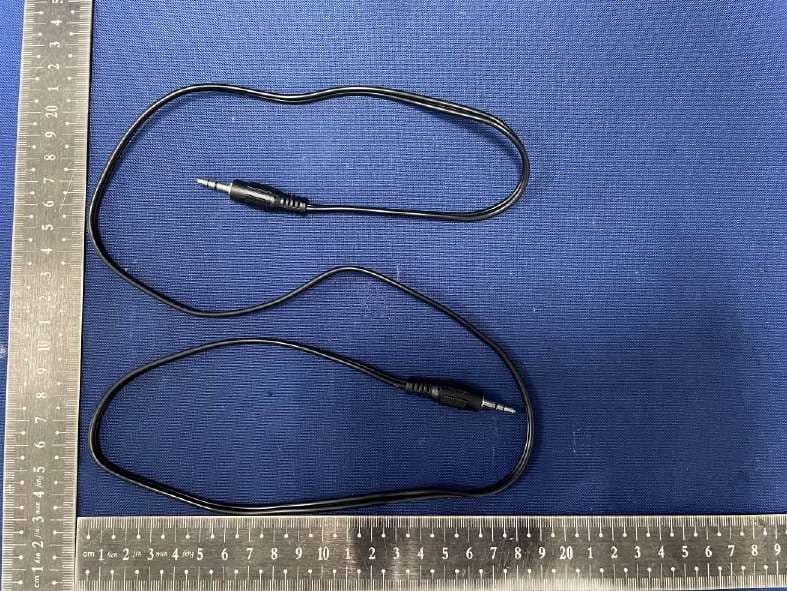
Click to zoom
Application Details
- Equipment Class
- DSS - Part 15 Spread Spectrum Transmitter
- Date of Grant
- Jul 08, 2021
- Application Purpose
- Original Equipment
- Date of Application
- Jul 08, 2021
- Equipment Note
- Wireless Streaming Turntable
- Frequency Range
- 2402.00000000 - 2480.00000000
- Company
- ION Audio, LLC
- Country
- United States
Documents & Files
Document Text
Text extracted from the exhibit documents filed with the FCC. Open a document above to read the original.
Users Manual
Air LP ™ iT55F Quickstart Guide English (3–7) Guía de inicio rápido Español (8–12) Guide d'utilisation rapide Français (13–17) Guida rapida Italiano (18–22) Schnellstart-Anleitung Deutsch (23–27 Snelstartgids Nederlands (28–32) Appendix English (34) 3 Quickstart Guide (English) Introduction Box Contents Make sure that the items listed below are included in the box: • Air LP ™ • 12V 0.2A DC Power adapter (5 ft. / 1.5 m) • Dust Cover • USB cable (5 ft. / 1.5 m) • RCA Cable (3 ft. / 1 m) • 1/8” (3.5 mm) Aux Cable • 45 RPM Adapter • Felt Slipmat • Software Download Card • Quickstart Guide • Safety & Warranty Manual Support For the latest information about this product (system requirements, compatibility information, etc.) and product registration, visit ionaudio.com. Connection Diagram Items not listed under the Box Contents are sold separately. Bluetooth Speaker Power 4 Features 1. Platter: Place your record here. 2. 45 RPM Adapter Holder: Holds the included 45 RPM adapter. When not using the adapter, please place it in this holder. 3. Tonearm: The fixed tonearm can be raised and lowered by hand, or by pressing the raise / lower lever. 4. Arm Clip: This specially designed arm clip secures the tonearm while at rest or when not in use. The arm clip has been designed to remain in the up position while unlocked. 5. Raise / Lower Lever: Raises and lowers the tonearm. 6. 33 / 45 / 78 Switch: This switch controls the RPM of the turntable platter. Note: For best results when playing 78 RPM vinyl records, use a 78 stylus (sold separately). Only use a 78 stylus with 78 RPM vinyl records. Purchase the iCT06rs 78 stylus at ionaudio.com. 7. Autostop switch: This switch turns autostop on or off. When autostop is on, the platter will start spinning when the tonearm is placed over the record and stop spinning when the record has reached the end. (When autostop is off, the platter will always spin regardless of the position of the tonearm.) Note: If your vinyl record stops before it reaches the end of the music, turn Autostop to the off position for this particular record. This is generally recommended for 45 RPM records. 8. Headphone Jack: Connect headphones (sold separately) to listen to your vinyl playback. 9. Bluetooth Button: Press this button to start Bluetooth pairing. If after 5 minutes no Bluetooth speaker can be found to pair with, the Bluetooth transmitter will become inactive and the LED will turn off. If currently connected, press this to disconnect from a currently connected Bluetooth device. 10. Bluetooth LED: This LED blinks when pairing with a Bluetooth device. Once fully paired, the LED will remain solid. The LED will be off when Bluetooth is inactive, and when the Air LP is turned off. 11. Volume: Adjust this to control the headphone and Bluetooth output level. 12. RCA Output*: The audio from a playing vinyl record is sent to this line-level RCA audio output. This must not be connected to phono level devices. 13. USB Audio Output: Use the included USB cable to connect your turntable to your computer. The USB connection will send audio from the turntable to your computer. Please see the Using Air LP With Your Computer section of this manual for information. 14. Power Cable Input: Use the included adapter to connect to wall power. 15. Power Button: Press this button to turn Air LP on/off. Air LP Turntable will re-connect to your last used Bluetooth Speaker when powering on, if it is in range. 16. Aux Input: Connect a CD player, digital media player, or other audio source to this 1/8” stereo auxiliary input. The audio from the Aux Input is also transmitted over a Bluetooth connection. IMPORTANT: Remove the plastic cartridge cover (needle cover) before operating the turntable. *WARNING: The RCA outputs are LINE level. Please only connect these to LINE level inputs. You may damage your receiver if you plug in a LINE level device into a PHONO level input. IMPORTANT: Place the included felt slipmat on the platter; then place your record on the felt slipmat to carefully hold your records. 5 Pairing Air LP to a Bluetooth Speaker Air LP has a Bluetooth transmitter to send audio to a Bluetooth speaker wirelessly. 1. Power on your Bluetooth speaker and ensure it is in pairing mode. 2. Power on the Air LP turntable. 3. Press and release the Bluetooth button on Air LP to start pairing to your Bluetooth device. Once Air LP is connected to the Bluetooth speaker, the Bluetooth LED will be solid blue. Your Bluetooth speaker should also indicate that its paired. Note: Air LP will connect to the closest Bluetooth speaker that is near it. If after 5 minutes no Bluetooth speaker can be found to pair with, the Bluetooth transmitter will become inactive and the LED will turn off. Note: Maximum range will be achieved when using devices with Bluetooth 4.0 or higher. 4. Play music on your Air LP turntable. If you are connected to a Bluetooth speaker with a play/pause button, and do not hear audio, try pressing the play/pause button. 5. Adjust the volume on your Bluetooth speaker (if applicable) or the Volume knob on Air LP to control the output level. 6. To disconnect pairing, power off the Air LP turntable or turn of Bluetooth pairing on your Bluetooth speaker. Note: Move other Bluetooth receivers/speakers out of range of Air LP (30’/9.1m or more) or turn them off to connect to your Bluetooth speaker. Using Air LP With Your Computer Recording To record music to your computer, you can use ION EZ Vinyl/Tape Converter and a USB cable. EZ Vinyl/Tape Converter conveniently saves your recordings to your computer. After you finish converting your vinyl, you can then burn to CD or load onto portable media devices. Follow the instructions on the included software download card for installing EZ Vinyl/Tape Converter. 1. With EZ Vinyl/Tape Converter installed on your computer, use the included USB cable to connect Air LP's USB port to an available USB port on your computer. 2. On your computer, you can open EZ Vinyl/Tape Con…
Text truncated - open the document above for the full version.
Users Manual
Important Safety Instructions & Warranty Information English ( 3 – 7 ) Instrucciones importantes de seguridad e información de la garantía Español ( 8 – 11 ) Instructions importantes de sécurité et informations de garantie Français ( 12 – 15 ) Istruzioni importanti di sicurezza e le informazioni della garanzia Italiano ( 16 – 19 ) Wichtige Sicherheitsanweisungen und Garantieinformationen Deutsch ( 20 – 23 ) 2 ION Audio is a trademark of ION Audio, LLC, registered in the U.S. and other countries. NEMA ® is the registered trademark and service mark of the National Electrical Manufacturers Association. All other product names, company names, trademarks, or trade names are those of their respective owners. 3 Product Warranty (for products purchased in the U.S.A.) 1. What is covered and for how long? All Products: ION Audio, LLC (“ION Audio”) warrants to the original purchaser that ION Audio products and all other accessories are free from defects in material and workmanship under normal use and service for the period commencing upon the date of purchase from an authorized ION Audio dealer and continuing for the following period of time after that date for ninety (90) days. ION Audio warrants factory-refurbished merchandise to be free of material and operational defects for a period of ninety (90) days from the original date of retail sale. This refurbished merchandise warranty is not transferable. 2. What is not covered? This Limited Warranty is conditioned upon proper use of the product by the purchaser. This Limited Warranty does not cover: (a) damage caused by improper installation or improper connection to any peripheral; (b) damage caused by an external electrical fault; (c) damage from use of parts not manufactured or sold by ION Audio; (d) product purchased from anyone other than an ION Audio authorized dealer; (e) modifications to product not approved in writing by ION Audio; (f) equipment that has the serial number removed or made illegible; (g) normal cosmetic and mechanical wear; (h) damage or loss during transit to an Authorized ION Audio Repair Center; or (i) units that are purchased and/or located outside of the continental USA. 3. What are ION Audio’s obligations? During the applicable warranty period, ION Audio will repair or replace, at ION Audio’s sole option, without charge to the purchaser, any defective component part of the product. To obtain service under this Limited Warranty, purchaser must first contact ION Audio and obtain a return merchant authorization (“RMA”) number. Purchaser must then return the product to ION Audio in an adequate container for shipping, accompanied by purchaser’s sales receipt or comparable proof of sale showing the date of purchase, the serial number of the product, and the seller’s name and address. To obtain an RMA number and assistance on where to return the product, contact ION Audio customer service at 401-658-3743. Upon receipt, ION Audio will repair or replace the defective products. ION Audio may, at ION Audio’s sole option, use rebuilt, reconditioned, or new parts or components when repairing any product or replace a product with a rebuilt, reconditioned, new or comparable product. Repaired products will be warranted for a period equal to the remainder of the original Limited Warranty on the original product or for 90 days, whichever is longer. All replaced parts, components, boards, and equipment become the property of ION Audio. If ION Audio determines that any product is not covered by this Limited Warranty, purchaser must pay all parts, shipping, and labor charges for the repair or return of such product. 4. What are the limits on ION Audio’s liabilities? THE WARRANTIES GIVEN IN THIS LIMITED WARRANTY, TOGETHER WITH ANY IMPLIED WARRANTIES COVERING ION AUDIO PRODUCTS, INCLUDING WITHOUT LIMITATION ANY WARRANTIES OF MERCHANTABILITY OR FITNESS FOR A PARTICULAR PURPOSE, ARE LIMITED TO THE DURATION OF THIS LIMITED WARRANTY. EXCEPT TO THE EXTENT PROHIBITED BY APPLICABLE LAW, ION AUDIO SHALL NOT BE LIABLE FOR ANY SPECIAL, INCIDENTAL, CONSEQUENTIAL, INDIRECT OR SIMILAR DAMAGES, LOSS OF PROFITS, DAMAGES TO PURCHASER’S PROPERTY, OR INJURY TO PURCHASER OR OTHERS ARISING OUT OF THE USE, MISUSE OR INABILITY TO USE ANY ION AUDIO PRODUCT, BREACH OF WARRANTY, OR NEGLIGENCE, INCLUDING BUT NOT LIMITED TO ION AUDIO’S OWN NEGLIGENCE, EVEN IF ION AUDIO OR THEIR AGENTS HAVE BEEN ADVISED OF SUCH DAMAGES, OR FOR ANY CLAIM BROUGHT AGAINST PURCHASER BY ANY OTHER PARTY. THIS LIMITED WARRANTY IS THE COMPLETE WARRANTY FOR ION AUDIO PRODUCTS, AND IS GIVEN IN LIEU OF ALL OTHER EXPRESS WARRANTIES. THIS LIMITED WARRANTY SHALL NOT EXTEND TO ANYONE OTHER THAN THE ORIGINAL PURCHASER OF THIS PRODUCT AND STATES PURCHASER’S EXCLUSIVE REMEDY. IF ANY PORTION OF THIS LIMITED WARRANTY IS ILLEGAL OR UNENFORCEABLE BY REASON OF ANY LAW, SUCH PARTIAL ILLEGALITY OR UNENFORCEABILTY SHALL NOT AFFECT THE ENFORCEABILITY OF THE REMAINDER OF THIS LIMITED WARRANTY WHICH PURCHASER ACKNOWLEDGES IS AND WILL ALWAYS BE CONSTRUED TO BE LIMITED BY ITS TERMS OR AS LIMITED AS THE LAW PERMITS. This Limited Warranty allocates risk of product failure between purchaser and ION Audio, and ION Audio’s product pricing reflects this allocation of risk and the limitations of liability contained in this Limited Warranty. The agents, employees, distributors, and dealers of ION Audio are not authorized to make modifications to this Limited Warranty, or make additional warranties binding on ION Audio. Accordingly, additional statements such as dealer advertising or presentation, whether oral or written, do not constitute warranties by ION Audio and should not be relied upon. 5. How does state law apply to this warranty? SOME STATES DO NOT ALLOW THE EXCLUSION OR LIMITATIONS OF INCIDENTAL OR CONSEQUENTIAL DAMAGES OR HOW LONG AN IMPLIED WARRANTY LASTS, SO THE ABOVE LIMITATIONS OR EXCLUSIONS MAY NOT APPLY TO PURCHASER. This Limited Warranty gives you specific legal rights. You may also have other rights, which…
Text truncated - open the document above for the full version.
Cover Letter(s)
C5266091_X8_Ed.1 1/1 Letter of Authorization ION Audio, LLC Company: ION Audio, LLC Address: 200 Scenic View Drive, Cumberland, RI 02864 U.S.A. Product Name: Wireless Streaming Turntable Model Number: iT55F, iT55FRD, Air LP, Air LP TM , iT55****, Air LP************ FCC Identifier: 2AB3E-IT55F-1 We authorize LGAI Technological Center S.A., Ronda de la Font del Carme, s/n, 08193 Bellaterra, Spain, to act on our behalf on all matters concerning the above named equipment. Any individual within LGAI Technological Center S.A. is authorized to act on our behalf and take action on the application. We declare that authorize LGAI Technological Center S.A., Ronda de la Font del Carme, s/n, 08193 Bellaterra, Spain, is allowed to forward all information related to the approval project to the Federal Communication Commission and to discuss any issues concerning the approval application. Any and all acts carried out by LGAI Technological Center S.A. on our behalf shall have the same effect as acts of our own. Name: Jacky Liao Date: 2021/06/29 Title: Chief EMC Engineer Signature of applicant:
Cover Letter(s)
C5266091_X10_Ed.1 1/1 ION Audio, LLC Office of Engineering Technology Federal Communications Commission 7435 Oakland Mills Road Columbia, MD 21046 Date: 2021/06/29 Subject: Request for Confidentiality FCC ID: 2AB3E-IT55F-1 To Whom It May Concern, Pursuant to the provisions of Sections 0.457 and 0.459 of Commission's rules (47CFR0.457, 0.459), we are requesting the Commission to withhold the following attachment(s) as confidential document from public disclosure. Exhibits Long-Term Confidentiality Short-Term Confidentiality ID Label/Location No No Attestation Statement No No External Photos No Block Diagram Schematics Test Report No No Test Setup Photos No User’s Manual Internal Photos Parts List / Tune Up RF Exposure Info Operational Description Cover Letter(s) No No SDR Software / Security Info No Above mentioned document contains detailed system and equipment description are considered as proprietary information in operation of the equipment. The public disclosure of above documents might be harmful to our company and would give competitor an unfair advantage in the market. It is our understanding that all measurement test reports, FCC ID label format and correspondent during certification review process cannot be granted as confidential documents and those information will be available for public review once the grant of equipment authorization is issued. Sincerely, Signature: Name: Jacky Liao Title: Chief EMC Engineer
ID Label/Location Info
型号/Code: 物料描述:尺寸/Size: 材质/Material:印刷/Print:比例: PO#:日期/Date: 2021-06-04 TT15003-1 49.8*25.9 mm 铭牌 PVC贴纸 黑底白字 1:1 USA | ION Audio, LLC.,Cumberland,RI 02864,USA EU | inMusic GmbH | Harkortstr. 12-32 | 40880 Ratingen,Germany UK | inMusic Europe Limited,GU12 5QE,Hampshire, Great Britain MADE IN CHINA FCC ID: 2AB3E-IT55F-1 iT55F
Internal Photos
BT Antenna
RF Exposure Info
Dongguan Dongdian Testing Service Co., Ltd Report No.:DDT-R21052803-2E02 Page 1 of 7 RF EXPOSURE REPORT FOR Issued By: Dongguan Dongdian Testing Service Co., Ltd. Add.: No. 17, Zongbu Road 2, Songshan Lake Sci&Tech, Industry Park, Dongguan City, Guangdong Province, China, 523808 Tel.: +86-0769-38826678, E-mail: [email protected], http://www.dgddt.com Applicant : ION Audio, LLC Address : 200 Scenic View Drive, Cumberland, RI 02864 U.S.A. Equipment under Test : Wireless Streaming Turntable Model No. : iT55F, iT55FRD, Air LP, Air LPTM, iT55****, Air LP************ Trade Mark : FCC ID : 2AB3E-IT55F-1 Manufacturer : ION Audio, LLC Address : 200 Scenic View Drive, Cumberland, RI 02864 U.S.A. ■Report No.: DDT-R21052803-2E02 ■Issued Date: Jun. 29, 2021 Dongguan Dongdian Testing Service Co., Ltd Report No.:DDT-R21052803-2E02 Page 2 of 7 Table of Contents Test report declares........................................................................................................3 1. General Information ....................................................................................................... 5 1.1. Description of equipment ............................................................................................... 5 1.2. Assess laboratory ........................................................................................................... 5 2. RF Exposure Evaluation ................................................................................................ 6 2.1. Requirement ................................................................................................................... 6 2.2. Calculation method......................................................................................................... 6 2.3. Estimation result ............................................................................................................. 7 Dongguan Dongdian Testing Service Co., Ltd Report No.:DDT -R21052803-2E02 Page 3 of 7 Test Report Declare Standard Used: KDB447498 D01 General RF Exposure Guidance v06 We Declare: The equipment described above is assessed by Dongguan Dongdian Testing Service Co., Ltd and i n the configuration assessed the equipment complied with the standards specified above. The assessed res ults are contained in this report and Dongguan Dongdian Testing Service Co., Ltd is assumed of full responsibility for the accuracy and completeness of these assess. After evaluation, our opinion is that the equipment In Accordance with above standard. Report No: DDT -R21052803-2E02 Date of Receipt: Jun . 10 , 2021 Date of Test: Jun . 10 , 2021 ~ Jun . 29 , 2021 Prepared By: Approved By: ______ _________ _____________________ Sam Li/ Engineer Damon Hu/EMC Manager Note: This report applies to above tested sample only. This report shall not be reproduced in parts without written approval of Dongguan Dongdian Testing Service Co., Ltd. Applicant : ION Audio, LLC Address : 200 Scenic View Drive, Cumberland, RI 02864 U.S.A. Equipment under Test : Wireless Streaming Turntable Model No. : iT55F, iT55FRD, Air LP, Air LPTM, iT55****, Air LP************ Tra de mark : Manufacturer : ION Audio, LLC Address : 200 Scenic View Drive, Cumberland, RI 02864 U.S.A. E S T T I N N A I G D S G E N R O V D I C E N A C U O G . , G L N T O D D . Dongguan Dongdian Testing Service Co., Ltd Report No.:DDT-R21052803-2E02 Page 4 of 7 Revision History Rev. Revisions Issue Date Revised By --- Initial issue Jun. 29, 2021 Dongguan Dongdian Testing Service Co., Ltd Report No.:DDT-R21052803-2E02 Page 5 of 7 1. General Information 1.1. Description of equipment 1.2. Assess laboratory Dongguan Dongdian Testing Service Co., Ltd. Add.: No. 17, Zongbu Road 2, Songshan Lake Sci&Tech, Industry Park, Dongguan City, Guangdong Province, China, 523808. Tel.: +86-0769-38826678, http://www.dgddt.com, Email: [email protected]. CNAS Accreditation No. L6451; A2LA Accreditation Number: 3870.01 FCC Designation Number: CN1182, Test Firm Registration Number: 540522 Innovation, Science and Economic Development Canada Site Registration Number: 10288A Conformity Assessment Body identifier: CN0048 VCCI facility registration number: C-20087, T-20088, R-20123, G-20118 EUT* Name : Wireless Streaming Turntable Model Number : iT55F, iT55FRD, Air LP, Air LPTM, iT55****, Air LP************ Model Differences : (“*” can be “0-9”, “a-z”, “A-Z”, “blank” or “-” for marketing purpose) All models are identical except the appearance and model number, therefore the test performed on the model iT55F. EUT function description : Please reference user manual of this device Power Supply : DC 12V powered by external AC-DC Adapter Radio Specification : Bluetooth V5.1 Operation Frequency : 2402 MHz - 2480 MHz Modulation : GFSK, /4-DQPSK, 8DPSK Data rate : 1 Mbps, 2 Mbps, 3 Mbps Antenna Type : Integral PCB antenna, maximum PK gain: 3.09 dBi Serial Number : N/A Dongguan Dongdian Testing Service Co., Ltd Report No.:DDT-R21052803-2E02 Page 6 of 7 2. RF Exposure Evaluation 2.1. Requirement Systems operating under the provisions of FCC 47 CFR section shall be operated in a manner that ensures that the public is not exposed to radio frequency energy level in excess of the Commission’s guidelines. In accordance with 47 CFR FCC Part 2 Subpart J, section 2.1091 this device has been defined as mobile device whereby a distance of 0.2 m normally can be maintained between the user and the device, and below RF Permissible Exposure limit shall comply with. Limits for General Population/Uncontrolled Exposure 2.2. Calculation method From the peak EUT RF output power, the minimum mobile separation distance, d= 0.2 m, as well as the gain of the used antenna, the RF power density can be obtained. Dongguan Dongdian Testing Service Co., Ltd Report No.:DDT-R21052803-2E02 Page 7 of 7 2.3. Estimation result Mode PK Output power (dBm) Output power (mW) Antenna Gain (dBi) Antenna Gain (linear) MPE Values (mW/cm 2 ) MPE Limit (mW/cm 2 ) Bluetooth Max power -3.18 0.48 3.09 …
Text truncated - open the document above for the full version.
Test Report
Dongguan Dongdian Testing Service Co., Ltd. Report No.: DDT-R21052803-2E01 Page 1 of 74 FCC CERTIFICATION TEST REPORT FOR Issued By: Dongguan Dongdian Testing Service Co., Ltd. Add.: No. 17, Zongbu Road 2, Songshan Lake Sci&Tech, Industry Park, Dongguan City, Guangdong Province, China, 523808 Tel.: +86-0769-38826678, E-mail: [email protected], http://www.dgddt.com Applicant : ION Audio, LLC Address : 200 Scenic View Drive, Cumberland, RI 02864 U.S.A. Equipment under Test : Wireless Streaming Turntable Model No. : iT55F, iT55FRD, Air LP, Air LPTM, iT55****, Air LP************ Project Code iT55F Trade Mark : FCC ID : 2AB3E-IT55F-1 Manufacturer : ION Audio, LLC Address : 200 Scenic View Drive, Cumberland, RI 02864 U.S.A. ■Report No.: DDT-R21052803-2E01 ■Issued Date: Jul. 08, 2021 Dongguan Dongdian Testing Service Co., Ltd. Report No.: DDT-R21052803-2E01 Page 2 of 74 Table of Contents Test report declares........................................................................................................4 1. Summary of Test Results ............................................................................................... 6 2. General Test Information ............................................................................................... 7 2.1. Description of EUT ......................................................................................................... 7 2.2. Accessories of EUT ........................................................................................................ 8 2.3. Assistant equipment used for test .................................................................................. 8 2.4. Block diagram of EUT configuration for test .................................................................. 8 2.5. Deviations of test standard ............................................................................................. 9 2.6. Test environment conditions .......................................................................................... 9 2.7. Test laboratory................................................................................................................ 9 2.8. Measurement uncertainty ............................................................................................. 10 3. Equipment Used During Test ....................................................................................... 11 4. Maximum Peak Output Power ..................................................................................... 13 4.1. Block diagram of test setup .......................................................................................... 13 4.2. Limits ............................................................................................................................ 13 4.3. Test procedure ............................................................................................................. 13 4.4. Test result ..................................................................................................................... 13 4.5. Original test data .......................................................................................................... 14 5. 20 dB Bandwidth and 99% Bandwidth ......................................................................... 17 5.1. Block diagram of test setup .......................................................................................... 17 5.2. Limits ............................................................................................................................ 17 5.3. Test procedure ............................................................................................................. 17 5.4. Test result ..................................................................................................................... 17 5.5. Original test data .......................................................................................................... 18 6. Carrier Frequency Separation ...................................................................................... 21 6.1. Block diagram of test setup .......................................................................................... 21 6.2. Limits ............................................................................................................................ 21 6.3. Test procedure ............................................................................................................. 21 6.4. Test result ..................................................................................................................... 21 6.5. Original test data .......................................................................................................... 22 7. Number of Hopping Channel ....................................................................................... 23 7.1. Block diagram of test setup .......................................................................................... 23 7.2. Limits ............................................................................................................................ 23 7.3. Test procedure ............................................................................................................. 23 7.4. Test result ..................................................................................................................... 23 7.5. Original test data .......................................................................................................... 23 Dongguan Dongdian Testing Service Co., Ltd. Report No.: DDT-R21052803-2E01 Page 3 of 74 8. Dwell Time ................................................................................................................... 25 8.1. Block diagram of test setup .......................................................................................... 25 8.2. Limits .....................................................................…
Text truncated - open the document above for the full version.
Contact Information
Applicant
Hill Lien(Director of Compliance)
Technical Contact
Dongguan Dongdian Testing Service Co., LtdDamon Hu
[email protected]86-0769- 38826678
Dongguan · China
Non-Technical Contact
Dongguan Dongdian Testing Service Co., LtdDamon Hu
[email protected]86-0769- 38826678
Test Firm
Guangdong Dongdian Testing Service Co., Ltd.Mr. Jamy Yu
[email protected]+86-0769-89201646
Technical Specifications
| # | Rule Parts | Frequency Range | Power Output |
|---|---|---|---|
| 1 | 15C | 2.40 GHz - 2.48 GHz | 480.00 µW |
Other Applications from ION Audio, LLC

2AB3E-ISP195
Aug 21, 2026Bluetooth Speaker with 360 Sound
Equipment Class
DSS - Part 15 Spread Spectrum Transmitter
2AB3E-ISP194
May 09, 2026BLUETOOTH SPEAKER WITH LIGHTS
Equipment Class
DTS - Digital Transmission System
2AB3E-ISP189
Jan 23, 2026Floating Party Speaker with Lights
Equipment Class
DTS - Digital Transmission System2AB3E-IPA108A
Dec 29, 2025Rugged FM Radio/Bluetooth Speaker
Equipment Class
DTS - Digital Transmission System
2AB3E-IPA176
Nov 27, 2025All-Weather Stereo Speaker
Equipment Class
DSS - Part 15 Spread Spectrum Transmitter