2ABGH-RC545LMobile Phone
Reliance Communications LLC
Click to zoom
Application Details
- Equipment Class
- CXX - Communications Rcvr for use w/ licensed Tx and CBs
- Date of Grant
- Jul 13, 2020
- Application Purpose
- Original Equipment
- Date of Application
- Jul 13, 2020
- Equipment Note
- Mobile Phone
- Frequency Range
- 748.50000000 - 753.50000000
- Company
- Reliance Communications LLC
- Country
- United States
Documents & Files
Document Text
Text extracted from the exhibit documents filed with the FCC. Open a document above to read the original.
Users Manual
Información sobre la garantía y seguridad del producto Product safety and warranty information Certification Information (RoHS) We at Orbic take our social responsibility seriously and are committed to the cause of serving our e nvironment. It is in keeping with these commitments that we are proud to state that Orbic phones are RoHS compliant. Hearing Aid Compatibility Information Th is device supports hearing aid compatibility refer to the gift box label for the specific ra ting. This phone has b een tested and rated for use with hearing aids for some of the wireless technologies it uses. However, the re may be some newer technologies that have not been tested yet for use with hearing aids. It is important to try the different features of this phone thoroughly and in different locations, using your he aring ai d or cochlear implant, to determine if you hear any interfering noise. Ask your service provider or the manufacturer of this phone for information on hearing aid compatibility. When some mobile phones are used near some hearing devices (hearing aids and cochlear implants), users may detect a buzzing, humming, or whining noise. Some hearing devices are more immune than others to this interference noise an d phones also vary in the amount of interference they generate. FCC SAR Warning Th is model phone meets the government’s requirements for exposure to radio waves. Th is phone is designed and manufactured not to exceed the emission limits for exposure to radio frequency (RF) energy set by the Federal Communications Commission of the U.S. Government: The exposure standard for wireless mobile phones employs a unit of measurement known as the Specific Absorption Rate, or SAR. The SAR limit set by the FCC is 1.6W/kg. Tests for SAR are conducted using standard operating positions accepted by the F CC with the phone transmitting at its highest certified power level in all tested frequency bands. The SAR guideline includes a considerable safety margin designed to assure the safety of all persons regardless of age and health. The FCC has granted an Equipment Authorization for this model phone with all reported SAR levels evaluated as in compliance with the FCC RF exposure guidelines. SAR information on this model phone is on file with the FCC and can be found by searching for the FCC ID listed on the device label and gift box under the Display Grant section or by searching at http://orbic.us/ For body worn operation, this phone has been tested and meets the FCC RF exposure guidelines for use with an accessory that contains no metal and positions the handset a minimum of 15 mm from the body. Use of other enhancements may not ensure compliance with FCC RF exposure guidelines. If you do not use a body-worn accessory and are not holding the phone at the ear, position the handset a minimum of 1 5 mm from your body when the phone is switched on. Hearing Aid Compatibility Hac For Wireless Telecommunications Devices THIS PHONE HAS A HAC RATING OF M4/T3 WHAT IS HEARING AID COMPATIBILITY? The Federal Communications Commission has implemented rules and a rating system designed to enable p eople who wear hearing aids to more effectively use these wireless telecommunications device s. The s tandard for compatibility of digital wireless phones with hearing aids is set forth in American National Standard Institute (ANSI) standard C63.19. There are two sets of ANSI standards with ratings from o ne to four (four being the best rating): an “M” rating for reduced interference making it easier to he ar conversations on the phone when using the hearing aid microphone, and a “T” rating that enables the phone to be used with hearing aids operating in the tele-coil mode thus reducing unwanted background noise. Important Safety Information Keep the phone (“Product”) away from dust, water, damp areas, precipitation and humidity. Dust, water, liquids, precipitation and humidity may cause overheating, electrical leakage, and/or Product failure. The Product, battery, charger and AC adapter are not waterproof. Keep them away from liquid, fuels and chemicals. If the Product gets wet, do not place the Product in an oven, microwave or dryer, as this will damage the Product and could cause a fire or explosion. Only use the battery and charger approved by the manufacturer. Using other brands may cause battery leakage, overheating, explosion or even fire. Do not use the Product where it might cause danger. Do NOT text and drive. Battery Use Handle and store batteries properly to avoid injury or damage. Most battery issues arise from improper handling and, particularly, from the continued use of damaged batteries. • Do not disassemble or open crush, bend or deform, puncture or shred • Do not modify or remanufacture, attempt to insert foreign objects into the battery, immerse or expose to water or other liquids, expose to fire, explosion or other hazard. • Only use the battery for the system for which it is specified • Only use the battery with a charging system that has been qualified with the system per CTIA Certification Requirements for Battery System Compliance to IEEE 1725. Use of an unqualified battery or charger may present a risk of fire, explosion, leakage, or other hazard. • Do not short circuit a battery or allow metallic conductive objects to contact battery terminals. • Replace the battery only with another battery that has been qualified with the system per this standard, IEEE-Std-1725. Use of an unqualified battery may present a risk of fire, explosion, leakage or other hazard. • Only authorized service providers shall replace battery. (If the battery is non-user replaceable). • Promptly dispose of used batteries in accordance with local regulations • Battery usage by children should be supervised. • Avoid dropping the phone or battery. If the phone or battery is dropped, especially on a hard surface, and the user suspects damage, take it to a service center for inspection. • Improper battery use may result in …
Text truncated - open the document above for the full version.
Users Manual
Meet your phone Have questions about your Prepaid phone? You’re in the right place. Find out how to set up and use your phone, access special features, get help and lots more. We’re here to help. 1 About your phone NOTE: Devices and software are constantly evolving— the screen images and icon you see here are for reference only. About your phone Home Button Back Button Headset Jack USB/Charging Port Microphone Recent Apps Button Front Camera 1 2 3 4 5 6 7 Earpiece Flash Back Camera Power/Lock Key Speaker Volume Keys SIM/Micro SD Card Slot 8 9 10 11 12 13 14 9 10 3 26 1 14 8 7 5124 13 11 2 Your phone already has a SIM card installed. Step 1. Insert microSD card If you have a micro SD card. Use the pin tool and insert it in the hole to release the tray. Insert micro SD card with the gold contacts facing down. Close the tray. NOTE: The micro SD card is sold separately. Step 2. Charge the phone Before turning on your phone, charge it fully. Insert the small end of the USB cable into the phone. Insert the larger end into the charger and plug it into an outlet. WARNING: Only use approved chargers with your device. Incompatible chargers or tampering with the charger port could damage your device and void the warranty. Setting up your phone Setting up your phone 3 Step 3. Turning your phone on/off To turn your phone on, press and hold the Power/Lock button. To turn OFF, press and hold the Power/Lock button and follow the prompts. NOTE: The first time you turn on your phone, you will need to activate it. See the Welcome Guide included with your phone. Locking/unlocking the screen To turn on your screen, press the Power/Lock button. Then swipe up on the screen to unlock it. To turn off your screen and prevent accidental key presses, press the Power/Lock button. Setting up your phone 4 Using your phone Touch screen tips Use touch gestures to move around the screen, open menus, select items, zoom in and out of web pages and more. There are several touch gestures recognized by your phone: • Swipe—Swipe by quickly sliding your finger in any direction. • Drag—Drag by touching an item and moving it to a new position. • Double tap—Double tap to zoom in/out on a web page or picture. • Multi-touch—Pinch or spread your thumb and index finger to zoom in or out. Using your phone 5 Using your phone Verizon Cloud Verizon Cloud offers secure online storage to back up your contacts and sync them with your other Cloud-connected devices. To learn more, go to vzw.com/cloud. Making a call 1. From the Home Screen, tap the Phone icon. 2. Tap the Keypad icon. 3. Enter the number you want to call or the first letters of the contact’s name and select the contact. 4. Tap the Call icon to place the call. Receiving a call Tap the Answer icon to answer an incoming call. 6 Setting up Voice Mail 1. Dial *86 and press Send. 2. When you hear a greeting, press # to interrupt. 3. Follow the setup instructions. Checking Voice Mail From your phone: 1. Dial *86 and press Send. 2. Follow the instructions. From other phones: 1. Dial your wireless number. 2. When you hear the greeting, press # to interrupt. 3. Follow the instructions. NOTE: Voice mailboxes not set up within 45 days will be canceled. Your voice mailbox is not password protected until you create a password by following the setup tutorial. Voice Mail may not be available in some areas. Follow the setup instructions to password- protect your Verizon Wireless Voice Mailbox. Verizon Wireless is not responsible for missed messages or deletions of messages from your Voice Mailbox, even if you have saved them. Using your phone 7 Services and features Calling features • Domestic Long Distance • 411 Search • Caller ID • Call Waiting • 3-Way Calling • Call Forwarding Text messaging 1. From the home screen, tap Message Icon. > 2. Compose text message and enter the recipient’s information. 3. Press Send. Services and features 8 Picture and video messaging Take pictures or videos and send them to almost any email address, or to other phones. 1. Use the Camera icon to start the camera or video recorder. 2. Capture the picture or video. 3. From the home screen, tap Message > Compose. 4. Enter the recipient’s information in the To field, then compose your message. 5. Tap the Add icon and select Gallery to choose an image from your Gallery. 6. Tap the Send icon to send your message. For pricing details please visit verizonwireless.com/prepaid. Apps and more Play it up with music, ringtones, wallpapers, apps and games. Keep up with Twitter™ and Facebook. We’ve got apps that help you do it all. Data charges may apply. Installing apps From the Home Screen, tap Play Store Web browsing From the Home Screen, tap Chrome Services and features 9 International services Your phone is enabled to call or text internationally. For additional details, including rates, visit vzw.com/prepaidglobal. Location based services This phone can determine its location, which is useful for services such as navigation, shopping and weather. For your safety, it’s defaulted to acquire your location only when you dial 911. To use Location based services, tap Settings > Location. International services 10 International services VZ Navigator ® Select the app or download it from the Google Play™ Store. Go to verizonwireless.com/navigator for more details and pricing. 11 Support and more From your computer, visit verizonwireless.com/support. Customer service Call 800.922.0204 Twitter @VZWSupport Download a User Guide from verizonwireless.com/support. Support and more 12 Important customer information The services described in this brochure are only for your personal use. They are subject to the Customer Agreement, your Calling Plan, the Verizon Wireless Privacy Principles and Internet Privacy Policy (both of which can be viewed at verizonwireless.com and the following terms and conditions, as applicable. You agree to comply with all applicable laws, rules, regulations and policies when using these services. In addition to y…
Text truncated - open the document above for the full version.
Cover Letter(s)
Reliance Communications, LLC Federal Communications Commission Authorization and Evaluation Division Confidentiality Request regarding application for certification of FCC ID: (2ABGH-RC545L). Pursuant to Sections 0.457 and 0.459 of the Commission’s Rules, we hereby request confidential treatment of information accompanying this application as outlined below: Block Diagram Schematics Parts List Operational Description Antenna Tune Up The above materials contain trade secrets and proprietary information not customarily released to the public. The public disclosure of these materials may be harmful to the applicant and provide unjustified benefits to its competitors. The applicant understands that pursuant to Section 0.457 of the Rules, disclosure of this application and all accompanying documentation will not be made before the date of the Grant for this application. Pursuant to DA04-1705 June 15, 2004 of the Commission’s public notice, we also request temporary confidential treatment of information accompanying this application as outlined below: External Photos, Internal Photos, Test Setup Photos Manual Planned Release Date STC: 180 days Test Setup Photos Internal Photos External Photos User Manual Sincerely, Saqib Ghouri 05-24-2020
Cover Letter(s)
Reliance Communications, LLC Federal Communications Commission Authorization and Evaluation Division 1435 Oakland Mills Road Columbia, MD 21046 Date: 05-24-2020 SUBJECT: FCC Application for (FCC ID 2ABGH-RC545L) To Whom It May Concern: We, the undersigned, hereby authorize Jim Huang at SGS-CSTC Standards Technical Services Ltd on our behalf, to apply to the Federal Communications Commission on our equipment. Any and all acts carried out by SGS-CSTC Standards Technical Services Ltd on our behalf shall have the same effect as acts of our own. This is to advise that we are in full compliance with the Anti- Drug Abuse Act. We, the applicant, are not subject to a denial of federal benefits pursuant to Section 5301 of the Anti-Drug Act of 1988, 21 USC853a, and no party to the application is subject to a denial of federal benefits pursuant to that section. Regards, Saqib Ghouri 05-24-2020
ID Label/Location Info
DEVICE LABELS FOR RC545L 2019-11-27 Label location: Settings→System→About phone •Thanks
Internal Photos
Main Antenna BT/WiFI DIV
Test Report
SGS-CSTCStandardsTechnicalServicesCo.,Ltd.Shenzhen Branch ReportNo.:HR/2020/3002307 Page:1of19 AuthorizedSignature: DerekYang WirelessLaboratoryManager TESTREPORT ApplicationNo.: HR/2020/30023 Applicant: RelianceCommunications,LLC AddressofApplicant: 91ColinDrive,Unit1Holbrook,NY11741 Manufacturer: Unimaxcomm AddressofManufacturer: Room602,Floor6th,BuildingB,SoftwareParkT3,Hi-TechParkSouth, NanshanDistrict,Shenzhen,P.R.China518057 EUTName: Smartphone ModelNo.: RC545L Trademark: Orbic FCCID:2ABGH-RC545L Standard(s): 47CFRPart15,SubpartB DateofReceipt: 2020/4/16 DateofTest: 2020/4/16to2020/6/3 DateofIssue: 2020/7/13 TestResult: Pass* *Intheconfigurationtested,theEUTcompliedwiththestandardsspecifiedabove. SGS-CSTCStandardsTechnicalServicesCo.,Ltd.Shenzhen Branch RevisionRecord VersionChapterDateModifierRemark 012020/7/13Original Authorizedforissueby: (MikeHu)/ProjectEngineer (DavidChen)/Reviewer SGS-CSTCStandardsTechnicalServicesCo.,Ltd.Shenzhen Branch 2TestSummary EmissionPart ItemStandardMethodRequirementResult ConductedEmissions atMainsTerminals (150kHz-30MHz) 47CFRPart15, SubpartB ANSIC63.4:2014ClassBPass RadiatedEmissions (30MHz-1GHz) 47CFRPart15, SubpartB ANSIC63.4:2014ClassBPass RadiatedEmissions (above1GHz) 47CFRPart15, SubpartB ANSIC63.4:2014ClassBPass InternalSourceUpperFrequency Below1.705MHz30MHz 1.705MHzto108MHz1GHz 108MHzto500MHz2GHz 500MHzto1GHz5GHz Above1GHz5thharmonicofthehighestfrequencyor40GHz,whicheverislower SGS-CSTCStandardsTechnicalServicesCo.,Ltd.Shenzhen Branch 3Contents Page 1COVERPAGE ........................................................................................................................................................... 1 2TESTSUMMARY ..................................................................................................................................................... 3 3CONTENTS ............................................................................................................................................................... 4 4GENERALINFORMATION .................................................................................................................................... 5 4.1GENERALDESCRIPTIONOFEUT ...................................................................................................................... 5 4.2DESCRIPTIONOFSUPPORTUNITS ................................................................................................................... 5 4.3TESTMODES ...................................................................................................................................................... 5 4.4MEASUREMENTUNCERTAINTY .......................................................................................................................... 6 4.5TESTLOCATION ................................................................................................................................................. 7 4.6TESTFACILITY ................................................................................................................................................... 7 4.7DEVIATIONFROMSTANDARDS .......................................................................................................................... 7 4.8ABNORMALITIESFROMSTANDARDCONDITIONS .............................................................................................. 7 5EQUIPMENTLIST .................................................................................................................................................... 8 6EMISSIONTESTRESULTS ................................................................................................................................ 10 6.1CONDUCTEDEMISSIONSATMAINSTERMINALS(150KHZ-30MHZ) ............................................................. 10 6.1.1E.U.T.Operation ....................................................................................................................................... 10 6.1.2TestSetupDiagram ................................................................................................................................. 10 6.1.3MeasurementData ................................................................................................................................... 10 6.2RADIATEDEMISSIONS(30MHZ-1GHZ) ......................................................................................................... 13 6.2.1E.U.T.Operation ....................................................................................................................................... 13 6.2.2TestSetupDiagram ................................................................................................................................. 13 6.2.3MeasurementData ................................................................................................................................... 13 6.3RADIATEDEMISSIONS(ABOVE1GHZ) ........................................................................................................... 16 6.3.1E.U.T.Operation ....................................................................................................................................... 16 6.3.2TestSetupDiagram ................................................................................................................................. 16 6.3.3MeasurementData ................................................................................................................................... 16 SUSPECTEDLIST ........................................................................................................................................................... 17 SUSPECTEDLIST ........................................................................................................................................................... 18 7PHOTOGRAPHS ..............................................................................................…
Text truncated - open the document above for the full version.
Test Report
SGS-CSTC Standards Technical Services Co., Ltd. Shenzhen Branch Report No.: HR/2020/3002307-01 Page: 1 of 20 Authorized Signature: Derek Yang Wireless Laboratory Manager TEST REPORT Application No.: HR/2020/30023 Applicant: Reliance Communications, LLC Address of Applicant: 91 Colin Drive, Unit 1 Holbrook, NY 11741 Manufacturer: Unimaxcomm Address of Manufacturer: Room 602, Floor 6th, Building B, Software Park T3,Hi-Tech Park South, Nanshan District, Shenzhen, P.R. China 518057 EUT Name: Smart phone Model No.: RC545L Trade mark: Orbic FCC ID: 2ABGH-RC545L Standard(s) : 47 CFR Part 15, Subpart B Date of Receipt: 2020/4/16 Date of Test: 2020/4/16 to 2020/6/3 Date of Issue: 2021/5/28 Test Result: Pass* * In the configuration tested, the EUT complied with the standards specified above. SGS-CSTC Standards Technical Services Co., Ltd. Shenzhen Branch Report No.: HR/2020/3002307-01 Page: 2 of 20 Revision Record Version Chapter Date Modifier Remark 01 2020/7/13 Original 02 2021/5/28 James Qin 1. Modify data conversion error of antenna height 2.Updated equipment list Authorized for issue by: Prepared By (James Qin) / Engineer Checked By (David Chen) / Reviewer SGS-CSTC Standards Technical Services Co., Ltd. Shenzhen Branch Report No.: HR/2020/3002307-01 Page: 3 of 20 2 Test Summary Emission Part Item Standard Method Requirement Result Conducted Emissions at Mains Terminals (150kHz-30MHz) 47 CFR Part 15, Subpart B ANSI C63.4:2014 Class B Pass Radiated Emissions (30MHz-1GHz) 47 CFR Part 15, Subpart B ANSI C63.4:2014 Class B Pass Radiated Emissions (above 1GHz) 47 CFR Part 15, Subpart B ANSI C63.4:2014 Class B Pass Internal Source Upper Frequency Below 1.705MHz 30MHz 1.705MHz to 108MHz 1GHz 108MHz to 500MHz 2GHz 500MHz to 1GHz 5GHz Above 1GHz 5th harmonic of the highest frequency or 40GHz, whichever is lower SGS-CSTC Standards Technical Services Co., Ltd. Shenzhen Branch Report No.: HR/2020/3002307-01 Page: 4 of 20 3 Contents Page 1 COVER PAGE ..................................................................................................................................... 1 2 TEST SUMMARY ................................................................................................................................. 3 3 CONTENTS ......................................................................................................................................... 4 4 GENERAL INFORMATION .................................................................................................................. 5 4.1 GENERAL DESCRIPTION OF EUT ...................................................................................................... 5 4.2 DESCRIPTION OF SUPPORT UNITS .................................................................................................... 5 4.3 TEST MODES .................................................................................................................................. 5 4.4 MEASUREMENT UNCERTAINTY ......................................................................................................... 6 4.5 TEST LOCATION ............................................................................................................................. 7 4.6 TEST FACILITY ............................................................................................................................... 8 4.7 DEVIATION FROM STANDARDS ......................................................................................................... 8 4.8 ABNORMALITIES FROM STANDARD CONDITIONS ................................................................................. 8 5 EQUIPMENT LIST ............................................................................................................................... 9 6 EMISSION TEST RESULTS................................................................................................................11 6.1 CONDUCTED EMISSIONS AT MAINS TERMINALS (150KHZ-30MHZ) ......................................................11 6.1.1 E.U.T. Operation .....................................................................................................................11 6.1.2 Test Setup Diagram ................................................................................................................11 6.1.3 Measurement Data..................................................................................................................11 6.2 RADIATED EMISSIONS (30MHZ-1GHZ) ............................................................................................14 6.2.1 E.U.T. Operation .....................................................................................................................14 6.2.2 Test Setup Diagram ................................................................................................................14 6.2.3 Measurement Data..................................................................................................................14 6.3 RADIATED EMISSIONS (ABOVE 1GHZ) ..............................................................................................17 6.3.1 E.U.T. Operation .....................................................................................................................17 6.3.2 Test Setup Diagram ................................................................................................................17 6.3.3 Measurement Data..................................................................................................................17 SUSPECTED LIST ......................................................................................................................................18 SUSPECTED LIST ......................................................................................................................................19 7 PHOTOGRAPHS ...................................................................................................…
Text truncated - open the document above for the full version.
Test Setup Photos
Appendix A Photographs of Set-Up for HR/2020/30023 SGS-CSTC Standards Technical Services Co., Ltd. Shenzhen Branch Page: 2 of 4 1 Photographs – RF Test model No.: RC545L 1.1 Setup for AC Power Line Conducted Emissions below 30MHz SGS-CSTC Standards Technical Services Co., Ltd. Shenzhen Branch Page: 3 of 4 1.2 Setup for Unwanted Emissions that fall Outside of the Restricted Bands(Radiated) and Unwanted Emissions in the Restricted Bands (Radiated) below 1GHz SGS-CSTC Standards Technical Services Co., Ltd. Shenzhen Branch Page: 4 of 4 1.3 Setup for Unwanted Emissions that fall Outside of the Restricted Bands(Radiated) and Unwanted Emissions in the Restricted Bands (Radiated) above 1GHz
Test Setup Photos
Appendix A Photographs of Set-Up for HR/2020/30023 SGS-CSTC Standards Technical Services Co., Ltd. Shenzhen Branch Page: 2 of 4 1 Photographs – RF Test model No.: RC545L 1.1 Setup for AC Power Line Conducted Emissions below 30MHz(Test Location: SGS-CSTC STANDARDS TECHNICAL SERVICES (XI 'AN) CO., LTD.) SGS-CSTC Standards Technical Services Co., Ltd. Shenzhen Branch Page: 3 of 4 1.2 Setup for Unwanted Emissions that fall Outside of the Restricted Bands(Radiated) and Unwanted Emissions in the Restricted Bands (Radiated) below 1GHz(Test Location: SGS- CSTC STANDARDS TECHNICAL SERVICES (XI 'AN) CO., LTD.) SGS-CSTC Standards Technical Services Co., Ltd. Shenzhen Branch Page: 4 of 4 1.3 Setup for Unwanted Emissions that fall Outside of the Restricted Bands(Radiated) and Unwanted Emissions in the Restricted Bands (Radiated) above 1GHz(Test Location: SGS- CSTC STANDARDS TECHNICAL SERVICES (XI 'AN) CO., LTD.)
Contact Information
Applicant
Chandler Chen
Test Firm
SGS-CSTC Standards Technical Services Co., LtdDerek Yang
[email protected]+86 0135 6484 8721
Technical Specifications
| # | Rule Parts | Frequency Range | Power Output |
|---|---|---|---|
| 3 | 15B | 748.5 MHz - 753.5 MHz | - |
Other Applications from Reliance Communications LLC
2ABGH-R667L5U
Jun 24, 2024Orbic Trophy 5G UW (Mobile Phone)
Equipment Class
DTS - Digital Transmission System2ABGH-R5SH14
Jun 20, 2024Orbic SPEED X 5G
Equipment Class
PCT - PCS Licensed Transmitter worn on body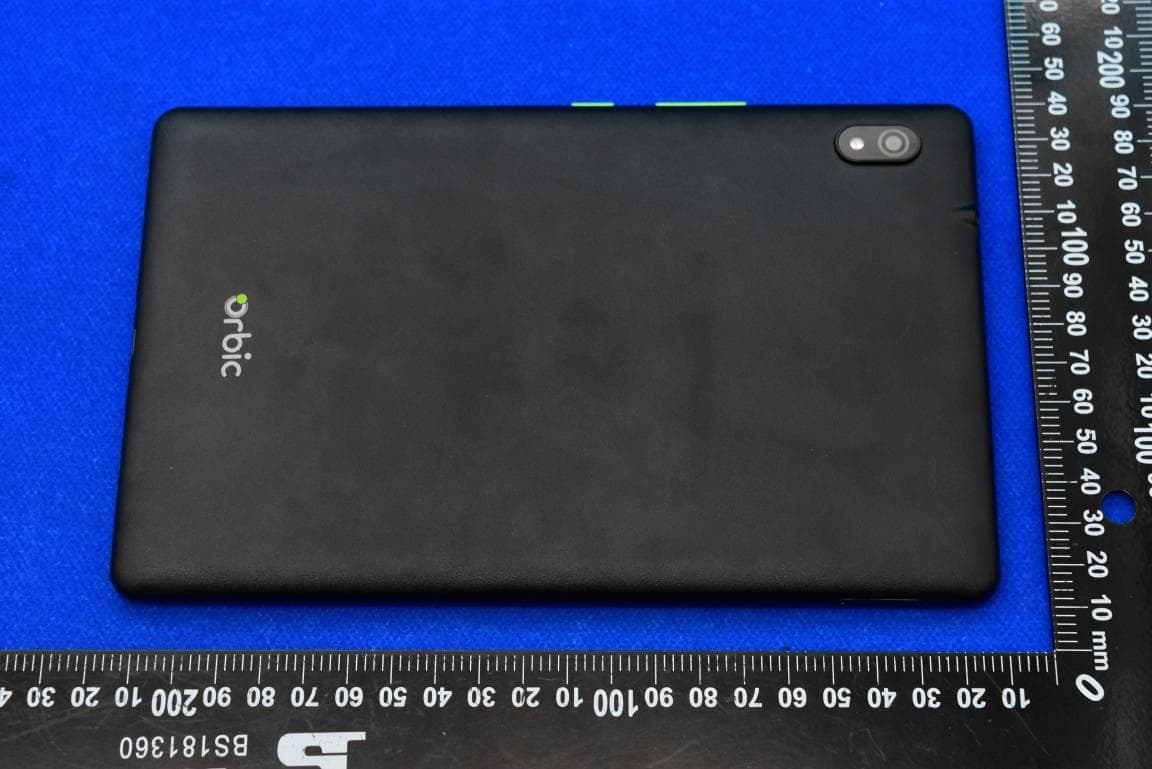
2ABGHRC8L1T
Aug 24, 2023Orbic TAB8 4G with WCDMA, LTE, Bluetooth and WIFI
Equipment Class
PCT - PCS Licensed Transmitter worn on body
2ABGH-RC10RLT
Aug 20, 2023Orbic TAB10R 4G with WCDMA, LTE, Bluetooth and WIFI
Equipment Class
DTS - Digital Transmission System
2ABGH-R500L5S6
Aug 30, 2022Orbic Speed 5G with WCDMA, LTE, WiFi, Bluetooth and 5G NR Sub 6GHz
Equipment Class
NII - Unlicensed National Information Infrastructure TX