Text extracted from the exhibit documents filed with the FCC. Open a document above to read the original.
BigMagicBoxQuickStartupManual 1.ThePowerSwitchandConnectors. PowerOn/Off Pressandholdthepowerbuttonfor3secondstoturnonthespeaker.TheBlueLEDindicator willlightup. Pressandholdthepowerbuttonfor5secondstopoweroff. 2.ControlButtonsoftheDKnightBigMagicBox ControlmusicplaywiththeBigMagicBoxinBluetoothmode. 1)Rewind------Press<< 2)PreviousTrack------DoublePress<< 3)Nexttrack------Press>> 4)Volumeup------Press+ 5)Volumedown------Press- 6)Play/Pause------Press>|| ControlButtonsoftheDKnightBigMagicBox(Continued) AnsweringCalls YoucanusetheBigMagicBoxasaportablespeakerphoneforincomingcallswhenconnected wirelesslyviaBluetooth. Toansweracall,pressthebutton. Toendthecall,pressthebuttonagain.Torefuseacall,pressandholdthebuttonfor2 seconds.Youcanre-dialthelastnumbercalledbythephonebydoublepressingthebutton. Controlthevolumeduringthephonecall: Volumeup------Press+ Volumedown------Press- IMPORTANTNOTE: TheMicrophoneisassembledonthetopofthespeaker.Forbetterphonecallquality,pleasefacetothe topthespeakerwhenyouarecalling. 3.Howtochargethespeaker Beforeusingyournewwirelessportablespeaker,pleasechargeitviathemicroUSBchargingcable includedinthepackage.ChargingthroughacomputerUSBportisPreferred.IfyouneedtouseanAC- DCadaptor/chargertochargethespeaker,pleaseuse5V,1AUSBwallcharger. 1>PlugintheMicroUSBpinintothechargingportonthesideofthespeakerandtheotherendof thecableintoanystandardUSBport.(SuchasacomputerUSBcharger) 2>TheredLEDindicatorlight(underneathpowerbutton)willbeturnedonwhenitischarging. 3>Afterthespeakerbeingfullycharged,theredLEDlightwillbeturnedoffautomatically. 4>Ifthespeakerisoutofbattery,thespeakerwill“beep”every2minutestoremindforarecharge. TheDKnightBigMagicBoxwilltake3-4hourstobefullycharged. YoucanuseyourDKnightBigMagicBoxwhenitischarging. IMPORTANTNOTE: Afterbeingfullycharged,theBigMagicBoxhasaplaytimeupto10hoursdependingonvolume.The playtimevariesforanumberofreasonsincludingthevolume(forMaximumvolume,itcouldbeplayed around5hours),device,connection,andmusictype. 4.HowtopairyourBluetoothdevicewiththeDKnightBigMagicBox 1>MakesuretheBigMagicBoxisfullycharged.(refertosection3inthemanual) 2>MakesurethattheAuxcableispluggedoutwhenyouaretryingtheBluetoothfunction.Ifthe Auxcableispluggedin,theBluetoothfunctionwillbedisabled. 3>TurnontheBigMagicbox,ablueLEDlightwillbeturnedonandyoucanalsoheara“brief messagetone”.AndtheblueLEDwillstartflashing. 4>TurnontheBluetoothfunctionofyoursmartdevices/PC. 5>SearchavailableBluetoothdevicesonyoursmartdevices/PC.Whenthe“BIGMAGICBOX” appearsonthelist,pleaseselectitandyourdevicewillpair,connectingwiththeBigMagicBox. Veryfewdeviceswillrequestapassword,ifyourdevicedoes,pleaseenter”0000”(fourzeros). 6>Afterthespeakerbeingpairedsuccessfully,youwillheara“briefmessagetone”again.Theblue LEDwillstopflashing. IMPORTANTNOTE: TheBigMagicBoxcouldonlypairwith1deviceatonce.WhenyouturnontheBigMagicBox,theBig MagicBoxwillbeautomaticallyconnectedwiththelastpairedBluetoothdeviceifthatBluetoothdevice isavailableandwithinrange. IftheBigMagicBoxsuccessfullypairedwiththelastdevice,itwillpreventanyotherBluetooth devicefrompairingtoit.ThebestwayistodisconnectthefirstdevicefromtheBigMagicBoxbefore tryingtopairtoanotherdevice. TodisconnectadevicefromtheDKnightBigMagicBox,pleasepressandholdthefor5secondsuntil theBluelightflashing.TheBluelightflashingindicatesthedeviceisdisconnectedandtheBigMagicBoxis inpairingmode. 5.Connectingtonon-Bluetooth(Aux-IN)devices FordevicesthatdonothaveBluetoothorsupportforBluetoothaudio,youcanconnectandplay musicandaudiobyconnectingyourdevicetotheAUXINjackonthetheDKnightBigMigicBoxwith theincluded3.5mmaudiocable. 1>TurnontheDKnightBigMagicBoxbypressingandholdingthepowerbuttonfor3seconds. 2>Plugoneendofthe3.5mmaudiocableintotheAUXINjackontherightsideoftheDKnightBig MagicBoxandplugtheotherendintotheheadphonejackonyourdevice.Youcanthenplay yourmusicandaudioontheDKnightBigMagicBox. IMPORTANTNOTE: WheninAUXINmodetheforward/backwardandvolume+/-iscontrolledfromthedeviceonly.+,-, <<and>>willnotfunctionontheDKnightBigMagicBox. 6.Troubleshooting. ProblemSolution BigMagicBoxwillnot turnon MakesuretheBigMagicBoxhassufficientcharge. Makesurethepowerbuttonisfullyintheonposition. CannotpairtheBig MagicBoxwithmy Bluetoothdevice Pleasemakesurethataudiocableispluggedoutwhenyouare tryingtheBluetoothfunction. Pleasemakesurethespeakerisnotconnectedwithanyother devices.(thespeakercouldonlypairwith1deviceatonce) TheBigMagicBoxwillbeautomaticallyconnectedwiththelast pairedBluetoothdevice.Thebestwayistodisconnectthe Bluetoothofyourotherdevicesatfirstandtryitagain.(referto section4) BigMagicBoxappears onmydevice,butwill notconnect Pleasemakesurethespeakerisnotconnectedwithanyother devices. DisconnecttheotherdevicefromtheDKnightBigMagicBox. TurntheBigMagicBoxonandoff. RemovetheBigMagicBoxfromthepairinglistonthedeviceand thenrepair. Couldnotfind Bluetoothdriverfor myLaptop Forsomeoldergenerationlaptop/desktop,theBluetooth driveronthelaptop/desktopmightnotsupported. WearesuggestingyoutobuyanexternalBluetoothUSB adaptorforyourcomputertosupportBluetoothusage. Couldnotpairwith myMacBook PleaseupdateyourMacBooktothenewOSX10.9(Mavericks) WhenyouuseBTconnectionbetweenyourMacBookandthe Bluetoothspeaker,makesurethattheMacusestheSpeakeras anaudiodevice. Bluetoothrangeis short Forsmartphone/pad,thestraightlineBluetoothrangevaries from15-30ftsdependingontheBluetoothdriverandOSofthe paireddevice. Forlaptop/desktop,theBluetoothrangewilldropsignificantly dependingontheBluetoothdriveonthecomputer. SinceBluetoothisalowpowersolution,obstaclebetween speakerandthepaireddevicewilldegradetheBluetoothrange significantly. 7.FCCINFORMATION ThisdevicecomplieswithPart15oftheFCCRules.Operationissubjecttothefollowingtwoconditions: 1.Thisdevicemaynotcauseharmfulinterference,and2.Thisdevicemustacceptanyinterference received,includinginterferencethatmaycauseundesiredoperation. Note:ThisequipmenthasbeentestedandfoundtocomplywiththelimitsforaClassBdigitaldevice, pursuanttopart15oftheFCCRules.Theselimitsaredesig…
Text truncated - open the document above for the full version.
DKnightInc 10990MatinalCir,SanDiego,CA,US92127 FCCAuthorizationLetter Number:CF304 Version:V03 Date:11-08-2013 We, (theapprovalholder) CompanynameDKnightInc Address10990MatinalCir CitySanDiego,CA CountryUS92127 declarethatthefollowingrepresentative(agent): Name(person)FrankZhang CompanynameATATestingTechnologyServiceCo.,Ltd. Address3/F.,Bldg.5,FusenTechnologyPark,HangchengRoad,Xixiang,Bao’anDistrict, CityShenzhen CountryChina isherebyauthorizedtoapplythefollowingequipmentforcertificationonourbehalf: ProductDescriptionDKnightBigMagicboxWirelessSpeaker TypeorModel(s)DK-BigMAGICBOX-040 TradenameorBrand(s) DKnight WealsoauthorizeTeleconformity(Mr.M.Koop,ManagerCertification,Address:Rietven31,7534NHEnschede,the Netherlands)toapplyandsignthisapplicationforcertification,registrationorfilingonourbehalf(asrepresentativeagentor certifier). Attestation: CityandCountry:Date:Name: (thismustbeaperson) Function:Signature: (orofficialcompanystamp) SanDiego,CA,United States 2015-12-08QiChenPresident
DKnightInc 10990MatinalCir,SanDiego,CA,US92127 FCCConfidentialityRequest Number:CF303 Version:V05 Date:21-05-2012 (Permanentoralsocalledlongtermconfidentialityisthenormalmethodtokeepcertaindocuementsconfidential,andmayapplyto schematics,blockdiagrams,operationaldescriptionandbillofmaterials.) To:FederalCommunicationsCommission EquipmentAuthorizationBranch 7435OaklandMillsRoad Columbia,MD21046 Pursuantto47CFRSection0.459(a)&(b),we, (theapplicant/grantee) CompanynameDKnightInc Address10990MatinalCir CitySanDiego,CA CountryUS92127 requestforthiscertificationfilingunder: GranteeCodeProductNumber FCCID:2ABPGDKBIGBOX tomaintainpermanentconfidentialityforthefollowingdocumentssubmittedwithinthisapplication: (pleasecrosswhatisapplicable,oraddotherdocuments,providethefilenameanddescription) ExhibitFileNameDescription XOperationalDescriptionexplainingthefunctioningoftheblockdiagram XBlockDiagramsshowingthesystematicbuildingblocksoftheEUT XSchematicsDiagramsshowingcomponents,theirvaluesandinterconnection XBillofMaterialsListofcomponentsusedonthePCB’softheEUT Abovematerialscrossedcontainsecrets,proprietaryandtechnicalinformation,whichwouldcustomarilybeguardedfrom competitorsunder47CFR,section0.457(d)(2).Disclosureorpublicationoranyportionofthiscompanyconfidentialmaterial tootherpartiescouldcausesubstantialcompetitiveharmandprovideunjustifiedbenefitsforcompetitors.Weunderstandthat pursuantto47CFRsection0.457(d)(1)(ii)disclosureoftheapplicantandallaccompanyingdocumentationwillnotbemade beforethedateofthegrant.Thedocumentsindicatedasconfidentialabove,arenotpubliclyavailableelsewhere. Attestation: CityandCountry:Date:Name: (thismustbeaperson) Function:Signature: (orofficialcompanystamp) SanDiego,CA,United States 2015-12-08QiChenPresident
ATATestingTechnologyServiceCo.,Ltd. ReportNo.:ATA151207003FPage:1of2 3/F.,Bldg.5,FusenTechnologyPark,HangchengRoad,Xixiang,Bao’anDistrict,Shenzhen,China Tel:(86)-0755-23498786Fax:(86)-0755-29765125www.ata-test.com Photographs–ExternalPhoto ATATestingTechnologyServiceCo.,Ltd. ReportNo.:ATA151207003FPage:2of2 3/F.,Bldg.5,FusenTechnologyPark,HangchengRoad,Xixiang,Bao’anDistrict,Shenzhen,China Tel:(86)-0755-23498786Fax:(86)-0755-29765125www.ata-test.com
Size:L2.0cm*W1.0cm Material:Tagboard Glue:adhesivesticker Fontcolor:White Labelcolor:Black LabelLocation DKNIGHTINC Product:DKnightBigMagicboxWirelessSpeaker TradeMark:DKnight ModelNo.:DK-BigMAGICBOX-040 FCCID:2ABPGDKBIGBOX Thisdevicecomplieswithpart15oftheFCCRules.Operationis subjecttothefollowingtwoconditions:(1)Thisdevicemaynotcause harmfulinterference,and(2)thisdevicemustacceptanyinterference received,includinginterferencethatmaycauseundesiredoperation.
ATATestingTechnologyServiceCo.,Ltd. ReportNo.:ATA151207003FPage:1of5 3/F.,Bldg.5,FusenTechnologyPark,HangchengRoad,Xixiang,Bao’anDistrict,Shenzhen,China Tel:(86)-0755-23498786Fax:(86)-0755-29765125www.ata-test.com Photographs–InternalPhoto ATATestingTechnologyServiceCo.,Ltd. ReportNo.:ATA151207003FPage:2of5 3/F.,Bldg.5,FusenTechnologyPark,HangchengRoad,Xixiang,Bao’anDistrict,Shenzhen,China Tel:(86)-0755-23498786Fax:(86)-0755-29765125www.ata-test.com ATATestingTechnologyServiceCo.,Ltd. ReportNo.:ATA151207003FPage:3of5 3/F.,Bldg.5,FusenTechnologyPark,HangchengRoad,Xixiang,Bao’anDistrict,Shenzhen,China Tel:(86)-0755-23498786Fax:(86)-0755-29765125www.ata-test.com ATATestingTechnologyServiceCo.,Ltd. ReportNo.:ATA151207003FPage:4of5 3/F.,Bldg.5,FusenTechnologyPark,HangchengRoad,Xixiang,Bao’anDistrict,Shenzhen,China Tel:(86)-0755-23498786Fax:(86)-0755-29765125www.ata-test.com ATATestingTechnologyServiceCo.,Ltd. ReportNo.:ATA151207003FPage:5of5 3/F.,Bldg.5,FusenTechnologyPark,HangchengRoad,Xixiang,Bao’anDistrict,Shenzhen,China Tel:(86)-0755-23498786Fax:(86)-0755-29765125www.ata-test.com
FCC RF Exposure evaluation FCC ID: 2ABPGDKBIGBOX Product Category:Portable Device Exposure Category: General population/uncontrolled environment Applicable Standard(s):KDB 447498 D01 General RF Exposure Guidance v06 FCC Part 2 §2.1093 Antenna Gain:0 dBi According to KDB 447498 D01 General RF Exposure Guidance v06 Section 4.3.1 for Standalone SAR test exclusion considerations “Unless specifically required by the published RF exposure KDB procedures, standalone 1-g head or body and 10-g extremity SAR evaluation for general population exposure conditions, by measurement or numerical simulation, is not required when the corresponding SAR Test Exclusion Threshold condition(s), listed below, is (are) satisfied. These test exclusion conditions are based on source-based time-averaged maximum conducted output power of the RF channel requiring evaluation, adjusted for tune-up tolerance, and the minimum test separation distance required for the exposure conditions. 28 The minimum test separation distance defined in 4.1 f) is determined by the smallest distance from the antenna and radiating structures or outer surface of the device, according to the host form factor, exposure conditions and platform requirements, to any part of the body or extremity of a user or bystander. To qualify for SAR test exclusion, the test separation distances applied must be fully explained and justified, typically in the SAR measurement or SAR analysis report, by the operating configurations and exposure conditions of the transmitter and applicable host platform requirements, according to the required published RF exposure KDB procedures. When no other RF exposure testing or reporting are required, a statement of justification and compliance must be included in the equipment approval, in lieu of the SAR report, to qualify for SAR test exclusion. When required, the device specific conditions described in the other published RF exposure KDB procedures must be satisfied before applying these SAR test exclusion provisions; for example, handheld PTT two-way radios, handsets, laptops and tablets, etc. 29 “ a) For 100 MHz to 6 GHz and test separation distances ≤ 50 mm, the 1-g and 10-g SAR test exclusion thresholds are determined by the following: [(max. power of channel, including tune-up tolerance, mW) / (min. test separation distance, mm)] · [√f (GHz) ] ≤ 3.0 for 1-g SAR and ≤ 7.5 for 10-g extremity SAR, 30 where: • f (GHz) is the RF channel transmit frequency in GHz • Power and distance are rounded to the nearest mW and mm before calculation 31 • The result is rounded to one decimal place for comparison • 3.0 and 7.5 are referred to as the numeric thresholds in the step b) below The test exclusions are applicable only when the minimum test separation distance is ≤ 50 mm and for transmission frequencies between 100 MHz and 6 GHz. When the minimum test separation distance is < 5 mm, a distance of 5 mm according to 4.1 f). is applied to determine SAR test exclusion. Conducted Power Results (can use Average values, but Peak values applied for calculation, representing worst case) Mode: BTChannelFrequency (MHz)Measured (dBm)Measured (mW)Target (dBm)Tolerance ±(dB) GFSK0024026.2344.2014.01.0 3924415.6543.6765.01.0 7824806.2344.2016.01.0 π/4-DQPSK0024021.7951.5122.01.0 3924414.1852.6214.01.0 7824804.9793.1475.01.0 8DPSK0024022.2431.6762.01.0 3924415.6543.6764.01.0 7824805.3503.4285.01.0 Mode: BLEChannelFrequency (MHz)Measured (dBm)Target (dBm)Tolerance ±(dB) GFSK0024022.2431.6764.01.0 3924415.6543.6765.01.0 7824806.6104.5816.01.0 Evaluation Results Band / Mode (worst case) f (GHz)Antenna Distance (mm) RF output power (including tune-up tolerance) SAR Test Exclusion Threshold SAR Test Exclusion Conclusion dBmmWmW (round-up) BT: GFSK2.45575.0151.565≤3.0PASS
ATATestingTechnologyServiceCo.,Ltd. ReportNo.:ATA151207005FPage: 1 of 31 3/F.,Bldg.5,FusenTechnologyPark,HangchengRoad,Xixiang,Bao’anDistrict,Shenzhen,China Tel:(86)-0755-23498786Fax:(86)-0755-29765125www.ata-test.com FCCTestReport(Bluetooth) FCCID:2ABPGDKBIGBOX Applicant:DKNIGHTINC. 10990MatinalCir,SanDiego,CA,USA92127. SampleDescription ProductName:DKnightBigMagicboxWirelessSpeaker ModelNo.:DK-BigMAGICBOX-040 Trademark:DKnight ReceiptDate:2015-12-01 TestDate:2015-12-04to2015-12-05 IssueDate:2015-12-07 TestStandard(s): FCCCFRTitle47Part15SubpartCSection15.247 Conclusions:PASSED* *Intheconfigurationtested,theEUTcompliedwiththestandardsspecifiedabove. Test/WitnessEngineer : Approved&Authorized : Thisreportdetailstheresultsofthetestingcarriedoutononesample.Theresultscontainedinthistest reportdonotrelatetoothersamplesofthesameproduct.Themanufacturershouldensurethatallproducts inseriesproductionareinconformitywiththeproductsampledetailedinthereport. ATATestingTechnologyServiceCo.,Ltd. ReportNo.:ATA151207005FPage:2of31 3/F.,Bldg.5,FusenTechnologyPark,HangchengRoad,Xixiang,Bao’anDistrict,Shenzhen,China Tel:(86)-0755-23498786Fax:(86)-0755-29765125www.ata-test.com Contents CONTENTS...........................................................................................................................................................................2 1.GENERALINFORMATION............................................................................................................................................4 1.1.ClientInformation............................................................................................................................................4 1.2.GeneralDescriptionofEUT(EquipmentUnderTest)...............................................................................4 1.3.BlockDiagramShowingTheConfigurationofSystemTested................................................................5 1.4.DescriptionofSupportUnits..........................................................................................................................5 1.5.ExternalI/OCable...........................................................................................................................................5 1.6.DescriptionofTestMode................................................................................................................................5 1.7.TestInstrumentsList.......................................................................................................................................6 1.8.LaboratoryLocation........................................................................................................................................7 2.TESTSUMMARY.............................................................................................................................................................8 3.ANTENNAREQUIREMENT...........................................................................................................................................9 3.1.StandardRequirement...................................................................................................................................9 3.2.AntennaConnectedConstruction.................................................................................................................9 4.CONDUCTEDEMISSIONTEST.................................................................................................................................10 4.1.TestStandardandLimit...............................................................................................................................10 4.2.TestSetup.......................................................................................................................................................10 4.3.TestProcedure...............................................................................................................................................10 4.4.TestData.........................................................................................................................................................11 5.CONDUCTEDPEAKOUTPUTPOWERTEST........................................................................................................14 5.1.TestStandardandLimit...............................................................................................................................14 5.2.TestSetup.......................................................................................................................................................14 5.3.TestProcedure...............................................................................................................................................14 5.4.TestData.........................................................................................................................................................14 6.PEAKPOWERSPECTRALDENSITY......................................................................................................................15 6.1.TestStandardandLimit...............................................................................................................................15 6.2.TestSetup.......................................................................................................................................................15 6.3.TestProcedure...............................................................................................................................................15 6.4.TestData.........................................................................................................................................................15 7.BANDWIDTH..................................................................................................................................................................18 7.1.TestStandardandLimit...........................................…
Text truncated - open the document above for the full version.
ATATestingTechnologyServiceCo.,Ltd. ReportNo.:ATA151207005FPage: 1 of 31 3/F.,Bldg.5,FusenTechnologyPark,HangchengRoad,Xixiang,Bao’anDistrict,Shenzhen,China Tel:(86)-0755-23498786Fax:(86)-0755-29765125www.ata-test.com FCCTestReport(Bluetooth) FCCID:2ABPGDKBIGBOX Applicant:DKNIGHTINC. 10990MatinalCir,SanDiego,CA,USA92127. SampleDescription ProductName:DKnightBigMagicboxWirelessSpeaker ModelNo.:DK-BigMAGICBOX-040 Trademark:DKnight ReceiptDate:2015-12-01 TestDate:2015-12-04to2015-12-05 IssueDate:2015-12-07 TestStandard(s): FCCCFRTitle47Part15SubpartCSection15.247 Conclusions:PASSED* *Intheconfigurationtested,theEUTcompliedwiththestandardsspecifiedabove. Test/WitnessEngineer : Approved&Authorized : Thisreportdetailstheresultsofthetestingcarriedoutononesample.Theresultscontainedinthistest reportdonotrelatetoothersamplesofthesameproduct.Themanufacturershouldensurethatallproducts inseriesproductionareinconformitywiththeproductsampledetailedinthereport. ATATestingTechnologyServiceCo.,Ltd. ReportNo.:ATA151207005FPage:2of31 3/F.,Bldg.5,FusenTechnologyPark,HangchengRoad,Xixiang,Bao’anDistrict,Shenzhen,China Tel:(86)-0755-23498786Fax:(86)-0755-29765125www.ata-test.com Contents CONTENTS...........................................................................................................................................................................2 1.GENERALINFORMATION............................................................................................................................................4 1.1.ClientInformation............................................................................................................................................4 1.2.GeneralDescriptionofEUT(EquipmentUnderTest)...............................................................................4 1.3.BlockDiagramShowingTheConfigurationofSystemTested................................................................5 1.4.DescriptionofSupportUnits..........................................................................................................................5 1.5.ExternalI/OCable...........................................................................................................................................5 1.6.DescriptionofTestMode................................................................................................................................5 1.7.TestInstrumentsList.......................................................................................................................................6 1.8.LaboratoryLocation........................................................................................................................................7 2.TESTSUMMARY.............................................................................................................................................................8 3.ANTENNAREQUIREMENT...........................................................................................................................................9 3.1.StandardRequirement...................................................................................................................................9 3.2.AntennaConnectedConstruction.................................................................................................................9 4.CONDUCTEDEMISSIONTEST.................................................................................................................................10 4.1.TestStandardandLimit...............................................................................................................................10 4.2.TestSetup.......................................................................................................................................................10 4.3.TestProcedure...............................................................................................................................................10 4.4.TestData.........................................................................................................................................................11 5.CONDUCTEDPEAKOUTPUTPOWERTEST........................................................................................................14 5.1.TestStandardandLimit...............................................................................................................................14 5.2.TestSetup.......................................................................................................................................................14 5.3.TestProcedure...............................................................................................................................................14 5.4.TestData.........................................................................................................................................................14 6.PEAKPOWERSPECTRALDENSITY......................................................................................................................15 6.1.TestStandardandLimit...............................................................................................................................15 6.2.TestSetup.......................................................................................................................................................15 6.3.TestProcedure...............................................................................................................................................15 6.4.TestData...............................................................................…
Text truncated - open the document above for the full version.
| # | Rule Parts | Frequency Range | Power Output |
|---|---|---|---|
| 1 | 15C | 2.40 GHz - 2.48 GHz | 4.60 mW |

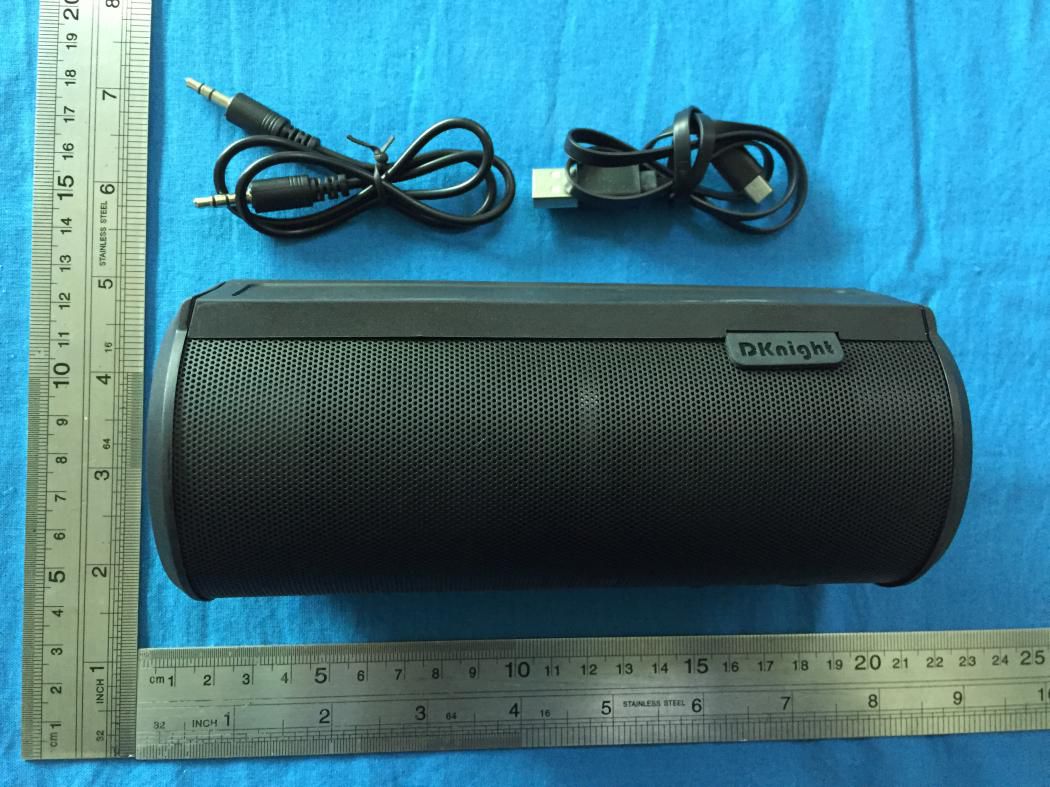
DKnight Magicbox Wireless Speaker
Equipment Class
DSS - Part 15 Spread Spectrum Transmitter