2ABYI102Microphone
ShenZhen ASICER Electronics Co.,LTD.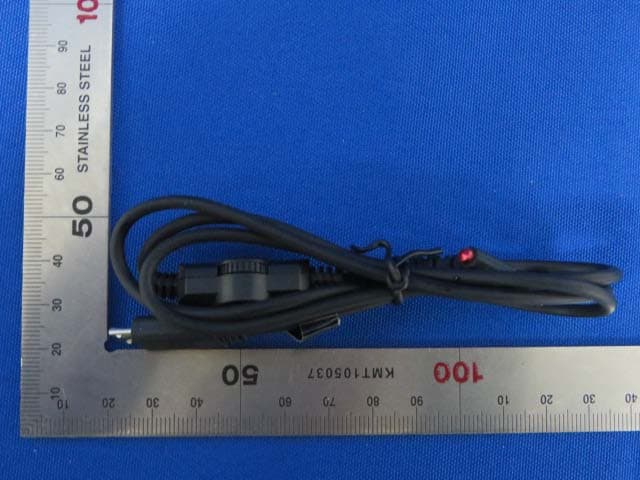
Click to zoom
Application Details
- Equipment Class
- DXX - Part 15 Low Power Communication Device Transmitter
- Date of Grant
- Dec 28, 2014
- Application Purpose
- Original Equipment
- Date of Application
- Dec 28, 2014
- Equipment Note
- Microphone
- Frequency Range
- 88.10000000 - 107.90000000
- Country
- China
Documents & Files
Document Text
Text extracted from the exhibit documents filed with the FCC. Open a document above to read the original.
Users Manual
102 cover back Contents 1.Product introduction.........................................................1 2.How to use.....................................................................4 3.How to connect ...............................................................5 4.Satety Instructions............................................................8 5.Simple troubleshooting......................................................8 1 1、Product introduction 1)、Karaoke microphone introduction Dear Customer : Thank you for purchasing our a new general Auto microphone -which is created and developed by Shenzhen Asicer electronics co.,ltd . You can enjoy an incredible karaoke experience with using Auto Mic in the car or at home or outside. Please reading this manual before using our karaoke micro- phone . Power on/off Accompaniment volume Frepuency and Power display (Transmission frequency can be adjusted from76-108MHz) Echo Vol Echo Accom p animent MIC VOL IOS Input / DC 5v Charge IOS Input / DC 5v Charge Android input Android input Earphone output Earphone output 3)、Product Specifications 【Pickup】: Dynamic microphones 【Power output】:10mW 【Human voice Frequency response】:50Hz-13.5KHz 【SPL Max】:130dB 【Battery】:3.7V lithium battery 【Power supply】:DC 5V 【FM Transmitting distance】:15m 【Sensitivity】:-50±1dB 【Music Voice Frequency response】:28Hz-20KHz 67 9 4、Satety Instructions 1). If some problem with this product ,Please contact with our Agent or Distributor in local. 2).If product by rain or get wet ,please put it in cool or a dry area . Don’t use any machine to make it dry , it will burn or damage product inside. 3).Please keep away from sources of water,ignition and explosive. 4).Do not through out product in case damage to broken. 5、Simple troubleshooting 1).using by computer’s problem why the karaoke microphone doesn’t have any sounds ? Please check with connect ways, make sure Microphone is power on ; Check with computer system ,mic setting is right or not 。 1).How to open computer’s Mic ? A : Setting --- CONTROL PANEL--- Sounds and Audio Devices---volume options --mic is on ---OK . B, IF You can not see mic options in last sept, then frist clicking on options in the menu ,----attribute --- Play ---- choice mic on . And then operation as step A. 3).Sounds too low or howling You can adjust computer system mic Advanced control. When too low, you can open the : “ MIC boost “ . Sounds too loud make the howling ,you can close “MIC Boost” and low volume. 8 User manual 45 C、Using by smart phone 1).Download any karaoke software from the APP store or Google play or others in your mobile phone. You can download our software scan QR code in the end. 2). Connect microphone with smart phone as PIC 1 or PIC 2. 3).Open karaoke software and microphone power on. D.Using by computer 1).Frist make sure your computer speaker already connect with computer. 2).Download any karaoke software from the google or others in your computer. 3).Connect microphone with your computer as PIC 3. Using 3.5 Audio cable one plug in computer’s Mic.another plug in microphone’s output. 4).Open karaoke software and microphone power on . 2、How to use A.LED Battery Indicator and charge 1).Turn off the microphone 2).Connect Auto Mic with computer( or USB DC 5V adapter ) as PIC 5 . 3).Charge time :3-5 hours. B How to Charge 1).For long time press power button will power on or power off , for short time press will indicator battery and Frequency ,and shut down automatically after 3S. Tips :Recording songs by smart phone ,for the better sounds , please turn your phone to Airplane mode. E.Connect with Car Step 1 :connect micro- phone with your smart phone or table PC . Step2 : Power on of your microphone Step3 :Open karaoke software in your phone Step 4 :Switch your car into FM Station and to channel FM 76-108MHz.as Pic 4 2,Using by smart phone’s problem 4 NO. Subject Fault phenomenonFault causeMethods power on charge for karaoke Mic Power off or no power Mic’s volumer is low Adjust Mic vol Adjust mic echo fixed the mic Mic’s ECHO is low Different place will make sounds low or loud . No sounds of MIC No Echo of MIC Recording songs sounds different vol Power light doesn’t work Recording karaoke software KTV page 1page 2page 3page 4 page 5 page 6page 7page 8page 9page 10 Android phone 3、How to connect Auto microphone 1).Connect with Android smart phone Recording mode switch: Different phones might be need to switch different mode to record songs. (Example:Samsung S3,S4 ,Note2, Note3 use mode I ).IF record sounds not good, you can switch to modeII) (PIC 1) recording cable Recording model Recording model Vol Echo Accompaniment Auto MIC Android input Earphone output IOS Input / DC 5v Charge Android input Android input IOS phone 2).Connect with IOS Iphone smart phone (PIC 2 ) IOS Input / DC 5v Charge Earphone output IOS Input / DC 5v Charge recording cable Vol Echo Accompaniment Auto MIC 3).Connect with computer 4).Connect with Car 3.5audio cable (PIC 3) Vol Echo Accompaniment Vol Echo Accompaniment Auto MIC Auto MIC Earphone output Earphone output 5).Charge DC5V/1A(Not included) Connect with computer USB (PIC 4) (PIC 4) Vol Echo Accompaniment Auto MIC IOS Input / DC 5v Charge 2).Accessories Recoding Cable 23 ① ⑤ 3.5audio cable Shenzhen Asicer electronics co.,ltd NO.120 Teng Feng Road,Third Industry Zone, Feng Huang,Fu Yong,Shen Zhen Tel : 86-755-27375709 Website : www.asicer.com.cn Vol Echo Accompaniment Auto MIC Wireless connect with FM 76-108MHz PLEASE SCAN THE QR CODE Android input IOS Input / DC 5v Charge IOS Input / DC 5v Charge Android input Android input IOS Input / DC 5v Charge Vol Echo Accompaniment Auto MIC Recording mode (Record mode to ) Reco r din g m o de Treble Bass LOGO Mobile Karaoke Microphone Federal Communications Commission (FCC) Interference Statement This equipment has been tested and found to comply with the limits for a Class B digital device, pursuant to Part 15 of the FCC Rules. These limits are designed to provide rea…
Text truncated - open the document above for the full version.
Cover Letter(s)
ShenZhenASICERElectronicsCo.,LTD. NO.120TengFengRoad,ThirdIndustrialZoneOfFengHuang,FuYongStreet,Bao'an, Shenzhen,China --------------------------------------------------------------------------------------------------------------------- Date:December24,2014 FederalCommunicationsCommission AuthorizationandEvaluationDivision FCCID:2ABYI102 USBfunctionexplanation Part15BtestingisnotnecessaryforthisdevicebecausetheUSBportisfor chargeonly,nodatatransmissionfunction. EndusersarenotabletoconnecttoPCfordatatransmissionviaUSBport. Duetoabovereasons,thisdevicedidn’tperformPart15Btesting,andFCC logoshouldn’tbeonthelabel. Yourunderstandingwillbehighlyappreciated. Sincerely, ShenZhenASICERElectronicsCo.,LTD. --------------------------------------------------- Signature:DengShengFeng,Manager
Cover Letter(s)
ShenZhenASICERElectronicsCo.,LTD. NO.120TengFengRoad,ThirdIndustrialZoneOfFengHuang,FuYongStreet,Bao'an,Shenzhen, China ----------------------------------------------------------------------------------------------------------------------------------- DeclarationofAuthorization We Name:ShenZhenASICERElectronicsCo.,LTD. Address:NO.120TengFengRoad,ThirdIndustrialZoneOfFengHuang,FuYongStreet,Bao'an, Shenzhen,China Declarethat: NameRepresentativeofagent:WuJian AgentCompanyname:MRTTechnology(Suzhou)Co.,Ltd Address:D8Building,YouxinIndustrialPark,No.2Tian'edangRd., WuzhongEconomicDevelopmentZone, City:Suzhou CountryChina isauthorizedtoapplyforCertificationofthefollowingproduct(s): Productdescription:Microphone FCCID:2ABYI102 Model:102,101,011VocoproSHARE Brand:Hifier onourbehalf. --------------------------------------------------- Signature:DengShengFeng,Manager Date:2014-12-24
Cover Letter(s)
ShenZhenASICERElectronicsCo.,LTD. NO.120TengFengRoad,ThirdIndustrialZoneOfFengHuang,FuYongStreet,Bao'an, Shenzhen,China --------------------------------------------------------------------------------------------------------------------- Date:December24,2014 FederalCommunicationsCommission AuthorizationandEvaluationDivision FCCID:2ABYI102 ConfidentialityRequest PursuanttoSections0.457and0.459oftheCommission’sRules,weherebyrequest confidentialtreatmentofinformationaccompanyingthisapplicationasoutlinedbelow: 1.BlockDiagram 2.Schematics 3.OperationalDescription Theabovematerialscontaintradesecretsandproprietaryinformationnotcustomarily releasedtothepublic.Thepublicdisclosureofthesemattersmightbeharmfultothe applicantandprovideunjustifiedbenefitstoitscompetitors. TheapplicantunderstandsthatpursuanttoRule0.457,disclosureofthisapplicationand allaccompanyingdocumentationwillnotbemadebeforethedateoftheGrantforthis application. Sincerely, ShenZhenASICERElectronicsCo.,LTD. --------------------------------------------------- Signature:DengShengFeng,Manager
Cover Letter(s)
ShenZhen ASICER Electronics Co.,LTD. NO.120 TengFeng Road, Third Industrial Zone Of FengHuang, FuYong Street, Bao'an, Shenzhen, China -------------------------------------------------------------------------------------------------------------------- Attestation letter Federal Communications Commission Authorization and Evaluation Division FCC ID: 2ABYI102 ATTESTATION FCC ID: 2ABYI102 Original Product Name: Mobile Karaoke Microphone Model: 102, 101, 011 Vocopro SHARE For our business issue and marketing requirement, we should change the product name from Mobile Karaoke Microphone to Microphone. Product Name: Microphone Signature: Deng ShengFeng, Manager Date: 2015-01-04
Cover Letter(s)
ShenZhen ASICER Electronics Co.,LTD. NO.120 TengFeng Road, Third Industrial Zone Of FengHuang, FuYong Street, Bao'an, Shenzhen, China -------------------------------------------------------------------------------------------------------------------- Cover Letter FCC ID: 2ABYI102 For our business issue and marketing requirement, we should change the product name from Mobile Karaoke Microphone to Microphone. Update file list: 1412RSU02201-FCC-Part 15.239-Report 1. We change the product name from Mobile Karaoke Microphone to Microphone on the page 1/7/9/12/24/25/27/28/29. 2. We change the brand name from Hifier to Hifier, Vocopro on the page 1. 102-FCC-Declaration of authorization 1. We change the brand name from Hifier to Hifier, Vocopro. 102-731 form 1. We change the product name from Mobile Karaoke Microphone to Microphone on the page 1. Signature: Deng ShengFeng, Manager Date: 2015-01-07
Cover Letter(s)
ShenZhenASICERElectronicsCo.,LTD. NO.120TengFengRoad,ThirdIndustrialZoneOfFengHuang,FuYongStreet,Bao'an,Shenzhen, China ----------------------------------------------------------------------------------------------------------------------------------- DeclarationofAuthorization We Name:ShenZhenASICERElectronicsCo.,LTD. Address:NO.120TengFengRoad,ThirdIndustrialZoneOfFengHuang,FuYongStreet,Bao'an, Shenzhen,China Declarethat: NameRepresentativeofagent:WuJian AgentCompanyname:MRTTechnology(Suzhou)Co.,Ltd Address:D8Building,YouxinIndustrialPark,No.2Tian'edangRd., WuzhongEconomicDevelopmentZone, City:Suzhou CountryChina isauthorizedtoapplyforCertificationofthefollowingproduct(s): Productdescription:Microphone FCCID:2ABYI102 Model:102,101,011VocoproSHARE Brand:Hifier,Vocopro onourbehalf. --------------------------------------------------- Signature:DengShengFeng,Manager Date:2014-12-24
External Photos
1 of 5 External Photo (1) EUT Photo (2) EUT Photo (3) EUT Photo (4) EUT Photo (5) EUT Photo (6) EUT Photo (7) EUT Photo (8) EUT Photo (9) EUT Photo (10) EUT Photo
ID Label/Location Info
FCC ID Label FCC ID Label Location FCC ID: 2ABYI102
Internal Photos
1 of 6 Internal Photo (1) EUT Photo (2) EUT Photo (3) EUT Photo (4) EUT Photo (5) EUT Photo (6) EUT Photo (7) EUT Photo (8) EUT Photo (9) EUT Photo (10) EUT Photo (11) EUT Photo
Test Report
MRT Technology (Suzhou) Co., Ltd Report No.: 1412RSU02201 Phone: +86-512-66308358 Report Version: V02 Fax: +86-512-66308368 Issue Date: 01-06-2015 Web: www.mrt-cert.com FCC ID: 2ABYI102 Page Number: 1 of 29 FCC ID: 2ABYI102 APPLICANT: ShenZhen ASICER Electronics Co., LTD. Application Type: Certification Product: Microphone Model No.: 102, 101, 011 Vocopro SHARE Brand Name: Hifier, Vocopro FCC Classification: Part 15 Low Power Communication Device Transmitter (DXX) FCC Rule Part(s): Part 15.239 Test Procedure(s): ANSI C63.10-2009 Test Date: Dec. 22 ~ 26, 2014 MEASUREMENT REPORT FCC PART 15.239 Reviewed By : ( Robin Wu ) Approved By : ( Marlin Chen ) The test results relate only to the samples tested. This equipment has been shown to be capable of compliance with the applicable technical standards as indicated in the measurement report and was tested in accordance with the measurement procedures specified in ANSI C63.10-2009. Test results reported herein relate only to the item(s) tested. The test report shall not be reproduced except in full without the written approval of MRT Technology (Suzhou) Co., Ltd. Report No.: 1412RSU02201 FCC ID: 2ABYI102 Page Number: 2 of 29 Revision History Report No. Version Description Issue Date 1412RSU02201 Rev. 01 Initial report 12-26-2014 1412RSU02201 Rev. 02 Update the product name and brand name 01-06-2015 Report No.: 1412RSU02201 FCC ID: 2ABYI102 Page Number: 3 of 29 CONTENTS Description Page 1. INTRODUCTION ..................................................................................................................... 6 1.1. Scope ........................................................................................................................... 6 1.2. MRT Test Location ....................................................................................................... 6 2. PRODUCT INFORMATION ..................................................................................................... 7 2.1. Equipment Description .................................................................................................. 7 2.2. Test Standards ............................................................................................................. 8 2.3. Test Methodology ......................................................................................................... 8 2.4. EUT Setup and Test Mode ........................................................................................... 8 2.5. Description of Support Units ......................................................................................... 8 3. ANTENNA REQUIREMENTS .................................................................................................. 9 4. TEST EQUIPMENT CALIBRATION DATE ............................................................................ 10 5. MEASUREMENT UNCERTAINTY .......................................................................................... 11 6. TEST RESULT ...................................................................................................................... 12 6.1. Summary .................................................................................................................... 12 6.2. Occupied Bandwidth ................................................................................................... 13 6.2.1. Standard Applicable ................................................................................................ 13 6.2.2. Test Procedure........................................................................................................ 13 6.2.3. Te s t Setup ............................................................................................................... 13 6.2.4. Test Results ............................................................................................................ 14 6.3. Fundamental Radiated Emission ................................................................................ 16 6.3.1. Standard Applicable ................................................................................................ 16 6.3.2. Te s t Procedure........................................................................................................ 16 6.3.3. Te s t Setup ............................................................................................................... 16 6.3.4. Te s t Result .............................................................................................................. 17 6.4. Spurious Radiated Emissions and Band-edge ............................................................ 18 6.4.1. Standard Applicable ................................................................................................ 18 6.4.2. Te s t Procedure........................................................................................................ 18 6.4.3. Test Setup ............................................................................................................... 19 6.4.4. Te s t Result .............................................................................................................. 20 6.5. AC Conducted Emissions Measurement ..................................................................... 26 6.5.1. Te s t Limit ................................................................................................................ 26 6.5.2. Test Setup ............................................................................................................... 26 6.5.3. Test Result .............................................................................................................. 27 Report No.: 1412RSU02201 FCC ID: 2ABYI102 Page Number: 4 of 29 7. CONCLUSION ....................................................................................................................... 29 Report No.: 1412RSU02201 FCC ID: 2ABYI102 Page Number: 5 of 29 §2.1033 General Information Applicant…
Text truncated - open the document above for the full version.
Test Setup Photos
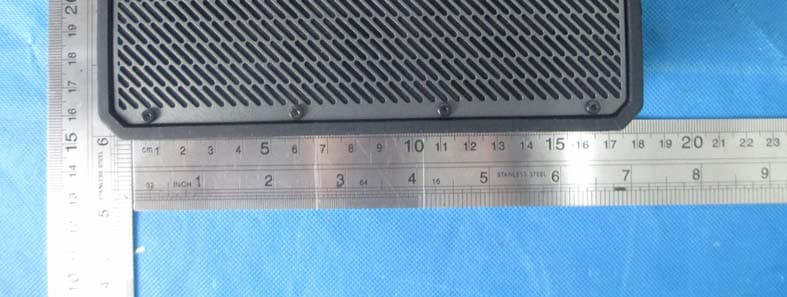
1 of 2 Test Setup Photo Description: Front View of the Conducted Emission Test Setup for 0.15kHz ~ 30MHz Description: Back View of the Conducted Emission Test Setup for 0.15kHz ~ 30MHz Description: Radiated Emission Test Setup for 9kHz ~ 30MHz Description: Radiated Emission Test Setup for 30MHz ~ 1GHz
Contact Information
Applicant
Deng ShengFeng
Test Firm
MRT Technology (Suzhou) Co., LtdWu Jian
[email protected]86-512-66308358
Technical Specifications
| # | Rule Parts | Frequency Range | Power Output |
|---|---|---|---|
| 1 | 15C | 88.1 MHz - 107.9 MHz | - |
Other Applications from ShenZhen ASICER Electronics Co.,LTD.
2ABYI-H8G
Jul 21, 2014Bluetooth speaker
Equipment Class
DSS - Part 15 Spread Spectrum Transmitter
2ABYIAV-075
Mar 20, 2014Bluetooth receiver
Equipment Class
DSS - Part 15 Spread Spectrum Transmitter