2AC76DI-1011Tablet PC
DIGILINK GROUP CO., LTD.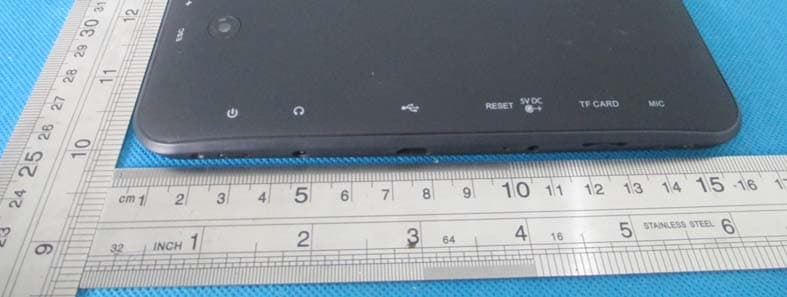
Click to zoom
Application Details
- Equipment Class
- DTS - Digital Transmission System
- Date of Grant
- Sep 20, 2014
- Application Purpose
- Original Equipment
- Date of Application
- Sep 20, 2014
- Equipment Note
- Tablet PC
- Frequency Range
- 2402.00000000 - 2480.00000000
- Company
- DIGILINK GROUP CO., LTD.
- Country
- China
Documents & Files
Document Text
Text extracted from the exhibit documents filed with the FCC. Open a document above to read the original.
Users Manual
Tablet PC JadooTV JTAB 10 User Manual Announcements: This handbook contains important security measures and the correct use of the product information, in order to avoid accidents. Pls make sure to reading the manual carefully before use the device. z Please keep the devices away from moist dust. z Please don’t put the device in high-temperature environment, Especiallyclosed car in hot weather.. z Avoid fall or Violent collision of the device, especially the LCD Screen part,or it will cause abnormal display on the screen. z Please choose the appropriate volume, Use headphones shoulds not be too big volume, If feel tinnitus, Lower the volume or stop using it z please charge In the following condition, A、 The battery power ICONS shows have no power B、 The system automatically shut off, startup after power off soon C、 Operation buttons no response D、 The machine that the top right corner show red icons z When the device in the format or ongoing upload and download file, please do n't suddenly disconnect, This could cause application error. z For those who because of damage to the product, repair, or other causes of erased the memory, The company shall not be liable for any responsibility, please follow the user manual for the standardized operation to use the device. z Don’t disassemble the product, don’t use alcohol、Thinner or benzene to scrubbing products z Don't use the device in forbidden place,like airplane. z Please don't using the Tablet PC when you in driving or walking down the street, z USB just only be used for data transmission The company reserves the right to improve product, products specification and desi gn have any change, The information is subject to changes without prior notice. (This tablet is no waterproof function) 【Remark】All pictures in this manual is just for your reference. products specificati on and design have any change, The information is subject to changes without pri or notice. 2.2 Connection with PC Use USB cable to connect device to PC,device will pop up the USB connection window,click Turn on USB storage to connect to PC Into the load mode, you can copy, delete the file on thedevice and the file on the memory card. 3. Equipment operation interface 3.1 Main interface describe After startup will enter the main interface In the main interface, you can : Management main interface software ICONS: long press the icons 3 second, after t he icons will biger, then you can drag anywhere in the interface. Delete icons: long press the icons 3 second, drag the icons to the Recycle Bin ico n, once it become red, Loosen your hand, after that you can delete icon You touch the screen keep a time, appear the dialog box”Add yo Home screen” as shown below: 3.2 status bar describe z The status bar below of the screen Top left display Return, Home,menu Top right display the battery charge icons, WIFI, current time, USB 3.3 Use touch panel Device equipped with a 10.1“ touch screen. Following the main touch screen area is described, and describes some of the tips for how to use the touch screen. No matter which interface you are on the screen, can go back to main screen through pressing the soft key on the bottom left corner of the main screen. 【Attention】The main screen soft key functions same as the machine back key In different applications, by tapping the back soft key on the bottom left corner on the touch screen, you can return to its interface on the upfloor. In different applications, by tapping the menu key on the upper right corner of touch screen, the screen will appear the operation setting interface as follows. 【Remark】: The main screen soft key functions same as the machine manu In the main interface, you can touch the icon to open the APPs In different browser(file, music, video, pictures), You shift and drag the scroll bar, so that the file list can up or down to roll. 4. Network 4.1 Network access via WI-FI 4.1.1 Access Settings-Wireless & Networks- Wi-fi 4.1.2 Click Data usage to view Mobile date 4.1.3 Click More...to switch to Airplane mode, Ethernet, VPN, Mobile networks and 3G support Information 4.2 Network access via 3G 4.2.1 Turn off WIFI and access More-mobile networks 4.2.2 Make sure Data enabled was chosen 4.2.3 Connect 3G Dongle(Before you connect 3G dongle) 4.2.4 Access Networks operators and search networks 4.2.5 You can select mobile networks automatically 4.3 Networks access via Ethernet 4.3.1 Turn off WIFI or 3G network, and access Ethernet 4.3.2 Make sure “Use Ethernet” was chosen 4.3.3 Connect Ethernet networks via Ethernet USB Adaptor 4.3.4 Ethernet Devices will show available network 4.4 Bluetooth 4.4.1 Settings-Bluetooth, turn on Bluetooth (Other device need to turn on Bluetooth which one you want to pair) 4.4.2 Click device name ”BlueZ”, then you can see it remain ”Visible to all nearby Bluetooth device(2:00)” 4.4.3 Touch the top right corner ”Search for devices” 4.4.4 After that you can search and click the device name you want to pair 4.4.5 then will appear a frame ”Bluetooth pairing request”, click ”Pair”. The other device will appear a pairing request as well. Enter the password, then successful pair. 5.Basic set Setting: Click setting icons , enter setting interface. 5.1 Sound setting: Silent mode,Volume,Notifcation ringtone,Audible selection,Screen lock sounds, 5.2 Display Setting Brightness, Wallpaper, Auto-rotate screen-sleep,Font size,Accelerometer coordinate system,screen adaption 5.3 Application Manage applications Unknown sources: Click “Unknown Sources”, then click “OK” Manage application: manager and uninstall Application 【Remark】: when you Firmware Upgrade, pls close the USB connect and turn off the deivce before upgrade. How to uninstall? 1. enter “setting”>”Application”>”Manage application” And then there will be installed the program list 2. Click you want to uninstall icons, will enter the following interface 3. Click Uninstall, then you can delete the application 5.4 Privacy Factory data reset 5.5 Storage Remove TF car…
Text truncated - open the document above for the full version.
Cover Letter(s)
DIGILINK GROUP CO., LTD. Federal Communications Commission Authorization and Evaluation Division 1435 Oakland Mills Road Columbia, MD 21046 Date: 2014/9/19 SUBJECT: FCC Application for (FCC ID: 2AC76DI-1011) To Whom It May Concern: We, the undersigned, hereby attest to the fact that we will apply the Declaration of Conformity procedure to the class B computer peripheral portion of this composite device. We understand that devices subject to the DoC procedure are required to be tested to show compliance with the FCC technical regulations by a recognized accredited testing laboratory. The testing laboratory must be accredited by a Commission approved accreditation body or designated under the terms of a government-to-government Mutual Recognition Agreement (MRA). A listing of those accredited testing laboratories that have been recognized by the Commission is published on the FCC Webpage: https://apps.fcc.gov/oetcf/eas/reports/TestFirmSearch.cfm Select the "accredited" option to search for FCC recognized accredited test firms. Test facilities located in countries, where the U.S. does not have an operational Telcom MRA are not recognized by the FCC to test for the DoC procedure. Regards, Signatory Signature Name: Becky Zhong Title: Manager Address: 3th Floor, Block B3, HengFeng Industrial Park, Bao an district,
Cover Letter(s)
DIGILINK GROUP CO., LTD. Model Difference FCC ID: 2AC76DI-1011 Model : DI-1011, DI-838,DI-751,DI-841,DI-931,DI-832,DI-742, DI-1041,DI-622,DI- 726,DI-1033,DI-9732,DI-741, DI-839,DI-1001,DI-1002,DI-761,DI-861,DW-005, ST- 001,DI-743 All the model are the same circuit and RF module,except the model name and colour. Client’s signature Signature Name: Becky Zhong Title: Manager Address: 3th Floor, Block B3, HengFeng Industrial Park, Bao an district,
Cover Letter(s)
SCS-F19: Confidentiality Request Letter Page 1 of 2 Rev 3.0 775 Montague Expressway Milpitas, CA 95035 Tel: 408-526-1188 Fax: 408-526-1088 Email: [email protected] Confidentiality Request Letter Revision History Reason for Amendment (current / obsolete) From To Approved Date Initial Release (obsolete) 1.0 1.0 Nov-14-2006 Adding CFR 2.459 (obsolete) 1.0 2.0 August – 11 - 2008 Updated company template & Added text box (current) 2.0 3.0 Jan-31-2012 SCS-F19: Confidentiality Request Letter Page 2 of 2 Rev 3.0 DIGILINK GROUP CO., LTD. 2014/9/15 To: Federal Communications Commission Authorization and Evaluation Division 7435 Oakland Mills Road Columbia, MD Subject: Permanent Confidentiality Request for FCC ID: 2AC76DI-1011 We hereby request confidential treatment of information accompanying this application as outlined below: - Block Diagram - Schematics - Operational Description The above materials contain trade secrets and proprietary information not customarily released to the public. The public disclosure of these materials may be harmful to the applicant and provide unjustified benefits to its competitors. The applicant understands that pursuant to Section 0.457 & 0.459 of the Rules, disclosure of this application and all accompanying documentation will not be made before the date of the Grant for this application. Sincerely, Signature Name: Becky Zhong Title: Manager Address: 3th Floor, Block B3, HengFeng Industrial Park, Bao an district, Shen Zhen, China
External Photos
APPENDIX-PHOTOGRAPHS OF EUT CONSTRUCTIONAL DETAILS Photo 1 Photo 2 Photo 3 Photo 4 Photo 5 Photo 6 Photo 7
ID Label/Location Info
FCC ID LABELING AND LOCATION FCC ID Label Tablet PC Model NO.: DI-1011 Input Rating: DC 5V/ 2000mA FCC ID: 2AC76DI-1011 DIGILINK GROUP CO., LTD. Made in China This device complies with part 15 of the FCC Rules. Operation is subject to the following two conditions: (1)This device may not cause harmful interference, and (2) this device must accept any interference received, including interference that may cause undesired operation. FCC ID Label Location The label shown shall be permanently affixed at a conspicuous location on the device and be readily visible to the user at the time purchase (Labeling requirements per 2.925)
Internal Photos
APPENDIX-PHOTOGRAPHS OF EUT CONSTRUCTIONAL DETAILS Photo 1 Photo 2 WiFi&BT Antenna Photo 3 Photo 4 Photo 5 Photo 6
RF Exposure Info
FCC ID : 2AC76DI-1011 RF EXPOSURE EVALUATION METHOD FCC ID: 2AC76DI-1011 SAR Test Exclusion Thresholds for 100 MHz – 6 GHz and ≤ 50 mm Approximate SAR Test Exclusion Power Thresholds at Selected Frequencies and Test Separation Distances are illustrated in the following Table. The 1-g and 10-g SAR test exclusion thresholds for 100 MHz to 6 GHz at test separation distances ≤ 50 mm are determined by: [(max. power of channel, including tune-up tolerance, mW)/(min. test separation distance, mm)] · [√f(GHz)] ≤ 3.0 for 1-g SAR and ≤ 7.5 for 10-g extremity SAR,where f(GHz) is the RF channel transmit frequency in GHz Power and distance are rounded to the nearest mW and mm before calculation The result is rounded to one decimal place for comparison The test exclusions are applicable only when the minimum test separation distance is ≤ 50 mm and for transmission frequencies between 100 MHz and 6 GHz. When the minimum test separation distance is < 5 mm, a distance of 5 mm is applied to determine SAR test exclusion. Maximum measured transmitter power. WIFI: TX 802.11b Mode Frequency Maximum Conducted Output Power(PK) Maximum Conducted Output Power(AV) Maximum Conducted Output Power(AV) Te s t Channe (MHz) (dBm) (dBm) (mW) CH01 2412 14.73 9.61 9.141 CH06 2437 14.66 9.64 9.204 CH11 2462 14.61 9.59 9.099 TX 802.11g Mode CH01 2412 12.71 8.58 7.211 CH06 2437 12.68 8.55 7.161 CH11 2462 12.61 8.48 7.047 TX 802.11n-HT20 Mode CH01 2412 12.77 8.54 7.145 CH06 2437 12.65 8.42 6.950 CH11 2462 12.59 8.36 6.855 TX 802.11n-HT40 Mode CH03 2422 10.88 7.46 5.572 CH06 2437 10.83 7.41 5.508 CH09 2452 10.77 7.35 5.433 FCC ID : 2AC76DI-1011 BT3.0: 1Mbps Test Channel Frequency (MHz) Peak Output Power (dBm) Peak Output Power (mW) CH00 2402 2.675 1.851 CH39 2441 3.691 2.339 CH78 2480 4.966 3.138 2Mbps CH00 2402 2.454 1.760 CH39 2441 3.627 2.305 CH78 2480 4.900 3.090 3Mbps CH00 2402 2.725 1.873 CH39 2441 3.650 2.317 CH78 2480 4.849 3.054 BT4.0 Frequency Maximum Conducted Output Power(PK) Maximum Conducted Output Power(PK) Te s t Channe (MHz) (dBm) mW CH00 2402 0.73 1.183 CH19 2440 0.66 1.164 CH39 2480 0.61 1.151 Remark: The best case gain of the antenna is WIFI: 2.0dBi. 2.0 dBi logarithmic terms convert to numeric result is nearly 1.58 The 1-g and 10-g SAR test exclusion thresholds for 100 MHz to 6 GHz at test separation distances ≤ 50 mm are determined by: [(max. power of channel, including tune-up tolerance, mW)/(min. test separation distance,mm)] · [√f(GHz)] FCC ID : 2AC76DI-1011 WIFI: Mode [(max. power of channel, including tune-up tolerance, mW) (min. test separation distance,mm)] [√f(GHz)] Result Limit 802.11b CH01 9.141 5 2.412 2.84 3 CH06 9.204 5 2.437 2.87 3 CH11 9.099 5 2.462 2.86 3 802.11g CH01 7.211 5 2.412 2.24 3 CH06 7.161 5 2.437 2.24 3 CH11 7.047 5 2.462 2.21 3 802.11n(20) CH01 7.145 5 2.412 2.22 3 CH06 6.950 5 2.437 2.17 3 CH11 6.855 5 2.462 2.15 3 802.11n(40) CH03 5.572 5 2.422 1.73 3 CH06 5.508 5 2.437 1.72 3 CH09 5.433 5 2.452 1.70 3 BT3.0: Mode [(max. power of channel, including tune-up tolerance, mW) (min. test separation distance,mm)] [√f(GHz)] Result Limit 1Mbps CH00 1.851 5 2.402 0.574 3 CH39 2.339 5 2.441 0.731 3 CH78 3.138 5 2.480 0.988 3 2Mbps CH00 1.760 5 2.402 0.545 3 CH39 2.305 5 2.441 0.720 3 CH78 3.090 5 2.480 0.973 3 3Mbps CH00 1.873 5 2.402 0.581 3 CH39 2.317 5 2.441 0.724 3 CH78 3.054 5 2.480 0.962 3 FCC ID : 2AC76DI-1011 BT4.0: Mode [(max. power of channel, including tune-up tolerance, mW) (min. test separation distance,mm)] [√f(GHz)] Result Limit 1Mbps CH00 1.183 5 2.402 0.367 3 CH19 1.164 5 2.440 0.364 3 CH39 1.151 5 2.480 0.362 3 The test Result is less than 3.0 for 1-g SAR and ≤ 7.5 for 10-g extremity SAR. Conclusion: No SAR is required.
Test Report
FCC RADIO TEST REPORT-BT 4.0 FCC ID: 2AC76DI-1011 Product: Tablet PC Trade Name: N/A Model Name: DI-1011 Serial Model: DI-838,DI-751,DI-841,DI-931,DI-832,DI-742, DI-1041,DI-622,DI-726,DI-1033,DI-9732,DI-741, DI-839,DI-1001,DI-1002,DI-761,DI-861,DW-005, ST-001,DI-743 Report No.: NTEK-2014NT0610866F3 Prepared for DIGILINK GROUP CO., LTD. 3th Floor, Block B3, HengFeng Industrial Park, Bao an district, Shen Zhen, China Prepared by Shenzhen NTEK Testing Technology Co., Ltd. 1/F, Building E, Fenda Science Park, Sanwei Community, Xixiang Street Bao’an District, Shenzhen P.R. China Tel.: +86-0755-61156588 Fax.: +86-0755-61156599 Website:www.ntek.org.cn Page 2 of 38 Report No.: NTEK-2014NT0610866F3 TEST RESULT CERTIFICATION Applicant’s name........ DIGILINK GROUP CO., LTD. Address ........................ 3th Floor, Block B3, HengFeng Industrial Park, Bao an district, Shen Zhen CHINA Manufacture's Name... DIGILINK GROUP CO., LTD. Address ........................ 3th Floor, Block B3, HengFeng Industrial Park, Bao an district, Shen Zhen CHINA Product description Product name .................Tablet PC Model and/or type reference ..................... DI-1011 Serial Model .................... DI-838,DI-751,DI-841,DI-931,DI-832,DI-742, DI-1041,DI-622,DI-726,DI-1033,DI-9732,DI-741, DI-839,DI-1001,DI-1002,DI-761,DI-861,DW-005, ST-001,DI-743 Standards.................... FCC Part15.247: 01 Oct. 2013 Test procedure ................ ANSI C63.4-2003 and KDB 558074 D01 DTS Meas Guidance v03r02 This device described above has been tested by NTEK, and the test results show that the equipment under test (EUT) is in compliance with the FCC requirements. And it is applicable only to the tested sample identified in the report. This report shall not be reproduced except in full, without the written approval of NTEK, this document may be altered or revised by NTEK, personal only, and shall be noted in the revision of the document. Date of Test...................................... Date (s) of performance of tests ....... 10 Jun. 2014 ~02 Jul. 2014 Date of Issue..................................... 02 Jul. 2014 Test Result......................................... Pass Testing Engineer : Denny Huang Technical Manager : (Brown Lu) Authorized Signatory : (Bill Yao) Page 3 of 38 Report No.: NTEK-2014NT0610866F3 Table of Contents Page 1 . SUMMARY OF TEST RESULTS 5 1.1 TEST FACILITY 6 1.2 MEASUREMENT UNCERTAINTY 6 2 . GENERAL INFORMATION 7 2.1 GENERAL DESCRIPTION OF EUT 7 2.2 DESCRIPTION OF TEST MODES 9 2.3 BLOCK DIGRAM SHOWING THE CONFIGURATION OF SYSTEM TESTED 10 2.4 DESCRIPTION OF SUPPORT UNITS(CONDUCTED MODE) 11 2.5 EQUIPMENTS LIST FOR ALL TEST ITEMS 12 3 . EMC EMISSION TEST 13 3.1 CONDUCTED EMISSION MEASUREMENT 13 3.1.1 POWER LINE CONDUCTED EMISSION LIMITS 13 3.1.2 TEST PROCEDURE 14 3.1.3 DEVIATION FROM TEST STANDARD 14 3.1.4 TEST SETUP 14 3.1.5 EUT OPERATING CONDITIONS 14 3.1.6 TEST RESULTS 15 3.2 RADIATED EMISSION MEASUREMENT 17 3.2.1 RADIATED EMISSION LIMITS 17 3.2.2 TEST PROCEDURE 18 3.2.3 DEVIATION FROM TEST STANDARD 18 3.2.4 TEST SETUP 19 3.2.5 EUT OPERATING CONDITIONS 20 3.2.6 TEST RESULTS (BETWEEN 9KHZ – 30 MHZ) 21 3.2.7 TEST RESULTS (BETWEEN 30MHZ – 1GHZ) 22 3.2.8 TEST RESULTS (ABOVE 1000 MHZ) 24 4 . POWER SPECTRAL DENSITY TEST 25 4.1 APPLIED PROCEDURES / LIMIT 25 4.1.1 TEST PROCEDURE 25 4.1.2 DEVIATION FROM STANDARD 25 4.1.3 TEST SETUP 25 4.1.4 EUT OPERATION CONDITIONS 25 4.1.5 TEST RESULTS 26 5 . BANDWIDTH TEST 28 5.1 APPLIED PROCEDURES / LIMIT 28 5.1.1 TEST PROCEDURE 28 Page 4 of 38 Report No.: NTEK-2014NT0610866F3 Table of Contents Page TEST SETUP 28 5.1.2 EUT OPERATION CONDITIONS 28 5.1.3 TEST RESULTS 29 6 . PEAK OUTPUT POWER TEST 31 6.1 APPLIED PROCEDURES / LIMIT 31 6.1.1 TEST PROCEDURE 31 6.1.2 DEVIATION FROM STANDARD 31 6.1.3 TEST SETUP 31 6.1.4 EUT OPERATION CONDITIONS 31 6.1.5 TEST RESULTS 32 7 . 100 KHZ BANDWIDTH OF FREQUENCY BAND EDGE 33 7.1 DEVIATION FROM STANDARD 33 7.2 TEST SETUP 33 7.3 EUT OPERATION CONDITIONS 33 7.4 TEST RESULTS 34 8 . ANTENNA REQUIREMENT 36 8.1 STANDARD REQUIREMENT 36 8.2 EUT ANTENNA 36 9 . EUT TEST PHOTO 37 APPENDIX-PHOTOGRAPHS OF EUT CONSTRUCTIONAL DETAILS Page 5 of 38 Report No.: NTEK-2014NT0610866F3 1. SUMMARY OF TEST RESULTS Test procedures according to the technical standards: FCC Part15 (15.247) , Subpart C Standard Section Test Item Judgment Remark 15.207 Conducted Emission PASS 15.247 (a)(2) 6dB Bandwidth PASS 15.247 (b) Peak Output Power PASS 15.247 (c) Radiated Spurious Emission PASS 15.247 (d) Power Spectral Density PASS 15.205 Band Edge Emission PASS 15.203 Antenna Requirement PASS NOTE: (1)” N/A” denotes test is not applicable in this Test Report Page 6 of 38 Report No.: NTEK-2014NT0610866F3 1.1 TEST FACILITY NTEK Testing Technology Co., Ltd Add.:1/F, Building E, Fenda Science Park, Sanwei Community, Xixiang Street, Bao’an District, Shenzhen P.R. China. FCC Registration No.:238937; IC Registration No.:9270A-1 CNAS Registration No.:L5516 1.2 MEASUREMENT UNCERTAINTY The reported uncertainty of measurement y ± U,where expended uncertainty U is based on a standard uncertainty multiplied by a coverage factor of k=2,providing a level of confidence of approximately 95 %。 No. Item Uncertainty 1 Conducted Emission Test ±1.38dB 2 RF power,conducted ±0.16dB 3 Spurious emissions,conducted ±0.21dB 4 All emissions,radiated(<1G) ±4.68dB 5 All emissions,radiated(>1G) ±4.89dB 6 Temperature ±0.5°C 7 Humidity ±2% Page 7 of 38 Report No.: NTEK-2014NT0610866F3 2. GENERAL INFORMATION 2.1 GENERAL DESCRIPTION OF EUT Equipment Tablet PC Trade Name N/A Model Name DI-1011 Serial Model DI-838,DI-751,DI-841,DI-931,DI-832,DI-742, DI-1041,DI-622,DI-726,DI-1033,DI-9732,DI-741, DI-839,DI-1001,DI-1002,DI-761,DI-861,DW-005, ST-001,DI-743 Model Difference All the model are the same circuit and RF module, except the model name and colour. Product Description The EUT is a Tablet PC Operation Frequency: 2402~2480MHz Modulation Type: GFSK Number Of Channel 40CH Antenna Designation: Please see Note 3…
Text truncated - open the document above for the full version.
Test Report
FCC RADIO TEST REPORT FCC ID: 2AC76DI-1011 Product: Tablet PC Trade Name: N/A Model Name: DI-1011 Serial Model: DI-838,DI-751,DI-841,DI-931,DI-832,DI-742, DI-1041,DI-622,DI-726,DI-1033,DI-9732,DI-741, DI-839,DI-1001,DI-1002,DI-761,DI-861,DW-005, ST-001,DI-743 Report No.: NTEK-2014NT0610866F1 Prepared for DIGILINK GROUP CO., LTD. 3th Floor, Block B3, HengFeng Industrial Park, Bao an district, Shen Zhen, China Prepared by Shenzhen NTEK Testing Technology Co., Ltd. 1/F, Building E, Fenda Science Park, Sanwei Community, Xixiang Street Bao’an District, Shenzhen P.R. China Tel.: +86-0755-61156588 Fax.: +86-0755-61156599 Website:www.ntek.org.cn Page 2 of 54 Report No.: NTEK-2014NT0610866F1 TEST RESULT CERTIFICATION Applicant’s name........ DIGILINK GROUP CO., LTD. Address ........................ 3th Floor, Block B3, HengFeng Industrial Park, Bao an district, Shen Zhen, China Manufacture's Name... DIGILINK GROUP CO., LTD. Address ........................ 3th Floor, Block B3, HengFeng Industrial Park, Bao an district, Shen Zhen, China Product description Product name .................Tablet PC Model and/or type reference ..................... DI-1011 Serial Model .................... DI-838,DI-751,DI-841,DI-931,DI-832,DI-742, DI-1041,DI-622,DI-726,DI-1033,DI-9732,DI-741, DI-839,DI-1001,DI-1002,DI-761,DI-861,DW-005, ST-001,DI-743 Standards.................... FCC Part15.247: 01 Oct. 2013 Test procedure ................ ANSI C63.4-2003 and KDB 558074 D01 DTS Meas Guidance v03r02 This device described above has been tested by NTEK, and the test results show that the equipment under test (EUT) is in compliance with the FCC requirements. And it is applicable only to the tested sample identified in the report. This report shall not be reproduced except in full, without the written approval of NTEK, this document may be altered or revised by NTEK, personal only, and shall be noted in the revision of the document. Date of Test...................................... Date (s) of performance of tests ....... 10 Jun. 2014 ~02 Jul. 2014 Date of Issue..................................... 02 Jul. 2014 Test Result......................................... Pass Testing Engineer : Denny Huang Technical Manager : (Brown Lu) Authorized Signatory : (Bill Yao) Page 3 of 54 Report No.: NTEK-2014NT0610866F1 Table of Contents Page 1 . SUMMARY OF TEST RESULTS 5 1.1 TEST FACILITY 6 1.2 MEASUREMENT UNCERTAINTY 6 2 . GENERAL INFORMATION 7 2.1 GENERAL DESCRIPTION OF EUT 7 2.2 DESCRIPTION OF TEST MODES 9 2.3 BLOCK DIGRAM SHOWING THE CONFIGURATION OF SYSTEM TESTED 10 2.4 DESCRIPTION OF SUPPORT UNITS(CONDUCTED MODE) 11 2.5 EQUIPMENTS LIST FOR ALL TEST ITEMS 12 3 . EMC EMISSION TEST 13 3.1 CONDUCTED EMISSION MEASUREMENT 13 3.1.1 POWER LINE CONDUCTED EMISSION LIMITS 13 3.1.2 TEST PROCEDURE 14 3.1.3 DEVIATION FROM TEST STANDARD 14 3.1.4 TEST SETUP 14 3.1.5 EUT OPERATING CONDITIONS 14 3.1.6 TEST RESULTS 15 3.2 RADIATED EMISSION MEASUREMENT 17 3.2.1 RADIATED EMISSION LIMITS 17 3.2.2 TEST PROCEDURE 18 3.2.3 DEVIATION FROM TEST STANDARD 18 3.2.4 TEST SETUP 19 3.2.5 EUT OPERATING CONDITIONS 20 3.2.6 TEST RESULTS (BETWEEN 9KHZ – 30 MHZ) 21 3.2.7 TEST RESULTS (BETWEEN 30MHZ – 1GHZ) 22 3.2.8 TEST RESULTS (ABOVE 1000 MHZ) 24 4 . POWER SPECTRAL DENSITY TEST 25 4.1 APPLIED PROCEDURES / LIMIT 25 4.1.1 TEST PROCEDURE 25 4.1.2 DEVIATION FROM STANDARD 25 4.1.3 TEST SETUP 25 4.1.4 EUT OPERATION CONDITIONS 25 4.1.5 TEST RESULTS 26 5 . BANDWIDTH TEST 34 5.1 APPLIED PROCEDURES / LIMIT 34 5.1.1 TEST PROCEDURE 34 Page 4 of 54 Report No.: NTEK-2014NT0610866F1 Table of Contents Page TEST SETUP 34 5.1.2 EUT OPERATION CONDITIONS 34 5.1.3 TEST RESULTS 35 6 . PEAK OUTPUT POWER TEST 43 6.1 APPLIED PROCEDURES / LIMIT 43 6.1.1 TEST PROCEDURE 43 6.1.2 DEVIATION FROM STANDARD 43 6.1.3 TEST SETUP 43 6.1.4 EUT OPERATION CONDITIONS 43 6.1.5 TEST RESULTS 44 7 . 100 KHZ BANDWIDTH OF FREQUENCY BAND EDGE 45 7.1 DEVIATION FROM STANDARD 45 7.2 TEST SETUP 45 7.3 EUT OPERATION CONDITIONS 45 7.4 TEST RESULTS 46 8 . ANTENNA REQUIREMENT 52 8.1 STANDARD REQUIREMENT 52 8.2 EUT ANTENNA 52 9 . EUT TEST PHOTO 53 APPENDIX-PHOTOGRAPHS OF EUT CONSTRUCTIONAL DETAILS Page 5 of 54 Report No.: NTEK-2014NT0610866F1 1. SUMMARY OF TEST RESULTS Test procedures according to the technical standards: FCC Part15 (15.247) , Subpart C Standard Section Test Item Judgment Remark 15.207 Conducted Emission PASS 15.247 (a)(2) 6dB Bandwidth PASS 15.247 (b) Peak Output Power PASS 15.247 (c) Radiated Spurious Emission PASS 15.247 (d) Power Spectral Density PASS 15.205 Band Edge Emission PASS 15.203 Antenna Requirement PASS NOTE: (1)” N/A” denotes test is not applicable in this Test Report Page 6 of 54 Report No.: NTEK-2014NT0610866F1 1.1 TEST FACILITY NTEK Testing Technology Co., Ltd Add.:1/F, Building E, Fenda Science Park, Sanwei Community, Xixiang Street, Bao’an District, Shenzhen P.R. China. FCC Registration No.:238937; IC Registration No.:9270A-1 CNAS Registration No.:L5516 1.2 MEASUREMENT UNCERTAINTY The reported uncertainty of measurement y ± U,where expended uncertainty U is based on a standard uncertainty multiplied by a coverage factor of k=2,providing a level of confidence of approximately 95 %。 No. Item Uncertainty 1 Conducted Emission Test ±1.38dB 2 RF power,conducted ±0.16dB 3 Spurious emissions,conducted ±0.21dB 4 All emissions,radiated(<1G) ±4.68dB 5 All emissions,radiated(>1G) ±4.89dB 6 Temperature ±0.5°C 7 Humidity ±2% Page 7 of 54 Report No.: NTEK-2014NT0610866F1 2. GENERAL INFORMATION 2.1 GENERAL DESCRIPTION OF EUT Equipment Tablet PC Trade Name N/A Model Name DI-1011 Serial Model DI-838,DI-751,DI-841,DI-931,DI-832,DI-742, DI-1041,DI-622,DI-726,DI-1033,DI-9732,DI-741, DI-839,DI-1001,DI-1002,DI-761,DI-861,DW-005, ST-001,DI-743 Model Difference All the model are the same circuit and RF module, except the model name and colour. Product Description The EUT is a Tablet PC Operation Frequency: 802.11b/g/n(20MHz): 2412~2462MHz 802.11n(40MHz):2422~2452MHz Modulation Type: CCK/OFDM/DBPSK/DAPSK Bi…
Text truncated - open the document above for the full version.
Test Setup Photos
Page 37 of 38 Report No.: NTEK-2014NT0610866F3 9. EUT TEST PHOTO Radiated Measurement Photos Page 38 of 38 Report No.: NTEK-2014NT0610866F3 Conducted Measurement Photos
Test Setup Photos
Page 66 of 67 Report No.:NTEK-2014NT0610866F2 11. EUT TEST PHOTO Radiated Measurement Photos Page 67 of 67 Report No.:NTEK-2014NT0610866F2 CONDUCTED EMISSION Photos
Contact Information
Applicant
Becky Zhong
Test Firm
Shenzhen NTEK Testing Technology Co., Ltd.Jason Chen
Technical Specifications
| # | Rule Parts | Frequency Range | Power Output |
|---|---|---|---|
| 2 | 15C | 2.40 GHz - 2.48 GHz | 1.18 mW |
Other Applications from DIGILINK GROUP CO., LTD.
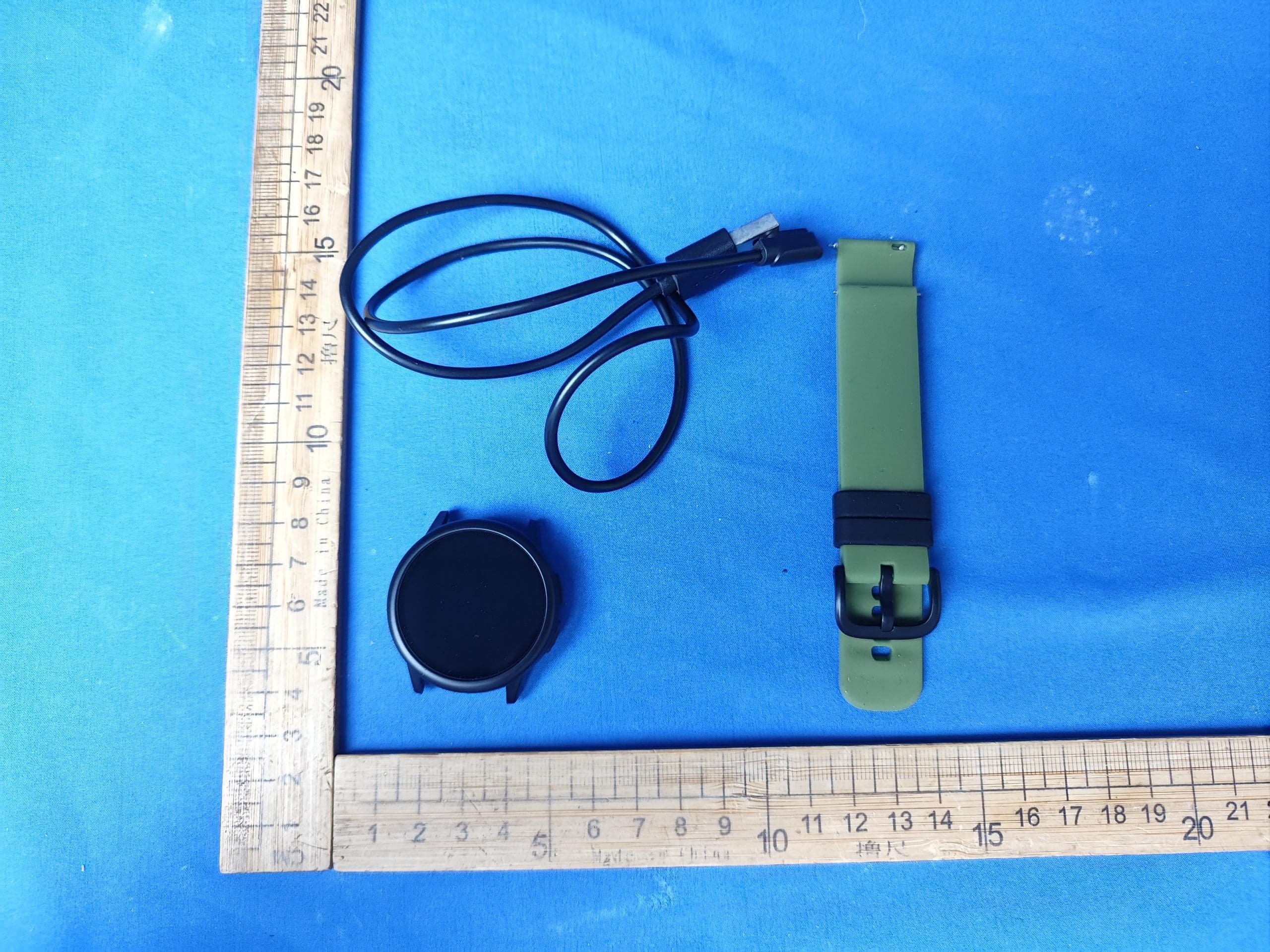
2AC76-HERO
Apr 22, 2026Smart watch
Equipment Class
DTS - Digital Transmission System