2ACCJB003LTE Tablet
TCL Communication Ltd.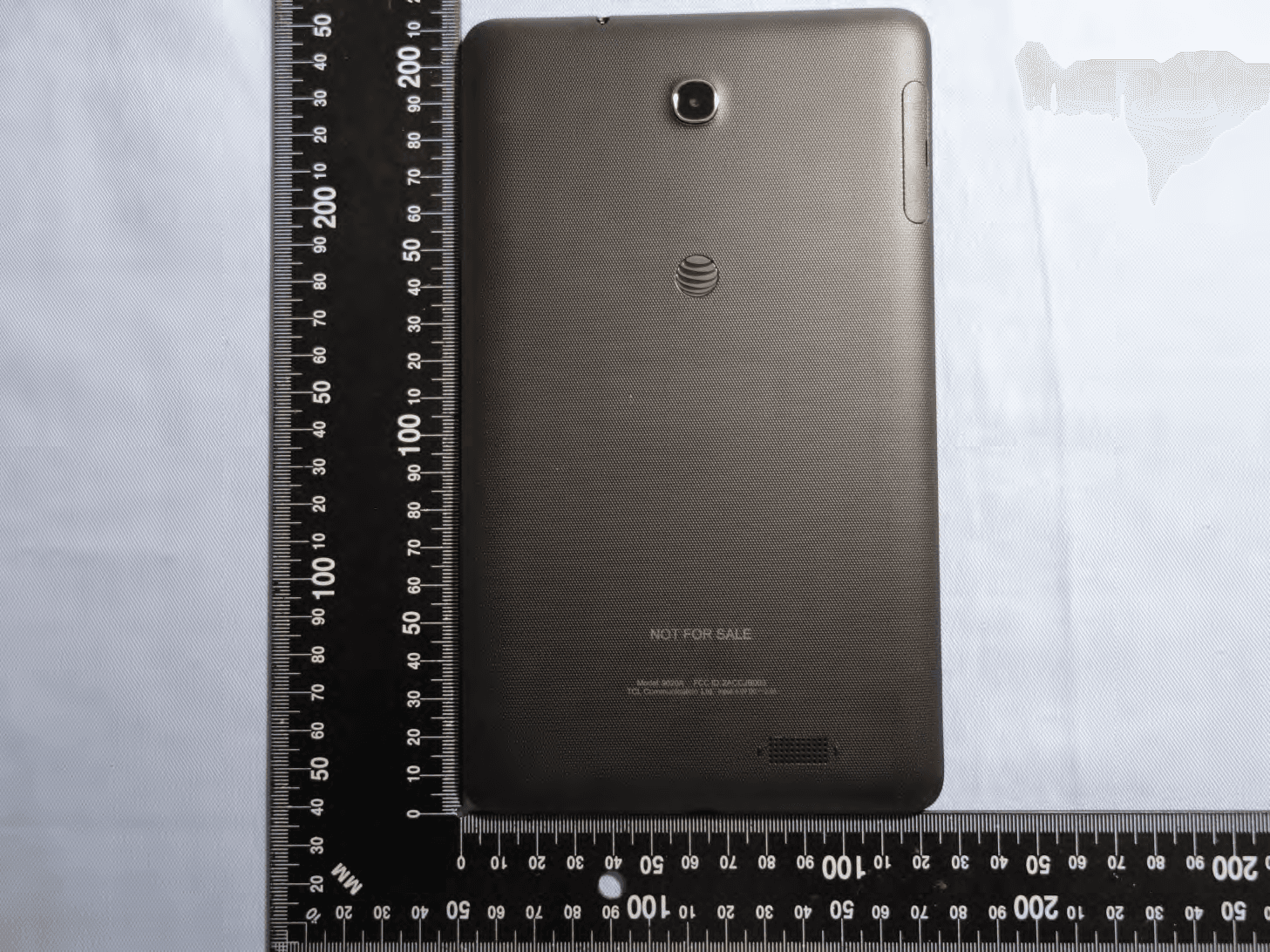
Click to zoom
Application Details
- Equipment Class
- DTS - Digital Transmission System
- Date of Grant
- Feb 02, 2015
- Application Purpose
- Original Equipment
- Date of Application
- Feb 02, 2015
- Equipment Note
- LTE Tablet
- Frequency Range
- 2402.00000000 - 2480.00000000
- Company
- TCL Communication Ltd.
- Country
- China
Documents & Files
Document Text
Text extracted from the exhibit documents filed with the FCC. Open a document above to read the original.
Users Manual
Quick Start micro SD Headset jack Power/Lock Volume micro USB port/Charging SIM Recent appps Home Back Need more help? Go to Apps > Device Help AT&T Tint8 BC AT&T Ready2Go Set up your device quickly and easily by using Ready2Go to help you: • Set up email • Sync your contacts and calendar • Connect to Wi-Fi • Sign up for AT&T Locker You can use Ready2Go when you first activate your tablet, or open it later from the App tray. The wizard will guide you through the setup process. Home Screen Add Apps 1 Touch from home screen to access the apps interface. 2 Touch and hold an icon, drag it to the right place you want. 3 Touch the Play Store icon to get more apps. Add Widgets and change wallpapers 1 Touch and hold an empty area in the home screen. 2 Tap WIDGETS or WALLPAPERS. • WIDGETS: Add widgets for a quick view of your calendar, maps, and more. • WALLPAPERS: Change your tablet's wallpaper. Remove apps, widgets 1 Touch and hold the item to be removed. 2 Drag the item up to Remove. 3 Release the item after Remove turns red. AT&T AllAccess If your AT&T service was activated at the time of purchase, you will automatically connect to the mobile network. To activate service: 1 From the home screen, tap Activate on the AT&T AllAccess widget. 2 Follow the on-screen steps to activate a data plan. Once service is activated, the AT&T AllAccess widget displays data used while you’re connected to the mobile network. To monitor data usage: • View plan and data usage details * • Enable mobile hotspot to share your Internet connection ** • View free AT&T Wi-Fi Hot Spots in your vicinity * Actual billed usage can be higher than estimated data usage displayed on the usage meter. For example, actual billed usage may be higher when: part of a shared data plan such as Mobile Share; multiple users with different login credentials using the same device; travelling internationally or outside AT&T’s network; using the SIM card with another device. Unlimited Wi-Fi usage on AT&T’s entire national Wi-Fi network is included at no additional charge with a qualifying data plan. Access includes AT&T Wi-Fi Basic. Restrictions apply. See www.attwifi. com for details. The name “attwifi” will appear in the Wi-Fi network list when available. ** Req’s Mobile Share Value or a min. DataPro 5GB plan. Devices connected to a Mobile Hotspot use data from your plan. Overage charges apply if exceed monthly data allowance. Number of devices you can connect depends on your device. Performance varies based on number of devices connected and other factors. If you do not use a password, others will be able to use your Mobile Hotspot. Visit a store or att.com to learn more. Notification and Quick settings The Notifications panel provides quick access to alerts including new messages, e-mails and software updates. Swipe down from the top of the screen to open notification panel; swipe up to close notification panel. Touch to open quick setting panel; touch again to open user panel for choosing/adding an account. Touch to clear all event-based notifications (other ongoing notifications will remain) Touch to access Settings. Install micro SIM/SD cards • Open the SIM/micro SD card compartment. • Insert the SIM card into the SIM slot with the gold-plated contacts facing upward. Insert the micro SD card into the micro SD card slot. • Push them all the way until they are firmly in place. • Close the compartment. AT&T Services AT&T Ready2Go: Set up your device quickly and easily. m y AT&T: Track your usage, review and pay your bill, and update your data plan services. AT&T Locker™: Store, sync, and share photos, videos, and documents in one place. AT&T Mail: Get 1TB of free space and manage your att.net with the AT&T Mail app. Keeper™: Manage and secure your passwords and other private information. DeviceHelp: View helpful videos and tutorials. AT&T FamilyMap: Get peace of mind by being able to conveniently locate a family member's wireless device on a map from your mobile device or PC. YP: Quickly search nearby for a business, by type or name or choose from popular categories like restaurants, banks and gas stations. Find More Information On your tablet • Tutorials and videos: Apps > Device Help • Access your account: Apps > myAT&T On the web • Tutorials and videos: att.com/DeviceHowTo • Manage your wireless account, including suspending service if your tablet is stolen: att.com/MyATT Give us a Call • 1.800.331.0500 • 611 from any AT&T wireless phone Accessories • att.com/Wireless Accessories • Visit your AT&T store Package Contents: Device, SIM, charger and cable Note: Use only the included charger and cable with your device. 4G LTE not available in all areas. Learn more at att.com/network. Mobile broadband access requires a DataConnect Plan for Tablets. For information on DataConnect Plans for Tablets see (http://www.wireless.att.com/learn/articles- resources/wireless-terms.jsp) and for information on Prepaid Session Based DataConnect Pass Plans see att.com/buyasession. © 2015 AT&T Intellectual Property. All rights reserved. AT&T, the AT&T logo and all other AT&T marks contained herein are trademarks of AT&T Intellectual Property. All other marks contained herein are the property of their respective owners.
Users Manual
AT&T Tint 8 Safety and Warranty Information CQA1BL001AAA AT&T www.sar-tick.com This device meets applicable national SAR limits of 1.6 W/kg. SAR values can be found on page 7 of this user guide. When carrying the device or using it while worn on your body, either use an approved accessory such as a holster or otherwise maintain a distance of 1.7 cm from the body to ensure compliance with RF exposure requirements. Note that the product may be transmitting even if you are not using it. To prevent possible hearing damage, do not listen at high volume levels for long periods. Exercise caution when holding your device near your ear while the loudspeaker is in use. The tablet contains magnets which may interfere with other devices and items (such as credit card, pacemakers, defibrillators, etc.). Please maintain at least 15 cm of separation between your tablet and the devices/items mentioned above. Table of contents Safety information .........................................................................................................................................................................1 General information .....................................................................................................................................................................11 Warranty ........................................................................................................................................................................................13 1 Safety information .................................................................... We recommend that you read this chapter carefully before using your device. The manufacturer disclaims any liability for damage, which may result as a consequence of improper use or use contrary to the instructions contained herein. • TRAFFIC SAFETY Given that studies show that using a device while driving a vehicle constitutes a real risk, even when the hands-free kit is used (car kit, headset...), drivers are requested to refrain from using their device when the vehicle is not parked. When driving, do not use your device or headphone to listen to music or to the radio. Using a headphone can be dangerous and forbidden in some areas. When switched on, your device emits electromagnetic waves that can interfere with the vehicle’s electronic systems such as ABS anti-lock brakes or airbags. To ensure that there is no problem: - do not place your device on top of the dashboard or within an airbag deployment area, - check with your car dealer or the car manufacturer to make sure that the dashboard is adequately shielded from device RF energy. • CONDITIONS OF USE You are advised to switch off the device from time to time to optimize its performance. 2 Switch the device off before boarding an aircraft. Switch the device off when you are in healthcare facilities, except in designated areas. As with many other types of equipment now in regular use, these devices can interfere with other electrical or electronic devices, or equipment using radio frequencies. Switch the device off when you are near gas or flammable liquids. Strictly obey all signs and instructions posted in a fuel depot, petrol station, or chemical plant, or in any potentially explosive atmosphere. When the device is switched on, it should be kept at least 15 cm from any medical device such as a pacemaker, a hearing aid or insulin pump, etc. In particular when using the device, you should hold it against the ear on the opposite side to the device, if any. To avoid hearing impairment, move the device away from your ear while using the "hands-free" mode because the amplified volume might cause hearing damage. Do not let children use the device and/or play with the device and accessories without supervision. Please note that your device is a unibody device, the back cover and battery are not removable. Do not attempt to disassemble your device. If you disassemble your device the warranty will not apply. Also disassembling the device may damage the battery, and may cause leakage of substances that could create an allergic reaction. Always handle your device with care and keep it in a clean and dust-free place. Do not allow your device to be exposed to adverse weather or environmental conditions (moisture, humidity, rain, 3 infiltration of liquids, dust, sea air, etc.). The manufacturer's recommended operating temperature range is -0°C to +45°C. At over 45°C the legibility of the device’s display may be impaired, though this is temporary and not serious. Do not open, dismantle or attempt to repair your device yourself. Do not drop, throw or bend your device. Do not use the device if the glass made screen is damaged, cracked or broken to avoid any injury. Do not paint it. Use only battery chargers and accessories which are recommended by TCL Communication Ltd. and its affiliates and are compatible with your device model. TCL Communication Ltd. and its affiliates disclaim any liability for damage caused by the use of other chargers or accessories. Remember to make back-up copies or keep a written record of all important information stored in your device. Some people may suffer epileptic seizures or blackouts when exposed to flashing lights, or when playing video games. These seizures or blackouts may occur even if a person never had a previous seizure or blackout. If you have experienced seizures or blackouts, or if you have a family history of such occurrences, please consult your doctor before playing video games on your device or enabling a flashing-lights feature on your device. Parents should monitor their children’s use of video games or other features that incorporate flashing lights on the device. All persons should discontinue use and consult a doctor if any of the following symptoms occur: convulsion, 4 eye or muscle twitching, loss of awareness, involuntary movements, or disorientation. To limit the likelihood of such symptoms, please take the following safety precautions…
Text truncated - open the document above for the full version.
Cover Letter(s)
Rev. 1/1/03 TCL Communication Ltd. 5F, C-Tower, No.232, Liangjing Road, Zhangjiang High-tech Park, Pudong, Shanghai, China Tel: +86 21 51798260 ; Fax: +86 21 61460600 Date: January 20, 2015 Federal Communications Commission Authorization and Evaluation Division Confidentiality Request regarding application for certification of FCC ID: 2ACCJB003 Pursuant to Sections 0.457 and 0.459 of the Commission’s Rules, we hereby request confidential treatment of information accompanying this application as outlined below: Schematics Block Diagram Parts List Operation Description Tune up Procedure The above materials contain trade secrets and proprietary information not customarily released to the public. The public disclosure of these materials may be harmful to the applicant and provide unjustified benefits to its competitors. The applicant understands that pursuant to Section 0.457 of the Rules, disclosure of this application and all accompanying documentation will not be made before the date of the Grant for this application. Sincerely, Zhizhou Gong
Cover Letter(s)
TCL Communication Ltd. 5F, C-Tower, No.232, Liangjing Road, Zhangjiang High-tech Park, Pudong, Shanghai, China Tel: +86 21 51798260 ; Fax: +86 21 61460600 Date: January 20, 2015 Power of Attorney To whom it may concern, Please be notified that I, Zhizhou Gong, have designated Michael Lin in Sporton International Inc. as the persons being responsible for this project and to sign the form 731 and other documentation. Any and all acts carried out by Michael Lin in Sporton International Inc. on the matters of relating to all processes required in the FCC approval and any communication needed with the national authority, shall have the same legal authority as acts on our own behalf. We further certifies that neither the applicant nor any party to this application, as defined in 47 CFR Ch. 1.2002 (b), is subject to a denial to Federal benefits, that include FCC benefits, pursuant to section 5301 of the Anti-Drug Abuse Act of 1998, 21 U.S.C. 835(a). This authorization is limited to the product of as following: FCC ID: 2ACCJB003 If you have any acknowledgement and response, please send it to Sporton International Inc. directly. Should you have any questions or comments regarding this matter, please have my best attention. Sincerely yours, Contact Person: Zhizhou Gong Company: TCL Communication Ltd. TEL: +86 21 51798260 FAX: +86 21 61460600 E-mail: [email protected]
Cover Letter(s)
1/1 TCL Communication Ltd. Date: January 20, 2015 Federal Communications Commission Authorization and Evaluation Division RE : Certification Application FCC ID : 2ACCJB003 To Whom It May Concern, Pursuant to sections 0.457 and 0.459 of CFR 47, Public Notice DA 04-1705 of the Commission’s policy and to avoid premature release of sensitive information prior to marketing or release of the product to the public, the applicant requests the following documents contained in this certification application be temporarily withheld from public disclosure for an initial period of 180 days: External Photos Internal Photos Test set-up photos Users Manual The application contains technical information, which TCL Communication Ltd. deems to be trade secrets and proprietary. If made public, the information might be used to the disadvantage of the applicant in the market place. The Applicant understands that pursuant to Rule 0.457, disclosure of this Application and all accompanying documentation will not be made before the date of the Grant for this application Sincerely, Contact Person: Zhizhou Gong Company: TCL Communication Ltd. TEL: +86 21 51798260 FAX: +86 21 61460600 E-mail: [email protected]
External Photos
Photographs of EUT Report No.: EP4D0805 Brand Name: AT&T; Model Name: 9020A; Marketing Name: TINT SPORTON INTERNATIONAL (SHENZHEN) INC. Page Number : 1 of 30 TEL: 86-755-8637-9589 Report Issued Date : Jan. 27, 2015 FAX: 86-755-8637-9595 Report Version : Rev. 01 FCC ID : 2ACCJB003 1. External Photograph of EUT Photographs of EUT Report No.: EP4D0805 Brand Name: AT&T; Model Name: 9020A; Marketing Name: TINT SPORTON INTERNATIONAL (SHENZHEN) INC. Page Number : 2 of 30 TEL: 86-755-8637-9589 Report Issued Date : Jan. 27, 2015 FAX: 86-755-8637-9595 Report Version : Rev. 01 FCC ID : 2ACCJB003 Photographs of EUT Report No.: EP4D0805 Brand Name: AT&T; Model Name: 9020A; Marketing Name: TINT SPORTON INTERNATIONAL (SHENZHEN) INC. Page Number : 3 of 30 TEL: 86-755-8637-9589 Report Issued Date : Jan. 27, 2015 FAX: 86-755-8637-9595 Report Version : Rev. 01 FCC ID : 2ACCJB003 Photographs of EUT Report No.: EP4D0805 Brand Name: AT&T; Model Name: 9020A; Marketing Name: TINT SPORTON INTERNATIONAL (SHENZHEN) INC. Page Number : 4 of 30 TEL: 86-755-8637-9589 Report Issued Date : Jan. 27, 2015 FAX: 86-755-8637-9595 Report Version : Rev. 01 FCC ID : 2ACCJB003 Photographs of EUT Report No.: EP4D0805 Brand Name: AT&T; Model Name: 9020A; Marketing Name: TINT SPORTON INTERNATIONAL (SHENZHEN) INC. Page Number : 5 of 30 TEL: 86-755-8637-9589 Report Issued Date : Jan. 27, 2015 FAX: 86-755-8637-9595 Report Version : Rev. 01 FCC ID : 2ACCJB003 Photographs of EUT Report No.: EP4D0805 Brand Name: AT&T; Model Name: 9020A; Marketing Name: TINT SPORTON INTERNATIONAL (SHENZHEN) INC. Page Number : 6 of 30 TEL: 86-755-8637-9589 Report Issued Date : Jan. 27, 2015 FAX: 86-755-8637-9595 Report Version : Rev. 01 FCC ID : 2ACCJB003 Photographs of EUT Report No.: EP4D0805 Brand Name: AT&T; Model Name: 9020A; Marketing Name: TINT SPORTON INTERNATIONAL (SHENZHEN) INC. Page Number : 7 of 30 TEL: 86-755-8637-9589 Report Issued Date : Jan. 27, 2015 FAX: 86-755-8637-9595 Report Version : Rev. 01 FCC ID : 2ACCJB003 Specification of Accessory AC Adapter Brand Name N/A Model Name UC13US Battery Brand Name N/A Model Name TLp041C2 USB Cable Signal Line Type 0.80meter, shielded cable, without ferrite core Remark: For accessories equipped with this EUT, please refer to the following photos. 2. Photograph of Accessory Photographs of EUT Report No.: EP4D0805 Brand Name: AT&T; Model Name: 9020A; Marketing Name: TINT SPORTON INTERNATIONAL (SHENZHEN) INC. Page Number : 8 of 30 TEL: 86-755-8637-9589 Report Issued Date : Jan. 27, 2015 FAX: 86-755-8637-9595 Report Version : Rev. 01 FCC ID : 2ACCJB003 Photographs of EUT Report No.: EP4D0805 Brand Name: AT&T; Model Name: 9020A; Marketing Name: TINT SPORTON INTERNATIONAL (SHENZHEN) INC. Page Number : 9 of 30 TEL: 86-755-8637-9589 Report Issued Date : Jan. 27, 2015 FAX: 86-755-8637-9595 Report Version : Rev. 01 FCC ID : 2ACCJB003 AC Adapter Photographs of EUT Report No.: EP4D0805 Brand Name: AT&T; Model Name: 9020A; Marketing Name: TINT SPORTON INTERNATIONAL (SHENZHEN) INC. Page Number : 10 of 30 TEL: 86-755-8637-9589 Report Issued Date : Jan. 27, 2015 FAX: 86-755-8637-9595 Report Version : Rev. 01 FCC ID : 2ACCJB003 Battery Photographs of EUT Report No.: EP4D0805 Brand Name: AT&T; Model Name: 9020A; Marketing Name: TINT SPORTON INTERNATIONAL (SHENZHEN) INC. Page Number : 11 of 30 TEL: 86-755-8637-9589 Report Issued Date : Jan. 27, 2015 FAX: 86-755-8637-9595 Report Version : Rev. 01 FCC ID : 2ACCJB003
ID Label/Location Info
1/2 VAZZA SCALE 1:1 Marking Drawing TINT8 Back Casing 1.0a Jimmy.Jiang 14.11.13 Creation 1.0b Jimmy.Jiang 14.11.13 Creation COLORS CE license Product info Back Case Painting VERTICAL AXE 丝印灰色 PT Cool Gray 5C 11 mm 67mm 11mm 132 mm 2/2 VAZZA SCALE 1:1 Marking Drawing TINT8 Back Casing 1.0a Jimmy.Jiang 14.11.13 Creation COLORS CE license Product info Back Case Painting VERTICAL AXE 丝印灰色 PT Cool Gray 5C 丝印灰色 PT Cool Gray 5C
Internal Photos
Photographs of EUT Report No.: EP4D0805 Brand Name: AT&T; Model Name: 9020A; Marketing Name: TINT SPORTON INTERNATIONAL (SHENZHEN) INC. Page Number : 12 of 30 TEL: 86-755-8637-9589 Report Issued Date : Jan. 27, 2015 FAX: 86-755-8637-9595 Report Version : Rev. 01 FCC ID : 2ACCJB003 3. Internal Photograph of EUT GPS/Glonass Antenna <Rx> WWAN Antenna <Tx / Rx> WWAN Diversity Antenna <Rx> WLAN & Bluetooth Antenna <Tx / Rx> Photographs of EUT Report No.: EP4D0805 Brand Name: AT&T; Model Name: 9020A; Marketing Name: TINT SPORTON INTERNATIONAL (SHENZHEN) INC. Page Number : 13 of 30 TEL: 86-755-8637-9589 Report Issued Date : Jan. 27, 2015 FAX: 86-755-8637-9595 Report Version : Rev. 01 FCC ID : 2ACCJB003 Photographs of EUT Report No.: EP4D0805 Brand Name: AT&T; Model Name: 9020A; Marketing Name: TINT SPORTON INTERNATIONAL (SHENZHEN) INC. Page Number : 14 of 30 TEL: 86-755-8637-9589 Report Issued Date : Jan. 27, 2015 FAX: 86-755-8637-9595 Report Version : Rev. 01 FCC ID : 2ACCJB003 Photographs of EUT Report No.: EP4D0805 Brand Name: AT&T; Model Name: 9020A; Marketing Name: TINT SPORTON INTERNATIONAL (SHENZHEN) INC. Page Number : 15 of 30 TEL: 86-755-8637-9589 Report Issued Date : Jan. 27, 2015 FAX: 86-755-8637-9595 Report Version : Rev. 01 FCC ID : 2ACCJB003 Photographs of EUT Report No.: EP4D0805 Brand Name: AT&T; Model Name: 9020A; Marketing Name: TINT SPORTON INTERNATIONAL (SHENZHEN) INC. Page Number : 16 of 30 TEL: 86-755-8637-9589 Report Issued Date : Jan. 27, 2015 FAX: 86-755-8637-9595 Report Version : Rev. 01 FCC ID : 2ACCJB003 Photographs of EUT Report No.: EP4D0805 Brand Name: AT&T; Model Name: 9020A; Marketing Name: TINT SPORTON INTERNATIONAL (SHENZHEN) INC. Page Number : 17 of 30 TEL: 86-755-8637-9589 Report Issued Date : Jan. 27, 2015 FAX: 86-755-8637-9595 Report Version : Rev. 01 FCC ID : 2ACCJB003 Photographs of EUT Report No.: EP4D0805 Brand Name: AT&T; Model Name: 9020A; Marketing Name: TINT SPORTON INTERNATIONAL (SHENZHEN) INC. Page Number : 18 of 30 TEL: 86-755-8637-9589 Report Issued Date : Jan. 27, 2015 FAX: 86-755-8637-9595 Report Version : Rev. 01 FCC ID : 2ACCJB003 Photographs of EUT Report No.: EP4D0805 Brand Name: AT&T; Model Name: 9020A; Marketing Name: TINT SPORTON INTERNATIONAL (SHENZHEN) INC. Page Number : 19 of 30 TEL: 86-755-8637-9589 Report Issued Date : Jan. 27, 2015 FAX: 86-755-8637-9595 Report Version : Rev. 01 FCC ID : 2ACCJB003 Photographs of EUT Report No.: EP4D0805 Brand Name: AT&T; Model Name: 9020A; Marketing Name: TINT SPORTON INTERNATIONAL (SHENZHEN) INC. Page Number : 20 of 30 TEL: 86-755-8637-9589 Report Issued Date : Jan. 27, 2015 FAX: 86-755-8637-9595 Report Version : Rev. 01 FCC ID : 2ACCJB003 Photographs of EUT Report No.: EP4D0805 Brand Name: AT&T; Model Name: 9020A; Marketing Name: TINT SPORTON INTERNATIONAL (SHENZHEN) INC. Page Number : 21 of 30 TEL: 86-755-8637-9589 Report Issued Date : Jan. 27, 2015 FAX: 86-755-8637-9595 Report Version : Rev. 01 FCC ID : 2ACCJB003 Photographs of EUT Report No.: EP4D0805 Brand Name: AT&T; Model Name: 9020A; Marketing Name: TINT SPORTON INTERNATIONAL (SHENZHEN) INC. Page Number : 22 of 30 TEL: 86-755-8637-9589 Report Issued Date : Jan. 27, 2015 FAX: 86-755-8637-9595 Report Version : Rev. 01 FCC ID : 2ACCJB003 Photographs of EUT Report No.: EP4D0805 Brand Name: AT&T; Model Name: 9020A; Marketing Name: TINT SPORTON INTERNATIONAL (SHENZHEN) INC. Page Number : 23 of 30 TEL: 86-755-8637-9589 Report Issued Date : Jan. 27, 2015 FAX: 86-755-8637-9595 Report Version : Rev. 01 FCC ID : 2ACCJB003 Photographs of EUT Report No.: EP4D0805 Brand Name: AT&T; Model Name: 9020A; Marketing Name: TINT SPORTON INTERNATIONAL (SHENZHEN) INC. Page Number : 24 of 30 TEL: 86-755-8637-9589 Report Issued Date : Jan. 27, 2015 FAX: 86-755-8637-9595 Report Version : Rev. 01 FCC ID : 2ACCJB003 Photographs of EUT Report No.: EP4D0805 Brand Name: AT&T; Model Name: 9020A; Marketing Name: TINT SPORTON INTERNATIONAL (SHENZHEN) INC. Page Number : 25 of 30 TEL: 86-755-8637-9589 Report Issued Date : Jan. 27, 2015 FAX: 86-755-8637-9595 Report Version : Rev. 01 FCC ID : 2ACCJB003 Photographs of EUT Report No.: EP4D0805 Brand Name: AT&T; Model Name: 9020A; Marketing Name: TINT SPORTON INTERNATIONAL (SHENZHEN) INC. Page Number : 26 of 30 TEL: 86-755-8637-9589 Report Issued Date : Jan. 27, 2015 FAX: 86-755-8637-9595 Report Version : Rev. 01 FCC ID : 2ACCJB003 Photographs of EUT Report No.: EP4D0805 Brand Name: AT&T; Model Name: 9020A; Marketing Name: TINT SPORTON INTERNATIONAL (SHENZHEN) INC. Page Number : 27 of 30 TEL: 86-755-8637-9589 Report Issued Date : Jan. 27, 2015 FAX: 86-755-8637-9595 Report Version : Rev. 01 FCC ID : 2ACCJB003 Bluetooth & WLAN Antenna <Tx / Rx> Photographs of EUT Report No.: EP4D0805 Brand Name: AT&T; Model Name: 9020A; Marketing Name: TINT SPORTON INTERNATIONAL (SHENZHEN) INC. Page Number : 28 of 30 TEL: 86-755-8637-9589 Report Issued Date : Jan. 27, 2015 FAX: 86-755-8637-9595 Report Version : Rev. 01 FCC ID : 2ACCJB003 GPS/Glonass Antenna <Rx> Photographs of EUT Report No.: EP4D0805 Brand Name: AT&T; Model Name: 9020A; Marketing Name: TINT SPORTON INTERNATIONAL (SHENZHEN) INC. Page Number : 29 of 30 TEL: 86-755-8637-9589 Report Issued Date : Jan. 27, 2015 FAX: 86-755-8637-9595 Report Version : Rev. 01 FCC ID : 2ACCJB003 WWAN Antenna <Tx / Rx> Photographs of EUT Report No.: EP4D0805 Brand Name: AT&T; Model Name: 9020A; Marketing Name: TINT SPORTON INTERNATIONAL (SHENZHEN) INC. Page Number : 30 of 30 TEL: 86-755-8637-9589 Report Issued Date : Jan. 27, 2015 FAX: 86-755-8637-9595 Report Version : Rev. 01 FCC ID : 2ACCJB003 WWAN Diversity Antenna <Rx>
RF Exposure Info
SPORTON INT TEL : 86-755-8 FCC ID : 2ACC FC We, S samp with t The t writte be rep 1F A Revie TERNATIONAL 8637-9589 / FAX CJB003 CC SAR Te SPORTON IN ple has been the applicab test results en approval produced ex SP F & 2F,Build pproved by ewed by: Eri L (SHENZHEN) X : 86-755-8637 est Repor FCC APPLICAN EQUIPMEN BRAND NA MODEL NA MARKETIN FCC ID STANDA R NTERNATIO n evaluated i ble technica in this re p of SPORTO xcept in full PORTON ding A, Mo Nanshan D : Jones Tsa ic Huang / D INC. 7-9595 rt C SAR NT NT AME AME NG NAME RD ONAL (SHEN in accordan l standards port apply e ON INTERNA . INTERNA orning Busi District, Sh ai / Manager Deputy Mana Page 1 of R Tes :TCL Co :LTE Ta :AT&T : 9020A :TINT : 2ACC J : FCC 47 ANSI/IE IEEE 15 NZHEN) INC nce with the . exclusively ATIONAL (SH NATIONAL iness Cent henzhen, G ager 92 st Re ommunicat blet JB003 7 CFR Part EEE C95.1- 528-2003 C., would lik procedures to the test HENZHEN) L (SHEN ter, No. 400 uangdong, Iss Form eport tion Ltd. 2 (2.1093) -1992 ke to declar s and had be ed model / INC., the tes NZHEN) IN 03 ShiGu R , P. R. Chin sued Date : Ja m version. : 14 Report No. t re that the een in comp / sample. W st report sh NC. Rd., Xili Tow na n. 30, 2015 1020 : FA4D0805 tested pliance Without all not wn, 5 SPORTON INTERNATIONAL (SHENZHEN) INC. TEL : 86-755-8637-9589 / FAX : 86-755-8637-9595 Issued Date : Jan. 30, 2015 FCC ID : 2ACCJB003 Page 2 of 92 Form version. : 141020 FCC SAR Test Report Report No. : FA4D0805 Table of Contents 1. Statement of Compliance ..............................................................................................................................................4 2. Administration Data .......................................................................................................................................................5 3. Guidance Standard ........................................................................................................................................................5 4. Equipment Under Test (EUT) ........................................................................................................................................6 4.1 General Information ................................................................................................................................................6 4.2 Maximum Tune-up Limit ..........................................................................................................................................7 4.3 General LTE SAR Test and Reporting Considerations .......................................................................................... 11 5. Proximity Sensor Triggering Test ...............................................................................................................................13 6. RF Exposure Limits .....................................................................................................................................................17 6.1 Uncontrolled Environment .....................................................................................................................................17 6.2 Controlled Environment .........................................................................................................................................17 7. Specific Absorption Rate (SAR) ..................................................................................................................................18 7.1 Introduction ...........................................................................................................................................................18 7.2 SAR Definition .......................................................................................................................................................18 8. System Description and Setup ...................................................................................................................................19 9. Measurement Procedures ...........................................................................................................................................20 9.1 Spatial Peak SAR Evaluation ................................................................................................................................20 9.2 Power Reference Measurement............................................................................................................................21 9.3 Area Scan .............................................................................................................................................................21 9.4 Zoom Scan ............................................................................................................................................................22 9.5 Volume Scan Procedures ......................................................................................................................................22 9.6 Power Drift Monitoring ...........................................................................................................................................22 10. Test Equipment List ...................................................................................................................................................23 11. System Verification ....................................................................................................................................................24 11.1 Tissue Verification .................................................................…
Text truncated - open the document above for the full version.
Contact Information
Applicant
Annie Jiang
Test Firm
SPORTON INTERNATIONAL (Shenzhen) INC.Michael Lin
Technical Specifications
| # | Rule Parts | Frequency Range | Power Output |
|---|---|---|---|
| 2 | 15C | 2.40 GHz - 2.48 GHz | 1.00 mW |
Other Applications from TCL Communication Ltd.
2ACCJSCD002
Sep 10, 2024USB Connect 5G (NA)
Equipment Class
CXX - Communications Rcvr for use w/ licensed Tx and CBs2ACCJB227
Aug 21, 2024Smart phone
Equipment Class
DTS - Digital Transmission System2ACCJSCD005
Aug 07, 2024TCL LINKPORT IK511
Equipment Class
CXX - Communications Rcvr for use w/ licensed Tx and CBs2ACCJB224
Jul 31, 2024Tablet PC
Equipment Class
DSS - Part 15 Spread Spectrum Transmitter2ACCJB223
Jun 27, 2024Tablet PC
Equipment Class
NII - Unlicensed National Information Infrastructure TX