2ACCJB021Bluetooth headset
TCL Communication Ltd.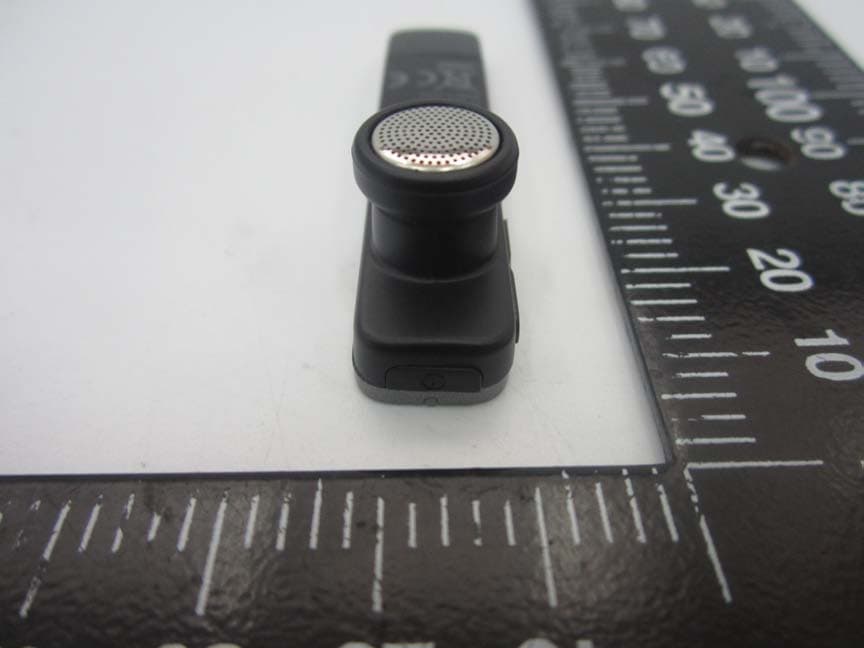
Click to zoom
Application Details
- Equipment Class
- DTS - Digital Transmission System
- Date of Grant
- Jul 08, 2015
- Application Purpose
- Original Equipment
- Date of Application
- Jul 06, 2015
- Equipment Note
- Bluetooth headset
- Frequency Range
- 2402.00000000 - 2480.00000000
- Company
- TCL Communication Ltd.
- Country
- China
Documents & Files
Document Text
Text extracted from the exhibit documents filed with the FCC. Open a document above to read the original.
Users Manual
Bluetooth Headset User Guide 2 Catalog Specifications ........................................................3 Overview ..............................................................4 Getting Started ....................................................5 Using your headset .............................................6 LED Status ..........................................................11 Troubleshooting .................................................13 Safety Information .............................................15 Declaration of Conformity .............................16 Guarantee ...........................................................19 3 Specifications Bluetooth SpecificationBT BLE4.0, Class 2 Bluetooth profile detailsHFP v1.6 + HSP v1.2 + A2DP v1.2 Operating rangeAbout 10m Charging Timeless than 1.5 hour Talk Time*Up to 5 hours Standby Time*Up to 168 hours (One week charge) Dimensions60 x 12.3 x 6.30 mm Weight7g Operating temperature range -20 ° C to 55 ° C Storage temperature range -30 ° C to 70 ° C * May vary due to the user’s habit, different modes of operation and mobile phone settings. 4 Overview 1 2 3 4 6 7 5 8 1 . Power Key • Power on / off • Pair with mobile phone • Answer / End a call • Reject / Transfer a call • Stop / Play music 2 . In-ear Rubber 3 . Indication LED 5 4 . Volume Key • Volume increased / decreased • Previous / Next song • Setting language 5 . USB Cap 6 . Speaker 7 . USB Pins • Charging battery 8 . Microphone Getting Started To use BH60 Bluetooth headset, please follow the steps below: 1 . Charging Your Headset Ensure your headset is fully charged and power on before using. The headset comes with a built- in rechargeable battery. It is recommended to fully charge prior to using the headset for the first time. Open the USB Cap and insert the USB Pins into a PC, laptop computer, charger or other USB port. 6 2 . Pairing Pair your charged headset with a Bluetooth-enabled mobile phone. 1) Ensure that headset is off. 2) To activate the pairing mode, press and hold the headset’s Power Key without releasing your finger until its status indicator flashes red/blue. 3) Make sure that your mobile device’s Bluetooth is activated. Search Bluetooth devices and select “ALCATEL onetouch BH60” to connect. After paired, LED changed to blue and lighted one time every six seconds. Using your headset Power onPress power key more than 3 seconds, red LED will flash 5 seconds with one time each second. "Power on" alarmed through in-ear headset 7 PairingAfter power on, automatically switched to pairing status. Blue LED will light one time each second. PairedNo necessary to input pin, after paired, LED changed to blue and lighted one time every six seconds. "Phone 1 connected" alarmed through in-ear headset. Volume +Long Press means to switch music song. Short Press means to adjust the volume of sound. "Maximum volume" alarmed if changed to maximum volume. Volume -Long Press means to switch music song. Short Press means to adjust the volume of sound. "Minimum volume" alarmed if changed to minimum volume. 8 Music PlayAt standby situation, press power key one time to play music and press again to stop. Long press volume upper key one time will change to previous song. Long press volume lower key one time will change to next song. Prompt language Press both volume upper and lower keys over 3 seconds, language prompts can be switched between English, Spanish, and Italian. DisconnectedOnce BT connection disconnected or switched off BT function from mobile phone, "Phone 1 disconnected" alarmed through in- ear headset. Blue LED will light one time per three seconds, after two minutes then light off automatically. 9 Power offPress power key more than three seconds after switch on, "Power off" alarmed through in-ear headset. Red LED will light three seconds constantly then power off. Low powerIf battery cell less than 10% power, red LED will light three times continuously every one minute and "Low power" alarmed through in- ear headset. Power symbol will change to blank one on mobile phone If battery cell less than 5% power, red LED will light three seconds constantly. Then "Power off" alarmed through in-ear headset and switch off automatically. Incoming callTake system default alarmed voice as prompt voice and ringing from in-ear headset, press power key button one time or say "YES" to answer the call. 10 Reject callPress power key button two times within three seconds or say "NO" to reject the call. Voice transferAt standby situation, press power key two times within three seconds and voice dialing function will be activated. Call transferWhile speaking, long press and hold any volume key, a short beep and audio output will change to mobile phone. Charging battery Direct USB plug, constant red LED lighting, changed to constant blue LED lighting or no lighting once full charged. 11 LED Status PatternStatusActionRed LightingBlue Lighting Working Mode Standby Mode /././. Pair Mode/./.flashes frequency: one time each second (remain 120s at the pairing status) Connected Mode Just connect/.flashes slowly flashes frequency: one time per 6 second (Because of power cost) Keep connecting /. ReconnectedJust disconnect /.flashes slowly flashes frequency: one time per 3 second Keep reconnecting /. 12 PatternStatusActionRed LightingBlue Lighting PowerPower onlong press power button 3s flashes 5s; flash frequency: one time each second /. Power offlong press power button 3s lighting 3s constantly /. ChargingDirect USB plug lighting constantly (after fully charged, turn off) /. Low batterybattery capacity is less than 10% flashes constantly; flash frequency: three times per 1 min /. battery capacity is less than 5% (After playing prompt voice, power off) lighting 3s constantly /. 13 Troubleshooting I can hear crackling noise. To receive the best audio quality, it is recommended to wear your headset on the same side of the body as your mobile phone. I can't hear anything in my headset. • Ensure the …
Text truncated - open the document above for the full version.
Cover Letter(s)
Date: 2015/6/19 To : Federal Communications Commission, Authorization & Evaluation Division, 7435 Oakland Mills Road, Columbia, MD 21046 To Whom It May Concern: The TCL Communication Ltd., the undersigned, hereby authorizes Mrs. Ivy Zhu from Shenzhen Morlab Communications Technology Co., Ltd., to act on the behalf of the TCL Communication Ltd. solely in matters relating to the application for an FCC equipment authorization for FCC ID: 2ACCJB021 including the signing of documents in connection with this Application. Necessary acts carried out Shenzhen Morlab Communications Technology Co., Ltd. on our behalf of the TCL Communication Ltd. in connection with the Application shall have the same effect as acts of the TCL Communication Ltd. TCL Communication Ltd. also hereby certify that no party to this application is subject to a denial of benefits, including FCC benefits, pursuant to Section 5301 of the Anti-Drug Abuse Act of 1988, 21 U.S.C. 853(a). Thank you for your attention to this matter. Yours Sincerely, Signatory: Zhizhou Gong Te l : +86 21 51798260 Fax: +86 21 61460600 TCL Communication Ltd. [email protected]
Cover Letter(s)
Date: 2015/6/19 To: Federal Communications Commission, Authorization & Evaluation Division, 7435 Oakland Mills Road, Columbia, MD 21046 Re: TCL Communication Ltd. FCC ID: 2ACCJB021 Confidentiality Request Gentlemen: This letter is to comply with 47 CFR 0.457 and 0.459 pertaining to confidentiality material. TCL Communication Ltd. requests that the following documents regarding this submission for FCC ID: 2ACCJB021 be kept confidential: Exhibit Type File Name Block Diagram Block Diagram.pdf Schematics Schematic.pdf Operational Description Operational description.pdf Part list BOM.pdf Those documents contain detailed system and equipment description and related information about the product which TCL Communication Ltd. considers to be confidential proprietary, a custom design and, otherwise, not releasable to the general public. Since this design is a basis form which future technological products will evolve, TCL Communication Ltd. considers this information would be of benefit to its competitors, and that the disclosure of the information in these documents would give competitors an unfair advantage in the market. Yours Sincerely, Signatory: Zhizhou Gong Te l : +86 21 51798260 Fax: +86 21 61460600 TCL Communication Ltd. [email protected]
External Photos
External Photos 1. EUT front view 2. EUT rear view 3. EUT left side view 4. EUT right side view 5. EUT top view 6. EUT bottom view
ID Label/Location Info
1. Label 2. Label location
Internal Photos
Internal Photos 1. EUT uncover view 2. Mainboard front view 3. Mainboard rear view 4. BT antenna view
RF Exposure Info
MORLAB GROUP FL1-3, Building A, FeiYang Science Park, No.8 LongChang Road, Tel: 86-755-36698555 Fax: 86-755-36698525 Block67, BaoAn District, ShenZhen , GuangDong Province, P. R. ChinaHttp://www.morlab.com E-mail: [email protected] Page 2 0f 9 REPORTNo.:SZ15040179S02 DIRECTORY TEST REPORT DECLARATION ∙∙∙∙∙∙∙∙∙∙∙∙∙∙∙∙∙∙∙∙∙∙∙∙∙∙∙∙∙∙∙∙∙∙∙∙∙∙∙∙∙∙∙∙∙∙∙∙∙∙∙∙∙∙∙∙∙∙∙∙∙∙∙∙∙∙∙∙∙∙∙∙∙∙∙∙∙∙∙∙∙∙∙∙∙∙∙∙∙∙∙∙∙∙∙∙∙∙∙∙∙∙∙∙∙∙∙∙∙∙∙∙∙∙∙∙∙∙∙∙∙ 3 1. TECHNICAL INFORMATION ∙∙∙∙∙∙∙∙∙∙∙∙∙∙∙∙∙∙∙∙∙∙∙∙∙∙∙∙∙∙∙∙∙∙∙∙∙∙∙∙∙∙∙∙∙∙∙∙∙∙∙∙∙∙∙∙∙∙∙∙∙∙∙∙∙∙∙∙∙∙∙∙∙∙∙∙∙∙∙∙∙∙∙∙∙∙∙∙∙∙∙∙∙∙∙∙∙∙∙∙∙∙∙∙∙∙∙∙∙∙∙∙∙∙∙∙∙∙∙ 4 1.1. IDENTIFICATION OF APPLICANT ∙∙∙∙∙∙∙∙∙∙∙∙∙∙∙∙∙∙∙∙∙∙∙∙∙∙∙∙∙∙∙∙∙∙∙∙∙∙∙∙∙∙∙∙∙∙∙∙∙∙∙∙∙∙∙∙∙∙∙∙∙∙∙∙∙∙∙∙∙∙∙∙∙∙∙∙∙∙∙∙∙∙∙∙∙∙∙∙∙∙∙∙∙∙∙∙∙∙∙∙∙∙∙∙∙∙∙∙∙∙∙∙∙∙∙∙∙ 4 1.2. IDENTIFICATION OF MANUFACTURER ∙∙∙∙∙∙∙∙∙∙∙∙∙∙∙∙∙∙∙∙∙∙∙∙∙∙∙∙∙∙∙∙∙∙∙∙∙∙∙∙∙∙∙∙∙∙∙∙∙∙∙∙∙∙∙∙∙∙∙∙∙∙∙∙∙∙∙∙∙∙∙∙∙∙∙∙∙∙∙∙∙∙∙∙∙∙∙∙∙∙∙∙∙∙∙∙∙∙∙∙∙∙∙∙∙∙∙∙∙∙ 4 1.3. EQUIPMENT UNDER TEST (EUT) ∙∙∙∙∙∙∙∙∙∙∙∙∙∙∙∙∙∙∙∙∙∙∙∙∙∙∙∙∙∙∙∙∙∙∙∙∙∙∙∙∙∙∙∙∙∙∙∙∙∙∙∙∙∙∙∙∙∙∙∙∙∙∙∙∙∙∙∙∙∙∙∙∙∙∙∙∙∙∙∙∙∙∙∙∙∙∙∙∙∙∙∙∙∙∙∙∙∙∙∙∙∙∙∙∙∙∙∙∙∙∙∙∙∙∙ 4 1.3.1. PHOTOGRAPHS OF THE EUT ∙∙∙∙∙∙∙∙∙∙∙∙∙∙∙∙∙∙∙∙∙∙∙∙∙∙∙∙∙∙∙∙∙∙∙∙∙∙∙∙∙∙∙∙∙∙∙∙∙∙∙∙∙∙∙∙∙∙∙∙∙∙∙∙∙∙∙∙∙∙∙∙∙∙∙∙∙∙∙∙∙∙∙∙∙∙∙∙∙∙∙∙∙∙∙∙∙∙∙∙∙∙∙∙∙∙∙∙∙∙∙∙∙∙∙∙∙∙∙∙∙∙∙∙∙∙∙5 1.3.2. IDENTIFICATION OF ALL USED EUT∙∙∙∙∙∙∙∙∙∙∙∙∙∙∙∙∙∙∙∙∙∙∙∙∙∙∙∙∙∙∙∙∙∙∙∙∙∙∙∙∙∙∙∙∙∙∙∙∙∙∙∙∙∙∙∙∙∙∙∙∙∙∙∙∙∙∙∙∙∙∙∙∙∙∙∙∙∙∙∙∙∙∙∙∙∙∙∙∙∙∙∙∙∙∙∙∙∙∙∙∙∙∙∙∙∙∙∙∙∙∙∙∙∙∙∙∙∙∙6 1.4. APPLIED REFERENCE DOCUMENTS ∙∙∙∙∙∙∙∙∙∙∙∙∙∙∙∙∙∙∙∙∙∙∙∙∙∙∙∙∙∙∙∙∙∙∙∙∙∙∙∙∙∙∙∙∙∙∙∙∙∙∙∙∙∙∙∙∙∙∙∙∙∙∙∙∙∙∙∙∙∙∙∙∙∙∙∙∙∙∙∙∙∙∙∙∙∙∙∙∙∙∙∙∙∙∙∙∙∙∙∙∙∙∙∙∙∙∙∙∙∙∙∙∙ 6 2. DEVICE CATEGORY AND RF EXPOSURE LIMIT ∙∙∙∙∙∙∙∙∙∙∙∙∙∙∙∙∙∙∙∙∙∙∙∙∙∙∙∙∙∙∙∙∙∙∙∙∙∙∙∙∙∙∙∙∙∙∙∙∙∙∙∙∙∙∙∙∙∙∙∙∙∙∙∙∙∙∙∙∙∙∙∙∙∙∙∙∙∙∙∙∙∙∙∙∙∙∙∙∙∙∙∙∙ 7 3. MEASUREMENT OF CONDUCTED PEAK OUTPUT POWER ∙∙∙∙∙∙∙∙∙∙∙∙∙∙∙∙∙∙∙∙∙∙∙∙∙∙∙∙∙∙∙∙∙∙∙∙∙∙∙∙∙∙∙∙∙∙∙∙∙∙∙∙∙∙∙∙∙∙∙∙∙∙∙∙∙∙∙∙∙∙∙∙∙∙∙ 8 4. RF EXPOSURE EVALUATION ∙∙∙∙∙∙∙∙∙∙∙∙∙∙∙∙∙∙∙∙∙∙∙∙∙∙∙∙∙∙∙∙∙∙∙∙∙∙∙∙∙∙∙∙∙∙∙∙∙∙∙∙∙∙∙∙∙∙∙∙∙∙∙∙∙∙∙∙∙∙∙∙∙∙∙∙∙∙∙∙∙∙∙∙∙∙∙∙∙∙∙∙∙∙∙∙∙∙∙∙∙∙∙∙∙∙∙∙∙∙∙∙∙∙∙∙∙∙ 8 ANNEX A GENERAL INFORMATION ∙∙∙∙∙∙∙∙∙∙∙∙∙∙∙∙∙∙∙∙∙∙∙∙∙∙∙∙∙∙∙∙∙∙∙∙∙∙∙∙∙∙∙∙∙∙∙∙∙∙∙∙∙∙∙∙∙∙∙∙∙∙∙∙∙∙∙∙∙∙∙∙∙∙∙∙∙∙∙∙∙∙∙∙∙∙∙∙∙∙∙∙∙∙∙∙∙∙∙∙∙∙∙∙∙∙∙∙∙∙∙ 9 Change History Issue Date Reason for change 1.0 2015-06-26 First edition MORLAB GROUP FL1-3, Building A, FeiYang Science Park, No.8 LongChang Road, Tel: 86-755-36698555 Fax: 86-755-36698525 Block67, BaoAn District, ShenZhen , GuangDong Province, P. R. ChinaHttp://www.morlab.com E-mail: [email protected] Page 4 0f 9 REPORTNo.:SZ15040179S02 1. TECHNICAL INFORMATION Note: the following data is based on the information by the applicant. 1.1. Identification of Applicant Company Name: TCL Communication Ltd. Address: 5F, C-Tower, No.232, Liangjing Road, Zhangjiang High-tech Park, Pudong,Shanghai,China 1.2. Identification of Manufacturer Company Name: TCL Mobile Communication Co. Ltd. Huizhou Address: 70 Huifeng 4rd., ZhongKai High-Technology Development District, Huizhou, Guangdong, PRC. 516006 1.3. Equipment Under Test (EUT) Model Name: onetouch BH60 Trade Name: ALCATEL ONETOUCH Brand Name: ALCATEL ONETOUCH Hardware Version: V1.1 Software Version: V1.1.0.1 Frequency Bands: Bluetooth/ Bluetooth 4.0:2402-2480MHz; Modulation Mode: Bluetooth: GFSK/π/4-DQPSK/8-DPSK; Bluetooth 4.0: GFSK; Antenna type: Fixed Internal Antenna Development Stage: Identical prototype MORLAB GROUP FL1-3, Building A, FeiYang Science Park, No.8 LongChang Road, Tel: 86-755-36698555 Fax: 86-755-36698525 Block67, BaoAn District, ShenZhen , GuangDong Province, P. R. ChinaHttp://www.morlab.com E-mail: [email protected] Page 5 0f 9 REPORTNo.:SZ15040179S02 1.3.1. Photographs of the EUT 1. EUT front view 2. EUT rear view MORLAB GROUP FL1-3, Building A, FeiYang Science Park, No.8 LongChang Road, Tel: 86-755-36698555 Fax: 86-755-36698525 Block67, BaoAn District, ShenZhen , GuangDong Province, P. R. ChinaHttp://www.morlab.com E-mail: [email protected] Page 6 0f 9 REPORTNo.:SZ15040179S02 1.3.2. Identification of all used EUT The EUT identity consists of numerical and letter characters, the letter character indicates the test sample, and the following two numerical characters indicate the software version of the test sample. EUT Identity Hardware Version Software Version 1# V1.1 V1.1.0.1 1.4. Applied Reference Documents Leading reference documents for testing: No. Identity Document Title 1 47 CFR§2.1093 Radiofrequency Radiation Exposure Evaluation: portable devices 2 KDB 447498 D01v05r02 General RF Exposure Guidance MORLAB GROUP FL1-3, Building A, FeiYang Science Park, No.8 LongChang Road, Tel: 86-755-36698555 Fax: 86-755-36698525 Block67, BaoAn District, ShenZhen , GuangDong Province, P. R. ChinaHttp://www.morlab.com E-mail: [email protected] Page 7 0f 9 REPORTNo.:SZ15040179S02 2. DEVICE CATEGORY AND RF EXPOSURE LIMIT Per user manual, this device is a Bluetooth Headset. Based on 47CFR 2.1093, this device belongs to portable device category with General Population/Uncontrolled exposure. Portable Devices: 47CFR 2.1093(b) For purposes of this section, a portable device is defined as a transmitting device designed to be used so that the radiating structure(s) of the device is/are within 20 centimeters of the body of the user. GENERAL POPULATION / UNCONTROLLED EXPOSURE 47CFR 2.1093(d) (2) Limits for General Population/Uncontrolled exposure: 0.08 W/kg as averaged over the whole-body and spatial peak SAR not exceeding 1.6 W/kg as averaged over any 1 gram of tissue (defined as a tissue volume in the shape of a cube). Exceptions are the hands, wrists, feet and ankles where the spatial peak SAR shall not exceed 4 W/kg, as averaged over any 10 grams of tissue (defined as a tissue volume in the shape of a cube). General Population/Uncontrolled limits apply when the general public may be exposed, or when persons that are exposed as a consequence of their employment may not be fully aware of the potential for exposure or do not exercise control over their exposure. Warning labels placed on consumer devices such as cellular telephones will not be sufficient reason to allow these devices to be evaluated subject to limits for occupational/control…
Text truncated - open the document above for the full version.
Test Report
MORLAB GROUP FL1-3, Building A, FeiYang Science Park, No.8 LongChang Road, Tel: 86-755-36698555 Fax: 86-755-36698525 Block67, BaoAn District, ShenZhen , GuangDong Province, P. R. ChinaHttp://www.morlab.com E-mail: [email protected] Page 2 0f 37 REPORTNo.:SZ15040179W03 DIRECTORY TEST REPORT DECLARATION ∙∙∙∙∙∙∙∙∙∙∙∙∙∙∙∙∙∙∙∙∙∙∙∙∙∙∙∙∙∙∙∙∙∙∙∙∙∙∙∙∙∙∙∙∙∙∙∙∙∙∙∙∙∙∙∙∙∙∙∙∙∙∙∙∙∙∙∙∙∙∙∙∙∙∙∙∙∙∙∙∙∙∙∙∙∙∙∙∙∙∙∙∙∙∙∙∙∙∙∙∙∙∙∙∙∙∙∙∙∙∙∙∙∙∙∙∙∙∙∙∙ 4 1. TECHNICAL INFORMATION ∙∙∙∙∙∙∙∙∙∙∙∙∙∙∙∙∙∙∙∙∙∙∙∙∙∙∙∙∙∙∙∙∙∙∙∙∙∙∙∙∙∙∙∙∙∙∙∙∙∙∙∙∙∙∙∙∙∙∙∙∙∙∙∙∙∙∙∙∙∙∙∙∙∙∙∙∙∙∙∙∙∙∙∙∙∙∙∙∙∙∙∙∙∙∙∙∙∙∙∙∙∙∙∙∙∙∙∙∙∙∙∙∙∙∙∙ 5 1.1 APPLICANT INFORMATION ∙∙∙∙∙∙∙∙∙∙∙∙∙∙∙∙∙∙∙∙∙∙∙∙∙∙∙∙∙∙∙∙∙∙∙∙∙∙∙∙∙∙∙∙∙∙∙∙∙∙∙∙∙∙∙∙∙∙∙∙∙∙∙∙∙∙∙∙∙∙∙∙∙∙∙∙∙∙∙∙∙∙∙∙∙∙∙∙∙∙∙∙∙∙∙∙∙∙∙∙∙∙∙∙∙∙∙∙∙∙∙∙∙∙∙∙∙∙∙∙ 5 1.2 EQUIPMENT UNDER TEST (EUT) DESCRIPTION ∙∙∙∙∙∙∙∙∙∙∙∙∙∙∙∙∙∙∙∙∙∙∙∙∙∙∙∙∙∙∙∙∙∙∙∙∙∙∙∙∙∙∙∙∙∙∙∙∙∙∙∙∙∙∙∙∙∙∙∙∙∙∙∙∙∙∙∙∙∙∙∙∙∙∙∙∙∙∙∙∙∙∙∙∙∙∙∙∙∙∙∙∙∙ 5 1.2.1 IDENTIFICATION OF ALL USED EUTS ∙∙∙∙∙∙∙∙∙∙∙∙∙∙∙∙∙∙∙∙∙∙∙∙∙∙∙∙∙∙∙∙∙∙∙∙∙∙∙∙∙∙∙∙∙∙∙∙∙∙∙∙∙∙∙∙∙∙∙∙∙∙∙∙∙∙∙∙∙∙∙∙∙∙∙∙∙∙∙∙∙∙∙∙∙∙∙∙∙∙∙∙∙∙∙∙∙∙∙∙∙∙∙∙∙∙∙∙∙∙∙∙∙5 1.3 TEST STANDARDS AND RESULTS ∙∙∙∙∙∙∙∙∙∙∙∙∙∙∙∙∙∙∙∙∙∙∙∙∙∙∙∙∙∙∙∙∙∙∙∙∙∙∙∙∙∙∙∙∙∙∙∙∙∙∙∙∙∙∙∙∙∙∙∙∙∙∙∙∙∙∙∙∙∙∙∙∙∙∙∙∙∙∙∙∙∙∙∙∙∙∙∙∙∙∙∙∙∙∙∙∙∙∙∙∙∙∙∙∙∙∙∙∙∙∙∙∙ 6 1.3.1 TEST ENVIRONMENT CONDITIONS ∙∙∙∙∙∙∙∙∙∙∙∙∙∙∙∙∙∙∙∙∙∙∙∙∙∙∙∙∙∙∙∙∙∙∙∙∙∙∙∙∙∙∙∙∙∙∙∙∙∙∙∙∙∙∙∙∙∙∙∙∙∙∙∙∙∙∙∙∙∙∙∙∙∙∙∙∙∙∙∙∙∙∙∙∙∙∙∙∙∙∙∙∙∙∙∙∙∙∙∙∙∙∙∙∙∙∙∙∙∙∙∙∙∙∙6 2. 47 CFR PART 15C REQUIREMENTS ∙∙∙∙∙∙∙∙∙∙∙∙∙∙∙∙∙∙∙∙∙∙∙∙∙∙∙∙∙∙∙∙∙∙∙∙∙∙∙∙∙∙∙∙∙∙∙∙∙∙∙∙∙∙∙∙∙∙∙∙∙∙∙∙∙∙∙∙∙∙∙∙∙∙∙∙∙∙∙∙∙∙∙∙∙∙∙∙∙∙∙∙∙∙∙∙∙∙∙∙∙∙∙∙∙∙ 7 2.1 ANTENNA REQUIREMENT ∙∙∙∙∙∙∙∙∙∙∙∙∙∙∙∙∙∙∙∙∙∙∙∙∙∙∙∙∙∙∙∙∙∙∙∙∙∙∙∙∙∙∙∙∙∙∙∙∙∙∙∙∙∙∙∙∙∙∙∙∙∙∙∙∙∙∙∙∙∙∙∙∙∙∙∙∙∙∙∙∙∙∙∙∙∙∙∙∙∙∙∙∙∙∙∙∙∙∙∙∙∙∙∙∙∙∙∙∙∙∙∙∙∙∙∙∙∙∙∙∙ 7 2.1.1 APPLICABLE STANDARD ∙∙∙∙∙∙∙∙∙∙∙∙∙∙∙∙∙∙∙∙∙∙∙∙∙∙∙∙∙∙∙∙∙∙∙∙∙∙∙∙∙∙∙∙∙∙∙∙∙∙∙∙∙∙∙∙∙∙∙∙∙∙∙∙∙∙∙∙∙∙∙∙∙∙∙∙∙∙∙∙∙∙∙∙∙∙∙∙∙∙∙∙∙∙∙∙∙∙∙∙∙∙∙∙∙∙∙∙∙∙∙∙∙∙∙∙∙∙∙∙∙∙∙∙∙∙∙∙∙7 2.1.2 RESULT: COMPLIANT ∙∙∙∙∙∙∙∙∙∙∙∙∙∙∙∙∙∙∙∙∙∙∙∙∙∙∙∙∙∙∙∙∙∙∙∙∙∙∙∙∙∙∙∙∙∙∙∙∙∙∙∙∙∙∙∙∙∙∙∙∙∙∙∙∙∙∙∙∙∙∙∙∙∙∙∙∙∙∙∙∙∙∙∙∙∙∙∙∙∙∙∙∙∙∙∙∙∙∙∙∙∙∙∙∙∙∙∙∙∙∙∙∙∙∙∙∙∙∙∙∙∙∙∙∙∙∙∙∙∙∙∙∙7 2.2 PEAK OUTPUT POWER∙∙∙∙∙∙∙∙∙∙∙∙∙∙∙∙∙∙∙∙∙∙∙∙∙∙∙∙∙∙∙∙∙∙∙∙∙∙∙∙∙∙∙∙∙∙∙∙∙∙∙∙∙∙∙∙∙∙∙∙∙∙∙∙∙∙∙∙∙∙∙∙∙∙∙∙∙∙∙∙∙∙∙∙∙∙∙∙∙∙∙∙∙∙∙∙∙∙∙∙∙∙∙∙∙∙∙∙∙∙∙∙∙∙∙∙∙∙∙∙∙∙∙∙∙ 7 2.2.1 REQUIREMENT ∙∙∙∙∙∙∙∙∙∙∙∙∙∙∙∙∙∙∙∙∙∙∙∙∙∙∙∙∙∙∙∙∙∙∙∙∙∙∙∙∙∙∙∙∙∙∙∙∙∙∙∙∙∙∙∙∙∙∙∙∙∙∙∙∙∙∙∙∙∙∙∙∙∙∙∙∙∙∙∙∙∙∙∙∙∙∙∙∙∙∙∙∙∙∙∙∙∙∙∙∙∙∙∙∙∙∙∙∙∙∙∙∙∙∙∙∙∙∙∙∙∙∙∙∙∙∙∙∙∙∙∙∙∙∙∙∙∙∙∙∙7 2.2.2 TEST DESCRIPTION ∙∙∙∙∙∙∙∙∙∙∙∙∙∙∙∙∙∙∙∙∙∙∙∙∙∙∙∙∙∙∙∙∙∙∙∙∙∙∙∙∙∙∙∙∙∙∙∙∙∙∙∙∙∙∙∙∙∙∙∙∙∙∙∙∙∙∙∙∙∙∙∙∙∙∙∙∙∙∙∙∙∙∙∙∙∙∙∙∙∙∙∙∙∙∙∙∙∙∙∙∙∙∙∙∙∙∙∙∙∙∙∙∙∙∙∙∙∙∙∙∙∙∙∙∙∙∙∙∙∙∙∙∙∙∙7 2.2.3 TEST RESULT ∙∙∙∙∙∙∙∙∙∙∙∙∙∙∙∙∙∙∙∙∙∙∙∙∙∙∙∙∙∙∙∙∙∙∙∙∙∙∙∙∙∙∙∙∙∙∙∙∙∙∙∙∙∙∙∙∙∙∙∙∙∙∙∙∙∙∙∙∙∙∙∙∙∙∙∙∙∙∙∙∙∙∙∙∙∙∙∙∙∙∙∙∙∙∙∙∙∙∙∙∙∙∙∙∙∙∙∙∙∙∙∙∙∙∙∙∙∙∙∙∙∙∙∙∙∙∙∙∙∙∙∙∙∙∙∙∙∙∙∙∙∙∙∙8 2.3 6DB BANDWIDTH ∙∙∙∙∙∙∙∙∙∙∙∙∙∙∙∙∙∙∙∙∙∙∙∙∙∙∙∙∙∙∙∙∙∙∙∙∙∙∙∙∙∙∙∙∙∙∙∙∙∙∙∙∙∙∙∙∙∙∙∙∙∙∙∙∙∙∙∙∙∙∙∙∙∙∙∙∙∙∙∙∙∙∙∙∙∙∙∙∙∙∙∙∙∙∙∙∙∙∙∙∙∙∙∙∙∙∙∙∙∙∙∙∙∙∙∙∙∙∙∙∙∙∙∙∙∙∙∙∙ 10 2.3.1 REQUIREMENT ∙∙∙∙∙∙∙∙∙∙∙∙∙∙∙∙∙∙∙∙∙∙∙∙∙∙∙∙∙∙∙∙∙∙∙∙∙∙∙∙∙∙∙∙∙∙∙∙∙∙∙∙∙∙∙∙∙∙∙∙∙∙∙∙∙∙∙∙∙∙∙∙∙∙∙∙∙∙∙∙∙∙∙∙∙∙∙∙∙∙∙∙∙∙∙∙∙∙∙∙∙∙∙∙∙∙∙∙∙∙∙∙∙∙∙∙∙∙∙∙∙∙∙∙∙∙∙∙∙∙∙∙∙∙∙∙∙∙ 10 2.3.2 TEST DESCRIPTION ∙∙∙∙∙∙∙∙∙∙∙∙∙∙∙∙∙∙∙∙∙∙∙∙∙∙∙∙∙∙∙∙∙∙∙∙∙∙∙∙∙∙∙∙∙∙∙∙∙∙∙∙∙∙∙∙∙∙∙∙∙∙∙∙∙∙∙∙∙∙∙∙∙∙∙∙∙∙∙∙∙∙∙∙∙∙∙∙∙∙∙∙∙∙∙∙∙∙∙∙∙∙∙∙∙∙∙∙∙∙∙∙∙∙∙∙∙∙∙∙∙∙∙∙∙∙∙∙∙∙∙∙ 10 2.3.3 TEST RESULT ∙∙∙∙∙∙∙∙∙∙∙∙∙∙∙∙∙∙∙∙∙∙∙∙∙∙∙∙∙∙∙∙∙∙∙∙∙∙∙∙∙∙∙∙∙∙∙∙∙∙∙∙∙∙∙∙∙∙∙∙∙∙∙∙∙∙∙∙∙∙∙∙∙∙∙∙∙∙∙∙∙∙∙∙∙∙∙∙∙∙∙∙∙∙∙∙∙∙∙∙∙∙∙∙∙∙∙∙∙∙∙∙∙∙∙∙∙∙∙∙∙∙∙∙∙∙∙∙∙∙∙∙∙∙∙∙∙∙∙∙∙ 10 2.4 CONDUCTED SPURIOUS EMISSIONS AND BAND EDGE ∙∙∙∙∙∙∙∙∙∙∙∙∙∙∙∙∙∙∙∙∙∙∙∙∙∙∙∙∙∙∙∙∙∙∙∙∙∙∙∙∙∙∙∙∙∙∙∙∙∙∙∙∙∙∙∙∙∙∙∙∙∙∙∙∙∙∙∙∙∙∙∙∙∙∙∙∙∙∙∙∙∙∙ 13 2.4.1 REQUIREMENT ∙∙∙∙∙∙∙∙∙∙∙∙∙∙∙∙∙∙∙∙∙∙∙∙∙∙∙∙∙∙∙∙∙∙∙∙∙∙∙∙∙∙∙∙∙∙∙∙∙∙∙∙∙∙∙∙∙∙∙∙∙∙∙∙∙∙∙∙∙∙∙∙∙∙∙∙∙∙∙∙∙∙∙∙∙∙∙∙∙∙∙∙∙∙∙∙∙∙∙∙∙∙∙∙∙∙∙∙∙∙∙∙∙∙∙∙∙∙∙∙∙∙∙∙∙∙∙∙∙∙∙∙∙∙∙∙∙∙ 13 2.4.2 TEST DESCRIPTION ∙∙∙∙∙∙∙∙∙∙∙∙∙∙∙∙∙∙∙∙∙∙∙∙∙∙∙∙∙∙∙∙∙∙∙∙∙∙∙∙∙∙∙∙∙∙∙∙∙∙∙∙∙∙∙∙∙∙∙∙∙∙∙∙∙∙∙∙∙∙∙∙∙∙∙∙∙∙∙∙∙∙∙∙∙∙∙∙∙∙∙∙∙∙∙∙∙∙∙∙∙∙∙∙∙∙∙∙∙∙∙∙∙∙∙∙∙∙∙∙∙∙∙∙∙∙∙∙∙∙∙∙ 13 2.4.3 TEST RESULT ∙∙∙∙∙∙∙∙∙∙∙∙∙∙∙∙∙∙∙∙∙∙∙∙∙∙∙∙∙∙∙∙∙∙∙∙∙∙∙∙∙∙∙∙∙∙∙∙∙∙∙∙∙∙∙∙∙∙∙∙∙∙∙∙∙∙∙∙∙∙∙∙∙∙∙∙∙∙∙∙∙∙∙∙∙∙∙∙∙∙∙∙∙∙∙∙∙∙∙∙∙∙∙∙∙∙∙∙∙∙∙∙∙∙∙∙∙∙∙∙∙∙∙∙∙∙∙∙∙∙∙∙∙∙∙∙∙∙∙∙∙ 13 2.5 POWER SPECTRAL DENSITY (PSD) ∙∙∙∙∙∙∙∙∙∙∙∙∙∙∙∙∙∙∙∙∙∙∙∙∙∙∙∙∙∙∙∙∙∙∙∙∙∙∙∙∙∙∙∙∙∙∙∙∙∙∙∙∙∙∙∙∙∙∙∙∙∙∙∙∙∙∙∙∙∙∙∙∙∙∙∙∙∙∙∙∙∙∙∙∙∙∙∙∙∙∙∙∙∙∙∙∙∙∙∙∙∙∙∙∙∙∙∙ 17 2.5.1 REQUIREMENT ∙∙∙∙∙∙∙∙∙∙∙∙∙∙∙∙∙∙∙∙∙∙∙∙∙∙∙∙∙∙∙∙∙∙∙∙∙∙∙∙∙∙∙∙∙∙∙∙∙∙∙∙∙∙∙∙∙∙∙∙∙∙∙∙∙∙∙∙∙∙∙∙∙∙∙∙∙∙∙∙∙∙∙∙∙∙∙∙∙∙∙∙∙∙∙∙∙∙∙∙∙∙∙∙∙∙∙∙∙∙∙∙∙∙∙∙∙∙∙∙∙∙∙∙∙∙∙∙∙∙∙∙∙∙∙∙∙∙ 17 2.5.2 TEST DESCRIPTION ∙∙∙∙∙∙∙∙∙∙∙∙∙∙∙∙∙∙∙∙∙∙∙∙∙∙∙∙∙∙∙∙∙∙∙∙∙∙∙∙∙∙∙∙∙∙∙∙∙∙∙∙∙∙∙∙∙∙∙∙∙∙∙∙∙∙∙∙∙∙∙∙∙∙∙∙∙∙∙∙∙∙∙∙∙∙∙∙∙∙∙∙∙∙∙∙∙∙∙∙∙∙∙∙∙∙∙∙∙∙∙∙∙∙∙∙∙∙∙∙∙∙∙∙∙∙∙∙∙∙∙∙ 17 2.5.3 TEST RESULT ∙∙∙∙∙∙∙∙∙∙∙∙∙∙∙∙∙∙∙∙∙∙∙∙∙∙∙∙∙∙∙∙∙∙∙∙∙∙∙∙∙∙∙∙∙∙∙∙∙∙∙∙∙∙∙∙∙∙∙∙∙∙∙∙∙∙∙∙∙∙∙∙∙∙∙∙∙∙∙∙∙∙∙∙∙∙∙∙∙∙∙∙∙∙∙∙∙∙∙∙∙∙∙∙∙∙∙∙∙∙∙∙∙∙∙∙∙∙∙∙∙∙∙∙∙∙∙∙∙∙∙∙∙∙∙∙∙∙∙∙∙ 17 2.6 RESTRICTED FREQUENCY BANDS ∙∙∙∙∙∙∙∙∙∙∙∙∙∙∙∙∙∙∙∙∙∙∙∙∙∙∙∙∙∙∙∙∙∙∙∙∙∙∙∙∙∙∙∙∙∙∙∙∙∙∙∙∙∙∙∙∙∙∙∙∙∙∙∙∙∙∙∙∙∙∙∙∙∙∙∙∙∙∙∙∙∙∙∙∙∙∙∙∙∙∙∙∙∙∙∙∙∙∙∙∙∙∙∙∙∙∙∙∙∙ 20 2.6.1 REQUIREMENT ∙∙∙∙∙∙∙∙∙∙∙∙∙∙∙∙∙∙∙∙∙∙∙∙∙∙∙∙∙∙∙∙∙∙∙∙∙∙∙∙∙∙∙∙∙∙∙∙∙∙∙∙∙∙∙∙∙∙∙∙∙∙∙∙∙∙∙∙∙∙∙∙∙∙∙∙∙∙∙∙∙∙∙∙∙∙∙∙∙∙∙∙∙∙∙∙∙∙∙∙∙∙∙∙∙∙∙∙∙∙∙∙∙∙∙∙∙∙∙∙∙∙∙∙∙∙∙∙∙∙∙∙∙∙∙∙∙∙ 20 2.6.2 TEST DESCRIPTION ∙∙∙∙∙∙∙∙∙∙∙∙∙∙∙∙∙∙∙∙∙∙∙∙∙∙∙∙∙∙∙∙∙∙∙∙∙∙∙∙∙∙∙∙∙∙∙∙∙∙∙∙∙∙∙∙∙∙∙∙∙∙∙∙∙∙∙∙∙∙∙∙∙∙∙∙∙∙∙∙∙∙∙∙∙∙∙∙∙∙∙∙∙∙∙∙∙∙∙∙∙∙∙∙∙∙∙∙∙∙∙∙∙∙∙∙∙∙∙∙∙∙∙∙∙∙∙∙∙∙∙∙ 20 2.6.3 TEST RESULT ∙∙∙∙∙∙∙∙∙∙∙∙∙∙∙∙∙∙∙∙∙∙∙∙∙∙∙∙∙∙∙∙∙∙∙∙∙∙∙∙∙∙∙∙∙∙∙∙∙∙∙∙∙∙∙∙∙∙∙∙∙∙∙∙∙∙∙∙∙∙∙∙∙∙∙∙∙∙∙∙∙∙∙∙∙∙∙∙∙∙∙∙∙∙∙∙∙∙∙∙∙∙∙∙∙∙∙∙∙∙∙∙∙∙∙∙∙∙∙∙∙∙∙∙∙∙∙∙∙∙∙∙∙∙∙∙∙∙∙∙∙ 21 MORLAB GROUP FL1-3, Building A, FeiYang Science Park, No.8 LongChang Road, Tel: 86-755-36698555 Fax: 86-755-36698525 Block67, BaoAn District, ShenZhen , GuangDong Province, P. R. ChinaHttp://www.morlab.com E-mail: [email protected] Page 3 0f 37 REPORTNo.:SZ15040179W03 2.7 CONDUCTED EMISSION ∙∙∙∙∙∙∙∙∙∙∙∙∙∙∙∙∙∙∙∙∙∙∙∙∙∙∙∙∙∙∙∙∙∙∙∙∙∙∙∙∙∙∙∙∙∙∙∙∙∙∙∙∙∙∙∙∙∙∙∙∙∙∙∙∙∙∙∙∙∙∙∙∙∙∙∙∙∙∙∙∙∙∙∙∙∙∙∙∙∙∙∙∙∙∙∙∙∙∙∙∙∙∙∙∙∙∙∙∙∙∙∙∙∙∙∙∙∙∙∙∙∙ 24 2.7.1 REQUIREMENT ∙∙∙∙∙∙∙∙∙∙∙∙∙∙∙∙∙∙∙∙∙∙∙∙∙∙∙∙∙∙∙∙∙∙∙∙∙∙∙∙∙∙∙∙∙∙∙∙∙∙∙∙∙∙∙∙∙∙∙∙∙∙∙∙∙∙∙∙∙∙∙∙∙∙∙∙∙∙∙∙∙∙∙∙∙∙∙∙∙∙∙∙∙∙∙∙∙∙∙∙∙∙∙∙∙∙∙∙∙∙∙∙∙∙∙∙∙∙∙∙∙∙∙∙∙∙∙∙∙∙∙∙∙∙∙∙∙∙ 24 2.7.2 TEST DESCRIPTION ∙∙∙∙∙∙∙∙∙∙∙∙∙∙∙∙∙∙∙∙∙∙∙∙∙∙∙∙∙∙∙∙∙∙∙∙∙∙∙∙∙∙∙∙∙∙∙∙∙∙∙∙∙∙∙∙∙∙∙∙∙∙∙∙∙∙∙∙∙∙∙∙∙∙∙∙∙∙∙∙∙∙∙∙∙∙∙∙∙∙∙∙∙∙∙∙∙∙∙∙∙∙∙∙∙∙∙∙∙∙∙∙∙∙∙∙∙∙∙∙∙∙∙∙∙∙∙∙∙∙∙∙ 24 2.7.3 TEST RESULT ∙∙∙∙∙∙∙∙∙∙∙∙∙∙∙∙∙∙∙∙∙∙∙∙∙∙∙∙∙∙∙∙∙∙∙∙∙∙∙∙∙∙∙∙∙∙∙∙∙∙∙∙∙∙∙∙∙∙∙∙∙∙∙∙∙∙∙∙∙∙∙∙∙∙∙∙∙∙∙∙∙∙∙∙∙∙∙∙∙∙∙∙∙∙∙∙∙∙∙∙∙∙∙∙∙∙∙∙∙∙∙∙∙∙∙∙∙∙∙∙∙∙∙∙∙∙∙∙∙∙∙∙∙∙∙∙∙∙∙∙∙ 25 2.8 RADIATED EMISSION ∙∙∙∙∙∙∙∙∙∙∙∙∙∙∙∙∙∙∙∙∙∙∙…
Text truncated - open the document above for the full version.
Test Setup Photos
Test Setup Photos 1. Conducted emission main’s port front view 2. Conducted emission main’s port side view 3. Radiated emission (9KHz-30MHz) 4. Radiated emission (30MHz-1GHz) 5. Radiated emission (above 1GHz) 6. Conducted emission antenna’s port
Contact Information
Applicant
Annie Jiang
Technical Contact
Shenzhen Morlab Communications Technology Co., LtdIvy Zhu
[email protected]86 (0) 755 3669 8618
FL.1, Building A, FeiYang Science Park, · China
Non-Technical Contact
Shenzhen Morlab Communications Technology Co., LtdIvy Zhu
[email protected]86 (0) 755 3669 8618
Test Firm
Shenzhen Morlab Communications Technology Co., LtdIvy zhu
Technical Specifications
| # | Rule Parts | Frequency Range | Power Output |
|---|---|---|---|
| 1 | 15C | 2.40 GHz - 2.48 GHz | 900.00 µW |
Other Applications from TCL Communication Ltd.
2ACCJSCD002
Sep 10, 2024USB Connect 5G (NA)
Equipment Class
CXX - Communications Rcvr for use w/ licensed Tx and CBs2ACCJB227
Aug 21, 2024Smart phone
Equipment Class
DTS - Digital Transmission System2ACCJSCD005
Aug 07, 2024TCL LINKPORT IK511
Equipment Class
CXX - Communications Rcvr for use w/ licensed Tx and CBs2ACCJB224
Jul 31, 2024Tablet PC
Equipment Class
DSS - Part 15 Spread Spectrum Transmitter2ACCJB223
Jun 27, 2024Tablet PC
Equipment Class
NII - Unlicensed National Information Infrastructure TX