2ACCJB126Tablet PC
TCL Communication Ltd.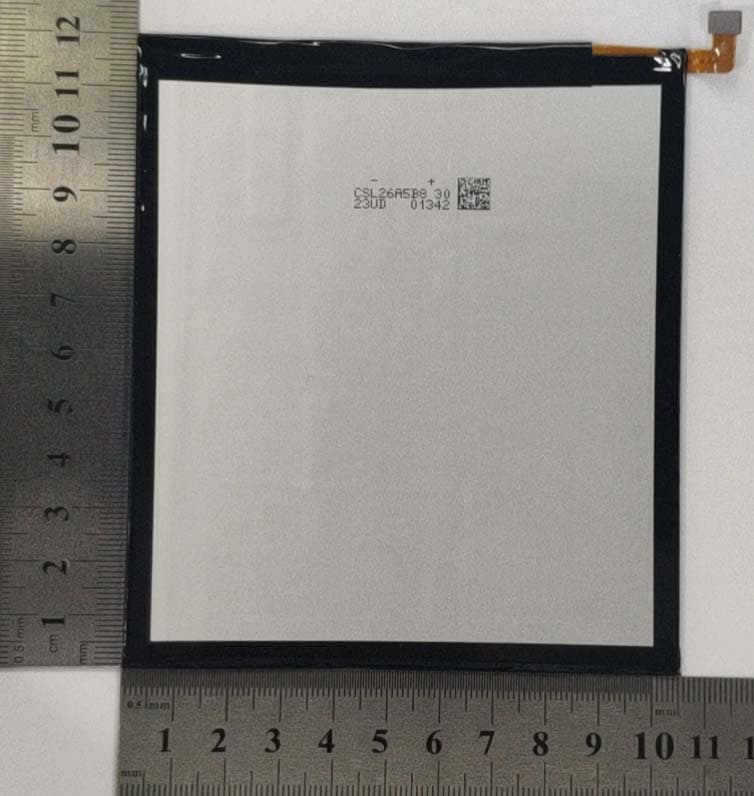
Click to zoom
Application Details
- Equipment Class
- DSS - Part 15 Spread Spectrum Transmitter
- Date of Grant
- Jul 16, 2020
- Application Purpose
- Original Equipment
- Date of Application
- Jul 13, 2020
- Equipment Note
- Tablet PC
- Frequency Range
- 2402.00000000 - 2480.00000000
- Company
- TCL Communication Ltd.
- Country
- China
Documents & Files
Document Text
Text extracted from the exhibit documents filed with the FCC. Open a document above to read the original.
Users Manual
Product safety & warranty information 1 Safety and Precautions www.sar-tick.com This product meets applicable nation- al SAR limits of 1.6 W/kg. The specific maximum SAR values can be found in the Radio waves section. When carrying the product or using it while worn on your body, either use an approved accessory such as a holster or otherwise maintain a distance of XXX mm from the body to ensure compli- ance with RF exposure requirements. Note that the product may be transmit- ting even if you are not making a phone call. PROTECT YOUR HEARING To prevent possible hearing damage, do not listen at high volume levels for long periods. Exercise caution when holding your tablet near your ear while the loud- speaker is in use. This tablet has been tested and rated for use with hearing aids for some of the wireless technologies that it uses. However, there may be some newer wireless technologies used in this tablet that have not been tested yet for use with hearing aids. It is important to try the different fea- tures of this tablet thoroughly and in different locations, using your hearing aid or cochlear implant, to determine if you hear any interfering noise. Consult your service provider or the manufacturer of this tablet for information on hearing aid compatibility. If you have questions about return or exchange policies, consult your service provider or tablet retailer. 2 Safety and use We recommend that you read this chapter carefully be- fore using your tablet. The manufacturer disclaims any liability for damage, which may result as a consequence of improper use or use contrary to the instructions con- tained herein. TRAFFIC SAFETY: Given that studies show that using a tablet while driving a vehicle constitutes a real risk, even when the hands-free kit is used (car kit, headset...), drivers are requested to re- frain from using their tablet when the vehicle is not parked. Check the laws and regulations on the use of wireless tab- lets and their accessories in the areas where you drive. Always obey them. The use of these devices may be pro- hibited or restricted in certain areas. CONDITIONS OF USE: • You are advised to switch off the tablet from time to time to optimize its performance. • Remember to abide by local authority rules of mobile tablet use on aircrafts. • This tablet is a unibody device, where the back cover and battery are not removable, disassembling the tablet will void your warranty. Disassembling the tablet can cause bodily injury if the battery is punctured. • Always handle your tablet with care and keep it in a clean and dust-free place. • Do not allow your tablet to be exposed to adverse weather or environmental conditions, such as moisture, humidity, rain, infiltration of liquids, dust, sea air, etc. The manufacturer’s recommended operating temperature range is 0°C (32°F) to +40°C (104°F)). At over 40°C (104°F), the legibility of the tablet’s display may be tem- porarily impaired. 3 • Do not open, dismantle, or attempt to repair your tablet yourself. • Do not drop, throw, or bend your tablet. • Use only batteries, battery chargers, and accessories which are recommended by TCL Communication Ltd. and its affiliates and are compatible with your tablet model. TCL Communication Ltd. and its affiliates dis- claim any liability for damage caused by the use of other chargers or batteries. • Your tablet should not be disposed of in a municipal waste. Please check local regulations for disposal of electronic products. • Remember to make backup copies or keep a written re- cord of all important information stored on your tablet. • Some people may suffer epileptic seizures or blackouts when exposed to flashing lights, or when playing video games. These seizures or blackouts may occur even if a person never had a previous seizure or blackout. If you have experienced seizures or blackouts, or if you have a family history of such occurrences, please consult your doctor before playing video games on your tablet or ena- bling a flashing-lights feature on your tablet. • Parents should monitor their children’s use of video games or other features that incorporate flashing lights on the tablets. All persons should discontinue use and consult a doctor if any of the following symptoms occur: convulsion, eye or muscle twitching, loss of awareness, orientation, or movements. 4 PRIVACY: Please note that you must respect the laws and regula- tions in force in your jurisdiction or other jurisdiction(s) where you will use your tablet regarding taking photo- graphs and recording sounds with your tablet. Pursuant to such laws and regulations, it may be strictly forbidden to take photographs and/or to record the voices of oth- er people or any of their personal attributes, and repro- duce or distribute them, as this may be considered to be an invasion of privacy. It is the user’s sole responsibility to ensure that prior authorization has been obtained, if necessary, in order to record private or confidential con- versations or take a photograph of another person; the manufacturer, the seller or vendor of your tablet (including the carrier) disclaim any liability which may result from im- proper use of the tablet. BATTERY: Observe the following precautions: • Do not attempt to open the back cover. • Do not attempt to eject, replace, or open the battery. • Do not puncture the back cover of your tablet. • Do not burn or dispose of your tablet in household rub- bish or store it at temperature above 60°C (140°F). Tablet and battery as a unibody device must be disposed of in accordance with locally applicable environmental regulations. This symbol on your tablet, the battery, and the accessories means that these products must be taken to collection points at the end of their life: • Municipal waste disposal centers with specific bins for these types of equipment. • Collection bins at points of sale. 5 They will then be recycled, preventing substances being disposed of in the environment, so that their com…
Text truncated - open the document above for the full version.
Users Manual
Quick reference guide 1 About your tablet SIM & microSD™ Tray Front Camera Volume Key Power/ Lock Key Audio Connector Home Back Recent Apps Microphone Not all features, apps or services may be available with your plan, device operating system and software version. Please contact your wireless service provider for more information. NOTE: Devices and software are constantly evolving—the screen images and icons you see here are for reference only. 2 LED Flash Rear Camera USB Type-C Charger Port Speaker 3 Setting up your tablet Your tablet already has a NANO SIM card installed. MicroSD cards (capacity up to 256GB) may be purchased separately. Insert the SIM card * /microSD card Power off the tablet before opening the SIM tray to re- move and/or insert the NANO SIM or microSD card. Step 1. If you need to replace the NANO SIM card and/ or insert an optional microSD card, use the SIM tool provided in the box to open the SIM tray. *A Subscriber Identity Module (SIM) card is a “smartcard” that houses personal information, such as your mobile number, calling plan and account information. The Verizon 4G LTE SIM card is compatible with any Verizon 4G LTE certified device that uses the same size SIM card. The 4G LTE SIM card can move from one device to another, and your wireless service will support the services that are compatible with your new device and service plan. To see which devices are compatible with the Verizon 4G LTE SIM card, visit verizonwireless.com/certifieddevice 4 Step 2. Remove the NANO SIM card/microSD card tray. Step 3. Position the SIM card and/or microSD card in the tray correctly, aligning the cutout tab and gently snap into place. Be sure the edges are aligned. SIM SD Step 4. Slide the tray slowly into the SIM tray slot. It only fits one direction. Do not force into place. Keep the SIM tool in a safe place for future use. NOTE: The microSD card is sold separately. 5 Charge your tablet You might need to charge the battery before using your tablet by inserting the small end of the charging cable into the charger port as shown. Charge your tablet fully before turning it on and starting the set up process. Insert the other end of the USB cable into your wall charger and plug it into a wall outlet. 1 A B C D E F G 9 8 7 6 5 4 3 2 F E D C B A 9 8 7 6 5 4 3 2 1 5 20190000 name WARNING: Only use the charger and cable supplied with the tablet. Using incompatible chargers or tampering with the charging port could damage your tablet and void the warranty. 6 Using your tablet Turning your tablet on/off NOTE: The first time you turn on your tablet, you may need to activate it. Follow the on screen instructions to set up your device. To turn on your tablet, press and hold the Power/Lock key. To turn off your tablet, press and hold the Power/Lock key, and tap Power Off on the screen when it appears. Locking/unlocking the screen To turn on your screen, press the Power/Lock key. Then swipe up on the screen to unlock it. To create a screen unlock pattern, touch Settings > Security > Screen lock. To turn off your screen and prevent accidental key presses, press the Power/Lock key. Touch screen tips Use touch gestures to move around the screen, open menus, select items, zoom in and out of web pages and more. There are several touch gestures recognized by your tab- let: Ta p—Tap the screen with your finger to select items or press buttons on the screen. Touch and hold—Touch and hold an item on the screen (such as a link in a web page) to open available options. Swipe—Swipe by quickly sliding your finger in any direc- tion. 7 Drag—To drag, touch and hold an item and move it to a new position. Double tap—Double tap to zoom in/out on a web page or picture. Multi-touch—Pinch or spread your thumb and index fin- ger to zoom in or out. Home screen The Home screen provides quick access to all the items (applications, shortcuts, folders and widgets) you like to use most frequently. Touch the Home symbol to get instant access to the Home screen. Search bar Touch to enter text search screen. Touch to speak to Google Assistant. Favorite applications tray Touch to enter the applications. Touch and hold to move or change applications. Notification bar Touch and drag down to open the notifications panel. Back HomeRecent apps 8 Making a call 1. From the Home Screen, tap Phone . 2. Tap Keypad . 3. Enter the number you want to call in the keypad or use the Search Contacts bar to enter the first few letters of a contact’s name. Tap the correct entry to make a call. 4. Tap Call to place the call. Receiving a call When you receive a call, Swipe up to answer the call; Swipe down to reject the call; Touch to reject the call by sending a preset message. To mute incoming calls, press the Volume button. Setting up Voice Mail 1. Dial *86 and press 2. When you hear a greeting, press # to interrupt 3. Follow the instructions to set up your voice mail Checking Voice Mail From your phone: 1. Press Phone . 2. From the keypad, press and hold number . From other phones 1. Dial your wireless number. 9 2. When the greeting begins, press # to interrupt. 3. Follow the instructions to listen to, save or discard phone messages. NOTE: Voice mailboxes not set up within 45 days will be canceled. Your voice mailbox is not password protected until you create a password by following the setup tutorial. Voice Mail may not be available in some areas. Follow the setup instructions to password-protect your Verizon Wire- less Voice Mailbox. Verizon Wireless is not responsible for missed messages or deletions of messages from your Voice Mailbox, even if you have saved them. Services and features Calling features Domestic Long Distance Caller ID Call Waiting 3-Way Calling Call Forwarding Text messaging 1. Open the Messaging App by tapping on the Home screen or within the App Drawer. 2. Tap to start a new text message. 3. Enter the name or number of the recipient, or tap to select a contact from your contacts list. 4. Compose the text messag…
Text truncated - open the document above for the full version.
Cover Letter(s)
TCL Communication Ltd. 5F, C building, No. 232, Liang Jing Road, ZhangJiang High-Tech Park, Pudong Shanghai, P.R. China. 201203 Tel: +86 21 6146 0666 Fax: +86 21 6146 0602 http://tclcom.tcl.com 2020-07-06 Federal Communications Commission Office of Engineering and Technology Equipment Authorization Division 7345 Oakland Mills Road Columbia, Maryland 21046 Subject: Permanent Confidentiality request for FCC ID: 2ACCJB126 To Whom It May Concern, Pursuant to sections 0.457 and 0.459 of CFR 47, the applicant requests permanent confidential treatment of the following information accompanying this application: - Block Diagram - Schematics - Operational Description - BOM list/Tune-Up-Procedure The above materials contain trade secrets and proprietary information not customarily released to the public. The public disclosure of these matters might be harmful to the applicant and provide unjustified benefits to its competitors. Yours Sincerely, Zhizhou GONG Product Certification Manager TCL Communication Ltd.
Cover Letter(s)
TCL Communication Ltd. 5F, C building, No. 232, Liang Jing Road, ZhangJiang High-Tech Park, Pudong Shanghai, P.R. China. 201203 Tel: +86 21 6146 0666 Fax: +86 21 6146 0602 http://tclcom.tcl.com 2020-07-06 Federal Communications Commission Office of Engineering and Technology Equipment Authorization Division 7345 Oakland Mills Road Columbia, Maryland 21046 Subject: SHORT-TERM Confidentiality request for FCC ID: 2ACCJB126 To Whom It May Concern, Pursuant to sections 0.457 and 0.459 of CFR 47 and to avoid premature release of sensitive information prior to marketing or release of the product to the public, the applicant requests the following documents contained in this certification application be temporarily withheld from public disclosure for an initial period of 180 days: - External Photos - Internal Photos - Test Setup Photos - User manual The applicant also acknowledges that they will also provide appropriate notice to ACB should either of the following occur: a) if the applicant requires additional 45 days extension periods they will notify ACB with a new request letter at least 7 days prior to the short-term confidentiality expiration date – [Note: up to a maximum of 3 extensions only are allowed], or b) Immediately notify ACB in the event the information regarding the product or the product is made available to the public. ACB will then release the documents listed above for public disclosure pursuant to FCC Public Notice DA 04-1705. Yours Sincerely, Zhizhou GONG Product Certification Manager TCL Communication Ltd.
Cover Letter(s)
TCL Communication Ltd. 5F, C building, No. 232, Liang Jing Road, ZhangJiang High-Tech Park, Pudong Shanghai, P.R. China. 201203 Tel: +86 21 6146 0666 Fax: +86 21 6146 0602 http://tclcom.tcl.com Date 2020-07-06 To: Federal Communications Commission, Authorization & Evaluation Division, 7345 Oakland Mills Road Columbia, MD 21046 And American Certification Body, Inc. 6731 Whittier Avenue Suite C110 McLean, VA 22101 To Whom It May Concern: CTTL-Terminals Test Lab of China Academy of Telecommunication Research of MIIT is authorized to act on our behalf, until otherwise notified, for applications to American Certification Body, Inc. (ACB). We certify that we are not subject to denial of federal benefits, which includes FCC benefits, pursuant to Section 5301 of the Anti-Drug Abuse Act of 1988, U.S.C. 862. Further, no party, as defined in 47 CFR1.2002 (b) to the application is subject to denial of federal benefits, that includes FCC benefits. Thank you. Regards, Zhizhou GONG Product Certification Manager TCL Communication Ltd.
Cover Letter(s)
V1.0 Request for Supercede TO: Federal Communication Commission FCC ID: 2ACCJB126 Grant Date: 07/17/2020 TC number: CXX_TC405530,DSS_TC189910,DTS_TC855989,JBP_TC430194,PCT_TC535790, NII_TC440443 Please kindly be notified that we, TCL Communication Ltd. herein request to supercede the FCC ID: 2ACCJB126 for the following reason: 1. There is one mistake for the test report, and we want to modify the test report as the correct hardware version 02. 2. We would like to add a model 9049L. The model name showed in the test report should be 9048S,9049L. Please kindly permit the supercede. Thank you. Sincerely, Name / Title: Zhizhou Gong Company: TCL Communication Ltd. Tel: +86-0755 -36611517 Fax: Email: Zhizhou.Gong @TCL.COM
Cover Letter(s)
7/F, Block F4, TCL Communication Technology Building, TCL International E City, Zhong Shan Yuan Road, Nanshan District, Shenzhen, Guangdong, P.R. China 518052 TEL: 0086-755-36611722 FAX: 0086-75536612000-81722 Declaration of changes from Initial to Variant General: 9049L is a variant product of 9048S SOFTWARE MODIFICATIONS: Protocol Stack changes: NO MMS/STK/USAT/USIM changes: NO DM/SUPL/VT/FUMO/SWP/HCI: NO (indicated the changed items if yes) Other changes detailed: change model name 9048S to 9049L,The 9048S are for adults and the 9049L is for kids HARDWARE MODIFICATIONS: Band changes: NO PCB Layout changes: NO Main RF components changes: NO Antenna AP Modem Transceiver Power Amplifier Rx SAW Filter ASM GSM850 NO NO NO NO NO NO NO GSM900 NO NO NO NO NO NO NO GSM1800 NO NO NO NO NO NO NO GSM1900 NO NO NO NO NO NO NO Antenna AP Modem Transceiver Power Amplifie r Tx SAW Filter Duple xer ASM UMTS210 0 NO NO NO NO NO NO NO NO UMTS190 0 NO NO NO NO NO NO NO NO UMTS170 0 NO NO NO NO NO NO NO NO UMTS900 NO NO NO NO NO NO NO NO UMTS850 NO NO NO NO NO NO NO NO Ante nna AP Mode m Transcei ver Power Amplifier Tx SAW Filter Rx SAW Filter Duplexe r ASM LTE Band 2 NO NO NO NO NO NO NO NO NO LTE Band 4 NO NO NO NO NO NO NO NO NO LTE Band 66 NO NO NO NO NO NO NO NO NO Band 12 NO NO NO NO NO NO NO NO NO Band 13 NO NO NO NO NO NO NO NO NO Band 28 NO NO NO NO NO NO NO NO NO Band 5 NO NO NO NO NO NO NO NO NO Antenna AP Modem Transceiver Power Amplifie r Balun Band pass filter Diplexer Bluetooth NO NO NO NO NO NO NO NO Wi-Fi NO NO NO NO NO NO NO NO FM changes: No LCD/ Speaker/ Camera/ Vibrator changes: (indicated the changed items if yes) NO Other changes detailed: MECHANICAL MODIFICATIONS: Use new metal front/back cover or keypad: NO Mechanical shell changes: NO Whole size of EUT: NO Distance of Ear reference point to bottom of handset: NO Other trinkets to change the surface of handset: NO Other changes detailed: APPROVED BY: Project Manager: Signature: Date: 2020-09-16
External Photos
Battery TLp053C1‐1 Battery TLp053C1‐2 Charger QC13US Charger QC13US‐Label USB Cable CDA0000154C2
ID Label/Location Info
Settings > System > Regulatory & safety
RF Exposure Info
©Copyright. All rights reserved by CTTL. Page 1 of 233 SAR TEST REPORT No. I20Z60705-SEM03 For TCL Communication Ltd. Tablet PC Model Name: 9048S,9049L With Hardware Version: 02 Software Version: 6F6A FCC ID: 2ACCJB126 Issued Date: 2020-9-11 Note: The test results in this test report relate only to the devices specified in this report. This report shall not be reproduced except in full without the written approval of CTTL. The report must not be used by the client to claim product certification, approval, or endorsement by NVLAP, NIST, or any agency of the U.S.Government. Test Laboratory: CTTL, Telecommunication Technology Labs, CAICT No. 51, Xueyuan Road, Haidian District, Beijing, P. R. China 100191. Tel:+86(0)10-62304633-2512, Fax:+86(0)10-62304633-2504 Email: [email protected], website: www.caict.ac.cn No.I20Z60705-SEM03 ©Copyright. All rights reserved by CTTL. Page 2 of 233 REPORT HISTORY Report Number Revision Issue Date Description I20Z60705-SEM03 Rev.0 2020-6-27 Initial creation of test report I20Z60705-SEM03 Rev.1 2020-8-4 Update GSM1900 data I20Z60705-SEM03 Rev.2 2020-9-11 Update Hardware Version and Model Name No.I20Z60705-SEM03 ©Copyright. All rights reserved by CTTL. Page 3 of 233 TABLE OF CONTENT 1 TEST LABORATORY ................................................................................................................ 5 1.1 TESTING LOCATION ................................................................................................................................. 5 1.2 TESTING ENVIRONMENT .......................................................................................................................... 5 1.3 PROJECT DATA ......................................................................................................................................... 5 1.4 SIGNATURE .............................................................................................................................................. 5 2 STATEMENT OF COMPLIANCE .............................................................................................. 6 3 CLIENT INFORMATION ............................................................................................................ 8 3.1 APPLICANT INFORMATION ....................................................................................................................... 8 3.2 MANUFACTURER INFORMATION .............................................................................................................. 8 4 EQUIPMENT UNDER TEST (EUT) AND ANCILLARY EQUIPMENT (AE) ............................. 9 4.1 ABOUT EUT ............................................................................................................................................ 9 4.2 INTERNAL IDENTIFICATION OF EUT USED DURING THE TEST ................................................................... 9 4.3 INTERNAL IDENTIFICATION OF AE USED DURING THE TEST ...................................................................... 9 5 TEST METHODOLOGY .......................................................................................................... 10 5.1 APPLICABLE LIMIT REGULATIONS ......................................................................................................... 10 5.2 APPLICABLE MEASUREMENT STANDARDS ............................................................................................. 10 6 SPECIFIC ABSORPTION RATE (SAR) .................................................................................. 11 6.1 INTRODUCTION ...................................................................................................................................... 11 6.2 SAR DEFINITION ................................................................................................................................... 11 7 TISSUE SIMULATING LIQUIDS ............................................................................................. 12 7.1 TARGETS FOR TISSUE SIMULATING LIQUID ............................................................................................. 12 7.2 DIELECTRIC PERFORMANCE .................................................................................................................. 12 8 SYSTEM VERIFICATION ........................................................................................................ 17 8.1 SYSTEM SETUP ...................................................................................................................................... 17 8.2 SYSTEM VERIFICATION .......................................................................................................................... 18 9 MEASUREMENT PROCEDURES .......................................................................................... 19 9.1 TESTS TO BE PERFORMED ....................................................................................................................... 19 9.2 GENERAL MEASUREMENT PROCEDURE ................................................................................................. 21 9.3 WCDMA MEASUREMENT PROCEDURES FOR SAR ............................................................................... 22 9.4 SAR MEASUREMENT FOR LTE .............................................................................................................. 23 9.5 BLUETOOTH & WI-FI MEASUREMENT PROCEDURES FOR SAR.............................................................. 24 9.6 POWER DRIFT ........................................................................................................................................ 24 10 AREA SCAN BASED 1-G SAR ........................................................................................... 25 10.1 REQUIREMENT OF KDB ......................................................................................................................... 25 10.2 FAST SAR ALGORITHMS .................................................…
Text truncated - open the document above for the full version.
RF Exposure Info
No.I20Z60705-SEM03 ©Copyright. All rights reserved by CTTL. Page 70 of 233 Note2: The distance between the EUT and the phantom bottom is 10mm. Table 14.1-2: SAR Values (GSM 1900 MHz Band - Body) Note: The distance between the EUT and the phantom bottom is 0mm. Note1: The distance between the EUT and the phantom bottom is 14mm. Note2: The distance between the EUT and the phantom bottom is 10mm. Table 14.1-3: SAR Values (WCDMA 1900 MHz Band - Body) Note: The distance between the EUT and the phantom bottom is 0mm. Note1: The distance between the EUT and the phantom bottom is 14mm. Note2: The distance between the EUT and the phantom bottom is 10mm. Ambient Temperature: 22.9 o C Liquid Temperature: 22.5 o C Frequency Mode (number of timeslots) Test Positio n Figur e No. Conduct ed Power (dBm) Max. tune- up Power (dBm) Measure d SAR(10g ) (W/kg) Reported SAR(10g )(W/kg) Measure d SAR(1g) (W/kg) Reporte d SAR(1g) (W/kg) Power Drift (dB) Ch. MHz 661 1880 GPRS (2) Rear Note1 27.98 29 0.379 0.48 0.492 0.62 0.01 661 1880 GPRS (2) Top Note2 27.98 29 0.068 0.09 0.088 0.11 -0.09 661 1880 GPRS (2) Right Note2 27.98 29 0.044 0.06 0.058 0.07 0.14 810 1909.8 GPRS (4) Rear Fig.2 17.29 18 0.370 0.44 0.824 0.97 0.01 661 1880 GPRS (4) Rear / 17.08 18 0.356 0.44 0.762 0.94 0.09 512 1850.2 GPRS (4) Rear / 16.86 18 0.335 0.44 0.704 0.92 -0.03 661 1880 GPRS (4) Top / 17.08 18 0.200 0.25 0.413 0.51 0.15 661 1880 GPRS (4) Right / 17.08 18 0.059 0.07 0.113 0.14 0.02 810 1909.8 EGPRS (4) Rear / 17.26 18 0.360 0.43 0.812 0.96 0.01 Ambient Temperature: 22.9 o C Liquid Temperature: 22.5 o C Frequency Test Position Figure No. Conducted Power (dBm) Max. tune-up Power (dBm) Measured SAR(10g) (W/kg) Reported SAR(10g)( W/kg) Measured SAR(1g) (W/kg) Reported SAR(1g) (W/kg) Power Drift (dB) Ch. MHz 9538 1907.6 Rear Note1 23.22 24 0.562 0.67 0.938 1.12 -0.03 9400 1880 Rear Note1 23.32 24 0.556 0.65 0.921 1.08 -0.13 9262 1852.4 Rear Note1 23.25 24 0.546 0.65 0.896 1.06 -0.01 9400 1880 Top Note2 23.32 24 0.458 0.54 0.812 0.95 0.03 9400 1880 Right Note2 23.32 24 0.198 0.23 0.403 0.47 0.01 9538 1907.6 Rear / 15.20 16 0.445 0.54 0.954 1.15 0.11 9400 1880 Rear Fig.3 15.22 16 0.449 0.54 0.976 1.17 -0.03 9262 1852.4 Rear / 15.19 16 0.443 0.53 0.946 1.14 -0.01 9538 1907.6 Top / 15.20 16 0.304 0.37 0.663 0.80 0.02 9400 1880 Top / 15.22 16 0.282 0.34 0.641 0.77 -0.08 9262 1852.4 Top 15.19 16 0.253 0.30 0.554 0.67 0.08 9400 1880 Right / 15.22 16 0.079 0.09 0.157 0.19 -0.11 No.I20Z60705-SEM03 ©Copyright. All rights reserved by CTTL. Page 71 of 233 Table 14.1-4: SAR Values (WCDMA 1700 MHz Band - Body) Note: The distance between the EUT and the phantom bottom is 0mm. Note1: The distance between the EUT and the phantom bottom is 14mm. Note2: The distance between the EUT and the phantom bottom is 10mm. Table 14.1-5: SAR Values (WCDMA 850 MHz Band - Body) Note: The distance between the EUT and the phantom bottom is 0mm. Note1: The distance between the EUT and the phantom bottom is 14mm. Note2: The distance between the EUT and the phantom bottom is 10mm. Ambient Temperature: 22.9 o C Liquid Temperature: 22.5 o C Frequency Test Position Figure No. Conducte d Power (dBm) Max. tune- up Power (dBm) Measured SAR(10g) (W/kg) Reported SAR(10g)( W/kg) Measured SAR(1g) (W/kg) Reported SAR(1g) (W/kg) Power Drift (dB) Ch. MHz 1513 1752.6 Rear Note1 23.17 24 0.420 0.51 0.699 0.85 0.06 1412 1732.5 Rear Note1 23.10 24 0.413 0.51 0.689 0.85 -0.07 1312 1712.4 Rear Note1 23.16 24 0.409 0.50 0.680 0.83 0.13 1412 1732.5 Top Note2 23.10 24 0.351 0.43 0.687 0.85 0.02 1412 1732.5 Right Note2 23.10 24 0.215 0.26 0.301 0.37 0.03 1513 1752.6 Rear Fig.4 14.88 15 0.471 0.48 0.972 1.00 0.07 1412 1732.5 Rear / 14.98 15 0.449 0.45 0.913 0.92 0.05 1312 1712.4 Rear / 14.83 15 0.463 0.48 0.944 0.98 -0.06 1412 1732.5 Top / 14.98 15 0.161 0.16 0.358 0.36 0.13 1412 1732.5 Right / 14.98 15 0.071 0.07 0.135 0.14 -0.02 Ambient Temperature: 22.9 o C Liquid Temperature: 22.5 o C Frequency Test Position Figure No. Conducted Power (dBm) Max. tune-up Power (dBm) Measured SAR(10g) (W/kg) Reported SAR(10g)( W/kg) Measured SAR(1g) (W/kg) Reported SAR(1g) (W/kg) Power Drift (dB) Ch. MHz 4183 836.6 Rear Note1 23.04 24 0.170 0.21 0.227 0.28 -0.07 4183 836.6 Top Note2 23.04 24 0.182 0.23 0.259 0.32 -0.07 4183 836.6 Right Note2 23.04 24 0.065 0.08 0.092 0.11 0.03 4233 846.6 Rear / 21.63 22 0.358 0.39 0.800 0.87 0.07 4183 836.6 Rear / 21.67 22 0.356 0.38 0.740 0.80 -0.04 4132 826.4 Rear Fig.5 21.89 22 0.385 0.39 0.860 0.88 0.04 4183 836.6 Top / 21.67 22 0.335 0.36 0.586 0.63 -0.07 4183 836.6 Right / 21.67 22 0.155 0.17 0.267 0.29 -0.10 No.I20Z60705-SEM03 ©Copyright. All rights reserved by CTTL. Page 72 of 233 Table 14.1-6: SAR Values (LTE Band2 - Body) Note: The distance between the EUT and the phantom bottom is 0mm. Note1: The distance between the EUT and the phantom bottom is 14mm. Note2: The distance between the EUT and the phantom bottom is 10mm Note3: The LTE mode is QPSK_20MHz. Ambient Temperature: 22.9 o C Liquid Temperature: 22.5 o C Frequency Mode Test Positio n Figure No. Conduc ted Power (dBm) Max. tune- up Power (dBm) Measure d SAR(10g ) (W/kg) Reported SAR(10g )(W/kg) Measure d SAR(1g) (W/kg) Reporte d SAR(1g) (W/kg) Powe r Drift (dB) Ch. MHz 19100 1900 1RB-Mid Rear Note1 22.97 23.5 0.509 0.58 0.827 0.93 -0.05 18900 1880 1RB-Mid Rear Note1 23.27 23.5 0.512 0.54 0.834 0.88 0.10 18700 1860 1RB-Mid Rear Note1 23.01 23.5 0.512 0.57 0.813 0.91 0.03 19100 1900 1RB-Mid Top Note2 22.97 23.5 0.429 0.48 0.725 0.82 0.02 18900 1880 1RB-…
Text truncated - open the document above for the full version.
Contact Information
Applicant
Annie Jiang
Technical Contact
CTTL, Telecommunication Technology Labs, CAICTXue Zhen
[email protected]86-10-62304633
No. 52, Huayuan Bei Road, Haidian District, · China
Test Firm
Telecommunication Technology Labs, CAICTYaqin Shen
Technical Specifications
| # | Rule Parts | Frequency Range | Power Output |
|---|---|---|---|
| 1 | 15C | 2.40 GHz - 2.48 GHz | 10.70 mW |
Other Applications from TCL Communication Ltd.
2ACCJSCD002
Sep 10, 2024USB Connect 5G (NA)
Equipment Class
CXX - Communications Rcvr for use w/ licensed Tx and CBs2ACCJB227
Aug 21, 2024Smart phone
Equipment Class
DTS - Digital Transmission System2ACCJSCD005
Aug 07, 2024TCL LINKPORT IK511
Equipment Class
CXX - Communications Rcvr for use w/ licensed Tx and CBs2ACCJB224
Jul 31, 2024Tablet PC
Equipment Class
DSS - Part 15 Spread Spectrum Transmitter2ACCJB223
Jun 27, 2024Tablet PC
Equipment Class
NII - Unlicensed National Information Infrastructure TX