2ACCJB130Tablet PC
TCL Communication Ltd.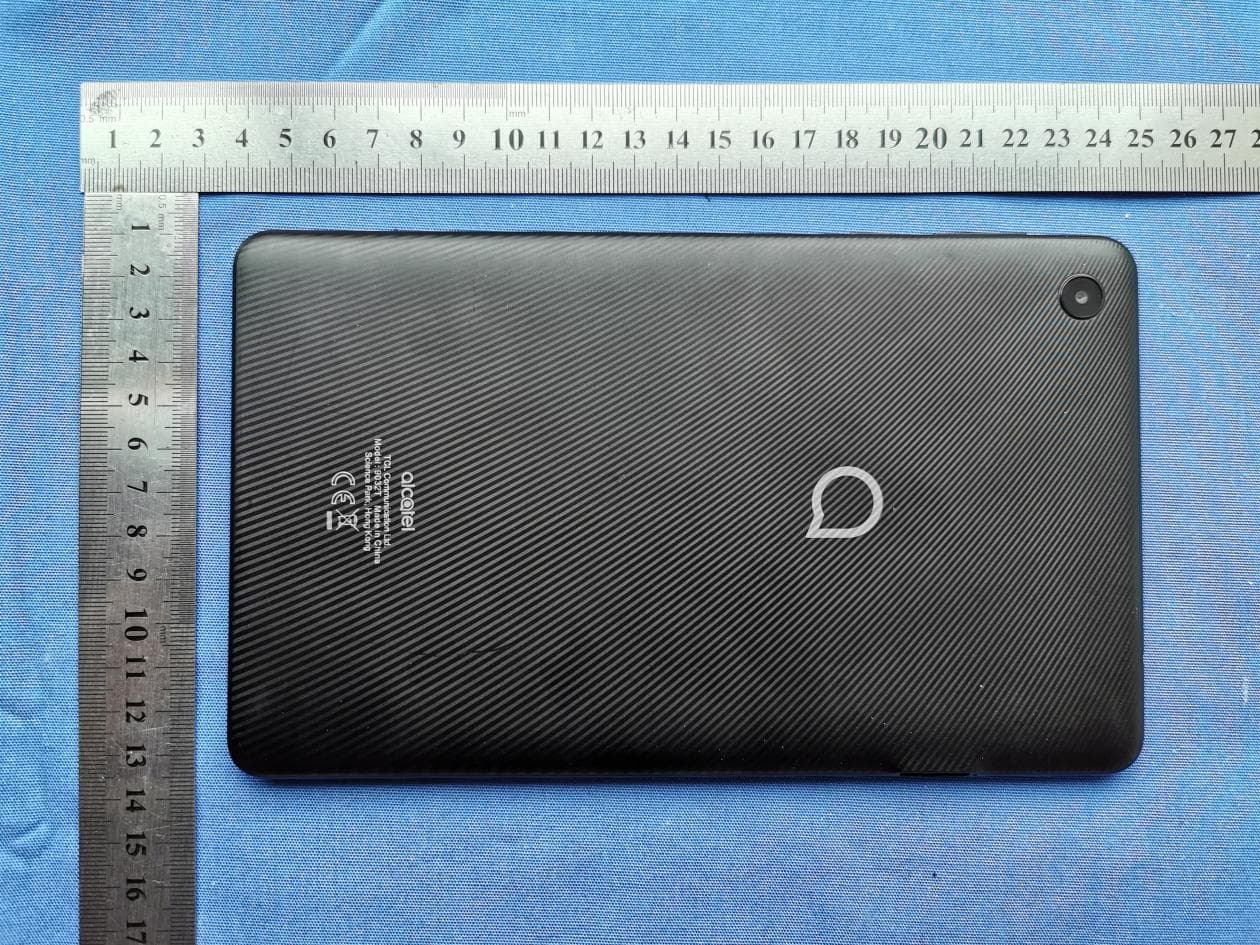
Click to zoom
Application Details
- Equipment Class
- PCT - PCS Licensed Transmitter worn on body
- Date of Grant
- Jul 26, 2020
- Application Purpose
- Original Equipment
- Date of Application
- Jul 24, 2020
- Equipment Note
- Tablet PC
- Frequency Range
- 1720.00000000 - 1770.00000000
- Company
- TCL Communication Ltd.
- Country
- China
Documents & Files
Document Text
Text extracted from the exhibit documents filed with the FCC. Open a document above to read the original.
Users Manual
QUICK START GUIDE www.alcatelmobile.com User Manual and FAQ are available online 9032T CJB1S81ALAAB CJB1S81ALAAB 1 Rear Camera Volume up/down Power key Front camera 2 Fully charge your device for the first time use. Open the slot and insert the SD & SIM cards. SIM SD 3 1 Home screen You can move frequently used items (applications, shortcuts, folders and widgets) to your Home screen for quick access. Touch the Home key to switch to the Home screen. Status bar • Status/Notification indicators • Touch and drag down to open the notification panel. Touch an icon to open an application, folder, etc. Favourites tray applications • Touch to enter the application. • Long press to move or change applications. The Home screen is provided in an extended format to allow more space for adding application icons, shortcuts etc. Slide the Home screen horizontally left and right to get additional view. 1.1 Status bar In the status bar, you can see the notifications on the left side and the connection service status on the right side. Swipe downward from the Status bar to access the Notification panel or the Quick Settings panel. To close the panel, touch and drag upward. Touch to clear all event- based notifications. On-going notifications will remain on the panel. 4 Notification panel When there are notifications, you can touch them to view more information. Quick settings panel Swipe down from the status bar twice to open the Quick settings panel. Then enable or disable functions or change modes by touching the icons. Touch to edit shortcut list. Touch to access settings, where you can make changes to more functions. 5 2 Phone call 2.1 Placing a call You can easily place a call using the Phone application. Touch the Phone icon on your Favourites Tray. Call screen Enter the desired number from the dial pad directly and touch to place the call or select a contact from Favorites or Contacts by touching tabs, then make the call Touch to display dial pad. Contacts Favorites RECENT Dial pad Enter the desired number from the dial pad and touch the Call icon to place the call. If you make a mistake, you can delete the incorrect digits by touching the Delete button . Display the suggested numbers. Long press to access voicemail. 6 Answering or rejecting a call When you receive a call: Slide up the icon to answer; Slide down the icon to to reject; Touch to reject the call by sending a preset message. To mute the ringtone volume of an incoming call, press the Volume Up/Down key Call history You can access your call history by touching the Recents tab from the Call screen to view missed calls, outgoing calls, and incoming calls. 3 Contacts Contacts are stored in your tablet with the Contacts app. It allows you to add, delete, or edit your contacts. You can also import or export your contacts from different locations such as a SIM card, an external storage, your Gmail or other email account. 3.1 Adding a contact Open the Contacts app from applications list, then touch the Plus button on the bottom right of the screen to add a new contact. 7 3.2 Synchronising contacts in multiple accounts Contacts, data or other information can be synchronized from multiple accounts, depending on the applications installed on your tablet. 4 Messaging This tablet comes with a pre-installed Messaging app that allows you to send and receive SMS (Short Message Service) or MMS (Multimedia Messaging Service) with your wireless service provider. To open your Messaging app, go to the Home screen and touch the Messaging icon in the Favourites tray or from the application list. To check messages stored in your SIM card, touch the button from the Messaging screen, then touch Settings > Advanced > SIM card messages. 4.1 Write message On the Messaging app screen, touch in the bottom right of the screen to begin. Touch to create a new message. • Touch to see the whole message thread. • Touch and hold to activate delete mode. Sending a text message Enter the mobile phone number of the recipient in the "To" bar and touch the Text message bar to enter the text of the message. Touch the Smiley Face button to insert emoticons. When finished, touch the Send button to send the text message. 8 An SMS of more than 160 characters (Actually maybe little less than 160) will be charged as several SMS. Specific letters (accent) will also increase the size of the SMS. This may cause multiple SMS to be sent to your recipient. Sending a multimedia message MMS enables you to send video clips, images, photos, animations, slides, and sounds to other compatible phones and email addresses. An SMS will be converted to MMS automatically when media files (images, videos, audio, documents, etc.) are attached. 5 Gmail Gmail is a Google web-based email service. When you first set up your tablet, it is automatically synchronized with your Google account. With this app, you can receive and send email, manage your email, and archive your email, etc. To open Gmail From the Home screen, touch the Gmail icon in the Google folder. Gmail displays messages and conversations from one single Gmail account at a time. If you own more than one account, you can add an account by touching the Menu button , then touch Setting > Add account. When finished, you can switch to another account by touching the name of the account you want to view. To create and send emails 1 Touch the Edit button from the Inbox screen. 2 Enter the recipient(s)’s email address in "To" field. 3 To add Copy or Blind copy, touch the down arrow button and enter the email address in the Cc or Bcc line. 4 Enter the subject and the content of the message. 5 Touch the Attach button icon and select Attach file to add an attachment. 6 Finally, touch the Send button to send. 7 If you do not want to send the email out right away, you can touch the Menu overflow button and then touch Save draft. To view the draft later, touch the Menu button and select the Drafts folder. Touch the draft email and then the Edit button to open i…
Text truncated - open the document above for the full version.
Users Manual
English - CQF1S81ALAAA Safety and Precautions This product meets applicable national SAR limits of 1.6 W/kg. The specific maximum SAR values can be found on Radio waves section. When carrying the product or using it while worn on your body, either use an approved accessory such as a holster or otherwise maintain a distance of 12 mm from the body to ensure compliance with RF exposure requirements. Note that the product may be transmitting even if you are not making a phone call. PROTECT YOUR HEARING To prevent possible hearing damage, do not listen at high volume levels for long periods. Exercise caution when holding your phone near your ear while the loudspeaker is in use. www.sar-tick.com Printed in China CQF1S81ALAAA 1 Safety and use ������������������������������������������������������������������������������������������������ We recommend that you read this chapter carefully before using your phone. The manufacturer disclaims any liability for damage, which may result as a consequence of improper use or use contrary to the instructions contained herein. TRAFFIC SAFETY: Given that studies show that using a phone while driving a vehicle constitutes a real risk, even when the hands-free kit is used (car kit, headset...), drivers are requested to refrain from using their phone when the vehicle is not parked. Check the laws and regulations on the use of wireless phones and their accessories in the areas where you drive. Always obey them. The use of these devices may be prohibited or restricted in certain areas. CONDITIONS OF USE: • You are advised to switch off the phone from time to time to optimize its performance; • Remember to abide by local authority rules of mobile phone use on aircrafts; • If your phone is a unibody device, where the back cover and battery are not removable, dissembling the phone will void your warranty. Disassembling the phone can cause bodily injury if the battery is punctured; • Always handle your phone with care and keep it in a clean and dust-free place; • Do not allow your phone to be exposed to adverse weather or environmental conditions, such as moisture, humidity, rain, infiltration of liquids, dust, sea air, etc. The manufacturer’s recommended operating temperature range is 0°C (32°F) to +40°C (104°F). At over 40°C (104°F), the legibility of the phone’s display may be impaired, though this is temporary and not serious; • Do not open, dismantle, or attempt to repair your phone yourself; • Do not drop, throw, or bend your phone; • Use only batteries, battery chargers, and accessories which are recommended by TCL Communication Ltd. and its affiliates and are compatible with your phone model. TCL Communication Ltd. and its affiliates disclaim any liability for damage caused by the use of other chargers or batteries; 2 • Your phone should not be disposed of in a municipal waste. Please check local regulations for disposal of electronic products; • Remember to make backup copies or keep a written record of all important information stored on your phone; • Some people may suffer epileptic seizures or blackouts when exposed to flashing lights, or when playing video games. These seizures or blackouts may occur even if a person never had a previous seizure or blackout. If you have experienced seizures or blackouts, or if you have a family history of such occurrences, please consult your doctor before playing video games on your phone or enabling a flashing-lights feature on your phone; • Parents should monitor their children’s use of video games or other features that incorporate flashing lights on the phones. All persons should discontinue use and consult a doctor if any of the following symptoms occur: convulsion, eye or muscle twitching, loss of awareness, orientation, or movements. PRIVACY: Please note that you must respect the laws and regulations in force in your jurisdiction or other jurisdiction(s) where you will use your phone regarding taking photographs and recording sounds with your phone. Pursuant to such laws and regulations, it may be strictly forbidden to take photographs and/or to record the voices of other people or any of their personal attributes, and reproduce or distribute them, as this may be considered to be an invasion of privacy. It is the user's sole responsibility to ensure that prior authorization has been obtained, if necessary, in order to record private or confidential conversations or take a photograph of another person; the manufacturer, the seller or vendor of your phone (including the carrier) disclaim any liability which may result from improper use of the phone. BATTERY: For a non-unibody device: Observe the following precautions: • Do not attempt to open the battery (due to the risk of toxic fumes and burns); • Do not puncture, disassemble, or cause a short circuit in a battery; • Do not burn or dispose of a used battery in household rubbish or store it at temperatures above 60°C (140°F). 3 Batteries must be disposed of in accordance with locally applicable environmental regulations. Only use the battery for the purpose for which it was designed. Never use damaged batteries or those not recommended by TCL Communication Ltd. and/or its affiliates. For a non-unibody device with a non-removable battery: Observe the following precautions: • Do not attempt to eject, replace or open the battery; • Do not puncture, disassemble, or cause a short circuit in the battery; • Do not burn or dispose of your phone in household rubbish or store it at temperature above 60°C (140°F). Phone and battery must be disposed of in accordance with locally applicable environmental regulations. For a unibody device: Observe the following precautions: • Do not attempt to open the back cover; • Do not attempt to eject, replace, or open battery; • Do not puncture the back cover of your phone; • Do not burn or dispose of your phone in household rubbish or store it at temperature above 60°C (140°F); Phone and battery as a unibody device must be disposed of i…
Text truncated - open the document above for the full version.
Cover Letter(s)
TCLCommunicationLtd. 5/F,Building22E,22ScienceParkEast Avenue,HongKongSciencePark,Shatin, NT,HongKong 022818–11 AuthoritytoActasAgent Date:__13/7/2020_____ AmericanCertificationBody,Inc. 6731WhittierAvenue SuiteC110 McLean,VA22101 ToWhomItMayConcern: _____CTTLSZ_____isauthorizedtoactonourbehalf,untilotherwisenotified,forapplicationsto AmericanCertificationBody,Inc.(ACB). Wecertifythatwearenotsubjecttodenialoffederalbenefits,thatincludesFCCbenefits,pursuantto Section5301oftheAnti-DrugAbuseActof1988,21U.S.C.862.Further,noparty,asdefinedin47 CFR1.2002(b),totheapplicationissubjecttodenialoffederalbenefits,thatincludesFCCbenefits. Thankyou, AgencyAgreementExpirationDate:____12months_____ By:_________________________________GongZhizhou (Signature 1 )(Printname) Title:_________ProductCertificationManager_________________ Onbehalfof:_______TCLCommunicationLtd.___________________ (CompanyName) Telephone:_______0086-755-36611722____________________ 1 -MustbesignedbyapplicantcontactgivenforapplicantontheFCCsite,orbytheauthorizedagentifanappropriate authorizedagentletterhasbeenprovided.Lettersshouldbeplacedonappropriateletterhead. TCLCommunicationLtd. 5/F,Building22E,22ScienceParkEast Avenue,HongKongSciencePark,Shatin, NT,HongKong 022818–11 RequestforConfidentiality Date:_13/7/2020_____ Subject:ConfidentialityRequestfor:___2ACCJB130___ PursuanttoFCC47CFR0.457(d)and0.459andICRSP-100,Section9.4,theapplicantrequeststhatapartofthe subjectFCCapplicationbeheldconfidential. TypeofConfidentialityRequestedExhibit ☐ShortTerm☒PermanentBlockDiagrams ☒ShortTermExternalPhotos ☒ShortTerm☐Permanent* 2 InternalPhotos ☐ShortTerm☒PermanentOperationDescription/TheoryofOperation ☐ShortTerm☒PermanentPartsList&Placement/BOM ☐ShortTerm☒PermanentTune-UpProcedure ☐ShortTerm☒PermanentSchematics ☒ShortTermTestSetupPhotos ☒ShortTerm☐Permanent* 3 User’sManual _____TCLCommunicationLtd._____hasspentsubstantialeffortindevelopingthisproductanditisoneofthefirst ofitskindinindustry.Havingthesubjectinformationeasilyavailableto"competition"wouldnegatetheadvantage theyhaveachievedbydevelopingthisproduct.Notprotectingthedetailsofthedesignwillresultinfinancial hardship. PermanentConfidentiality: Theapplicantrequeststheexhibitslistedaboveaspermanentlyconfidentialbepermanentlywithheldfrompublic reviewduetomaterialsthatcontaintradesecretsandproprietaryinformationnotcustomarilyreleasedtothepublic. Short-TermConfidentiality: Theapplicantrequeststheexhibitsselectedaboveasshorttermconfidentialbewithheldfrompublicviewfora periodof180daysfromthedateoftheGrantofEquipmentAuthorizationandpriortomarketing.Thisistoavoid prematurereleaseofsensitiveinformationpriortomarketingorreleaseoftheproducttothepublic.Applicantisalso awarethattheyareresponsibletonotifyACBintheeventinformationregardingtheproductortheproductismade availabletothepublicbeforetherequestedperiodhasexpired.ACBwillthenreleasethedocumentslistedabovefor publicdisclosurepursuanttoFCCPublicNoticeDA04-1705. NOTEforIndustryCanadaApplications: ICcurrentlyonlydistinguishesPermanentConfidentialityexhibitsasshownabove.ShortTermconfidentialityisnot consideredapplicabletoICapplications. Sincerely, 2 -Theasteriskeditems(*)requirefurtherinformationtobeprovidedtoACBbeforepermanentconfidentialitywillbe extendedtotheseexhibits.PleaserefertoFCCKDB726920andthespecificDocumentlinkforD01foundat: https://apps.fcc.gov/oetcf/kdb/forms/FTSSearchResultPage.cfm?switch=P&id=41731andreviewsectionII,3)regarding specificinformationthatmustaccompanytheserequests. TCLCommunicationLtd. 5/F,Building22E,22ScienceParkEast Avenue,HongKongSciencePark,Shatin, NT,HongKong 022818–11 By:__________________________________________________ (Signature/Title 3 )GongZhizhou(Printname) 3 -MustbesignedbyapplicantcontactgivenforapplicantontheFCCsite,orbytheauthorizedagentifanappropriate authorizedagentletterhasbeenprovided.Lettersshouldbeplacedonappropriateletterhead.
External Photos
Front Back Bottom Side1 Top Side2 Charger1-1 Charger1-2 Charger2-1 Charger2-2 DataCable1 DataCable2 Battery
ID Label/Location Info
Label Labellocation
RF Exposure Info
TEST REPORT No.I20N01406-SAR For TCL Communication Ltd. Tablet PC Model Name: 9032T With Hardware Version: PIO Software Version: 1A57 FCC ID: 2ACCJB130 Issued Date: 2020-07-22 Note: The test results in this test report relate only to the devices specified in this report. This report shall not be reproduced except in full without the written approval of SAICT. Test Laboratory: SAICT, Shenzhen Academy of Information and Communications Technology Building G, Shenzhen International Innovation Center, No.1006 Shennan Road, Futian District, Shenzhen, Guangdong, P. R. China 518026. Tel: +86(0)755-33322000, Fax: +86(0)755-33322001 Email: [email protected], www.saict.ac.cn No. I20N01406-SAR ©Copyright. All rights reserved by SAICT Page 2 of 222 REPORT HISTORY Report Number Revision Description Issue Date I20N01406-SAR Rev.0 1st edition 2020-07-22 No. I20N01406-SAR ©Copyright. All rights reserved by SAICT Page 3 of 222 TCONTENTS 1. SUMMARY OF TEST REPORT ................................................................................................... 5 1.1. TEST ITEMS .................................................................................................................................... 5 1.2. TEST STANDARDS ........................................................................................................................... 5 1.3. TEST RESULT .................................................................................................................................. 5 1.4. TESTING LOCATION ......................................................................................................................... 5 1.5. PROJECT DATA ............................................................................................................................... 5 1.6. SIGNATURE ..................................................................................................................................... 5 2. STATEMENT OF COMPLIANCE ................................................................................................. 6 3. CLIENT INFORMATION ............................................................................................................... 8 3.1. APPLICANT INFORMATION ................................................................................................................. 8 3.2. MANUFACTURER INFORMATION ........................................................................................................ 8 4. EQUIPMENT UNDER TEST (EUT) AND ANCILLARY EQUIPMENT (AE) ................................ 9 4.1. ABOUT EUT .................................................................................................................................... 9 4.2. INTERNAL IDENTIFICATION OF EUT USED DURING THE TEST ............................................................. 10 4.3. INTERNAL IDENTIFICATION OF AE USED DURING THE TEST ................................................................ 10 5. TEST METHODOLOGY ............................................................................................................. 11 5.1. APPLICABLE LIMIT REGULATIONS..................................................................................................... 11 5.2. APPLICABLE MEASUREMENT STANDARDS ........................................................................................ 11 6. SPECIFIC ABSORPTION RATE (SAR) ..................................................................................... 12 6.1. INTRODUCTION .............................................................................................................................. 12 6.2. SAR DEFINITION ........................................................................................................................... 12 7. TISSUE SIMULATING LIQUIDS ................................................................................................ 13 7.1. TARGETS FOR TISSUE SIMULATING LIQUID ....................................................................................... 13 7.2. DIELECTRIC PERFORMANCE .......................................................................................................... 13 8. SYSTEM VERIFICATION ........................................................................................................... 18 8.1. SYSTEM SETUP ............................................................................................................................. 18 8.2. SYSTEM VERIFICATION .................................................................................................................. 19 9. MEASUREMENT PROCEDURES ............................................................................................. 20 9.1. TESTS TO BE PERFORMED .............................................................................................................. 20 9.2. GENERAL MEASUREMENT PROCEDURE .......................................................................................... 22 9.3. WCDMA MEASUREMENT PROCEDURES FOR SAR ......................................................................... 23 9.4. LTE MEASUREMENT PROCEDURES FOR SAR ................................................................................. 24 9.5. BLUETOOTH & WLAN MEASUREMENT PROCEDURES FOR SAR ....................................................... 24 9.6. POWER DRIFT ............................................................................................................................... 25 10. CONDUCTED OUTPUT POWER ............................................................................................ 26 10.1. GSM MEASUREMENT RESULT ...................................................................................................... 26 10.2. WCDMA MEASUREMENT RESULT ................................................................................................ 28 10.3. LTE MEASUREMENT RESULT .........................................................…
Text truncated - open the document above for the full version.
RF Exposure Info
No. I20N01406-SAR ©Copyright. All rights reserved by SAICT Page 182 of 222 No. I20N01406-SAR ©Copyright. All rights reserved by SAICT Page 183 of 222 No. I20N01406-SAR ©Copyright. All rights reserved by SAICT Page 184 of 222 No. I20N01406-SAR ©Copyright. All rights reserved by SAICT Page 185 of 222 No. I20N01406-SAR ©Copyright. All rights reserved by SAICT Page 186 of 222 No. I20N01406-SAR ©Copyright. All rights reserved by SAICT Page 187 of 222 No. I20N01406-SAR ©Copyright. All rights reserved by SAICT Page 188 of 222 No. I20N01406-SAR ©Copyright. All rights reserved by SAICT Page 189 of 222 2450 MHz Dipole Calibration Certificate No. I20N01406-SAR ©Copyright. All rights reserved by SAICT Page 190 of 222 No. I20N01406-SAR ©Copyright. All rights reserved by SAICT Page 191 of 222 No. I20N01406-SAR ©Copyright. All rights reserved by SAICT Page 192 of 222 No. I20N01406-SAR ©Copyright. All rights reserved by SAICT Page 193 of 222 No. I20N01406-SAR ©Copyright. All rights reserved by SAICT Page 194 of 222 No. I20N01406-SAR ©Copyright. All rights reserved by SAICT Page 195 of 222 No. I20N01406-SAR ©Copyright. All rights reserved by SAICT Page 196 of 222 No. I20N01406-SAR ©Copyright. All rights reserved by SAICT Page 197 of 222 2550 MHz Dipole Calibration Certificate No. I20N01406-SAR ©Copyright. All rights reserved by SAICT Page 198 of 222 No. I20N01406-SAR ©Copyright. All rights reserved by SAICT Page 199 of 222 No. I20N01406-SAR ©Copyright. All rights reserved by SAICT Page 200 of 222 No. I20N01406-SAR ©Copyright. All rights reserved by SAICT Page 201 of 222 No. I20N01406-SAR ©Copyright. All rights reserved by SAICT Page 202 of 222 No. I20N01406-SAR ©Copyright. All rights reserved by SAICT Page 203 of 222 No. I20N01406-SAR ©Copyright. All rights reserved by SAICT Page 204 of 222 No. I20N01406-SAR ©Copyright. All rights reserved by SAICT Page 205 of 222 5GHz Dipole Calibration Certificate No. I20N01406-SAR ©Copyright. All rights reserved by SAICT Page 206 of 222 No. I20N01406-SAR ©Copyright. All rights reserved by SAICT Page 207 of 222 No. I20N01406-SAR ©Copyright. All rights reserved by SAICT Page 208 of 222 No. I20N01406-SAR ©Copyright. All rights reserved by SAICT Page 209 of 222 No. I20N01406-SAR ©Copyright. All rights reserved by SAICT Page 210 of 222 No. I20N01406-SAR ©Copyright. All rights reserved by SAICT Page 211 of 222 No. I20N01406-SAR ©Copyright. All rights reserved by SAICT Page 212 of 222 No. I20N01406-SAR ©Copyright. All rights reserved by SAICT Page 213 of 222 No. I20N01406-SAR ©Copyright. All rights reserved by SAICT Page 214 of 222 No. I20N01406-SAR ©Copyright. All rights reserved by SAICT Page 215 of 222 No. I20N01406-SAR ©Copyright. All rights reserved by SAICT Page 216 of 222 No. I20N01406-SAR ©Copyright. All rights reserved by SAICT Page 217 of 222 No. I20N01406-SAR ©Copyright. All rights reserved by SAICT Page 218 of 222 No. I20N01406-SAR ©Copyright. All rights reserved by SAICT Page 219 of 222 ANNEX J: Extended Calibration SAR Dipole Referring to KDB865664 D01, if dipoles are verified in return loss (<-20dBm, within 20% of prior calibration), and in impedance (within 5 ohm of prior calibration), the annual calibration is not necessary and the calibration interval can be extended. Justification of Extended Calibration SAR Dipole D835V2– serial no.4d057 Head Date of Measurement Return-Loss (dB) Delta (%) Real Impedance (ohm) Delta (ohm) Imaginary Impedance (johm) Delta (johm) 2018-10-09 -27.7 / 49.6 / -4.08 / 2019-10-06 -26.9 2.9 50.1 0.5 -3.95 0.13 Justification of Extended Calibration SAR Dipole D1900V2– serial no. 5d088 Head Date of Measurement Return-Loss (dB) Delta (%) Real Impedance (ohm) Delta (ohm) Imaginary Impedance (johm) Delta (johm) 2018-10-24 -23.2 / 52.7 / 6.63 / 2019-10-22 -22.9 1.3 53.5 0.8 6.86 0.23 Justification of Extended Calibration SAR Dipole D2450V2– serial no. 873 Head Date of Measurement Return-Loss (dB) Delta (%) Real Impedance (ohm) Delta (ohm) Imaginary Impedance (johm) Delta (johm) 2018-10-26 -28.0 / 53.5 / 2.11 / 2019-10-22 -27.3 2.5 54.4 0.9 2.29 0.18 Justification of Extended Calibration SAR Dipole D2550V2– serial no.1010 Head Date of Measurement Return-Loss (dB) Delta (%) Real Impedance (ohm) Delta (ohm) Imaginary Impedance (johm) Delta (johm) 2018-08-24 -25.7 / 54.9 / -2.30 / 2019-08-22 -24.8 3.5 55.8 0.9 -2.22 0.08 The Return-Loss is <-20dB, and within 20% of prior calibration; the impedance is within 5 ohm of prior calibration. Therefore the value result should support extended cabration. No. I20N01406-SAR ©Copyright. All rights reserved by SAICT Page 220 of 222 ANNEX K: Sensor Triggering Data Summary Per FCC KDB Publication 616217 D04, this device was tested by the manufacturer to determine the proximity sensor triggering distances for all applicable sides and edges of the device. The measured output power at distances within ± 5 mm of the triggering points (or until touching the phantom) is included for back side and each applicable edge per Step i) in Section 6.2 of the KDB. The technical descriptions in the filing contain the complete set of triggering data required by Section 6 of FCC KDB Publication 616217 D04. To ensure all production units are compliant, it is necessary to test SAR at a distance 1 mm less than the smallest distance between the device and SAR phantom with the device at the maximum output power (without power reduction). These SAR tests are included in addition to the SAR tests for the device touching the SAR phantom (at the reduced output power level). We tested the power and got the different proximity sensor triggering distances for rear, left and bottom side. The manufacturer has declared 15mm is the most conservative triggering distance for main antenna with rear side, 7mm distance for right side and 13mm distance for top side. The operational description contains information explaining how this device remains compliant in the event of a sensor malfunction. Main Antenna Rear Side Moving device toward the ph…
Text truncated - open the document above for the full version.
Test Report
TEST REPORT No. I20N01406-RF-GSM for TCL Communication Ltd Tablet PC Model Name: 9032T FCC ID: 2ACCJB130 with Hardware Version: PIO Software Version: 1A57 Issued Date: 2020-07-22 Note: The test results in this test report relate only to the devices specified in this report. This report shall not be reproduced except in full without the written approval of SAICT. Test Laboratory: SAICT, Shenzhen Academy of Information and Communications Technology Building G, Shenzhen International Innovation Center, No.1006 Shennan Road, Futian District, Shenzhen, Guangdong, P. R. China 518026. Tel:+86(0)755-33322000, Fax:+86(0)755-33322001 Email: [email protected]. www.saict.ac.cn ©Copyright. All rights reserved by SAICT. No. I20N01406-RF-GSM REPORT HISTORY Report Number Revision Description Issue Date I20N01406-RF-GSM Rev.0 1st edition 2020-07-22 ©Copyright. All rights reserved by SAICT. Page 2 of 87 No. I20N01406-RF-GSM CONTENTS 1. SUMMARY OF TEST REPORT ............................................................................................... 4 1.1. TEST ITEMS .......................................................................................................................... 4 1.2. TEST STANDARDS .............................................................................................................. 4 1.3. TEST RESULT ...................................................................................................................... 4 1.4. TESTING LOCATION............................................................................................................ 4 1.5. PROJECT DATA ................................................................................................................... 4 1.6. SIGNATURE .......................................................................................................................... 4 2. CLIENT INFORMATION ...............................................................................................…
Text truncated - open the document above for the full version.
Contact Information
Applicant
Annie Jiang
Technical Contact
Test Firm
Shenzhen Academy of Information and CommunicationsXiao Li
Technical Specifications
| # | Rule Parts | Frequency Range | Power Output | Emission | Tolerance |
|---|---|---|---|---|---|
| 23 | 27 | 1.72 GHz - 1.77 GHz | 81.30 mW | 18M0W7D | 0.1 ppm |
Other Applications from TCL Communication Ltd.
2ACCJSCD002
Sep 10, 2024USB Connect 5G (NA)
Equipment Class
CXX - Communications Rcvr for use w/ licensed Tx and CBs2ACCJB227
Aug 21, 2024Smart phone
Equipment Class
DTS - Digital Transmission System2ACCJSCD005
Aug 07, 2024TCL LINKPORT IK511
Equipment Class
CXX - Communications Rcvr for use w/ licensed Tx and CBs2ACCJB224
Jul 31, 2024Tablet PC
Equipment Class
DSS - Part 15 Spread Spectrum Transmitter2ACCJB223
Jun 27, 2024Tablet PC
Equipment Class
NII - Unlicensed National Information Infrastructure TX