2ACCJB153Tablet PC
TCL Communication Ltd.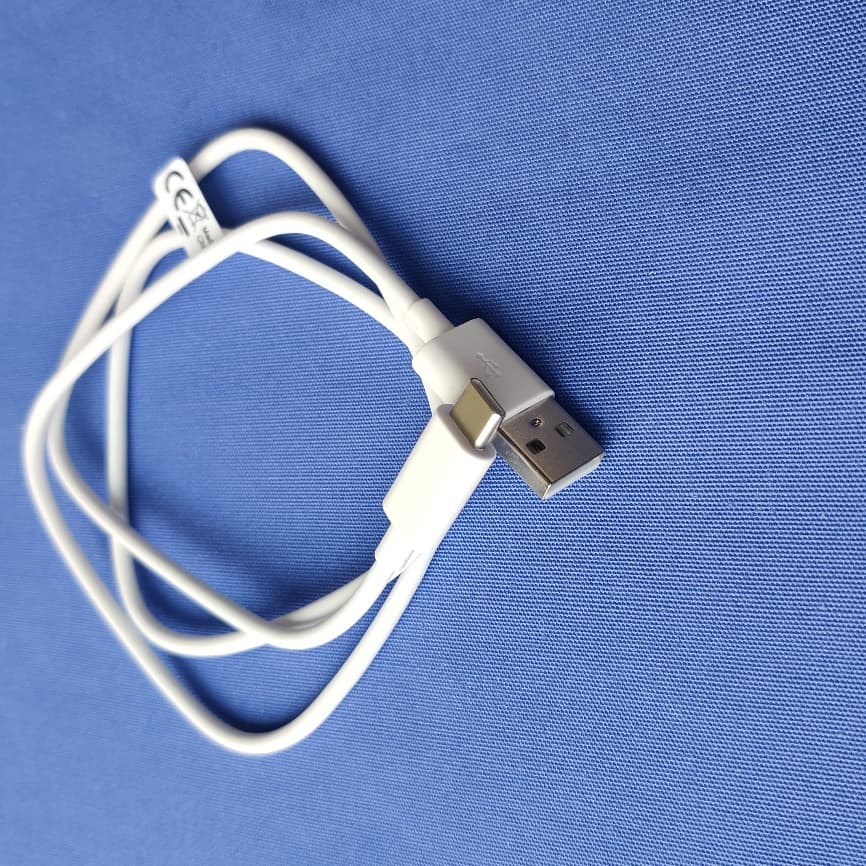
Click to zoom
Application Details
- Equipment Class
- JBP - Part 15 Class B Computing Device Peripheral
- Date of Grant
- Apr 21, 2021
- Application Purpose
- Original Equipment
- Date of Application
- Apr 21, 2021
- Equipment Note
- Tablet PC
- Company
- TCL Communication Ltd.
- Country
- China
Documents & Files
Document Text
Text extracted from the exhibit documents filed with the FCC. Open a document above to read the original.
Users Manual
QUICK START GUIDE www.tcl.com User Manual and FAQ are available online 9081X CJB1XF002AAA CJB1XF002AAA Printed in China 1 Rear camera Power key Front camera Volume up/down Headset connector 2 Fully charge your device for the first time use. Open the slot and insert the SD card. MicroSD Stylus for tablet. 3 1 Home screen You can move frequently used items (applications, shortcuts, folders and widgets) to your Home screen for quick access. Touch the Home key to switch to the Home screen. Status bar • Status/Notification indicators • Touch and drag down to open the notification panel. Touch an icon to open an application, folder, etc. Favourites tray applications • Touch to enter the application. • Long press to move or change applications. The Home screen is provided in an extended format to allow more space for adding application icons, shortcuts etc. Slide the Home screen horizontally left and right to get additional view. 1.1 Status bar In the status bar, you can see the notifications on the left side and the connection service status on the right side. Swipe downward from the Status bar to access the Notification panel or the Quick Settings panel. To close the panel, touch and drag upward. Touch to clear all event-based notifications. On-going notifications will remain on the panel. 4 Notification panel When there are notifications, you can touch them to view more information. Quick settings panel Swipe down from the status bar twice to open the Quick settings panel. Then enable or disable functions or change modes by touching the icons. Touch to access settings, where you can make changes to more functions. 2 Contacts Contacts are stored in your tablet with the Contacts app. It allows you to add, delete, or edit your contacts. You can also import or export your contacts from different locations such as an external storage, your Gmail or other email account. 2.1 Adding a contact Open the Contacts app from applications list, then touch the Plus button on the bottom right of the screen to add a new contact. 2.2 Synchronising contacts in multiple accounts Contacts, data or other information can be synchronized from multiple accounts, depending on the applications installed on your tablet. 5 3 Gmail Gmail is a Google web-based email service. When you first set up your tablet, it is automatically synchronized with your Google account. With this app, you can receive and send email, manage your email, and archive your email, etc. To open Gmail From the Home screen, touch the Gmail icon in the Google folder. Gmail displays messages and conversations from one single Gmail account at a time. If you own more than one account, you can add an account by touching the Menu button , then touch Setting > Add account. When finished, you can switch to another account by touching the name of the account you want to view. To create and send emails 1 Touch the Edit button from the Inbox screen. 2 Enter the recipient(s)’s email address in "To" field. 3 To add Copy or Blind copy, touch the down arrow button and enter the email address in the Cc or Bcc line. 4 Enter the subject and the content of the message. 5 Touch the Attach button icon and select Attach file to add an attachment. 6 Finally, touch the Send button to send. 7 If you do not want to send the email out right away, you can touch the Menu overflow button and then touch Save draft. To view the draft later, touch the Menu button and select the Drafts folder. Touch the draft email and then the Edit button to open it. 6 4 Getting connected To connect to the Internet with this tablet, you will need to have an internet connection via Wi-Fi. Wi-Fi The tablet can be connected to a Wi-Fi internet service. To turn Wi-Fi on and connect to a Wi-Fi network • Go to Settings > Network& internet > Wi-Fi. • Touch the Off switch to turn on Wi-Fi. • Touch a Wi-Fi network to connect. If the network you selected is a secured network, you will need to enter a password or other credentials. When finished, touch CONNECT. • For hidden network, slide up the screen and select Add network. Enter the SSID of the network, password and its secured credentials. Then, touch SAVE. 7 5 Support 1. Enter from your Smartphone / Tablet to the application: SUPPORT CENTER 2. Check our frequently asked questions or chat with us through https://www.tcl.com in the Support section. 3. Call the Call Center Locate your number, below: Argentina- 0800-444-7361 Australia- 1-800-218-730 Canada- 1-855-844-6058 Chile- 123-002-09025 Colombia- 01-800-518-3882 Ecuador- 800-000-635 Mexico- 01-800-112-4682 Nueva Zealanda- 800-451-708 Peru- 0800-55-639 Rep. Dominicana- 1-800-203-9552 Uruguay- 000-401-90752 USA- 1-855-368-0829 Venezuela- 0800-136-2017
Users Manual
Safety and Precautions English - CQF1XF007AAA CQF1XF007AAA Printed in China 9081X EN-1 This product meets applicable national SAR limits of 1.6 W/kg. The specific maximum SAR values can be found on Radio waves section. PROTECT YOUR HEARING To prevent possible hearing damage, do not listen at high volume levels for long periods. Exercise caution when holding your device near your ear while the loudspeaker is in use. www.sar-tick.com EN-2 Safety and use ������������������������� We recommend that you read this chapter carefully before using your device. The manufacturer disclaims any liability for damage, which may result as a consequence of improper use or use contrary to the instructions contained herein. TRAFFIC SAFETY: Given that studies show that using a device while driving a vehicle constitutes a real risk, even when the hands-free kit is used (car kit, headset...), drivers are requested to refrain from using their device when the vehicle is not parked. Check the laws and regulations on the use of wireless devices and their accessories in the areas where you drive. Always obey them. The use of these devices may be prohibited or restricted in certain areas. CONDITIONS OF USE: • You are advised to switch off the device from time to time to optimize its performance; • Remember to abide by local authority rules of device use on aircrafts; • If your device is a unibody device, where the back cover and battery are not removable, dissembling the device will void your warranty. Disassembling the device can cause bodily injury if the battery is punctured; • Always handle your device with care and keep it in a clean and dust-free place; • Do not allow your device to be exposed to adverse weather or environmental conditions, such as moisture, humidity, rain, infiltration of liquids, dust, sea air, etc. The manufacturer’s recommended operating temperature range is 0°C (32°F) to +40°C (104°F). At over 40°C (104°F), the legibility of the device’s display may be impaired, though this is temporary and not serious; • Do not open, dismantle, or attempt to repair your device yourself; • Do not drop, throw, or bend your device; • Use only batteries, battery chargers, and accessories which are recommended by TCL Communication Ltd. and its affiliates and are compatible with your device model. TCL Communication Ltd. and its affiliates disclaim any liability for damage caused by the use of other chargers or batteries; • Your device should not be disposed of in a municipal waste. Please check local regulations for disposal of electronic products; • Remember to make backup copies or keep a written record of all important information stored on your device; EN-3 • Some people may suffer epileptic seizures or blackouts when exposed to flashing lights, or when playing video games. These seizures or blackouts may occur even if a person never had a previous seizure or blackout. If you have experienced seizures or blackouts, or if you have a family history of such occurrences, please consult your doctor before playing video games on your device or enabling a flashing-lights feature on your device; • Parents should monitor their children’s use of video games or other features that incorporate flashing lights on the devices. All persons should discontinue use and consult a doctor if any of the following symptoms occur: convulsion, eye or muscle twitching, loss of awareness, orientation, or movements. PRIVACY: Please note that you must respect the laws and regulations in force in your jurisdiction or other jurisdiction(s) where you will use your device regarding taking photographs and recording sounds with your device. Pursuant to such laws and regulations, it may be strictly forbidden to take photographs and/or to record the voices of other people or any of their personal attributes, and reproduce or distribute them, as this may be considered to be an invasion of privacy. It is the user's sole responsibility to ensure that prior authorization has been obtained, if necessary, in order to record private or confidential conversations or take a photograph of another person; the manufacturer, the seller or vendor of your device (including the carrier) disclaim any liability which may result from improper use of the device. BATTERY: For a non-unibody device: Observe the following precautions: • Do not attempt to open the battery (due to the risk of toxic fumes and burns); • Do not puncture, disassemble, or cause a short circuit in a battery; • Do not burn or dispose of a used battery in household rubbish or store it at temperatures above 60°C (140°F). Batteries must be disposed of in accordance with locally applicable environmental regulations. Only use the battery for the purpose for which it was designed. Never use damaged batteries or those not recommended by TCL Communication Ltd. and/ or its affiliates. For a unibody device: Observe the following precautions: • Do not attempt to open the back cover; EN-4 • Do not attempt to eject, replace, or open battery; • Do not puncture the back cover of your device; • Do not burn or dispose of your device in household rubbish or store it at temperature above 60°C (140°F); Device and battery as a unibody device must be disposed of in accordance with locally applicable environmental regulations. This symbol on your device, the battery, and the accessories means that these products must be taken to collection points at the end of their life: • Municipal waste disposal centers with specific bins for these items of equipment; • Collection bins at points of sale. They will then be recycled, preventing substances being disposed of in the environment, so that their components can be reused. In European Union countries: These collection points are accessible free of charge. All products with this sign must be brought to these collection points. In non-European Union jurisdictions: Items of equipment with this symbol are not to be thrown into ordinary bins if your jurisdiction or your regi…
Text truncated - open the document above for the full version.
Cover Letter(s)
TCL Communication Ltd. 022818 – 11 Authority to Act as Agent Date: _2021/04/13_ American Certification Body, Inc. 6731 Whittier Avenue Suite C110 McLean, VA 22101 To Whom It May Concern: ______Shenzhen Academy of Information and Communication Technology______ is authorized to act on our behalf, until otherwise notified, for applications to American Certification Body, Inc. (ACB). We certify that we are not subject to denial of federal benefits, that includes FCC benefits, pursuant to Section 5301 of the Anti-Drug Abuse Act of 1988, 21 U.S.C. 862. Further, no party, as defined in 47 CFR 1.2002 (b), to the application is subject to denial of federal benefits, that includes FCC benefits. Thank you, Agency Agreement Expiration Date: _____(Typically 8 – 12 months)_____ By: ______Gong Zhizhou_____ (Signature 1 ) (Print name) Title: ____Project Manager___ On behalf of: ___TCL Communication Ltd.___ (Company Name) Telephone: __0086-755-36611722__ 1 - Must be signed by applicant contact given for applicant on the FCC site, or by the authorized agent if an appropriate authorized agent letter has been provided. Letters should be placed on appropriate letterhead. TCL Communication Ltd. 022818 – 11 Request for Confidentiality Date: _2021/04/13_ Subject: Confidentiality Request for: _____2ACCJB153____ Pursuant to FCC 47 CFR 0.457(d) and 0.459 and IC RSP-100, Section 9.4, the applicant requests that a part of the subject FCC application be held confidential. Type of Confidentiality Requested Exhibit ☐ Short Term ☒ Permanent Block Diagrams ☒ Short Term External Photos ☒ Short Term ☐ Permanent * 2 Internal Photos ☐ Short Term ☒ Permanent Operation Description/Theory of Operation ☐ Short Term ☒ Permanent Tune-Up Procedure ☐ Short Term ☒ Permanent Schematics ☒ Short Term Test Setup Photos ☒ Short Term ☐ Permanent * 3 User’s Manual ___TCL Communication Ltd.__ has spent substantial effort in developing this product and it is one of the first of its kind in industry. Having the subject information easily available to "competition" would negate the advantage they have achieved by developing this product. Not protecting the details of the design will result in financial hardship. Permanent Confidentiality: The applicant requests the exhibits listed above as permanently confidential be permanently withheld from public review due to materials that contain trade secrets and proprietary information not customarily released to the public. Short-Term Confidentiality: The applicant requests the exhibits selected above as short term confidential be withheld from public view for a period of 180 days from the date of the Grant of Equipment Authorization and prior to marketing. This is to avoid premature release of sensitive information prior to marketing or release of the product to the public. Applicant is also aware that they are responsible to notify ACB in the event information regarding the product or the product is made available to the public before the requested period has expired. ACB will then release the documents listed above for public disclosure pursuant to FCC Public Notice DA 04-1705. NOTE for Industry Canada Applications: IC currently only distinguishes Permanent Confidentiality exhibits as shown above. Short Term confidentiality is not considered applicable to IC applications. Sincerely, By: _______Gong Zhizhou_______ (Signature/Title 3 ) (Print name) 2 - The asterisked items (*) require further information to be provided to ACB before permanent confidentiality will be extended to these exhibits. Please refer to FCC KDB 726920 and the specific Document link for D01 found at: https://apps.fcc.gov/oetcf/kdb/forms/FTSSearchResultPage.cfm?switch=P&id=41731 and review section II, 3) regarding specific information that must accompany these requests. 3 - Must be signed by applicant contact given for applicant on the FCC site, or by the authorized agent if an appropriate authorized agent letter has been provided. Letters should be placed on appropriate letterhead.
External Photos
Front Back To p Bottom Side Side Charger1 Charger1-1 Charger2 Charger2-1 Chrager3 Chrager3-1 Charger4 Charger4-1 Cable1 Cable2
ID Label/Location Info
Odin 10.1 WIFI Commercial Sticker and CU Sticker ABSTRACT: The purpose of this document is to define all the information on commercial sticker and CU sticker for Odin 10.1 WIFI HISTORY NameDateVersionComments 2020/11/23 15:10:17v01Creation of the document (draft file) minglu.zho ng 2020/12/24 16:07:29v02Update CU label about WiFi 5GHz logo of 9081X minglu.zho ng 2021/1/11 14:16:32v03Update CU label PN from CPF000273AC0 to CPF000323AC0 of EU version minglu.zho ng 2021/1/13 15:50:16v04Update CU label PN from CPF000273AC0 to CPF000352AC0 of CN version minglu.zho ng 2021/1/20 17:01:30v05Update BT information of IMEI label minglu.zho ng 2021/2/8 15:18:43v06Update 20 year logo to 10 year logo of 9081X(9081X&9081X1) CN version minglu.zho ng 2021/3/26 17:46:43v08Add Latam version of 9081X minglu.zho ng 2021/3/29 16:54:00v09Update FCC ID of 9081X Latam version BandCu Ref PrefixTACFACSNMEIDCertification CECertification FCC3CBluetooth QD ID 9081XMAC address (12 bytes)+3 bytes random code ////CCC/ 9081XMAC address (12 bytes)+3 bytes random code //CE//Bluetooth Declaration ID D050974 9081XMAC address (12 bytes)+3 bytes random code ///FCC ID:2ACCJB153 /Bluetooth Declaration ID D050974 9081X1MAC address (12 bytes)+3 bytes random code ////CCC/ 9081X1MAC address (12 bytes)+3 bytes random code //CE//Bluetooth Declaration ID D050974 1.COMMERCIAL LABEL MARKING (IMEI sticker) 1.1 Printing Zone definition (CPE000538AC0--------For general 50×40 mm) SignificationRemark Bluetooth DID PTSsoft’ techn. Release Short code PTM Logos Address Made in DATAMATRIX Code IMEI No. / INDUS. REF. / PTH(PTM) / PTS / CU REF. CU Ref. SN Text Company SIM LockPrint “E” means Enhanced SIM Lock; Print “N” means Normal SIM Lock or No SIM Lock Date SN Barcode 1.2 Samples for Commercial Label 9081X-2ALCCN11- 0 IMEI Sample 50_40mm V0310 9081X-2AALEU01 IMEI Sample 50_40mm V02 9081X-2AALMX0 IMEI Sample 50_40mm V02FCC ID 9081X1- 2AALEU01 IMEI Sample 50_40mm V02 9081X1- 2ALCCN11-0 IMEI Sample 50_40mm V0310 2 UNIT BOX LABEL MARKING (CU sticker) 2.1 Printing Zone definition Label PNLabel Size CPF000352AC0(CN version) 50×33 mm CPF000323AC0(EU/Lat am version) 80×38 mm 2.2 Blank Label Size SignificationRemark Importer address Made In CU Ref. 5G WIFI logo CE/NOMLogos ColorRefer to ERP EAN CodeText+1D Code SN Text WEEE SN Barcode 5V logo 2.3 Samples for CU Label 9081X-2ALCCN11- 0 CU Sample 50_33 mm V0410 9081X-2AALEU11 CU Sample 80_38mm V03 9081X-2AALMX0 CU Sample 38_80mm V02FCC ID 9081X1- 2ALCCN11-0 CU Sample 50_33 mm V0410 9081X1- 2AALEU11 CU Sample 80_38mm V03 Appendix 1: Location of PCBA label. PCBA Location is NONE Appendix 2: Location of IMEI label. IMEI label is NONE Appendix 3: Specail Image Specail Image is NONE
Test Report
TESTREPORT No.I21N00742-EMC TCL Communication Ltd. Tablet PC Model Name:9081X With Hardware Version: PIO Software Version:6A62 FCC ID:2ACCJB153 Issued Date: 2021-04-06 Designation Number: CN1210 Note: The test results in this test report relate only to the devices specified in this report. This report shall not be reproduced except in full without the written approval of SAICT. Test Laboratory: SAICT, Shenzhen Academy of Information and Communications Technology Building G, Shenzhen International Innovation Center, No.1006 Shennan Road, Futian District, Shenzhen, Guangdong, P. R. China 518000. Tel:+86(0)755-33322000, Fax:+86(0)755-33322001 Email: [email protected] No.I21N00742-EMC ©Copyright. All rights reserved by SAICT. Page 2 of 63 REPORT HISTORY Report Number Revision Description Issue Date I21N00742-EMC Rev.0 1st edition 2021-04-06 Note: the latest revision of the test report supersedes all previous version. No.I21N00742-EMC ©Copyright. All rights reserved by SAICT. Page 3 of 63 CONTENTS 1. SUMMARY OF TEST REPORT ............................................................................................... 4 1.1. TEST ITEMS ............................................................................................................................. 4 1.2. TEST STANDARDS .................................................................................................................. 4 1.3. TEST RESULT .......................................................................................................................... 4 1.4. TESTING LOCATION ............................................................................................................... 4 1.5. PROJECT DATA ....................................................................................................................... 4 1.6. SIGNATURE.............................................................................................................................. 4 2. CLIENT INFORMATION ........................................................................................................... 5 2.1. APPLICANT INFORMATION ................................................................................................... 5 2.2. MANUFACTURER INFORMATION ......................................................................................... 5 3. EQUIPMENT UNDERTEST (EUT) AND ANCILLARY EQUIPMENT (AE) ............................. 6 3.1. ABOUT EUT ............................................................................................................................. 6 3.2. INTERNAL IDENTIFICATION OF EUT .................................................................................... 6 3.3. INTERNAL IDENTIFICATION OF AE ...................................................................................... 6 3.4. EUT SET-UPS ........................................................................................................................... 8 3.5. GENERAL DESCRIPTION ....................................................................................................... 9 4. REFERENCE DOCUMENTS .................................................................................................. 10 4.1. REFERENCE DOCUMENTS FOR TESTING ........................................................................ 10 5. LABORATORY ENVIRONMENT.............................................................................................11 6. SUMMARY OF TEST RESULTS ............................................................................................ 12 6.1. TESTING ENVIRONMENT ..................................................................................................... 12 6.2. SUMMARY OF MEASUREMENT RESULTS ......................................................................... 12 6.3. STATEMENT ........................................................................................................................... 12 7. MEASUREMENT UNCERTAINTY ......................................................................................... 13 8. TEST FACILITIES UTILIZED ................................................................................................. 13 9. TEST ACCESSORY UTILIZED .............................................................................................. 13 ANNEX A: MEASUREMENT RESULTS ....................................................................................... 14 A.1 RADIATED EMISSION (§15.109(A)) ...................................................................................... 14 A.2 CONDUCTED EMISSION (§15.107(A)).................................................................................. 49 No.I21N00742-EMC ©Copyright. All rights reserved by SAICT. Page 5 of 63 2. Client Information 2.1. Applicant Information Company Name: TCL Communication Ltd. Address: 5/F, Building 22E, 22 Science Park East Avenue, Hong Kong Science Park, Shatin, NT, Hong Kong Contact Gong Zhizhou Email [email protected] Tel. 0086-755-36611722 Fax 0086-755-36612000-81722 2.2. Manufacturer Information Company Name: TCL Communication Ltd. Address: 5/F, Building 22E, 22 Science Park East Avenue, Hong Kong Science Park, Shatin, NT, Hong Kong Contact Gong Zhizhou Email [email protected] Tel. 0086-755-36611722 Fax 0086-755-36612000-81722 No.I21N00742-EMC ©Copyright. All rights reserved by SAICT. Page 6 of 63 3. Equipment UnderTest (EUT) and Ancillary Equipment (AE) 3.1. About EUT Description Tablet PC Model Name 9081X FCC ID 2ACCJB153 Antenna Type Internal Antenna Condition of EUT as received No obvious damage in appearance Note: Components list, please refer to documents of the manufacturer; it is also included in the original test record of Shenzhen Academy of Information and Communications Technology. 3.2. Internal Identification of EUT EUT ID* SN or IMEI HW Version SW Version Receive Date UT01aa 6409ACCE7B78297 PIO 6A62 2021-03-09 UT02aa 6409ACCE7B78301 PIO 6A…
Text truncated - open the document above for the full version.
Test Setup Photos
Test Setup Photos 1. Radiated Emissions (Part 15B Data Transfer ,30MHz-1GHz) 2. Radiated Emissions (Part 15B Data Transfer ,1GHz-18GHz) 3. Radiated Emissions (Part 15B Data Transfer ,18GHz-26.5GHz) 4. Radiated Emissions (Part 15B Data Transfer ,26.5GHz-30GHz) 5. Radiated Emissions (Part 15B,Camera/Video Player,30MHz-1GHz) 6. Radiated Emissions (Part 15B,Camera/Video Player,1GHz-18GHz) 7. Radiated Emissions (Part 15B,Camera/Video Player,18GHz-26.5GHz) 8. Radiated Emissions (Part 15B,Camera/Video Player,26.5GHz-30GHz) 9. Radiated Emissions (Part 15B,FM receiver 30MHz-1GHz) 10. Radiated Emissions (Part 15B,FM receiver 1GHz-18GHz) 11. Radiated Emissions (Part 15B,FM receiver 18GHz-26.5GHz) 12. Radiated Emissions (Part 15B,FM receiver 26.5GHz-30GHz) 13. Radiated Emissions (Part 15C/15E, 9kHz-30MHz) 14. Radiated Emissions (Part 15C/15E,30MHz-1GHz) 15. Radiated Emissions (Part 15C/15E, 1GHz -18GHz) 16. Radiated Emissions (Part 15C/15E, 18GHz -26.5GHz) 17. Radiated Emissions (Part 15C/15E, 26.5GHz -40GHz) 18. Conducted Emission (Part 15B,Camera/Video Player) 19. Conducted Emission (Part 15B, Data Transfer) 20. Conducted Emission (Part 15C/15E,Bluetooth/Wi-Fi)
Contact Information
Applicant
Annie Jiang
Technical Contact
TCL Communication Ltd.Zhizhou Gong
[email protected]86-755-36611722
5/F, Building 22E, 22 Science Park East Avenue · Hong Kong · China
Test Firm
Shenzhen Academy of Information and CommunicationsXiao Li
Technical Specifications
| # | Rule Parts | Frequency Range | Power Output |
|---|---|---|---|
| 1 | 15B | - | - |
Other Applications from TCL Communication Ltd.
2ACCJSCD002
Sep 10, 2024USB Connect 5G (NA)
Equipment Class
CXX - Communications Rcvr for use w/ licensed Tx and CBs2ACCJB227
Aug 21, 2024Smart phone
Equipment Class
DTS - Digital Transmission System2ACCJSCD005
Aug 07, 2024TCL LINKPORT IK511
Equipment Class
CXX - Communications Rcvr for use w/ licensed Tx and CBs2ACCJB224
Jul 31, 2024Tablet PC
Equipment Class
DSS - Part 15 Spread Spectrum Transmitter2ACCJB223
Jun 27, 2024Tablet PC
Equipment Class
NII - Unlicensed National Information Infrastructure TX