2ACCJH124LTE/UMTS/GSM Smartphone
TCL Communication Ltd.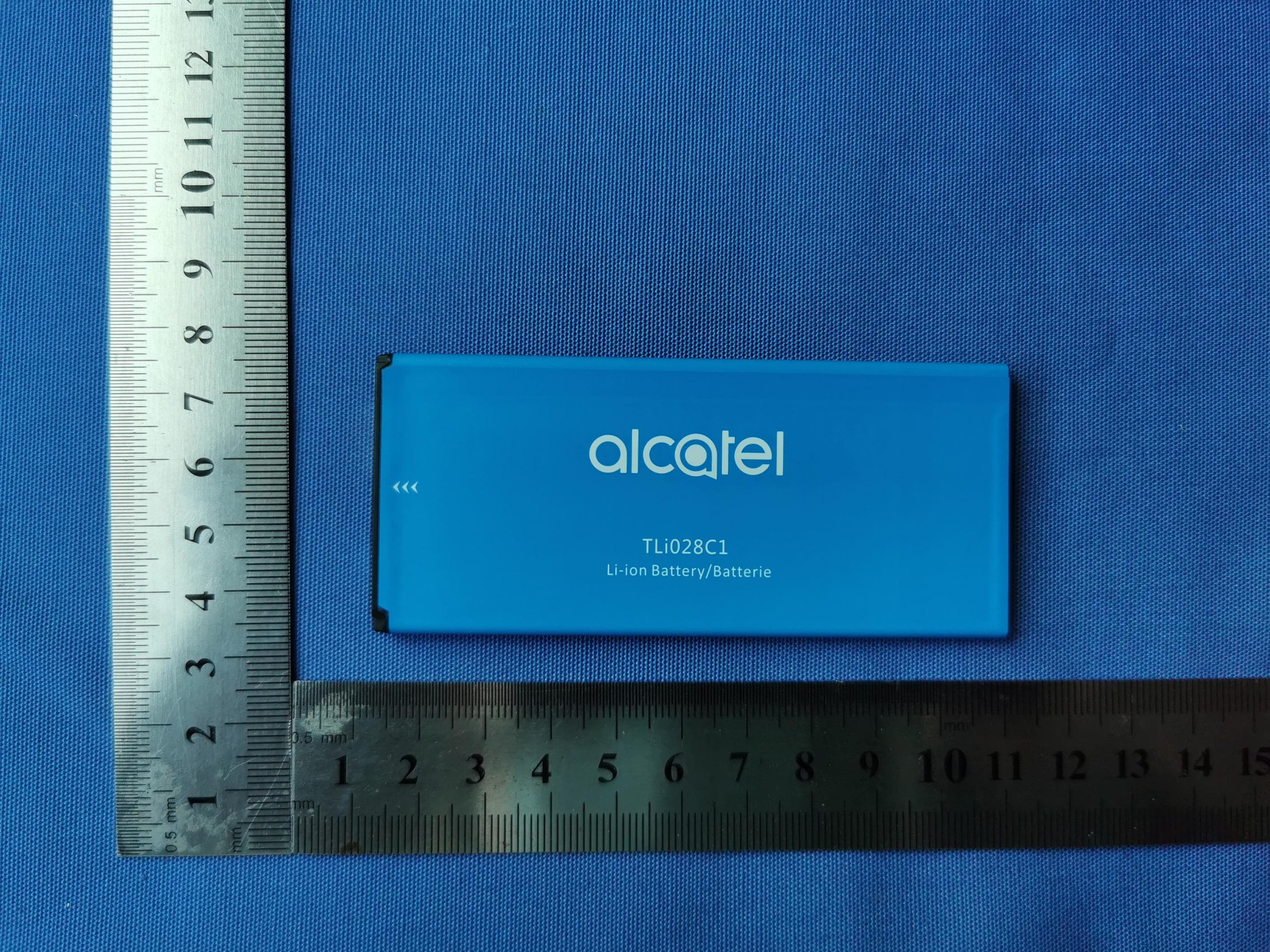
Click to zoom
Application Details
- Equipment Class
- DTS - Digital Transmission System
- Date of Grant
- Jul 08, 2020
- Application Purpose
- Original Equipment
- Date of Application
- Jul 06, 2020
- Equipment Note
- LTE/UMTS/GSM Smartphone
- Frequency Range
- 2412.00000000 - 2462.00000000
- Company
- TCL Communication Ltd.
- Country
- China
Documents & Files
Document Text
Text extracted from the exhibit documents filed with the FCC. Open a document above to read the original.
Users Manual
Safety and Warranty Information CQF2FG0AQAAA Alcatel INSIGHT TM www.sar-tick.com This device meets applicable national SAR limits of 1.6 W/kg. When carrying the device or using it while worn on your body, either use an approved accessory such as a holster or otherwise maintain a distance of 15 mm from the body to ensure compliance with RF exposure requirements. Note that the product may be transmitting even if you are not using it. To prevent possible hearing damage, do not listen at high volume levels for long periods. Exercise caution when holding your device near your ear while the loudspeaker is in use. The device contains magnets which may interfere with other devices and items (such as credit card, pacemakers, defibrillators, etc.). Please maintain at least 150 mm of separation between your phone and the devices/items mentioned above. Table of contents Safety information ............................................................................................................1 General information .......................................................................................................10 1 YEAR LIMITED WARRANTY .......................................................................................12 1 Safety information .................................. We recommend that you read this chapter carefully before using your device. The manufacturer disclaims any liability for damage, which may result as a consequence of improper use or use contrary to the instructions contained herein. • TRAFFIC SAFETY Given that studies show that using a device while driving a vehicle constitutes a real risk, even when the hands-free kit is used (car kit, headset...), drivers are requested to refrain from using their device when the vehicle is not parked. When driving, do not use your device or headphones to listen to music or to the radio. Using a headphone can be dangerous and forbidden in some areas. When switched on, your device emits electromagnetic waves that can interfere with the vehicle’s electronic systems such as ABS anti-lock brakes or airbags. To ensure that there is no problem: - do not place your device on top of the dashboard or within an airbag deployment area, - check with your car dealer or the car manufacturer to make sure that the dashboard is adequately shielded from device RF energy. • CONDITIONS OF USE You are advised to switch off the device from time to time to optimize its performance. Switch the device off before boarding an aircraft. Switch the device off when you are in healthcare facilities, except in designated areas. As with many other types of equipment now in regular use, these devices can interfere with other electrical or electronic devices, or equipment using radio frequencies. Switch the device off when you are near gas or flammable liquids. Strictly obey all signs and instructions posted in a fuel depot, petrol station, or chemical plant, or in any potentially explosive atmosphere. When the device is switched on, it should be kept at least 150 mm from any medical device such as a pacemaker, a hearing aid, or insulin pump, etc. In particular when using the device, you should hold it against the ear on the opposite side of the device, if applicable. To avoid hearing impairment, move the device away from your ear while using the hands-free mode because the amplified volume might cause hearing damage. 2 Do not let children use the device and/or play with the device and accessories without supervision. When replacing the cover, note that your device may contain substances that could create an allergic reaction. Always handle your device with care and keep it in a clean and dust-free place. Do not allow your device to be exposed to adverse weather or environmental conditions (moisture, humidity, rain, infiltration of liquids, dust, sea air, etc.). The manufacturer's recommended operating temperature range is 0°C(32°F) to 50°C(122°F). At over 50°C(122°F) the legibility of the device’s display may be impaired, though this is temporary and not serious. Emergency call numbers may not be reachable on all cellular networks. You should never rely only on your phone for emergency calls. Do not open, dismantle, or attempt to repair your device yourself. Do not drop, throw, or bend your device. To avoid any injury, do not use the device if the screen is damaged, cracked, or broken. Do not paint the device. Only use batteries, battery chargers, and accessories which are recommended by TCL Communication Ltd. and its affiliates and are compatible with your device model. TCL Communication Ltd. and its affiliates disclaim any liability for damage caused by the use of other chargers or batteries. Remember to make back-up copies or keep a written record of all important information stored in your device. 3 • PRIVACY Please note that you must respect the laws and regulations in force in your jurisdiction or other jurisdiction(s) where you will use your device regarding taking photographs and recording sounds with your device. Pursuant to such laws and regulations, it may be strictly forbidden to take photographs and/or record the voices of other people or any of their personal attributes, and duplicate or distribute them, as this may be considered to be an invasion of privacy. It is the user's sole responsibility to ensure that prior authorization be obtained, if necessary, in order to record private or confidential conversations or take a photograph of another person. The manufacturer, the seller, vendor, and/or service provider of your device disclaim any liability which may result from the improper use of the device. • BATTERY Following air regulation, the battery of your product is not charged. Please charge it first. Observe the following precautions: - Do not attempt to open the back cover. - Do not attempt to eject, replace, or open battery. - Do not puncture the back cover of your phone. - Do not burn or dispose of your phone in household rubbish or store it at …
Text truncated - open the document above for the full version.
Users Manual
More information On the web Detailed support information including device specifications and a full user's manual are available at www.cricketwireless.com/support/devices. On the phone • Call Customer Care at 1-855-246-2461 or • Dial 611 from your cell phone. Accessories For more information about accessories, please visit your local Cricket store or go to www.cricketwireless.com/shop/accessories. Note: Store and online inventories may vary. Product meets FCC Radio Frequency Exposure Guidelines--FCC ID 2ACCJH124. This device complies with Part 15 of the FCC Rules. Operation is subject to the following two conditions: (1) this device may not cause harmful interference, and (2) this device must accept any interference received, including interference that may cause undesired operation. © 2020 Cricket Wireless LLC. All rights reserved. Cricket and the Cricket logo are registered trademarks under license to Cricket Wireless LLC. Other marks are the property of their respective owners. microSD logo is a trademark of SD-3C, LLC. Alcatel is a trademark of Nokia used under license by TCL Communication Technology Holdings Limited. APPRISE TM is a trademark of TCL Communication Technology Holdings Limited. © 2020 TCT Mobile Limited. All rights reserved. TCL Communication Technology Holdings Limited reserves the right to alter material or technical specification without prior notice. All "Signature" ringtones embedded in this phone have been composed, arranged and mixed by NU TROPIC (Amar Kabouche). Getting to Know your Alcatel APPRISE TM Phone Setup 1. Remove back cover by gently pulling up on the indentation on the bottom left of the cover. 1 2. Insert the nano SIM card and microSD™ card* with gold contacts facing down. 3. Ensure that nano SIM and microSD TM cards have been properly secured. 4. Put the back cover on. Touch screen Navigating your phone • Use your fingertip to tap the screen. • Use quick icks of your nger on the touch screen to swipe up, down, left, or right. • Tap Back to return to the previous screen. • Tap Home at any time to return to the home screen. • Tap Recent apps to access recently viewed apps. • Swipe up to access applications on your phone. Notification panel To access alerts, including new messages, emails, and software updates: • From the top of the home screen, drag your nger down to view the notification panel. • Swipe right or left to clear individual noti cations or tap CLEAR ALL to clear all. • With the notification panel open, tap the top of the screen again and drag down to see the Quick Settings menu. • Tap to access the complete Settings menu. Personalize Set wallpaper • To change your home or lock screen wallpaper, touch and hold a blank part of the home screen and tap WALLPAPERS. • Select a wallpaper and tap Set wallpaper to set the image and then select whether you want it to appear on the lock screen, home screen, or both. You can also tap My photos for additional options. Add to home screen • To add app shortcuts, swipe up to access applications, press and hold the desired app, and drag it to the home screen. Organize home screens • To move an app shortcut, press and hold it and then drag it to a new location. To delete it, drag it on top of «X Remove» at the top of the screen. • To create a folder, press and hold an app shortcut and drag it on top of another, then release. • To rename a folder, press the folder title to type a new name. Convenient Services & Features Cricket Services These services make using Cricket even better and easier. myCricket: Check account balance, make a quick payment, view usage and access support from the palm of your hand. Visual Voicemail: Quickly view, access and play back your voicemail messages. Easily save important numbers to your Favorites list and respond to messages by calling back or texting. Additional Features Smart Manager: Automatically scans and optimizes your phone to ensure it operates in top form. Set screen lock: Enable an unlock method to keep your phone secure. Select Swipe, Pattern, PIN, Password, or Face Recognition*. Face Recognition will unlock your phone by using the front camera to register your face. Calls and Voicemail HD Voice Capable Enjoy clearer conversations and reduced background noise with HD Voice*. Make a call 1. From the home screen, tap Phone. 2. Type a name or phone number, or select one of the following options: : To manually enter a phone number. : To choose from frequently called contacts. : To choose from a list of people who you have recently called or have called you. : To make a call from your contacts list. Check voicemail 1. From the home screen, tap Phone, then tap 2. Press and hold the 1 key . Call waiting Call waiting allows you to answer a second call while putting your existing call on hold. While on a call, you will hear a tone if another call comes in. : To answer the incoming call. : To switch between active calls. : To merge calls. : To end a call. Text and picture messaging Send a text message 1. From the home screen, tap Messaging. 2. Tap New message button to start a new text message. 3. In the To field, enter a number or a contact name, or select a contact from Favorites or All Contacts. 4. Tap the Type message field and enter your message. 5. Tap to send the message. Send a picture message 1. Follow steps 1-4 above. 2. Tap the Paper Clip. 3. Tap Picture and select desired picture or tap the Camera icon to take a picture to attach. 4. Tap to send the message. Email Gmail setup 1. From the home screen, tap Google, then tap Gmail. 2. Enter your email address and tap NEXT and enter your password and then tap NEXT again. 3. Confirm email account settings and tap NEXT. 4. Enter your name which will be displayed on outgoing mails, and then tap FINISH. Create and send an email message 1. From the home screen, tap Google, then tap Gmail. 2. To compose a new message, tap . 3. Tap the To field and enter email address or name. 4. Enter a subject and email message. 5. To…
Text truncated - open the document above for the full version.
Cover Letter(s)
TCLCommunicationLtd. 5/F,Building22E,22ScienceParkEast Avenue,HongKongSciencePark,Shatin, NT,HongKong 022818–11 AuthoritytoActasAgent Date:__24/6/2020_____ AmericanCertificationBody,Inc. 6731WhittierAvenue SuiteC110 McLean,VA22101 ToWhomItMayConcern: _____TCLCommunicationLtd._____isauthorizedtoactonourbehalf,untilotherwisenotified,for applicationstoAmericanCertificationBody,Inc.(ACB). Wecertifythatwearenotsubjecttodenialoffederalbenefits,thatincludesFCCbenefits,pursuantto Section5301oftheAnti-DrugAbuseActof1988,21U.S.C.862.Further,noparty,asdefinedin47 CFR1.2002(b),totheapplicationissubjecttodenialoffederalbenefits,thatincludesFCCbenefits. Thankyou, AgencyAgreementExpirationDate:____12months_____ By:_________________________________GongZhizhou (Signature 1 )(Printname) Title:_________ProductCertificationManager_________________ Onbehalfof:_______TCLCommunicationLtd.___________________ (CompanyName) Telephone:_______0086-755-36611722____________________ 1 -MustbesignedbyapplicantcontactgivenforapplicantontheFCCsite,orbytheauthorizedagentifanappropriate authorizedagentletterhasbeenprovided.Lettersshouldbeplacedonappropriateletterhead. TCLCommunicationLtd. 5/F,Building22E,22ScienceParkEast Avenue,HongKongSciencePark,Shatin, NT,HongKong 022818–11 RequestforConfidentiality Date:_24/6/2020_____ Subject:ConfidentialityRequestfor:____2ACCJH124___ PursuanttoFCC47CFR0.457(d)and0.459andICRSP-100,Section9.4,theapplicantrequeststhatapartofthe subjectFCCapplicationbeheldconfidential. TypeofConfidentialityRequestedExhibit ☐ShortTerm☒PermanentBlockDiagrams ☒ShortTermExternalPhotos ☒ShortTerm☐Permanent* 2 InternalPhotos ☐ShortTerm☒PermanentOperationDescription/TheoryofOperation ☐ShortTerm☒PermanentPartsList&Placement/BOM ☐ShortTerm☒PermanentTune-UpProcedure ☐ShortTerm☒PermanentSchematics ☒ShortTermTestSetupPhotos ☒ShortTerm☐Permanent* 3 User’sManual _____TCLCommunicationLtd._____hasspentsubstantialeffortindevelopingthisproductanditisoneofthefirst ofitskindinindustry.Havingthesubjectinformationeasilyavailableto"competition"wouldnegatetheadvantage theyhaveachievedbydevelopingthisproduct.Notprotectingthedetailsofthedesignwillresultinfinancial hardship. PermanentConfidentiality: Theapplicantrequeststheexhibitslistedaboveaspermanentlyconfidentialbepermanentlywithheldfrompublic reviewduetomaterialsthatcontaintradesecretsandproprietaryinformationnotcustomarilyreleasedtothepublic. Short-TermConfidentiality: Theapplicantrequeststheexhibitsselectedaboveasshorttermconfidentialbewithheldfrompublicviewfora periodof180daysfromthedateoftheGrantofEquipmentAuthorizationandpriortomarketing.Thisistoavoid prematurereleaseofsensitiveinformationpriortomarketingorreleaseoftheproducttothepublic.Applicantisalso awarethattheyareresponsibletonotifyACBintheeventinformationregardingtheproductortheproductismade availabletothepublicbeforetherequestedperiodhasexpired.ACBwillthenreleasethedocumentslistedabovefor publicdisclosurepursuanttoFCCPublicNoticeDA04-1705. NOTEforIndustryCanadaApplications: ICcurrentlyonlydistinguishesPermanentConfidentialityexhibitsasshownabove.ShortTermconfidentialityisnot consideredapplicabletoICapplications. Sincerely, 2 -Theasteriskeditems(*)requirefurtherinformationtobeprovidedtoACBbeforepermanentconfidentialitywillbe extendedtotheseexhibits.PleaserefertoFCCKDB726920andthespecificDocumentlinkforD01foundat: https://apps.fcc.gov/oetcf/kdb/forms/FTSSearchResultPage.cfm?switch=P&id=41731andreviewsectionII,3)regarding specificinformationthatmustaccompanytheserequests. TCLCommunicationLtd. 5/F,Building22E,22ScienceParkEast Avenue,HongKongSciencePark,Shatin, NT,HongKong 022818–11 By:__________________________________________________ (Signature/Title 3 )GongZhizhou(Printname) 3 -MustbesignedbyapplicantcontactgivenforapplicantontheFCCsite,orbytheauthorizedagentifanappropriate authorizedagentletterhasbeenprovided.Lettersshouldbeplacedonappropriateletterhead.
Cover Letter(s)
Company letterhead Declaration of pre-install of OTT voice service We, TCL Communicated Ltd., as the manufacturer of FCC ID: 2ACCJH124 (Model: 5002R, 5002C), declares that this model supports Wi-Fi Calling and only pre-installs Google DUO of OTT service with Android OS,and doesn’t support any other OTT services. We tested DUO using the software from Google according to KDB 285076 D02v03 Guidance for performing T-Coil tests for air interfaces supporting VOIP to support CMRS based telephone services. APPROVED BY: Projects Manager: Zhizhou Gong Signature: Company name: TCL Communication Ltd. Date: June 28, 2020
External Photos
Front Back Bottom Side1 Top Side2 Charger1-1 Charger1-2 DataCable1 Battery1-2 Battery1-2
ID Label/Location Info
Label Labellocation
RF Exposure Info
TEST REPORT No.I20N01075-SAR For TCL Communication Ltd. LTE/UMTS/GSM Mobile Phone Model Name: 5002R With Hardware Version: 03 Software Version: GZ2LUDL0 FCC ID: 2ACCJH124 Issued Date: 2020-06-18 Note: The test results in this test report relate only to the devices specified in this report. This report shall not be reproduced except in full without the written approval of SAICT. Test Laboratory: SAICT, Shenzhen Academy of Information and Communications Technology Building G, Shenzhen International Innovation Center, No.1006 Shennan Road, Futian District, Shenzhen, Guangdong, P. R. China 518026. Tel: +86(0)755-33322000, Fax: +86(0)755-33322001 Email: [email protected], www.saict.ac.cn No. I20N01075-SAR ©Copyright. All rights reserved by SAICT Page 2 of 190 REPORT HISTORY Report Number Revision Description Issue Date I20N01075-SAR Rev.0 1st edition 2020-06-18 No. I20N01075-SAR ©Copyright. All rights reserved by SAICT Page 3 of 190 TCONTENTS 1. SUMMARY OF TEST REPORT ................................................................................................... 5 1.1. TEST ITEMS.............................................................................................................................. 5 1.2. TEST STANDARDS .................................................................................................................... 5 1.3. TEST RESULT ........................................................................................................................... 5 1.4. TESTING LOCATION .................................................................................................................. 5 1.5. PROJECT DATA ........................................................................................................................ 5 1.6. SIGNATURE .............................................................................................................................. 5 2. STATEMENT OF COMPLIANCE ................................................................................................. 6 3. CLIENT INFORMATION ............................................................................................................... 9 3.1. APPLICANT INFORMATION ......................................................................................................... 9 3.2. MANUFACTURER INFORMATION ................................................................................................. 9 4. EQUIPMENT UNDER TEST (EUT) AND ANCILLARY EQUIPMENT (AE) .............................. 10 4.1. ABOUT EUT ........................................................................................................................... 10 4.2. INTERNAL IDENTIFICATION OF EUT USED DURING THE TEST ...................................................... 11 4.3. INTERNAL IDENTIFICATION OF AE USED DURING THE TEST ......................................................... 11 5. TEST METHODOLOGY ............................................................................................................. 12 5.1. APPLICABLE LIMIT REGULATIONS ............................................................................................ 12 5.2. APPLICABLE MEASUREMENT STANDARDS ............................................................................... 12 6. SPECIFIC ABSORPTION RATE (SAR) ..................................................................................... 13 6.1. INTRODUCTION ....................................................................................................................... 13 6.2. SAR DEFINITION .................................................................................................................... 13 7. TISSUE SIMULATING LIQUIDS ................................................................................................ 14 7.1. TARGETS FOR TISSUE SIMULATING LIQUID ................................................................................ 14 7.2. DIELECTRIC PERFORMANCE ................................................................................................... 14 8. SYSTEM VERIFICATION ........................................................................................................... 18 8.1. SYSTEM SETUP ...................................................................................................................... 18 8.2. SYSTEM VERIFICATION ........................................................................................................... 19 9. MEASUREMENT PROCEDURES ............................................................................................. 20 9.1. TESTS TO BE PERFORMED ...................................................................................................... 20 9.2. GENERAL MEASUREMENT PROCEDURE .................................................................................. 22 9.3. WCDMA MEASUREMENT PROCEDURES FOR SAR .................................................................. 23 9.4. BLUETOOTH & WLAN MEASUREMENT PROCEDURES FOR SAR ............................................... 24 9.5. LTE MEASUREMENT PROCEDURES FOR SAR ......................................................................... 24 9.6. POWER DRIFT ........................................................................................................................ 25 10. CONDUCTED OUTPUT POWER ............................................................................................ 26 10.1. GSM MEASUREMENT RESULT............................................................................................... 26 10.2. WCDMA MEASUREMENT RESULT ......................................................................................... 28 10.3. LTE MEASUREMENT RESULT ................................................................................................ 31 10.4. BLUETOOTH MEASUREMENT RESULT .................................................................................... 66 No. I20N01075-S…
Text truncated - open the document above for the full version.
RF Exposure Info
No. I20N01075-SAR ©Copyright. All rights reserved by SAICT Page 50 of 190 LTE Band 12 Actual output Power (dBm) Tune up Band -width RB No. / RB offset Frequency Modulation Modulation QPSK 16QAM 64QAM QPSK 16QAM 64QAM 10 MHz 1RB_49 711MHz 23.47 22.71 / 24.0 23.0 / 707.5MHz 23.47 22.63 / 24.0 23.0 / 704MHz 23.44 22.64 / 24.0 23.0 / 1RB_24 711MHz 23.48 22.76 / 24.0 23.0 / 707.5MHz 23.51 22.75 / 24.0 23.0 / 704MHz 23.50 22.65 / 24.0 23.0 / 1RB_0 711MHz 23.32 22.64 / 24.0 23.0 / 707.5MHz 23.35 22.61 / 24.0 23.0 / 704MHz 23.39 22.57 / 24.0 23.0 / 25RB_25 711MHz 22.62 21.51 / 23.0 22.0 / 707.5MHz 22.57 21.56 / 23.0 22.0 / 704MHz 22.60 21.52 / 23.0 22.0 / 25RB_12 711MHz 22.58 21.57 / 23.0 22.0 / 707.5MHz 22.55 21.52 / 23.0 22.0 / 704MHz 22.61 21.55 / 23.0 22.0 / 25RB_0 711MHz 22.59 21.57 / 23.0 22.0 / 707.5MHz 22.61 21.55 / 23.0 22.0 / 704MHz 22.58 21.50 / 23.0 22.0 / 50RB_0 711MHz 22.61 21.56 / 23.0 22.0 / 707.5MHz 22.61 21.56 / 23.0 22.0 / 704MHz 22.56 21.54 / 23.0 22.0 / No. I20N01075-SAR ©Copyright. All rights reserved by SAICT Page 51 of 190 LTE Band 14 Actual output Power (dBm) Tune up Band -width RB No. / RB offset Frequency Modulation Modulation QPSK 16QAM 64QAM QPSK 16QAM 64QAM 5 MHz 1RB_24 795.5MHz 23.18 22.32 / 24.0 23.0 / 793MHz 23.19 22.40 / 24.0 23.0 / 790.5MHz 23.25 22.42 / 24.0 23.0 / 1RB_12 795.5MHz 23.50 22.69 / 24.0 23.0 / 793MHz 23.58 22.67 / 24.0 23.0 / 790.5MHz 23.54 22.69 / 24.0 23.0 / 1RB_0 795.5MHz 23.21 22.47 / 24.0 23.0 / 793MHz 23.22 22.49 / 24.0 23.0 / 790.5MHz 23.23 22.43 / 24.0 23.0 / 12RB_13 795.5MHz 22.34 21.41 / 23.0 22.0 / 793MHz 22.39 21.42 / 23.0 22.0 / 790.5MHz 22.39 21.38 / 23.0 22.0 / 12RB_6 795.5MHz 22.40 21.40 / 23.0 22.0 / 793MHz 22.43 21.45 / 23.0 22.0 / 790.5MHz 22.45 21.42 / 23.0 22.0 / 12RB_0 795.5MHz 22.35 21.33 / 23.0 22.0 / 793MHz 22.41 21.39 / 23.0 22.0 / 790.5MHz 22.39 21.39 / 23.0 22.0 / 25RB_0 795.5MHz 22.44 21.38 / 23.0 22.0 / 793MHz 22.50 21.38 / 23.0 22.0 / 790.5MHz 22.45 21.41 / 23.0 22.0 / 10 MHz 1RB_49 793MHz 23.33 22.37 / 24.0 23.0 / 1RB_24 793MHz 23.44 22.58 / 24.0 23.0 / 1RB_0 793MHz 23.29 22.50 / 24.0 23.0 / 25RB_25 793MHz 22.52 21.42 / 23.0 22.0 / 25RB_12 793MHz 22.52 21.45 / 23.0 22.0 / 25RB_0 793MHz 22.53 21.45 / 23.0 22.0 / 50RB_0 793MHz 22.54 21.45 / 23.0 22.0 / No. I20N01075-SAR ©Copyright. All rights reserved by SAICT Page 52 of 190 Full Power LTE Band 30 Actual output Power (dBm) Tune up Band -width RB No. / RB offset Frequency Modulation Modulation QPSK 16QAM 64QAM QPSK 16QAM 64QAM 5 MHz 1RB_24 2312.5MHz 23.01 22.15 / 24.0 23.0 / 2310MHz 23.03 22.26 / 24.0 23.0 / 2307.5MHz 23.02 22.22 / 24.0 23.0 / 1RB_12 2312.5MHz 23.23 22.37 / 24.0 23.0 / 2310MHz 23.45 22.58 / 24.0 23.0 / 2307.5MHz 23.33 22.44 / 24.0 23.0 / 1RB_0 2312.5MHz 23.06 22.26 / 24.0 23.0 / 2310MHz 23.05 22.26 / 24.0 23.0 / 2307.5MHz 23.00 22.25 / 24.0 23.0 / 12RB_13 2312.5MHz 22.19 21.15 / 23.0 22.0 / 2310MHz 22.23 21.16 / 23.0 22.0 / 2307.5MHz 22.13 21.15 / 23.0 22.0 / 12RB_6 2312.5MHz 22.23 21.22 / 23.0 22.0 / 2310MHz 22.29 21.23 / 23.0 22.0 / 2307.5MHz 22.23 21.20 / 23.0 22.0 / 12RB_0 2312.5MHz 22.20 21.18 / 23.0 22.0 / 2310MHz 22.25 21.22 / 23.0 22.0 / 2307.5MHz 22.20 21.19 / 23.0 22.0 / 25RB_0 2312.5MHz 22.24 21.17 / 23.0 22.0 / 2310MHz 22.24 21.17 / 23.0 22.0 / 2307.5MHz 22.21 21.13 / 23.0 22.0 / 10 MHz 1RB_49 2310MHz 23.08 22.31 / 24.0 23.0 / 1RB_24 2310MHz 23.23 22.48 / 24.0 23.0 / 1RB_0 2310MHz 23.09 22.32 / 24.0 23.0 / 25RB_25 2310MHz 22.28 21.16 / 23.0 22.0 / 25RB_12 2310MHz 22.29 21.22 / 23.0 22.0 / 25RB_0 2310MHz 22.34 21.24 / 23.0 22.0 / 50RB_0 2310MHz 22.30 21.23 / 23.0 22.0 / No. I20N01075-SAR ©Copyright. All rights reserved by SAICT Page 53 of 190 Hotspot On LTE Band 30 Actual output Power (dBm) Tune up Band -width RB No. / RB offset Frequency Modulation Modulation QPSK 16QAM 64QAM QPSK 16QAM 64QAM 5 MHz 1RB_24 2312.5MHz 20.17 20.45 / 21.0 21.0 / 2310MHz 20.23 20.55 / 21.0 21.0 / 2307.5MHz 20.20 20.46 / 21.0 21.0 / 1RB_12 2312.5MHz 20.55 20.74 / 21.0 21.0 / 2310MHz 20.39 20.83 / 21.0 21.0 / 2307.5MHz 20.39 20.65 / 21.0 21.0 / 1RB_0 2312.5MHz 20.19 20.51 / 21.0 21.0 / 2310MHz 20.21 20.52 / 21.0 21.0 / 2307.5MHz 20.25 20.42 / 21.0 21.0 / 12RB_13 2312.5MHz 20.28 20.27 / 21.0 21.0 / 2310MHz 20.26 20.26 / 21.0 21.0 / 2307.5MHz 20.27 20.24 / 21.0 21.0 / 12RB_6 2312.5MHz 20.31 20.35 / 21.0 21.0 / 2310MHz 20.32 20.31 / 21.0 21.0 / 2307.5MHz 20.34 20.28 / 21.0 21.0 / 12RB_0 2312.5MHz 20.33 20.28 / 21.0 21.0 / 2310MHz 20.33 20.31 / 21.0 21.0 / 2307.5MHz 20.32 20.28 / 21.0 21.0 / 25RB_0 2312.5MHz 20.34 20.33 / 21.0 21.0 / 2310MHz 20.32 20.31 / 21.0 21.0 / 2307.5MHz 20.33 20.27 / 21.0 21.0 / 10 MHz 1RB_49 2310MHz 20.25 20.54 / 21.0 21.0 / 1RB_24 2310MHz 20.41 20.73 / 21.0 21.0 / 1RB_0 2310MHz 20.26 20.54 / 21.0 21.0 / 25RB_25 2310MHz 20.31 20.35 / 21.0 21.0 / 25RB_12 2310MHz 20.40 20.37 / 21.0 21.0 / 25RB_0 2310MHz 20.38 20.42 / 21.0 21.0 / 50RB_0 2310MHz 20.40 20.39 / 21.0 21.0 / No. I20N01075-SAR ©Copyright. All rights reserved by SAICT Page 54 of 190 Full Power LTE Band 66 Actual output Power (dBm) Tune up Band -width RB No. / RB offset Frequency Modulation Modulation QPSK 16QAM 64QAM QPSK 16QAM 64QAM 1.4 MHz 1RB_5 1779.3MHz 23.05 22.20 / 24.0 23.0 / 1745MHz 23.10 22.29 / 24.0 23.0 / 1710.7MHz 23.08 22.20 / 24.0 23.0 / 1RB_3 1779.3MHz 23.17 22.33 / 24.0 23.0 / 1745MHz 23.25 22.42 / 24.0 23.0 / 1710.7MHz 23.24 22.35 / 24.0 23.0 / 1RB_0 1779.3MHz 23.04 22.24 / 24.0 23.0 / 1745MHz 23.11 22.34 / 24.0 23.0 / 1710.7MHz 23.09 22.22 / 24.0 23.0 / 3RB_3 1779.3MHz 23.10 22.08 / 24.0 23.0 / 1745MHz 23.19 22.15 / 24.0 23.0 / 1710.7MHz 23.16 22.07 / 24.0 23.0 / 3RB_1 1779.3MHz 23.15 22.16 / 24.0 23.0 / 1745MHz 23.28 22.21 / 24.0 23.0 / 1710.7MHz 23.33 22.18 / 24.0 23.0 / 3RB_0 1779.3MHz 23.13 22.15 / 24.0 23.0 / 1745MHz 23.19 22.17 / 24.0 23.0 / 1710.7MHz 23.18 22.10 / 24.0 23.0 / 6RB_0 1779.3MHz 22.17 21.27 / 23.0 22.0 / 1745MHz 22.22 21.29 / 23.0 22.0 / 1710.7MHz 22.20 21.20 / 23.0 22.0 / No. I20N01075-SAR ©Copyright. All rights reserved by SAICT Page 55 of 190 Full…
Text truncated - open the document above for the full version.
RF Exposure Info
No. I20N01075-SAR ©Copyright. All rights reserved by SAICT Page 94 of 190 WCDMA Band 4 Body Date: 2020-5-28 Electronics: DAE4 Sn786 Medium: Head 1750MHz Medium parameters used: f = 1733 MHz; σ = 1.344 S/m; ε r = 40.748; ρ = 1000 kg/m 3 Ambient Temperature: 22.0 o C Liquid Temperature: 21.5 o C Communication System: UID 0, WCDMA (0) Frequency: 1732.6 MHz Duty Cycle: 1:1 Probe: ES3DV3 – SN3151 ConvF (5.23, 5.23, 5.23); Rear Side Middle/Area Scan (61x111x1): Interpolated grid: dx=1.500 mm, dy=1.500 mm Maximum value of SAR (interpolated) = 0.827 W/kg Rear Side Middle/Zoom Scan (5x5x7)/Cube 0: Measurement grid: dx=8mm, dy=8mm, dz=5mm Reference Value = 11.05 V/m; Power Drift = 0.05 dB Peak SAR (extrapolated) = 1.19 W/kg SAR(1 g) = 0.652 W/kg; SAR(10 g) = 0.352 W/kg Maximum value of SAR (measured) = 0.824 W/kg Fig.8 WCDMA Band 4 Body No. I20N01075-SAR ©Copyright. All rights reserved by SAICT Page 95 of 190 WCDMA Band 5 Head Date: 2020-5-25 Electronics: DAE4 Sn786 Medium: Head 835MHz Medium parameters used (interpolated): f = 836.4 MHz; σ = 0.914 S/m; ε r = 40.751; ρ = 1000 kg/m 3 Ambient Temperature: 22.0 o C Liquid Temperature: 21.5 o C Communication System: UID 0, WCDMA (0) Frequency: 836.4 MHz Duty Cycle: 1:1 Probe: ES3DV3 – SN3151 ConvF (6.41, 6.41, 6.41); Left Cheek Middle/Area Scan (61x101x1): Interpolated grid: dx=1.500 mm, dy=1.500 mm Maximum value of SAR…
Text truncated - open the document above for the full version.
Contact Information
Applicant
Annie Jiang
Technical Contact
Shenzhen Academy of Information and CommunicationsLiang Chen
[email protected]86-755-33322000
Building G, Shenzhen International Innovation · Shenzhen · China
Test Firm
Shenzhen Academy of Information and CommunicationsXiao Li
Technical Specifications
| # | Rule Parts | Frequency Range | Power Output |
|---|---|---|---|
| 2 | 15C | 2.41 GHz - 2.46 GHz | 59.20 mW |
Other Applications from TCL Communication Ltd.
2ACCJSCD002
Sep 10, 2024USB Connect 5G (NA)
Equipment Class
CXX - Communications Rcvr for use w/ licensed Tx and CBs2ACCJB227
Aug 21, 2024Smart phone
Equipment Class
DTS - Digital Transmission System2ACCJSCD005
Aug 07, 2024TCL LINKPORT IK511
Equipment Class
CXX - Communications Rcvr for use w/ licensed Tx and CBs2ACCJB224
Jul 31, 2024Tablet PC
Equipment Class
DSS - Part 15 Spread Spectrum Transmitter2ACCJB223
Jun 27, 2024Tablet PC
Equipment Class
NII - Unlicensed National Information Infrastructure TX