2ACCJH1375G NR/LTE/WCDMA/GSM Mobile Phone
TCL Communication Ltd.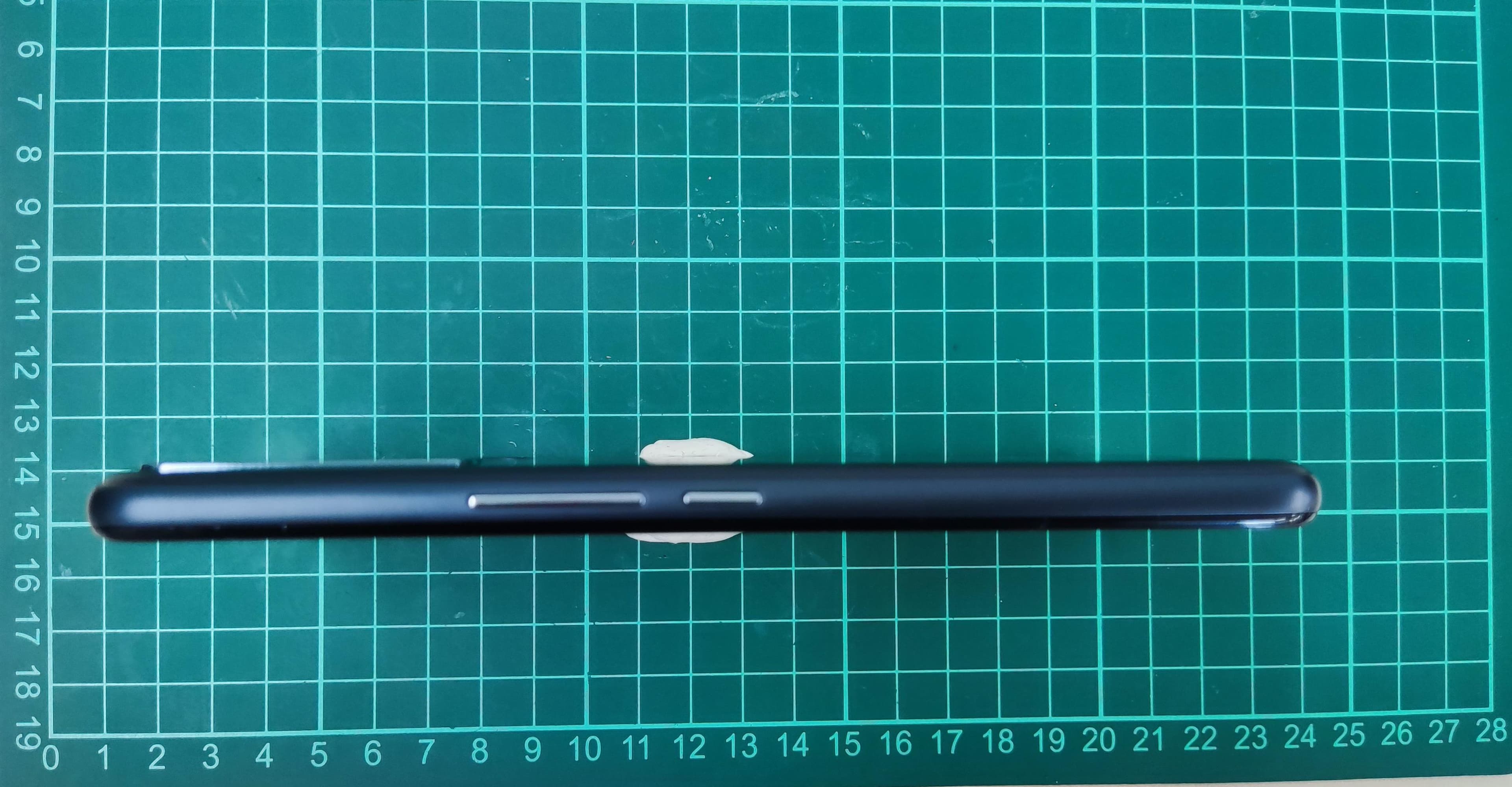
Click to zoom
Application Details
- Equipment Class
- CXX - Communications Rcvr for use w/ licensed Tx and CBs
- Date of Grant
- Jun 28, 2021
- Application Purpose
- Original Equipment
- Date of Application
- Jun 15, 2021
- Equipment Note
- 5G NR/LTE/WCDMA/GSM Mobile Phone
- Frequency Range
- 859.00000000 - 894.00000000
- Company
- TCL Communication Ltd.
- Country
- China
Documents & Files
Document Text
Text extracted from the exhibit documents filed with the FCC. Open a document above to read the original.
Users Manual
Safety and warranty information Thank you for choosing TCL. This booklet helps you get started with your new device. T601DL English Printed in China 1 Safety and use ��������������������������������������������� Please read before using your phone THE BATTERY IS NOT FULLY CHARGED WHEN YOU TAKE IT OUT OF THE BOX. DO NOT REMOVE THE BATTERY PACK WHEN THE PHONE IS CHARGING. Privacy restrictions Some countries require full disclosure of recorded telephone conversations, and stipulate that you must inform the person with whom you are speaking that the conversation is being recorded. Always obey the relevant laws and regulations of your country when using the recording feature of your phone. Disclaimers ANY WEATHER, STOCK, OR OTHER INFORMATION, DATA, OR DOCUMENTATION (“ACCESSED INFORMATION”) ARE PROVIDED “AS IS” AND WITHOUT ANY WARRANTY OR ANY TECHNICAL SUPPORT. TO THE MAXIMUM EXTENT PERMITTED BY APPLICABLE LAW, TCL MOBILE AND ITS AFFILIATES expressly disclaim any and all representations and warranties, arising by law or otherwise, related to the Accessed Information, including without limitation any express or implied representation or warranty of merchantability, fitness for a particular purpose, non-infringement, quality, accuracy, completeness, effectiveness, reliability, or usefulness. Without limiting the foregoing, it is further understood that TCL Mobile and its Affiliates are not responsible for any use of the Accessed Information or the results arising from such use, and that you use such information at your own risk. www.sar-tick.com This product meets applicable national SAR limits of 1.6 W/kg. The specific maximum SAR values can be found on page 32 of this user guide. When carrying the product or using it while worn on your body, either use an approved accessory such as a holster or otherwise maintain a distance of 15 mm from the body to ensure compliance with RF exposure requirements. Note that the product may be transmitting even if you are not making a phone call. 2 Limitation of damages TO THE MAXIMUM EXTENT PERMITTED BY APPLICABLE LAW, IN NO EVENT SHALL TCL MOBILE OR ITS AFFILIATES BE LIABLE TO YOU, ANY USER, OR THIRD PARTY FOR ANY INDIRECT, SPECIAL, CONSEQUENTIAL, INCIDENTAL OR PUNITIVE DAMAGES OF ANY KIND, ARISING IN CONTRACT, TORT, OR OTHERWISE, INCLUDING, BUT NOT LIMITED TO, INJURY, LOSS OF REVENUE, LOSS OF GOODWILL, LOSS OF BUSINESS OPPORTUNITY, LOSS OF DATA, AND/OR LOSS OF PROFITS, REGARDLESS OF THE FORESEEABILITY THEREOF OR WHETHER TCL MOBILE OR ITS AFFILIATES HAVE BEEN ADVISED OF THE POSSIBILITY OF SUCH DAMAGES. AND IN NO EVENT SHALL THE TOTAL LIABILITY OF TCL MOBILE OR ITS AFFILIATES EXCEED THE AMOUNT RECEIVED FROM YOU, REGARDLESS OF THE LEGAL THEORY UNDER WHICH THE CAUSE OF ACTION IS BROUGHT. THE FOREGOING DOES NOT AFFECT ANY STATUTORY RIGHTS WHICH MAY NOT BE DISCLAIMED. Important health information and safety precautions When using this product, the safety precautions below must be taken to avoid possible legal liabilities and damages. Retain and follow all product safety and operating instructions. Observe all warnings in the operating instructions on the product. To reduce the risk of bodily injury, electric shock, fire, and damage to the equipment, observe the following precautions. WARNING: Cancer and Reproductive Harm - www.P65Warnings.ca.gov Electrical safety This product is intended for use when supplied with power from the designated battery or power supply unit. Other usage may be dangerous and will invalidate any approval given to this product. Safety precautions for proper grounding installation CAUTION: Connecting to improperly grounded equipment can result in an electric shock to your device. Safety precautions for power supply unit Use the correct external power source A product should be operated only from the type of power source indicated on the electrical ratings label. If you are not sure of the type of power source required, consult your authorized service provider or local power company. For a product that operates from battery power or other sources, refer to the operating instructions that are included with the product. This product should be operated only with the following designated power supply unit(s). Travel charger: Input: 100-240V, 50/60Hz, 0.5A Output: 5.0V/9V/12V, 3.0A/2.0A/1.5A 3 Take extra precautions • Do not attempt to open the back cover; • Do not attempt to eject, replace, or open the battery; • Do not puncture the back cover of your phone; • Do not burn or dispose of your phone in household garbage or store it at temperature above 60°C (140°F); Phone and battery as a unibody device must be disposed of in accordance with locally applicable environmental regulations. This symbol on your phone, the battery, and the accessories mean that these products must be taken to collection points at the end of their life: • Municipal waste disposal centers with specific bins for these types of equipment; • Collection bins at points of sale. They will then be recycled, preventing substances from being disposed of in the environment, so that their components can be reused. Safety precautions for direct sunlight Keep this product away from excessive moisture and extreme temperatures. Do not leave the product or its battery inside a vehicle or in places where the temperature may exceed 140 ̊F (60 ̊C), such as on a car dashboard, window sill, or behind a glass that is exposed to direct sunlight or strong ultraviolet light for extended periods of time. This may damage the product, overheat the battery, or pose a risk to the vehicle. PROTECT YOUR HEARING To prevent possible hearing damage, do not listen at high volume levels for long periods. Exercise caution when holding your device near your ear while the loudspeaker is in use. Safety in aircraft Due to the possible interference caused by this product to an aircraft’s navigation system and its communications network, using this device’s phone function on board an airplane is against the law …
Text truncated - open the document above for the full version.
Users Manual
English - CJB2H30KFAAA Printed in China Quick Start Guide Thank you for choosing TCL. This booklet helps you get started with your new device. For more information about your phone or to download the complete user manual version, please visit tcl.com/us Phone Setup Installing or removing the SIM card and microSD TM card Your phone already has a SIM card installed. If you need to change or remove your SIM card, follow the steps below. Use the provided SIM pin to open the SIM tray. To install SIM/microSD TM card, place the SIM/microSD TM card with the chip facing down into the SIM card tray and then slide it into its slot. To remove SIM/microSD TM card, push up on the chip side of the cards inside the SIM tray. Charging the battery It is advised that you fully charge your battery before first use ( ). Connect the charger to your phone and an outlet. Charging status is indicated by the percentage on screen while the phone is powered off. The percentage increases as the phone is charged. Power on your phone Hold down the Power key until the phone powers on, unlock your phone (screen lock, fingerprint, face unlock) if necessary and confirm. The Home screen is displayed. If you do not know your PIN/password or pattern, or if you have forgotten it, contact your service provider. Do not leave your PIN/password or pattern, with your phone. Store this information in a safe place when not in use. Set up your phone for the first time The first time you power on the phone, you'll be able to select your language, select a network, log in to your Google Account and Google Services, and select a screen lock option. Power off your phone Hold down the Power key from any screen until the phone options appear, select Power off. Personalize your Home screen Add You can touch and hold a folder, an application or a widget to activate the Move mode and drag the item to any Home screen as you prefer. Reposition Touch and hold the item to be repositioned to activate the Move mode, drag the item to the desired position and then release. You can move items both on the Home screen and the favorite tray. Hold the icon on the left or right edge of the screen to drag the item to another Home screen. Remove Touch and hold the item to be removed to activate the Move mode, drag the item up to the top of the Remove icon, and release after the item turns grey. Create folders To improve the organization of items (shortcuts or applications) on the Home screen and the favorite tray, you can add them to a folder by stacking one item on top of another. To rename a folder, open it and touch the folder’s title bar to input the new name. Wallpaper customization Touch and hold the Home screen then touch Wallpapers to customize wallpaper. Messages You can create, edit, and receive SMS and MMS with this phone. To access this feature, touch Messages from the Home screen. Touch to take a photo/video or attach a photo/video. Touch to give access to your location, send a voice message or attach files. Touch to enter voice input. Touch to switch to "abc/Abc" mode; Touch and hold to switch to "ABC" mode. Sending a message Enter the mobile phone number of the recipient in the To bar or select a contact, then touch the Tex t message bar to type the text of the message. When finished, touch to send the text message. An SMS of more than 160 characters will be split and sent as multiple SMS. A counter will be displayed on the right of the text box to remind you of how many characters can be entered in one message. Specific letters (accent) will also increase the size of the SMS, this may cause multiple SMS to be sent to your recipient. Sending a multimedia message MMS enables you to send video clips, images, photos, animations, slides and sounds to other compatible phones and e-mail addresses. An SMS will be converted to MMS automatically when media files (image, video, audio, slides, etc.) are attached or subject or email addresses are added. Gmail In addition to your Gmail account, your phone supports external POP3, IMAP or Exchange email accounts. To access this feature, swipe up on Home screen then select Gmail. To create and send emails • Touch from the Inbox screen. • Enter recipient(s) email address(es) in the To: field. • If necessary, tap next to the To: field to add Cc/Bcc to the message. • Enter the subject and the content of the message. • Ta p to add an attachment. • Ta p to send. Camera & Video Your phone's camera is equipped with multiple modes for taking photos and videos. From the home screen, touch to access. To take a picture: The screen acts as the viewfinder. First, position the object or landscape in the viewfinder, touch the screen to focus if necessary. Touch to capture, the photo will be automatically saved. You can also touch and hold to take burst shots, the maximum number is 20. To take a video: Touch VIDEO to change the camera mode to video. Touch to start video recording. Touch the left part of this icon to take a picture during video recording. Touch the right part of this icon to pause video recording and touch to continue. Touch to stop recording. The video will be automatically saved. Phone Placing a call Touch Phone from the Home screen. Show the dial pad Enter the desired number from the keyboard directly, or select one of the following: • Access frequently called or favorite contacts in Favorites . • View recently called numbers and contacts in Recents . • Choose a saved contact in Contacts . Touch to place the call. To hang up a call, touch . Answering or rejecting a call When you receive a call: • Swipe up to answer. • Swipe down to reject. • Swipe to reject the call by sending a preset message. To mute the ringtone volume of an incoming call, press the Volume up/down key. Contacts Contacts enables quick and easy access to the people you want to reach. You can view and create contacts on your phone. To access this feature, swipe up on the Home screen, then select Contacts . Adding a contact Touch…
Text truncated - open the document above for the full version.
Users Manual
English - CQF2HW0LCAAA Printed in China Product safety and warranty information 12 Safety and Precautions www.sar-tick.com This product meets applicable national SAR limits of 1.6 W/kg. The specific maximum SAR values can be found in the Radio waves section. When carrying the product or using it while worn on your body, either use an approved accessory such as a holster or otherwise maintain a distance of 15 mm from the body to ensure compliance with RF exposure requirements. Note that the product may be transmitting even if you are not making a phone call. PROTECT YOUR HEARING To prevent possible hearing damage, do not listen at high volume levels for long periods. Exercise caution when holding your phone near your ear while the loudspeaker is in use. This phone has been tested and rated for use with hearing aids for some of the wireless technologies that it uses. However, there may be some newer wireless technologies used in this phone that have not been tested yet for use with hearing aids. It is important to try the different features of this phone thoroughly and in different locations, using your hearing aid or cochlear implant, to determine if you hear any interfering noise. Consult your service provider or the manufacturer of this phone for information on hearing aid compatibility. If you have questions about return or exchange policies, consult your service provider or phone retailer. Safety and use We recommend that you read this chapter carefully before using your phone. The manufacturer disclaims any liability for damage, which may result as a consequence of improper use or use contrary to the instructions contained herein. TRAFFIC SAFETY: Given that studies show that using a phone while driving a vehicle constitutes a real risk, even when the hands-free kit is used (car kit, headset...), drivers are requested to refrain from using their phone when the vehicle is not parked. Check the laws and regulations on the use of wireless phones and their accessories in the areas where you drive. Always obey them. The use of these devices may be prohibited or restricted in certain areas. CONDITIONS OF USE: • You are advised to switch off the phone from time to time to optimize its performance; • Remember to abide by local authority rules of mobile phone use on aircrafts; • Your phone is a unibody device, where the back cover and battery are not removable, disassembling the phone will void your warranty. Disassembling the phone can cause bodily injury if the battery is punctured; • Always handle your phone with care and keep it in a clean and dust-free place; • Do not allow your phone to be exposed to adverse weather or environmental conditions, such as moisture, humidity, rain, infiltration of liquids, dust, sea air, etc. The manufacturer’s recommended operating temperature range is -10°C (14°F) to +55°C (131°F). At over 55°C (131°F), the legibility of the phone’s display may be temporarily impaired; • Do not open, dismantle, or attempt to repair your phone yourself; • Do not drop, throw, or bend your phone; • Use only batteries, battery chargers, and accessories which are recommended by TCL Communication Ltd. and its affiliates and are compatible with your phone model. TCL Communication Ltd. and its affiliates disclaim any liability for damage caused by the use of other chargers or batteries; • Your phone should not be disposed of in a municipal waste. Please check local regulations for disposal of electronic products; • Remember to make backup copies or keep a written record of all important information stored on your phone; 34 • Some people may suffer epileptic seizures or blackouts when exposed to flashing lights, or when playing video games. These seizures or blackouts may occur even if a person never had a previous seizure or blackout. If you have experienced seizures or blackouts, or if you have a family history of such occurrences, please consult your doctor before playing video games on your phone or enabling a flashing-lights feature on your phone; • Parents should monitor their children’s use of video games or other features that incorporate flashing lights on the phones. All persons should discontinue use and consult a doctor if any of the following symptoms occur: convulsion, eye or muscle twitching, loss of awareness, orientation, or movements. PRIVACY: Please note that you must respect the laws and regulations in force in your jurisdiction or other jurisdiction(s) where you will use your phone regarding taking photographs and recording sounds with your phone. Pursuant to such laws and regulations, it may be strictly forbidden to take photographs and/or to record the voices of other people or any of their personal attributes, and reproduce or distribute them, as this may be considered to be an invasion of privacy. It is the user’s sole responsibility to ensure that prior authorization has been obtained, if necessary, in order to record private or confidential conversations or take a photograph of another person; the manufacturer, the seller or vendor of your phone (including the carrier) disclaim any liability which may result from improper use of the phone. BATTERY: For a unibody device: Observe the following precautions: • Do not attempt to open the back cover; • Do not attempt to eject, replace, or open the battery; • Do not puncture the back cover of your phone; • Do not burn or dispose of your phone in household rubbish or store it at temperature above 60°C (140°F); Phone and battery as a unibody device must be disposed of in accordance with locally applicable environmental regulations. This symbol on your phone, the battery, and the accessories means that these products must be taken to collection points at the end of their life: • Municipal waste disposal centers with specific bins for these types of equipment; • Collection bins at points of sale. They will then be recycled, preventing substances being disposed of in the environment, so that their components can be r…
Text truncated - open the document above for the full version.
Cover Letter(s)
TCL Communication Ltd. 5/F, Building 22E, 22 Science Park East Avenue, Hong Kong Science Park, Shatin, NT, Hong Kong TEL: 0086-755-36611722 http://tclcom.tcl.com 2021-05-28 Federal Communications Commission Office of Engineering and Technology Equipment Authorization Division 7345 Oakland Mills Road Columbia, Maryland 21046 Subject: SHORT-TERM Confidentiality request for FCC ID: 2ACCJH137 To Whom It May Concern, Pursuant to sections 0.457 and 0.459 of CFR 47 and to avoid premature release of sensitive information prior to marketing or release of the product to the public, the applicant requests the following documents contained in this certification application be temporarily withheld from public disclosure for an initial period of 180 days: - External Photos - Internal Photos - Test Setup Photos - User manual The applicant also acknowledges that they will also provide appropriate notice to ACB should either of the following occur: a) if the applicant requires additional 45 days extension periods they will notify ACB with a new request letter at least 7 days prior to the short-term confidentiality expiration date – [Note: up to a maximum of 3 extensions only are allowed], or b) Immediately notify ACB in the event the information regarding the product or the product is made available to the public. ACB will then release the documents listed above for public disclosure pursuant to FCC Public Notice DA 04-1705. Yours Sincerely, Zhizhou GONG Product Certification Manager TCL Communication Ltd.
Cover Letter(s)
5/F, Building 22E, 22 Science Park East Avenue, Hong Kong Science Park, Shatin, NT, Hong Kong TEL: 0086-755-36611722 2021-06-03 Federal Communications Commission Office of Engineering and Technology Equipment Authorization Division 7345 Oakland Mills Road Columbia, Maryland 21046 Subject: Permanent Confidentiality request for FCC ID: 2ACCJH137 To Whom It May Concern, Pursuant to sections 0.457 and 0.459 of CFR 47, the applicant requests permanent confidential treatment of the following information accompanying this application: - Block Diagram - Schematics - Operational Description - BOM list/Tune-Up-Procedure The above materials contain trade secrets and proprietary information not customarily released to the public. The public disclosure of these matters might be harmful to the applicant and provide unjustified benefits to its competitors. Yours Sincerely, Zhizhou GONG Product Certification Manager TCL Communication Ltd.
Cover Letter(s)
TCL Communication Ltd. 5/F, Building 22E, 22 Science Park East Avenue, Hong Kong Science Park, Shatin, NT, Hong Kong Tel: 0086-755-36611722 http://tclcom.tcl.com Date 2021-05-28 To: Federal Communications Commission, Authorization & Evaluation Division, 7345 Oakland Mills Road Columbia, MD 21046 And American Certification Body, Inc. 6731 Whittier Avenue Suite C110 McLean, VA 22101 To Whom It May Concern: CTTL (Telecommunication Technology Labs,Academy of Telecommunication Research,MIIT) is authorized to act on our behalf, until otherwise notified, for applications to American Certification Body, Inc. (ACB). We certify that we are not subject to denial of federal benefits, which includes FCC benefits, pursuant to Section 5301 of the Anti-Drug Abuse Act of 1988, U.S.C. 862. Further, no party, as defined in 47 CFR1.2002 (b) to the application is subject to denial of federal benefits, that includes FCC benefits. Thank you. Regards, Zhizhou GONG Product Certification Manager TCL Communication Ltd.
Cover Letter(s)
7/F, Block F4, TCL Communication Technology Building, TCL International E City, Zhong Shan Yuan Road, Nanshan District, Shenzhen, Guangdong, P.R. China 518052 TEL: 0086-755-36611722 Declaration of changes from T601DL to T768S SOFTWARE MODIFICATIONS: Protocol Stack changes: No MMS/STK/USAT/USIM changes: No DM/SUPL/VT/FUMO/SWP/HCI: No Other changes detailed: No HARDWARE MODIFICATIONS: Band changes: No PCB Layout changes: No Main components changes: Ante nna Base Band Transceiv er ASM Power Amplifier Tx SAW Filter Rx SAW Filter Duplex er GSM850 NO NO NO NO NO NO NO NO GSM900 NO NO NO NO NO NO NO NO GSM1800 NO NO NO NO NO NO NO NO GSM1900 NO NO NO NO NO NO NO NO UMTS1900 NO NO NO NO NO NO NO NO UMTS1700 NO NO NO NO NO NO NO NO UMTS850 NO NO NO NO NO NO NO NO LTE 2 NO NO NO NO NO NO NO NO LTE 4 NO NO NO NO NO NO NO NO LTE 5 NO NO NO NO NO NO NO NO LTE 12 NO NO NO NO NO NO NO NO LTE 13 NO NO NO NO NO NO NO NO LTE 25 NO NO NO NO NO NO NO NO LTE 26 NO NO NO NO NO NO NO NO LTE 41 NO NO NO NO NO NO NO NO LTE 66 NO NO NO NO NO NO NO NO LTE 71 NO NO NO NO NO NO NO NO 5G n2 NO NO NO NO NO NO NO NO 5G n5 NO NO NO NO NO NO NO NO 5G n25(disable) NO NO NO NO NO NO NO NO 5G n41(disable) NO NO NO NO NO NO NO NO 5G n66 NO NO NO NO NO NO NO NO 5G n71(disable) NO NO NO NO NO NO NO NO 5G n77 NO NO NO NO NO NO NO NO GPS NO NO NO NO NO NO NO NO Bluetooth NO NO NO NO NO NO NO NO WiFi NO NO NO NO NO NO NO NO FM changes: No Other components changes: LCD/ Speaker/ Camera/ Vibrator changes: No Other changes detailed: MECHANICAL MODIFICATIONS: Use new metal front/back cover or keypad: No Mechanical shell changes: Whole size of EUT: No Distance of Ear reference point to bottom of handset: No Other trinkets to change the surface of handset: No Other changes detailed: The TCL logo position is changed. And remove the logo of TracFone. APPROVED BY: Zhizhou GONG Product Certification Manager TCL Communication Ltd.
External Photos
2ACCJH137 T601DL CBA0059BGTC5 CDA0000172C1 CAC4360006C1
ID Label/Location Info
FCCE-labelinformation: ModelT601DL ElectroniclabelingPath:TouchSettings–System–Regulatory&Safety,youcanfindmore informationaboutlabeling,suchasFCCID. Yes theinstructionsareshowedonUsermanual. FCC E-label information: Model T768S Electronic labeling Path: Touch Settings – System – Regulatory & Safety, you can find more information about labeling, such as FCC ID. Yes the instructions are showed on User manual.
Internal Photos
2ACCJH137T601DL
Test Report
©Copyright. All rights reserved by CTTL. FCC PART 15B TEST REPORT No. I21Z60746-EMC01 for TCL Communication Ltd. 5G NR/ LTE/WCDMA/GSM Mobile Phone Model Name: T601DL/T768S FCC ID: 2ACCJH137 with Hardware Version: PIO Software Version: vA3A Issued Date: 2021-06-16 Note: The test results in this test report relate only to the devices specified in this report. This report shall not be reproduced except in full without the written approval of CTTL. The report must not be used by the client to claim product certification, approval, or endorsement by NVLAP, NIST, or any agency of the U.S.Government. Test Laboratory: CTTL-Telecommunication Technology Labs, CAICT No. 52, Huayuan North Road, Haidian District, Beijing, P. R. China 100191. Tel:+86(0)10-62304633-2512, Fax:+86(0)10-62304633-2504 Email: [email protected], website: www.caict.ac.cn No.I21Z60746-EMC01 ©Copyright. All rights reserved by CTTL. Page 2 of 26 REPORT HISTORY Report Number Revision Description Issue Date I21Z60746-EMC01 Rev.0 1 st edition 2021-05-26 I21Z60746-EMC01 Rev.1 Added 5G NR RX mode assessment and revised typo of unit 2021-06-16 Note: the latest revision of the test report supersedes all previous versions. No.I21Z60746-EMC01 ©Copyright. All rights reserved by CTTL. Page 3 of 26 CONTENTS 1. TEST LABORATORY ............................................................................................................... 4 1.1. INTRODUCTION & ACCREDITATION ................................................................................. 4 1.2. TESTING LOCATION ........................................................................................................... 4 1.3. TESTING ENVIRONMENT ................................................................................................... 4 1.4. PROJECT DATA ................................................................................................................... 4 1.5. SIGNATURE .......................................................................................................................... 4 2. CLIENT INFORMATION ........................................................................................................... 5 2.1. APPLICANT INFORMATION ................................................................................................ 5 2.2. MANUFACTURER INFORMATION ...................................................................................... 5 3. EQUIPMENT UNDER TEST (EUT) AND ANCILLARY EQUIPMENT (AE) ............................ 6 3.1. ABOUT EUT .......................................................................................................................... 6 3.2. INTERNAL IDENTIFICATION OF EUT USED DURING THE TEST ................................... 6 3.3. INTERNAL IDENTIFICATION OF AE USED DURING THE TEST ...................................... 6 3.4. EUT SET-UPS ....................................................................................................................... 7 4. REFERENCE DOCUMENTS .................................................................................................... 8 4.1. REFERENCE DOCUMENTS FOR TESTING....................................................................... 8 5. LABORATORY ENVIRONMENT .............................................................................................. 9 6. SUMMARY OF TEST RESULTS ............................................................................................ 10 7. TEST EQUIPMENTS UTILIZED ............................................................................................. 11 ANNEX A: MEASUREMENT RESULTS ....................................................................................... 12 ANNEX B: PERSONS INVOLVED IN THIS TESTING ................................................................. 26 No.I21Z60746-EMC01 ©Copyright. All rights reserved by CTTL. Page 4 of 26 1. Test Laboratory 1.1. Introduction & Accreditation Telecommunication Technology Labs, CAICT is an ISO/IEC 17025:2005 accredited test laboratory under NATIONAL VOLUNTARY LABORATORY ACCREDITATION PROGRAM (NVLAP) with lab code 600118-0, and is also an FCC accredited test laboratory (CN5017), and ISED accredited test laboratory (CN0066). The detail accreditation scope can be found on NVLAP website. 1.2. Testing Location CTTL (huayuan North Road) Address: No. 52, Huayuan North Road, Haidian District, Beijing, P. R. China 100191 1.3. Testing Environment Normal Temperature: 15-35ºC Relative Humidity: 20-75% 1.4. Project data Testing Start Date: 2021-05-08 Testing End Date: 2021-05-09 1.5. Signature Wang Xue (Prepared this test report) Zhang Ying (Reviewed this test report) Zhang Xia (Approved this test report) No.I21Z60746-EMC01 ©Copyright. All rights reserved by CTTL. Page 5 of 26 2. Client Information 2.1. Applicant Information Company Name: TCL Communication Ltd. Address: 5/F, Building 22E, 22 Science Park East Avenue, Hong Kong Science Park, Shatin, NT, Hong Kong Contact Person Gong Zhizhou Contact Email [email protected] Telephone: 0086-755-36611722 Fax: 0086-755-36612000-81722 2.2. Manufacturer Information Company Name: TCL Communication Ltd. Address: 5/F, Building 22E, 22 Science Park East Avenue, Hong Kong Science Park, Shatin, NT, Hong Kong Contact Person Gong Zhizhou Contact Email [email protected] Telephone: 0086-755-36611722 Fax: 0086-755-36612000-81722 No.I21Z60746-EMC01 ©Copyright. All rights reserved by CTTL. Page 6 of 26 3. Equipment Under Test (EUT) and Ancillary Equipment (AE) 3.1. About EUT Description 5G NR/ LTE/WCDMA/GSM Mobile Phone Model Name T601DL/T768S FCC ID 2ACCJH137 Extreme vol. Limits 3.6VDC to 4.4VDC (nominal: 3.8VDC) Note: Components list, please refer to documents of the manufacturer; it is also included in the original test record of CTTL, Telecommunication Technology Labs, CAICT. 3.2. Internal Identification of EUT used during the test EUT ID* SN or IMEI HW Version SW Version EUT1 015924000215230 PIO vA3A *EUT…
Text truncated - open the document above for the full version.
Test Setup Photos
Part15B Part15C 15E
Contact Information
Applicant
Ting Wang
Technical Contact
CTTL, Telecommunication Technology Labs, CAICTXue Labs Zhen
[email protected]86-10-62304633
No. 52, Huayuan Bei Road, Haidian District, · China
Test Firm
Telecommunication Technology Labs, CAICTYaqin Shen
Technical Specifications
| # | Rule Parts | Frequency Range | Power Output |
|---|---|---|---|
| 5 | 15B | 859 MHz - 894 MHz | - |
Other Applications from TCL Communication Ltd.
2ACCJSCD002
Sep 10, 2024USB Connect 5G (NA)
Equipment Class
CXX - Communications Rcvr for use w/ licensed Tx and CBs2ACCJB227
Aug 21, 2024Smart phone
Equipment Class
DTS - Digital Transmission System2ACCJSCD005
Aug 07, 2024TCL LINKPORT IK511
Equipment Class
CXX - Communications Rcvr for use w/ licensed Tx and CBs2ACCJB224
Jul 31, 2024Tablet PC
Equipment Class
DSS - Part 15 Spread Spectrum Transmitter2ACCJB223
Jun 27, 2024Tablet PC
Equipment Class
NII - Unlicensed National Information Infrastructure TX