2ACCJN054GSM/UMTS/LTE mobile phone
TCL Communication Ltd.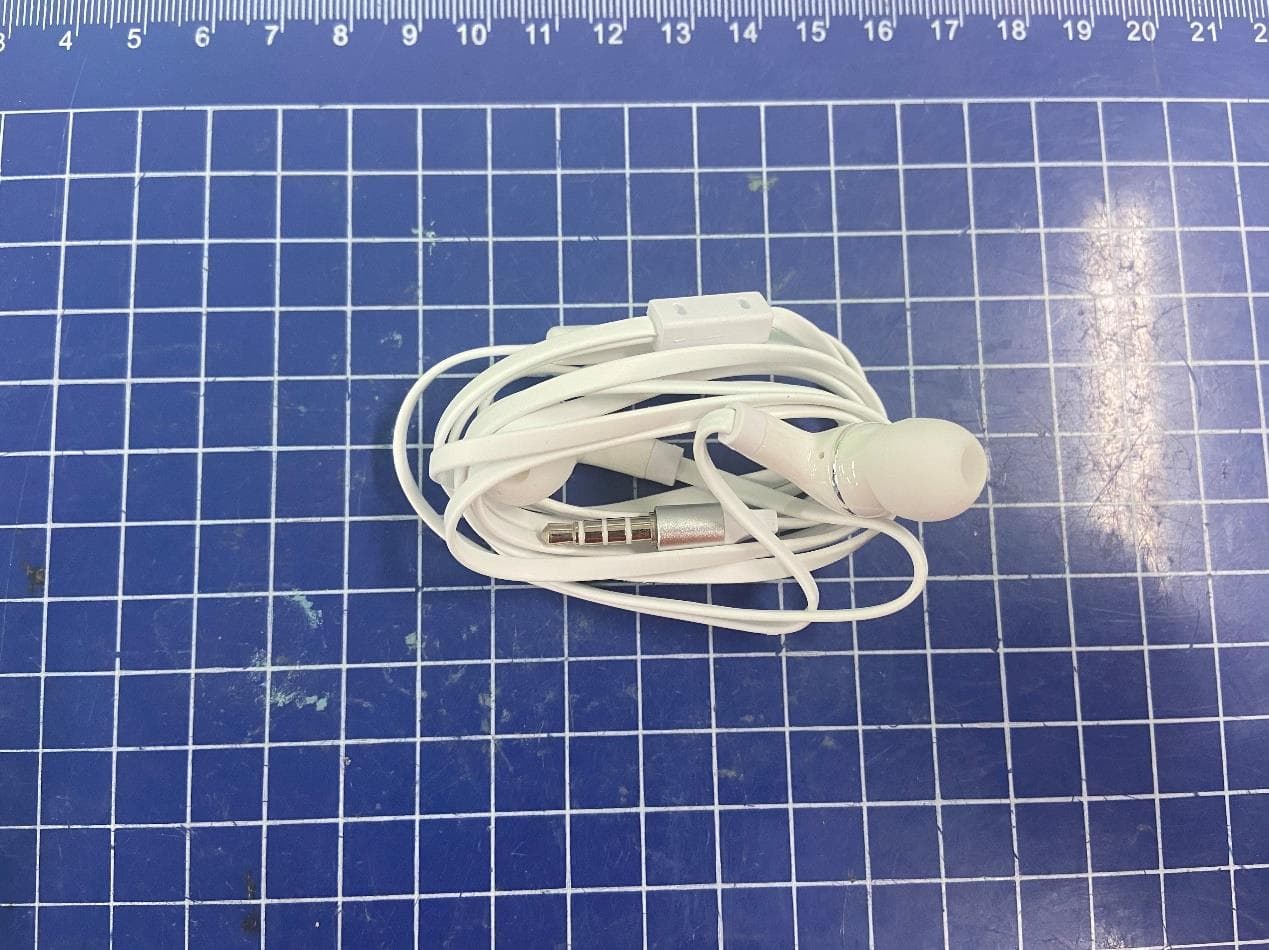
Click to zoom
Application Details
- Equipment Class
- CXX - Communications Rcvr for use w/ licensed Tx and CBs
- Date of Grant
- Mar 21, 2021
- Application Purpose
- Original Equipment
- Date of Application
- Mar 18, 2021
- Equipment Note
- GSM/UMTS/LTE mobile phone
- Frequency Range
- 859.00000000 - 894.00000000
- Company
- TCL Communication Ltd.
- Country
- China
Documents & Files
Document Text
Text extracted from the exhibit documents filed with the FCC. Open a document above to read the original.
Users Manual
Safety and Precautions English - CQF680101AAA 1 Printed in China This product meets applicable national SAR limits of 1.6 W/kg. The specific maximum SAR values can be found in the Radio waves section. When carrying the product or using it while worn on your body, either use an approved accessory such as a holster or otherwise maintain a distance of 15 mm from the body to ensure compliance with RF exposure requirements. Note that the product may be transmitting even if you are not making a phone call. PROTECT YOUR HEARING To prevent possible hearing damage, do not listen at high volume levels for long periods. Exercise caution when holding your phone near your ear while the loudspeaker is in use. PROTECT YOUR EYE TCL 20L has been awarded TÜV Rheinland Low Blue Light certification. Turning on Eye comfort mode can reduce harmful blue light from being emitting by the screen, protecting your eyes throughout long-duration viewing. TCL 20L has been awarded TÜV Rheinland Circular Polarization Light certification. The smartphone display can emit circular polarized light, a natural-like light which can reduce eye fatigue throughout long-duration viewing. TCL 20L has been awarded Hi-Res Audio certification. Hi-Res Audio gives you an audio quality that exceeds that of a CD and is close to that of the studio recording. Notice: High-Resolution Audio requires a compatible headset, you may need to purchase Hi-Res Audio certified headset. www.sar-tick.com 2 Safety and use ������������������������� We recommend that you read this chapter carefully before using your phone. The manufacturer disclaims any liability for damage, which may result as a consequence of improper use or use contrary to the instructions contained herein. TRAFFIC SAFETY: Given that studies show that using a phone while driving a vehicle constitutes a real risk, even when the hands-free kit is used (car kit, headset...), drivers are requested to refrain from using their phone when the vehicle is not parked. Check the laws and regulations on the use of wireless phones and their accessories in the areas where you drive. Always obey them. The use of these devices may be prohibited or restricted in certain areas. CONDITIONS OF USE: • You are advised to switch off the phone from time to time to optimize its performance; • Remember to abide by local authority rules of mobile phone use on aircrafts; • If your phone is a unibody device, where the back cover and battery are not removable, disassembling the phone will void your warranty. Disassembling the phone can cause bodily injury if the battery is punctured; • Always handle your phone with care and keep it in a clean and dust-free place; • Do not allow your phone to be exposed to adverse weather or environmental conditions, such as moisture, humidity, rain, infiltration of liquids, dust, sea air, etc. The manufacturer’s recommended operating temperature range is 0°C (32°F) to 40°C (104°F). At over 40°C (104°F), the legibility of the phone’s display may be temporarily impaired; • Do not open, dismantle, or attempt to repair your phone yourself; • Do not drop, throw, or bend your phone; • Use only batteries, battery chargers, and accessories which are recommended by TCL Communication Ltd. and its affiliates and are compatible with your phone model. TCL Communication Ltd. and its affiliates disclaim any liability for damage caused by the use of other chargers or batteries; • Your phone should not be disposed of in a municipal waste. Please check local regulations for disposal of electronic products; • Remember to make backup copies or keep a written record of all important information stored on your phone; • Some people may suffer epileptic seizures or blackouts when exposed to flashing lights, or when playing video games. These seizures or blackouts may occur even if a person never had a previous seizure or blackout. If you have experienced seizures or blackouts, or if you have a family history of such occurrences, please consult your doctor before playing video games on your phone or enabling a flashing-lights feature on your phone; 3 • Parents should monitor their children’s use of video games or other features that incorporate flashing lights on the phones. All persons should discontinue use and consult a doctor if any of the following symptoms occur: convulsion, eye or muscle twitching, loss of awareness, orientation, or movements. PRIVACY: Please note that you must respect the laws and regulations in force in your jurisdiction or other jurisdiction(s) where you will use your phone regarding taking photographs and recording sounds with your phone. Pursuant to such laws and regulations, it may be strictly forbidden to take photographs and/or to record the voices of other people or any of their personal attributes, and reproduce or distribute them, as this may be considered to be an invasion of privacy. It is the user's sole responsibility to ensure that prior authorization has been obtained, if necessary, in order to record private or confidential conversations or take a photograph of another person; the manufacturer, the seller or vendor of your phone (including the carrier) disclaim any liability which may result from improper use of the phone. BATTERY: Observe the following precautions: - Do not attempt to open the battery (due to the risk of toxic fumes and burns). - For a device with a non-removable battery, do not attempt to eject or replace the battery. - Do not puncture, disassemble, or cause a short circuit in a battery. - For a unibody device, do not attempt to open or puncture the back cover. - Do not burn or dispose of a used battery or phone in household rubbish or store it at temperatures above 60°C (140°F). Phone and battery must be disposed of in accordance with locally applicable environmental regulations. This symbol on your phone, the battery, and the accessories means that these products must be taken to collection points at the end of their life: • Municipal waste disp…
Text truncated - open the document above for the full version.
Users Manual
Por favor, lea este instructivo de uso antes de utilizar el dispositivo. PIENSE EN EL MEDIO AMBIENTE ANTES DE IMPRIMIR AHORRE PAPEL SALVE ÁRBOLES INSTRUCTIVO DE USO tcl.com/mx User manual Español Impreso en China 1 Su celular Teclas y conectores Múltiples cámaras traseras Flash LED Área del sensor NFC Micrófono Conector del auricular de 3,5mm Cámara frontal Botón de subir/bajar el volumen Botón de encendido Conector USB tipo C Sensor de huella digital Tecla asistente Google 6.67” 2 Puesta en marcha ① Su nuevo teléfono está parcialmente cargado. Cargue la batería con el cable USB-C y el cargador suministrados. ② Utilice la herramienta de extracción de la SIM suministrada para abrir la bandeja de la tarjeta SIM. ③ Coloque la tarjeta SIM nano o la tarjeta micro SD TM en la bandeja y, a continuación, deslícela hacia la ranura. Importante: las tarjetas microSD TM se venden por separado. Utilice sólo tarjetas SIM nano con el teléfono. ¡ATENCIÓN! No ingrese el pin de la SIM en el altavoz en la parte superior del teléfono. ① ③ ② 3 Pantalla de inicio Puede mover los elementos que usa con más frecuencia (aplicaciones, atajos, carpetas) a la pantalla de inicio para acceder más rápidamente a ellos. Tocar Inicio siempre lo regresa a la pantalla de inicio. ① ② ① Deslice hacia abajo desde la barra de estado para ver el panel de notificaciones y acceder a todas las notificaciones pendientes. Vuelva a deslizar hacia abajo para ver las opciones de ajustes de acceso rápido. ② Toque para acceder al menú completo de Ajustes. 4 Llamadas Realizar una llamada Desde la aplicación Teléfono , use el teclado para ingresar el número de teléfono o el nombre del contacto. A continuación, toque para realizar la llamada. Responder una llamada Cuando reciba una llamada: • Toque RESPONDER o deslice hacia arriba el icono para contestar; • Toque RECHAZAR o deslice hacia abajo el icono para rechazar la llamada; • Toque para rechazar la llamada y enviar un mensaje preestablecido. 5 Contactos Con Contactos, puede ver los contactos guardados o crear uno nuevo. Sincronice los contactos de sus cuentas de correo electrónico y otras aplicaciones con el teléfono. ① ② ③ ④ ⑤ ① Toque aquí para buscar un contacto. ② Toque aquí para seleccionar varios contactos para editarlos en masa; por ejemplo, para agregar una etiqueta al contacto. ③ Toque para ver todos los contactos guardados en su dispositivo. ④ Toque el nombre o icono del contacto para abrir la tarjeta de contacto, donde puede editar la información, llamarlos y mucho más. Toque y mantenga pulsado para compartir o eliminar los contactos seleccionados. ⑤ Toque aquí para crear un nuevo contacto. 6 Mensajes Puede crear, editar, enviar y recibir SMS y MMS. Un SMS se convertirá automáticamente a MMS cuando se adjunten archivos multimedia (imagen, video, audio, presentación etc.), o cuando se añada un asunto al mensaje o se use una dirección de correo electrónico como destinatario. ① ③ ④ ⑤ ⑥ ② ① Toque aquí para enviar el mensaje SMS o MMS. ② Toque y mantenga pulsado para cambiar el idioma. ③ Inserte una imagen de la galería o una foto directamente. ④ Inserte un GIF, etiqueta, ubicación, nota de voz, contacto u otro archivo. ⑤ Toque aquí para ingresar una coma. Toque y mantenga pulsado para acceder a los ajustes del teclado, ingresar un emoticono e ingresar al modo de entrada de mano izquierda o derecha. ⑥ Toque aquí para acceder a los teclados de símbolos y números. 7 Gmail Use Gmail para crear, enviar y recibir correos electrónicos directamente desde el teléfono. La aplicación Gmail permite agregar varias cuentas de correo electrónico. ① ② ③ ④ ① Toque aquí para ver las cuentas de correo electrónico del dispositivo. ② Toque aquí para acceder a carpetas de correo electrónico, ajustes y mucho más. ③ Deslice hacia derecha o izquierda para archivar el correo electrónico. ④ Toque aquí para crear un correo electrónico. 8 Información general • Consulte el sitio web de TCL en https://www.tcl.com/mx para acceder a tutoriales y obtener respuestas a las preguntas frecuentes, y para descargar el Instructivo de uso. • Para obtener asistencia para el teléfono, acceda al sitio web de TCL (https://www.tcl.com/mx) o llame a los números siguientes: Argentina: 08001220682 Chile: 800000147 Colombia: 18009520823 Ecuador: 800000635 México: 8008909908 Perú: 080000698 República Dominicana: 8887600164 Uruguay: 405296624 Venezuela: 08001005368 • Actualizar el software del teléfono Ingrese a Ajustes > Sistema > Actualizar sistema para comprobar si hay actualizaciones del software. • Respaldar sus datos personales Ingrese a Ajustes > Sistema > Respaldo de seguridad > Crea copia de seg. en Google Drive y active esta opción. • Restablecer el teléfono Ingrese a Ajustes > Sistema > Restablecer > Restablecer datos de fábrica > REINICIAR TELÉFONO > REINICIAR TELÉFONO. • Eliminar tu cuenta de Google Ingrese a Ajustes > Cuentas > toque la cuenta > ELIMINAR CUENTA. PLEASE CONSIDER THE ENVIRONMENT BEFORE PRINTING SAVE PAPER SAVE TREES QUICK START GUIDE tcl.com/mx User manual English - CJB680101AAA Printed in China 1 Your Mobile Keys and connectors Multiple rear cameras LED flash NFC sensor area Microphone 3.5mm headset connector Front camera Volume up/down Power key USB Type-C connector Google Assistant Button Fingerprint sensor 6.67” 2 Getting started ① Your new phone is partially charged. Charge the battery by using the USB-C cable and charger provided. ② Use the provided SIM pin to open the SIM tray. ③ Place the Nano SIM card and/or microSD TM card into the tray, then slide the SIM tray into the slot. Note: microSD TM cards are sold separately. Only use Nano SIM cards with your phone. Caution: Do not insert the SIM pin into the speaker on top or bottom of the phone. ① ③ ② 3 Home screen You can bring all of the items that you use most frequently (applications, shortcuts, folders) to your Home screen for quick access. Tapping Home always takes you back to the main Home screen. ① ② ① Swipe down from the Status bar to view t…
Text truncated - open the document above for the full version.
Cover Letter(s)
TCL Communication Ltd. 5F, C building, No. 232, Liang Jing Road, ZhangJiang High-Tech Park, Pudong Shanghai, P.R. China. 201203 Tel: +86 21 6146 0666 Fax: +86 21 6146 0602 http://tclcom.tcl.com Date 2021-03-15 To: Federal Communications Commission, Authorization & Evaluation Division, 7345 Oakland Mills Road Columbia, MD 21046 And American Certification Body, Inc. 6731 Whittier Avenue Suite C110 McLean, VA 22101 To Whom It May Concern: CTTL-Telecommunication Technology Labs, Academy of Telecommunication Research, MIIT is authorized to act on our behalf, until otherwise notified, for applications to American Certification Body, Inc. (ACB). We certify that we are not subject to denial of federal benefits, which includes FCC benefits, pursuant to Section 5301 of the Anti-Drug Abuse Act of 1988, U.S.C. 862. Further, no party, as defined in 47 CFR1.2002 (b) to the application is subject to denial of federal benefits, that includes FCC benefits. Thank you. Regards, Zhizhou GONG Product Certification Manager TCL Communication Ltd.
Cover Letter(s)
TCL Communication Ltd. 5/F, Building 22E, 22 Science Park East Avenue,Hong Kong Science Park, Shatin, 2021-03-18 Federal Communications Commission Office of Engineering and Technology Equipment Authorization Division 7345 Oakland Mills Road Columbia, Maryland 21046 Subject: Permanent Confidentiality request for FCC ID: 2ACCJN054 To Whom It May Concern, Pursuant to sections 0.457 and 0.459 of CFR 47, the applicant requests permanent confidential treatment of the following information accompanying this application: - Block Diagram - Schematics - Operational Description - BOM list/Tune-Up-Procedure The above materials contain trade secrets and proprietary information not customarily released to the public. The public disclosure of these matters might be harmful to the applicant and provide unjustified benefits to its competitors. Yours Sincerely, Zhizhou GONG Product Certification Manager TCL Communication Ltd.
Cover Letter(s)
TCL Communication Ltd. 5/F, Building 22E, 22 Science Park East Avenue, Hong Kong Science Park, Shatin, http://tclcom.tcl.com 2021-03-18 Federal Communications Commission Office of Engineering and Technology Equipment Authorization Division 7345 Oakland Mills Road Columbia, Maryland 21046 Subject: SHORT-TERM Confidentiality request for FCC ID: 2ACCJN054 To Whom It May Concern, Pursuant to sections 0.457 and 0.459 of CFR 47 and to avoid premature release of sensitive information prior to marketing or release of the product to the public, the applicant requests the following documents contained in this certification application be temporarily withheld from public disclosure for an initial period of 180 days: - External Photos - Internal Photos - Test Setup Photos - User manual The applicant also acknowledges that they will also provide appropriate notice to ACB should either of the following occur: a) if the applicant requires additional 45 days extension periods they will notify ACB with a new request letter at least 7 days prior to the short-term confidentiality expiration date – [Note: up to a maximum of 3 extensions only are allowed], or b) Immediately notify ACB in the event the information regarding the product or the product is made available to the public. ACB will then release the documents listed above for public disclosure pursuant to FCC Public Notice DA 04-1705. Yours Sincerely, Zhizhou GONG Product Certification Manager TCL Communication Ltd.
External Photos
TLp048A1 TLp048A1 TLp048A7 TLp048A7 WH35 WH70 QC13US BYD QC13US BYD QC13US PUAN QC13US PUAN UC13US PUAN UC13US PUAN UC13US Tenpao UC13US Tenpao CDA0000128C1 CDA0000128C2 TPU case
Test Report
©Copyright.AllrightsreservedbyCTTL. FCCPART15B TESTREPORT No.I21Z60291-EMC01 for TCLCommunicationLtd. GSM/UMTS/LTEmobilephone ModelName:T774B/T775B FCCID:2ACCJN054 with HardwareVersion:03 SoftwareVersion:v3.0.9DF2 IssuedDate:2021-03-09 Note: Thetestresultsinthistestreportrelateonlytothedevicesspecifiedinthisreport.Thisreportshallnotbe reproducedexceptinfullwithoutthewrittenapprovalofCTTL. Thereportmustnotbeusedbytheclienttoclaimproductcertification,approval,orendorsementbyNVLAP,NIST, oranyagencyoftheU.S.Government. TestLaboratory: CTTL-TelecommunicationTechnologyLabs,CAICT No.52,HuayuanNorthRoad,HaidianDistrict,Beijing,P.R.China100191. Tel:+86(0)10-62304633-2512,Fax:+86(0)10-62304633-2504 Email:[email protected],website:www.caict.ac.cn No.I21Z60291-EMC01 ©Copyright.AllrightsreservedbyCTTL. Page2of39 REPORTHISTORY ReportNumberRevisionDescriptionIssueDate I21Z60291-EMC01Rev.01 st edition2021-03-09 Note:thelatestrevisionofthetestreportsupersedesallpreviousversion. No.I21Z60291-EMC01 ©Copyright.AllrightsreservedbyCTTL. Page3of39 CONTENTS 1.TESTLABORATORY............................................................................................................................4 1.1.INTRODUCTION&ACCREDITATION...........................................................................................4 1.2.TESTINGLOCATION........................................................................................................................4 1.3.TESTINGENVIRONMENT...............................................................................................................4 1.4.PROJECTDATA................................................................................................................................4 1.5.SIGNATURE........................................................................................................................................4 2.CLIENTINFORMATION.......................................................................................................................5 2.1.APPLICANTINFORMATION...........................................................................................................5 2.2.MANUFACTURERINFORMATION................................................................................................5 3.EQUIPMENTUNDERTEST(EUT)ANDANCILLARYEQUIPMENT(AE)................................6 3.1.ABOUTEUT........................................................................................................................................6 3.2.INTERNALIDENTIFICATIONOFEUTUSEDDURINGTHETEST........................................6 3.3.INTERNALIDENTIFICATIONOFAEUSEDDURINGTHETEST...........................................6 3.4.EUTSET-UPS.....................................................................................................................................8 4.REFERENCEDOCUMENTS................................................................................................................9 4.1.REFERENCEDOCUMENTSFORTESTING................................................................................9 5.LABORATORYENVIRONMENT......................................................................................................10 6.SUMMARYOFTESTRESULTS.......................................................................................................11 7.TESTEQUIPMENTSUTILIZED........................................................................................................12 ANNEXA:MEASUREMENTRESULTS.................................................................................................13 ANNEXB:PERSONSINVOLVEDINTHISTESTING.........................................................................39 No.I21Z60291-EMC01 ©Copyright.AllrightsreservedbyCTTL. Page4of39 1.TestLaboratory 1.1.Introduction&Accreditation TelecommunicationTechnologyLabs,CAICTisanISO/IEC17025:2005accreditedtestlaboratory underNATIONALVOLUNTARYLABORATORYACCREDITATIONPROGRAM(NVLAP)withlab code600118-0,andisalsoanFCCaccreditedtestlaboratory(CN5017),andISEDaccreditedtest laboratory(CN0066).ThedetailaccreditationscopecanbefoundonNVLAPwebsite. 1.2.TestingLocation CTTL(huayuanNorthRoad) Address:No.52,HuayuanNorthRoad,HaidianDistrict,Beijing, P.R.China100191 1.3.TestingEnvironment NormalTemperature:15-35ºC RelativeHumidity:20-75% 1.4.Projectdata TestingStartDate:2021-02-27 TestingEndDate:2021-03-08 1.5.Signature WangXue (Preparedthistestreport) ZhangYing (Reviewedthistestreport) ZhangXia (Approvedthistestreport) No.I21Z60291-EMC01 ©Copyright.AllrightsreservedbyCTTL. Page5of39 2.ClientInformation 2.1.ApplicantInformation CompanyName:TCLCommunicationLtd. Address: 5/F,Building22E,22ScienceParkEastAvenue,HongKongScience Park,Shatin,NT,HongKong ContactPersonGongZhizhou [email protected] Telephone:0086-755-36611722 Fax:0086-755-36612000-81722 2.2.ManufacturerInformation CompanyName:TCLCommunicationLtd. Address: 5/F,Building22E,22ScienceParkEastAvenue,HongKongScience Park,Shatin,NT,HongKong ContactPersonGongZhizhou [email protected] Telephone:0086-755-36611722 Fax:0086-755-36612000-81722 No.I21Z60291-EMC01 ©Copyright.AllrightsreservedbyCTTL. Page6of39 3.EquipmentUnderTest(EUT)andAncillaryEquipment(AE) 3.1.AboutEUT DescriptionGSM/UMTS/LTEmobilephone ModelNameT774B/T775B FCCID2ACCJN054 Extremevol.Limits3.6VDCto4.4VDC(nominal:3.85VDC) Note:Componentslist,pleaserefertodocumentsofthemanufacturer;itisalsoincludedinthe originaltestrecordofCTTL,TelecommunicationTechnologyLabs,CAICT. 3.2.InternalIdentificationofEUTusedduringthetest EUTID*SNorIMEIHWVersionSWVersion EUT135189797000020803v3.0.9DF2 *EUTID:isusedtoidentifythetestsampleinthelabinternally. 3.3.InternalIdentificationofAEusedduringthetest AEID*DescriptionSNRemarks AE1Battery/ AE2Battery/ AE3USBCable/ AE4USBCable/ AE5Charger1/ AE6Charger2/ AE7Charger3/ AE8Charger4/ AE9Headset1/ AE10Headset2/ AE1 ModelTLp048A1 ManufacturerBYD Capacity4360mAh NominalVoltage3.85V AE2 ModelTLp048A7 ManufacturerVE…
Text truncated - open the document above for the full version.
Test Setup Photos
Part 15B Part 15C and 15E
Contact Information
Applicant
Annie Jiang
Technical Contact
CTTLXue Zhen
[email protected]86-62304633
No. 52, Huayuan Bei Road, Haidian District, · Beijing · China
Test Firm
Telecommunication Technology Labs, CAICTYaqin Shen
Technical Specifications
| # | Rule Parts | Frequency Range | Power Output |
|---|---|---|---|
| 4 | 15B | 859 MHz - 894 MHz | - |
Other Applications from TCL Communication Ltd.
2ACCJSCD002
Sep 10, 2024USB Connect 5G (NA)
Equipment Class
CXX - Communications Rcvr for use w/ licensed Tx and CBs2ACCJB227
Aug 21, 2024Smart phone
Equipment Class
DTS - Digital Transmission System2ACCJSCD005
Aug 07, 2024TCL LINKPORT IK511
Equipment Class
CXX - Communications Rcvr for use w/ licensed Tx and CBs2ACCJB224
Jul 31, 2024Tablet PC
Equipment Class
DSS - Part 15 Spread Spectrum Transmitter2ACCJB223
Jun 27, 2024Tablet PC
Equipment Class
NII - Unlicensed National Information Infrastructure TX