2ACMBLEARNITTablet PC
Caribbean eBook Ltd.Application Details
- Equipment Class
- JBC - Part 15 Class B Computing Device/Personal Computer
- Date of Grant
- Feb 05, 2015
- Application Purpose
- Original Equipment
- Date of Application
- Feb 04, 2015
- Equipment Note
- Tablet PC
- Company
- Caribbean eBook Ltd.
- Country
- United States
Documents & Files
Document Text
Text extracted from the exhibit documents filed with the FCC. Open a document above to read the original.
Users Manual
-Operational steps for Learnit Tablet. Make sure that LEARNIT is fully charged before using. (Green light indicates full charge, unplug not to overcharge and reduce battery life) Try not to use LEARNIT while charging to avoid damage to charging pin or charging port. Turn on device from the switch located on top right side where unit is plugged in to charge. After turning on the device allow a few minutes for the device to download preloaded applications.(If not all applications may not appear on screen) Touch and slide lock on opening screen to the right to view home screen Touch the circled dots on right hand side of home screen to see applications. Scroll from right to left to see more applications. Touch the arrow on left bottom screen to go back to front screen. TO ACCES KIDS PLACE -CARIBBEAN eBOOK Unlike other tablets, the LEARNIT does not require an Internet connection, so applications are always available and ready for students to use! Touch” Kids Place” on home screen to go to “kids place – Caribbean eBook” screen (this locks the device from internet use). Touch anyone of the Category listings to get to “Kids Place Caribbean eBook” home page Touch the three dots to the far right and select “Show category list”, and then choose application. Touch Category of interest. Touch application you wish to use Listen for instructions (wait until voice giving instructions stop) Follow instructions completely to get maximum results from all applications Scroll from left to right to see full version applications that are available in Kids Place SIMPLY: TOUCH – LISTEN- DO- LEARN To exit kids place type in password 7603 Connect Learnit to the internet To connect device to the internet click “settings” Turn on “Wi-Fi” on the other side of the same screen find the internet connection available and click on it Type in “pass word” and click connect. When connected scroll down from Wi-Fi to “+ Add account” “Add account” box will appear. Click on “Google” and another box will appear click “existing” and type in Gmail account and password. Follow steps until full set up is completed “Browse” the internet. check with retailer for all customer support needs MID MID FCC Information and Copyright This equipment has been tested and found to comply with the limits for a Class B digital device, pursuant to part 15 of the FCC Rules. These limits are designed to provide reasonable protection against harmful interference in a residential installation. This equipment generates, uses and can radiate radio frequency energy and, if not installed and used in accordance with the instructions, may cause harmful interference to radio communications. However, there is no guarantee that interference will not occur in a particular installation. If this equipment does cause harmful interference to radio or television reception, which can be determined by turning the equipment off and on, the user is encouraged to try to correct the interference by one or more of the following measures: —Reorient or relocate the receiving antenna. —Increase the separation between the equipment and receiver. —Connect the equipment into an outlet on a circuit different from that to which the receiver is connected. —Consult the dealer or an experienced radio/TV technician for help. 15.19 Labelling requirements. This device complies with part 15 of the FCC Rules. Operation is subject to the following two conditions: (1)This device may not cause harmful interference, and (2) this device must accept any interference received, including interference that may cause undesired operation. changes or modifications not expressly approved by the party responsible for compliance could void the user's authority to operate the equipment. FCC RF warning statement: the device has been evaluated to meet general RF exposure requirement , The device can be used in portable exposure condition without restriction.
Cover Letter(s)
SCS-F18: Project and Product Certification Representative Authorization Letter Page 1 of 2 Rev 5.0 775 Montague Expressway Milpitas, CA 95035 Tel: 408-526-1188 Fax: 408-526-1088 Email: [email protected] Project and Product Certification Representative Authorization Letter Reason for Amendment (current / obsolete) Revision History Approved Date From To Initial Release (obsolete) 1.0 1.0 Nov-14-2006 Revised wording (obsolete) 1.0 2.0 Sept–25-2007 Updated company template (obsolete) 2.0 3.0 Jan-31-2012 Updated letter information (obsolete) 3.0 4.0 May-23-2014 Added FCC ID field (current) 4.0 5.0 Sept 16 2014 SCS-F18: Project and Product Certification Representative Authorization Letter Page 2 of 2 Rev 5.0 Caribbean eBook Ltd. 2015/02/03 To: SIEMIC, INC. 775 Montague Expressway, Milpitas, CA 95035 USA Dear Sir/Madam, Re: Product Certification Representative Authorization Letter We, __ Caribbean eBook Ltd. _ _hereby authorize SIEMIC, Inc. to act as a Certification Body for certifying for the following project(s): Product: Tablet PC Trade Name: N/A Model Name: Learnit Serial Model: CEB FCC ID: 2ACMBLEARNIT Sincerely, Client’s signature Client’s name / title Joel H Webbe,Manager Contact information / address 38 Oak Street, Hyde Park, Massachusetts, United States, 02136
Cover Letter(s)
SCS-F19: Confidentiality Request Letter Page 1 of 2 Rev 3.0 775 Montague Expressway Milpitas, CA 95035 Tel: 408-526-1188 Fax: 408-526-1088 Email: [email protected] Confidentiality Request Letter Reason for Amendment (current / obsolete) Revision History Approved Date From To Initial Release (obsolete) 1.0 1.0 Nov-14-2006 Adding CFR 2.459 (obsolete) 1.0 2.0 August – 11 - 2008 Updated company template & Added text box (current) 2.0 3.0 Jan-31-2012 SCS-F19: Confidentiality Request Letter Page 2 of 2 Rev 3.0 Caribbean eBook Ltd. 2015-02-03 To: Federal Communications Commission Authorization and Evaluation Division 7435 Oakland Mills Road Columbia, MD Subject: Permanent Confidentiality Request for FCC ID: 2ACMBLEARNIT We hereby request confidential treatment of information accompanying this application as outlined below: - Block Diagram - Schematics - Operational Description The above materials contain trade secrets and proprietary information not customarily released to the public. The public disclosure of these materials may be harmful to the applicant and provide unjustified benefits to its competitors. The applicant understands that pursuant to Section 0.457 & 0.459 of the Rules, disclosure of this application and all accompanying documentation will not be made before the date of the Grant for this application. Sincerely, Client’s signature Client’s name / title Joel H Webbe,Manager Contact information / address 38 Oak Street, Hyde Park, Massachusetts, United States, 02136
Cover Letter(s)
Caribbean eBook Ltd. Model Difference FCC ID: 2ACMBLEARNIT Model : Learnit, CEB All the models are the same circuit and RF module, except the mode names. Regards, Client’s signature Signature Name: Joel H Webbe Title: Manager Address: 38 Oak Street, Hyde Park, Massachusetts, United States, 02136
External Photos
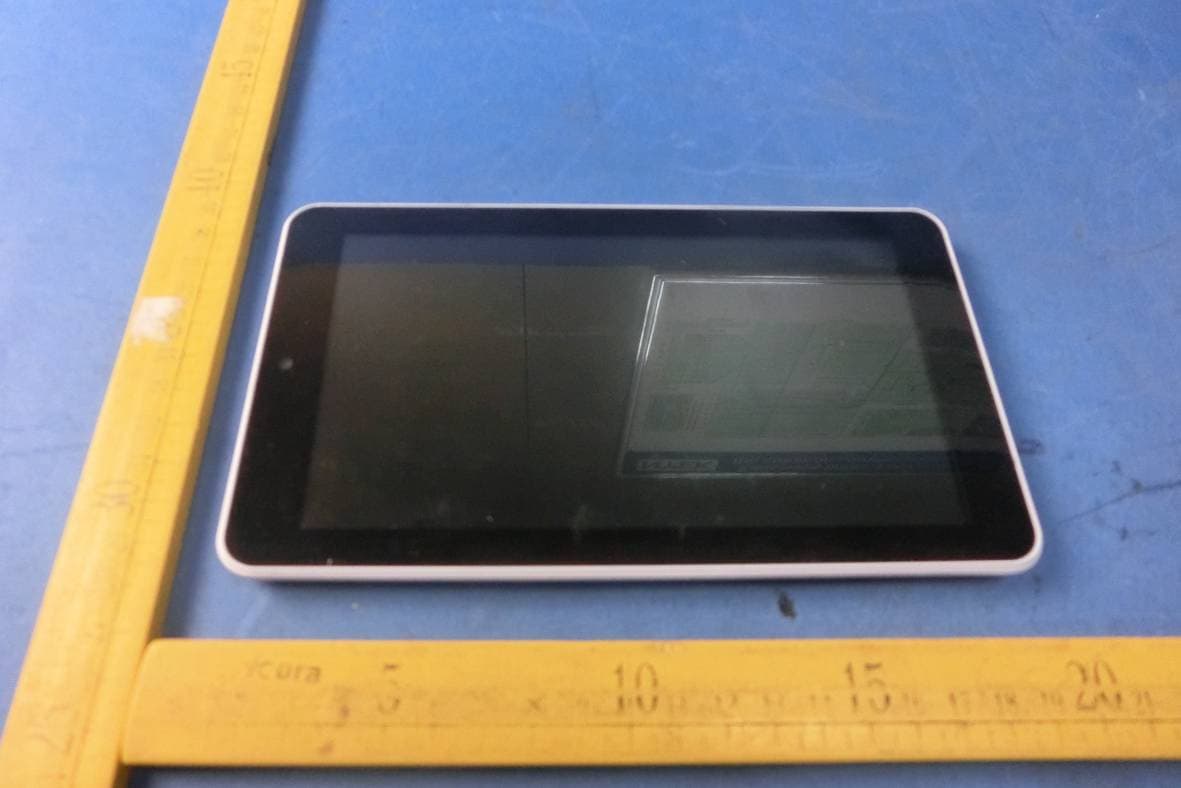
APPENDIX-PHOTOGRAPHS OF EUT CONSTRUCTIONAL DETAILS Photo 1 Photo 2 Photo 3 Photo 4 Photo 5 Photo 6
ID Label/Location Info
FCC ID LABELING AND LOCATION FCC ID Label Tablet PC Model NO.: Learnit Input Rating: DC 5V/ 2000mA FCC ID:2ACMBLEARNIT Caribbean eBook Ltd. Made in China This device complies with part 15 of the FCC Rules. Operation is subject to the following two conditions: (1)This device may not cause harmful interference, and (2) this device must accept any interference received, including interference that may cause undesired operation. FCC ID Label Location The label shown shall be permanently affixed at a conspicuous location on the device and be readily visible to the user at the time purchase (Labeling requirements per 2.925)
Internal Photos
APPENDIX-PHOTOGRAPHS OF EUT CONSTRUCTIONAL DETAILS Photo 1 Photo 2 Antenna Photo 3 Photo 4 Photo 5 Photo 6 Photo 7 Photo 8
Test Report
FCC Test Report FCC ID: 2ACMBLEARNIT Product: Tablet PC Trade Name: N/A Model Number: Learnit Serial Model: CEB Report No.: NTEK-2015NT01061024F2 Prepared for Caribbean eBook Ltd. Brades, Montserrat, West Indies Prepared by Shenzhen NTEK Testing Technology Co., Ltd. 1/F, Building E, Fenda Science Park, Sanwei Community, Xixiang Street, Bao’an District, Shenzhen P.R. China Tel.: +86-0755-61156588 Fax.: +86-0755-61156599 Website: www.ntek.org.cn Page 2 of 23 Report No.: NTEK-2015NT01061024F2 TEST RESULT CERTIFICATION Applicant’s name ................. : Caribbean eBook Ltd. Address ................................. : Brades, Montserrat, West Indies Manufacturer's Name .......... : Caribbean eBook Ltd. Address ................................. : Brades, Montserrat, West Indies Product description Product name ........................... : Tablet PC Model and/or type reference : Learnit Standards ............................. : FCC Part15B:01 Oct.2014 ANSI C63.4:2003 This device described above has been tested by NTEK, and the test results show that the equipment under test (EUT) is in compliance with Part 15 of FCC Rules. And it is applicable only to the tested sample identified in the report. This report shall not be reproduced except in full, without the written approval of NTEK, this document may be altered or revised by NTEK, personal only, and shall be noted in the revision of the document. Date of Test ............................................ : Date (s) of performance of tests ............. : 06 Jan. 2015 ~26 Jan. 2015 Date of Issue ........................................... : 26 Jan. 2015 Test Result ............................................... : Pass Testing Engineer : Denny Huang Technical Manager : (Brown Lu) Authorized Signatory : (Bill Yao) Page 3 of 23 Report No.: NTEK-2015NT01061024F2 Table of Contents Page 1 . TEST SUMMARY 4 1.1 TEST FACILITY 5 1.2 MEASUREMENT UNCERTAINTY 5 2 . GENERAL INFORMATION 6 2.1 GENERAL DESCRIPTION OF EUT 6 2.2 DESCRIPTION OF TEST SETUP 8 2.3 DESCRIPTION TEST PERIPHERAL AND EUT PERIPHERAL 9 2.4 MEASUREMENT INSTRUMENTS LIST 10 3 . EMC EMISSION TEST 11 3.1 CONDUCTED EMISSION MEASUREMENT 11 3.1.1 POWER LINE CONDUCTED EMISSION 11 3.1.2 TEST PROCEDURE 12 3.1.3 TEST SETUP 12 3.1.4 EUT OPERATING CONDITIONS 12 3.1.5 TEST RESULTS 13 3.2 RADIATED EMISSION MEASUREMENT 15 3.2.1 LIMITS OF RADIATED EMISSION MEASUREMENT 15 3.2.2 TEST PROCEDURE 15 3.2.3 TEST SETUP 16 3.2.4 EUT OPERATING CONDITIONS 17 3.2.5 TEST RESULTS 18 3.2.6 TEST RESULTS(1000~12400MHz) 21 4 . EUT TEST PHOTO 22 Page 4 of 23 Report No.: NTEK-2015NT01061024F2 1. TEST SUMMARY Test procedures according to the technical standards: EMC Emission Standard Test Item Limit Judgment Remark FCC Part15B:2014 ANSI C63.4: 2003 Conducted Emission Class B PASS Radiated Emission Class B PASS NOTE: (1) ’N/A’ denotes test is not applicable in this Test Report (2) For client’s request and manual description, the test will not be executed. Page 5 of 23 Report No.: NTEK-2015NT01061024F2 1.1 TEST FACILITY NTEK Testing Technology Co., Ltd Add. : 1/F, Building E, Fenda Science Park, Sanwei Community, Xixiang Street, Bao’an District, Shenzhen P.R. China. FCC Registration Number:238937; IC Registration Number:9270A-1 CNAS Registration Number:L5516 1.2 MEASUREMENT UNCERTAINTY The reported uncertainty of measurement y ± U,where expended uncertainty U is based on a standard uncertainty multiplied by a coverage factor of k=2,providing a level of confidence of approximately 95 %. A. Conducted Measurement : Test Site Method Measurement Frequency Range U,(dB) NOTE NTEKC01 ANSI150 KHz ~ 30MHz 3.2 B. Radiated Measurement : Test Site Method Measurement Frequency Range U,(dB) NOTE NTEKA01 ANSI30MHz ~ 1000MHz 4.7 1GHz ~12.4GHz 5.0 Page 6 of 23 Report No.: NTEK-2015NT01061024F2 2. GENERAL INFORMATION 2.1 GENERAL DESCRIPTION OF EUT Equipment Tablet PC Model Name Learnit Additional Model Number(s) CEB Model Difference All the model are the same circuit and RF module, except the model name and colour. Product Description The EUT is a Tablet PC. Connecting I/O port:USB Operation Frequency: WIFI: 802.11b/g: 2412~2462MHz Modulation Type: WIFI: CCK/OFDM Based on the application, features, or specification exhibited in User's Manual, the EUT is considered as an ITE/Computing Device. More details of EUT technical specification, please refer to the User's Manual. Power Source DC Voltage Adapter Input: 100-240V~,50/60 Hz,0.35A Output: 5V , 2.0A Battery DC 3.7V ,2500mAh Page 7 of 23 Report No.: NTEK-2015NT01061024F2 2.1.1 DESCRIPTION OF TEST MODES To investigate the maximum EMI emission characteristics generates from EUT, the test system was pre-scanning tested base on the consideration of following EUT operation mode or test configuration mode which possible have effect on EMI emission level. Each of these EUT operation mode(s) or test configuration mode(s) mentioned above was evaluated respectively. Pretest Mode Description Mode 1 Data Exchange Mode 2 Playing+chagring Mode 3 REC Mode For Conducted Test Final Test Mode Description Mode 1 Data Exchange Mode 2 Playing+chagring Mode 3 REC Mode For Radiated Test Final Test Mode Description Mode 1 Data Exchange Mode 2 Playing+chagring Mode 3 REC Mode Note: Final Test Mode: Through Pre-scan, find the mode 1 is the worse case. Only the worst case mode is recorded in the report. Page 8 of 23 Report No.: NTEK-2015NT01061024F2 2.2 DESCRIPTION OF TEST SETUP RE CE 0.8m Table C-4 C-3 C-2 1.5m C-5 AC Line E-4 Monito r E-3 PC LISN E-1 EUT E-2 Printe r E-5 KB E-6 Mouse C-1 0.8m Table C-4 C-3 C-2 1.5m C-1 E-1 EUT E-2 Printer E-3 PC E-4 Monito r E-5 KB E-6 Mouse C-5 Page 9 of 23 Report No.: NTEK-2015NT01061024F2 2.3 DESCRIPTION TEST PERIPHERAL AND EUT PERIPHERAL The EUT has been tested as an independent unit together with other necessary accessories or support units. The following support units or accessories were used to form a representative test configuration during the tests. Item Equipment Brand Model/Ty…
Text truncated - open the document above for the full version.
Test Setup Photos
Page 22 of 23 Report No.: NTEK-2015NT01061024F2 4. EUT TEST PHOTO Radiated Measurement Photos Page 23 of 23 Report No.: NTEK-2015NT01061024F2 Conducted Measurement Photos
Contact Information
Applicant
Joel H Webbe(manmger)
Test Firm
Shenzhen NTEK Testing Technology Co., Ltd.Jason Chen
Technical Specifications
| # | Rule Parts | Frequency Range | Power Output |
|---|---|---|---|
| 1 | 15B | - | - |
Other Applications from Caribbean eBook Ltd.
2ACMBLEARNI
Sep 07, 2015Tablet PC &
Equipment Class
DTS - Digital Transmission System
2ACMB-LEARNIT
Jun 23, 2014Tablet PC
Equipment Class
DTS - Digital Transmission System