2ACPN-NVW101SMID
SHENZHEN DINS ELECTRONIC TECHNOLOGY CO.,LTD
Click to zoom
Application Details
- Equipment Class
- JBC - Part 15 Class B Computing Device/Personal Computer
- Date of Grant
- Jul 23, 2014
- Application Purpose
- Original Equipment
- Date of Application
- Jul 23, 2014
- Equipment Note
- MID
- Country
- China
Documents & Files
Document Text
Text extracted from the exhibit documents filed with the FCC. Open a document above to read the original.
Users Manual
Quik Start Guide MID NVW101S 01 •Thank you for your choosing the new Tablet PC. •This guide serves to enable users to get to know and familiar with our product as soon as possible. •Here we have made a brief introduction to the key layout and definitions in figures and words. IntroductionContents I. Precautions before Use 03 II.Key Layout and Definitions 03 III. Key Descriptions and Applications 04 IV. Introduction to Desktop 05 1.Windows8.1 Start Screen 05 2.Image Slide Application 05 3.apps Introduction 07 4.Charm Menu Column 08 5.Double Screen Application 10 V. Basic Operations 11 1. Dormancy, Restart, and Power off 11 2. Security Management 11 II.Key Layout and Definitions I.Precautions before Use 3 5 666 7 8 9 12 13 14 16 10 All view ID: 1 4 15 2 3 4 5 6 7 8 9 10 12 13 14 15 16 0302 11 11 1.This production is suitable for use in non-tropic areas below 2,000 meters, and the mark in the nameplate indicates the product is suitable for use in non-tropic areas. 2. Prevent the Tablet PC from falling to the ground or being strongly impacted otherwise. 3. Do not use it in the long term in any environment where the air is too cold, too hot (<35°C), too humid or with too much dust. Do not expose the Tablet PC to sunlight. 4. Avoid using it in the strong magnetic and strong static environment as much as possible. 5. Once any water or other liquid splashes onto the Tablet PC, close it immediately and do not use it until it dries out. 6. Do not clean the Tablet PC with any detergent containing chemical element or other liquid to avoid causing damage due to corrosion and becoming damp. If cleaning is really necessary, clean it with dry soft cloth tissue paper. 7. Our company shall not bear any and all responsibilities for loss or deletion of material inside the machine caused due to abnormal software and hardware operation, maintenance or any other accident. 8. Please back up your important material at any time to avoid loss. 9. Please do not disassemble the Tablet PC by yourself; otherwise you will lose the right to warranty. 10. This product supports the overwhelming majority of mainstream brands of 3G DONGLE network cards. The cases for 3G Dongle may be different. It is suggested that you test it to make sure it is OK before buying it. 11. Quick Use Guide and the relevant software shall be updated at any time. For updated software version, visit www.xxx.com for downloading by yourself, and no notice shall be given otherwise. If any anything is found to be inconsistent with the Quick Use Guide, the material object shall prevail. 12. Replacement with incorrect type batteries may cause explosion. Make sure to use original batteries. 1 Sound-/sound+: Lower/raise volume Front CCD camera: take photos, and record pictures CCD camera indicator: The CCD camera indicator will be on when the built-in CCD camera is used. Ambient light sensor: Light sensor detects ambient light and change screen brightness. Windows key: Press this button to return to the Start screen. Movable base keyboard interface: This interface is magnetic, which is convenient for alignment and firmly linking the Table PC and the keyboard. Back CCD camera: take photos, and record pictures Loudspeaker: The built-in loudspeaker enables you to hear the sound without having to linking additional device. Power button: Press it down to start or close the touch screen panel. You can also let the computer to enter dormancy through this button or wake from the dormancy mode. Socket for earphone and microphone: This socket can transmit the audio signals of Tablet PC to loudspeaker or earphone. Reset key: Restart system, and reset system function. Mini HDMI Interface: High-Definition Multimedia Interface MicroSD与 MicroSDHC Micro SD card slot: The built-in storage card reader slot supports MicroSD and MicroSDHC format. Micro USB Interface: You can read the data through USB. Microphone connector outlet Power DC Interface: Recharge your Tablet PC through DC interface. 4 1 2 3 Use of tablet and keyboard: 1 Movable base keyboard interface: This interface is magnetic, which is convenient for alignment and firmly linking the Table PC and the keyboard. Keyboard group: The keyboard group provides full size QWERTY key and best typewriting comfortability. Touch Tablet: Used to control the cursor on the tablet PC, with the same function as a mouse. Base: Folding base of Tablet PC. 2 3 4 III. Descriptions of Keys VI.Introduction to Desktop 1. Windows 8.1 start image: On the start screen, you can see many programs fixed in the image. These application programs are displayed in the form of “magnet”. As long as you click them, you can easily visit them. You need to log on your Microsoft account before the application program completely runs. Slide to right Slide to the right from the left side of the screen to start the application program in running. Slide to left 2.Image slide applications 0504 Attention: Keyboard is optional, and configure the product according to the specific type of the tablet PC you have bought. Slide to the left from the right side of the screen to start Charm menu column. Reduce Enlarge Slide downward Slide with finger Slide upward In the start screen, slide upward from the bottom of thescreen to visit all application program (APPS) interfaces. 3. Introduction to app Interface Besides the application programs already fixed on the start screen, you can also start other application programs in all application programs, such as other software application programs attached to the Tablet PC. If you want to fix more application programs on the start interface, see the operation in the figure below, (1) lightly touch, press and hold the application program magnet for about one second and then let go, and select (2) to fix to the start screen. 0706 On the touch screen, narrow two fingers to reduce the image. On the touch screen, widen two fingers to enlarge the image. In start screen, slide finger right and left to move the image In start screen…
Text truncated - open the document above for the full version.
Cover Letter(s)
Ersteller: D. Brandhorst Revision: 00 Erstelldatum: 02.01.2012 Datum: 00.00.0000 Seite 1 von 1 Long/Short-term Confidentiality Request PHOENIX TESTLAB GmbH Date: 21 July 2014 Product Certification Königswinkel 10 D 32825 Blomberg FCC ID: 2ACPN-NVW101S To Whom it may concerns, Pursuant to sections 0.457(d) and 0.459 of CFR 47 and to avoid premature release of sensitive information prior to marketing or release of the product to the public, we hereby requests long-term confidential treatment of information accompanying this application as outlined below: Schematics Parts List Block Diagram Tune-Up Info Operational Description In addition we hereby request the following exhibits contained in this application to be temporarily (short-term confidentilality) withheld from the public disclosure for an initial period of days until: not applicable External Photos Test Setup Photos Internal Photos Users Manual The above materials contain trade secrets and proprietary information not customarily released to the public. The public disclosure of these matters might be harmful to the applicant and provide unjustified benefits to its competitors. The applicant understands that pursuant to rule 0.457(d), disclosure of this application and all accompanying documentation will not be made before the date of the GRANT for this application. Thank you for your attention in this matter. Applicant’s Company: SHENZHEN DINS ELECTRONIC TECHNOLOGY CO.,LTD. address : Bldg A2,No.6th Fuqiao Industry Area,Qiaotou Community, Fuyong ,Bao'an district,Shenzhen City,Guangdong province,China Signature : _______ _____________________ Job Title and Dept. :Manager
External Photos
APPENDIX-PHOTOGRAPHS OF EUT CONSTRUCTIONAL DETAILS Photo 1 Photo 2 Photo 3 Photo 4 Photo 5 Photo 6 Photo 7
ID Label/Location Info
FCC ID LABELING AND LOCATION FCC ID Label MID Model NO.: NVW101S Input Rating: DC 9V/ 2000mA FCC ID: 2ACPN-NVW101S SHENZHEN DINS ELECTRONIC TECHNOLOGY CO.,LTD. Made in China This device complies with part 15 of the FCC Rules. Operation is subject to the following two conditions: (1)This device may not cause harmful interference, and (2) this device must accept any interference received, including interference that may cause undesired operation. FCC ID Label Location The label shown shall be permanently affixed at a conspicuous location on the device and be readily visible to the user at the time purchase (Labeling requirements per 2.925)
Internal Photos
APPENDIX-PHOTOGRAPHS OF EUT CONSTRUCTIONAL DETAILS Photo 1 Photo 2 Photo 3 Photo 4 Wifi&BT ANT Photo 5 Photo 6 Photo 7 Photo 8 Photo 9
Test Report
Page 1 of 31 Report No.: NTEK-2014NT0703046F3 FCC Test Report FCC ID: 2ACPN-NVW101S Product: MID Trade Name: Model Number: NVW101S Serial Model: NVW101S XY Report No.: NTEK-2014NT 0703046F3 Prepared for SHENZHEN DINS ELECTRONIC TECHNOLOGY CO.,LTD. Bldg A2,No.6th Fuqiao Industry Area,Qiaotou Community,Fuyong ,Bao'an district,Shenzhen City,Guangdong province,China Prepared by Shenzhen NTEK Testing Technology Co., Ltd. 1/F, Building E, Fenda Science Park, Sanwei Community, Xixiang Street, Bao’an District, Shenzhen P.R. China Tel.: +86-0755-61156588 Fax.: +86-0755-61156599 Website: www.ntek.org.cn Page 2 of 31 Report No.: NTEK-2014NT0703046F3 TEST RESULT CERTIFICATION Applicant’s name................. : SHENZHEN DINS ELECTRONIC TECHNOLOGY CO.,LTD. Address ................................. : Bldg A2,No.6th Fuqiao Industry Area,Qiaotou Community,Fuyong ,Bao'an district,Shenzhen City,Guangdong province,China Manufacturer's Name.......... : SHENZHEN DINS ELECTRONIC TECHNOLOGY CO.,LTD. Address ................................. : Bldg A2,No.6th Fuqiao Industry Area,Qiaotou Community,Fuyong ,Bao'an district,Shenzhen City,Guangdong province,China Product description Product name ........................... : MID Model and/or type reference : NVW101S Standards............................. : FCC Part15B:01 Oct.2013 ANSI C63.4:2003 This device described above has been tested by NTEK, and the test results show that the equipment under test (EUT) is in compliance with Part 15 of FCC Rules. And it is applicable only to the tested sample identified in the report. This report shall not be reproduced except in full, without the written approval of NTEK, this document may be altered or revised by NTEK, personal only, and shall be noted in the revision of the document. Date of Test............................................: Date (s) of performance of tests .............: 10 Jul. 2014 ~14 Jul. 2014 Date of Issue...........................................: 14 Jul. 2014 Test Result...............................................: Pass Testing Engineer : (Kyle Xu) Technical Manager : (Brown Lu) Authorized Signatory : (Bill Yao) Page 3 of 31 Report No.: NTEK-2014NT0703046F3 Table of Contents Page 1 . TEST SUMMARY 4 1.1 TEST FACILITY 5 1.2 MEASUREMENT UNCERTAINTY 5 2 . GENERAL INFORMATION 6 2.1 GENERAL DESCRIPTION OF EUT 6 2.2 DESCRIPTION OF TEST SETUP 8 2.3 DESCRIPTION TEST PERIPHERAL AND EUT PERIPHERAL 9 2.4 MEASUREMENT INSTRUMENTS LIST 10 3 . EMC EMISSION TEST 11 3.1 CONDUCTED EMISSION MEASUREMENT 11 3.1.1 POWER LINE CONDUCTED EMISSION 11 3.1.2 TEST PROCEDURE 12 3.1.3 TEST SETUP 12 3.1.4 EUT OPERATING CONDITIONS 12 3.1.5 TEST RESULTS 13 3.2 RADIATED EMISSION MEASUREMENT 19 3.2.1 LIMITS OF RADIATED EMISSION MEASUREMENT 19 3.2.2 TEST PROCEDURE 19 3.2.3 TEST SETUP 20 3.2.4 EUT OPERATING CONDITIONS 21 3.2.5 TEST RESULTS 22 3.2.6 TEST RESULTS(Above 1GHz) 29 4 . EUT TEST PHOTO 30 Page 4 of 31 Report No.: NTEK-2014NT0703046F3 1. TEST SUMMARY Test procedures according to the technical standards: EMC Emission Standard Test Item Limit Judgment Remark Conducted Emission Class B PASS FCC Part15B:2013 ANSI C63.4: 2003 Radiated Emission Class B PASS NOTE: (1) ’N/A’ denotes test is not applicable in this Test Report (2) For client’s request and manual description, the test will not be executed. Page 5 of 31 Report No.: NTEK-2014NT0703046F3 1.1 TEST FACILITY NTEK Testing Technology Co., Ltd Add. : 1/F, Building E, Fenda Science Park, Sanwei Community, Xixiang Street, Bao’an District, Shenzhen P.R. China. FCC Registration Number:238937; IC Registration Number:9270A-1 CNAS Registration Number:L5516 1.2 MEASUREMENT UNCERTAINTY The reported uncertainty of measurement y ± U,where expended uncertainty U is based on a standard uncertainty multiplied by a coverage factor of k=2,providing a level of confidence of approximately 95 %. A. Conducted Measurement : Test Site Method Measurement Frequency Range U,(dB) NOTE NTEKC01 ANSI150 KHz ~ 30MHz 3.2 B. Radiated Measurement : Test Site Method Measurement Frequency Range U,(dB) NOTE NTEKA01 ANSI30MHz ~ 1000MHz 4.7 1GHz ~12.4GHz 5.0 Page 6 of 31 Report No.: NTEK-2014NT0703046F3 2. GENERAL INFORMATION 2.1 GENERAL DESCRIPTION OF EUT Equipment MID Model Name NVW101S Additional Model Number(s) NVW101S XY Model Difference All the model are the same circuit and RF module, except the model name and colour. Product Description The EUT is a MID. Based on the application, features, or specification exhibited in User's Manual, the EUT is considered as an ITE/Computing Device. More details of EUT technical specification, please refer to the User's Manual. Connecting I/O port: USB, DC in ,HDMI Operation Frequency: BT:2402~2480 MHz WIFI: 802.11b/g/n(20MHz): 2412~2462MHz 802.11n(40MHz):2422~2452MHz Modulation Type: BT(1Mbps): GFSK BT EDR(2Mbps): π/4-DQPSK BT EDR(3Mbps): 8-DPSK WIFI: CCK/OFDM/DBPSK/DAPSK Crystal oscillator 26MHz; 32.768kHz Power Source DC Voltage Adapter Input: 100-240V,50/60 Hz 0.7A Output: 9.0V , 2A Battery DC 3.7V ,3950mAh Page 7 of 31 Report No.: NTEK-2014NT0703046F3 2.1.1 DESCRIPTION OF TEST MODES To investigate the maximum EMI emission characteristics generates from EUT, the test system was pre-scanning tested base on the consideration of following EUT operation mode or test configuration mode which possible have effect on EMI emission level. Each of these EUT operation mode(s) or test configuration mode(s) mentioned above was evaluated respectively. Pretest Mode Description Mode 1 Playing+chagring Mode 2 HDMI Mode 3 Downloading+Charging For Conducted Test Final Test Mode Description Mode 1 Playing+chagring Mode 2 HDMI Mode 3 Downloading+Charging For Radiated Test Final Test Mode Description Mode 1 Playing+chagring Mode 2 HDMI Mode 3 Downloading+Charging Page 8 of 31 Report No.: NTEK-2014NT0703046F3 2.2 DESCRIPTION OF TEST SETUP RE CE 0.8m Table C-4 C-3 C-5 1.5m C-1 C-2 E-1 EUT E-3 PC E-7 Printer E-2 Adapter E-4 Monito r E-5 KB E-6 Mouse 0.8m Table C-4 C-3 C-5 C-6 1.5m C-5 C-2 AC L…
Text truncated - open the document above for the full version.
Test Setup Photos
Page 30 of 31 Report No.: NTEK-2014NT0703046F3 4. EUT TEST PHOTO Radiated Measurement Photos Page 31 of 31 Report No.: NTEK-2014NT0703046F3 Conducted Measurement Photos
Contact Information
Applicant
Zhou Yu(manager)
Test Firm
Shenzhen NTEK Testing Technology Co., Ltd.Jason Chen
Technical Specifications
| # | Rule Parts | Frequency Range | Power Output |
|---|---|---|---|
| 1 | 15B | - | - |
Other Applications from SHENZHEN DINS ELECTRONIC TECHNOLOGY CO.,LTD

2ACPN-TM101W515L
May 04, 2015TABLET PC
Equipment Class
DTS - Digital Transmission System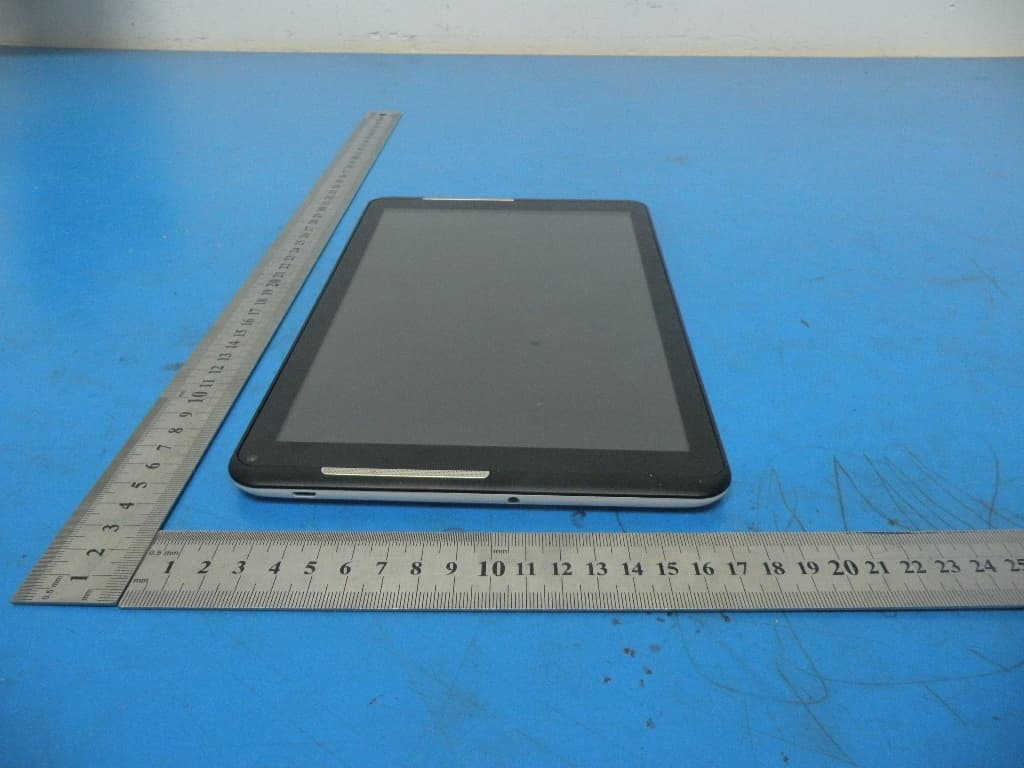
2ACPN-TM101A510L
Feb 12, 2015TABLET PC
Equipment Class
DTS - Digital Transmission System
2ACPN-TM818
Jan 22, 2015TABLET PC
Equipment Class
DTS - Digital Transmission System
2ACPN-M-1018
Jan 19, 2015TABLET PC
Equipment Class
DTS - Digital Transmission System
2ACPN-M-752A
Jan 19, 2015TABLET PC
Equipment Class
DTS - Digital Transmission System