2AD8HIP5BLUETOOTH SPEAKER
SHENZHEN PINGAO SPEAKER BOX CO.,LTD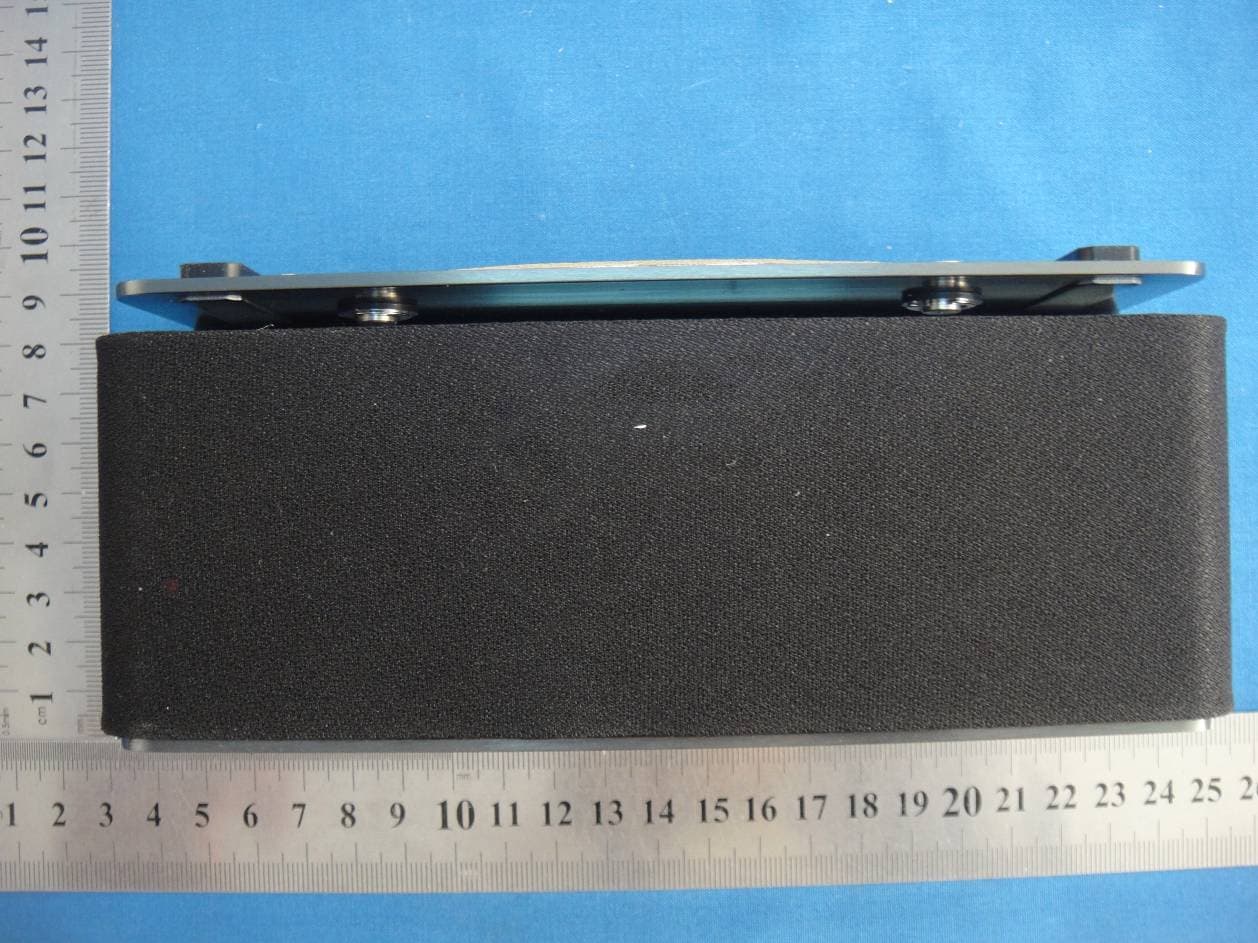
Click to zoom
Application Details
- Equipment Class
- DXX - Part 15 Low Power Communication Device Transmitter
- Date of Grant
- Feb 16, 2015
- Application Purpose
- Original Equipment
- Date of Application
- Feb 16, 2015
- Equipment Note
- BLUETOOTH SPEAKER
- Frequency Range
- 2402.00000000 - 2480.00000000
- Country
- China
Documents & Files
Document Text
Text extracted from the exhibit documents filed with the FCC. Open a document above to read the original.
Users Manual
IP5 Bluetooth Speaker User Manual Packing List IP5 Bluetooth Speaker------------------------------------------------ ---1Pcs Micro USB to USB&3.5mm Audio cable----------------------------- 1Pcs User Guide-------------------------------------------------------------------1Pcs 1. Bluethooth/Aux select switch 2. Micro USB charging port 3. NFC Induction Zone 4. LED Indicator Light 5. Microphone 6. Volume +/Next Song 7. Volume -/ Last Song 8. Play/Pause Button/Pairing Button IP5 Operational Guide: A, Power ON/OFF,AUX Operations: (1) Power On: Switch the power button from to , then IP5 will enter into Bluetooth status. (2) Aux: Switch the power button from to Aux, then IP5 will enter into Aux status, you can connect by line-in cable. (3) Power Off: Switch the power button to . (4) When Bluetooth pairing is not successful, IP5 will enter into standby mode automatically. If not been connected successful within 5 minutes, IP5 will power off automatically. B, Bluetooth Pairing Operation: (1) Switch the power button from to status, IP5 will enter Bluetooth status and the indicator light will be alternately flashes Red and Blue, then IP5 entered into paring mode. When switch on, if the indicator light is not flash, press the button for 5 seconds, and IP5 will enter into paring model. (2) Switch on the Bluetooth function on your mobile devices, and searching for available Bluetooth devices. (3) You will found “ IP5” in your searching list, select " IP5" and wait few seconds it will show "pairing succeed" on your mobile device. IP5 should stop alternately flashes blue and red, the indicator light will keeping Blue. In some cases when your equipment requiring a password, please enter"0000". (If the equipment is a computer, once paired with Bluetooth speaker successfully, you need choose from the Bluetooth menu and select use it as an audio equipment (stereo) or similar link.) (4) For the first time usage, if not been connected successfully within 2 minutes, IP5 will turn into the standby mode automatically. If not been connected successfully within 5 minutes, IP5 will power off automatically. In the second time usage, when using the same mobile device, IP5 will connect automatically within 30 seconds, if the connection is not successful, please repeat the previous steps to connect the Bluetooth function. C, NFC Pairing Operations (Near Field Communication Technology) : (1) NFC Quick Automatic Pairing Guide: If your smart phones and other devices supporting NFC (Near Field Communication Technology) function technology, please set the NFC function to the open status on your smart phone, and set the IP5 devices switch into status, then move your smart phone back side close to the IP5 NFC induction area (on the Right area). Your smart phone will appear "if connect with IP5", click "yes", and your smart phone will connect with IP5 Bluetooth speaker automatically. After pairing successfully, you can start play music and enjoy the entertainment. (2) If your mobile devices don’t have NFC function, please kindly following above (Bluetooth pairing operation) steps to pair our IP5. Remark: For each smart devices which with NFC function, the NFC antenna may not been set in the same position, please try to move and touch the other position if can not connect successful in the touch area. (For more about your mobile device NFC function, please kindly refer to your mobile device user manual guide, or call your phone supplier for further details). D, Music Playing Operation: (1) "V +"--Hold & press for volume up, short press for next song in music playing status. (2) “V -” --Hold & press for volume down, short press for previous song in music playing status. (You can also choose from your smart devices for songs control directly). (3) Short pressing key for music play and pause. E, Hands-free Calling Operation: When your smart phone is connected with IP5, when there is an incoming phone call, IP5 will sound out the ringtone. Short pressing the button to answer the phone call. Short pressing twice of the button to reject the phone call. Please speak towards the microphone of IP5 Speaker, and your distance between IP5 Speaker should be no more than 50cm. F, LINE - IN operation: Switch the power button from to Aux status, take out the Aux-in cable which packed in the gift box together with IP5, insert the cable, Micro USB port into IP5 and 3.5mm audio in port into your sound source equipment. G, Reset Function Operation: When reset IP5, all the paired record will be removed automatically. (1) Make sure IP5 in Standby mode. (2) Hold and long pressing the "V +" and "V -" button at the same time for 5 seconds until IP5 made notice sound "du". Then IP5 is in the initial state after default reset, and it will be in paring mode again and waiting for pairing. H, Battery Management of IP5 Bluetooth Speaker: (1) Low battery notice: the indicator light will be alternately flashes fast in red. (2) Battery charging: Charging by mini USB port cable with computer or DC 5V adapter by the cable which packed inside with IP5. (3) During charging status, the indicator light is stay in Red, and the light will turn off after battery been fully charged. I, IP5 Bluetooth Speaker Specification: Bluetooth Version:4.0 standard BT GFSK (1MBit/s, 79 channels) Frequency Range:2.402GHz~2.48GHz RMS Power Output: 7W*2 THD≤1% Playing Time: Around 8 Hours Charging Time: Around 3 Hours Battery Charging Voltage:DC 5.0V, 1A(MAX) Battery: Rechargeable Lithium Battery 3.7V / 2000mAH J, Attention and Maintenance: (1) Before your first time usage please ensure the battery is been fully charged. Usually charge time is around 3 hours. (2) When in pairing action, it is recommended keep the distance between your smart devices and IP5 within 1 meter range. (3) After paired successful, please kindly keep the distance between your smart devices and IP5 within 20 meters. (If there is any obstacles between the two, the control distance (4) IP5 unit can not drop and cont…
Text truncated - open the document above for the full version.
Cover Letter(s)
SHENZHEN PINGAO SPEAKER BOX CO.,LTD Floor5th,Building3,Huafeng First Technology park,Samwei Village,Gushu Community,Xixiang Street,Baoan,ShenZhen,china Confidentiality Request Letter Page 1 of 1 Rev 2.0 February 09, 2015 To: Federal Communications Commission Authorization and Evaluation Division 7435 Oakland Mills Road Columbia, MD Permanent Confidentiality Request Confidentiality Request regarding application for certification of FCC ID:2AD8HIP5 We hereby request confidential treatment of information accompanying this application as outlined below: - Block Diagram - Operational Description - Schematic The above materials contain trade secrets and proprietary information not customarily released to the public. The public disclosure of these materials may be harmful to the applicant and provide unjustified benefits to its competitors. The applicant understands that pursuant to Section 0.457 & 0.459 of the Rules, disclosure of this application and all accompanying documentation will not be made before the date of the Grant for this application. Sincerely, Client’s signature: Client’s name / title: yujian / Manager Contact information / address: Floor5th,Building3,Huafeng First Technology park,Samwei Village,Gushu Community,Xixiang Street,Baoan,ShenZhen,china TEL: 0755-29455379-8861 FAX: 0755-29185361 E-mail: [email protected]
External Photos
External Photo
ID Label/Location Info
FCC Certification Label FCC ID:2AD8HIP5 Label Location on EUT label size:high 1cm, Wide:2 cm EUT View/ FCC ID Label Location
Internal Photos
Internal Photo Antenna
Test Report
FCC PART 15.249 EMI MEASUREMENT AND TEST REPORT For SHENZHEN PINGAO SPEAKER BOX CO.,LTD Floor5th,Building3,Huafeng First Technology park,Samwei Village,Gushu Community,Xixiang Street,Baoan,ShenZhen,china FCC ID:2AD8HIP5 IP5,IP1,IP2,IP12,IP3,IP4,IP6,IP7,IP8,IP9 This Report Concerns: Original Report Equipment Type: BLUETOOTH SPEAKER Test Engineer: Lisa Chen Report No.: BSL20150210-1 Receive EUT Date/Test Date: January 10, 2015/ January 10 - February 10, 2015 Reviewed By: Mike moo Prepared By: BSL Testing Co.,LTD. NO. 24, ZH Park, Nantou, Shenzhen, 518000 China Tel: 86- 755-26508703 Fax: 86- 755-26508703 FCC ID:2AD8HIP5 Page 2/25 TABLE OF CONTENTS 1. GENERAL INFORMATION ....................................................................................................3 1.1. Report information ............................................................................................................3 1.2. Measurement Uncertainty .................................................................................................3 2. PRODUCT DESCRIPTION ......................................................................................................4 2.1. EUT Description ...............................................................................................................4 2.2. Block Diagram of EUT Configuration..............................................................................5 2.3. Support Equipment List ....................................................................................................5 2.4. Test Conditions .................................................................................................................5 3. TEST RESULTS SUMMARY ...................................................................................................6 Modifications ................................................................................................................................6 4. TEST EQUIPMENT USED .......................................................................................................7 5. ANTENNA REQUIREMENT ...................................................................................................8 5.1. Standard Applicable..........................................................................................................8 5.2. Antenna Connected Construction .....................................................................................8 5.3. Result ................................................................................................................................8 6. CONDUCTED POWER LINE TEST .......................................................................................9 6.1. Test Equipment .................................................................................................................9 6.2. Test Procedure ..................................................................................................................9 6.3. Test Setup..........................................................................................................................9 6.4. Conducted Power line Emission Limits............................................................................9 6.5. Conducted Power Line Test Result.................................................................................10 7. RADIATED EMISSION TEST ...............................................................................................12 7.1. Test Equipment ...............................................................................................................12 7.2. Test Procedure ................................................................................................................12 7.3. Radiated Test Setup ........................................................................................................12 7.4. Radiated Emission Limit.................................................................................................14 7.5. Radiated Emission Test Result .......................................................................................15 8. BAND EDGE .............................................................................................................................20 8.1. Test Equipment ...............................................................................................................20 8.2. Test Procedure ................................................................................................................20 8.3. Band Edge FCC 15.249(d) Limit ....................................................................................20 8.4. Band Edge Test Result ....................................................................................................21 9. 20-DB BANDWIDTH ...............................................................................................................22 9.1. Test Equipment ...............................................................................................................22 9.2. Test Procedure ................................................................................................................22 9.3. Limit................................................................................................................................22 9.4. Test Result /Plots ............................................................................................................22 FCC ID:2AD8HIP5 Page 3/25 1. GENERAL INFORMATION 1.1. Report information 1.1.1.This report is not a certificate of quality; it only applies to the sample of the specific product/equipment given at the time of its testing. The results are not used to indicate or imply that they are application to the similar items. In addition, such results must not be used to indicate or imply that BSL approves recommends or endorses the manufacture, supplier or use of such product/equipment, or that BSL in any way guaran…
Text truncated - open the document above for the full version.
Test Setup Photos
Conducted emissions test Radiated emissions test
Contact Information
Applicant
yu jian(Manager)
Test Firm
BSL Testing Co.,LTD.Boss Deng
Technical Specifications
| # | Rule Parts | Frequency Range | Power Output |
|---|---|---|---|
| 1 | 15C | 2.40 GHz - 2.48 GHz | - |