2AD9BQN59263G Smart Phone
ENSAMBLADORA Y DISTRIBUIDORA DE TECNOLOGIA S.A.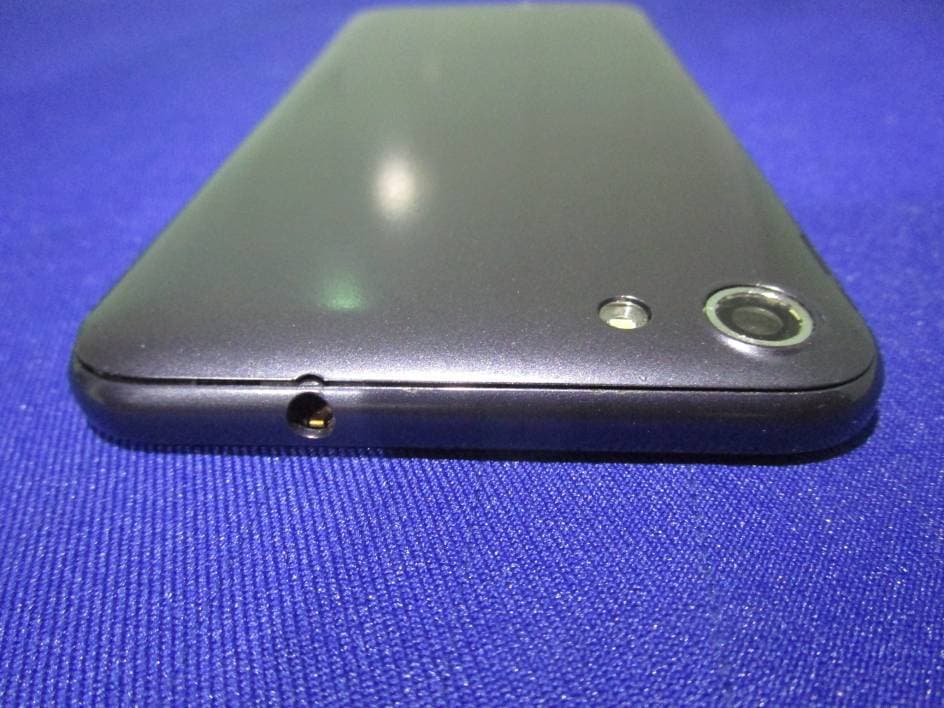
Click to zoom
Application Details
- Equipment Class
- PCE - PCS Licensed Transmitter held to ear
- Date of Grant
- Feb 14, 2015
- Application Purpose
- Original Equipment
- Date of Application
- Feb 14, 2015
- Equipment Note
- 3G Smart Phone
- Frequency Range
- 1852.40000000 - 1907.60000000
- Country
- Ecuador
Documents & Files
Document Text
Text extracted from the exhibit documents filed with the FCC. Open a document above to read the original.
Users Manual
User Manual Finger gestures Tapping To open an application, to select a menu item, to press an on-screen button, or to enter a character using the on-screen keyboard, tap it with a finger. Double-tapping Double-tap on a webpage, map, or image to zoom in a part. Double-tap again to return. Flicking Flick left or right on the Home screen or the Applications screen to see another panel. Flick up or down to scroll through a webpage or a list, htt Tapping and holding Tap and hold an item for more than 2 seconds to access available options. Dragging To move an icon, thumbnail, or preview to a new location, tap and hold it and drag it to the target position. Pinching Spread two fingers apart on a webpage, map, or image to zoom in a part. Pinch to zoom out. Indicator icons The icons displayed at the top of the screen provide information about the status of the device. The icons listed in the table below are most common. Signal strength Nosignal G GPRSnetwork connected H HSDPA network connected R Roaming(outside of normal service area) Flightmode activated Bluetoothfeature activated GPS activated Vibrationmode activated Silentmode activated Alarmactivated Charging battery Full batterypower Low battery powerlevelCallinprogress Missedcall New multimedia message New text Newvoicemail Keyboard is activated Wi-Fi signal detected Wi-Fi connected Uploading data Downloading date Lack of internal memory An upcoming calendar eventNoSIMorUSIM card Error occurred or caution required Syncedwiththe web Problem with sign-in or synchronization Hotspot is activated More (undisplayed) notifications VPN is connected Earphone is pluggedThe device is connected as USB debugging The device is connected to a computer via a USB cable To open the Notification panel: Swipe from the top in home screen To take action on a Notification Tap the notification To dismiss a notification from the Notification panel Place your finger on a notification and flick left or right To clear all notification from the Notification panel Tap Clear (on the top right corner of the panel) Quick setting panel From the quick setting panel, you can view your device’s current settings. Drag down from the status bar, tap to open the quick setting panel, and then use the following options: Wi-Fi: Activate or deactivate the Wi-Fi feature. Bluetooth: Activate or deactivate the Bluetooth feature. GPS: Activate or deactivate the GPS feature. Data connection: Activate or deactivate the data connection. Data usage: Check and limit the data connection. Can switch the connection within SIM cards. Audio profile: Activate or deactivate silent mode. You can vibrate or mute your device in silent mode. Brightness: Adjust the monitor brightness level Timeout: Adjust the time range that switch to sleep mode Auto rotation: Allow or prevent the interface from rotating when you rotate the device. Status and notification The icons in the status bar inform you of new messages, calendar notifications, signal strength, battery status, and activities in progress such as file downloads. You can drag down the status bar to open the Notification panel and handle your notifications. Customize Home screen Tap and hold an item, and then drag it to a new location. You can customize the quick access panel at the bottom of the Home screen by adding or removing application shortcuts. ● To remove an application icon, tap and hold the icon, and then drag it to the rubbish bin. ● To add an application shortcut, tap and hold a new application shortcut on the Home screen, and then drag it to the empty location. Remove an item from the Home screen Tap and hold an item, and then drag it to the rubbish bin. Use widgets Widgets are small applications that provide convenient functions and information on your Home screen. ● Some widgets connect to web services. Using a web- based widget may result in additional char ges. ● The widgets available may vary depending on your region or service provider. Add a widget to the Home screen 1 In the application list, select Widgets to open the widget panel . 2 Scroll left or right on the widget panel to find a widget. 3 Tap and hold a widget to add it to the Home screen. Select text: Touch and hold the text to bring up . Then drag and to select more or less text, or touch Select all to select all text in a text box Cut text: Select text and touch Cut. button is cut Text. Copy text: Select text and touch Copy. Can also use this button to copy. Paste text: Touch where you want to insert the text, drag to move the insertion point, and touch Paste to paste the text you copied of cut. Press to paste text. Using the Android Keyboard Touch to delete the character to the left of the cursor. Touch and hold to delete all the characters to the left of the cursor. Touch to enter a space. Touch and hold to switch to another input method. Touch to switch to voice input. Touch and hold to go to the Input options screen. Touch to switch to the number and symbol keyboard. Touch to capitalize the next character you will enter. Touch and hold to capitalize all characters you will enter. Editing Text Shooting mode Several photo effects are available. To change Shooting Mode, scroll up or down the screen at the left side of the screen. Auto: Use this to allow the camera to evaluate the surroundings and determine the ideal mode for the photo. Rich tone (HDR): Use this to take a photo with an improved contrast ratio. Beauty face: Take a photo with lightened faces for gentler images. Panorama: Take a photo composed of many photos strung together. Best face: Use this to take multiple group shots at the same time and combine them to create the best possible image. Smile shot: Set the device to recognize people’s faces and help you take photos of them when they smile Tips To zoom in, place two fingers on the screen and slowly spread them apart. To zoom out, pinch them together.. Using the Camera Change the flashlight setting Switch to the front camera Take a photo Switch to the cam…
Text truncated - open the document above for the full version.
External Photos
EXHIBIT B - EUT EXTERNAL PHOTOGRAPHS EUT – All View EUT – Top View EUT – Bottom View EUT – Side View EUT – Side View EUT – USB Port View EUT –Earphone Port View EUT – Adapter View EUT – Adapter Label View
ID Label/Location Info
EXHIBIT A - FCC ID LABELING AND LOCATION FCC ID Label Proposed FCC ID Label Location The label shown shall be permanently affixed at a conspicuous location on the device and be readily visible to the user at the time purchase (Labeling requirements per 2.925) Label Here
Internal Photos
EXHIBIT C - EUT INTERNAL PHOTOGRAPHS EUT –Uncover View EUT – Battery View EUT –GSM&WCDMA Antenna View EUT –Wifi&BT&GPS Antenna View EUT – Uncover View EUT –Uncover View EUT – Main Board Top View EUT –Main Board Top Unshield View EUT –Main Board Bottom View EUT –GSM Chip View EUT –BT&Wifi&GPS Chip View EUT – Sub Board Top View EUT –Sub Board Bottom View
RF Exposure Info
Note: This test report is prepared for the customer shown above and for the equipment described herein. It may not be duplicated or used in part without prior written consent from Bay Area Compliance Laboratories Corp. SAR EVALUATION REPORT For ENSAMBLADORA Y DISTRIBUIDORA DE TECNOLOGIA S.A. OFICINA 440, EDIFICIO TRADE BUILDING, AV. JOAQUIN ORRANTIA Y LEOPOLDO BENITEZ, GUAYAQUIL, ECUADOR FCC ID: 2AD9BQN5926 Report Type: Original Report Product Type: 3G Smart Phone Test Engineer: Wilson Chen Report Number: RDG150210001-20 Report Date: 2015-02-11 Reviewed By: Bell Hu SAR Engineer Prepared By: Bay Area Compliance Laboratories Corp. (Shenzhen) 6/F, the 3rd Phase of WanLi Industrial Building, ShiHua Road, FuTian Free Trade Zone Shenzhen, Guangdong, China Tel: +86-755-33320018 Fax: +86-755-33320008 www.baclcorp.com.cn Bay Area Compliance Laboratories Corp. (Shenzhen) Report No: RDG150210001-20 SAR Evaluation Report 2 of 97 Attestation of Test Results EUT Information Company Name ENSAMBLADORA Y DISTRIBUIDORA DE TECNOLOGIA S.A. EUT Description 3G Smart Phone FCC ID 2AD9BQN5926 Model Number Main Test Model :QN5926 Adding Model :B5025 Test Date 2015-02-09 Frequency Max. SAR Level(s) Reported Limit(W/Kg) GSM 850 0.201 W/kg 1g Head SAR 0.282 W/kg 1g Body SAR 1. 6 PCS 1900 0.182 W/kg 1g Head SAR 0.522 W/kg 1g Body SAR WCDMA850 0.099 W/kg 1g Head SAR 0.126 W/kg 1g Body SAR WCDMA1900 0.153 W/kg 1g Head SAR 0.153 W/kg 1g Body SAR Simultaneous 0.540 W/kg 1g Head SAR 0.692 W/kg 1g Body SAR Applicable Standards ANSI / IEEE C95.1 : 2005 IEEE Standard for Safety Levels with Respect to Human Exposure to Radio Frequency Electromagnetic Fileds,3 kHz to 300 GHz. ANSI / IEEE C95.3 : 2002 IEEE Recommended Practice for Measurements and Computations of Radio Frequency Electromagnetic Fields With Respect to Human Exposure to SuchFields,100 kHz—300 GHz. IEEE1528:2013 IEEE Recommended Practice for Determining the Peak Spatial-Average Specific Absorption Rate (SAR) in the Human Head from Wireless Communications Devices: Measurement Techniques KDB procedures KDB447498 D01 General RF Exposure Guidance v05r02. KDB 648474 D04 Handset SAR v01r02. KDB 865664 D01 SAR measurement 100 MHz to 6 GHz v01r03 KDB 865664 D02 RF Exposure Reporting v01r01 KDB 941225 D01 3G SAR Procedures v03 KDB 941225 D06 Hotspot Mode v02 Note: This wireless device has been shown to be capable of compliance for localized specific absorption rate (SAR) for General Population/Uncontrolled Exposure limits specified in ANSI/IEEE Standards and has been tested in accordance with the measurement procedures specified in IEEE 1528-2013 and RF exposure KDB procedures. The results and statements contained in this report pertain only to the device(s) evaluated. Bay Area Compliance Laboratories Corp. (Shenzhen) Report No: RDG150210001-20 SAR Evaluation Report 3 of 97 TABLE OF CONTENTS DOCUMENT REVISION HISTORY ......................................................................................................................... 5 EUT DESCRIPTION .................................................................................................................................................... 6 TECHNICAL SPECIFICATION ......................................................................................................................................... 6 REFERENCE, STANDARDS, AND GUILDELINES ............................................................................................... 7 SAR LIMITS ................................................................................................................................................................. 8 FACILITIES .................................................................................................................................................................. 9 DESCRIPTION OF TEST SYSTEM ........................................................................................................................ 10 EQUIPMENT LIST AND CALIBRATION ............................................................................................................. 17 EQUIPMENTS LIST & CALIBRATION INFORMATION .................................................................................................... 17 SAR MEASUREMENT SYSTEM VERIFICATION .............................................................................................. 18 LIQUID VERIFICATION ............................................................................................................................................... 18 SYSTEM ACCURACY VERIFICATION ........................................................................................................................... 22 SAR SYSTEM VALIDATION DATA ..................................................................................................................... 23 EUT TEST STRATEGY AND METHODOLOGY ................................................................................................. 31 TEST POSITIONS FOR DEVICE OPERATING NEXT TO A PERSON’S EAR........................................................................ 31 CHEEK/TOUCH POSITION ........................................................................................................................................... 32 EAR/TILT POSITION ................................................................................................................................................... 32 TEST POSITIONS FOR BODY-WORN AND OTHER CONFIGURATIONS .............................................................................. 33 SAR EVALUATION PROCEDURE ................................................................................................................................. 34 TEST METHODOLOGY ................................................................................................................................................. 34 CONDUCTED OUTPUT POWER MEASUREMENT ..............................…
Text truncated - open the document above for the full version.
Test Report
Note: This test report is prepared for the customer shown above and for the device described herein. It may not be duplicated or used in part without prior written consent from Bay Area Compliance Laboratories Corp. (Dongguan). This report is valid only with a valid digital signature. The digital signature may be available only under the Adobe software above version 7.0. FCC PART 22H, PART 24E MEASUREMENT AND TEST REPORT For ENSAMBLADORA Y DISTRIBUIDORA DE TECNOLOGIA S.A. OFICINA 440, EDIFICIO TRADE BUILDING, AV. JOAQUIN ORRANTIA Y LEOPOLDO BENITEZ, GUAYAQUIL, ECUADOR Report Type: Original Report Product Type: 3G Mobile Phone Test En gineer: Dean Liu Re port Number: RDG150210001-00C Re port Date: 2015-02-13 Reviewed B y: Sula Huang RF Engineer Test Laboratory: Bay Area Compliance Laboratories Corp. (Dongguan) No.69 Pulongcun, Puxinhu Industrial Zone, Tangxia, Dongguan, Guangdong, China Tel: +86-769-86858888 Fax: +86-769-86858891 www.baclcorp.com.cn FCC ID: 2AD9BQN5926 Bay Area Compliance Laboratories Corp. (Dongguan) Report No.: RDG150210001-00C FCC Part 22H/24E Page 2 of 54 TABLE OF CONTENTS GENERAL INFORMATION ....................................................................................................................................... 4 PRODUCT DESCRIPTION FOR EQUIPMENT UNDER TEST (EUT) ..................................................................................... 4 OBJECTIVE ................................................................................................................................................................... 4 RELATED SUBMITTAL(S)/GRANT(S) ............................................................................................................................. 4 TEST METHODOLOGY .................................................................................................................................................. 4 TEST FACILITY ............................................................................................................................................................. 5 SYSTEM TEST CONFIGURATION .......................................................................................................................... 6 JUSTIFICATION ............................................................................................................................................................. 6 EQUIPMENT MODIFICATIONS ....................................................................................................................................... 6 SUPPORT EQUIPMENT LIST AND DETAILS .................................................................................................................... 6 CONFIGURATION OF TEST SETUP ................................................................................................................................. 6 BLOCK DIAGRAM OF TEST SETUP ................................................................................................................................ 7 SUMMARY OF TEST RESULTS ............................................................................................................................... 8 FCC §1.1310 & §2.1093- RF EXPOSURE .................................................................................................................... 9 APPLICABLE STANDARD .............................................................................................................................................. 9 TEST RESULT ............................................................................................................................................................... 9 FCC §2.1047 - MODULATION CHARACTERISTIC ............................................................................................ 10 FCC § 2.1046, § 22.913 (A) & § 24.232 (C) - RF OUTPUT POWER ...................................................................... 11 APPLICABLE STANDARD ............................................................................................................................................ 11 TEST PROCEDURE ...................................................................................................................................................... 11 TEST EQUIPMENT LIST AND DETAILS ......................................................................................................................... 12 TEST DATA ................................................................................................................................................................ 12 FCC §2.1049, §22.917, §22.905 & §24.238 - OCCUPIED BANDWIDTH .............................................................. 16 APPLICABLE STANDARD ............................................................................................................................................ 16 TEST PROCEDURE ...................................................................................................................................................... 16 TEST EQUIPMENT LIST AND DETAILS ......................................................................................................................... 16 TEST DATA ................................................................................................................................................................ 16 FCC §2.1051, §22.917(A) & §24.238(A) - SPURIOUS EMISSIONS AT ANTENNA TERMINALS .................. 22 APPLICABLE STANDARD ............................................................................................................................................ 22 TEST PROCEDURE ...................................................................................................................................................... 22 TEST EQUIPMENT LIST AND DETAILS .........................................................................................................................…
Text truncated - open the document above for the full version.
Test Setup Photos
EXHIBIT D - TEST SETUP PHOTOGRAPHS Radiated Emission View---Below 1GHz Radiated Emission View---Above 1GHz
Contact Information
Applicant
Kerlyn Velez
Test Firm
Bay Area Compliance Laboratories Corp. (Dongguan)John Chan
[email protected]86-769-86858888
Technical Specifications
| # | Rule Parts | Frequency Range | Power Output | Emission | Tolerance |
|---|---|---|---|---|---|
| 4 | 24E | 1.85 GHz - 1.91 GHz | 180.00 mW | 4M21F9W | 2.5 ppm |
Other Applications from ENSAMBLADORA Y DISTRIBUIDORA DE TECNOLOGIA S.A.
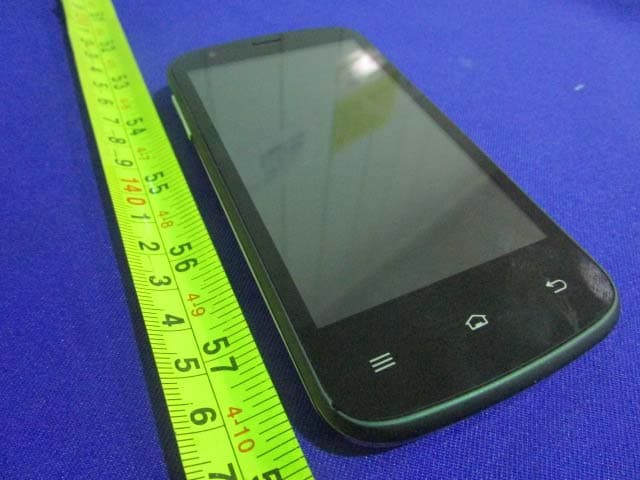
2AD9BQA4928
Apr 07, 20153G Smart Phone
Equipment Class
DSS - Part 15 Spread Spectrum Transmitter