2ADBH-Q5360 degree rotating tablet keyboard
ShenZhen DeFengYuan Technology Co.,Ltd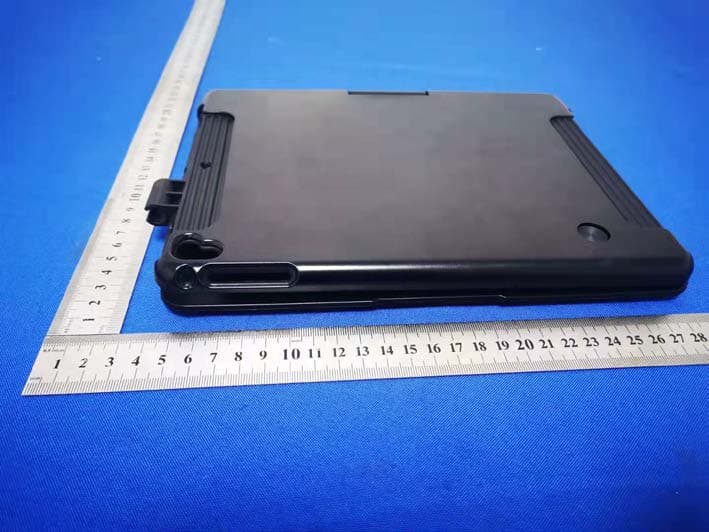
Click to zoom
Application Details
- Equipment Class
- DSS - Part 15 Spread Spectrum Transmitter
- Date of Grant
- Jan 12, 2020
- Application Purpose
- Original Equipment
- Date of Application
- Jan 12, 2020
- Equipment Note
- 360 degree rotating tablet keyboard
- Frequency Range
- 2402.00000000 - 2480.00000000
- Country
- China
Documents & Files
Document Text
Text extracted from the exhibit documents filed with the FCC. Open a document above to read the original.
Users Manual
Rotating Split Bluetooth Keyboard User Manual(iPad OS) Package included: Instruction manual*1 Wireless keyboard*1 USB charging cable*1 1.Bluetooth Interface Standard: 5.0 2.Operating Distance Available: 10 meters 3.Modulation System: GFSK 4.Operating Voltage: 3.7V 5.Working Current: <8mA (When the touchpad is working) 6.Standby Current: <0.3mA 7.Sleeping Current: <60μA 8.Charging Current: 100mA/200mA (Backlight) 9.Standby Time: >100 days 10.Charging Time: 2-3.5 hours 11.Lithium Battery Capacity: 220mA/500mA(Backlight) 12.Sustainable Working Time: > 30 hours(close the backlight) 13.Lithium Battery Life: 3 years 14.Key Strength: 80±10g 15.Key Life: 5 Million Stroke 16.Operating Temperature: -10°C±55°C Switching power and Bluetooth connection indicator: Press and hold the power switch for 3 seconds, it will flash after entering the Bluetooth pairing mode, and will be off after the Bluetooth connection is successful. Caps Lock indicator: Lights up when the keyboard is in uppercase input. Low battery indicator: flashes when the battery is too low, prompting to charge. Charging indicator: It will light up when charging, and will be off after charging is completed. USB TYPE C Charging Port: When the low battery lights on ,please use the Original charging cable to charger it Installation and separation steps 1.Embed the tablet into the TPU cover of the Bluetooth keyboard 2.Adjust to the suitable angle to use 3.Vertical 360 degree rotation4.Horizontal 180 degree rotation 5.Split schematic: tablet Pen slot TPU cover case PC cover case Split power point (powered to split) 1.After the power switch is turned to the ON position, the power indicator light is on for 3 seconds, the Bluetooth indicator starts to flash, and the keyboard automatically enters the pairing mode. 2.Open and unlock your iPad and click on the "Settings" icon. 3.In the settings menu, click on the "Bluetooth" menu. 4.Turn on the Bluetooth switch and the iPad will automatically search for Bluetooth keyboard devices. 5.Discover the Bluetooth keyboard device: Bluetooth Keyboard 5.0 Qx, and click on it, the Bluetooth keyboard will automatically connect. 6.After the Bluetooth connection is successful, the pairing indicator is off, and "Connected" will appear in the list of Bluetooth devices. Back to Home page search Screen keyboard Next track Volume+ Function key Home Page Down Brightness - Screen capture Previous track Mute Key Lock screen Input method switching End Brightness + Touchpad on/off Pause/Play Volume- Bluetooth pairing Backlight brightness adjustment Page Up Screen capture (for models with Home button) Four finger tap Screen capture (for models without Home button) (iPad OS) Bluetooth keyboard 5.0 Q* Bluetooth keyboard 5.0 Q* Bluetooth keyboard 5.0 Q* Bluetooth keyboard 5.0 Q* iPad OS iPad OS Switch FCCCaution Thisdevicecomplieswithpart15oftheFCCRules.Operationissubjecttothe followingtwocond itions:(1)Thisdevicemaynotcaus eharmfulinterference,and(2) thisdevicemustacceptanyinterferencereceived,includinginterferencethatmay caus eun desiredoperation. AnyChangesormodificationsno texpresslyapprovedbythepartyresponsiblefor co mpliancecou ldvoidtheuser'sauthoritytooperatet heequ ipment. Note:Thisequipmenthasbeenteste dandfoundtocomplywiththelimitsforaClass Bdigitaldevice,pursuanttopart15oftheFCCRules.Theselimitsaredesign edto providereasonableprotectionagainst harmfulinterferenceinaresidentialinstallation. Thisequ ipmentgeneratesusesandcanradiateradiofrequ encyenergyand,ifnot ins talledandusedinaccordancewiththei ns tructions ,maycaus eharmfulinterference toradiocommunication s.However,thereisnoguaranteethatinterfe re ncewillnot occurinapar ticularinstall ation.Ifthisequipmentdoescaus eharmfulinterfe re nceto radioortel evisionreception,whichcanbedeterminedbyturningtheequipmentoff andon,t heuserisencouragedtotrytocorrecttheinterfer encebyon eormoreofthe followingmeasures: -Reorientorrel ocatethereceivingantenna. -Increasetheseparationbetweentheequipmentandrecei ver. -Connecttheequ ipmentintoanoutletonacircuitdifferentfromthattowhichthe receiveriscon nected. -Con sultthedealeroranexp eriencedradio/TVtechnicianforhelp. This equipmentcomplieswithFCC radiationexposurelimits setforthforan uncontrolledenvironment.
External Photos
External Photos
ID Label/Location Info
Model: Q5-7 FCC ID: 2ADBH-Q5 This device complies with Part 15 of the FCC Rules. Operation is subject to the following two conditions:(1)This device may not cause harmful interference, and (2) this device must accept any interference received, including interference that may cause undesired operation. Label Location
Internal Photos
Internal Photos ANT
RF Exposure Info
Shenzhen BCTC Testing Co., Ltd. FCC ID:2ADBH-Q5 Portable device According to §15.247(e)(i) and §1.1307(b)(1), systems operating under the provisions of this section shall be operated in a manner that ensures that the public is not exposed to radio frequency energy level in excess of the Commission’s guidelines. According to KDB447498 D01 General RF Exposure Guidance V06 The 1-g SAR and 10-g SAR test exclusion thresholds for 100 MHz to 6 GHz at test separation distances ≤ 50 mm are determined by: [(max. power of channel, including tune-up tolerance, mW)/(min. test separation distance, mm)]·[√f(GHZ)] ≤ 3.0 for 1-g SAR and ≤ 7.5 for 10-g extremity SAR, where: • f(GHZ) is the RF channel transmit frequency in GHz • Power and distance are rounded to the nearest mW and mm before calculation • The result is rounded to one decimal place for comparison When the minimum test separation distance is < 5 mm, a distance of 5 mm is applied to determine SAR test exclusion. BT: Modulation Channel Freq. (GHz) Conduct ed power (dBm) Conducte d power (mW) Tune-up power (dBm) Max tune-up power (dBm) Max tune-up power (mW) Distance (mm) Result calculatio n SAR Exclusion threshold SAR test exclusion 2.402-2.77 0.53 -2±1-1.00 0.79<50.246223.00YES 2.441-2.740.53 -2±1-1.000.79<50.248213.00YES 2.480-2.58 0.55-2±1 -1.000.79<50.250183.00YES GFSK Conclusion: For the max result : 0.25018W/Kg ≤ FCC Limit 3.0 for 1g SAR.
Test Report
Shenzhen BCTC Testing Co., Ltd. Report No.: BCTC1912000272E FCC Part 15C Test Report FCC ID: 2ADBH-Q5 Product Name: 360 degree rotating tablet keyboard Trademark: N/A Model Name : Q5-7 Prepared For : ShenZhen DeFengYuan Technology Co.,Ltd Address : Building B, 9Floor, Heng Shou Science Park, Gongming Street, Guangmin New District, ShenZhen, China Prepared By : Shenzhen BCTC Testing Co., Ltd. Address : BCTC Building & 1-2F, East of B Building, Pengzhou Industrial, Fuyuan 1st Road, Qiaotou Community, Fuyong Street, Bao’an District, Shenzhen, China Test Date: Dec. 03, 2019 – Dec. 06, 2019 Date of Report : Dec. 06, 2019 Report No.: BCTC1912000272E Te s t Report Tel: 400-788-9558 Web: https://www.bctc-lab.com BCTC/RF-EMC-0 07 Ver.:A.0 Page 1 of 49 Shenzhen BCTC Testing Co., Ltd. Report No.: BCTC1912000272E TEST RESULT CERTIFICATION Applicant’s name ............. : ShenZhen DeFengYuan Technology Co.,Ltd Address ............................. : Building B, 9Floor, Heng Shou Science Park, Gongming Street, Guangmin New District, ShenZhen, China Manufacture's Name ........ : ShenZhen DeFengYuan Technology Co.,Ltd Address ............................. : Building B, 9Floor, Heng Shou Science Park, Gongming Street, Guangmin New District, ShenZhen, China Product description Product name .................... : 360 degree rotating tablet keyboard Trademark ......................... : N/A Model and/or type reference .......................................... : Q5-7 Standards ......................... : FCC Part15.247 ANSI C63.10:2013 This device described above has been tested by BCTC, and the test results show that the equipment under test (EUT) is in compliance with the FCC requirements. And it is applicable only to the tested sample identified in the report. This report shall not be reproduced except in full, without the written approval of BCTC, this document may be altered or revised by BCTC, personal only, and shall be noted in the revision of the document. Prepared by(Engineer): Cai Fangzhong Reviewer(Supervisor): Eric Yang Approved(Manager): Zero Zhou Te s t Report Tel: 400-788-9558 Web: https://www.bctc-lab.com BCTC/RF-EMC-0 07 Ver.:A.0 Page 2 of 49 Shenzhen BCTC Testing Co., Ltd. Report No.: BCTC1912000272E Table of Contents Test Report Declaration Page 1. TEST SUMMARY ..................................................... 5 2. TEST FACILITY ....................................................... 6 3. MEASUREMENT UNCERTAINTY ....................................... 6 4. GENERAL INFORMATION ............................................. 7 4.1 GENERAL DESCRIPTION OF EUT....................................... 7 4.2 Test Setup Configuration ................................................ 7 4.3 Support Equipment ..................................................... 8 4.4 Channel List ........................................................... 9 4.5 Test Mode ............................................................ 10 5. TEST FACILITY AND TEST INSTRUMENT USED ........................ 11 5.1 Test Facility ........................................................... 11 5.2 Test Instrument Used .................................................. 11 6. CONDUCTED EMISSIONS ............................................ 13 6.1 Block Diagram Of Test Setup ........................................... 13 6.2 Limit ................................................................. 13 6.3 Test procedure ........................................................ 13 6.4 Test Result ........................................................... 15 7. RADIATED EMISSIONS .............................................. 17 7.1 Block Diagram Of Test Setup ........................................... 17 7.2 Limit ................................................................. 18 7.3 Test procedure ........................................................ 18 7.4 Test Result ........................................................... 20 7.5 RADIATED BAND EMISSION MEASUREMENT AND RESTRICTED BANDS OF OPERATION ........................................................... 24 8. CONDUCTED EMISSION ............................................. 27 8.1 Block Diagram Of Test Setup ........................................... 27 8.2 Limit ................................................................. 27 8.3 Test procedure ........................................................ 27 8.4 Test Result ........................................................... 28 9. 20 DB BANDWIDTH .................................................. 31 9.1 Block Diagram Of Test Setup ........................................... 31 9.2 Limit ................................................................. 31 9.3 Test procedure ........................................................ 31 9.4 Test Result ........................................................... 32 10. MAXIMUM PEAK OUTPUT POWER .................................... 34 10.1 Block Diagram Of Test Setup .......................................... 34 10.2 Limit ................................................................ 34 10.3 Test procedure ....................................................... 34 10.4 Test Result .......................................................... 35 11. HOPPING CHANNEL SEPARATION ................................... 37 11.1 Block Diagram Of Test Setup .......................................... 37 Te s t Report Tel: 400-788-9558 Web: https://www.bctc-lab.com BCTC/RF-EMC-0 07 Ver.:A.0 Page 3 of 49 Shenzhen BCTC Testing Co., Ltd. Report No.: BCTC1912000272E 11.2 Limit ................................................................ 37 11.3 Test procedure ....................................................... 37 11.4 Test Result .......................................................... 38 12. NUMBER OF HOPPING FREQUENCY .................................. 40 12.1 Block Diagram Of Test Setup .......................................... 40 12.2 Limit ..............................…
Text truncated - open the document above for the full version.
Test Setup Photos
Spurious emissions Conducted emissions
Contact Information
Applicant
Ma Yixun
Technical Contact
Test Firm
Shenzhen BCTC Testing Co., Ltd.Alan Mei
[email protected]+8675536882589
Technical Specifications
| # | Rule Parts | Frequency Range | Power Output |
|---|---|---|---|
| 1 | 15C | 2.40 GHz - 2.48 GHz | 550.00 µW |
Other Applications from ShenZhen DeFengYuan Technology Co.,Ltd
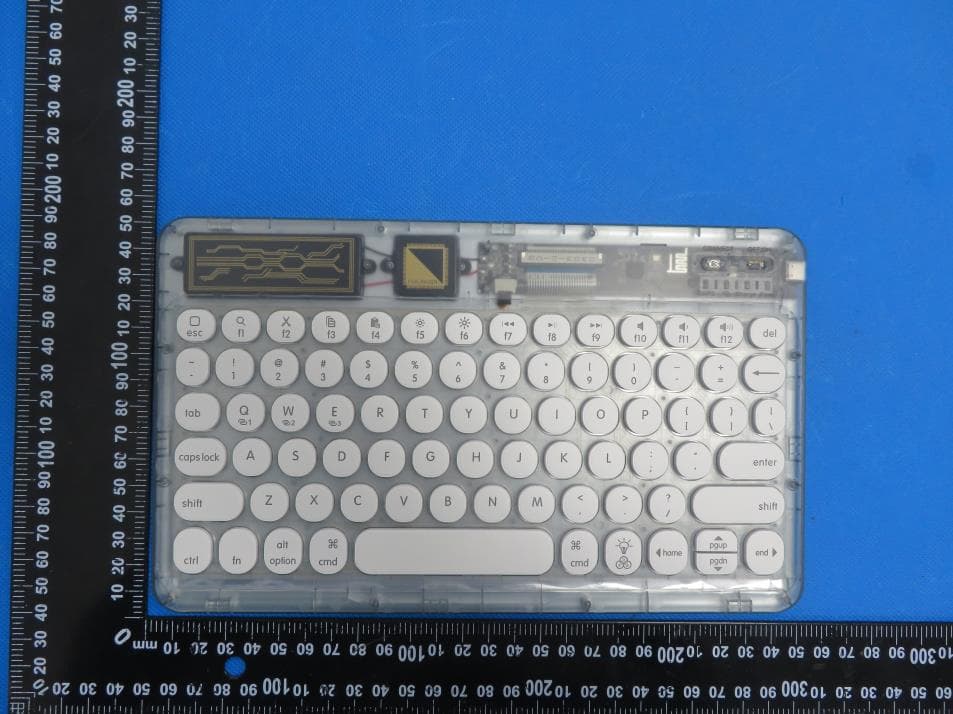
2ADBHLB-0303D
Nov 21, 2022Wireless Keyboard
Equipment Class
DTS - Digital Transmission System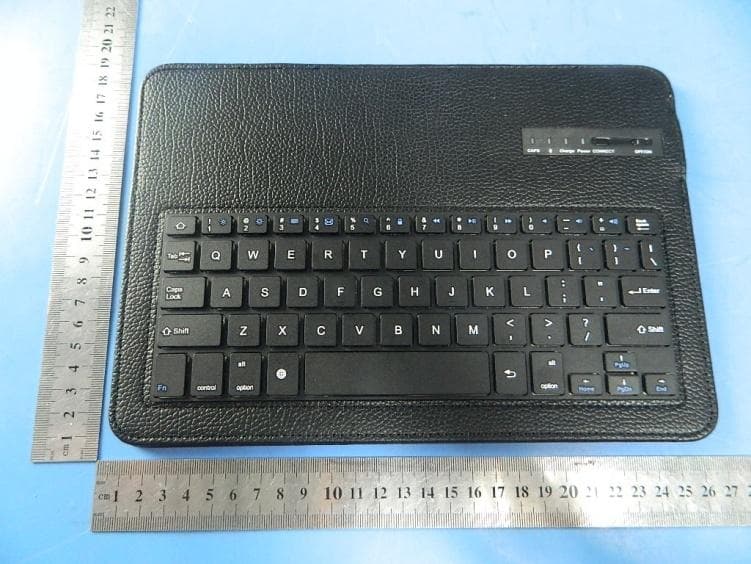
2ADBH-101
Oct 12, 2014Bluetooth keyboard Case
Equipment Class
DSS - Part 15 Spread Spectrum Transmitter