2ADDA-SQORDSqord Booster Activity Scorer
Sqord,Inc.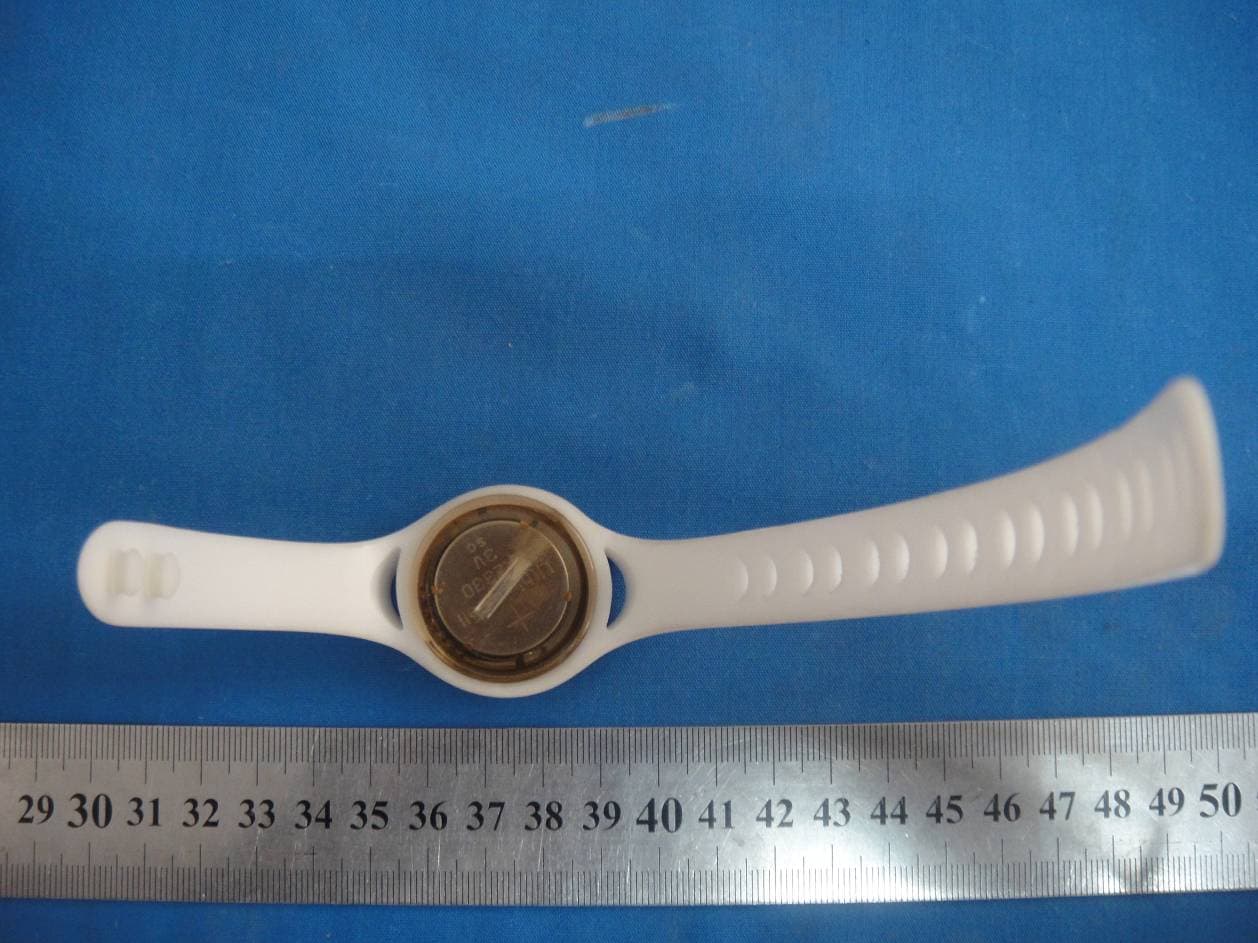
Click to zoom
Application Details
- Equipment Class
- DXX - Part 15 Low Power Communication Device Transmitter
- Date of Grant
- Oct 30, 2014
- Application Purpose
- Original Equipment
- Date of Application
- Oct 30, 2014
- Equipment Note
- Sqord Booster Activity Scorer
- Frequency Range
- 2402.00000000 - 2480.00000000
- Company
- Sqord,Inc.
- Country
- United States
Documents & Files
Document Text
Text extracted from the exhibit documents filed with the FCC. Open a document above to read the original.
Users Manual
User Manual Version 0.3.2 / December 13, 2013 This document covers only the Sqord hardware, including the PowerPod and SyncStation. For up ‐‐‐to‐‐‐date information on Sqord software (SqordSync). The Sqord PowerPod Box Contents 1. Sqord PowerPod 2. S tandard‐‐‐sized wrist band (larger bands are available by request to [email protected]) Warning / Caution • The Sqord PowerPod is intended as a fun device to measure a player’s everyday activity. Sqord strongly cautions players to be very careful and focused on safety when undertaking any activity, and not to take on any activity purely as a way to generate Activity Points. • The PowerPod is not dishwasher safe. • The PowerPod is not intended for inclusion in a laundry machine washer or dryer. Operation & Use Activity Captured The Sqord PowerPod is contains a 3‐‐‐axis accelerometer which detects the intensity and du ration of movement in any direction. Sqord records this activity in 60 minute increments over a period of 72 hours. Activity not Synced after 72 hours is added to the player’s overall total, but is not assigned to a specific date or time. Assembly Insert the PowerPod into the back of the wrist band, with the PowerPod tabs aligning to fit into the interior indentations of the band. The Pod should fit snugly with no movement, and no obvious deformation of the band. If it looks or feels awkward, try inserting the Pod at a different angle. GeHng Started The PowerPod is shipped in “sleep” mode. To get started, simply Sync it at any Sqord SyncStation by tapping the top of the PowerPod on the logo of the SyncStation. (Syncing is covered in more detail below). Once you heard the SyncStation chime upon a successful Sync, the unit is “awake” and recording data. Sync again any time to see your points. Account Setup Though the PowerPod is recording activity from the first sync, a player must set up an account at SQORD.COM in order to login and fully participate in the online experience. Once a player is in possession of a Sqord PowerPod, they may go to http://www.sqord.com/ setup and follow the on ‐‐‐screen instructions. Note that Sqord is committed to player privacy and security, and all players under 13 years of age will be required to obtain parental consent as part of that setup experience. Full documentation on the online experience is available at http://www.sqord.com/help Wear The PowerPod may be worn in the provided band, or in any other location on the body. Sqord recommends wearing the Pod where it will record the most activity. In some cases, that may suggest carrying the Pod in a pocket or wearing it in the band around the player’s ankle. Normal Use The Sqord PowerPod is designed to be used in even the most strenuous activities that a player may undertake as part of their everyday activity. It is highly impact‐‐‐resistant and IP rated 68, which means it is 100% dust‐‐‐tight and suitable for use under water at a depth of 1 meter for 30 minutes. Accuracy In lab conditions, PowerPods record activity within 1% to 3% accuracy and consistency. In real‐‐‐ world conditions, especially when worn by active players, results will vary, and players can expect a range of 10% deviation for activities that are perceived to be id entical. Syncing In order to transfer recorded Physical Activity data to Sqord, the player must “Sync” the PowerPod at any Sqord S yncStation. 1. Tap the top of the PowerPod to the logo on the SyncStation 2. You should hear chime, and the computer to which the SyncStation is connected should display a web page with your user name and your day’s Activity Point Total. Under normal operation, this process takes less than a second. Radio TransmiKer for wireless Sync • Connecting type: RF 2.4G ISM • T ransmifng Distance: 10 Meters BaKery/Lifespan The PowerPod contains a Lithium coin‐‐‐cell battery which provides an expected lifespan of 12 months under normal usage conditions, at which time the unit must be replaced to continue playing Sqord. They battery is not rechargeable or replaceable. • Battery: CR2330 • Voltage: DC 3V • Standby Current: 1.3uA • Working Current: 65uA • Lowest Working Voltage: 2.0V • Capacity: 300mAh • Battery Working Life: 12 Months • Operating Temp: ‐‐‐20°C to 60°C • CE, RoHS, ISO certified • En vironmental‐‐‐friendly: No Pb, Cd added Maintenance The Sqord PowerPod is a fully self‐‐‐contained unit, requiring no user maintenance or upkeep. It contains no us er‐‐‐serviceable parts, and cannot be recharged. Cleaning In the event the PowerPod must be cleaned, use only soap and water. Avoid chemical solvents, especially thinners, benzene, or alcohol. The PowerPod is not dishwasher or laundry safe. Physical Specifications Weight : 11.5 grams,0.41 oz. Length: 1.625” Width: 1.438” Height: 0.438” Troubleshooting Syncing ‐‐‐ Weak Signal Transmission is activated by tapping contact between the PowerPod and the logo on the top of the SyncStation. Range of transmission between the PowerPod and the SyncStation is roughly one meter to reduce chance of interference with other units and to minimize the power required for transmission. In the case where the PowerPod is too far away (where a player runs back out to play instantaneously after syncing) or where the signal is detected by more than one SyncStation, a failure message will appear. Correct this issue by pausing momentarily during Sync to confirm the process has completed, and/or moving your multiple SyncStations farther apart. Syncing ‐‐‐ No response from SyncStation To avoid unnecessary battery drain, the Pod may not transmit more than once in a ten second span. Therefore, if a first Sync was unsuccessful, subsequent att empts may also fail within that ten second window. If your Pod refuses to Sync, wait for 15 to 20 seconds without attempting to Sync, and then try again. FCC Certification Requirements Caution: Any changes or modifications in construction of this device which are not expressly approved by the party responsible for compliance could void the user's …
Text truncated - open the document above for the full version.
Cover Letter(s)
Sqord,Inc. 201 West Main Street,Suite B009,Durham,North Carolina 27701 United States Confidentiality Request Letter Page 1 of 1 Rev 2.0 October 27, 2014 To: Federal Communications Commission Authorization and Evaluation Division 7435 Oakland Mills Road Columbia, MD Permanent Confidentiality Request Confidentiality Request regarding application for certification of FCC ID: 2ADDA-SQORD We hereby request confidential treatment of information accompanying this application as outlined below: - Block Diagram - Operational Description - Schematic The above materials contain trade secrets and proprietary information not customarily released to the public. The public disclosure of these materials may be harmful to the applicant and provide unjustified benefits to its competitors. The applicant understands that pursuant to Section 0.457 & 0.459 of the Rules, disclosure of this application and all accompanying documentation will not be made before the date of the Grant for this application. Sincerely, Client’s signature: Client’s name / title: Coleman Greene / Manager Contact information / address: 201 West Main Street,Suite B009,Durham,North Carolina 27701 United States TEL: 919 960 1191 FAX: 919 960 1191 E-mail: [email protected]
External Photos
External Photo
ID Label/Location Info
FCC Certification Label FCC ID: 2ADDA-SQORD Label Location on EUT label size:high 0.5cm, Wide:1.2 cm EUT View/ FCC ID Label Location
Internal Photos
Internal Photo Antenna
Test Report
FCC PART 15.249 EMI MEASUREMENT AND TEST REPORT For Sqord,Inc. 201 West Main Street,Suite B009,Durham,North Carolina 27701 United States FCC ID: 2ADDA-SQORD October 27, 2014 This Report Concerns: Original Report Equipment Type: Sqord Booster Activity Scorer Test Engineer: Lisa Chen Report No.: BSL20141027 Receive EUT Date/Test Date: October 17, 2014 / October 17 - October 27, 2014 Reviewed By: Mike moo Prepared By: BSL Testing Co.,LTD. NO. 24, ZH Park, Nantou, Shenzhen, 518000 China Tel: 86- 755-26508703 Fax: 86- 755-26508703 Note: The test report is specially limited to the above company and this particular sample only. It may not be duplicated without prior written consent of BSL Testing Co.,LTD. This report must not be used by the client to claim product certification,approval,or endorsement by NVLAP, NIST or any agency of the US Government. FCC ID: 2ADDA-SQORD Page 2/24 TABLE OF CONTENTS 1. GENERAL INFORMATION ....................................................................................................3 1.1. Report information ............................................................................................................3 1.2. Measurement Uncertainty .................................................................................................3 2. PRODUCT DESCRIPTION ......................................................................................................4 2.1. EUT Description ...............................................................................................................4 2.2. Block Diagram of EUT Configuration..............................................................................5 2.3. Support Equipment List ....................................................................................................5 2.4. Test Conditions .................................................................................................................5 3. TEST RESULTS SUMMARY ...................................................................................................6 Modifications ................................................................................................................................6 4. TEST EQUIPMENT USED .......................................................................................................7 5. ANTENNA REQUIREMENT ...................................................................................................8 5.1. Standard Applicable..........................................................................................................8 5.2. Antenna Connected Construction .....................................................................................8 5.3. Result ................................................................................................................................8 6. CONDUCTED POWER LINE TEST .......................................................................................9 6.1. Test Equipment .................................................................................................................9 6.2. Test Procedure ..................................................................................................................9 6.3. Test Setup..........................................................................................................................9 6.4. Conducted Power line Emission Limits............................................................................9 6.5. Conducted Power Line Test Result.................................................................................10 7. RADIATED EMISSION TEST ...............................................................................................11 7.1. Test Equipment ...............................................................................................................11 7.2. Test Procedure ................................................................................................................11 7.3. Radiated Test Setup ........................................................................................................11 7.4. Radiated Emission Limit.................................................................................................13 7.5. Radiated Emission Test Result .......................................................................................14 8. BAND EDGE .............................................................................................................................19 8.1. Test Equipment ...............................................................................................................19 8.2. Test Procedure ................................................................................................................19 8.3. Band Edge FCC 15.249(d) Limit ....................................................................................19 8.4. Band Edge Test Result ....................................................................................................20 9. 20-DB BANDWIDTH ...............................................................................................................21 9.1. Test Equipment ...............................................................................................................21 9.2. Test Procedure ................................................................................................................21 9.3. Limit................................................................................................................................21 9.4. Test Result /Plots ............................................................................................................21 FCC ID: 2ADDA-SQORD Page 3/24 1. GENERAL INFORMATION 1.1. Report information 1.1.1.This report is not a certificate of quality; it only applies to the sample of the specific product/equipment given at the time of its testing. The results are not used to indi…
Text truncated - open the document above for the full version.
Test Setup Photos
Radiated emissions test
Contact Information
Applicant
Coleman Greene(Manager)
Test Firm
BSL Testing Co.,LTD.Boss Deng
Technical Specifications
| # | Rule Parts | Frequency Range | Power Output |
|---|---|---|---|
| 1 | 15C | 2.40 GHz - 2.48 GHz | - |