2ADP5-SLAVEMERLIN HANDHELD TRANSMIT
Illumicare Group Limited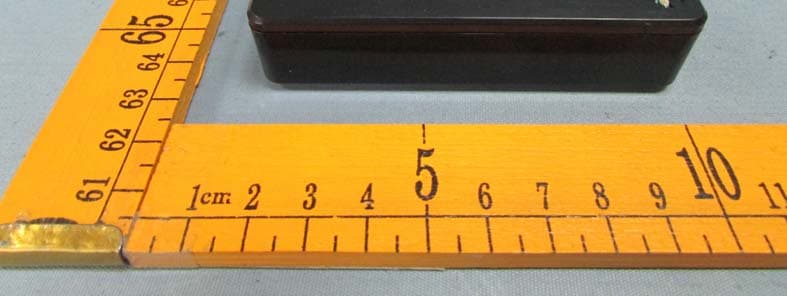
Click to zoom
Application Details
- Equipment Class
- DXX - Part 15 Low Power Communication Device Transmitter
- Date of Grant
- Jan 19, 2015
- Application Purpose
- Original Equipment
- Date of Application
- Jan 19, 2015
- Equipment Note
- MERLIN HANDHELD TRANSMIT
- Frequency Range
- 2432.00000000 - 2464.00000000
- Company
- Illumicare Group Limited
- Country
- Canada
Documents & Files
Document Text
Text extracted from the exhibit documents filed with the FCC. Open a document above to read the original.
Users Manual
1 Introduce of Zone Controlled System ZONE CONTROLLED SYSTEM MANUAL TherearethreepartsforZoneControlledSystem,includingof Programmable Master remote controller, All zone controlled Slave remote controller and Receiver unit. They communicate via 2.4G Hz RF signal. The syst em can be divided into 4 zones and its available communication distance can be reached 500 Feet. ENTER CANCEL ZONE MENU TIME / D ATE LOCATION MERLIN PROGRAMMER LINE IN LINE O UT + + - - AC DC Receiver unit connect the appliants directly ON ON ON ON ON OFF OFF OFF OFF OFF HANDHELD TRANSMITTER MERLIN ZONE 1 ZONE 2 ZONE 3 ZONE 4 ALL ZONE Slave remote controller With All zone controlled Programmable Master remote controller ZONE 1 ZONE 3 ZONE 4 ZONE 2 Programmable Master remote controller ENTER CANCEL ZONE M ENU TIME / DATE LOCATION MERLIN PROGRAMMER PUT ON 3 PCS AAA BATTERY OR3 SECS, MASTER TX WILL STARTPRESS THE KEY MASTER TX CAN BE SHUT DOWN AUTOMATICALLY IF IT CAN NOT DETECT ANY ACTION FROM USER IN 5 MINS MAIN INTERFACE LONGITUDE & LATITUDE ZONE STATUS ICON ON TIME, DST - DAYLIGHT SAVING TIME; UT - UNIVERSE TIME T A 10 8 6 4 P O OFF AUTO AUTOON4HOURSOFF AUTOON6HOURSOFF AUTOON8HOURSOFF TIMER PROPER TIMER AUTO ON 10 HOURS OFF LOCATION SETTING PRESS THE KEY LOCATION ENTER OK, BACK TO MAIN MENU PAGE 1 MASTER OPERATION MANUAL PAGE 2 CHOOSE CITY WHEN YOU FINISH TO CHOOSE YOUR CITY AND ENTER, AND THEN IT WILL BE BACK TO THE MAIN INTERFACE. THE LONGITUDE & LATITUDE WILL BE ALSO SHIFT TO THE CORRESPONDING AUTOMATICALLY. ENTER LONG. & LAT. WHEN YOU FINISH TO CHOOSE YOURAND ENTER, AND THEN IT WILL BE BACK TO THE MAIN INTERFACE. THE LONGITUDE & LATITUDE WILL BE ALSO SHIFT TO THE CORRESPONDING AUTOMATICALLY. LONGITUDE & LATITUDE DEFAULT. WHEN YOU CHOOSE DEFAULT, MASTER WILL BE BACK TO AND THE LONGITUDE & LATITUDE WILL BE KEEP ORGINAL BEFORE. MAIN INTERFACE. TIME & DATE SETTING PRESS THE KEY TIME / DATE WHEN YOU CHOOSE THE DATE DURING THE DAYLIGHT SAVING TIME AND ENTER, IT WILL BE BACK TO MAIN INTERFACE.THE TIME SHOWS “DST” AUTOMATICALLY. OTHERWISE IT WILL SHOWS “UT” ZONE SETTING PRESS THE KEY ZONE MENU YOU CAN CHOOSE YOUR RXS MAKEING CONNECT TO ZONE 1, ZONE 2, ZONE 3 OR ZONE 4, ACCORDING TO YOUR REQUIREMENT. RX CONNECTION OPERATION WHEN YOU WANT TO CONNECT RX AND TX, YOU WILL PRESS LONG THE KEY ON RX (THE RED ARROW PIONTED)ABOUT 3~4 SECS, THE RED LED WILL BE FLASHED AND YOU CAN RELEASE THE KEY AND CHOOSE WHICH ZONE YOU WANT TO GET AND CONNECT THE RX ADDRESS ON TX MASTER OR SLAVE. WHEN THEY CONNECT OPERATION SUCCESSFULLY. IT WILL BE BACK TO MAIN INTERFACE. STEP 1 STEP 1 STEP 3 STEP 2 ZONE 1 ZONE 2 ZONE 3 ZONE 4 ALL ZONE ON ON ON ON ON OFF OFF OFF OFF OFF ZONE CONTROLLER SLAVE TX MASTER TX GET ADDRESS OPERATION PAGE 3 ENTER IF YOU HAVE MADE CONNECTION WITH RX AND SLAVE TX, YOU NEEDN’T TO DO SAME THING TO MASTER TX. YOU CAN RUN THE GET ADDRESS OPERATION. AND THEN PRESS SLAVE ANY “ON” KEY ABOUT 3 SECS, WHEN THE GREEN LED FLASHES. OPERATION SUCCESSFULLY. IT WILL BE BACK TO MAIN MENU. MASTER WILL GET ALL OF RXS ADDRESS FROM SLAVE. STEP 1 STEP 2 STEP 2 ZONE 1 ZONE 2 ZONE 3 ZONE 4 ALL ZONE ON ON ON ON ON OFF OFF OFF OFF OFF ZONE CONTROLLER FACTORY RESET WHEN YOU FINISHED THE PROCESSES ABOVE, YOU CAN RESET YOUR TIME, YOUR DATE AND YOUR LOCATION. THE IMPORTANCE IS ALL OF RXS ADDRESS AND ZONE INFORMATION WILL BE CLEARED. YOU CAN RESET THEM ACCORDING TO YOUR NEED. SO, PLEASE PAY ATTENTION BEFORE YOU RUN THIS OPERATION. SOLO ZONE SETTING ENTER WHEN YOU FINISHED THE PROCESSES ABOVE, AND ENTER TO EMIT THE RF SIGNAL “ON” TO RXS IN SOLO ZONE, RXS WILL ACT “ON”. AND MASTER WILL BE BACK TOMAIN INTERFACE AND SHOWS “ON” ICON “ ” O PAGE 4 WHEN YOU CHOOSE “AUTO” MODE, AND ENTER TO EMIT THE RF SIGNAL “AUTO” TO RXS IN SOLO ZONE, RXS WILL BE ACT “AUTO”.THE TIME OF “DUSK” AND ”DAWN” IS CALCULATED AUTOMATICALLY BY MASTER. WHEN MASTER IS RUN BACK TO MAIN INTERFACE AND SHOWS “AUTO” ICON “ ” A WHEN YOU CHOOSE “TIMER” MODE, SET THE TIME ON AND TIME OFF THAT YOU NEED, AND ENTER TO EMIT THE RF SIGNAL “TIMER” TO RXS IN SOLO ZONE, RXS WILL BE ACT “TIMER”. MASTER IS RUN BACK TO MAIN INTERFACE AND SHOWS “TIMER” ICON “” T WHEN YOU CHOOSE “OFF”MODE, AND ENTER TO EMIT THE RF SIGNAL “OFF” TO RXS IN SOLO ZONE, RXS WILL ACT “OFF”. AND MASTER WILL BE BACK TO MAIN INTERFACE AND SHOWS “OFF” ICON “ ” PAGE 5 WHEN YOU CHOOSE “AUTO ON 4HRS OFF” MODE, AND ENTER TO EMIT THE RF SIGNAL TO RXS IN SOLO ZONE, RXS WILL BE ACT THE TIME ON DUSK OF AUTOMATICALLY AND TURN OFF 4 HOURS AFTER TURN ON. THE TIME OF “DUSK” IS CALCULATED AUTOMATICALLY BY MASTER. WHEN MASTER IS RUN BACK TO MAIN MENU AND SHOWS ICON “ ” 4 WHEN YOU CHOOSE “AUTO ON 6 HRS OFF” MODE, AND ENTER TO EMIT THE RF SIGNAL TO RXS IN SOLO ZONE, RXS WILL BE ACT THE TIME ON DUSK OF AUTOMATICALLY AND TURN OFF 6 HOURS AFTER TURN ON. THE TIME OF “DUSK” IS CALCULATED AUTOMATICALLY BY MASTER. WHEN MASTER IS RUN BACK TO MAIN MENU AND SHOWS ICON “ ” 6 WHEN YOU CHOOSE “AUTO ON 8 HRS OFF” MODE, AND ENTER TO EMIT THE RF SIGNAL TO RXS IN SOLO ZONE, RXS WILL BE ACT THE TIME ON DUSK OF AUTOMATICALLY AND TURN OFF 8 HOURS AFTER TURN ON. THE TIME OF “DUSK” IS CALCULATED AUTOMATICALLY BY MASTER. WHEN MASTER IS RUN BACK TO MAIN MENU AND SHOWS ICON “ ” 8 WHEN YOU CHOOSE “AUTO ON 10 HRS OFF” MODE, AND ENTER TO EMIT THE RF SIGNAL TO RXS IN SOLO ZONE, RXS WILL BE ACT THE TIME ON DUSK OF AUTOMATICALLY AND TURN OFF 10 HOURS AFTER TURN ON. THE TIME OF “DUSK” IS CALCULATED AUTOMATICALLY BY MASTER. WHEN MASTER IS RUN BACK TO MAIN MENU AND SHOWS ICON “ ” WHEN YOU CHOOSE “AUTO ON TIMER OFF” MODE, YOU CAN SET THE TIME OF TURN OFF. RXS WILL BE ACT THE TIME ON DUSK AND TURN OFF ACCORDING TO YOU NEED. WHEN MASTER IS RUN BACK TOMAIN MENU AND SHOWS ICON “” ENTER P 10 MERLIN RECEIVER UNIT MANUAL ADDITIONAL CONTENT z Usage of Merlin Receiver Unit You can set one or more Merlin Receiver units in one zone. It is free to set according to your need a. --- - - - - - Zone 1Zone 2Zone 3Zone 4 b. Zone 1Zone 2Zone 3Zone 4 z Signal Safety Every TX controller, including of Merlin pr…
Text truncated - open the document above for the full version.
Cover Letter(s)
Illumicare Group Limited Federal Communications Commission Authorization and Evaluation Division Date:2014/12/03 Confidentiality Request regarding application for certification of FCC ID: 2ADP5SLAVE. Pursuant to Sections 0.457 and 0.459 of the Commission’s Rules, we hereby request confidential treatment of information accompanying this application as outlined below: Exhibit Type File Name Schematics Block Diagram Operational Description SCH.pdf BlockDiagram.pdf CircuitDescription.pdf The above materials contain trade secrets and proprietary information not customarily released to the public. The public disclosure of these materials may be harmful to the applicant and provide unjustified benefits to its competitors. The applicant understands that pursuant to Section 0.457 of the Rules, disclosure of this application and all accompanying documentation will not be made before the date of the Grant for this application. Sincerely, Illumicare Group Limited ................................................... Signature ................................................... John Higo / General Manager
Cover Letter(s)
Illumicare Group Limited FCC ID: 2ADP5SLAVE POWER OF ATTORNEY Date:2014/12/03 Federal Communications Commission Authorization and Evaluation Division 7435 Oakland Mills Road Columbia, MD 21046 To Whom It May Concern: We, the undersigned, hereby authorize Waltek Services (ShenZhen) Co., Ltd. (Philo Zhong) on our behalf, to apply to the Federal Communications Commission on our equipment. Any and all acts carried out by Waltek Services (ShenZhen) Co., Ltd. (Philo Zhong) on our behalf shall have the same effect as acts of our own. This authorization expires on 2015/12/02. This is to advise that we are in full compliance with the AntiDrug Abuse Act. We, Illumicare Group Limited are not subject to a denial of federal benefits pursuant to Section 5301 of the AntiDrug Act of 1988, 21 USC853a, and no party to the application is subject to a denial of federal benefits pursuant to that section. Sincerely, Illumicare Group Limited ................................................... Signature ................................................... John Higo / General Manager
External Photos
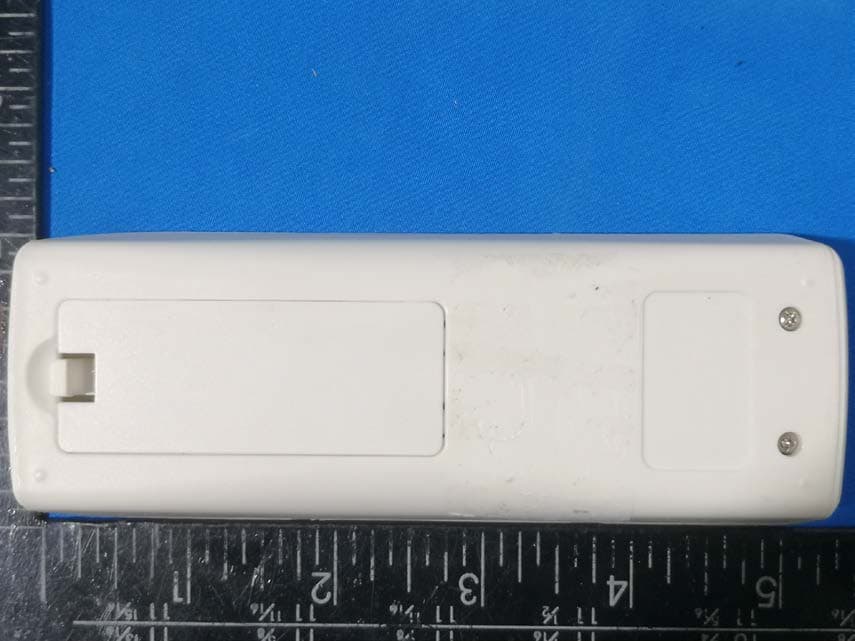
Page 1 of 4 Waltek Services (Shenzhen) Co.,Ltd. http://www.waltek.com.cn Photographs - Constructional Details S lave - External View Page 2 of 4 Waltek Services (Shenzhen) Co.,Ltd. http://www.waltek.com.cn Page 3 of 4 Waltek Services (Shenzhen) Co.,Ltd. http://www.waltek.com.cn Page 4 of 4 Waltek Services (Shenzhen) Co.,Ltd. http://www.waltek.com.cn Battery Placement
ID Label/Location Info
Label Requirement FCC and IC Label Sample for model: Slave Model: Master FCC ID: 2ADP5-SLAVE IC: 12559A- SLAVE THIS DEVICE COMPLIES WITH PART 15 OF THE FCC RULES AND INDUSTRY CANADA LICENSE-EXEMPT RSS STANDARD(S). OPERATION IS SUBJECT TO THE FOLLOWING TWO CONDITIONS: (1) THIS DEVICE MAY NOT CAUSE HARMFUL INTERFERENCE, AND (2) THIS DEVICE MUST ACCEPT ANY INTERFERENCE RECEIVED, INCLUDING INTERFERENCE THAT MAY CAUSE UNDESIRED OPERATION.
ID Label/Location Info
Label Requirement FCC and IC Label Sample for model: Slave Model: Master FCC ID: 2ADP5-SLAVE IC: 12559A- SLAVE THIS DEVICE COMPLIES WITH PART 15 OF THE FCC RULES AND INDUSTRY CANADA LICENSE-EXEMPT RSS STANDARD(S). OPERATION IS SUBJECT TO THE FOLLOWING TWO CONDITIONS: (1) THIS DEVICE MAY NOT CAUSE HARMFUL INTERFERENCE, AND (2) THIS DEVICE MUST ACCEPT ANY INTERFERENCE RECEIVED, INCLUDING INTERFERENCE THAT MAY CAUSE UNDESIRED OPERATION.
Internal Photos
Page 1 of 3 Waltek Services (Shenzhen) Co.,Ltd. http://www.waltek.com.cn Slave - Internal View ANT. Page 2 of 3 Waltek Services (Shenzhen) Co.,Ltd. http://www.waltek.com.cn Page 3 of 3 Waltek Services (Shenzhen) Co.,Ltd. http://www.waltek.com.cn RF Module ======End of Report======
Test Report
TEST REPORT Waltek Services (Shenzhen) Co.,Ltd. http://www.waltek.com.cn Page 1 of 29 Reference No. .................... : WTS14S1120219E FCC ID ................................ : 2ADP5-SLAVE Applicant ............................ : Illumicare Group Limited Address .............................. : 200Pony Drive, Newmarket, ON L3Y7B6 Canada Manufacturer .................... : KOJ ELECTRONIC CO. LTD Address .............................. : TECHNOLOGY BUILDING, TIANAN CYBER PARK, NANHAI, FOSHAN CITY, CHINA Product Name .................... : MERLIN HANDHELD TRANSMIT Model No. ........................... : Slave Standards .......................... : FCC CFR47 Part 15 Section 15.249: 2014 Date of Receipt sample .... : Nov. 21,2014 Date of Test ....................... : Nov. 29~Dec. 27,2014 Date of Issue ...................... : Dec. 29,2014 Test Result ......................... : Pass Remarks: The results shown in this test report refer only to the sample(s) tested, this test report cannot be reproduced, except in full, without prior written permission of the company. The report would be invalid without specific stamp of test institute and the signatures of compiler and approver. Prepared By: Waltek Services (Shenzhen) Co., Ltd. Address: 1/F., Fukangtai Building, West Baima Road, Songgang Street, Baoan District, Shenzhen, Guangdong, China Tel :+86-755-83551033 Fax:+86-755-83552400 Compiled by: Approved by: Zero Zhou / Project Engineer Philo Zhong / Manager Reference No.: WTS14S1120219E Page 2 of 29 Waltek Services (Shenzhen) Co.,Ltd. http://www.waltek.com.cn 2 Test Summary Test Items Test Requirement Result Conducted Emissions 15.207 N/A Radiated Emission 15.249(a) 15.209 15.205(a) PASS Periodic Operation 15.35(c) PASS Outside of Band Emission 15.249 15.205 15.209 PASS 20dB Bandwidth 15:215(c) PASS Antenna Requirement 15.203 PASS Reference No.: WTS14S1120219E Page 3 of 29 Waltek Services (Shenzhen) Co.,Ltd. http://www.waltek.com.cn 3 Contents Page 1 COVER PAGE ........................................................................................................................................... 1 2 TEST SUMMARY .................................................................................................................................................. 2 3 CONTENTS ............................................................................................................................................................ 3 4 GENERAL INFORMATION .................................................................................................................................. 4 4.1 GENERAL DESCRIPTION OF E.U.T. ............................................................................................................ 4 4.2 DETAILS OF E.U.T. ..................................................................................................................................... 4 4.3 TEST FACILITY ............................................................................................................................................ 4 5 EQUIPMENT USED DURING TEST .................................................................................................................. 5 5.1 EQUIPMENTS LIST ...................................................................................................................................... 5 5.2 MEASUREMENT UNCERTAINTY ................................................................................................................... 6 5.3 TEST EQUIPMENT CALIBRATION................................................................................................................. 6 6 RADIATION EMISSION TEST ............................................................................................................................ 7 6.1 EUT OPERATION ........................................................................................................................................ 7 6.2 TEST SETUP ............................................................................................................................................... 8 6.3 SPECTRUM ANALYZER SETUP .................................................................................................................... 9 6.4 TEST PROCEDURE .................................................................................................................................... 10 6.5 TEST RESULT ........................................................................................................................................... 11 7 PERIODIC OPERATION .................................................................................................................................... 14 8 OUTSIDE OF BAND EMISSION ....................................................................................................................... 16 8.1 TEST PROCEDURE .................................................................................................................................... 16 8.2 TEST RESULT ........................................................................................................................................... 16 9 20 DB BANDWIDTH MEASUREMENT ........................................................................................................... 18 9.1 TEST PROCEDURE .................................................................................................................................... 18 9.2 TEST RESULT ........................................................................................................................................... 18 10 ANTENNA REQUIREMENT .............................................................................................................................. 20 11 PHOTOGRAPHS- MODEL SLAVE TEST SETUP ........................................................................................ 21 11.1 RADIATION EMISSION ...…
Text truncated - open the document above for the full version.
Test Setup Photos
Page 1 of 2 Waltek Services (Shenzhen) Co.,Ltd. http://www.waltek.com.cn Photographs- Model Slave Test Setup Radiat ion Emission Below 30MHz at Test Site 2# 30~1000MHz at Test Site 2# Page 2 of 2 Waltek Services (Shenzhen) Co.,Ltd. http://www.waltek.com.cn Above 1GHz at Test Site 2#
Contact Information
Applicant
John Higo(General Manager)
Test Firm
Waltek Services(Shenzhen) Co., Ltd.philo zhong
Technical Specifications
| # | Rule Parts | Frequency Range | Power Output |
|---|---|---|---|
| 1 | 15C | 2.43 GHz - 2.46 GHz | - |
Other Applications from Illumicare Group Limited
2ADP5-SLAVE-V1
Mar 04, 2021MERLIN HANDHELD TRANSMIT
Equipment Class
DSR - Part 15 Remote Control/Security Device Transceiver
2ADP5-MASTER-V1
Mar 04, 2021MERLIN RECEIVER UNIT
Equipment Class
JAB - Part 15 Class B Digital Device
2ADP5-HUB
Mar 04, 2021MERLIN HUB
Equipment Class
JAB - Part 15 Class B Digital Device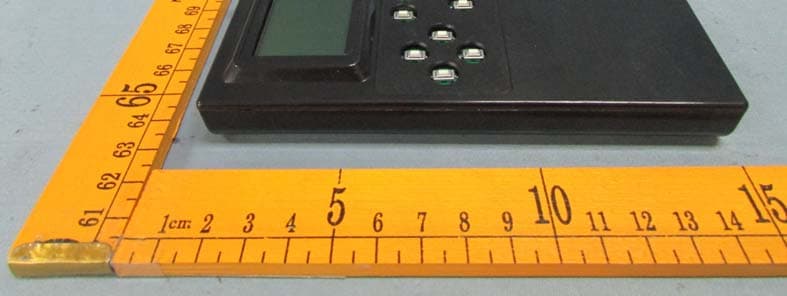
2ADP5-MASTER
Jan 19, 2015MERRLIN PROGRAMMERER
Equipment Class
DXX - Part 15 Low Power Communication Device Transmitter