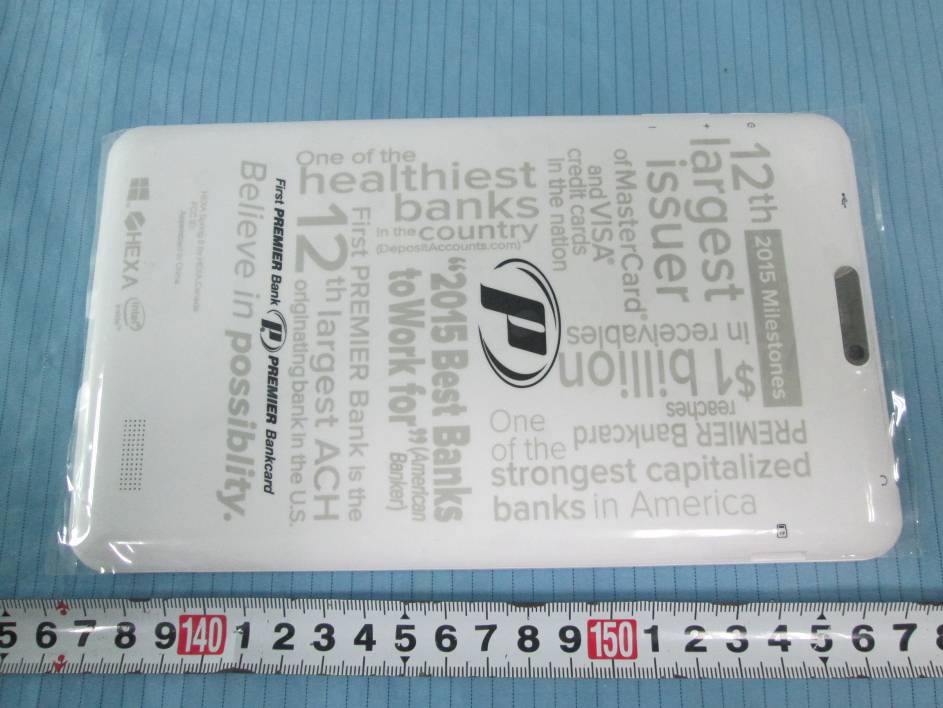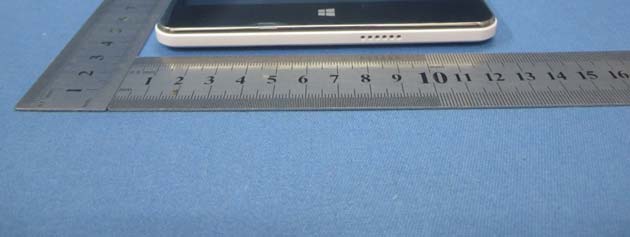
Text extracted from the exhibit documents filed with the FCC. Open a document above to read the original.
1 Intel Quad Core 8" Windows Tablet User Manual 2 Introduction Thank you for your choosing the Intel QuadCore 8” Window Tablet PC. This guide serves to enable users to get to know and familiar with our product as soon as possible. Here we have made a brief introduction to the key layout and definitions in figures and words. Contents I. Precautions before Use 03 II. Key Layout and Definitions 04 III. Introduction to Desktop 05 1. Windows8.1 Start Screen 05 2. Image Slide Application 05 3. Introduction to apps Introduction 06 4. Charm Menu Column 07 5. Double Screen Application 09 IV. Basic Operations 10 1. Dormancy, Restart, and Power off 10 2. Security Management 10 V. Media Function 11 1. Camera 11 2. Browser 11 VI. Specification 13 3 I. Precautions before Use This production is suitable for use in non-tropic areas below 2,000 meters, and the mark in the nameplate indicates the product is suitable for use in non-tropic areas. 2. Prevent the Tablet PC from falling to the ground or being strongly impacted otherwise. 3. Do not use it in the long term in any environment where the air is too cold, too hot (<35 °C), too humid or with too much dust. Do not expose the Tablet PC to sunlight. 4. Avoid using it in the strong magnetic and strong static environment as much as possible. 5.Once any water or other liquid splashes onto the Tablet PC,close it immediately and do not use it until it dries out. 6. Do not clean the Tablet PC with any detergent containing chemical element or other liquid to avoid causing damage due to corrosion and becoming damp. If cleaning is really necessary, clean it with dry soft cloth tissue paper. 7. Our company shall not bear any and all responsibilities for loss or deletion of material inside the machine caused due to abnormal software and hardware operation, maintenance or any other accident. 8. Please back up your important material at any time to avoid loss. 9. Please do not disassemble the Tablet PC by yourself; otherwise you will lose the right to warranty. 10. Quick Use Guide and the relevant software shall be updated at any time. For updated software version, visit http://www.3nod.com.cn for downloading by yourself, and no notice shall be given other wise. If any anything is found to be inconsistent with the Quick Use Guide, the material object shall prevail. 11. Replacement with incorrect type batteries may cause explosion. Make sure to use original batteries. 4 II.Key Layout and Definitions ① Micro USB Interface: You can read the data through USB or Recharge the device. ② HDMI ③ Microphone connector outlet ④ Socket for earphone: This socket can transmit the audio signals of Tablet PC to earphone. ⑤ Volume + /- : adjustment volume ⑥Power Key: Press it down to start or close the touch screen panel.You can also let the computer to enter dormancy through this button or wake from the dormancy mode. ⑦MicroSD& MicroSDHC Format Micro SD card slot: The built-in storage card reader slot supports MicroSD and MicroSDHC format. ⑧ Camera: take photos, and record pictures 5 III. Introduction to Desktop 1. Windows 8.1 start image: On the start screen, you can see many programs fixed in the image. These application programs are displayed in the form of “magnet”. As long as you click them, you can easily visit them. You need to log on your Microsoft account before the application program completely runs. 2. Image slide applications Slide to right Slide to left Slide to the right from the left side Slide to the left from the right side of the of the screen to start the application screen to start Charm menu column program in running. 6 Reduce Enlarge On the touch screen, narrow two fingers On the touch screen, widen two fingers to reduce the image. to enlarge the image. Slide with finger Slide upward In start screen, slide finger right and In the start screen, slide upward from the left to move the image. bottom of the screen to visit all application program(APPS) interfaces. 3.Introduction to app Interface Besides the application programs already fixed on the start screen, you can also start other application programs in all application programs, such as other software application programs attached to the Tablet PC. 7 If you want to fix more application programs on the start interface, see the operation in the figure below, (1) lightly touch, press and hold the application program magnet for about one second and then let go, and select (2) to fix to the start screen. Conversely, if you want to cancel or delete a certain application in the start screen, (1) lightly touch, press and hold the application program magnet for about one second and then let it go and run, and select (2) attribute column to cancel the programs such as fixation and deletion and then it can be completed. 4.Charm menu column 8 Slide it to the left from the right side of the screen to start Charm menu column, including: Start, Device, Setup, Share, and Search Program. Slide it to the left from the right side of the screen to start Charm menu column, including: Start, Device, Setup, Share, and Search Program. Can let you search the files and application programs in the Tablet PC. Can let you share the program through social exchange website or e-mail. Can return to the start screen. From the start screen, you can also use this function to return the application program that is opened in the latest. Can let you read, write and share files, connect external screen or printer with the device connected to the Tablet PC. Can let you set up the Table PC. Search menu Share menu Device Menu Set up Menu 9 5. Dual-Screen Application On my computer in (Figure 1), slide it inward from the left side of the screen, drag it and hold. Let go when seeing double interfaces appear. In (Figure 2), press the partition button on the middle partition line and drag right and left to partition the display proportion of the double screens. (Figure 1) (Figure 2) 10 IV. Basic Operations 1. Dormancy, restart and power off 2.Security M…
Text truncated - open the document above for the full version.
Label Location:
FCC ID: 2AEJL-T8019TQ The device has a standalone transmission. According to KDB 447498 D01 General RF Exposure Guidance v0.5 The 1-g and 10-g SAR test exclusion thresholds for 100MHz to 6GHz at test separation distances≤ 50 mm are determined by: [(max. power of channel, including tune-up tolerance, mW)/(min. test separation distance, mm)]·[√f(GHz)] ≤ 3.0 for 1-g SAR and ≤ 7.5 for 10-g extremity SAR, where f(GHz) is the RF channel transmit frequency in GHz power and distance are rounded to the nearest mW and mm before calcuation The result is rounded to one decimal place for comparison Worse case is as below:[2437MHz 7.89dBm(6.15mW) output power] (6.15mW/5mm) ·[√2.437(GHz)]= 1.920 <3.0 for 1-g SAR Then SAR evaluation is not required.
Global United Technology Services Co., Ltd. Report No.: GTSE15030027401 Authorized Signature: Robinson Lo Laboratory Manager This report details the results of the testing carried out on one sample. The results contained in this test report do not relate to other samples of the same product and does not permit the use of the GTS product certification mark. The manufacturer should ensure that all products in series production are in conformity with the product sample detailed in this report. This report may only be reproduced and distributed in full. If the product in this report is used in any configuration other than that detailed in the report, the manufacturer must ensure the new system complies with all relevant standards. Any mention of GTS or testing done by GTS in connection with, distribution or use of the product described in this report must be approved by GTS in writing. This document cannot be reproduced except in full, without prior written approval of the Company. Any unauthorized alteration, forgery or falsification of the content or appearance of this document is unlawful and offenders may be prosecuted to the fullest extent of the law. Unless otherwise stated the results shown in this test report refer only to the sample(s) tested and such sample(s) are retained for 90 days only. FCC Report (WIFI) Applicant: Hallmark Global LTD. dba HEXA. Address of Applicant: Suite 1801 1 Yonge Street, Toronto Ontario Canada M5E 1W7 Equipment Under Test (EUT) Product Name: 8 inch PC Tablet Model No.: HEXASPRING, T8019TQ FCC ID: 2AEJL-T8019TQ Applicable standards: FCC CFR Title 47 Part 15 Subpart C Section 15.247:2014 Date of sample receipt: April 27, 2015 Date of Test: April 27-May 05, 2015 Date of report issued: May 05, 2015 Test Result : PASS * * In the configuration tested, the EUT complied with the standards specified above. Report No.: GTSE15030027401 Global United Technology Services Co., Ltd. Project No.: GTSE150300274RF Room 301-309, 3th Floor, Block A, Huafeng Jinyuan Business Building, No. 300 Laodong Industrial Zone, Xixiang Road, Baoan District, Shenzhen, China Telephone: +86 (0) 755 2779 8480 Fax: +86 (0) 755 2779 8960 Page 2 of 54 2 Version Version No. Date Description 00 May 05, 2015 Original Prepared By: Date: May 05, 2015 Project Engineer Check By: Date: May 05, 2015 Reviewer Report No.: GTSE15030027401 Global United Technology Services Co., Ltd. Project No.: GTSE150300274RF Room 301-309, 3th Floor, Block A, Huafeng Jinyuan Business Building, No. 300 Laodong Industrial Zone, Xixiang Road, Baoan District, Shenzhen, China Telephone: +86 (0) 755 2779 8480 Fax: +86 (0) 755 2779 8960 Page 3 of 54 3 Contents Page 1 COVER PAGE ........................................................................................................................................... 1 2 VERSION .................................................................................................................................................. 2 3CONTENTS .............................................................................................................................................. 3 4TEST SUMMARY ..................................................................................................................................... 4 5GENERAL INFORMATION ...................................................................................................................... 5 5.1CLIENT INFORMATION ......................................................................................................................... 5 5.2GENERAL DESCRIPTION OF EUT ......................................................................................................... 5 5.3TEST MODE ........................................................................................................................................ 6 5.4DESCRIPTION OF SUPPORT UNITS ....................................................................................................... 6 5.5TEST FACILITY .................................................................................................................................... 7 5.6TEST LOCATION ................................................................................................................................. 7 6TEST INSTRUMENTS LIST ..................................................................................................................... 8 7TEST RESULTS AND MEASUREMENT DATA ...................................................................................... 9 7.1ANTENNA REQUIREMENT ..................................................................................................................... 9 7.2CONDUCTED EMISSIONS ................................................................................................................... 10 7.3CONDUCTED PEAK OUTPUT POWER .................................................................................................. 13 7.4CHANNEL BANDWIDTH ...................................................................................................................... 14 7.5POWER SPECTRAL DENSITY ............................................................................................................. 18 7.6BAND EDGES .................................................................................................................................... 22 7.6.1Conducted Emission Method ..................................................................................................... 22 7.6.2Radiated Emission Method ........................................................................................................ 24 7.7SPURIOUS EMISSION ......................................................................................................................... 29 7.7.1Conducted Emission Method ................................................................................…
Text truncated - open the document above for the full version.
Global United Technology Services Co., Ltd. Report No.: GTSE15030027403 Authorized Signature: Robinson Lo Laboratory Manager This report details the results of the testing carried out on one sample. The results contained in this test report do not relate to other samples of the same product and does not permit the use of the GTS product certification mark. The manufacturer should ensure that all products in series production are in conformity with the product sample detailed in this report. This report may only be reproduced and distributed in full. If the product in this report is used in any configuration other than that detailed in the report, the manufacturer must ensure the new system complies with all relevant standards. Any mention of GTS or testing done by GTS in connection with, distribution or use of the product described in this report must be approved by GTS in writing. This document cannot be reproduced except in full, without prior written approval of the Company. Any unauthorized alteration, forgery or falsification of the content or appearance of this document is unlawful and offenders may be prosecuted to the fullest extent of the law. Unless otherwise stated the results shown in this test report refer only to the sample(s) tested and such sample(s) are retained for 90 days only. FCC REPORT Applicant: Hallmark Global LTD. dba HEXA. Address of Applicant: Suite 1801 1 Yonge Street, Toronto Ontario Canada M5E 1W7 Equipment Under Test (EUT) Product Name: 8 inch PC Tablet Model No.: HEXASPRING, T8019TQ FCC ID: 2AEJL-T8019TQ Applicable standards: FCC CFR Title 47 Part 15 Subpart C Section 15.247:2014 Date of sample receipt: April 27, 2015 Date of Test: April 27-May 05, 2015 Date of report issued: May 05, 2015 Test Result : PASS * * In the configuration tested, the EUT complied with the standards specified above. Report No.: GTSE15030027403 Global United Technology Services Co., Ltd. Project No.: GTSE150300274RF Room 301-309, 3th Floor, Block A, Huafeng Jinyuan Business Building, No. 300 Laodong Industrial Zone, Xixiang Road, Baoan District, Shenzhen, China Telephone: +86 (0) 755 2779 8480 Fax: +86 (0) 755 2779 8960 Page 2 of 32 2 Version Version No. Date Description 00 May 05, 2015 Original Prepared By: Date: May 05, 2015 Project Engineer Check By: Date: May 05, 2015 Reviewer Report No.: GTSE15030027403 Global United Technology Services Co., Ltd. Project No.: GTSE150300274RF Room 301-309, 3th Floor, Block A, Huafeng Jinyuan Business Building, No. 300 Laodong Industrial Zone, Xixiang Road, Baoan District, Shenzhen, China Telephone: +86 (0) 755 2779 8480 Fax: +86 (0) 755 2779 8960 Page 3 of 32 3 Contents Page 1 COVER PAGE ........................................................................................................................................... 1 2 VERSION .................................................................................................................................................. 2 3CONTENTS .............................................................................................................................................. 3 4TEST SUMMARY ..................................................................................................................................... 4 5GENERAL INFORMATION ...................................................................................................................... 5 5.1CLIENT INFORMATION ......................................................................................................................... 5 5.2GENERAL DESCRIPTION OF EUT ......................................................................................................... 5 5.3TEST MODE ........................................................................................................................................ 7 5.4DESCRIPTION OF SUPPORT UNITS ....................................................................................................... 7 5.5TEST FACILITY .................................................................................................................................... 7 5.6TEST LOCATION ................................................................................................................................. 7 6TEST INSTRUMENTS LIST ..................................................................................................................... 8 7TEST RESULTS AND MEASUREMENT DATA ...................................................................................... 9 7.1ANTENNA REQUIREMENT ..................................................................................................................... 9 7.2CONDUCTED EMISSIONS ................................................................................................................... 10 7.3CONDUCTED OUTPUT POWER ........................................................................................................... 13 7.4CHANNEL BANDWIDTH ...................................................................................................................... 15 7.5POWER SPECTRAL DENSITY ............................................................................................................. 17 7.6BAND EDGES .................................................................................................................................... 19 7.6.1Conducted Emission Method ..................................................................................................... 19 7.6.2Radiated Emission Method ........................................................................................................ 20 7.7SPURIOUS EMISSION ......................................................................................................................... 23 7.7.1Conducted Emission Method ...................................................................................…
Text truncated - open the document above for the full version.
Radiated Emission Conducted Emission
| # | Rule Parts | Frequency Range | Power Output |
|---|---|---|---|
| 2 | 15C | 2.40 GHz - 2.48 GHz | 353.00 µW |

Windows Tablet PC
Equipment Class
DSS - Part 15 Spread Spectrum Transmitter