2AFX2VB601-RDigital Video Baby Monitor
Shenzhen Feelstorm Technology Co.,LtdApplication Details
- Equipment Class
- DSS - Part 15 Spread Spectrum Transmitter
- Date of Grant
- Sep 24, 2015
- Application Purpose
- Original Equipment
- Date of Application
- Sep 24, 2015
- Equipment Note
- Digital Video Baby Monitor
- Frequency Range
- 2415.00000000 - 2460.00000000
- Country
- China
Documents & Files
Document Text
Text extracted from the exhibit documents filed with the FCC. Open a document above to read the original.
Users Manual
VB601 VIDEO BABY MONITOR USER’S GUIDE WELCOME... to your new VB601 Baby Monitor! Thank you for purchasing the VB601. Now you can see and hear your baby sleeping in the other room or you can monitor your older children in their playroom. This User’s Guide provides you with all the information you need to get the most from your product. Before you can use the baby monitor, we recommend you insert and fully charge the battery in the parent unit, so that it continues to work if you disconnect it from the mains power to carry it to another location. Please read the Safety Instructions on page 6 before you install the units. Got everything? 1 x Parent Unit 1 x Baby Unit 2 x Power adapter 1. Safety Instructions WARNING This baby monitor is compliant with all relevant standards regarding electromagnetic fields and is, when handled as described in the User’s Guide, safe to use. Therefore, always read the instructions in this User’s Guide carefully before using the device. Adult assembly is required. Keep small parts away from children when assembling. This product is not a toy. Do not allow children to play with it. This baby monitor is not a substitute for responsible adult supervision. Do not place the baby unit or cables in the cot or within arm's reach of the baby (at least 1 meter away). Keep the cords out of reach of children. Do not use the baby monitor near water or a heat source Only use the power adapters provided. Keep the distance above 20cm for long time using; 2. Getting started 2.1 Baby unit power supply 1. Connect the small plug of the power adapter to the baby unit and the other end to the mains socket. NOTE: Only use the power adapter provided 2. A green light led will display indicate the baby unit is working Overview of your Parent unit 1. Lcd display 2. Signal indicating led 3. Power indicating led 4. Menu key / Music play control key(long press) 5. Power key / Return key 6. Volume – key / Down key (menu screen) 7. Volume + key / Up key (menu screen) 8. PTT key 9. Microphone 10. Speaker 11. Power adapter connector Overview of your Baby unit 1. Light Sensor 2. Infrared LEDS 3. Camera Lens 4. Power LED 5. Microphone 6. Speaker 7. Pair key 8. Temperature Sensor 9. Power adapter connector Table of contents 1. Safety Instructions ...........................................6 2. Getting started .........................................................7 2.1 Baby unit power supply .................................7 2.2 Parent unit power supply................................8 3. Using the Baby Monitor VB601. ..............................9 3.1 Setting up ....................................................9 3.2 Pairing camera............................................10 3.3 Night vision.................................................10 3.4 Music player........................................10 3.5 Talk function...............................................10 3.6 Adjusting the volume ............................10 3.7 Reset the parent unit.............................10 4. Monitoring screen icons..........................................11 5. Menu Options................................................12 5.1 Main menu ...................................................12 5.2 Camera Registration.....................................13 5.3 Alarm............................................................13 5.4 Settings........................................................14 5.5 System info...........................................15 6. Wall mounting instructions......................................16 2.2 Parent unit power supply Charging the parent unit fully before use is recommended. This will allow the unit to operate on battery in the event of a power failure. 1. Connect the plug of the power adapter to the parent unit and the other end to the mains socket NOTE: Only use the power adapter provided 2. The LCD screen illuminates and starts up automatically after a few seconds. 3. Press and hold key at least 3 seconds to turn on the parent unit. 2 3 4 5 6 7 8 3. Using the Baby Monitor VB601 3.1 Setting up Place the baby unit in a convenient location (e.g. on a table) and point the camera lens towards the area you want to monitor. Adjust the baby unit until you are satisfied with the image in the parent unit. To mount the baby unit on the wall, see section “9. Wall mounting instructions” for more details. NOTE Do not place the baby unit within baby’s reach! If there is interference on the picture or sound, try moving the units to different locations, and ensure they are not close to other electrical equipment. 3.2 Pairing camera The enclosed baby unit has already been registered , You do not need to register it again unless the baby unit loses its link with the parent unit. See section “5.2 Camera Registration” for more details. 3.3 Night vision The baby unit has 8 high-intensity infrared LEDs for picking up clear images in the dark. 3.4 music player Press and hold key at least 3 seconds will turn on the music player and play lullaby through the baby unit; long press the key 3 seconds again will turn off it. 3.5 Talk function Press and hold key on the parent unit to talk to your baby through the baby unit loudspeaker. The symbol will be displayed at the bottom of the screen. 3.6 Adjusting the volume When the video is playing mode, press key to decrease volume or key to increase volume. The display will show the current volume for 5 seconds. 3.7 Reset the parent unit Press and hold key at least 8 seconds, the parent unit will be forced to restart. 4. Monitoring Screen Icons 1. Signal strength indicator 2. Temperature of the baby’s room 3. Lullaby is playing 4. Alarm activated 5. Battery indicator 6. PTT function activated 7. Date and time ( DD/MM HH:MM AM/PM) 5. Menu Options 5.1 Main menu Press “Menu” key at monitoring screen will enter the main menu, It contains 4 items : 1. Camera 2. Alarm 3. Settings 4. System info You can press the “Up” key or “Down” key to m…
Text truncated - open the document above for the full version.
External Photos
Appendix B: Photographs of EUT Model: VB601-R External Photos
ID Label/Location Info
LABEL ARTWORK AND LOCATION Product: Digital Video Baby Monitor Model: VB601-R Label size: L*W=30*15mm Digital Video Baby Monitor MODEL NO.: VB601-R FCC ID: 2AFX2 VB601-R
Internal Photos
Model: VB601-R Internal Photos
Test Report
Hotline: 400-6611-140 Tel: 86-755-27673339 Fax: 86-755-27673332 http://www.tct-lab.com TEST REPORT FCC ID: 2AFX2VB601-R Product: Digital Video Baby Monitor Model No.: VB601-R Additional Model: N/A Trade Mark: Feelstorm Report No.: TCT150914E008 Issued Date: Sep. 23, 2015 Issued for : Shenzhen Feelstorm Technology Co.,Ltd Room 706, Block 3, YiLiDa Building, NanShan DaDao, NanShan District, Shenzhen, CHINA Issued By: Shenzhen Tongce Testing Lab. 1F, Leinuo Watch Building, Fuyong Town, Baoan Dist, Shenzhen, China TEL: +86-755-27673339 FAX: +86-755-27673332 Note: This report shall not be reproduced except in full, without the written approval of Shenzhen Tongce Testing Lab. This document may be altered or revised by Shenzhen Tongce Testing Lab. personnel only, and shall be noted in the revision section of the document. The test results in the report only apply to the tested sample. Report No.: TCT150914E008 Page 2 of 38 Hotline: 400-6611-140 Tel: 86-755-27673339 Fax: 86-755-27673332 http://www.tct-lab.com TABLE OF CONTENTS 1. Test Certification....................................................................................... 3 2. Test Result Summary ............................................................................... 4 3. EUT Description ........................................................................................ 5 4. Genera Information................................................................................... 6 4.1. Test environment and mode................................................................................. 6 4.2. Description of Support Units................................................................................ 6 5. Facilities and Accreditations ................................................................... 7 5.1. Facilities ................................................................................................................. 7 5.2. Location ................................................................................................................. 7 5.3. Measurement Uncertainty..................................................................................... 7 6. Test Results and Measurement Data ...................................................... 8 6.1. Antenna requirement ............................................................................................ 8 6.2. Conducted Emission ............................................................................................. 9 6.3. Conducted Output Power ................................................................................... 13 6.4. 20dB Occupy Bandwidth .................................................................................... 16 6.5. Carrier Frequencies Separation ......................................................................... 19 6.6. Hopping Channel Number .................................................................................. 22 6.7. Dwell Time............................................................................................................ 24 6.8. Pseudorandom Frequency Hopping Sequence ................................................ 26 6.9. Conducted Band Edge Measurement ................................................................ 27 6.10. Conducted Spurious Emission Measurement................................................. 29 6.11.Radiated Spurious Emission Measurement..................................................... 31 Appendix A: Photographs of Test Setup Appendix B: Photographs of EUT Report No.: TCT150914E008 Page 3 of 38 Hotline: 400-6611-140 Tel: 86-755-27673339 Fax: 86-755-27673332 http://www.tct-lab.com 1. Test Certification Product: Digital Video Baby Monitor Model No.: VB601-R Additional Model: N/A Applicant: Shenzhen Feelstorm Technology Co.,Ltd Address: Room 706, Block 3, YiLiDa Building, NanShan DaDao, NanShan District, Shenzhen, CHINA Manufacturer: Shenzhen Feelstorm Technology Co.,Ltd Address: Room 706, Block 3, YiLiDa Building, NanShan DaDao, NanShan District, Shenzhen, CHINA Date of Test: Sep. 14 – Sep. 22, 2015 Applicable Standards: FCC CFR Title 47 Part 15 Subpart C Section 15.247 The above equipment has been tested by Shenzhen Tongce Testing Lab. and found compliance with the requirements set forth in the technical standards mentioned above. The results of testing in this report apply only to the product/system, which was tested. Other similar equipment will not necessarily produce the same results due to production tolerance and measurement uncertainties. Tested By: Date:Sep. 22, 2015 SKY Reviewed By: Date:Sep. 23, 2015 Joe Zhou Approved By: Date:Sep. 23, 2015 Tomsin Report No.: TCT150914E008 Page 4 of 38 Hotline: 400-6611-140 Tel: 86-755-27673339 Fax: 86-755-27673332 http://www.tct-lab.com 2. Test Result Summary Requirement CFR 47 Section Result Antenna Requirement §15.203/§15.247 (c) PASS AC Power Line Conducted Emission §15.207 PASS Conducted Peak Output Power §15.247 (b)(1) PASS 20dB Occupied Bandwidth §15.247 (a)(1) PASS Carrier Frequencies Separation §15.247 (a)(1) PASS Hopping Channel Number §15.247 (a)(1) PASS Dwell Time §15.247 (a)(1) PASS Radiated Emission §15.205/§15.209 PASS Band Edge §15.247(d) PASS Note: 1. PASS: Test item meets the requirement. 2. Fail: Test item does not meet the requirement. 3. N/A: Test case does not apply to the test object. 4. The test result judgment is decided by the limit of test standard. Report No.: TCT150914E008 Page 5 of 38 Hotline: 400-6611-140 Tel: 86-755-27673339 Fax: 86-755-27673332 http://www.tct-lab.com 3. EUT Description Product Name: Digital Video Baby Monitor Model : VB601-R Additional Model: N/A Trade Mark: Feelstorm Operation Frequency: 2415MHz~2460MHz Number of Channel: 16 Modulation Type: GFSK Modulation Technology: FHSS Antenna Type: Dipole Antenna Antenna Gain: 2dBi Power Supply: Adapter Information: MODEL:TGL050P055 INPUT:100-240V~50/60Hz 100mA OUTPUT: 5V, 550mA 2.75VA Operation Frequency each o…
Text truncated - open the document above for the full version.
Test Setup Photos
Page 1 of 2 Appendix A: Photographs of Test Setup Radiated Emission Page 2 of 2 Conducted Emission
Contact Information
Applicant
Felix liu(Manager)
Technical Contact
Shenzhen Tongce Testing LabJoe Zhou
[email protected](86)075536638142
1F, Lienuo Watch Building · Shenzhen · China
Test Firm
Shenzhen Tongce Testing LabJoe Zhou
[email protected]860755-36638142
Technical Specifications
| # | Rule Parts | Frequency Range | Power Output |
|---|---|---|---|
| 1 | 15C | 2.42 GHz - 2.46 GHz | 7.80 mW |
Other Applications from Shenzhen Feelstorm Technology Co.,Ltd
2AFX2BM926-1
May 21, 2023Video Baby Monitor
Equipment Class
DSS - Part 15 Spread Spectrum Transmitter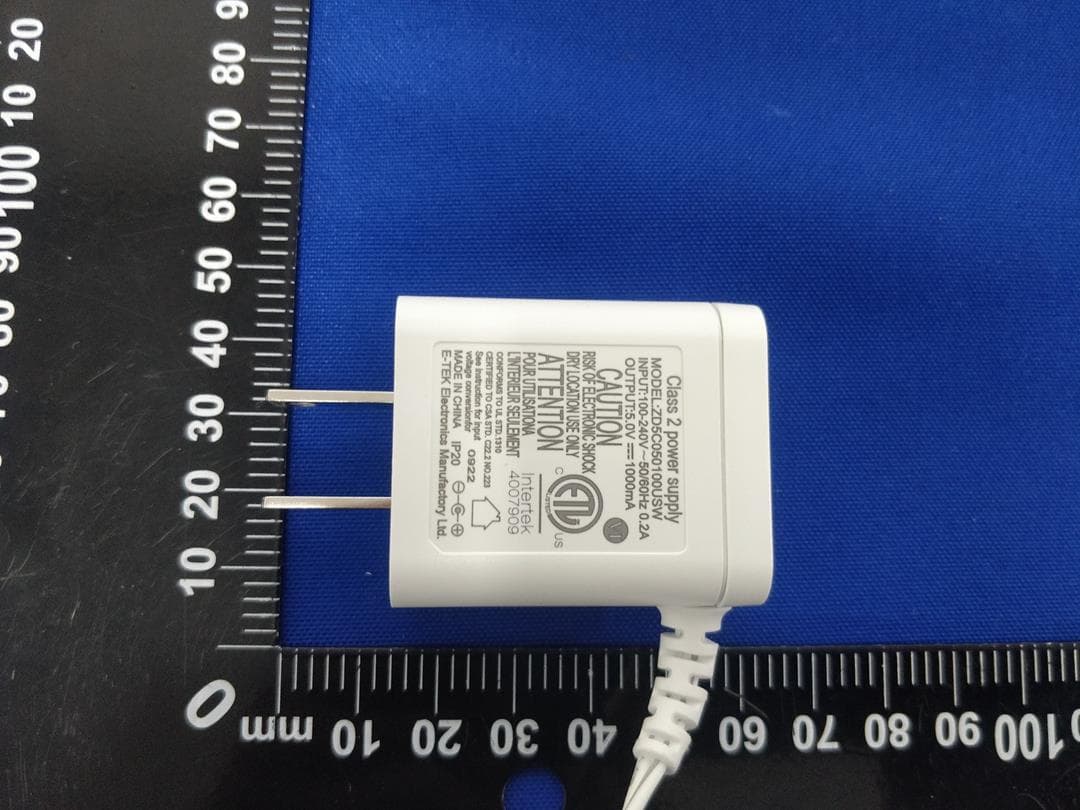
2AFX2BM923-2
Apr 15, 2023TakTark Baby Monitor
Equipment Class
DSS - Part 15 Spread Spectrum Transmitter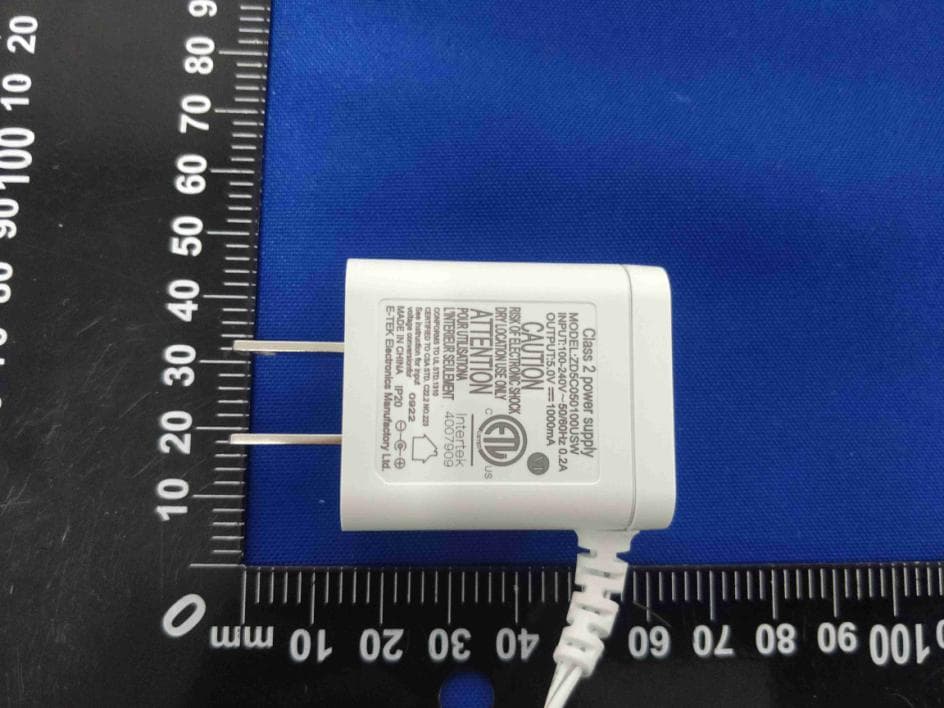
2AFX2BM922-1
Apr 15, 2023TakTark Baby Monitor
Equipment Class
DSS - Part 15 Spread Spectrum Transmitter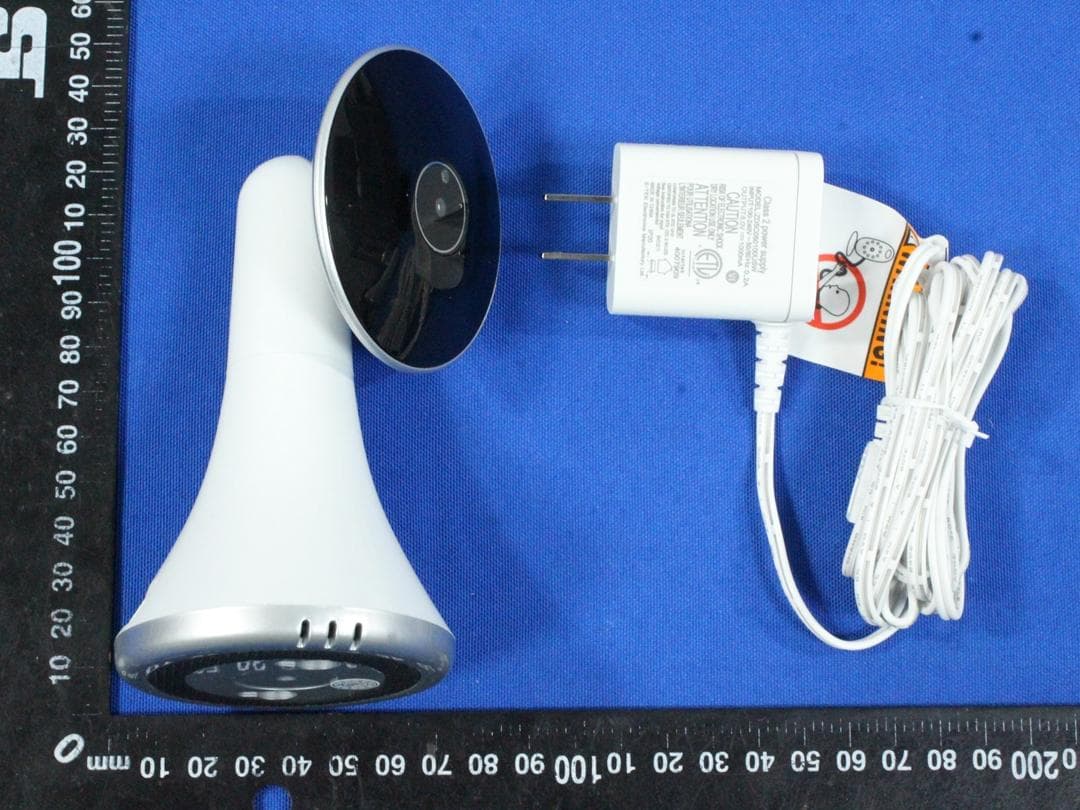
2AFX2BM911-1
Apr 14, 2022Video Baby Monitor
Equipment Class
DSS - Part 15 Spread Spectrum Transmitter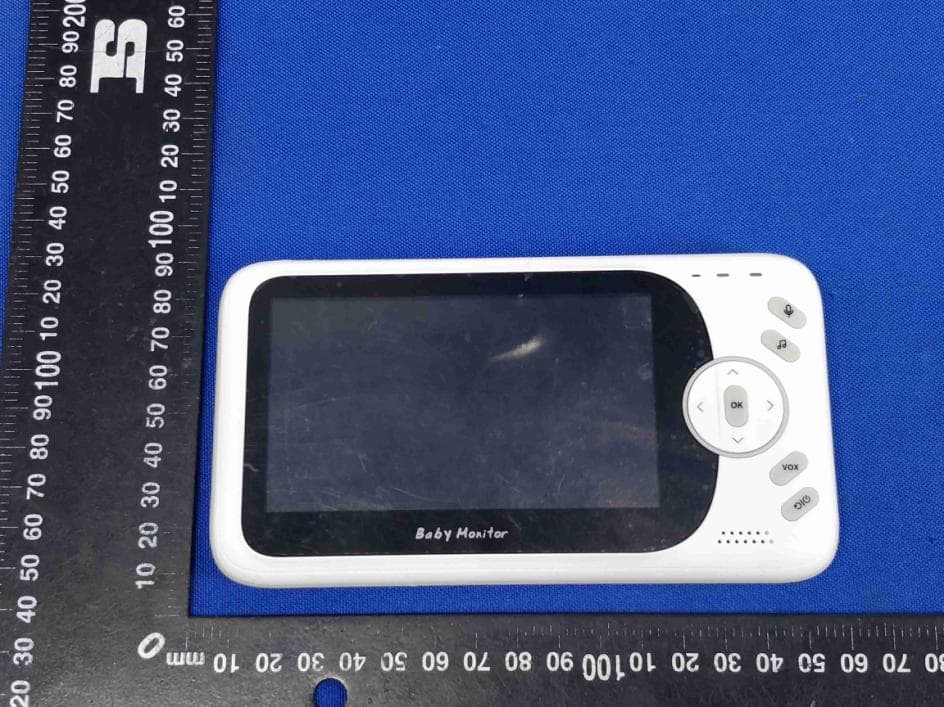
2AFX2VB608-M
Aug 10, 2021Video Baby Monitor
Equipment Class
DSS - Part 15 Spread Spectrum Transmitter