2AFZZJAGMobile Phone (LTE/WCDMA/GSM/BT/WIFI/NFC/Qi)
Xiaomi Communications Co., Ltd.
Click to zoom
Application Details
- Equipment Class
- PCE - PCS Licensed Transmitter held to ear
- Date of Grant
- Mar 03, 2020
- Application Purpose
- Original Equipment
- Date of Application
- Mar 03, 2020
- Equipment Note
- Mobile Phone (LTE/WCDMA/GSM/BT/WIFI/NFC/Qi)
- Frequency Range
- 2580.00000000 - 2610.00000000
- Country
- China
Documents & Files
Document Text
Text extracted from the exhibit documents filed with the FCC. Open a document above to read the original.
Users Manual
Mi 10 Pro User Guide SAT. 16 AUG. 02 48 Volume Buttons Power Button USB Type-C Port Thank you for choosing Mi 10 Pro Long press the power button to turn on the device. Follow the on-screen instructions to configure the device. For more information, visit our official website: www.mi.com/global/service/userguide MIUI Mi 10 Pro comes pre-installed with MIUI, our customized Android-based OS which provides frequent updates and user-friendly features based on suggestions from over 200 million active users worldwide. For more information, please visit en.miui.com SIM Card Tray: The tray supports one Nano-SIM card only. Nano-SIM Note : 5G connectivity will vary based on local operator capabilities. WEEE Special precautions must be taken to safely dispose of this product. This marking indicates that this product may not be discarded with other household waste in the EU. To prevent harm to the environment or human health from inappropriate waste disposal, and to promote sustainable reuse of material resources, please recycle responsibly. To safely recycle your device, please use return and collection systems or contact the retailer where the device was originally purchased. To view our Environmental Declaration, please refer to the following link: www.mi.com/en/about/environment CAUTION RISK OF EXPLOSION IF BATTERY IS REPLACED BY AN INCORRECT TYPE. DISPOSE OF USED BATTERIES ACCORDING TO INSTRUCTIONS. The laser in the product is a class 1 laser. To prevent possible hearing damage, do not listen at high volume levels for long periods. Additional safety information and precautions can be accessed at the following link: www.mi.com/en/certification Important Safety Information Read all safety information below before using your device: • Use of unauthorized cables, power adapters, or batteries can cause fire, explosion, or pose other risks. • Use only authorized accessories which are compatible with your device. • This device’s operating temperature range is 0°C to 40°C. Using this device in an environment outside of this temperature range may damage the device. • If your device is provided with a built-in battery, to avoid damaging the battery or the device, do not attempt to replace the battery yourself. • Charge this device only with the included or authorized cable and power adapter. Using other adapters may cause fire, electric shock, and damage the device and the adapter. • After charging is complete, disconnect the adapter from both the device and the power outlet. Do not charge the device for more than 12 hours. • The battery must be recycled or disposed of separately from household waste. Mishandling the battery may cause fire or explosion. Dispose of or recycle the device, its battery, and accessories according to your local regulations. • Do not disassemble, hit, crush, or burn the battery. If the battery appears deformed or damaged, stop using it immediately. - Do not short circuit the battery, as this may cause overheating, burns, or other injury. - Do not place the battery in a high-temperature environment. - Overheating may cause explosion. - Do not disassemble, hit, or crush the battery, as this may cause the battery to leak, overheat, or explode. - Do not burn the battery, as this may cause fire or explosion. - If the battery appears deformed or damaged, stop using it immediately. • User shall not remove or alter the battery. Removal or repair of the battery shall only be done by an authorized repair center of the manufacturer. • Keep your device dry. • Do not try to repair the device yourself. If any part of the device does not work properly, contact Mi customer support or bring your device to an authorized repair center. • Connect other devices according to their instruction manuals. Do not connect incompatible devices to this device. • For AC/DC adapters, the socket-outlet shall be installed near the equipment and shall be easily accessible. Safety Precautions • Observe all applicable laws and rules restricting use of mobile phones in specific situations and environments. • Do not use your phone at petrol stations or in any explosive atmosphere or potentially explosive environment, including fueling areas, below decks on boats, fuel or chemical transfer or storage facilities, or areas where the air may contain chemicals or particles such as grain, dust, or metal powders. Obey all posted signs to turn off wireless devices such as your phone or other radio equipment. Turn off your mobile phone or wireless device when in a blasting area or in areas requiring “two-way radios” or “electronic devices” to be turned off to prevent potential hazards. • Do not use your phone in hospital operating rooms, emergency rooms, or intensive care units. Always comply with all rules and regulations of hospitals and health centers. If you have a medical device, please consult your doctor and the device manufacturer to determine whether your phone may interfere with the device’s operation. To avoid potential interference with a pacemaker, always maintain a minimum distance of 15 cm between your mobile phone and the pacemaker. This can be done by using your phone on the ear opposite to your pacemaker and not carrying your phone in a breast pocket. To avoid interference with medical equipment, do not use your phone near hearing aids, cochlear implants, or other similar devices. • Observe all aircraft safety regulations and turn off your phone on board aircraft when required. • When driving a vehicle, use your phone in accordance with relevant traffic laws and regulations. • To avoid being struck by lightning, do not use your phone outdoors during thunderstorms. • Do not use your phone to make calls while it is charging. • Do not use your phone in places with high humidity, such as bathrooms. Doing so may result in electric shock, injury, fire, and charger damage. Security Statement Please update your phone’s operating system using the built-in software update feature, or visit any of our authorized servic…
Text truncated - open the document above for the full version.
Users Manual
Mi 10 User Guide SAT. 16 AUG. 02 48 Volume Buttons Power Button USB Type-C Port Thank you for choosing Mi 10 Long press the power button to turn on the device. Follow the on-screen instructions to configure the device. For more information, visit our official website: www.mi.com/global/service/userguide MIUI Mi 10 comes pre-installed with MIUI, our customized Android-based OS which provides frequent updates and user-friendly features based on suggestions from over 200 million active users worldwide. For more information, please visit en.miui.com SIM Card Tray: The tray supports one Nano-SIM card only. Nano-SIM Note : 5G connectivity will vary based on local operator capabilities. WEEE Special precautions must be taken to safely dispose of this product. This marking indicates that this product may not be discarded with other household waste in the EU. To prevent harm to the environment or human health from inappropriate waste disposal, and to promote sustainable reuse of material resources, please recycle responsibly. To safely recycle your device, please use return and collection systems or contact the retailer where the device was originally purchased. To view our Environmental Declaration, please refer to the following link: www.mi.com/en/about/environment CAUTION RISK OF EXPLOSION IF BATTERY IS REPLACED BY AN INCORRECT TYPE. DISPOSE OF USED BATTERIES ACCORDING TO INSTRUCTIONS. To prevent possible hearing damage, do not listen at high volume levels for long periods. Additional safety information and precautions can be accessed at the following link: www.mi.com/en/certification Important Safety Information Read all safety information below before using your device: • Use of unauthorized cables, power adapters, or batteries can cause fire, explosion, or pose other risks. • Use only authorized accessories which are compatible with your device. • This device’s operating temperature range is 0°C to 40°C. Using this device in an environment outside of this temperature range may damage the device. • If your device is provided with a built-in battery, to avoid damaging the battery or the device, do not attempt to replace the battery yourself. • Charge this device only with the included or authorized cable and power adapter. Using other adapters may cause fire, electric shock, and damage the device and the adapter. • After charging is complete, disconnect the adapter from both the device and the power outlet. Do not charge the device for more than 12 hours. • The battery must be recycled or disposed of separately from household waste. Mishandling the battery may cause fire or explosion. Dispose of or recycle the device, its battery, and accessories according to your local regulations. • Do not disassemble, hit, crush, or burn the battery. If the battery appears deformed or damaged, stop using it immediately. - Do not short circuit the battery, as this may cause overheating, burns, or other injury. - Do not place the battery in a high-temperature environment. - Overheating may cause explosion. - Do not disassemble, hit, or crush the battery, as this may cause the battery to leak, overheat, or explode. - Do not burn the battery, as this may cause fire or explosion. - If the battery appears deformed or damaged, stop using it immediately. • User shall not remove or alter the battery. Removal or repair of the battery shall only be done by an authorized repair center of the manufacturer. • Keep your device dry. • Do not try to repair the device yourself. If any part of the device does not work properly, contact Mi customer support or bring your device to an authorized repair center. • Connect other devices according to their instruction manuals. Do not connect incompatible devices to this device. • For AC/DC adapters, the socket-outlet shall be installed near the equipment and shall be easily accessible. Safety Precautions • Observe all applicable laws and rules restricting use of mobile phones in specific situations and environments. • Do not use your phone at petrol stations or in any explosive atmosphere or potentially explosive environment, including fueling areas, below decks on boats, fuel or chemical transfer or storage facilities, or areas where the air may contain chemicals or particles such as grain, dust, or metal powders. Obey all posted signs to turn off wireless devices such as your phone or other radio equipment. Turn off your mobile phone or wireless device when in a blasting area or in areas requiring “two-way radios” or “electronic devices” to be turned off to prevent potential hazards. • Do not use your phone in hospital operating rooms, emergency rooms, or intensive care units. Always comply with all rules and regulations of hospitals and health centers. If you have a medical device, please consult your doctor and the device manufacturer to determine whether your phone may interfere with the device’s operation. To avoid potential interference with a pacemaker, always maintain a minimum distance of 15 cm between your mobile phone and the pacemaker. This can be done by using your phone on the ear opposite to your pacemaker and not carrying your phone in a breast pocket. To avoid interference with medical equipment, do not use your phone near hearing aids, cochlear implants, or other similar devices. • Observe all aircraft safety regulations and turn off your phone on board aircraft when required. • When driving a vehicle, use your phone in accordance with relevant traffic laws and regulations. • To avoid being struck by lightning, do not use your phone outdoors during thunderstorms. • Do not use your phone to make calls while it is charging. • Do not use your phone in places with high humidity, such as bathrooms. Doing so may result in electric shock, injury, fire, and charger damage. Security Statement Please update your phone’s operating system using the built-in software update feature, or visit any of our authorized service outlets. Updating software through other means may dama…
Text truncated - open the document above for the full version.
Cover Letter(s)
Xiaomi Communications Co., Ltd. #019, 9th Floor, Building 6, 33 Xi'erqi Middle Road, Haidian District, Beijing, China Tel: 010 6060 6666 ; Fax: 010 6060 6666 Date: February 17, 2020 Federal Communications Commission Office of Engineering and Technology Laboratory Division 7435 Oakland Mills Rd Columbia MD 21046-1609 Subject: Request for Confidentiality FCC ID: 2AFZZJAG To Whom It May Concern, Pursuant to the provisions of Sections 0.457 and 0.459 of Commission’s rules (47CFR§§0.457, 0.459), we are requesting the Commission to withhold the following attachment(s) as confidential document from public disclosure indefinitely. Schematic Diagram Block Diagram Part List Operational Description Tune‐up Procedure Above mentioned document contains detailed system and equipment description are considered as proprietary information in operation of the equipment. The public disclosure of above documents might be harmful to our company and would give competitor an unfair advantage in the market. In additional to above mentioned documents, pursuant to Public Notice DA 04‐1705 of the Commission’ s policy, in order to comply with the marketing regulations in 47 CFT §2.803 and the importation rules in 47 CFR §2.1204, while ensuring that business sensitive information remains confidential until the actual marketing of newly authorized devices. We are requesting the commission to grant short‐term confidentiality request on the following attachment(s) for 180 days after the grant as outlined in Public Notice DA 04‐1705. External Photos Internal Photos Test Setup Photos User Manual It is our understanding that all measurement test reports, FCC ID label format and correspondent during certification review process cannot be granted as confidential documents and those information will be available for public review once the grant of equipment authorization is issued. Best Regards, _ ___ Xiaogang Jiao [email protected]
Cover Letter(s)
Xiaomi Communications Co., Ltd. #019, 9th Floor, Building 6, 33 Xi'erqi Middle Road, Haidian District, Beijing, China Tel: 010 6060 6666 ; Fax: 010 6060 6666 Statement We, Xiaomi Communications Co., Ltd., Model name: M2001J1G and M2001J2G, FCC ID: 2AFZZJAG,states that our device is a LTE/WCDMA/GSM Mobile Phone with WLAN 2.4GHz(Channel 1~11)/5GHz, Bluetooth and NFC functionality. The hardware supports LTE Band 40, but they will be disabled by software and are not available in US market. Xiaogang Jiao [email protected]
Cover Letter(s)
Xiaomi Communications Co.,Ltd #019, 9th Floor, Building 6, 33 Xi'erqi Middle Road, Haidian District, Beijing, China UNII Declaration Letter We have declared below featured for FCC equipment authorization, device FCC ID: 2AFZZJAG (1) DFS Device -- Master, Client with Radar detection capability , ■ Client without radar detection capability, N/A (2) Active / Passive Scanning , adhoc mode access point capability Frequency Band (MHz) Active Scanning (the device can transmit a probe (beacon)) passive scanning (where the device is can listen only with no probes) Ad Hoc Mode capability Access point capability 2412 – 2462 MHz Yes, ■ No Yes, ■ No■Yes, No Yes, ■ No 2422 – 2452 MHz Yes, ■ No Yes, ■ No ■Yes, No Yes, ■ No 5745 – 5825 MHz Yes, ■ No Yes, ■ No■Yes, No Yes, ■ No 5755 – 5795 MHz Yes, ■ No Yes, ■ No■Yes, No Yes, ■ No 5180 – 5240 MHz Yes, ■ No Yes, ■ No■Yes, No Yes, ■ No 5190 – 5230 MHz Yes, ■ No Yes, ■ No■Yes, No Yes, ■ No 5260 – 5320 MHz Yes, ■ No Yes, ■ No Yes, ■ No Yes, ■ No 5270 – 5310 MHz Yes, ■ No Yes, ■ No Yes, ■ No Yes, ■ No 5500 – 5700 MHz Yes, ■ No Yes, ■ No Yes, ■ No Yes, ■ No 5510 – 5670 MHz Yes, ■ No Yes, ■ No Yes, ■ No Yes, ■ No (3) Country code selection ability - Yes , ■ No If no, pls explain how was implemented : use Microsoft network utility (4) Meet 15.202 requirement - ■ Yes , No , pls check below : A master device is defined as a device operating in a mode in which it has the capability to transmit without receiving an enabling signal. In this mode it is able to select a channel and initiate a network by sending enabling signals to other devices ■ A client device is defined as a device operating in a mode in which the transmissions of the device are under control of the master. A device in client mode is not able to initiate a network. (5) For client devices that have software configuration control to operate in different modes (active scanning in some and passive scanning in others) in different bands (devices with multiple equipment classes or those that operate on non-DFS frequencies) or modular devices which configure the modes of operations through software, the application must provide software and operations description on how the software and / or hardware is implemented to ensure that proper operations modes can not be modified by end user or an installer. Apply , ■ No Apply , (If apply , pls help to provide explanation on how it was implement (By hardware or software , and how software was controlled) If you have any questions, please feel free to contact me at the address shown below. Yours sincerely, Signatory Xiaomi Communications Co., Ltd. Printed Name:Jiao Xiao Gang Position:Certification Director
Cover Letter(s)
Xiaomi Communications Co., Ltd. #019, 9th Floor, Building 6, 33 Xi'erqi Middle Road, Haidian District, Beijing, China To who it may concern: We, Xiaomi Communications Co., Ltd., declare on our sole responsibility for the product of M2001J1G/M2001J2G as below: FCC ID: 2AFZZJAG, the differences between model name M2001J1G and model name M2001J2G are as below: Difference M2001J2G M2001J1G Camera Four Camera (108M+13M+2M+2M) Four Camera (108M+20M+12M+5M) Flashlight Single Dual Laser Focus Not Support Support Battery Capacity 4780mAh 4500mAh Charger Up to 30W Up to 50W Accessories Inbox Charger:Max 30W USB Cable:Max 3A Charger:Max 65W USB Cable:Max 5A Test plan Test Items Test Conditions M2001J2G M2001J1G FCC SAR WWAN Head Full Test Copy Data,Verify worse case Body WiFi 2.4G+5G Head Body Part15B EMI Radiated Emission Full Test Full Test AC Conducted Emission Part22H WWAN Band 850 RF Conducted Measurement Full Test Copy Data, Verify RSE worse case Radiated Spurious Emission ERP/EIRP Test Part24E WWAN Band 1900 RF Conducted Measurement Radiated Spurious Emission ERP/EIRP Test Part27L WWAN RF Conducted Xiaomi Communications Co., Ltd. #019, 9th Floor, Building 6, 33 Xi'erqi Middle Road, Haidian District, Beijing, China AWS Band Measurement Radiated Spurious Emission ERP/EIRP Test Part27 WWAN Other band RF Conducted Measurement Radiated Spurious Emission ERP/EIRP Test Part27 WWAN CA band RF Conducted Measurement Radiated Spurious Emission ERP/EIRP Test Part15C Bluetooth RF Conducted Measurement Full Test Copy Data, Verify RSE worse case Radiated Spurious Emission AC Conducted Emission WiFi 802.11 b/g/n(20)/ax RF Conducted Measurement Full Test Copy Data, Verify RSE worse case Radiated Spurious Emission AC Conducted Emission NFC Frequency Stability Full Test Copy Data, Verify RSE worse case Radiated Spurious Emission AC Conducted Emission Part15E WiFi 802.11 b/g/n(20)/ax RF Conducted Measurement Full Test Copy Data, Verify RSE worse case Radiated Spurious Emission AC Conducted Emission DFS DFS Sincerely yours, Xiaomi Communications Co., Ltd. #019, 9th Floor, Building 6, 33 Xi'erqi Middle Road, Haidian District, Beijing, China Signed for and on behalf of: Xiaomi Communications Co., Ltd. Date: February 24, 2020 Name: Jiao, Xiaogang E-Mail: [email protected] Signature:
External Photos
EUT photograph 2AFZZJAG Li-ion Li-ion EM023 L63512 MDY-11-EC MDY-11-EC MDY-11-EG
External Photos
EUT photograph 2AFZZJAG Li-ion Li-ion EM023 L63312 K63312 MDY-09-EL MDY-09-EL MDY-09-EL
ID Label/Location Info
FCC E-Label Information A. Images of the e-label screen are provided bel。w: B. Access to the required information on the e-label Users are able to access the information in no more than three steps in a device's menu. The actual steps are: Settings> About Phone >Certification or select Setting, then type ” Certification ” into the search bar. m1
Internal Photos
EUT Interior photograph 2AFZZJAG Mobile Phone Mobile Phone Mobile Phone Disassembly Mobile Phone Disassembly Mobile Phone Disassembly Mobile Phone Disassembly Mobile Phone Disassembly Mobile Phone Disassembly Mobile Phone Disassembly Mobile Phone Disassembly Mobile Phone Disassembly Mobile Phone Disassembly Mobile Phone Disassembly
Internal Photos
EUT Interior photograph 2AFZZJAG Mobile Phone Mobile Phone Mobile Phone Disassembly Mobile Phone Disassembly Mobile Phone Disassembly Mobile Phone Disassembly Mobile Phone Disassembly Mobile Phone Disassembly Mobile Phone Disassembly Mobile Phone Disassembly Mobile Phone Disassembly Mobile Phone Disassembly Mobile Phone Disassembly
RF Exposure Info
©Copyright. All rights reserved by CTTL. SAR TEST REPORT No. I19Z62195-SEM01 For Xiaomi Communications Co., Ltd. Mobile Phone Model name: M2001J2G /M2001J1G With Hardware Version: P2.2 Software Version: MIUI 11 FCC ID: 2AFZZJAG Issued Date: 2020-3-3 Note: The test results in this test report relate only to the devices specified in this report. This report shall not be reproduced except in full without the written approval of CTTL. The report must not be used by the client to claim product certification, approval, or endorsement by NVLAP, NIST, or any agency of the U.S.Government. Test Laboratory: CTTL, Telecommunication Technology Labs, CAICT No. 51, Xueyuan Road, Haidian District, Beijing, P. R. China 100191. Tel:+86(0)10-62304633-2512, Fax:+86(0)10-62304633-2504 Email: [email protected], website: www.caict.ac.cn No.I19Z62195-SEM01 ©Copyright. All rights reserved by CTTL. Page 2 of 322 REPORT HISTORY Report Number Revision Issue Date Description I19Z62195-SEM01 Rev.0 2020-2-24 Initial creation of test report I19Z62195-SEM01 Rev.0 2020-3-3 Update the information on section 2 of test report. Update the information on section 13 of test report. No.I19Z62195-SEM01 ©Copyright. All rights reserved by CTTL. Page 3 of 322 TABLE OF CONTENT 1 TEST LABORATORY .................................................................................................................... 5 1.1 TESTING LOCATION ........................................................................................................................................ 5 1.2 TESTING ENVIRONMENT ................................................................................................................................. 5 1.3 PROJECT DATA ............................................................................................................................................... 5 1.4 SIGNATURE ..................................................................................................................................................... 5 2 STATEMENT OF COMPLIANCE .................................................................................................. 6 3 CLIENT INFORMATION ................................................................................................................ 8 3.1 APPLICANT INFORMATION .............................................................................................................................. 8 3.2 MANUFACTURER INFORMATION ..................................................................................................................... 8 4 EQUIPMENT UNDER TEST (EUT) AND ANCILLARY EQUIPMENT (AE) ................................. 9 4.1 ABOUT EUT ................................................................................................................................................... 9 4.2 INTERNAL IDENTIFICATION OF EUT USED DURING THE TEST .......................................................................... 9 4.3 INTERNAL IDENTIFICATION OF AE USED DURING THE TEST ............................................................................ 9 5 TEST METHODOLOGY .............................................................................................................. 10 5.1 APPLICABLE LIMIT REGULATIONS ................................................................................................................ 10 5.2 APPLICABLE MEASUREMENT STANDARDS .................................................................................................... 10 6 SPECIFIC ABSORPTION RATE (SAR) ...................................................................................... 11 6.1 INTRODUCTION ............................................................................................................................................. 11 6.2 SAR DEFINITION .......................................................................................................................................... 11 7 TISSUE SIMULATING LIQUIDS ................................................................................................. 12 7.1 TARGETS FOR TISSUE SIMULATING LIQUID .................................................................................................... 12 7.2 DIELECTRIC PERFORMANCE ......................................................................................................................... 12 8 SYSTEM VERIFICATION ............................................................................................................ 16 8.1 SYSTEM SETUP ............................................................................................................................................. 16 8.2 SYSTEM VERIFICATION ................................................................................................................................. 17 9 MEASUREMENT PROCEDURES .............................................................................................. 18 9.1 TESTS TO BE PERFORMED ............................................................................................................................. 18 9.2 GENERAL MEASUREMENT PROCEDURE ........................................................................................................ 20 9.3 WCDMA MEASUREMENT PROCEDURES FOR SAR ...................................................................................... 21 9.4 SAR MEASUREMENT FOR LTE ..................................................................................................................... 22 9.5 BLUETOOTH & WI-FI MEASUREMENT PROCEDURES FOR SAR .................................................................... 24 9.6 POWER DRIFT ............................................................................................................................................... 24 10 AREA SCAN BASED 1-G SAR ................................................................................................. 25 1…
Text truncated - open the document above for the full version.
RF Exposure Info
No.I19Z62195-SEM01 ©Copyright. All rights reserved by CTTL. Page 201 of 322 Fig. 1-19 Z-Scan at power reference point (LTE Band38) Fig. 1-20 Z-Scan at power reference point (LTE Band38) Fig. 1-21 Z-Scan at power reference point (PCS1900) No.I19Z62195-SEM01 ©Copyright. All rights reserved by CTTL. Page 202 of 322 Fig. 1-22 Z-Scan at power reference point (PCS1900) Fig. 1-23 Z-Scan at power reference point (PCS1900) Fig. 1-24 Z-Scan at power reference point (WCDMA1900) No.I19Z62195-SEM01 ©Copyright. All rights reserved by CTTL. Page 203 of 322 Fig. 1-25 Z-Scan at power reference point (WCDMA1900) Fig. 1-26 Z-Scan at power reference point (WCDMA1900) Fig. 1-27 Z-Scan at power reference point (WCDMA1700) No.I19Z62195-SEM01 ©Copyright. All rights reserved by CTTL. Page 204 of 322 Fig. 1-28 Z-Scan at power reference point (WCDMA1700) Fig. 1-29 Z-Scan at power reference point (WCDMA1700) Fig. 1-30 Z-Scan at power reference point (WCDMA850) No.I19Z62195-SEM01 ©Copyright. All rights reserved by CTTL. Page 205 of 322 Fig. 1-31 Z-Scan at power reference point (WCDMA850) Fig. 1-32 Z-Scan at power reference point (LTE Band2) Fig. 1-33 Z-Scan at power reference point (LTE Band2) No.I19Z62195-SEM01 ©Copyright. All rights reserved by CTTL. Page 206 of 322 Fig. 1-34 Z-Scan at power reference point (LTE Band2) Fig. 1-35 Z-Scan at power reference point (LTE Band4) Fig. 1-36 Z-Scan at power reference point (LTE Band4) No.I19Z62195-SEM01 ©Copyright. All rights reserved by CTTL. Page 207 of 322 Fig. 1-37 Z-Scan at power reference point (LTE Band4) Fig. 1-38 Z-Scan at power reference point (LTE Band5) Fig. 1-39 Z-Scan at power reference point (LTE Band5) No.I19Z62195-SEM01 ©Copyright. All rights reserved by CTTL. Page 208 of 322 Fig. 1-40 Z-Scan at power reference point (LTE Band 7) Fig. 1-41 Z-Scan at power reference point (LTE Band 7) Fig. 1-42 Z-Scan at power reference point (LTE Band 7) No.I19Z62195-SEM01 ©Copyright. All rights reserved by CTTL. Page 209 of 322 Fig. 1-43 Z-Scan at power reference point (LTE Band38) Fig. 1-44 Z-Scan at power reference point (LTE Band38) Fig. 1-45 Z-Scan at power reference point (LTE Band38) No.I19Z62195-SEM01 ©Copyright. All rights reserved by CTTL. Page 210 of 322 Fig. 1-46 Z-Scan at power reference point (2450 MHz) Fig. 1-47 Z-Scan at power reference point (2450 MHz) Fig. 1-48 Z-Scan at power reference point (5 GHz) No.I19Z62195-SEM01 ©Copyright. All rights reserved by CTTL. Page 211 of 322 Fig. 1-49 Z-Scan at power reference point (5 GHz) Fig. 1-50 Z-Scan at power reference point (BT) Fig. 1-51 Z-Scan at power reference point (BT) No.I19Z62195-SEM01 ©Copyright. All rights reserved by CTTL. Page 212 of 322 ANNEX B System Verification Results 835 MHz Date: 1/6/2020 Electronics: DAE4 Sn1289 Medium: Head 835 MHz Medium parameters used: f = 835 MHz; σ =0.892 mho/m; ε r = 41.34; ρ = 1000 kg/m 3 Ambient Temperature: 22.5 o C Liquid Temperature: 22.3 o C Communication System: CW Frequency: 835 MHz Duty Cycle: 1:1 Probe: EX3DV4 – SN3617 ConvF(9.75,9.75,9.75) System Validation /Area Scan (81x191x1): Interpolated grid: dx=1.000 mm, dy=1.000 mm Reference Value = 64.09 V/m; Power Drift = -0.08 Fast SAR: SAR(1 g) = 2.41 W/kg; SAR(10 g) = 1.55 W/kg Maximum value of SAR (interpolated) = 3.11 W/kg System Validation /Zoom Scan (7x7x7)/Cube 0: Measurement grid: dx=5mm, dy=5mm, dz=5mm Reference Value =…
Text truncated - open the document above for the full version.
Contact Information
Applicant
qingyao zeng
Test Firm
Telecommunication Technology Labs, CAICTYaqin Shen
Technical Specifications
| # | Rule Parts | Frequency Range | Power Output | Emission | Tolerance |
|---|---|---|---|---|---|
| 27 | 27 | 2.58 GHz - 2.61 GHz | 49.00 mW | 18M1W7D | 0.004 ppm |
Other Applications from Xiaomi Communications Co., Ltd.
2AFZZ-OH3RG
Jan 12, 2026Portable Bluetooth Speaker
Equipment Class
DTS - Digital Transmission System
2AFZZ-MHCB12S
Dec 05, 2025Bluetooth Module
Equipment Class
DTS - Digital Transmission System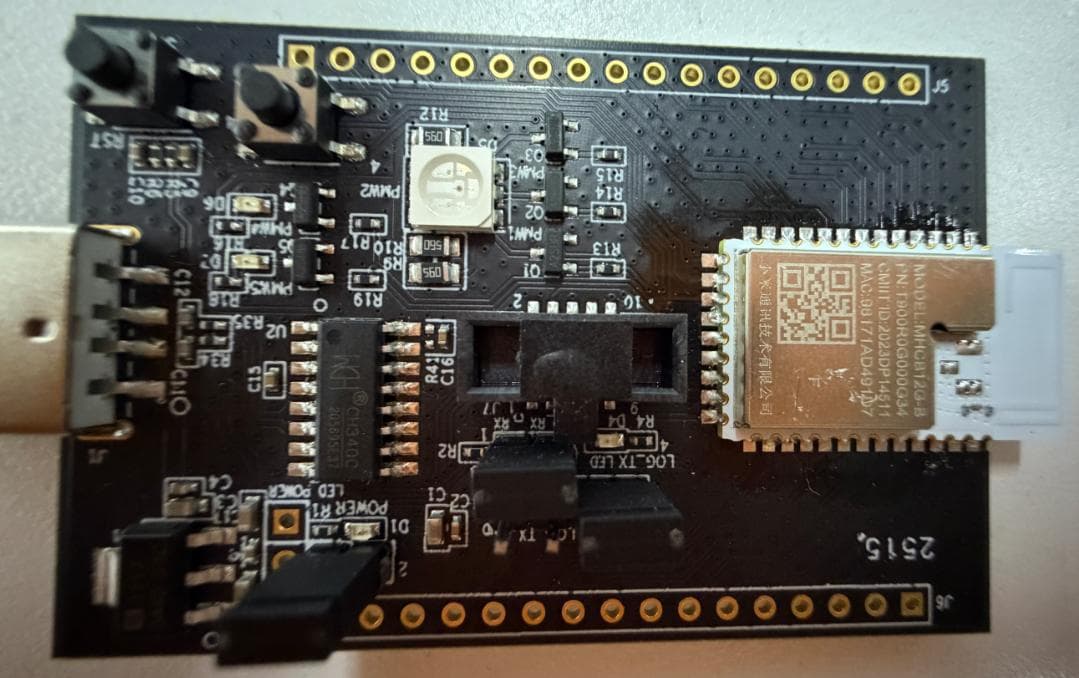
2AFZZ-MHCB12G-B
Dec 05, 2025Bluetooth Module
Equipment Class
DTS - Digital Transmission System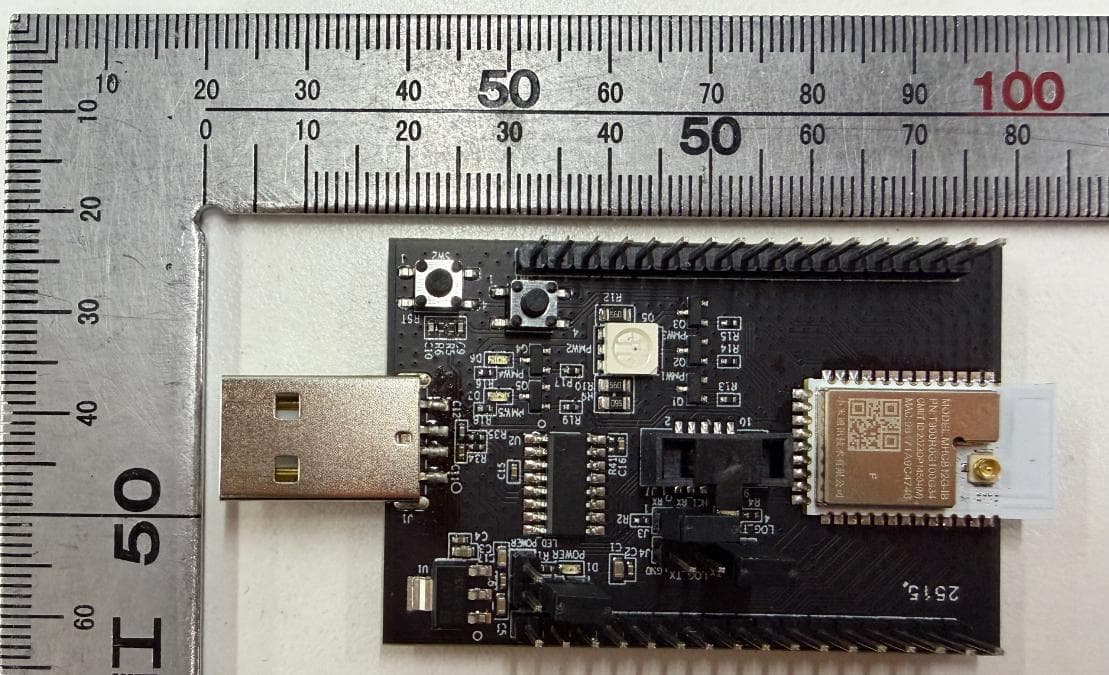
2AFZZ-MHCB12G-IB
Dec 05, 2025Bluetooth Module
Equipment Class
DTS - Digital Transmission System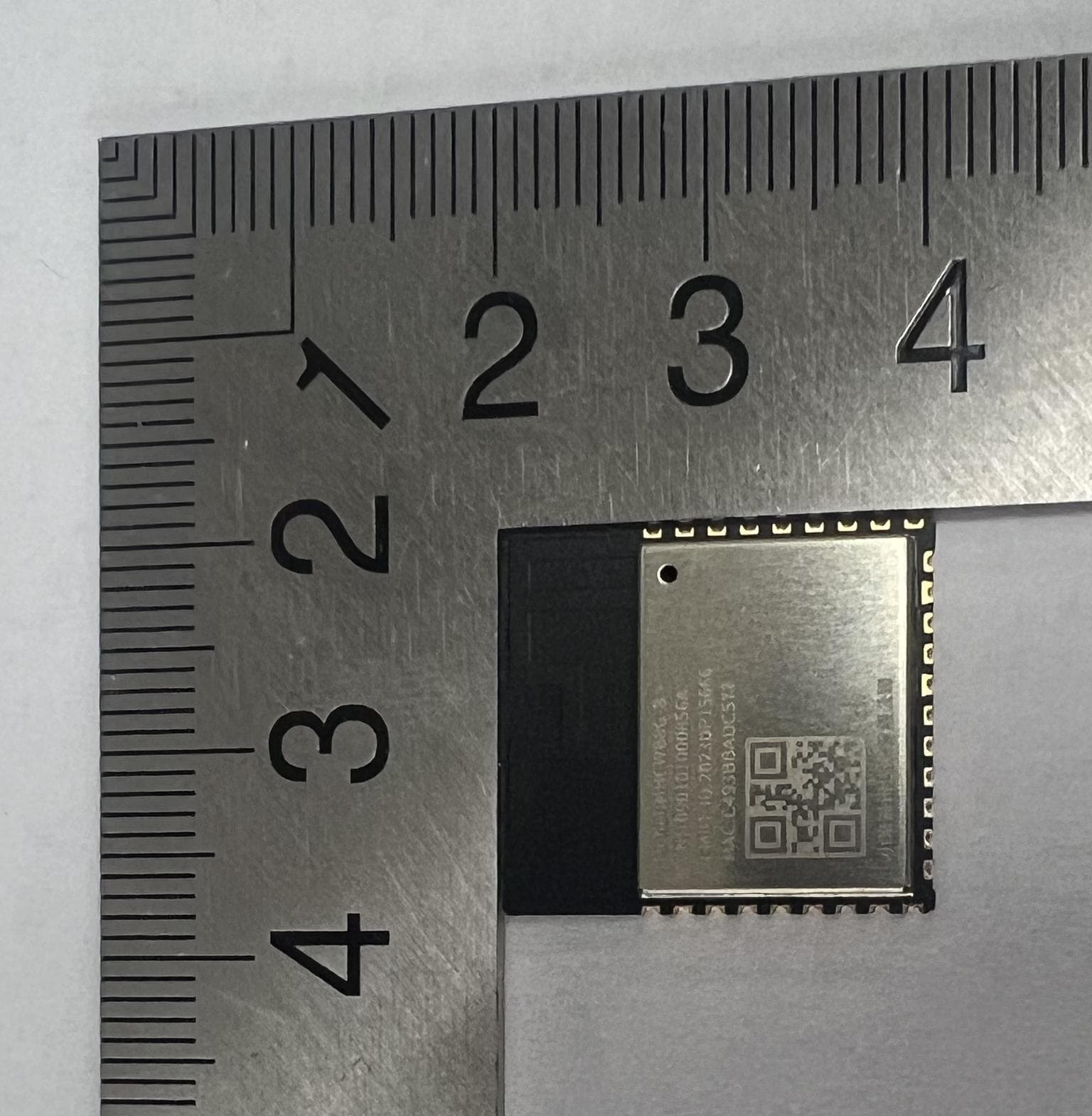
2AFZZ-MHCWB8G-B
Dec 05, 20252.4GHz WIFI+Bluetooth dual-mode module
Equipment Class
DTS - Digital Transmission System