2AG4V-ZN62ZN62 Wi-Fi Cam
Zetta Systems Limited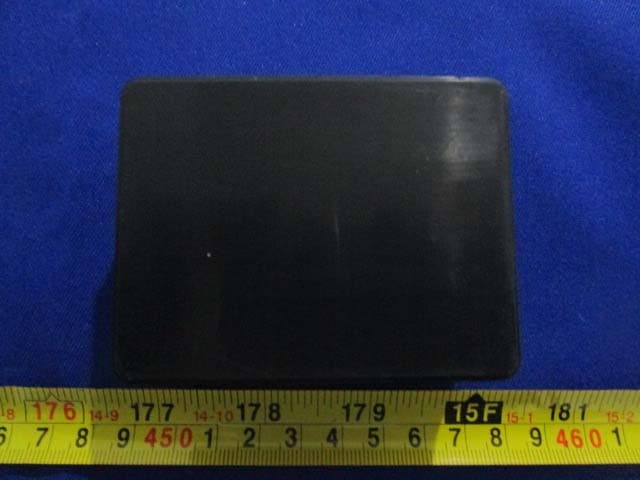
Click to zoom
Application Details
- Equipment Class
- DTS - Digital Transmission System
- Date of Grant
- Jan 04, 2016
- Application Purpose
- Original Equipment
- Date of Application
- Jan 04, 2016
- Equipment Note
- ZN62 Wi-Fi Cam
- Frequency Range
- 2422.00000000 - 2452.00000000
- Company
- Zetta Systems Limited
- Country
- Hong Kong
Documents & Files
Document Text
Text extracted from the exhibit documents filed with the FCC. Open a document above to read the original.
Users Manual
Attez ZN62 Portable Plug-n-Play Wi-Fi Camcorder Quick Start Guide 2 Overview Congratulations on your purchase of Attez ZN62 Portable Plug-n-Play Wi-Fi Camcorder ! The ZN62 requires no setup and installation. It uses Wi-Fi for real-time surveillance and is able to record video and audio on the microSD card locally. You can use the smartphone to access ZN62 anytime anywhere. ZN62 has a built-in rechargeable battery which can operate up to 8 hours. Use the app “Attez” to configure the features on Andriod / iOS smartphone, including scheduled recording, voice trigger, motion trigger and push notification. Features Loopback Recording – Overwrite recordings once memory card is full Scheduled Recording – Set the time to automatically turn on/off recording, 24 hour as a cycle Motion Trigger – Start recording when motion is detected by ZN62 Voice Trigger – Start recording when voice is detected by ZN62 Push Notification – Send an alert to your smartphone instantly when ZN62 is triggered Vertical Flip – Flip the recording when ZN62 is placed upside-down Photo-taking – Capture photo in live view Gaplessly Split Video – Split recording files every 3 minutes Flexible Connection – AP mode and Router mode Simultaneous Operation – ZN62 can operate when it is charging Support max 64GB microSD (TF) card – Please visit www.atteztech.com-> Support-> Knowledge Base for details. 3 Terminology AP mode ZN62 acts as a hot spot, smartphone needs to enable Wi-Fi to directly connected to ZN62 Router mode ZN62 connects to a router. The user can access ZN62 anytime anywhere through the Internet Import cam You can invite another user to connect to ZN62 by giving the Cam ID, username and password to the user Smartphone Requirement Android 4.2.2 or later, iOS 8.3 or later version Package Content Attez ZN62 Portable Plug-n-Play Wi-Fi camcorder 5V DC Adapter USB 2.0 Cable Quick Start Guide 4 Camera Microphone RESET M icroSD slot Gold contact facing up Charging LED Micro USB Power Status LED AP MODE Attez ZN62 at a Glance Charging ZN62 comes with an internal rechargeable battery. It can be charged by Connecting to the USB port of a PC or 5V DC adapter. If it is the first time using ZN62 or ZN62 is not used for a long period, please charge the battery for 4 hours before use. 5 Status Charging LED Y ellow: charging LED off: charging completed Status LED Connecting to PC Please ensure ZN62 is turned off before connecting ZN62 to a PC. Green LED will be on and ZN62 can be used as a removable drive. You can view / copy / delete file on the microSD card. Upgrade of ZN62 firmware can also be done by copying file to the microSD card, see Setting -> Firmware upgrade for details. Power on / off ZN62 On: Press and hold the power button until the green LED is on Off: Press and hold the power button until the green LED is off Remark: Do not power on / off or connect / disconnect Z62 to USB / adapter too frequent. Operating 1a . AP mode Orange LED on: Waiting for smartphone connection Green LED flashing: Connected to smartphone successfully 1b. ZN62 is in router mode Green LED on: Connecting to router (If green LED keeps turning on, please see FAQ Q1/2) Green LED flashing: Connected to router successfully 2. Live view / Recording : Orange LED flashing: ZN62 is being watched or ZN62 is recording 3. Low Battery : Red LED flashing: Battery level is low 4. No card/ Card full/ Card damaged/ Out of router range/ Other failure : Red LED on (Please refer to FAQ Q9) 6 Setup Step1 : Power on ZN62 1. When using the ZN62 for the first time, hold the power button until the green LED is on. Then, the orange LED will be on. ZN62 is in AP mode now. Step2 : Install the app “Attez” Method 1 (Andriod only): 1. Visit www.atteztech.com -> Support -> Download 2. Download Attez.apk 3. Open file manager, in directory “Download”, locate Attez.apk and click to install Remark: As the app is not downloaded from Andriod Play Store, please go to “Settings” -> “Security”, and tick “Unknown sources”, so that the app is allowed to be installed. Please grant the right to the app to use network, Wi-Fi, audio, camera, etc. 7 Method 2 (Andriod / iPhone / iPad): Go to Android Play Store / Apple App Store, search for “Attez”, download and install the app “Attez”. When installation finishes, the “Attez” icon will be shown. Step3: Add new cam 3.1 Open Attez 3.2 Press “Add new cam”, and then press OK 8 3.3 Please go to Settings -> Wi-Fi and enable Wi-Fi to connect to Attez_xxxxxx. Then, switch back to Attez. 3.4 Press “Add new cam”, it will get the cam ID from ZN62 automatically, 3.5 You can assign a cam name to ZN62. If you want to connect through the Internet, please continue to step 3.6. Otherwise, press ”OK”. 9 3.6 Router modeConfigure ZN62 to connect to a wireless router nearby. You can access the ZN62 through the Internet anytime anywhere. 3.6.1 Click “Click to select the router”. 3.6.2 Select your router from the list. 3.6.3 Fill in the Wi-Fi password, then click “OK”. 10 3.6.4 After that, the ZN62 will reset itself automatically. ZN62 will connect to the router after it reboots. If a wrong password is entered, or it failed to connect to the router for a long time, or if you want to change to another router, please reset ZN62 to AP mode by: while ZN62 is powered on, press and hold the MODE key (at the back of ZN62) until the orange status LED is on. Delete the cam from the app and repeat step 3 to install again. Step 4: Live view After the cam is added , click on the cam to watch the live view. Please refer to FAQ Q2 if failed to connect toZN62 for a long time. Record Take Photo 180deg rotation 11 Step 5: Download video and photo 5.1 Click “Download” to enter the Download menu 5.2 Choose the file you want to download, then click the “Download” icon 5.3 After download is completed, the files will be stored into the “Attez” directory Remark: (1) The files will be in the “Attez” directory. If there is an external media on your smartphone, please check if the file will be sa…
Text truncated - open the document above for the full version.
Cover Letter(s)
QA-FR-170-B Company name: Zetta Systems Limited Add: Unit 513, Lakeside 1, Hong Kong Science Park, Shatin N.T. Hong Kong Tel: (852) 3188 4492 Fax: (852) 3907 0953 FCC Authorization Date: 2015-12-28 FEDERAL COMMUNICATIONS COMMISSION Authorization and Evaluation Division 7435 Oakland Mills Road Columbia, MD 21046 Subject: Agent Authorization To whom it may concern: We, Zetta Systems Limited, the undersigned, Hereby authorizes Bay Area Compliance Laboratories Corporation to act on its behalf in all matters relating to application for Equipment authorization, including the signing of all documents relating to these matters. All acts carried out by Bay Area Compliance Laboratories Corp. on our behalf shall have the same effect as our own action. We, the undersigned, hereby certify that we are not subject to a denial of federal benefits, that includes FCC benefits, pursuant to Section 5301 of the Anti-Drug Abuse Act of 1988, 21 U.S.C. 862. This authorization is valid until further written notice from the applicant. Sincerely Yours, Darwin So Marketing Manager
Cover Letter(s)
QA-FR-171-A Company name: Zetta Systems Limited Add: Unit 513, Lakeside 1, Hong Kong Science Park, Shatin N.T. Hong Kong Tel: (852) 3188 4492 Fax: (852) 3907 0953 FCC Confidential Authorization 2015-12-28 FEDERAL COMMUNICATIONS COMMISSION Authorization and Evaluation Division 7435 Oakland Mills Road Columbia, MD 21046 Subject: Confidentiality Request regarding application for certification of FCC ID: 2AG4V‐ZN62 In accordance with Sections 0.457 and 0.459 of the Commission’s Rules, Zetta Systems Limited hereby requests long-term confidential treatment of information accompanying this application as outlined below: • Block Diagram • Schematics • Operation Description The above materials contain proprietary and confidential information not customarily released to the public. The public disclosure of these materials provides unjustified benefits to its competitors in the market. Sincerely, Darwin So Marketing Manager
External Photos
EXHIBIT B - EUT EXTERNAL PHOTOGRAPHS EUT – All View EUT – Top View EUT – Bottom View EUT – Side View EUT – Side View EUT – Adapter View EUT – Adapter Label View
ID Label/Location Info
EXHIBIT A - FCC ID LABELING AND LOCATION FCC ID Label Proposed FCC ID Label Location The label shown shall be permanently affixed at a conspicuous location on the device and be readily visible to the user at the time purchase (Labeling requirements per 2.925) Label Here
Internal Photos
EXHIBIT C - EUT INTERNAL PHOTOGRAPHS EUT –Uncover View EUT –Uncover View EUT –Main Board Top View EUT –Main Board Bottom View EUT –RF Module View EUT –Antenna View EUT – Battery Top View EUT – Battery Bottom View
Test Report
Note: This test report is prepared for the customer shown above and for the device described herein. It may not be duplicated or used in part without prior written consent from Bay Area Compliance Laboratories Corp. (Dongguan). FCC PART 15.247 TEST REPORT For Zetta Systems Limited Unit 513, Lakeside 1, Hong Kong Science Park, Shatin N.T. Hong Kong FCC ID: 2AG4V-ZN62 Report Type: Original Report Product Type: ZN62 WiFi cam Test En gineer: Lion Xiao Re port Number: RDG151208001-00A Re port Date: 2015-01-04 Reviewed By: Jerry Zhang EMC Manager Test Laboratory: Bay Area Compliance Laboratories Corp. (Dongguan) No.69 Pulongcun, Puxinhu Industrial Zone, Tangxia, Dongguan, Guangdong, China Tel: +86-769-86858888 Fax: +86-769-86858891 www.baclcorp.com.cn Bay Area Compliance Laboratories Corp. (Dongguan) Report No.: RDG151208001-00A FCC Part 15.247 Page 2 of 51 TABLE OF CONTENTS GENERAL INFORMATION ....................................................................................................................................... 4 PRODUCT DESCRIPTION FOR EQUIPMENT UNDER TEST (EUT) ..................................................................................... 4 OBJECTIVE ................................................................................................................................................................... 4 RELATED SUBMITTAL(S)/GRANT(S) ............................................................................................................................. 4 TEST METHODOLOGY .................................................................................................................................................. 4 TEST FACILITY ............................................................................................................................................................. 4 SYSTEM TEST CONFIGURATION .......................................................................................................................... 5 DESCRIPTION OF TEST CONFIGURATION ...................................................................................................................... 5 EQUIPMENT MODIFICATIONS ....................................................................................................................................... 5 EUT EXERCISE SOFTWARE .......................................................................................................................................... 5 SUPPORT EQUIPMENT LIST AND DETAILS .................................................................................................................... 6 SUPPORT CABLE LIST AND DETAILS ............................................................................................................................ 6 BLOCK DIAGRAM OF TEST SETUP ................................................................................................................................ 6 SUMMARY OF TEST RESULTS ............................................................................................................................... 8 FCC §15.247 (i) & §1.1310 & §2.1093- RF EXPOSURE ............................................................................................... 9 APPLICABLE STANDARD .............................................................................................................................................. 9 FCC §15.203 - ANTENNA REQUIREMENT ........................................................................................................... 10 APPLICABLE STANDARD ............................................................................................................................................ 10 ANTENNA CONNECTOR CONSTRUCTION .................................................................................................................... 10 FCC §15.207 (a) – AC LINE CONDUCTED EMISSIONS ..................................................................................... 11 APPLICABLE STANDARD ............................................................................................................................................ 11 MEASUREMENT UNCERTAINTY .................................................................................................................................. 11 EUT SETUP ................................................................................................................................................................ 11 EMI TEST RECEIVER SETUP ....................................................................................................................................... 12 TEST PROCEDURE ...................................................................................................................................................... 12 CORRECTED AMPLITUDE & MARGIN CALCULATION ................................................................................................. 12 TEST EQUIPMENT LIST AND DETAILS ......................................................................................................................... 13 TEST RESULTS SUMMARY .......................................................................................................................................... 13 TEST DATA ................................................................................................................................................................ 13 FCC §15.209, §15.205 & §15.247(d) - SPURIOUS EMISSIONS ............................................................................. 16 APPLICABLE STANDARD ............................................................................................................................................ 16 MEASUREMENT UNCERTAINTY .................................................................................................................................. 16 EUT SETUP ....................................................…
Text truncated - open the document above for the full version.
Test Setup Photos
EXHIBIT D - TEST SETUP PHOTOGRAPHS Conducted Emissions – Front View Conducted Emissions - Side View Radiated Emission View (Below 1GHz) Radiated Emission View (Above 1GHz)
Contact Information
Applicant
Darwin So
Test Firm
Bay Area Compliance Laboratories Corp. (Dongguan)John Chan
[email protected]86-769-86858888
Technical Specifications
| # | Rule Parts | Frequency Range | Power Output |
|---|---|---|---|
| 2 | 15C | 2.42 GHz - 2.45 GHz | 49.00 mW |