2AHSR-FALCONWi-Fi and BLE Transmitter
Weber-Stephen Products LLC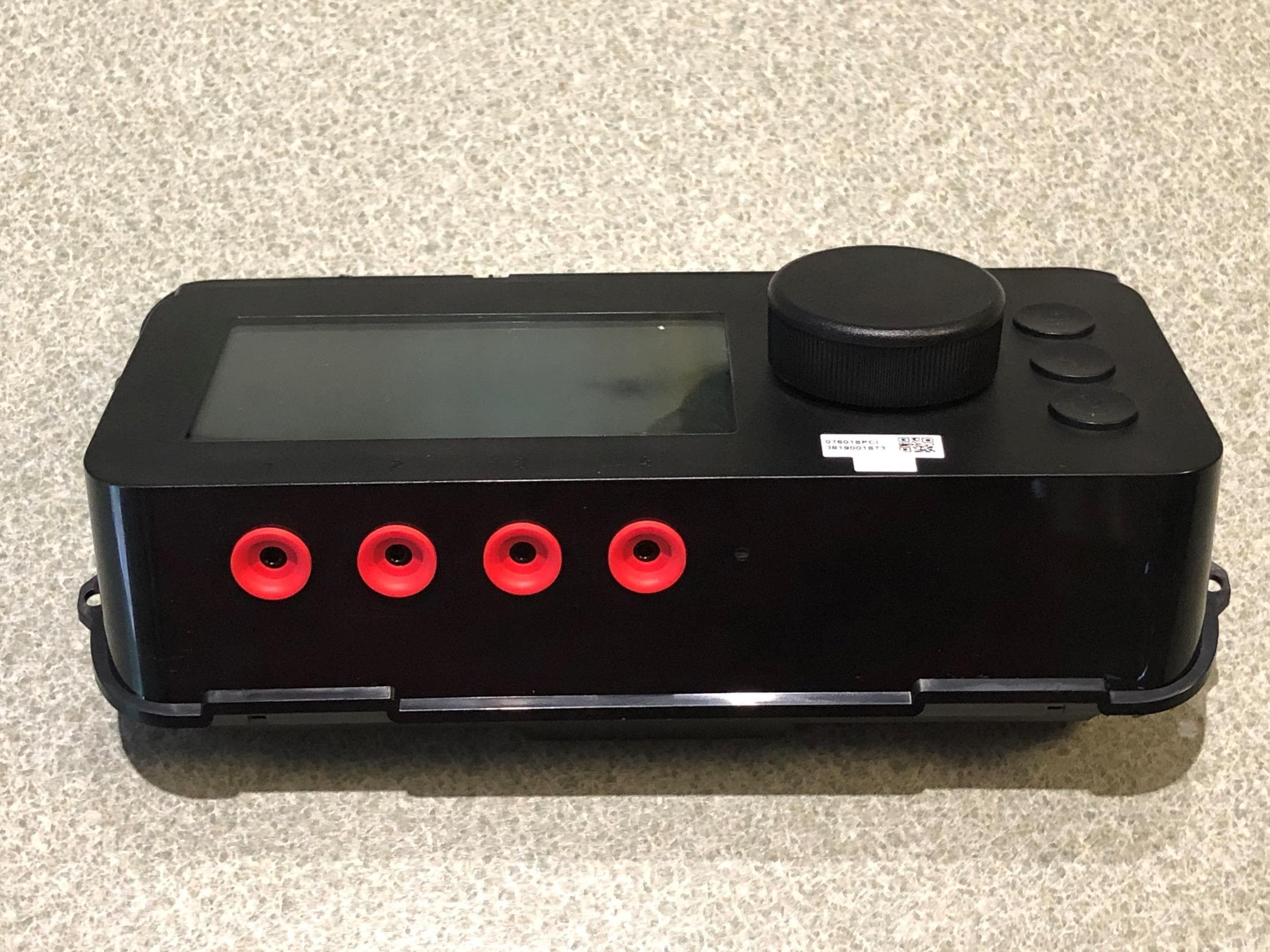
Click to zoom
Application Details
- Equipment Class
- DTS - Digital Transmission System
- Date of Grant
- May 28, 2020
- Application Purpose
- Original Equipment
- Date of Application
- May 27, 2020
- Equipment Note
- Wi-Fi and BLE Transmitter
- Frequency Range
- 2412.00000000 - 2462.00000000
- Company
- Weber-Stephen Products LLC
- Country
- United States
Documents & Files
Document Text
Text extracted from the exhibit documents filed with the FCC. Open a document above to read the original.
Users Manual
EX4 EX6 OWNER’S MANUAL A MAJOR CAUSE OF FIRES IS FAILURE TO MAINTAIN REQUIRED CLEARANCES (AIR SPACES) TO COMBUSTIBLE MATERIALS. IT IS OF UTMOST IMPORTANCE THAT THIS PRODUCT BE INSTALLED ONLY IN ACCORDANCE WITH THESE INSTRUCTIONS. Wood Pellet Grill 51779 US 01/14/20 2 SAFETY READ ALL INSTRUCTIONS BEFORE INSTALLING AND USING THE APPLIANCE. This Owner’s Guide contains important product dangers, warnings, and cautions. Please read this entire manual before assembly and use of this pellet fuel-burning appliance. Failure to follow these instructions could result in property damage, bodily injury or even death. Contact local building or fire officials about restrictions and installation inspection requirements in your area. For assembly instructions, refer to the Assembly Guide. SAVE THESE INSTRUCTIONS. Visit weber.com, select your country of origin, and register your grill today. DANGER, WARNING, and CAUTION statements are used throughout this manual to emphasize critical and important information. The statements are defined as: mDANGER!: Indicates a hazardous situation which, if not avoided, will result in death or serious injury. mWARNING!: Indicates a hazardous situation which, if not avoided, could result in death or serious injury. mCAUTION!: Indicates a hazardous situation which, if not avoided, could result in minor or moderate injury. mDANGER! Keep flammable vapors and liquids away from the grill. Never use gasoline, gasoline-type lantern fuel, kerosene, charcoal lighter fluid, or similar liquids to start or ’freshen up’ a fire in this appliance. Keep all such liquids well away from the appliance when in use. mWARNING! For outdoor use only. The installation of the pellet grill shall be located so flue gases including smoke will not communicate or enter any building. Consult with the local fire or building codes for additional requirements. mWARNING! Creosote – Formation and need for removal. When wood pellets are burned slowly, they produce tar and other organic vapors that combine with expelled moisture to form creosote. When ignited, this creosote makes an extremely hot fire. mWARNING! The ash and grease system and cookbox should be inspected before each cook to determine when grease and/or creosote buildup has occurred. When grease or creosote has accumulated, it should be removed to reduce the risk of fire. mWARNING! Disposal of ashes - Always wait for the grill to completely cool after proper shutdown. Do not dispose of any grease or ash until they are fully cooled. mWARNING! Use only WEBER SMOKEFIRE ALL NATURAL HARDWOOD PELLETS in this grill. Do not use pellet fuel labeled as having additives. mWARNING! Remove pots and pans while the operating appliance is unattended, to reduce the risk of fire. mCAUTION! Do not use accessories not specified for use with this appliance. mWARNING! Follow these guidelines to prevent carbon monoxide, a colorless, odorless gas from poisoning you, your family or others. • Know the symptoms of carbon monoxide poisoning: headache, dizziness, weakness, nausea, vomiting, sleepiness, and confusion. Carbon monoxide reduces the blood’s ability to carry oxygen. Low blood oxygen levels can result in loss of consciousness and death. • See a doctor if you or others develop cold or flu like symptoms while cooking or in the vicinity of this appliance. Carbon monoxide poisoning, which can easily be mistaken for a cold or flu, is often detected too late. • Alcohol consumption and drug use increase the effects of carbon monoxide poisoning. mWARNING! Carbon monoxide is especially toxic to mother and child during pregnancy, infants, the elderly, smokers, and people with blood or circulatory system problems, such as anemia, or heart disease. mWARNING! Do not use the grill in a confined and/or habitable space e.g. houses, tents, caravans, motor homes, boats. Danger of carbon monoxide poisoning fatality. DANGERS mDANGER! Do not use indoors! This grill is designed for outdoor use in a well-ventilated area and is not intended for and should never be used as a heater. If used indoors, toxic fumes will accumulate and cause serious bodily injury or death. mDANGER! This grill is not intended for commercial use and is designed for outdoor household use only. mDANGER! Do not use this grill in a garage, building, breezeway, tent, lanai, screened in porch, or any other enclosed area. mDANGER! Never perform maintenance on this grill while it is plugged into a power source. Always unplug the grill before servicing. mDANGER! Hazardous voltage is present within the grill and can shock, burn or cause death. Always unplug the grill from the power source before servicing or cleaning. WARNINGS mWARNING! Do not use this grill unless all parts are in place. This grill must be properly assembled according to the assembly instructions. Improper assembly may be dangerous. mWARNING! Never operate this grill without the ash and grease system in place. Always use a drip pan to collect grease within the drawer. mWARNING! Never remove the ash and grease system while operating the grill. mWARNING! Do not use charcoal briquettes, liquid fuel or lava rock with this grill. mWARNING! Do not use this grill under any overhead combustible construction including ceilings and overhangs. mWARNING! The use of alcohol, prescription, or non-prescription drugs may impair the consumer’s ability to properly assemble or safely operate the grill. mWARNING! Exercise caution when operating your grill. It will be hot during preheating, cooking or cleaning, and should never be left unattended or moved while in use. mWARNING! Keep children and pets away. mWARNING! This grill is not intended to be installed in or on recreational vehicles and/or boats. mWARNING! Do not use this grill within 2 feet (61cm) of any combustible material. Combustible materials include, but are not limited to, wood or treated wood decks, patios, porches, vinyl siding, and patio doors. mWARNING! Keep the grill on a secure, level surface at all times…
Text truncated - open the document above for the full version.
Users Manual
14 GRILL OPERATION A B C Changing Pellets/Purging Hopper There may be times when you want to change the WEBER SMOKEFIRE ALL NATURAL HARDWOOD PELLET flavor for your next grilling session, or purge the hopper for a thorough cleaning or maintenance. 1. From the rear of your SMOKEFIRE grill, set a large container underneath the middle of the hopper (A). 2. Pull the hopper slide door located on the rear of the hopper to release the pellets into the container below (B). WARNING: Before filling your hopper with WEBER SMOKEFIRE ALL NATURAL HARDWOOD PELLETS, visually inspect the hopper finger safety guard to ensure it is in place and not damaged (C). If damaged, immediately contact the Customer Service Representative in your area using the contact information on our website for a replacement. CAUTION: Always remember to fill the hopper with WEBER SMOKEFIRE ALL NATURAL HARDWOOD PELLETS before starting your SMOKEFIRE grill. Grilling Methods Your WEBER SMOKEFIRE is capable of many different cooking methods such as grilling, searing, smoking, baking, braising, and roasting. Part of the excitement of pellet grilling is that you get to enjoy all of your favorite recipes infused with real hardwood flavor. This element of flavor can elevate your average meal and make it something extraordinary. NOTE: When grilling or smoking over a longer period of time, WEBER encourages the use of a water pan inside the cookbox. Explore Your Settings There are many more features to be explored on the controller and the WEBER CONNECT app. From programmable timers to cook programs, there are more reasons to love your WEBER SMOKEFIRE grill. Explore and experiment with all of the possibilities. 15 375 ̊ F 550° 76° Probe 1 Menu Dashboard Grill 350°F Programs Timers 375 ̊ F 550° 76° Probe 1 79° Probe 2 Probe 1 Add Program Set Temperature Alert Temperature 75°F CONTROLLER SETTINGS 1 2 3 4 weber.com NOTE: Download the WEBER CONNECT app to get the latest grill software and controller features. Dashboard The dashboard shows all of the current grill info on the controller display. Here you will find your current and target grill temperature, device connectivity status, and separate tiles that can be setup to display guided cook programs, timers and food temperature probe information. Main Menu Push the main menu button to navigate through all of the available settings on the controller. Simply turn the dial and then push it to select your options. Setting Up A Probed Cook Once you plug a food temperature probe into any of the four available ports on the controller, turn and push the dial to select the tile that corresponds with the probe number you want to set options for. Probed Cook Settings Once a food temperature probe is selected from the dashboard, you have the option to select a cook program or simply set a temperature alarm to notify you when your food has reached the desired temperature. 16 Beef Tenderloin Start Cooking 10-12m Doneness Medium Thickness 1” Probe Programs Beef Tenderloin Chicken Breast Chicken Wings Baked Potato Timers New Timer 10:00 Timer New Timer 0:00 0 5 10 15 20 CONTROLLER SETTINGS Cook Programs If selecting a guided cook program, push the button. Turn and press the dial to select the type of food that you will be cooking. Recently used cook programs will be saved within your controller for quick access to frequently cooked foods. After selecting your cook program, you can adjust the desired food settings to your personal preference. NOTE: Some foods will only allow you to select one temperature doneness choice in order to ensure safe food temperatures when the food has completed cooking. Once all of your desired settings have been chosen, turn and press the dial to select the “Start Cooking” option. NOTE: When using a guided cook program, you will receive timely tips and notifications throughout your grilling experience to help guide you to perfectly cooked food, every time. Timers Press the button to add a new timer(s). Turn the dial and press it to select the amount of time desired. From the dashboard or through the main menu, you can select your active timer to adjust the amount of time left or stop it. Regulatory Information To access regulatory information, press the main menu button. Turn and push the dial to select “Settings”, then select “Regulatory Information”. 17 TROUBLESHOOTING weber.com Error CodeCauseSolution E1Auger JamAuger jam has been detected. The grill will attempt to clear the auger jam. Auger Jam Cleared or Auger Jam Cannot Be Cleared 1. The grill will automatically run the shutdown procedure if the grill is still hot. Open the grill lid and wait until the grill has completed the shutdown procedure and completely cooled. CAUTION: Do not unplug the grill or power it off during the shutdown procedure. 2. Once the shutdown procedure is complete, power off the grill and unplug from power source. 3. Remove the cooking grates, FLAVORIZER bars, heat diffuser, and heat baffle from the cookbox. 4. Clean the cookbox and burn pot of any ash or debris using a grill brush or scraper to direct it into the ash and grease system. CAUTION: Allow time for the ash and debris to fully extinguish before cleaning the grill. 5. Reinstall the heat baffle, heat diffuser, FLAVORIZER bars and cooking grates inside the cookbox. 6. Remove and clean any ash or grease from inside the ash and grease system. Once cleaned, reinstall the drawer. Replace grease drip pans as needed. 7. Plug the grill into the power source and power on the grill to begin your cook. If the grill is unable to clear the auger jam, please refer to the following instructions on how to manually clear the auger. E2Fan Error The grill will automatically run the shutdown procedure if the grill is still hot. Open the grill lid and wait until the grill has completed the shutdown procedure and completely cooled. CAUTION: Do not unplug the grill or power it off during the shutdown procedure. See the following instructions on how to check the fan…
Text truncated - open the document above for the full version.
Users Manual
26 TROUBLESHOOTING B 1 2 3 4 C D A E9 Low Fuel Detection Error Cleaning Fuel Sensor Window To clear the E9 error code from the controller, please follow these steps: 1. When the grill has completed the shutdown procedure and completely cooled, from the rear of your SMOKEFIRE grill, set a large bucket or container underneath the middle of the hopper (A). 2. Pull the hopper slide door located on the rear of the hopper to release the pellets into the container below (B). 3. Using a dry cloth or paper towel, wipe the low fuel sensor window until cleaned (C). 4. Push the hopper slide door closed (D), and refill the hopper with your choice of WEBER SMOKEFIRE ALL NATURAL HARDWOOD PELLETS. 5. Power on the grill and begin a cook to allow the controller to run diagnostics. 6. If the E9 error code still remains on the controller, Contact the Customer Service Representative in your area using the contact information on our website for low fuel sensor replacement. 27 TROUBLESHOOTING weber.com NotificationSequence / Actions Low FuelRefill the hopper with WEBER SMOKEFIRE ALL NATURAL HARDWOOD PELLETS. Cook Complete Your cook has ended. You now have the option to continue to cook at the same grill temperature, change the grill temperature, or shutdown the grill. Improper Shutdown The grill was improperly shutdown. 1. The grill will automatically run the shutdown procedure if the grill is still hot. Open the grill lid and wait until the grill has completed the shutdown procedure and completely cooled. CAUTION: Do not unplug the grill or power it off during the shutdown procedure. 2. Once the shutdown procedure is complete, power off the grill and unplug from power source. 3. Remove the cooking grates, FLAVORIZER bars, heat diffuser, and heat baffle from the cookbox. 4. Clean the cookbox and burn pot of any ash or debris using a grill brush or scraper to direct it into the ash and grease system. CAUTION: Allow time for the ash and debris to fully extinguish before cleaning the grill. 5. Remove and clean any ash or grease from inside the ash and grease system. Once cleaned, reinstall the drawer. Replace grease drip pans as needed. 6. Reinstall the heat baffle, heat diffuser, FLAVORIZER bars and cooking grates inside the cookbox. 7. Plug in, power on the grill, and begin a cook to allow the controller to run diagnostics. Replace Glow Plug Glow plug is about to reach the end of its life. Do you want to replace it? If YES: 1. Open the grill lid and shutdown the grill by pushing and holding the dial or using the main menu. Wait until the grill has completed the shutdown procedure and completely cooled. CAUTION: Do not unplug the grill or power it off during the shutdown procedure. 2. Contact a Customer Service Representative in your area using the contact information on our website to replace the glow plug. 3. See the following instructions on replacing the glow plug. 4. When the glow plug has been replaced, reset the glow plug within the main menu settings of the controller. If NO: You can continue to operate your grill. Glow plug replacement notification will remain on list of outstanding error codes and notifications until it has been replaced and reset. Shutdown Started Shutdown Sequence: 1. Burning off excess fuel 2. Preventing burn-back 3. Clearing auger 4. Cleaning burn pot of ash 5. Cooling grill for storage 6. Shutdown Complete NOTE: Download the WEBER CONNECT app to get the latest grill software and controller features. The controller will display and send notifications to inform you of certain grill operations and preventative maintenance cautions. Refer to this troubleshooting section and follow the “Sequence / Actions” column associated with the notification displayed along with the following instructions. 28 TROUBLESHOOTING Replacing the Glow Plug Contact WEBER Customer Service at weber.com for a replacement glow plug. To replace the glow plug, please follow these steps: 1. Open the grill lid and shutdown the grill by pushing and holding the dial or using the main menu. Wait until the grill has completed the shutdown procedure and completely cooled. CAUTION: Do not unplug the grill or turn it off during the shutdown procedure. 2. Once the grill has completed the shutdown procedure, power off the grill (A) and unplug from power source. 3. Open the grill lid and remove the cooking grates, FLAVORIZER bars, heat diffuser, and heat baffle from the cookbox. (B). 4. From the rear of your SMOKEFIRE grill, remove the rear access panel by removing four screws (C). 5. Unplug the glow plug assembly wire by pinching and pulling the quick disconnect plug (D). 6. Carefully remove the glow plug assembly by removing the bracket screw that holds it in place and sliding the assembly out from the grill (E). 7. Remove the glow plug from the glow plug assembly by pulling it out and away (F). 8. Install the replacement glow plug into the glow plug assembly by firmly pushing it into the socket (G). 9. Carefully reinstall the glow plug assembly straight through the back of the grill, and secure it in place by tightening the bracket screw (H). NOTE: Be sure that the tip of the glow plug has been properly installed by visually inspecting the glow plug at the bottom of the burn pot inside the cookbox. The tip of the glow plug must be inserted through the pellet grate for proper operation (I). 10. Reconnect the glow plug assembly wire connector (J). 11. Reinstall the rear access panel (K). 12. Reinstall the heat baffle, heat diffuser, FLAVORIZER bars and cooking grates inside the cookbox. (L). 13. Plug the power cord into the grill located underneath the hopper, then plug the grill into a power source. 14. Power on the grill and reset the glow plug within the main menu settings of the controller. A 1 2 3 4 B C D 29 TROUBLESHOOTING E F G H I J K 1 2 3 4 L weber.com 30 TROUBLESHOOTING SymptomCause / Actions Grill will not power on If the grill will not power on: 1. Check that the power cord is securely plugged into the grill an…
Text truncated - open the document above for the full version.
Attestation Statements
5/19/2020 Elite Electronic Engineering, Inc. 1516 Centre Circle Downers Grove, IL 60515 To Whom It May Concern: Elite Electronic Engineering, Inc. is authorized to act on our behalf, until otherwise notified, for applications to Elite Electronic Engineering, Inc. We certify that we are not subject to denial of federal benefits, that includes FCC benefits, pursuant to Section 5301 of the Anti-Drug Abuse Act of 1988, U.S.C. 862. Further, no party, as defined in 47 CFR 1.2002 (b) to the application is subject to denial of federal benefits, that includes FCC benefits. Thank you. Regards,
Cover Letter(s)
Date: 05/19/2020 Subject: Confidentiality Request for: FCC: 2AHSR-FALCON and IC: 21267-FALCON Pursuant to FCC 47 CRF 0.457(d) and 0.459 and IC RSP-100, Section 10, the applicant requests that a part of the subject FCC application be held confidential. Type of Confidentiality Requested Exhibit Short Term Permanent Block Diagrams Short Term External Photos Short Term Permanent* 1 Internal Photos Short Term Permanent Operation Description/Theory of Operation Short Term Permanent Parts List & Placement/BOM Short Term Permanent Tune-Up Procedure Short Term Permanent Schematics Short Term Test Setup Photos Short Term Permanent* User’s Manual ____ Weber-Stephen Products LLC_____ has spent substantial effort in developing this product and it is one of the first of its kind in industry. Having the subject information easily available to "competition" would negate the advantage they have achieved by developing this product. Not protecting the details of the design will result in financial hardship. Permanent Confidentiality: The applicant requests the exhibits listed above as permanently confidential be permanently withheld from public review due to materials that contain trade secrets and proprietary information not customarily released to the public. Short-Term Confidentiality: The applicant requests the exhibits selected above as short term confidential be withheld from public view for a period of ___0 days from the date of the Grant of Equipment Authorization and prior to marketing. This is to avoid premature release of sensitive information prior to marketing or release of the product to the public. Applicant is also aware that they are responsible to notify ELITE ELECTRONIC ENGINEERING, INC. in the event information regarding the product or the product is made available to the public. ELITE ELECTRONIC ENGINEERING, INC. will then release the documents listed above for public disclosure pursuant to FCC Public Notice DA 04-1705. NOTE for Industry Canada Applications: The applicant understands that until such time that IC distinguishes between Short Term and Permanent Confidentiality, either type of marked exhibit above will simply be marked Confidential when submitted to IC. Sincerely, By: _______________________/Regulatory Compliance Engineer __Vincent Spena____ (Signature/Title 2 ) (Print name) 1 - The asterisked items (*) require further justification before permanent confidentiality will be allowed. These also currently require review by the FCC under their Permit-But-Ask policy before the grant is issued and can delay completion of an application. Further justification should be added to the note above. One such example for a potted device would be: “The EUT is FULLY potted using a non-removable epoxy based material. Removal of potting material causes irreparable damage to internal circuitry. See photographs exhibits that outline the device before and after potting.” 2 - Must be signed by applicant contact given for applicant on the FCC site, or by the authorized agent if an appropriate authorized agent letter has been provided. Letters should be placed on appropriate letterhead.
ID Label/Location Info
The following information is documented in the E-label WEBER CONNECT CONTROLLER FCC ID: 2AHSR-FALCON IC: 21267-FALCON CAN ICES-3(B)/NMB-3(B) / HVIN: 30181501 This device complies with part 15 of the FCC Rules. Operation is subject to the following two conditions: (1) This device may not cause harmful interference, and (2) this device must accept any interference received, including interference that may cause undesired operation. The regulatory statement can be accessed by following instructions found on page 16 of the manual.
RF Exposure Info
Engineering Test Report No. 2002573-04 Report Date May 28, 2020 Manufacturer Name Weber-Stephen Products LLC Manufacturer Address 1415 S Roselle Rd Palatine, IL 60067 Product Name Brand/Model No. Falcon Assessment Dates May 28, 2020 Specifications FCC 47 CFR Part 2.1093 KDB, 447498 D01 OET Bulletin 65:1997 RSS-102 Test Facility Elite Electronic Engineering, Inc. 1516 Centre Circle, Downers Grove, IL 60515 Signature Tested by Javier Cardenas Signature Approved by Raymond J. Klouda, Registered Professional Engineer of Illinois – 44894 This report is for your exclusive use. Any copying or replication of this report to or for any other person or entity, or use of our name or trademark, is permitted only with our prior written permission. This report sets forth our findings solely with respect to the test samples identified herein. The results set forth in this report are not indicative or representative of the quality or characteristics of the lot from which a test sample was taken or any similar or identical product unless specifically and expressly noted. Our report includes the results thereof based upon the information that you provided to us. You have 60 days from date of issuance of this report to notify us of any material error or omission caused by our negligence, provided, however, that such notice shall be in writing and shall specifically address the issue you wish to raise. A failure to raise such issue within the prescribed time shall constitute your unqualified acceptance of the completeness of this report, the tests conducted and the correctness of the report contents. This report shall not be reproduced, except in full, without the written approval of Elite Electronic Engineering Inc. Engineering Test Report No. 2002573-04 This report shall not be reproduced, except in full, without the written approval of Elite Electronic Engineering Inc. Page 2 of 12 Table of Contents 1. Report Revision History ............................................................................................................................ 3 2. Introduction ............................................................................................................................................... 4 3. Subject of Investigation ............................................................................................................................. 4 4. Standards and Requirements ................................................................................................................... 4 5. Sample Calculations ................................................................................................................................. 4 6. Photographs of EUT .................................................................................................................................. 6 7. Limits and Requirements .......................................................................................................................... 8 7.1. As mandated by the FCC .......................................................................................................................... 8 7.2. As mandated by the Innovation, Science and Economic Development Canada...................................... 9 8. Assessment Results ................................................................................................................................ 10 8.1. Evaluation Relevant to the Requirements of the FCC ............................................................................ 10 8.2. Evaluation Relevant to the Requirements of ISED ................................................................................. 11 9. Statement of Compliance ........................................................................................................................ 12 Engineering Test Report No. 2002573-04 Page 3 of 12 1. Report Revision History Revision Date Description – 29 May 2020 Initial Release of Engineering Test Report No. 2002573-04 Engineering Test Report No. 2002573-04 Page 4 of 12 2. Introduction The FCC and Innovation, Science and Economic Development Canada publish standards regarding the evaluation of the RF Exposure hazard of radio communications devices. An evaluation has been performed on the Weber-Stephen Products LLC Weber Connect Controller, Model No. Falcon pursuant to the relevant requirements. 3. Subject of Investigation This document presents the demonstration of RF Exposure compliance on a Weber Connect Controller, (hereinafter referred to as the Equipment under Test (EUT)). The EUT was identified as follows: EUT Identification Description Weber Connect Controller Model/Part No. Falcon Radio Access Technology 802.11b/g/n Bluetooth Output Power 802.11b/g/n: 20dBm Bluetooth: 6dBm Bands of Operation 2400-2483.5MHz Antenna Gain 3dBi 4. Standards and Requirements The tests were performed to selected portions of, and in accordance with the following specification(s). 47 CFR Parts 1.1310, 2.1091 and 2.1093 Code of Federal Regulations, Title 47, Telecommunications KDB 447498 D01 – “RF Exposure Procedures and Equipment Authorization Polices for Mobile and Portable Devices, General RF Exposure Guidance v06” OET Bulletin 65 Edition 97-01:1997 – “Evaluating Compliance with FCC Guidelines for Human Exposure to Radiofrequency Electromagnetic Fields” ANSI/IEEE C95.1:1992 – "Safety Levels with Respect to Human Exposure to Radio Frequency Electromagnetic Fields, 3 kHz to 300 GHz," RSS-102, Issue 5 Radio Frequency (RF) Exposure Compliance of Radiocommunication Apparatus (All Frequency Bands 5. Sample Calculations The far field power density can be calculated using the following formula: 푆ൌ 푃퐺 4휋푅 ଶ (1) where P is the transmit output power (mW), G is the maximum antenna gain relative to an isotropic antenna (linear) and R is the evaluation distance (cm). In cases where multiple antennas are utilized for a single signal, the following formula is applied to calculate the maxim…
Text truncated - open the document above for the full version.
Test Report
For Weber-Stephen Products LLC 1415 S Roselle Rd Palatine, IL 60067 P.O. Number 135046 Date Received May 21, 2020 Date Tested May 21-28, 2020 Test Personnel Javier Cardenas Specification FCC "Code of Federal Regulations" Title 47, Part 15, Subpart C, Sections 15.207 and 15.247 for Digital Modulation Intentional Radiators Operating within the band 2400-2483.5MHz Industry Canada RSS-247 Industry Canada RSS-GEN Test Report By: Javier Cardenas EMC Engineer Requested By: Vincent Spena Weber-Stephen Products LLC Approved By: Raymond J. Klouda Registered Professional Engineer of Illinois - 44894 Engineering Test Report No. 2002573-01 Measurement of RF Interference from the Falcon Weber Connect Controller Transceiver: BLE Report Engineering Test Report No. 2002573-01 THIS REPORT SHALL NOT BE REPRODUCED, EXCEPT IN FULL, WITHOUT THE WRITTEN APPROVAL OF ELITE ELECTRONIC ENGINEERING INCORPORATED. Page 2 of 61 TABLE OF CONTENTS PARAGRAPH DESCRIPTION OF CONTENTS PAGE NO. 1. INTRODUCTION ............................................................................................................................................... 5 1.1 Scope of Tests .......................................................................................................................................... 5 1.2 Purpose ..................................................................................................................................................... 5 1.3 Deviations, Additions and Exclusions ....................................................................................................... 5 1.4 EMC Laboratory Identification .........................................................................................................…
Text truncated - open the document above for the full version.
Contact Information
Applicant
Ralph N. Ten Bruin
Technical Contact
Weber-Stephen Products LLCVincent Spena
[email protected]18476542417
1415 S. Roselle Road · Palatine · United States
Non-Technical Contact
Weber-Stephen Products LLCRalph Ten Bruin
[email protected]1 2248368665
Test Firm
Elite Electronic Engineering Inc.Kevin Halpin
Technical Specifications
| # | Rule Parts | Frequency Range | Power Output |
|---|---|---|---|
| 2 | 15C | 2.41 GHz - 2.46 GHz | 74.00 mW |
Other Applications from Weber-Stephen Products LLC
2AHSR-WNR006
Jul 02, 2026Smart Wireless Probe
Equipment Class
DTS - Digital Transmission System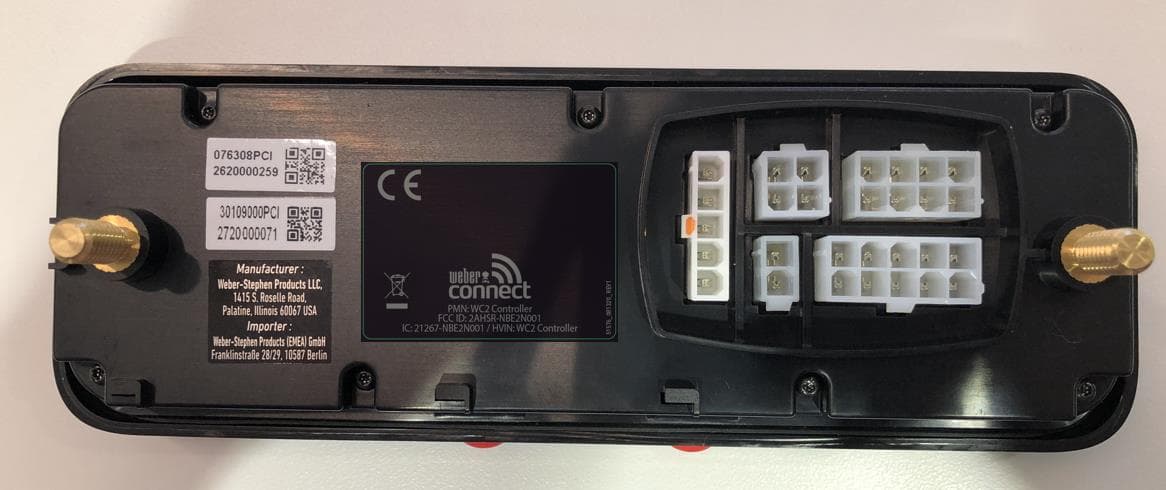
2AHSR-NBE2N001
Oct 11, 2020Wi-Fi and BLE Transmitter
Equipment Class
DTS - Digital Transmission System