2AIO2E0Bluetooth headset
Dellking Industrial Co., Ltd
Click to zoom
Application Details
- Equipment Class
- DSS - Part 15 Spread Spectrum Transmitter
- Date of Grant
- Jun 30, 2024
- Application Purpose
- Original Equipment
- Date of Application
- Jun 30, 2024
- Equipment Note
- Bluetooth headset
- Frequency Range
- 2402.00000000 - 2480.00000000
- Company
- Dellking Industrial Co., Ltd
- Country
- China
Documents & Files
Document Text
Text extracted from the exhibit documents filed with the FCC. Open a document above to read the original.
Users Manual
E Put E0 headset nearer(less than 10 meter range)to your cell phone. put E0 and cellphone in a least obstacle blocking range. Voice dial While the E0 is connected with the mobile phone, quick double turn Volume+ Button, then the mobile will prompt you to speak out your desired name. (Note: Voice dial need Mobile Phone supports correspond HFP Voice Dial function) Volume control Turn volume control button towards to “+” icon and hold it, the volume will be louder and louder, when maximum volume reached, a remind tone will be played. turn volume control button to “-”icon and hold it, the volume will be turned lower and lower, when minimum volume reached a remind tone will be played. Hang up call In call active state,double press PTT Button to hang up the call. Reject incomin Double press PTT Button to reject an incoming phone call. Answer incoming call When there is an incoming phone call,press PTT Button to answer the call, or it may be automatically answered if there’s no user operation for 10s. Push To Talk Function For Poc App And Radio Phone After connected to your cell phone Poc(PTT Over Cellphone) app or BluetoothDongle/ Adapter with E0,just push the PTT button to remote control the PTT function.some Poc app may need some setting change Bluetooth before use. Details please refer to the user guide of Poc App. place the E0 Bluetooth headset and the mobile phone in a visible area within 1 meter range. Make sure the Bluethooth headset is in power off state. Turn Power on/off Button towards to power icon for about 8 seconds,when the Blue LED and the Red LED flashing alternately, release the button then the E0 Bluetooth headset is in pairing state now. Follow the user manual of your mobile phone, turn on the Bluetooth function, and searching the Bluethooth headset devices From the found devices in your mobile phone,select the device ”Dellking E0 Vxx.xxrelated name, and then try to pair with it, when it prompts to enter password, enter pin code <0000>. Once paired successful,LED Indicator will change from Blue/Red alternately to Blue flashing, and with a “di” tone to note that the Bluetooth headset has connected with your mobile phone. Now your can use the headset to push to talk or answer you phone call. Make sure your headset is fully charged three hours before use. From a mains socket. When a red lighte blink, indicating headset is under chaging. After the headset been fully charged, the indicator will show a solid red light. Please note: if have been left too nuch time not charged, the battery lift may be greatly reducen. Therefore it is recommended that you charge the E0 BT headset at least once a month. Please read below content carefully before using thanks for purchasing E0 Bluetooth helmet intercom headset,may you will enjoy it. please read the “Safety Instructions” before using the product for your safety and correct use. PTT button /Phone calls Charging interface LED indicator Power on /off/Paring Volume control Microphone power on ln power off atate, turn Power on/off Button towards to power icon and hold it for about 3 seconds, until hear a “di”tone, release the button, blue indicator will flash slowly to indicate power on successfully. power off ln power on atate, turn Power on/off Button towards to power icon and hold it for about 6 seconds, until hear a long “di”tone, red indicator will flash quickly to indicate power off. Please send back your BT Speaker-mic head set to our after-sales service department for help if above suggestions fail to solve your problem. Model Bluetooth version Operation range Profile Talking time Standby time Charging time Working temperature Storage temperature E0 V4.1 Class 2 10m HFP,HSP,PTT About 6 hours About 50 hours Less than 3 hours -15°C ~ 45°C -25°C ~ 60°C State of indication LED indicator flashes blue every 2s LED indicator flashes red/ blue alternately and quichly LED indicator flashes red and blue every 2s LED indicator flashes red every 1s LED indicator keeps red Working/ Standby mode Pairing mode Battery low Charging Charging completed LED indicator flash mode ailure. Temperature range of use:-15°C—45°C Plea Frequency range Occupied Bandwidth Transmitting frequency 2402-2480MHz ≤2MHz ≤20dBm(EIRP) FCC ID: 2AIO2E0
Cover Letter(s)
Dellking Industrial Co., Ltd 4 / F, building 8, phase I, Lianchuang Science Park, Bulan Road, Longgang District,Shenzhen, China Jun. 12, 2024 Eurofins Electrical and Electronic Testing NA, Inc. 914 West Patapsco Avenue Baltimore, MD 21230 RE: LETTER OF AGENT AUTHORIZATION To Whom It May Concern: We, the undersigned, hereby authorize (Attestation of Global Compliance (Shenzhen) Co., Ltd) to act on our behalf in all matters relating to application for equipment authorization, including the signing of all documents relating to these matters. We also hereby certify that no party to the application authorized hereunder is subject to the denial of benefits, including FCC benefits, pursuant to Section 5301 of the Anti-Drug Abuse Act of 1988, 21 U.S.C.853(a). This agreement expires one year from the current date. Sincerely, Name: Zhou Jinchu Title: General Manager
External Photos
Report No.: AGC02575240602AP02 Page 1 of 4 EXTERNAL PHOTOS All VIEW OF EUT TOP VIEW OF EUT Report No.: AGC02575240602AP02 Page 2 of 4 BOTTOM VIEW OF EUT FRONT VIEW OF EUT Report No.: AGC02575240602AP02 Page 3 of 4 BACK VIEW OF EUT LEFT VIEW OF EUT Report No.: AGC02575240602AP02 Page 4 of 4 RIGHT VIEW OF EUT PORT VIEW OF EUT ****************************************End of Report*************************************
ID Label/Location Info
FCC ID Label Location 10mm*20mm FCC ID: 2AIO2E0
Internal Photos
Report No.: AGC02575240602AP02 Page 1 of 3 INTERNAL PHOTOS OPEN VIEW OF EUT INTERNAL VIEW OF EUT (FIGURE 1) BT Antenna Report No.: AGC02575240602AP02 Page 2 of 3 INTERNAL VIEW OF EUT (FIGURE 2) INTERNAL VIEW OF EUT (FIGURE 3) Report No.: AGC02575240602AP02 Page 3 of 3 VIEW OF BATTERUY ****************************************End of Report*************************************
Test Report
Small Size 2.4 GHz PCB antenna General Description Product Name:Blooth Helmet PCB Antenna Model Number:E0 Ant Manufacturer Name:SHENZHEN DELLKING INDUSTRIAL CO.,LTD input impedance:50R band:2400~2500 MHz radiation Direction:all polarization:linear polarization peak gain:0dB average gain:-4dB Antenna Dimensions UNIT:MM Test Result(Gain) Frequency (MHz) Axis Ant Polarization Max Gain(dBi) 2400 X V -6.94 H -1.21 2450 X V -6.69 H -2.43 2500 X V -3.61 H 0.00
Test Report
Page 1 of 74 FCC Test Report Report No.: AGC02575240602FR01 FCC ID : 2AIO2E0 APPLICATION PURPOSE : Original Equipment PRODUCT DESIGNATION : Bluetooth headset BRAND NAME : Dellking MODEL NAME : E0 APPLICANT : Dellking Industrial Co., Ltd DATE OF ISSUE : Jun. 12, 2024 STANDARD(S) : FCC Part 15 Subpart C §15.247 REPORT VERSION : V1.0 Attestation of Global Compliance (Shenzhen) Co., Ltd Report No.: AGC02575240602FR01 Page 2 of 74 Report Revise Record Report Version Revise Time Issued Date Valid Version Notes V1.0 / Jun. 12, 2024 Valid Initial Release Report No.: AGC02575240602FR01 Page 3 of 74 Table of Contents 1. General Information ........................................................................................................................................ 5 2. Product Information ........................................................................................................................................ 6 2.1 Product Technical Description ................................................................................................................... 6 2.2 Test Frequency List ................................................................................................................................... 6 2.3 Related Submittal(S) / Grant (S) ............................................................................................................... 7 2.4 Test Methodology ...................................................................................................................................... 7 2.5 Receiver Input Bandwidth ......................................................................................................................... 7 2.6 Equally Average Use of Frequencies and Behaviour................................................................................ 7 2.7 Pseudorandom Frequency Hopping Sequence ........................................................................................ 8 2.8 Special Accessories .................................................................................................................................. 9 2.9 Equipment Modifications ........................................................................................................................... 9 2.10 Antenna Requirement ............................................................................................................................. 9 3. Test Environment .......................................................................................................................................... 10 3.1 Address of The Test Laboratory .............................................................................................................. 10 3.2 Test Facility .............................................................................................................................................. 10 3.3 Environmental Conditions ....................................................................................................................... 11 3.4 Measurement Uncertainty ....................................................................................................................... 11 3.5 List of Equipment Used ........................................................................................................................... 12 4.System Test Configuration ............................................................................................................................ 14 4.1 EUT Configuration ................................................................................................................................... 14 4.2 EUT Exercise ........................................................................................................................................... 14 4.3 Configuration of Tested System .............................................................................................................. 14 4.4 Equipment Used in Tested System ......................................................................................................... 14 4.5 Summary of Test Results ........................................................................................................................ 15 5. Description of Test Modes ........................................................................................................................... 16 6. RF Output Power Measurement .................................................................................................................. 17 6.1 Provisions Applicable .............................................................................................................................. 17 6.2 Measurement Procedure ......................................................................................................................... 17 6.3 Measurement Setup (Block Diagram of Configuration) .......................................................................... 17 6.4 Measurement Result ............................................................................................................................... 18 7. 20dB Bandwidth and 99% Occupied Bandwidth Measurement ............................................................... 24 7.1 Provisions Applicable .............................................................................................................................. 24 7.2 Measurement Procedure ......................................................................................................................... 24 7.3 Measurement Setup (Block Diagram of Configuration) .......................................................................... 24 7.4 Measurement Results ............................................................................................................................. 25 8. Conducted Band Edge and Out-of-Band Emissions .......................................…
Text truncated - open the document above for the full version.
Test Setup Photos
Report No.: AGC02575240602AP01 Page 1 of 2 TEST SETUP PHOTOS RADIATED EMISSION TEST SETUP BELOW 1GHz RADIATED EMISSION TEST SETUP ABOVE 1GHz Report No.: AGC02575240602AP01 Page 2 of 2 RF CONDUCTED TEST SETUP ****************************************End of Report*************************************
Contact Information
Applicant
Zhou Jinchu
Test Firm
Attestation of Global Compliance (Shenzhen) Co., LDoris Li
[email protected]+86-755-25234088
Technical Specifications
| # | Rule Parts | Frequency Range | Power Output |
|---|---|---|---|
| 1 | 15C | 2.40 GHz - 2.48 GHz | 4.80 mW |
Other Applications from Dellking Industrial Co., Ltd

2AIO2-BTD0140
Aug 17, 2024Bluetooth Dongle
Equipment Class
DSS - Part 15 Spread Spectrum Transmitter
2AIO2-DP8
Oct 09, 2023Bluetooth headset
Equipment Class
DSS - Part 15 Spread Spectrum Transmitter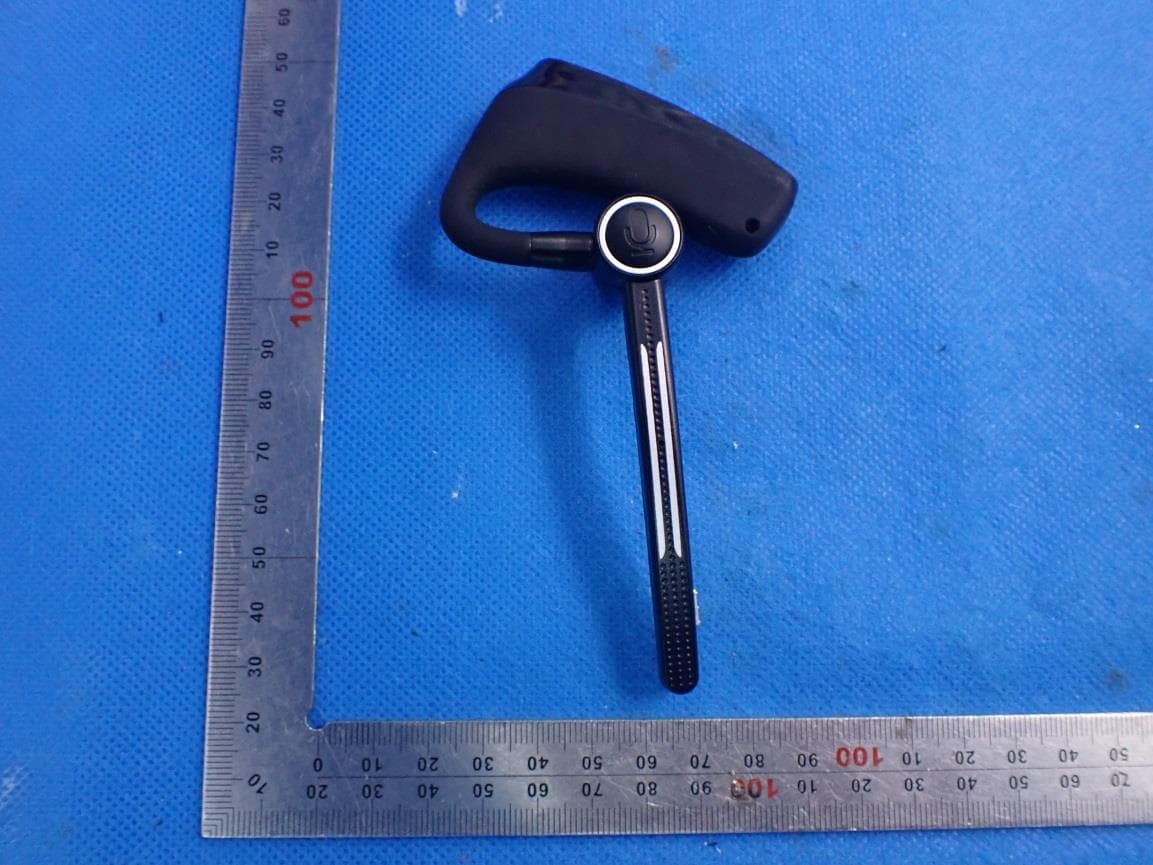
2AIO2-E2
Aug 26, 2021Bluetooth headset
Equipment Class
DSS - Part 15 Spread Spectrum Transmitter