2ANIN-T0BBLNURABUDS
NURA OPERATIONS PTY. LTD.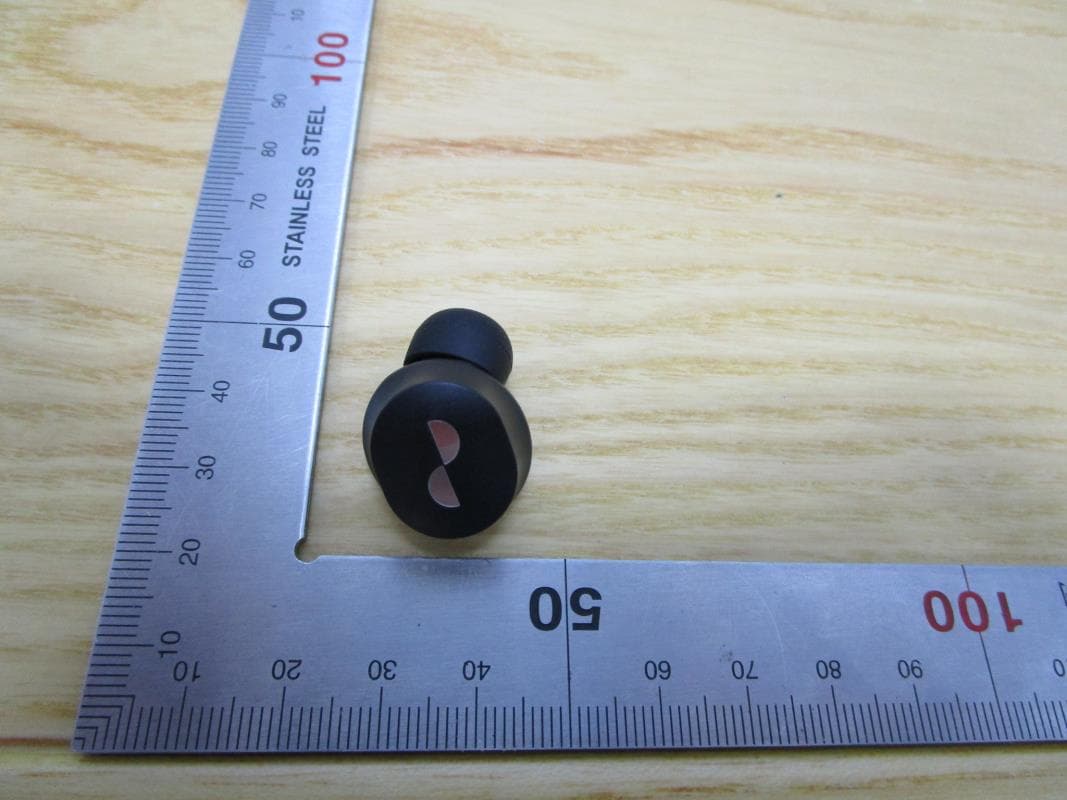
Click to zoom
Application Details
- Equipment Class
- DSS - Part 15 Spread Spectrum Transmitter
- Date of Grant
- May 24, 2021
- Application Purpose
- Original Equipment
- Date of Application
- May 24, 2021
- Equipment Note
- NURABUDS
- Frequency Range
- 2402.00000000 - 2480.00000000
- Company
- NURA OPERATIONS PTY. LTD.
- Country
- Australia
Documents & Files
Document Text
Text extracted from the exhibit documents filed with the FCC. Open a document above to read the original.
Users Manual
NuraBuds Manual1Copyright © 2021 Nura® Pty. Ltd. nura NuraBuds User Manual SKU: T0BB Model: NuraBuds R FCC ID: 2ANIN-T0BBR L FCC ID: 2ANIN-T0BBL Power: 5V, 0.2A Wireless frequency band: 2402-2480 MHz Manufacurer, EU Importer: NURA OPERATIONS PTY LTD, PO Box 95, Brunswick, VIC 3056, Australia NuraBuds Manual2Copyright © 2021 Nura® Pty. Ltd. nura Contents NuraBuds safety information 3 Getting started 5 What’s in the box 5 Fitting your NuraBuds 6 6 Downloading the Nura app 6 Connecting your NuraBuds with Bluetooth® 7 Swapping between Bluetooth® devices 7 Updating your NuraBuds 7 Your NuraBuds 8 Charging your NuraBuds 8 Checking your NuraBuds battery 8 Using the Touch Buttons 8 Making and receiving voice calls with your NuraBuds 9 Connecting your NuraBuds to other products 9 Computers 9 TVs 9 Changing your NuraBuds ear tips 10 Cleaning the NuraBuds 10 The Nura app 11 Nura app features 11 Personalising Your NuraBuds 12 Choosing your level Immersion 12 Adjusting your Active Noise Cancellation (ANC)/ Social Mode 12 Changing the NuraBuds voice language 13 Troubleshooting 14 Resetting your NuraBuds 14 Charging troubleshooting 14 Nura App troubleshooting 14 Bluetooth t roubleshooting 14 Voice calls troubleshooting 15 Sound Quality troubleshooting 16 TouchDials troubleshooting 16 Need more help? 16 Warranty 16 Compliance 17 NuraBuds Manual3Copyright © 2021 Nura® Pty. Ltd. nura NuraBuds safety information Keep this manual handy for future reference. The NuraBuds have been designed and tested for safety and comfort, but please note: exposure to any noise of 85 Decibels (dB) or above (approximately the same volume as a food blender) can cause gradual hearing loss. Due to the clarity and noise cancelling of the NuraBuds, you won’t need to listen to your music as loudly as with many conventional headphones. Monitor your use. Hearing loss is a function of loudness versus time — the louder the volume, the less time you can be exposed to it. The quieter the volume, the longer you can listen. For example, 8 hours at 85 dB causes as much damage as 4 hours at 88 dB, 2 hours at 91 dB, or just 15 minutes at 100 dB. Only use the NuraBuds with the volume set at a comfortable, moderate level. Do not listen to music at a high volume for any extended period. Be aware that reminders or warning sounds, i.e. alarms, message tones and incoming calls, might vary while using the NuraBuds. If you experience a warming sensation or loss of hearing, remove the NuraBuds from your head immediately and contact Nura support. If the NuraBuds emit a loud or unusual noise, stop using it and contact Nura support immediately. Due to noise-cancelling technology, do not use the NuraBuds at any time when an inability to hear may present a danger to yourself or others. For example, while driving, riding a bicycle, in a If you’re using the NuraBuds for phone calls while driving, then use caution and follow applicable laws using a single earpiece while driving. Charging the NuraBuds should be done only by following the instructions in this user manual. Do not make unauthorised alterations to this product. Any attempt to do so will void the warranty. CAUTION the battery shall not be exposed to excessive heat such as sunshine, or the like. DISPOSE OF USED BATTERIES ACCORDING TO THE INSTRUCTIONS result in an explosion. Leaving a battery in an extremely high temperature surrounding environment can result in an A battery subjected to extremely low air pressure may result in an explosion or the leakage of NuraBuds Manual4Copyright © 2021 Nura® Pty. Ltd. nura Contains small parts which may be a choking hazard. Not suitable for children under age 3. This product contains magnetic material. Consult your physician on whether Removal of the rechargeable lithium-ion battery in this product should be conducted Button batteries pose a serious hazard to children. Keep small cells and batteries that are considered swallowable away from children. Swallowing may lead to burns, perforation of soft tissue and death. Serious injury can occur in as little as 2 hours. Death or lifelong injury and impairment can result. In case of ingestion of a cell or a battery, seek medical assistance promptly NuraBuds Manual5Copyright © 2021 Nura® Pty. Ltd. nura Getting started 4 3 NuraBuds What’s in the box Your NuraBuds will come with: 1. NuraBuds 2. Charging case 3. USB-A to micro-USB charging cable 4. 3 x Multi-Sized silicone ear tips 1 2 1 LED charging light 2 Micro-USB charging port Charging Case 3 Removable ear bud 4 Touch Buttons NuraBuds Manual6Copyright © 2021 Nura® Pty. Ltd. nura Fitting your NuraBuds Put your NuraBuds On 1. Left and Right - Hold the earbud marked L in your left hand, and the earbud marked R in your right hand 2. 3. works best for you. To Power On: Remove your NuraBuds from its charging case. Place your NuraBuds into the charging case. Note: see below. Downloading the Nura App To set up your NuraBuds, you’ll need to download the Nura app. You can download the Nura app from: • iOS — the App Store • Android — Google Play Nura app system requirements: • iOS — iOS 9.3+ and Bluetooth® 4 • Android — Android 5.0+ and Bluetooth® 4 22 NuraBuds Manual7Copyright © 2021 Nura® Pty. Ltd. nura Connecting Your NuraBuds with Bluetooth® You’ll need to pair your NuraBuds to your mobile device via Bluetooth to access the Nura App. To connect your NuraBuds with Bluetooth: 1. To enter pairing mode, tap and hold down both touch buttons on each side. 2. On your mobile device go to Settings > Bluetooth 3. Select NuraBuds XXX. XXX is the NuraBuds unique pairing number. Swapping Between Bluetooth® devices Your NuraBuds automatically enters discoverable mode for two minutes. To enter pairing mode, tap and hold down both touch buttons on each side. When your NuraBuds are in discoverable mode, select NuraBuds XXX in the Bluetooth settings of any device you’d like to switch to. A voice prompt will announce “Bluetooth device changed.” You have now swapped your connection. Updating…
Text truncated - open the document above for the full version.
Users Manual
NuraBuds Manual14Copyright © 2021 Nura® Pty. Ltd. nura Troubleshooting If you’re ever having trouble with your NuraBuds, read the following troubleshooting. Resetting your NuraBuds Device Reset Hold down the touch buttons on both sides of the NuraBuds for 10 seconds to reset. Factory Reset 1. Open the Nura app. 2. Tap Menu > Device settings > Perform Factory Reset If your NuraBuds Won’t Charge • Make sure you’re charging with the NuraBuds USB-A to micro-USB cable only. • charger. • If you’re trying to charge with a wall charger, then try charging with a computer. • f you’re attempting to charge with a USB hub, then make sure it’s powered. If your NuraBuds won’t Connect to the Nura App: • Check your mobile device and the Nura app have been updated to the latest version. • Close and re-open the Nura app. • Check your NuraBuds are connected to your mobile device with Bluetooth. You need to be connected with Bluetooth to use the Nura app. Bluetooth will only activate when no cables are connected. • Check your internet connection is stable. • Delete the Nura app, restart your mobile device and then reinstall the Nura app. • Reset your NuraBuds. If You’re Having Trouble Connecting Your NuraBuds via Bluetooth: Check your NuraBuds and device are charged. Ensure your NuraBuds and device are within 10 feet of each other. Check you’re connecting to NuraBuds XXX , not NuraBuds XXX[LE]. NuraBuds XXX [LE] is the NuraBuds low-energy mode, which will automatically connect after you’v e connected to NuraBuds XXX. Move away from other Bluetooth devices, microwaves and wireless routers to avoid interference. Further troubleshooting: NuraBuds Manual15Copyright © 2021 Nura® Pty. Ltd. nura • Re-start your device and try pairing your NuraBuds with Bluetooth again. • If you’ve previously paired your NuraBuds with Bluetooth, then remove your NuraBuds from your device’s paired device list and try pairing again. • Reset your NuraBuds. Bluetooth Cutting In and Out? Bluetooth is designed for short distances, so you might experience some interference from time to time. To minimise Bluetooth interference, try the following: • Move your paired device closer to the NuraBuds • Move your NuraBuds and device away from other Bluetooth devices, microwaves and wireless routers. • Update your NuraBuds and mobile device to the latest versions. If You’re Having Trouble Making Calls With Your NuraBuds: Follow these steps if you’re having trouble making and receiving phone calls, or calls via Skype, FaceTime or other calling apps. • Check your NuraBuds are connected with Bluetooth. • Check that nothing is blocking your NuraBuds microphones. • The microphones are located on each side of your NuraBuds. • Disconnect your NuraBuds from your device and then reconnect. • Check your Bluetooth connection. • Poor call qualit y can be caused by a poor Bluetooth connection. • Reset your NuraBuds. NuraBuds Manual16Copyright © 2021 Nura® Pty. Ltd. nura If You’re Having Trouble With Your NuraBuds Sound Quality: • To get the highest sound qualit y from your NuraBuds: • • Use a lossless streaming service, such as Tidal. • If you’re using Spotify or a similar streaming service, use the high-qualit y streaming option. Ensure to check the streaming qualit y options in the platform’s settings. • Check the device is not in Social Mode. • If the Touch Buttons Aren’t Working Correctly: 1. Check your NuraBuds touch buttons have been set-up correctly via the nura app. 2. Reset your NuraBuds. Can’t Find What You’re Looking For? Try the Following: • Check your NuraBuds are charged. • Check your mobile device and the Nura app have been updated to the latest version. • Check your Bluetooth is connected. Further Troubleshooting 1. Forget your NuraBuds from your device’s Bluetooth settings, and pair again. 2. Reset the device which you are trying to connect to. 3. Delete and reinstall the Nura app. 4. Reset your NuraBuds. 5. Clean your NuraBuds. Need more help? Check our in-depth online help & support site nura.co/support You can also contact us via email and live chat at nura.co/contact Warranty Your NuraBuds are covered by a one-year limited warranty. Find out more at nura.co/returns NuraBuds Manual17Copyright © 2021 Nura® Pty. Ltd. nura Compliance nura.co/compliance This equipment has been tested and found to comply with the limits for a Class B digital device, pursuant to Part 15 of the FCC Rules. These limits are designed to provide reasonable protection against harmful interference in a residential installation. This equipment generates, uses, and can radiate radio frequency energy and, if not installed and used in accordance with the instructions, may cause harmful interference to radio communications. However, there is no guarantee that interference will not occur in a particular installation. If this equipment does cause harmful interference to radio or television reception, which can be determined by turning the equipment measures: Reorient or relocate the receiving antenna. Increase the distance between the equipment and receiver. connected. This device complies with Part 15 of the FCC Rules. Operation is subject to the following two conditions: (1) this device may not cause harmful interference, and (2) this device must accept any interference received, including interference that may cause undesired operation. 47 CFR § 2.1077 Compliance Information Responsible Party – U.S. Contact Information: Nura USA Operations Inc. 1375 Broadway, 15th Floor, New York, NY 10018 USA [email protected] Consult the dealer or an experienced radio/TV technician for help responsible for compliance could void the user's authority to operat e the equipment. Product name: NURABUDS Model Number: NURABUDS FCC Supplier’s Declaration of Conformity R FCC ID: 2ANIN-T0BBR L FCC ID: 2ANIN-T0BBL NuraBuds Manual18Copyright © 2021 Nura® Pty. Ltd. volume limiter on. Depending on the hearing of the user, some combinations of hearing corrections and immersion setting may exceed EN50332…
Text truncated - open the document above for the full version.
Cover Letter(s)
DATE:2021/3/11 EquipmentAutorisationDivision FederalCommunicationsCommission 7435OaklandMillsRoad Columbia,MD 21046 FCC ID: 2ANIN-T0BBL ProductName:NURABUDS Requestfor Confidentiality Pursuantto Sections0.457and 0.459of the commission’s rules,we herebyrequestthatthe followingdocumentsbe held confidential: Schematics Blockdiagram Operationdescription Thesematerialscontaintradesecretsand proprietaryinformationand are not customarily releasedto the public.The publicdisclosureof this informationmightbe harmfulto the companyand provideunjustifiedbenefitsto our competitors. CompanyName:NURAOPERATIONSPTY. LTD. ContactName:LukeCampbell Title of Person:CTO Address:PO BOX95,BrunswickVIC3056Australia
Cover Letter(s)
Date :03/11/2021 FederalCommunicationsCommission Authorization& EvaluationDivision 7345OaklandMillsRoad Columbia,Maryland21046 RE: LETTEROF AGENTAUTHORIZATION To WhomIt May Concern: We, the undersigned,herebyauthorizeComplianceTesting,LLCto act on our behalfin all mattersrelatingto applicationfor equipmentauthorization,includingthe signingof all documentsrelatingto thesematters. We also herebycertifythat no partyto the applicationauthorizedhereunderis subjectto the denialof benefits,includingFCC benefits,pursuantto Section5301of the Anti-DrugAbuseAct of 1988,21 U.S.C.853(a). Sincerely, CompanyName:NURAOPERATIONSPTY. LTD. ContactName:LukeCampbell Title of Person:CTO Address:PO BOX95,BrunswickVIC3056Australia
Cover Letter(s)
DATE:2021/3/11 FederalCommunicationsCommission Authorization& EvaluationDivision 7345OaklandMillsRoad Columbia,Maryland21046 Authorityto Act as Agent On our behalf,I appointUL VerificationServices(Guangzhou)Co., Ltd., SongShanLakeBranchBuilding10, InnovationTechnologyPark,SongShanLakeHi tech DevelopmentZone,Dongguan,523808,China to act as our agentin the preparationof this applicationfor equipmentcertification.I certifythat submitteddocumentsproperlydescribethe deviceor systemfor whichequipmentcertification is sought.I also certifythat eachunit manufactured,importedor marketed,as definedin the FederalCommunicationsCommission’s regulationswill haveaffixedto it a labelidenticalto that submittedfor approvalwiththis application. For instanceswhereour authorizedagentsignsthe applicationfor certificationon our behalf,I acknowledgethat all responsibilityfor complyingwiththe termsand conditionsfor certification,still resideswithNURAOPERATIONSPTY. LTDPO BOX95,BrunswickVIC3056 Australia CompanyName:NURAOPERATIONSPTY. LTD. ContactName:LukeCampbell Title of Person:CTO Address:PO BOX95,BrunswickVIC3056Australia
External Photos
External Photographs Page 2 of 3 UL Verification Services (Guangzhou) Co., Ltd, Song Shan Lake Branch This report shall not be reproduced except in full, without the written approval of UL Verification Services (Guangzhou) Co., Ltd, Song Shan Lake Branch. . View of EUT-1 View of EUT-2 Page 3 of 3 UL Verification Services (Guangzhou) Co., Ltd, Song Shan Lake Branch This report shall not be reproduced except in full, without the written approval of UL Verification Services (Guangzhou) Co., Ltd, Song Shan Lake Branch. . View of EUT-3 View of EUT-4
Internal Photos
Internal Photographs Page 2 of 3 UL Verification Services (Guangzhou) Co., Ltd, Song Shan Lake Branch This report shall not be reproduced except in full, without the written approval of UL Verification Services (Guangzhou) Co., Ltd, Song Shan Lake Branch. Internal View of EUT-1 Internal View of EUT-2 Antenna Page 3 of 3 UL Verification Services (Guangzhou) Co., Ltd, Song Shan Lake Branch This report shall not be reproduced except in full, without the written approval of UL Verification Services (Guangzhou) Co., Ltd, Song Shan Lake Branch. Internal View of EUT-3
RF Exposure Info
FCC ID: 2ANIN-T0BBL According to KDB 447498 D01 General RF Exposure Guidance v06, section 4.3.1 At 100 MHz to 6 GHz and for test separation distances ≤ 50 mm, the SAR test exclusion threshold is determined according to the following [(max. power of channel, including tune-up tolerance, mW) / (min. test separation distance, mm)] x [√f(GHz)] ≤ 3.0 1. SAR test exclusion threshold Frequency: 2480MHz (min. separation distances = 5 mm) SAR test exclusion thresholds (5 mm) = 3 x 5 / (√ 2.480) = 9.525 mW Max. Tune-up Tolerance (mW) SAR Test Exclusion Thresholds (5mm) (mW) 8 9.525 Calculation Value: 8 (mW) / 5 (mm) x √ 2.480 = 2.52 So, Calculation value ≤ 3.0 Remark: -Max. conducted power 7.9 mW is closet 8 mW, so 8 mW was calculated. -When the minimum test separation distance is < 5 mm, a distance of 5 mm is applied to determine SAR test exclusion. 2. Conclusion: No SAR is required.
Test Report
The results reported herein have been performed in accordance with the laboratory’s terms of accreditation. This report shall not be reproduced except in full without the written approval of the Laboratory. The results in this report apply to the test sample(s) mentioned above at the time of the testing period only and are not to be used to indicate applicability to other similar products. CFR 47 FCC PART 15 SUBPART C CERTIFICATION TEST REPORT For NuraBuds MODEL NUMBER: NURABUDS FCC ID: 2ANIN-T0BBL REPORT NUMBER: 4789846772-5 ISSUE DATE: June 09, 2021 Prepared for NURA OPERATIONS PTY. LTD. PO Box 95, Brunswick, VIC, 3056, Australia Prepared by UL Verification Services (Guangzhou) Co., Ltd, Song Shan Lake Branch Building 10, Innovation Technology Park, No. 1, Li Bin Road, Song Shan Lake Hi- Tech Development Zone Dongguan, 523808, People’s Republic of China Tel: +86 769 22038881 Fax: +86 769 33244054 Website: www.ul.com REPORT NO.: 4789846772-5 Page 2 of 95 UL Verification Services (Guangzhou) Co., Ltd, Song Shan Lake Branch FORM No.: 10-SL-F0086 This report shall not be reproduced except in full, without the written approval of UL Verification Services (Guangzhou) Co., Ltd, Song Shan Lake Branch. Revision History Rev. Issue Date Revisions Revised By V0 03/30/2021 Initial Issue V1 06/09/2021 Updated company name of Applicant and Manufacturer. Kebo.Zhang REPORT NO.: 4789846772-5 Page 3 of 95 UL Verification Services (Guangzhou) Co., Ltd, Song Shan Lake Branch FORM No.: 10-SL-F0086 This report shall not be reproduced except in full, without the written approval of UL Verification Services (Guangzhou) Co., Ltd, Song Shan Lake Branch. Summary of Test Results Clause Test Items FCC Rules Test Results 1 20dB Bandwidth and 99% Occupied Bandwidth FCC 15.247 (a) (1) Pass 2 Conducted Output Power FCC 15.247 (b) (1) Pass 3 Carrier Hopping Channel Separation FCC 15.247 (a) (1) Pass 4 Number of Hopping Frequency 15.247 (a) (1) III Pass 5 Time of Occupancy (Dwell Time) 15.247 (a) (1) III Pass 6 Conducted Bandedge FCC 15.247 (d) Pass 7 Radiated Bandedge and Spurious FCC 15.247 (d) FCC 15.209 FCC 15.205 Pass 8 Conducted Emission Test for AC Power Port FCC 15.207 Pass 9 Antenna Requirement FCC 15.203 Pass Note: 1.This test report is only published to and used by the applicant, and it is not for evidence purpose in China. 2. The measurement result for the sample received is <Pass> according to < CFR 47 FCC PART 15 SUBPART C >< ISED RSS-247 > when <Accuracy Method> decision rule is applied. REPORT NO.: 4789846772-5 Page 4 of 95 UL Verification Services (Guangzhou) Co., Ltd, Song Shan Lake Branch FORM No.: 10-SL-F0086 This report shall not be reproduced except in full, without the written approval of UL Verification Services (Guangzhou) Co., Ltd, Song Shan Lake Branch. TABLE OF CONTENTS 1. ATTESTATION OF TEST RESULTS .................................................................................... 6 2. TEST METHODOLOGY ........................................................................................................ 7 3. FACILITIES AND ACCREDITATION .................................................................................... 7 4. CALIBRATION AND UNCERTAINTY .................................................................................. 8 4.1. MEASURING INSTRUMENT CALIBRATION ................................................................ 8 4.2. MEASUREMENT UNCERTAINTY ................................................................................. 8 5. EQUIPMENT UNDER TEST ................................................................................................. 9 5.1. DESCRIPTION OF EUT ................................................................................................. 9 5.2. MAXIMUM PEAK OUTPUT POWER ............................................................................. 9 5.3. PACKET TYPE CONFIGURATION ................................................................................ 9 5.4. CHANNEL LIST ............................................................................................................ 10 5.5. TEST CHANNEL CONFIGURATION ........................................................................... 10 5.6. WORST-CASE CONFIGURATIONS ............................................................................ 10 5.7. THE WORSE CASE POWER SETTING PARAMETER ............................................... 11 5.8. DESCRIPTION OF AVAILABLE ANTENNAS .............................................................. 11 5.9. DESCRIPTION OF TEST SETUP ................................................................................ 12 6. MEASURING INSTRUMENT AND SOFTWARE USED ..................................................... 13 7. ANTENNA PORT TEST RESULTS .................................................................................... 15 7.1. ON TIME AND DUTY CYCLE ...................................................................................... 15 7.2. 20 dB BANDWIDTH AND 99 % OCCUPIED BANDWIDTH ......................................... 16 7.3. CONDUCTED OUTPUT POWER ................................................................................ 18 7.4. CARRIER FREQUENCY SEPARATION ...................................................................... 20 7.5. NUMBER OF HOPPING FREQUENCIES.................................................................... 22 7.6. TIME OF OCCUPANCY (DWELL TIME) ...................................................................... 24 7.7. CONDUCTED BANDEDGE AND SPURIOUS EMISSION ........................................... 26 8. RADIATED TEST RESULTS .............................................................................................. 28 8.1. RESTRICTED BANDEDGE ......................................................................................... 34 8.1.1. GFSK MODE ......................................................................................................... 34 8.1.2. 8DPSK MODE .....…
Text truncated - open the document above for the full version.
Test Setup Photos
Appendix II Setup Photographs RADIATED RF MEASUREMENT SETUP (30MHz ~ 1 GHz) RADIATED RF MEASUREMENT SETUP (Below 30MHz) RADIATED RF MEASUREMENT SETUP (Above 1G – X axis) RADIATED RF MEASUREMENT SETUP (Above 1G – Y axis) RADIATED RF MEASUREMENT SETUP (Above 1G – Z axis) POWERLINE CONDUCTED EMISSIONS MEASUREMENT SETUP
Contact Information
Applicant
Luke Campbell(CTO)
Test Firm
UL Verification Services (Guangzhou) Co., Ltd.Stephen Guo
[email protected]+86 0769 33817120
Technical Specifications
| # | Rule Parts | Frequency Range | Power Output |
|---|---|---|---|
| 1 | 15C | 2.40 GHz - 2.48 GHz | 3.76 mW |
Other Applications from NURA OPERATIONS PTY. LTD.
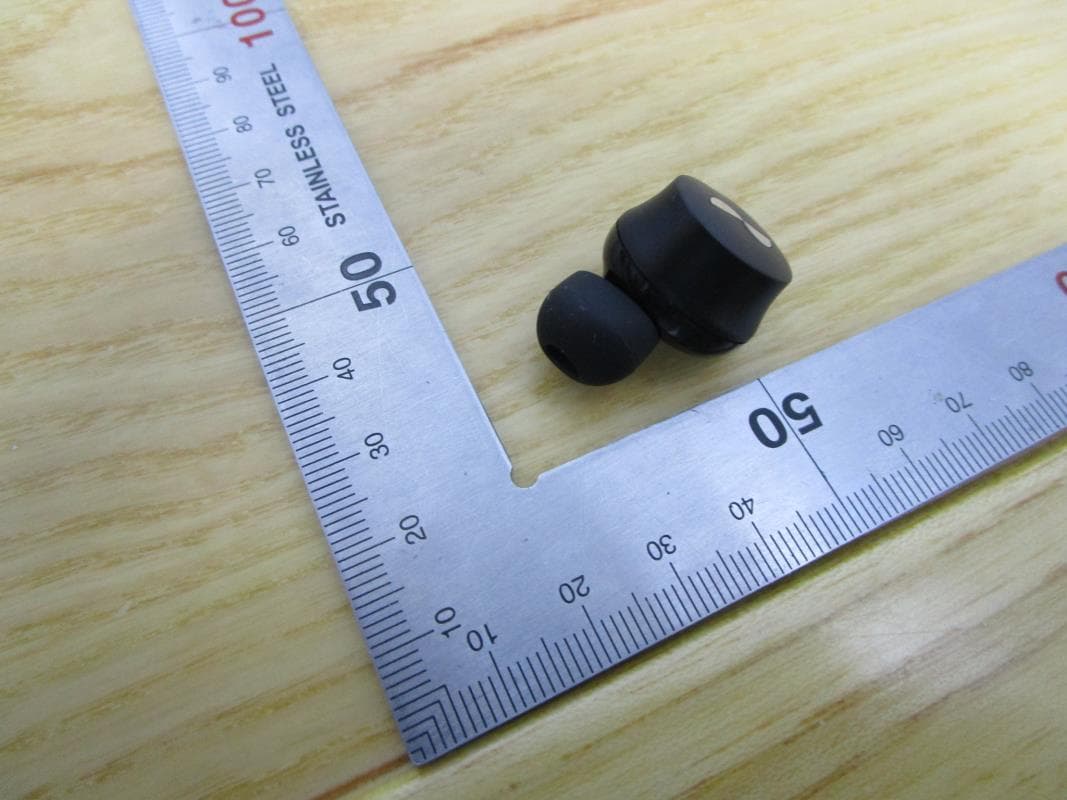
2ANIN-T0BBR
May 24, 2021NURABUDS
Equipment Class
DTS - Digital Transmission System