2APWO-A4N7Paperang Printer
Xiamen paperang technology Co.Ltd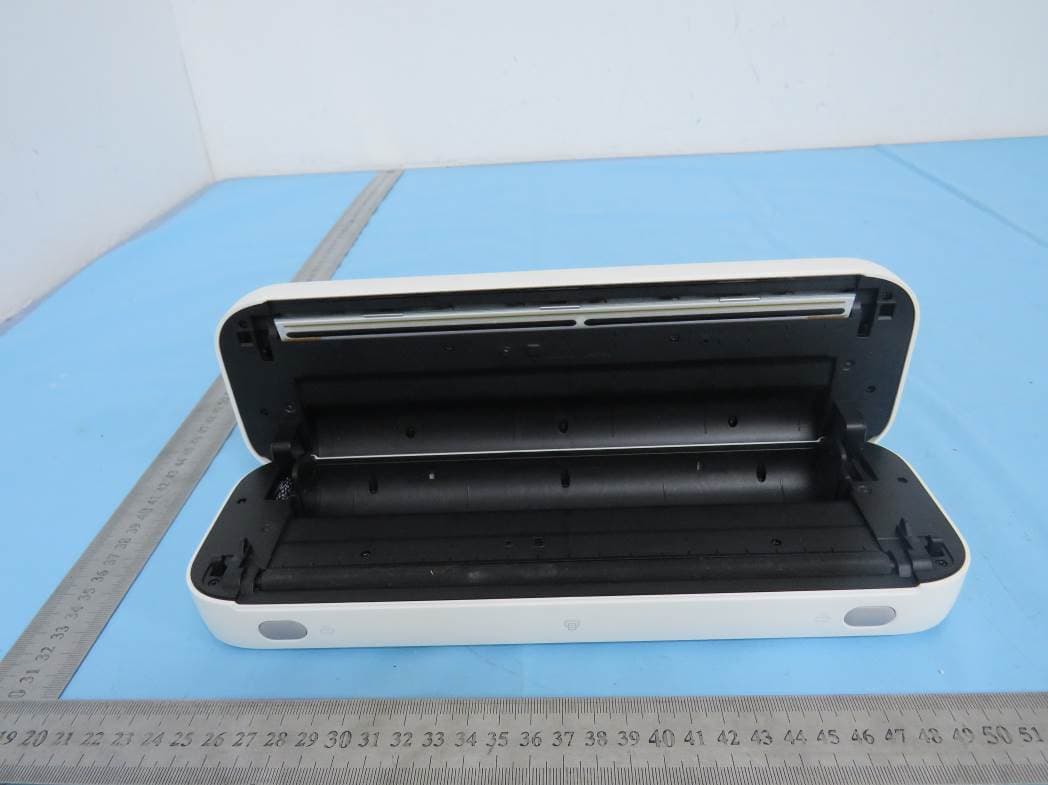
Click to zoom
Application Details
- Equipment Class
- DSS - Part 15 Spread Spectrum Transmitter
- Date of Grant
- Jul 06, 2022
- Application Purpose
- Original Equipment
- Date of Application
- Jul 06, 2022
- Equipment Note
- Paperang Printer
- Frequency Range
- 2402.00000000 - 2480.00000000
- Country
- China
Documents & Files
Document Text
Text extracted from the exhibit documents filed with the FCC. Open a document above to read the original.
Users Manual
105g金东太空梭哑粉纸 专色印刷 PANTONE Cool Gray 11 C V1.0 修改记录 版本号 设计时间 2022-06-21 修改时间修改内容版本号 喵喵机F2S海外版 说明书 物料名称 作业帮教育科技(北京)有限公司 材质工艺 RECHARGING THE PRINTER 1. Connect the printer to a USB wall charger (not included) using the included USB-A to C cable. 2. Disconnect the printer when it is fully charged. Note The power LED will be in solid white when the printer is fully charged. FCC COMPLIANCE STATEMENT This device complies with part 15 of the FCC Rules. Operation is subject to the following two conditions: (1) This device may not cause harmful interference, and (2) this device must accept any interference received, including interference that may cause undesired operation. Note This equipment has been tested and found to comply with the limits for a Class B digital device, pursuant to Part 15 of the FCC Rules. These limits are designed to provide reasonable protection against harmful interference in a residential installation. This equipment generates, uses and can radiate radio frequency energy and, if not installed and used in accordance with the instructions, may cause harmful interference to radio communications. However, there is no guarantee that interference will not occur in a particular installation. If this equipment does cause harmful interference to radio or television reception, which can be determined by turning the equipment off and on, the user is encouraged to try to correct the interference by one or more of the following measures: Reorient or relocate the receiving antenna. Increase the separation between the equipment and receiver. Connect the equipment into an outlet on a circuit different from that to which the receiver is connected. Consult the dealer or an experienced radio/TV technician for help. WARNING Changes or modifications to this unit not expressly approved by the part responsible for compliance could void the user’s authority to operate the equipment. FCC Radiation Exposure Statement The device has been evaluated to meet general RF exposure requirement. The device can be used in portable exposure condition without restriction. Cover release buttonCover release buttonPaper outlet slot Thermal print head (TPH)Tear bar Paper compartment Roller USB-C port Power button (with LED) Paper input slot OVERVIEW Congratulations on your purchase. This mobile printer is engineered for on-the-go full-page printing to boost your productivity. As a thermal printer, it does not require any ink or toner. All prints will be made by heating compatible paper. Please take a moment to thoroughly review this user guide as incorrect operation may result in damage to your printer or injury. WARNING Printer head (TPH) may be very hot. Please do not touch the printer head or parts around it after printing. See additional safety notices on Page 9. PRODUCT DIAGRAM MAINTENANCE Printer Head Cleaning Steps: 1. Turn the printer off, remove the power cord, and open the cover. 2. Wait until the printer head cools down. The printer head can be very hot after printing. 3. Completely clean printer head using an alcohol swap (not water). 4. Wait until the alcohol has completely vaporized, then close the cover. NOTE Ensure power is off when performing maintenance. Do not touch or scratch the printer head surface, roller, or sensors. Avoid gas, acetone, or other organic solvents. LED STATUS QUICK START Printing on Phone 1. Download the Paperang app. 2. Press & hold the power button for 3 seconds to turn on the printer. 3. Turn on Bluetooth on your mobile device and place it close to the printer. 4. Open the Paperang app. 5. Pairing with the printer Method 1: Tap the button in app > Tap Paperang F2S from the list of nearby devices > Complete pairing. Method 2: Double press the power button to print a QR code > Tap the button in app to scan the code > Complete pairing. 6. Start printing using Paperang app. 7. Tearing off the print manually. 8. Press and hold the power button for 3 seconds to turn off the printer after use. Printing on PC/Mac 1. Download and install the driver that matches your computer’s operating system from following link: 2. Connect Paperang F2S to your computer using the included USB-A to C cable. Please note a USB-C adapter (not included) is necessary for the latest macOS computers. 3. Press and hold the power button for 3 seconds to turn on the printer. 4. Choose Paperang F2S as the printer to start inkless A4 printing on your PC/Mac. 5. Tearing off the print. 6. Press and hold the power button for 3 seconds to turn off the printer after use. NOTE When printing several pages continuously using paper roll, you’ll be given a 5-sec pause between each printed page to tear off the printout. The drivers support Windows 7 and later & macOS 14 and later. Loading 4/8-Inch Paper Roll 1. Press both release buttons to unlock the cover. 2. Lift the cover up to open it. 3. Place the adjustment pieces to the middle of the compartment as shown. 4. Load the paper roll into the paper compartment. 5. Close the cover until it locks into place. 3. Remove the remnant of the used paper roll. 4. Load the paper roll into the paper compartment as shown. 5. Close the cover until it locks into place. SAFTETY NOTICE The printer head can become very hot after printing. Do not touch the printer head. Do not bend the power cord excessively or place objects on the cord. Do not use the printer if you find any irregularities as these could result in fire or electrocution. Keep the printer out of reach of children. Use only approved accessories and do not try to disassemble, repair the unit by yourself. Keep the printer away from water and other objects that could penetrate the components. Solid white Flashing white (twice per 3 sec) Flashing white (once per sec) Light Standby Printer (powered on) is being charged / / Printer is fully charged Description Paper shortage Printer head is overheated Cover is not closed Printer (powered off) is being charged Firmware updating Troubleshoot Be sure that the printer paper is loa…
Text truncated - open the document above for the full version.
Attestation Statements
Pinsheng technologies Co., Ltd 7Floor, No.5 middle Huangshan Avenue, North New Zone, Chongqing Declaration letter Dear Sir, We, __ Xiamen Paperang Technology Co., Ltd. _declare product: _ Paperang Printer _with the model numbers A4N7, A4A7, A4B7, A4C7, A4S7, A4X7, A4W7, A4Y7, A4Z7_, there is no electrical change has been made to the equipment that alters the compliance characteristics. These models are the same except for model number. Please kindly handle on the project. FCC ID: 2APWO-A4N7 Thank you! Sincerely, Signature MEIZHU WANG Project Engineer Xiamen Paperang Technology Co., Ltd.
External Photos
FCC ID: 2APWO-A4N7 External photo FCC ID: 2APWO-A4N7 FCC ID: 2APWO-A4N7 FCC ID: 2APWO-A4N7 FCC ID: 2APWO-A4N7
ID Label/Location Info
Label & Location
Internal Photos
FCC ID: 2APWO-A4N7 Internal photo FCC ID: 2APWO-A4N7 FCC ID: 2APWO-A4N7 RF antenna RF Chip
RF Exposure Info
Dongguan Nore Testing Center Co., Ltd. Report No.: NTC2206145F-1 FCC ID: 2APWO-A4N7 RF EXPOSURE EVALUATION EUT Specification EUT Paperang Printer Frequency band (Operating) WLAN: 2.412GHz ~ 2.462GHz WLAN: 5.18GHz ~ 5.32GHz / 5.50GHz ~ 5.70GHz WLAN: 5.745GHz ~ 5825GHz Others(Bluetooth: 2.402GHz ~ 2.480GHz) Device category Portable (<20cm separation) Mobile (>20cm separation) Others ___ Antenna diversity Single antenna Multiple antennas Tx diversity Rx diversity Tx/Rx diversity Max. output power -0.512dBm(0.89mW) for BDR+EDR -0.535dBm(0.88mW) for BLE Antenna gain -4.73dBi Evaluation applied MPE Evaluation SAR Evaluation Standard Requirement Portable Device According to §15.247(i) and §1.1307b(1), systems operating under the provisions of this section shall be operated in a manner that ensures that the public is not exposed to radio frequency energy levels in excess of the Commission’s guidelines. See KDB 447498 D01 General RF Exposure Guidance v06, section 4.3.1. The 1-g and 10-g SAR test exclusion thresholds for 100 MHz to 6 GHz at test separation distances ≤ 50 mm are determined by: [(max. power of channel, including tune-up tolerance, mW)/(min. test separation distance, mm)] ·[√f(GHz)] ≤ 3.0 for 1-g SAR and ≤ 7.5 for 10-g extremity SAR, 16 where ·f(GHz) is the RF channel transmit frequency in GHz ·Power and distance are rounded to the nearest mW and mm before calculation17 ·The result is rounded to one decimal place for comparison The test exclusions are applicable only when the minimum test separation distance is ≤ 50 mm and for transmission frequencies between 100 MHz and 6 GHz. When the minimum test separation distance is < 5 mm, a distance of 5 mm is applied to determine SAR test exclusion. Dongguan Nore Testing Center Co., Ltd. Report No.: NTC2206145F-1 FCC ID: 2APWO-A4N7 Measurement Result Channel Channel Frequency (MHz) Max Output power (dBm) Max Output power (mW) Calculati on Value (Note 1) Threshold Value BLE Low 2480 -0.535 0.88 0.277 3.0 BDR+EDR (8DPSK) Low 2480 -0.512 0.89 0.280 3.0 Only the worst case was recorded in the report. Note 1: Calculation Value =[(max. power of channel, mW)/(min. test separation distance, mm)] ·[√f(GHz)]. Fox example: 0.89/5*√2.480=0.280 ≤ 3.0 According to KDB447498 D01 V06, threshold at which no SAR required is ≤3.0 for 1-g SAR, separation distance is 5mm, and no simultaneous SAR measurement is required.
Test Report
Report No.: NTC2206108FV00 Page 2 of 50 Table of Contents 1. Summary of Test Result ........................................................................................................................... 4 2. General Description of EUT ...................................................................................................................... 5 3. Test Channels and Modes Detail ............................................................................................................... 8 4. Configuration of EUT ................................................................................................................................ 8 5. Modification of EUT .................................................................................................................................. 8 6. Description of Support Device ................................................................................................................... 9 7. Test Facility and Location ....................................................................................................................... 10 8. Applicable Standards and References ..................................................................................................... 11 9. Deviations and Abnormalities from Standard Conditions ........................................................................... 11 10. Test Conditions .................................................................................................................................... 12 11. Measurement Uncertainty ..................................................................................................................... 13 12. Sample Calculations ............................................................................................................................. 14 13. Test Items and Results ......................................................................................................................... 15 13.1 Conducted Emissions Measurement .................................................................................................... 15 13.2 Radiated Spurious Emissions and Restricted Bands Measurement ....................................................... 19 13.3 Channel Separation test ...................................................................................................................... 26 13.4 20dB Bandwidth ................................................................................................................................. 30 13.5 Hopping Channel Number ................................................................................................................... 34 13.6 Time of Occupancy (Dwell Time) ......................................................................................................... 36 13.7 Maximum Peak Output Power ............................................................................................................. 40 13.8 Band Edge Conducted Spurious Emission Measurement ...................................................................... 42 13.9 Antenna Requirement ......................................................................................................................... 45 14. Test Equipment List .............................................................................................................................. 50 Report No.: NTC2206108FV00 Page 3 of 50 Revision History Report Number Description Issued Date NTC2206108FV00 Initial Issue 2022-07-01 Report No.: NTC2206108FV00 Page 4 of 50 1. Summary of Test Result FCC Rules Description of Test Result Remarks §15.247(a)(1) Channel Separation test PASS --- §15.247(a)(1) 20dB Bandwidth PASS --- §15.247(a)(1)(iii) Hopping Channel Number PASS --- §15.247(a)(1)(iii) Time of Occupancy (Dwell Time) PASS --- §15.247(b) Max Peak output Power test PASS --- §15.247(d) Band edge test PASS --- §15.207 (a) AC Power Conducted Emission PASS --- §15.247(d),§15.209, §15.205 Radiated Emission PASS --- §15.203 Antenna Requirement PASS --- §15.247(d) Conducted Spurious Emission PASS --- Report No.: NTC2206108FV00 Page 5 of 50 2. General Description of EUT Product Information Product Name: Paperang Printer Main Model Name: A4N7 Additional Model Name: A4A7, A4B7, A4C7, A4S7, A4X7, A4W7, A4Y7, A4Z7 Model Difference: These models have the same circuit schematic, construction, PCB Layout and critical components. Their difference is model number due to trading purpose. S/N: 2206-2480 Brand Name PAPERANG Hardware Version: Not stated Software Version: Not stated Rating: DC 5V 2A from type-c port or DC 7.4V from internal battery Classification: Class B Typical Arrangement: Tabletop I/O Port: Refer to the user manual Accessories Information Adapter: N/A Cable: USB line: 0.51m, unshielded, detachable Other: N/A Additional Information Note: According to the model difference, all tests were performed on model A4N7. Remark: All the information above are provided by the manufacturer. More detailed feature of the EUT please refers to the user manual. Report No.: NTC2206108FV00 Page 6 of 50 Technical Specification Bluetooth Version: V5.2 Frequency Range: 2402-2480MHz Modulation Type: GFSK, π/4-DQPSK, 8DPSK Number of Channel: 79 (refer to following channel list for details) Channel Space: 1MHz Antenna Type: PCB Antenna Antenna Gain: -4.73 dBi (Declared by the manufacturer) Note: This report only replies to BDR +EDR feature of the EUT. Report No.: NTC2206108FV00 Page 7 of 50 Channel List Channel Frequency (MHz) Channel Frequency (MHz) Channel Frequency (MHz) Channel Frequency (MHz) 0 2402 20 2422 40 2442 60 2462 1 2403 21 2423 41 2443 61 2463 2 2404 22 2424 42 2444 62 2464 3 2405 23 2425 43 2445 63 2465 4 2406 24 2426 44 2446 64 2466 5 2407 25 2427 45 2447 65 2467 6 2408 26 2428 46 2448 66 2468 7 2409 27 2429 47 2449 67 2469 8 2410 28 2430 48 2450 68 2470 9 2411 29 2431 49 2451 69 2471 10 2412 30 2432 50 …
Text truncated - open the document above for the full version.
Test Setup Photos
FCC ID: 2APWO-A4N7 Test photo Radiated emission Below 30MHz 30MHz-1GHz FCC ID: 2APWO-A4N7 Above 1GHz Conducted emission
Contact Information
Applicant
MEIZHU WANG(Project Engineer)
Technical Contact
Non-Technical Contact
Dongguan NTC Co., Ltd.Jees hong
[email protected]86-0769-22022444
Test Firm
Dongguan NTC CO., Ltd.Jees Hong
[email protected]+86-769-22022444
Technical Specifications
| # | Rule Parts | Frequency Range | Power Output |
|---|---|---|---|
| 1 | 15C | 2.40 GHz - 2.48 GHz | 889.00 µW |
Other Applications from Xiamen paperang technology Co.Ltd
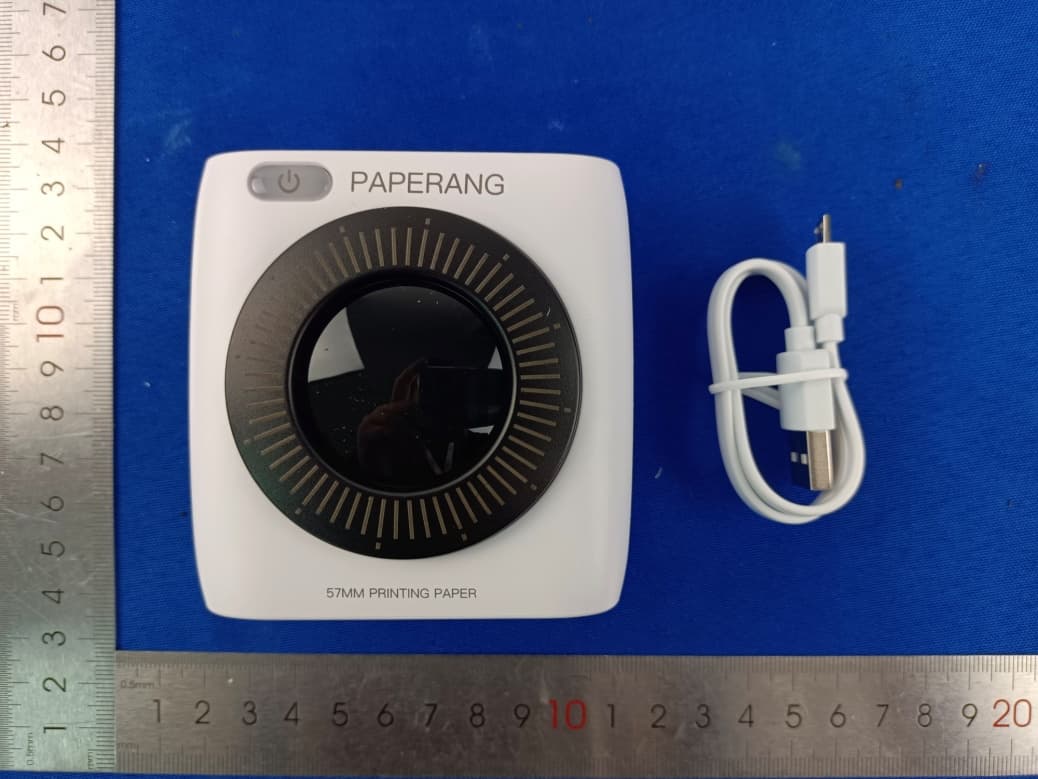
2APWO-P2Z1
Jul 14, 2022Thermal Printer
Equipment Class
DTS - Digital Transmission System