2ARGO-ETCOMBluetooth headset
LEXIN ELECTRONICS INC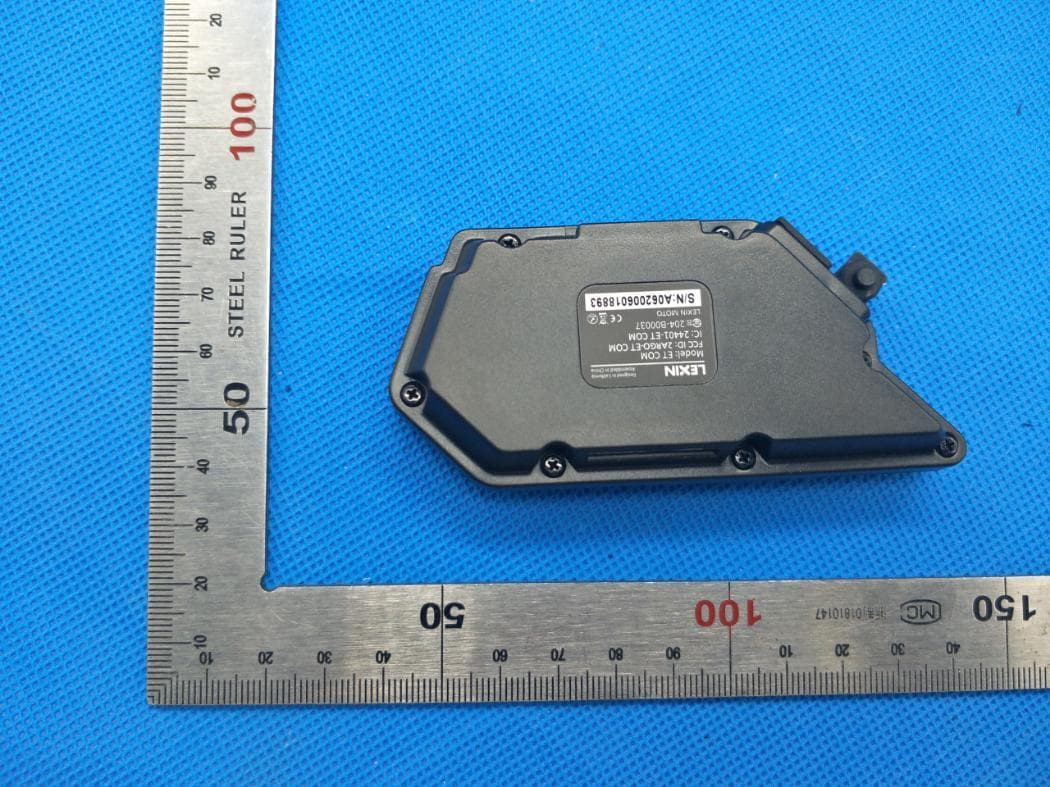
Click to zoom
Application Details
- Equipment Class
- DSS - Part 15 Spread Spectrum Transmitter
- Date of Grant
- Aug 20, 2020
- Application Purpose
- Original Equipment
- Date of Application
- Aug 20, 2020
- Equipment Note
- Bluetooth headset
- Frequency Range
- 2402.00000000 - 2480.00000000
- Company
- LEXIN ELECTRONICS INC
- Country
- United States
Documents & Files
Document Text
Text extracted from the exhibit documents filed with the FCC. Open a document above to read the original.
Users Manual
[email protected] www.lexin-moto.com 1(800)380-8248 Features of the LEXIN ET COM - Bluetooth 5.0 - Hands-free calling - Plays music or radio - Support Siri and other voice assistants - Built-in DSP noise reduction - Wireless intercom between 2 LEXIN ET COM devices with a range of up to 1200 meters (0.8 miles) The LEXIN ET COM is compliant with Bluetooth Specification V5.0 supporting the following profiles: Headset Profile (HSP), Hands-Free Profile (HFP), and Advanced Audio Distribution Profile (A2DP). It supports universal pairing with most Bluetooth headsets on the market. - Type C USB Quick charge capability - Support voice prompts, power voice announcement - Supports universal pairing with most Bluetooth Intercom - Automatic answering of incoming calls, last phone call number redial Speakers HD 36MM stereo helmet speakers and headset(s) included. These are designed for installation into most open face, modular, and full-face style helmets. Superior audio fidelity has been achieved with our high quality, non-ported, and ultra-slim helmet HD speakers. This headset also provides the industry's best combination of wind and ambient noise reduction with the included microphone(s). 1 23 67 89 1011 1213 1415 1617 1819 2021 2223 2425 Note: A single LEXIN ET COM can be connected with up to two different Bluetooth devices at once; LEXIN ET COM Bluetooth will automatically connect with the your phone once you turn on the next time. Note: The LED will blink blue on device indicating a connection is complete. Remaining Battery Reminder Long pressing the Phone Button and the Volume Down Button at the same time will prompt the remaining battery power. Pairing Phone Step 1: With power on, press and hold the Phone Button for 3 seconds until the LED flashes blue and red. Follow the device’s instructions to connect; Step 2: Go to Bluetooth settings on your phone. Select the Bluetooth “LEXIN ET COM”; Step 3: Click on the name to connect; Step 4: Your phone should confirm when pairing is complete. Pairing Stereo Bluetooth Adaptor Step 1: With power on, press and hold the Phone Button for 3 seconds until the LED flashes blue and red. Follow the device’s instructions to connect; Step 2: Turn on the audio source device and prepare Stereo Bluetooth Adaptor for pairing; Step 3: LEXIN ET COM device entre Bluetooth pairing mode; Pairing LEXIN ET COM with Bluetooth Devices Change Song Short press the Volume Up Button for previous song, short press the Volume Down Button for the next song. Answer Call Short press the Phone Button to answer when phone call is coming. Auto Answer Answer the incoming call automatically within 7 seconds when phone call is coming. Preset On/Off Automatic Answering With power on, press and hold the FM Radio Button and the Volume Down Button by 3 seconds. The blue light will stay on for one second, indicating that it is on, or the red light stays on for one second, indicating that it is off. End Call Short press the Phone Button to end the call. Redial When in standby mode, press the Phone and Volume Up Button at the same time, the last phone call will redial. Voice Dial When device is in phone bluetooth connecting mode, double-click the Phone Button to activate Siri or S-Voice. Simply speak the name from your phone list to dial. Phone Calls Open FM Radio Short press FM Button to enter radio function, the device will have voice prompting. Turn Off FM Radio When in radio opening state, short press the FM Button again to turn off radio function, the device will have voice prompting. FM Radio Station Search Turn up: Short press the Volume Up Button, the voice prompt will adjust the radio station upwards. Turn down: Short press the Volume Down Button, and the voice FM Radio Universal Pairing Note: Clear any existing connection before connecting devices Press the Volume Up and Volume Down Buttons simultaneously for 1 second. To Enter Pairing Mode Step 1: Power on the LEXIN ET COM device, long press the Intercom Button to enter pairing mode until the LED begins flashing blue and red alternately; Step 2: Follow other units Bluetooth pairing instructions to enter pairing mode; Step 3: Press the Intercom Button again to connect the product, and the LED begins flashing blue when the connection is successful; Step 4: When the products are successfully paired, press the Intercom Button to enter the intercom mode(The light changes to flash purple). Bluetooth Intercom Connection for 2 Units LEXIN ET COM devices can be paired with up to two devices. Intercom allows you to quickly speak to another rider in your group who has a paired device. Intercom Connection Introduction Intercom Button Volume Down / FM Station Down Phone Button FM Radio Button Bluetooth Connection 2-Way Conference Intercom IP67 Waterproof Long Battery Life Volume Up / FM Station Up LEXIN ET COM Bluetooth headset User Guide Hold 2S Red and blue lights flash quickly Hold 2S After turning on the two units, press the Intercom Button of the first one for 2s, then press the Intercom Button of the second one for 2s, then those two devices pairing will be ready, the lights flash into red and blue alternately and the voice prompts pairing intercom for this moment. Pairing and Intercom Between Two LEXIN ET COM Pair the First Device with the Second Device Unit OneUnit Two Unit OneUnit Two Blue Light Flashes Click End The Intercom Talk In the internal intercom state, short press the Intercom Button of one of the two devices to disconnect the intercom. After disconnecting, the LED lights of the two devices flash blue. Device Range: If one intercom rider goes out of range during an intercom talk, there may be static and eventually the intercom will disconnect. In this case, the LEXIN ET COM automatically tries to reconnect the intercom rider and you will hear high tone double beep until the connection is re-established. Battery Conservation To save battery power, disconnect the intercom units if you do not need to talk. Unit One or Unit …
Text truncated - open the document above for the full version.
Cover Letter(s)
LEXIN ELECTRONICS INC 3303 Harbor Blvd Suite E6,Costa,Mesa,CA 92626,USA Agent Authorization Company: LEXIN ELECTRONICS INC Address: 3303 Harbor Blvd Suite E6,Costa,Mesa,CA 92626,USA Product Name: Bluetooth headset Model Number(s): LEXIN ET COM Product Description: Bluetooth headset We authorize MiCOM Labs Inc., 575 Boulder Court, Pleasanton, California 94566, USA, to act on our behalf on all matters concerning the certification of above named equipment. We declare that MiCOM Labs Inc. is allowed to forward all information related to the approval and certification of equipment to the regulatory agencies as required and to discuss any issues concerning the approval application. Any and all acts carried out by MiCOM Labs on our behalf shall have the same effect as acts of our own. Signature: Date: Aug. 3, 2020 Name: Hong Lei Title: CEO Company: LEXIN ELECTRONICS INC
External Photos
External Photos WHOLE VIEW OF EUT TOP VIEW OF EUT BOTTOM VIEW OF EUT FRONT VIEW OF EUT BACK VIEW OF EUT LEFT VIEW OF EUT RIGHT VIEW OF EUT VIEW OF EUT(PORT)
ID Label/Location Info
FCC ID and IC Label Location 20mm*16mm FCC ID:2ARGO-ETCOM IC: 24401-ETCOM HVIN: LEXIN ET COM
Internal Photos
Internal Photos OPEN VIEW OF EUT VIEW OF BATTERY INTERNAL VIEW OF EUT-1 INTERNAL VIEW OF EUT-2 BT Antenna INTERNAL VIEW OF EUT-3
RF Exposure Info
RF EXPOSURE EVALUATION 1. PRODUCT INFORMATION Product Description Bluetooth headset Model Name LEXIN ET COM FCC ID 2ARGO-ETCOM 2. EVALUATION METHOD According to 447498 D01 General RF Exposure Guidance v05 The 1-g and 10-g SAR test exclusion thresholds for 100 MHz to 6 GHz at test separation distances ≤ 50 mm are determined by: [(max. power of channel, including tune-up tolerance, mW)/(min. test separation distance, mm)] ·[√f(GHz)] ≤ 3.0 for 1-g SAR and ≤ 7.5 for 10-g extremity SAR. Where f(GHz) is the RF channel transmit frequency in GHz Power and distance are rounded to the nearest mW and mm before calculation 3. CALCULATION BR/EDR: P t =9.601dBm=9.12mW The value of the Maximum output power P t is referred to the test report of the CFR47 §15.247. The result for RF exposure evaluation SAR=(9.12mW /5mm) .[√2.402GHz)]=2.83<3.0 for 1-g SAR and ≤ 7.5 for 10-g extremity SAR. 4. CONCLUSION The SAR evaluation is not required.
Test Report
Page 1 of 69 FCC Test Report Report No.: AGC00793200701FE03 FCC ID : 2ARGO-ETCOM APPLICATION PURPOSE : Original Equipment PRODUCT DESIGNATION : Bluetooth headset BRAND NAME : LEXIN MODEL NAME : LEXIN ET COM APPLICANT : Lexin Electronics Inc. DATE OF ISSUE : Aug. 21, 2020 STANDARD(S) : FCC Part 15.247 REPORT VERSION : V1.0 Attestation of Global Compliance (Shenzhen) Co., Ltd Report No.: AGC00793200701FE03 Page 2 of 69 REPORT REVISE RECORD Report Version Revise Time Issued Date Valid Version Notes V1.0 / Aug. 21, 2020 Valid Initial Release Report No.: AGC00793200701FE03 Page 3 of 69 TABLE OF CONTENTS 1. VERIFICATION OF CONFORMITY .................................................................................................................. 5 2. GENERAL INFORMATION .............................................................................................................................. 6 2.1. PRODUCT DESCRIPTION ........................................................................................................................ 6 2.2. TABLE OF CARRIER FREQUENCYS ....................................................................................................... 6 2.3. RECEIVER INPUT BANDWIDTH .............................................................................................................. 7 2.4. EXAMPLE OF A HOPPING SEQUENCY IN DATA MODE ......................................................................... 7 2.5. EQUALLY AVERAGE USE OF FREQUENCIES AND BEHAVIOUR ......................................................... 7 2.6. RELATED SUBMITTAL(S) / GRANT (S) .................................................................................................... 8 2.7. TEST METHODOLOGY ............................................................................................................................. 8 2.8. SPECIAL ACCESSORIES ......................................................................................................................... 8 2.9. EQUIPMENT MODIFICATIONS ................................................................................................................. 8 3. MEASUREMENT UNCERTAINTY ................................................................................................................... 9 4. DESCRIPTION OF TEST MODES ................................................................................................................. 10 5. SYSTEM TEST CONFIGURATION ................................................................................................................ 11 5.1. CONFIGURATION OF EUT SYSTEM ...................................................................................................... 11 5.2 EQUIPMENT USED IN TESTED SYSTEM ............................................................................................... 11 5.3. SUMMARY OF TEST RESULTS .............................................................................................................. 11 6. TEST FACILITY .............................................................................................................................................. 12 7. PEAK OUTPUT POWER ................................................................................................................................ 13 7.1. MEASUREMENT PROCEDURE ............................................................................................................. 13 7.2. TEST SET-UP (BLOCK DIAGRAM OF CONFIGURATION) .................................................................... 13 7.3. LIMITS AND MEASUREMENT RESULT .................................................................................................. 14 8. 20DB BANDWIDTH ........................................................................................................................................ 20 8.1. MEASUREMENT PROCEDURE ............................................................................................................. 20 8.2. TEST SET-UP (BLOCK DIAGRAM OF CONFIGURATION) .................................................................... 20 8.3. LIMITS AND MEASUREMENT RESULTS ............................................................................................... 21 9. CONDUCTED SPURIOUS EMISSION........................................................................................................... 27 9.1. MEASUREMENT PROCEDURE ............................................................................................................. 27 9.2. TEST SET-UP (BLOCK DIAGRAM OF CONFIGURATION) .................................................................... 27 9.3. MEASUREMENT EQUIPMENT USED .................................................................................................... 27 Report No.: AGC00793200701FE03 Page 4 of 69 9.4. LIMITS AND MEASUREMENT RESULT .................................................................................................. 27 10. RADIATED EMISSION ................................................................................................................................. 40 10.1. MEASUREMENT PROCEDURE ........................................................................................................... 40 10.2. TEST SETUP ......................................................................................................................................... 42 10.3. LIMITS AND MEASUREMENT RESULT ............................................................................................... 43 10.4. TEST RESULT........................................................................................................................................ 43 11. NUMBER OF HOPPING FREQUENCY ....................................................................................................... 53 11.1. MEASUREMENT PROCEDURE.........................................................................................…
Text truncated - open the document above for the full version.
Test Report
Report No.: AGC00793200701FE03 Page 41 of 69 The following table is the setting of spectrum analyzer and receiver. Spectrum Parameter Setting Start ~Stop Frequency 9KHz~150KHz/RB 200Hz for QP Start ~Stop Frequency 150KHz~30MHz/RB 9KHz for QP Start ~Stop Frequency 30MHz~1000MHz/RB 120KHz for QP Start ~Stop Frequency 1GHz~26.5GHz 1MHz/3MHz for Peak, 1MHz/3MHz for Average Receiver Parameter Setting Start ~Stop Frequency 9KHz~150KHz/RB 200Hz for QP Start ~Stop Frequency 150KHz~30MHz/RB 9KHz for QP Start ~Stop Frequency 30MHz~1000MHz/RB 120KHz for QP Report No.: AGC00793200701FE03 Page 42 of 69 10.2. TEST SETUP Radiated Emission Test-Setup Frequency Below 30MHz RADIATED EMISSION TEST SETUP 30MHz-1000MHz RADIATED EMISSION TEST SETUP ABOVE 1000MHz Report No.: AGC00793200701FE03 Page 43 of 69 10.3. LIMITS AND MEASUREMENT RESULT 15.209 Limit in the below table has to be followed Frequencies (MHz) Field Strength (micorvolts/meter) Measurement Distance (meters) 0.009~0.490 2400/F(KHz) 300 0.490~1.705 24000/F(KHz) 30 1.705~30.0 30 30 30~88 100 3 88~216 150 3 216~960 200 3 Above 960 500 3 Note: All modes were tested For restricted band radiated emission, the test records reported below are the worst result compared to other modes. 10.4. TEST RESULT RADIATED EMISSION BELOW 30MHZ The result of the lowest internal use/generated frequency to 30MHz is 20dB less than the limit. Report No.: AGC00793200701FE03 Page 44 of 69 RADIATED EMISSION BELOW 1GHZ EUT Bluetooth headset Model Name LEXIN ET COM Temperature 25°C Relative Humidity 55.4% Pressure 960hPa Test Voltage Normal Voltage Test Mode Mode 1 Antenna Horizontal NO. Freq. [MHz] Level [dBμV/m ] Factor [dB] Limit [dBμV/m] Margin [dB] Height [cm] Angle [°] Polarity 1 52.3100 32.63 17.49 40.00 7.37 200 360 Horizontal 2 118.2700 40.29 16.29 43.50 3.21 200 184 Horizontal 3 130.8800 39.80 17.21 43.50 3.70 200 189 Horizontal Final Data List NO. Freq. [MHz] Factor [dB] QP Value [dBμV/m] QP Limit [dBμV/m] QP Margin [dB] Height [cm] Angle [°] Polarity 1 462.4602 24.25 40.22 46.00 5.78 196.9 101.7 Horizon tal 2 204.9519 15.37 39.41 43.50 4.09 300 290 Horizon tal 3 292.6473 19.04 37.68 46.00 8.32 190 280 Horizon tal RESULT: PASS Report No.: AGC00793200701FE03 Page 45 of 69 EUT Bluetooth headset Model Name LEXIN ET COM Temperature 25°C Relative Humidity 55.4% Pressure 960hPa Test Voltage Normal Voltage Test Mode Mode 1 Antenna Vertical NO. Freq. [MHz] Level [dBμV/m] Factor [dB] Limit [dBμV/m] Margin [dB] Height [cm] Angle [°] Polarity 1 48.4300 34.56 17.71 40.00 5.44 100 293 Vertical 2 52.3100 34.12 17.49 40.00 5.88 100 0 Vertical 3 67.8300 28.16 15.59 40.00 11.84 100 359 Vertical 4 118.2700 27.58 16.29 43.50 15.92 100 299 Vertical 5 295.7800 37.49 18.97 46.00 8.51 100 359 Vertical 6 475.2300 38.67 24.55 46.00 7.33 100 192 Vertical RESULT: PASS Note: 1. Factor=Antenna Factor + Cable loss, Margin=Measurement-Limit. 2. All test modes had been pre-tested. The mode 1 is the worst case and recorded in the report. Report No.: AGC00793200701FE03 Page 46 of 69 RADIATED EMISSION ABOVE 1GHZ EUT Bluetooth headset Model Name LEXIN ET COM Temperature 25°C Relative Humidity 55.4% Pressure 960hPa Test Voltage Normal Voltage Test Mode Mode 1 Antenna Horizontal FrequencyMeter ReadingFactorEmission LevelLimitsMargin (MHz)(dBμV)(dB)(dBμV/m)(dBμV/m)(dB) 4804.00045.330.0845.4174-28.59 peak 4804.00037.160.0837.2454-16.76 AVG 7206.00040.642.2142.8574-31.15 peak 7206.00032.782.2134.9954-19.01 AVG Remark: Factor = Antenna Factor + Cable Loss – Pre-amplifier. Value Type EUT Bluetooth headset Model Name LEXIN ET COM Temperature 25°C Relative Humidity 55.4% Pressure 960hPa Test Voltage Normal Voltage Test Mode Mode 1 Antenna Vertical FrequencyMeter ReadingFactorEmission LevelLimitsMargin (MHz)(dBμV)(dB)(dBμV/m)(dBμV/m)(dB) 4804.00044.370.0844.4574-29.55 peak 4804.00036.410.0836.4954-17.51 AVG 7206.00039.822.2142.0374-31.97 peak 7206.00030.282.2132.4954-21.51 AVG Remark: Factor = Antenna Factor + Cable Loss – Pre-amplifier. Value Type Report No.: AGC00793200701FE03 Page 47 of 69 EUT Bluetooth headset Model Name LEXIN ET COM Temperature 25°C Relative Humidity 55.4% Pressure 960hPa Test Voltage Normal Voltage Test Mode Mode 2 Antenna Horizontal FrequencyMeter ReadingFactorEmission LevelLimitsMargin (MHz)(dBμV)(dB)(dBμV/m)(dBμV/m)(dB) 4882.00045.830.1445.9774-28.03 peak 4882.00038.910.1439.0554-14.95 AVG 7323.00041.672.3644.0374-29.97 peak 7323.00034.222.3636.5854-17.42 AVG Remark: Factor = Antenna Factor + Cable Loss – Pre-amplifier. Value Type EUT Bluetooth headset Model Name LEXIN ET COM Temperature 25°C Relative Humidity 55.4% Pressure 960hPa Test Voltage Normal Voltage Test Mode Mode 2 Antenna Vertical FrequencyMeter ReadingFactorEmission LevelLimitsMargin (MHz)(dBμV)(dB)(dBμV/m)(dBμV/m)(dB) 4882.00045.750.1445.8974-28.11 peak 4882.00037.810.1437.9554-16.05 AVG 7323.00040.652.3643.0174-30.99 peak 7323.00031.422.3633.7854-20.22 AVG Remark: Factor = Antenna Factor + Cable Loss – Pre-amplifier. Value Type Report No.: AGC00793200701FE03 Page 48 of 69 EUT Bluetooth headset Model Name LEXIN ET COM Temperature 25°C Relative Humidity 55.4% Pressure 960hPa Test Voltage Normal Voltage Test Mode Mode 3 Antenna Horizontal FrequencyMeter ReadingFactorEmission LevelLimitsMargin (MHz)(dBμV)(dB)(dBμV/m)(dBμV/m)(dB) 4960.00046.610.2246.8374-27.17 peak 4960.00038.730.2238.9554-15.05 AVG 7440.00041.542.6444.1874-29.82 peak 7440.00032.422.6435.0654-18.94 AVG Remark: Factor = Antenna Factor + Cable Loss – Pre-amplifier. Value Type EUT Bluetooth headset Model Name LEXIN ET COM Temperature 25°C Relative Humidity 55.4% Pressure 960hPa Test Voltage Normal Voltage Test Mode Mode 3 Antenna Vertical FrequencyMeter ReadingFactorEmission LevelLimitsMargin (MHz)(dBμV)(dB)(dBμV/m)(dBμV/m)(dB) 4960.00045.660.2245.8874-28.12 peak 4960.00038.490.2238.7154-15.29 AVG 7440.00041.242.6443.8874-30.12 peak 7440.00033.212.6435.8554-18.15 AVG Remark: Factor = Antenna Factor + Cable Loss – Pre-amplifier. Value Type RESULT: PASS Note: Oth…
Text truncated - open the document above for the full version.
Test Setup Photos
Test Setup Photos RADIATED EMISSION TEST SETUP BELOW 1GHZ RADIATED EMISSION TEST SETUP ABOVE 1GHZ CONDUCTED TEST SETUP
Contact Information
Applicant
Hong Lei(CEO)
Technical Contact
Test Firm
Attestation of Global Compliance (Shenzhen) Co., LDoris Li
[email protected]+86-755-25234088
Technical Specifications
| # | Rule Parts | Frequency Range | Power Output |
|---|---|---|---|
| 1 | 15C | 2.40 GHz - 2.48 GHz | 9.10 mW |
Other Applications from LEXIN ELECTRONICS INC

2ARGO-MTX
Aug 23, 2023Bluetooth Intercom Headset
Equipment Class
DSS - Part 15 Spread Spectrum Transmitter
2ARGO-MODELS
Jul 31, 2023Bluetooth Speaker
Equipment Class
DTS - Digital Transmission System