2AS4O-BF20BF40Smart wireless meat thermometer
Shenzhen Bfour Intelligent Technology Co.,Ltd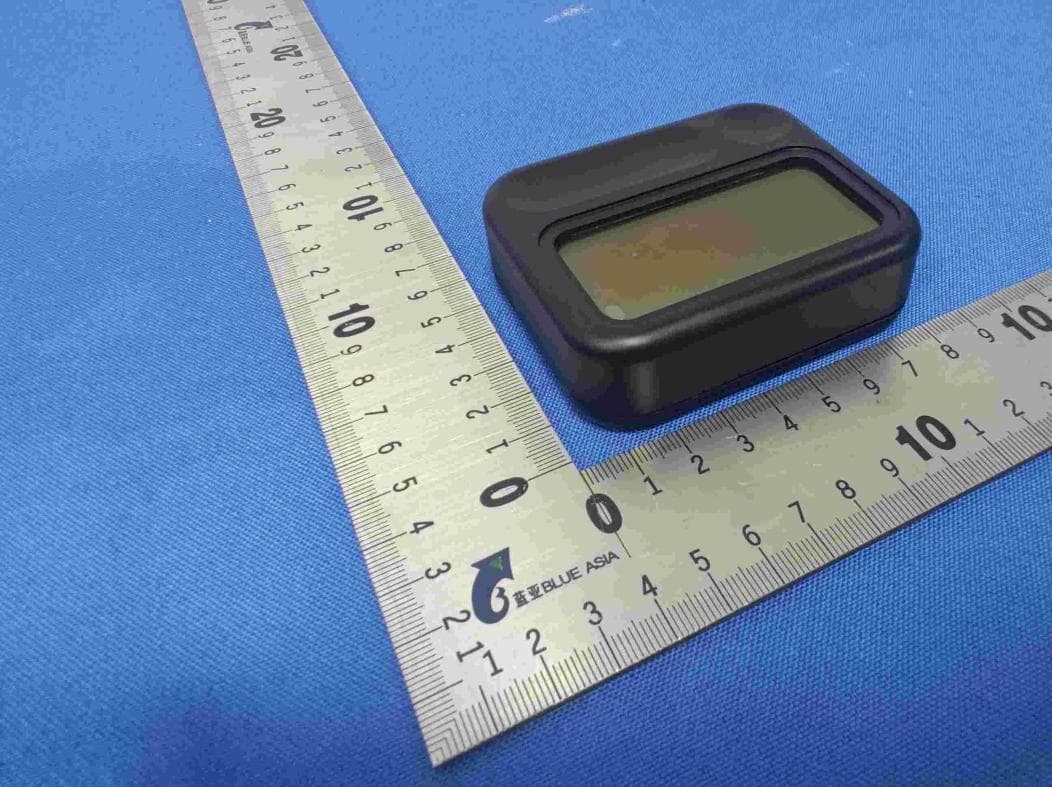
Click to zoom
Application Details
- Equipment Class
- DTS - Digital Transmission System
- Date of Grant
- Jul 10, 2022
- Application Purpose
- Original Equipment
- Date of Application
- Jul 07, 2022
- Equipment Note
- Smart wireless meat thermometer
- Frequency Range
- 2402.00000000 - 2480.00000000
- Country
- China
Documents & Files
Document Text
Text extracted from the exhibit documents filed with the FCC. Open a document above to read the original.
Users Manual
BFOUR SMART MEAT THERMOMETER USER MANUALUSER MANUALUSER MANUAL APP: Grill 5 0APP: Grill 5.0 Ctidi@ bfCustomer service: [email protected] Website: www.szbfour.comWebs te: www.s b ou .co 1 Warning Instructions1.Warning Instructions Read and follow all the safety instructions:ead a d o oa t e sa etyst uct o s Keep the product away from childrenKeep the product away from children. Dttth dtiidDo not put the product inside a microwave. Do not touch the probe or wire during orDo not touch the probe or wire during or ftditlbit' h t Plafter use directly, because it's hot. Please wear heat-insulating gloves to avoid burns. gg The needle probe and wire probe are notThe needle probe and wire probe are not waterproof Do not soak either in water orwaterproof. Do not soak either in water or place them inside a dishwasher. To clean, p rinse them gently with water then wipe untilrinse them gently with water, then wipe until completely drycompletely dry. Do not use corrosive chemicals when cleaning the product.cleaning the product. h2.What you get2.What you get ItemQuantity Meat Thermometer 1 Meat Thermometer 1 Probe2 Chargeline 1 Chargeline 1 Manual1Manual1 3AtaGlance3.At a Glance l3.1 Screen Display3.1 Screen Display ①PtTt fPb1①Preset Temperature of Probe 1 ②Preset Temperature of Probe 2p ③Real-timetemperature of the probe2③Realtimetemperature of the probe2 ④Real-timetemperature of the probe1④Real-timetemperature of the probe1 ⑤Timer⑤Timer ⑥Bltth Ct d⑥Bluetooth Connected ⑦⑦Battery Level 32BFi3.2 Button Function3.2 Button Function ➑➑Power off/on, Cancel/Confirm➑/,/ ➒Function selection➒Function selection ➓I➓Increase ⓫Decrease,°C/°Fswitch⓫Decrease, °C/switch 4 Using Yo r De ice(In stand4.Using Your Device(In stand-g( ltid)alone operation mode)p) 41TemperatureDetection4.1Temperature Detectionp ①Clean the probe and insert it into the meat Probe①Clean the probe and insert it into the meat. Probe insertion location depends on the meat beinginsertion location depends on the meat being kdcooked ②②Then, insert the probe cable into the probe port on the meat thermometer. Place the food into the oven grill..etcoven grill..etc ③Long press the Switch button for 3s3 to power③Long press the Switch button for 3s3 to power On/offOn/off ④Th ilf hb d fdill④The internal temperature of the probed food will display"MEAT TEMP." 4 2Alert Setting4.2Alert Settingg aPress the "Set"button to enter the Alert Settinga.Press the Set button to enter the Alert Setting mode The "SET TEMP" icon will then blinkmode. The "SET TEMP" icon will then blink. b""" "hb.Press"-""+"to set the target temperature. c.Press the"Set" button again to complete Alert Setting.Setting. dWhen the food temperature reaches the presetd.When the food temperature reaches the preset temperature level the meat thermometer will soundtemperature level, the meat thermometer will sound lIfhtdtthGill50an alarm. If you have connected to the Grill 5.0 app, you will also receive an alert notification. e.Press the switch button on the meat thermometer to turn off the alarm.to turn off the alarm. 43S t Ti4.3Set a Timer 431CtDTi4.3.1Count Down Timer 1. In the temperature mode, press the Set button, p,p, do not press the +-button and then press Set todo not press the +button and then press Set to switch toNext probe; press again to switch to theswitch toNext probe; press again to switch to the timerAt this time the Timer Icon will start to flashtimer.At this time, the Timer Icon will start to flash. 2A hi ih ""ki2. At this time, press the "+,-" key to start setting the time,An inverted triangle icon will be displayed after the time. 3 After setting the countdown time press OK to3. After setting the countdown time,press OK to finish and the device will start the countdownfinish, and the device will start the countdown N t Thitdtittii 99Note:The maximum countdown timer setting is 99 hours and 59 minutes. 4 3 2Count Up Timer4.3.2Count Up Timer 1 Press the Set button to switch to TIMER mode If1. Press the Set button to switch to TIMER mode. If ldlhi iillcompleted correctly, the timer icon will start to flash 2 Don't press the "+-" button, just press the p,jp confirm button to start timing Don't press the "+-"confirm button to start timing. Don t press the + button just press the confirm button to startbutton, just press the confirm button to start ti iAt thi tiitit il iilltiming. At this time, a positive triangle icon will appear behind the time. 4 4Backlight4.4Backlight Press the power button to display the backlightppyg 5ConnectYo u r D e v i c e w i t h5.ConnectYour Device with the Grill5 0 APPthe Grill5.0 APP 51Whatyouneed5.1What you need A smartphone or tablet running IOS8.0(or ablovepg )or Android 4.3(or ablove))or Android 4.3(or ablove) 5 2 Conection instruction5.2 Conection instruction 1. Download the Grill 5.0APP from the APP Store(Ios Devices) or Google Pay(Android devices).()gy() 2. Turn up Bluetooth on your devices,GPS2. Turn up Bluetooth on your devices,GPS positioning needs to be turned on for the firstpositioning needs to be turned on for the first connectionconnection. 3Ohhil bdlikh3. Open the hcitool scan button, and click the device picture after scanning the device to complete the connectionp (APP Use Video)(APP Use Video) 1010.Customer ServiceCustomer Service H//bfHttp://www.szbfour.com [email protected]@ 11More Product Video11.More Product Video BF-5BF-10BF-BF5BF10 BF 88 8 Notes on theprobe8.Notes on theprobe 1. Do not put the probes and cable directly in fire flame. 2.The temperature probes of this meat2.The temperature probes of this meat thermometer can’t be submersible forthermometer cant be submersible for cleaningcleaning. 3Cldd hb hhl fh3. Clean and dry the probe thoroughly after each use with a damp cloth. 4. Always insert the probe upright into the ayssee p obe up goe thickest part of the meat while avoiding fatty orthickest part of the meat while avoiding fatty or bony areas Avoid direct contact between thebony areas. Avoid direct cont…
Text truncated - open the document above for the full version.
Attestation Statements
FCC ID: 2AS4O-BF20BF40 Model:Bf20,Bf40 All models are electrically identical, only model no is different. <Signature> Name:zhiwu liu TLile:CEO Company:Shenzhen Bfour Intelligent Technology Co.,Ltd
Cover Letter(s)
DATE:2022-7-6 FederalCommunicationsCommission Authorization&EvaluationDivision 7345OaklandMillsRoad Columbia,Maryland21046 AuthoritytoActasAgent Onourbehalf,IappointBlueAsiaofTechnicalServices(Shenzhen)Co.,Ltd. IOTTestCentreofBlueAsia,BuildingC,No.107,ShihuanRoad,ShiyanSub-District,Baoan District,Shenzhen,GuangdongProvince,China(NameofAgentcompanynameandaddress)toact asouragentinthepreparationofthisapplicationforequipmentcertification.Icertifythat submitteddocumentsproperlydescribethedeviceorsystemforwhichequipmentcertificationis sought.Ialsocertifythateachunitmanufactured,importedormarketed,asdefinedinthe FederalCommunicationsCommission’sregulationswillhaveaffixedtoitalabelidenticalto thatsubmittedforapprovalwiththisapplication.Forinstanceswhereourauthorizedagentsigns theapplicationforcertificationonourbehalf,Iacknowledgethatallresponsibilityfor complyingwiththetermsandconditionsforcertification,stillresideswithShenzhenBfour IntelligentTechnologyCo.,Ltd,C502,GangshenInternationalCenter,XinniuRoad,Longhua District,ShenzhenCity,China (ApplicantNameandaddress) <Signature> Name:zhiwuliu TLile : CEO Company : ShenzhenBfourIntelligentTechnologyCo.,Ltd
Cover Letter(s)
DATE : 2022-7-6 Equipment Autorisation Division Federal Communications Commission 7435 Oakland Mills Road Columbia, MD 21046 FCC ID:2AS4O-BF20BF40 Product Name:Smart wireless meat thermometer Request for Confidentiality Pursuant to Sections 0.457 and 0.459 of the commissions rules, we hereby request that the following documents be held confidential: (List here the documents for which you are seeking confidentiality – for example ...) Schematics Block diagram Operationdescription Thesematerialscontaintradesecretsand proprietaryinformationand are not customarilyreleasedto the public.The publicdisclosureof this informationmightbe harmfulto the companyand provideunjustifiedbenefitsto our competitors. <Signature> Name : zhiwu liu TLile:CEO Company:ShenzhenBfour IntelligentTechnologyCo.,Ltd
ID Label/Location Info
Product Name : Smart wireless meat thermometer FCC ID:2AS4O-BF20BF40 Model No. : Bf20 Product Name : Smart wireless meat thermometer FCC ID:2AS4O-BF20BF40 Model No. : Bf40
RF Exposure Info
RF Exposure evaluation According to 447498 D04 Interim General RF Exposure Guidance v01 eirp = pt x gt = (EXd) 2 /30 where: pt = transmitter output power in watts, gt = numeric gain of the transmitting antenna (unitless), E = electric field strength in V/m, --- 10 ((dBuV/m)/20) /10 6 d = measurement distance in meters (m)---3m Sopt = (EXd) 2 /30 x gt Ant gain = 5 dBi Max Output power =-2.188dBm @ 2402MHz ERP = -2.188dBm+5dBi-2.15=0.662dBm So ERP is worse case 10^0.0662=1.165 mW < 3 mW Then SAR evaluation is not required
Test Report
Page 1 of61 BlueAsia of Technical Services(Shenzhen) Co., Ltd. Add: Building C, No. 107, Shihuan Road, Shiyan Sub-District, Baoan District, Shenzhen, Guangdong Province, China Tel: +86-755-23059481 Email: [email protected] www.cblueasia.com TEST REPORT Product Name : Smart wireless meat thermometer Brand Mark : N/A Model No. : Bf20,Bf40 FCC ID : 2AS4O-BF20BF40 Report Number : BLA-EMC-202206-A5602 Date of Sample Receipt : 2022/6/15 Date of Test : 2022/6/15 to 2022/6/25 Date of Issue : 2022/6/25 Test Standard : 47 CFR Part 15, Subpart C 15.247 Test Result : Pass Prepared for: Shenzhen Bfour Intelligent Technology Co.,Ltd C502, Gangshen International Center, Xinniu Road, Longhua District, ShenzhenCity, China Prepared by: BlueAsia of Technical Services(Shenzhen) Co.,Ltd. Building C, No. 107, Shihuan Road, Shiyan Sub-District, Baoan District, Shenzhen, Guangdong Province, China TEL: +86-755-23059481 Compiled by: Review by: Approved by: Date: 2022/6/25 Report No.: BLA-EMC-202206-A5602 Page 2 of 61 BlueAsia of Technical Services(Shenzhen) Co., Ltd. Tel: +86-755-23059481 Email: [email protected] www.cblueasia.com REPORT REVISE RECORD Version No. Date Description 00 2022/6/25 Original Report No.: BLA-EMC-202206-A5602 Page 3 of 61 BlueAsia of Technical Services(Shenzhen) Co., Ltd. Tel: +86-755-23059481 Email: [email protected] www.cblueasia.com TABLE OF CONTENTS 1 TEST SUMMARY ........................................................................................................................................5 2 GENERAL INFORMATION .........................................................................................................................6 3 GENERAL DESCRIPTION OF E.U.T. .........................................................................................................6 4 TEST ENVIRONMENT ................................................................................................................................7 5 TEST MODE ................................................................................................................................................7 6 MEASUREMENT UNCERTAINTY ..............................................................................................................7 7 DESCRIPTION OF SUPPORT UNIT...........................................................................................................8 8 LABORATORY LOCATION .........................................................................................................................8 9 TEST INSTRUMENTS LIST ........................................................................................................................9 9 CONDUCTED EMISSIONS AT AC POWER LINE (150KHZ-30MHZ)..................................................... 12 9 LIMITS ................................................................................................................................................................... 12 9.1 BLOCK DIAGRAM OF TEST SETUP .......................................................................................................................... 12 9.2 PROCEDURE .......................................................................................................................................................... 12 9.3 TEST DATA .............................................................................................................................................................. 14 10 CONDUCTED BAND EDGES MEASUREMENT ..................................................................................... 16 10.1 LIMITS .............................................................................................................................................................. 16 10.2 BLOCK DIAGRAM OF TEST SETUP ..................................................................................................................... 16 10.3 TEST DATA .......................................................................................................................................................... 17 11 RADIATED EMISSIONS WHICH FALL IN THE RESTRICTED BANDS................................................. 18 11.1 LIMITS .............................................................................................................................................................. 18 11.2 BLOCK DIAGRAM OF TEST SETUP ..................................................................................................................... 19 11.3 PROCEDURE ..................................................................................................................................................... 19 11.4 TEST DATA .......................................................................................................................................................... 21 12 CONDUCTED SPURIOUS EMISSIONS .................................................................................................. 25 12.1 LIMITS .............................................................................................................................................................. 25 12.2 BLOCK DIAGRAM OF TEST SETUP ..................................................................................................................... 25 12.3 TEST DATA .......................................................................................................................................................... 26 13 POWER SPECTRUM DENSITY ............................................................................................................... 27 13.1 LIMITS .............................................................................................................................................................. 27 13.2 BLOCK DIAGRAM OF TEST SETUP .....................................................................................................................…
Text truncated - open the document above for the full version.
Test Setup Photos
APPENDIX A: PHOTOGRAPHS OF TEST SETUP Conducted Emissions at AC Power Line (150kHz-30MHz) Radiated Spurious Emissions
Contact Information
Applicant
zhiwu liu(CEO)
Test Firm
BlueAsia of Technical Services (Shenzhen)Blue Zheng
[email protected]+86 755-23059481-815
Technical Specifications
| # | Rule Parts | Frequency Range | Power Output |
|---|---|---|---|
| 1 | 15C | 2.40 GHz - 2.48 GHz | 604.20 µW |