2ASFG-CS7200Imaging Plate System
Carestream Dental, LLC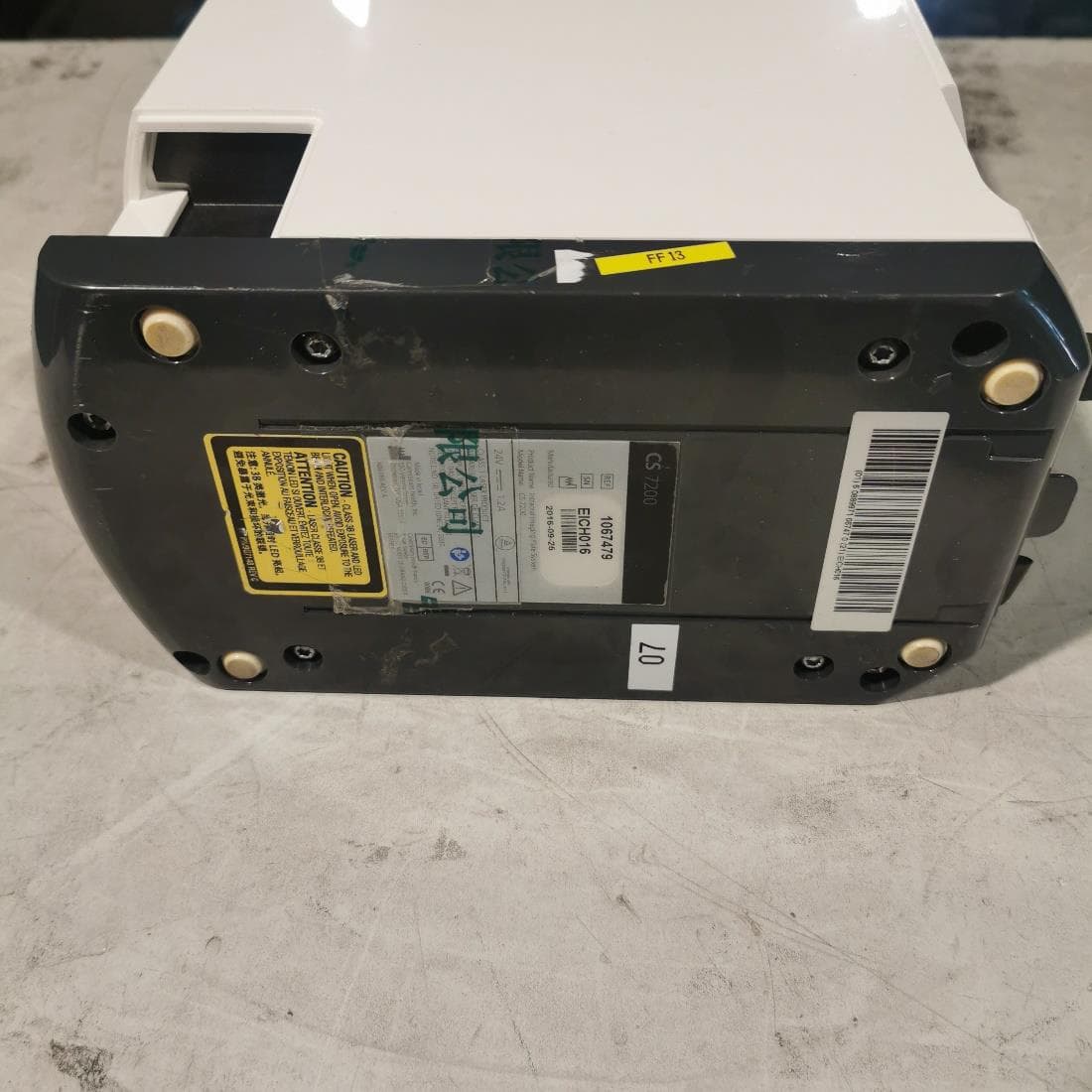
Click to zoom
Application Details
- Equipment Class
- DXX - Part 15 Low Power Communication Device Transmitter
- Date of Grant
- Jan 16, 2023
- Application Purpose
- Original Equipment
- Date of Application
- Jan 15, 2023
- Equipment Note
- Imaging Plate System
- Frequency Range
- 13.56000000 - 13.56000000
- Company
- Carestream Dental, LLC
- Country
- United States
Documents & Files
Document Text
Text extracted from the exhibit documents filed with the FCC. Open a document above to read the original.
Users Manual
CS 7200 Imaging Plate System User and Installation Guide Notice The CS 7200 User Guide describes and illustrates the workflow for digital dental radiography using an imaging plate (storage phosphor screen) for radiographic diagnostic intraoral images. The CS 7200, in addition, optionally provides the Scan & Go technology, which enables dental practitioners prior to acquisition to record exam acquisition data on the dental imaging plates. We recommend that you thoroughly familiarize yourself with this guide in order to make the most effective use of your system. No part of this guide may be reproduced without the express permission of Carestream Dental LLC. U.S. Federal law restricts this device to sale by or on the order of a dentist or physician. This document is originally written in English. Manual Name: CS 7200 Imaging Plate System User and Installation Guide Part Number: 6M0940 Revision Number: 07 Print Date: 2022-10 The CS 7200 complies with the Medical Device Regulation (EU) 2017/745 and UK Medical Devices Regulations 2002 (SI 618) as subsequently amended by the EU Exit Regulations of 2019 (SI 791) and 2020 (SI 1478). Important: Read and follow the operating instructions in this guide carefully, and always keep it within easy reach. The room in which this unit is to be installed must comply with all official applicable regulations. Improper use and handling can create hazards and cause damage to the unit. To prevent personal injury or material damage, you must observe all safety information. Consult the CS 7200 Safety, Regulatory, and Technical Specifications User Guide before using the CS 7200. CS 7200 User and Installation Guide (6M0940)_Ed07 i Contents Chapter 1 Conventions in This Guide Conventions in This Guide . . . . . . . . . . . . . . . . . . . . . . . . . . . . . . 1 Chapter 2 CS 7200 Overview Indications for Use . . . . . . . . . . . . . . . . . . . . . . . . . . . . . . . . . . . . .3 Introduction . . . . . . . . . . . . . . . . . . . . . . . . . . . . . . . . . . . . . . . . . . . .3 CS 7200 Components Overview. . . . . . . . . . . . . . . . . . . . . . . . .4 Scanner Overview. . . . . . . . . . . . . . . . . . . . . . . . . . . . . . . . . . .4 Indication LEDs Statuses . . . . . . . . . . . . . . . . . . . . . . . . . . . .6 Imaging Plates Overview. . . . . . . . . . . . . . . . . . . . . . . . . . . . . 7 Hygienic Sheaths . . . . . . . . . . . . . . . . . . . . . . . . . . . . . . . . . . . 8 Scan & Go Overview . . . . . . . . . . . . . . . . . . . . . . . . . . . . . . .9 Connecting the Scan & Go Device . . . . . . . . . . . 10 Chapter 3 Setting Up the CS 7200 Site Preparation Before Installation . . . . . . . . . . . . . . . . . . . . . 11 Environmental Requirements . . . . . . . . . . . . . . . . . . . . . . . . 11 Unit Dimensions and Space Requirements. . . . . . . . . . . 11 Electrical Requirements . . . . . . . . . . . . . . . . . . . . . . . . . . . . 12 Minimum System Requirements . . . . . . . . . . . . . . . . . . . . . 12 Networking Requirements . . . . . . . . . . . . . . . . . . . . . . . . . . 12 Software Installation. . . . . . . . . . . . . . . . . . . . . . . . . . . . . . . . . . . 13 CS Imaging Software Installation . . . . . . . . . . . . . . . . . . . 13 CS 7200 Drivers Installation . . . . . . . . . . . . . . . . . . . . . . . 14 Opening the Image Acquisition Interface for the First Time . . . . . . . . . . . . . . . . . . . . . . . . . . . . . . . . . . . . . . . . . . . 21 Adapt Filtering Options . . . . . . . . . . . . . . . . . . . . . . . . . . . . . . . 22 Access Adapt Library . . . . . . . . . . . . . . . . . . . . . . . . . . . . . 22 Create a Customized Look . . . . . . . . . . . . . . . . . . . . . . . . 23 Modify the Existing Customized Look . . . . . . . . . . . . . . . 25 Delete Existing Filter . . . . . . . . . . . . . . . . . . . . . . . . . . . . . . 26 Setting Up the CS 7200 . . . . . . . . . . . . . . . . . . . . . . . . . . . . . 27 Connecting Cables. . . . . . . . . . . . . . . . . . . . . . . . . . . . . . . . 27 Scanner Activation . . . . . . . . . . . . . . . . . . . . . . . . . . . . . . . . . . . . 30 CS 7200 Setup Configuration Options . . . . . . . . . . . . . . . . . 32 Single Scanner and Single Computer . . . . . . . . . . . . . . . 32 Single Scanner, Single Computer, and Scan & Go Device . . . . . . . . . . . . . . . . . . . . . . . . . . . . . . . . . . . . . . . . . . . 33 Single Scanner, Multiple Computers With Multiple Scan & Go Devices . . . . . . . . . . . . . . . . . . . . . . . . . . . . . . 33 ii Setting Up Procedures . . . . . . . . . . . . . . . . . . . . . . . . . . . . . . . . 34 Setting Up a Single Scanner and Single Computer With or Without the Scan & Go Device . . . . . . . . . . . . 34 Setting Up a Peer-to-Peer Connection (Skip If Using USB) . . . . . . . . . . . . . . . . . . 37 Setting Up a Single Scanner and Multiple Computers With the Scan & Go Device . . . . . . . . . . . . . . . . . . . . . . 39 Setting Up Network Connections, Windows 10 . . . . . . 41 Scanner Manual IP Setup . . . . . . . . . . . . . . . . . . . . . . . . . 45 Scanner Setup . . . . . . . . . . . . . . . . . . . . . . . . . . . . . . . . . . . . . . . 46 Scan & Go Device Setup . . . . . . . . . . . . . . . . . . . . . . . . . . . . . 47 Configuring the DICOM Character Set Encoding . . . . . . . . 48 CS 7200 Post Installation Test . . . . . . . . . . . . . . . . . . . . . . . . 49 Chapter 4 CS Imaging Software Overview General Software Overview . . . . . . . . . . . . . . . . . . . . . . . . . . . . 51 Single Image Acquisition Overview. . . . . . . . . . . . . . . . . . 51 Full Mouth Series (FMS) Image Acquisition Overview . . . . . . . . . . . . . . . . . . . . . . . . . . . . . . . . . . . . . . . . . 51 CS Imaging Software Main Toolbar . . . . . . . . . . . . . . . . . 57 Imaging Plate System Configuration Window . . . . . . . . . . . . 58 Patient Browser Window Overview . . . . . . . . . . . . . . . . . 59 Chapte…
Text truncated - open the document above for the full version.
Users Manual
CS 7200 User and Installation Guide (6M0940)_Ed07 55 Drawing and Annotations toolbar: Contains icons for functions that you can apply to a selected image. Cephalometric Tracing icon: Click to launch the automatic cephalometric tracing tool. Note: This tool is available only if you have the Tracings Module software installed. Select icon: Use this tool to select a drawing or measurement that you want to modify. The first mouse click selects the object, and the second mouse click shows the control points. Drawing icon group Straight line icon: Click to draw a straight line on an image. Multi-segment line icon: Click to draw a multi-segment line on an image. Freehand line icon: Click to draw a freehand line on an image. Spline drawing icon: Click to draw a spline curve that is basically a freehand line that has editable points. Circle icon: Click to draw a circle on an image. Ellipse icon: Click to draw an ellipse on an image. Filled ellipse icon: Click to draw a filled ellipse on an image. Rectangle icon: Click to draw a rectangle on an image. Filled rectangle icon: Click to draw a filled rectangle on an image. Landmark point icon: Click to add a point on an image. Arrow line icon: Click to draw an arrow on an image. 56 Chapter 4 CS Imaging Software Overview Measurements icon group Straight line measurement icon: Click to draw a straight line measurement on an image. Multi-segment line measurement icon: Click to draw a multi-segment line measurement on an image. Angle measurement icon: Click to draw an angle measurement on an image. Orthogonal measurement icon: Click to draw an orthogonal line measurement on an image. Text icon: Click to add a text object to an image. Implant icon group Mandibular canal icon: Click to draw a mandibular canal on an image. Implants icon: Click to add an implant to an image. Calibration icon: Click to calibrate an image. Undo icon: Click to undo an action. Redo icon: Click to counteract the Undo function. Delete icon: Click to delete selected drawings, annotations, or measurements. Color and Thickness icon: Click to change object color and line thickness. CS 7200 User and Installation Guide (6M0940)_Ed07 57 CS Imaging Software Main Toolbar Scanner Status Indicator: Shows the status of the active scanner. The following status options are available: Green: Ready to scan. Yellow: Blinks when tagging a plate and when a new image is transfered to CS Imaging Software. Red: Error in the active scanner. Grey: Active scanner is not connected. CS 7200-Configure: Click to open the CS 7200 configuration window. See “Imaging Plate System Configuration Window” on page 58. New CR image: Click the arrow button to select between the two options: CS7200 acquisition (CR) CS7200 FMS acquisition (CR2). After the option is selected, click to open the CS 7200 image Acquisition software in the FMS mode. See “Full Mouth Series (FMS) Image Acquisition Overview” on page 51. 58 Chapter 4 CS Imaging Software Overview Imaging Plate System Configuration Window The Imaging Plate System configuration window is opened when you click the CS 7200 - Configure button on the CS Imaging Software main toolbar. 1 Tagging Resolution: Select one of the four available resolutions for the next tagging resolution. Available only if Scan & Go is connected. 2 Erase Plate: Click to erase the plate which is inserted. See “Manually Erasing the Plate” on page 81. 3 Scanner Status Indicator: Displays the status of the active scanner. Green highlight: Scanner is ready for operation. Grey: Active scanner is not connected. Red: Active scanner error. 4 Preferences: Click to open the CS 7200 Preferences window. 5 Scan & Go Status Indicator: Displays the status of the Scan & Go device. White: Scan & Go device is connected. Grey: Scan & Go device is not connected. 6 Videos: Click to open the training videos. 7 OK: Click to save the selected settings and close the Imaging Plate System configuration window. 1 2 3 4 5 6 7 CS 7200 User and Installation Guide (6M0940)_Ed07 59 Patient Browser Window Overview ATitle bar: Name of the selected patient. BSystem icons: About, Preferences, and Online Help. CImaging Software Button: Click to open the Imaging window. DPatient Card: Information on the selected patient. EImage Management Tools: Import/export and print functions. FPatient History: Displays the list of available patients. GPatient List: Displays the list of available patients. HPatient Search: Enables searching in the patient list. IPatient Management Tools: Contain create/modify patient functions. JPatient History Tools: Contain patient history functions. 60 Chapter 4 CS Imaging Software Overview CS 7200 User and Installation Guide (6M0940)_Ed07 61 5 CS 7200 Image Acquisition Interface CS Imaging Software Overview The CS Imaging Software is a user-friendly working interface that was designed and developed specifically for radiological diagnosis. It is the common imaging platform for all our digital systems for dentistry. The CS Imaging Software provides management of the patients and image database. To open your CS Imaging Software: On your desktop, double-click the CS Imaging Software icon or click Start > All Programs > Carestream> CS Imaging Software. For more information, see your CS Imaging Software documentation. CS 7200 Image Acquisition Interface Overview The CS 7200 image Acquisition interface is a user-friendly application designed and developed specifically for the CS 7200 intraoral imaging system. It provides a rich array of image processing options in addition to the acquisition functions. The image Acquisition interface provides one mode: Full Mouth Series: Full series of frames, according to one of the available industry standard templates for full mouth series, selected in the General Settings tab. 62 Chapter 5 CS 7200 Image Acquisition Interface Full Mouth Series Image Acquisition Interface Figure 12 Image Acquisition Interface - Full Mouth Series Scanner List CS 7200 User and Ins…
Text truncated - open the document above for the full version.
Cover Letter(s)
Carestream Dental, LLC 050222-17 Authority to Act as Agent Date: January 12, 20232 American Certification Body, Inc. 313 Park Avenue Suite 300 Falls Church, VA 22046 To Whom It May Concern: ______Intertek Testing Services Shanghai______ is authorized to act on our behalf, until otherwise notified, for applications to American Certification Body, Inc. (ACB). We certify that we are not subject to denial of federal benefits, that includes FCC benefits, pursuant to Section 5301 of the Anti-Drug Abuse Act of 1988, 21 U.S.C. 862. Further, no party, as defined in 47 CFR 1.2002 (b), to the application is subject to denial of federal benefits, that includes FCC benefits. We also declare that the information provided to the FCC is true and correct to the best of our knowledge (47 CFR 2.911(d)) and we have been informed of the grantee responsibilities (47 CFR 2.909) with regard to certified equipment. Thank you, Agency Agreement Expiration Date: 15/12/2023 By: __________________________ ________ Kenneth Marshall _______ (Signature 1 ) (Print name) Title: ______ Radiation Safety officer ____ On behalf of: ______ Carestream Dental, LLC ____ (Company Name) Telephone: _________470-481-8355_______ 1 - Must be signed by applicant contact given for applicant on the FCC site, or by the authorized agent if an appropriate authorized agent letter has been provided. Letters should be placed on appropriate letterhead.
Cover Letter(s)
Carestream Dental, LLC 050222-17 Request for Confidentiality Date: January 12, 2023 Subject: Confidentiality Request for: ______(FCC ID: 2ASFG-CS7200 and IC: 24914-CS7200 )______ Pursuant to FCC 47 CFR 0.457(d) and 0.459 and/or IC RSP-100, Section 12.4, the applicant requests that a part of the subject application(s) be held confidential. Type of Confidentiality Requested Exhibit ☐ Short Term ☒ Permanent Block Diagrams ☐ Short Term --------------------------- External Photos ☐ Short Term ☐ Permanent * 1 Internal Photos ☐ Short Term ☒ Permanent Operation Description/Theory of Operation ☐ Short Term ☐ Permanent Parts List & Placement/BOM ☐ Short Term ☐ Permanent Tune-Up Procedure ☐ Short Term ☒ Permanent Schematics ☐ Short Term --------------------------- Test Setup Photos ☐ Short Term ☐ Permanent * 1 User’s Manual ______Carestream Dental, LLC______ has spent substantial effort in developing this product and it is one of the first of its kind in industry. Having the subject information easily available to "competition" would negate the advantage they have achieved by developing this product. Not protecting the details of the design will result in financial hardship. Permanent Confidentiality: The applicant requests the exhibits listed above as permanently confidential be permanently withheld from public review due to materials that contain trade secrets and proprietary information not customarily released to the public. Short-Term Confidentiality for FCC Applications: The applicant requests the exhibits selected above as short term confidential be withheld from public view for a period of __ (specify number of days not to exceed 180) 2 ___ days from the date of the Grant of Equipment Authorization and prior to marketing. This is to avoid premature release of sensitive information prior to marketing or release of the product to the public. Applicant is also aware that they are responsible to notify ACB in the event information regarding the product or the product is made available to the public before the requested period has expired. ACB will then release the documents listed above for public disclosure pursuant to FCC Public Notice DA 04-1705. Short Term Confidentiality for Industry Canada Applications: Starting May 2022, ISED will recognize short term confidentiality on certain exhibits until the intended date of marketing. The applicant requests the exhibits selected above as short term confidential be withheld from public view until: (specify ISED expiration date / date of marketing) . Sincerely, By: __________________________ ______ Kenneth Marshall __________________ (Signature/Title 3 ) (Print name) 1 - The asterisked items (*) require further information to be provided to ACB before permanent confidentiality will be extended to these exhibits. Please refer to FCC KDB 726920 and the specific Document link for D01 found at: https://apps.fcc.gov/oetcf/kdb/forms/FTSSearchResultPage.cfm?switch=P&id=41731 and review section II, 3) regarding specific information that must accompany these requests. 2 - Please refer to https://acbcert.com/documents/misc-docs/Memo-Short-Term-Vs-Standard-Confidentiality.pdf for complete details. 3 - Must be signed by applicant contact given for applicant on the FCC site, or by the authorized agent if an appropriate authorized agent letter has been provided. Letters should be placed on appropriate letterhead.
External Photos
Page 1 of 4 External Photos Page 2 of 4 Page 3 of 4 Page 4 of 4
ID Label/Location Info
Label 1: Label 2: Label 1 Label 2
Internal Photos
Page 1 of 6 Internal Photos Page 2 of 6 Page 3 of 6 Page 4 of 6 Page 5 of 6 Page 6 of 6 ANT
RF Exposure Info
Carestream Dental, LLC SAR COMPLIANCE REPORT Report Type: FCC SAR assessment report Model: CS 7200 REPORT NUMBER: 221000173SHA-003 ISSUE DATE: February 2, 2023 DOCUMENT CONTROL NUMBER: TTRFKDB447498-01_V06 © 2018 Intertek Intertek Testing Services Shanghai Building No.86, 1198 Qinzhou Road (North) Caohejing Development Zone Shanghai 200233, China Telephone: 86 21 6127 8200 www.intertek.com TEST REPORT This report is for the exclusive use of Intertek's Client and is provided pursuant to the agreement between Intertek and its Client. Intertek's responsibility and liability are limited to the terms and conditions of the agreement. Intertek assumes no liability to any party, other than to the Client in accordance with the agreement, for any loss, expense or damage occasioned by the use of this report. Only the Client is authorized to permit copying or distribution of this report and then only in its entirety. Any use of the Intertek name or one of its marks for the sale or advertisement of the tested material, product or service must first be approved in writing by Intertek. The observations and test results in this report are relevant only to the sample tested. This report by itself does not imply that the material, product, or service is or has ever been under an Intertek certification program. TTRFKDB447498-01_V06 © 2022 Intertek Page 2 of 7 Report no.: 221000173SHA-003 Applicant : Carestream Dental, LLC 3625 Cumberland Boulevard, Suite 700, Atlanta, GA USA 30339 Manufacturer : Carestream Dental, LLC 3625 Cumberland Boulevard, Suite 700, Atlanta, GA USA 30339 FCC ID : 2ASFG-CS7200 SUMMARY: The equipment complies with the requirements according to the following standard(s) or Specification: KDB447498 D01 General RF Exposure Guidance v06 FCC Part2.1091, FCC Part2.1093 FCC Part1.1307(b) PREPARED BY: REVIEWED BY: Project Engineer Sky Yang Reviewer Erick Liu Report No.: 221000173SHA-003 TEST REPORT TTRFKDB447498-01_V06 © 2022 Intertek Page 3 of 7 Revision History Report No. Version Description Issued Date 221000173SHA-003 Rev. 01 Initial issue of report February 2, 2023 Report No.: 221000173SHA-003 TEST REPORT TTRFKDB447498-01_V06 © 2022 Intertek Page 4 of 7 1 GENERAL INFORMATION 1.1 Description of Equipment Under Test (EUT) Product name: Imaging Plate System Type/Model: CS 7200 Description of EUT: The EUT is a scanner, it has only one model, the DC cable of adapter has two ferrite rings at each end of the DC line. Optional accessory Scan & Go is RFID reader, it has been granted. Rating: Main unit: 24Vdc, 1.2A AC/DC adapter: Input: 100-240Vac, 47-63Hz, 0.8-0.4A; Output: 24Vdc, 1.25A EUT type: Table top Floor standing Software Version: / Hardware Version: / Sample received date: November 12, 2022 Date of test: November 12, 2022 – January 11, 2023 1.2 Technical Specification Operation Frequency Band: 13.556 ~ 13.567MHz Normal Working Frequency: 13.56MHz Channel Number: 1 Type of Modulation: ASK Antenna Designation: Fixed Internal Loop Antenna Report No.: 221000173SHA-003 TEST REPORT TTRFKDB447498-01_V06 © 2022 Intertek Page 5 of 7 1.3 Description of Test Facility Name: Intertek Testing Services Shanghai Address: Building 86, No. 1198 Qinzhou Road(North), Shanghai 200233, P.R. China Telephone: 86 21 61278200 Telefax: 86 21 54262353 The test facility is recognized, certified, or accredited by these organizations: CNAS Accreditation Lab Registration No. CNAS L0139 FCC Accredited Lab Designation Number: CN0175 IC Registration Lab CAB identifier.: CN0014 VCCI Registration Lab Registration No.: R-14243, G-10845, C-14723, T-12252 A2LA Accreditation Lab Certificate Number: 3309.02 Report No.: 221000173SHA-003 TEST REPORT TTRFKDB447498-01_V06 © 2022 Intertek Page 6 of 7 2 SAR Assessment Test result: Pass 2.1 SAR Test Exclusion Limit 100 MHz – 6 GHz and ≤ 50 mm Report No.: 221000173SHA-003 TEST REPORT TTRFKDB447498-01_V06 © 2022 Intertek Page 7 of 7 100 MHz – 6 GHz and > 50 mm < 100 MHz and < 200 mm 2.2 Assessment Results The highest EIRP adjusted with tune-up tolerance is 54.6dBuV/m – 95.3 = -40.7dBm = 0.000087mW < 738mW (Test Exclusion Thresholds of 50MHz at 190mm). Therefore, the SAR requirement is deemed to be satisfied without test. ******************************************* END ************************************
Test Report
Carestream Dental, LLC RF TEST REPORT Report Type: FCC Part 15.225/RSS-210 RF report Model: CS 7200 REPORT NUMBER: 221000173SHA-001 ISSUE DATE: January 16, 2023 DOCUMENT CONTROL NUMBER: TTRFFCCPART15C_V1 © 2018 Intertek Intertek Testing Services Shanghai Building No.86, 1198 Qinzhou Road (North) Caohejing Development Zone Shanghai 200233, China Telephone: 86 21 6127 8200 www.intertek.com TEST REPORT This report is for the exclusive use of Intertek's Client and is provided pursuant to the agreement between Intertek and its Client. Intertek's responsibility and liability are limited to the terms and conditions of the agreement. Intertek assumes no liability to any party, other than to the Client in accordance with the agreement, for any loss, expense or damage occasioned by the use of this report. Only the Client is authorized to permit copying or distribution of this report and then only in its entirety. Any use of the Intertek name or one of its marks for the sale or advertisement of the tested material, product or service must first be approved in writing by Intertek. The observations and test results in this report are relevant only to the sample tested. This report by itself does not imply that the material, product, or service is or has ever been under an Intertek certification program. TTRFFCCPART15C_V1 © 2018 Intertek Page 2 of 33 Report no.: 221000173SHA-001 Applicant : Carestream Dental, LLC 3625 Cumberland Boulevard, Suite 700, Atlanta, GA USA 30339 Manufacturer : Carestream Dental, LLC 3625 Cumberland Boulevard, Suite 700, Atlanta, GA USA 30339 FCC ID : 2ASFG-CS7200 IC : 24914-CS7200 SUMMARY: The equipment complies with the requirements according to the following standard(s) or Specification: 47CFR Part 15 (2020): Radio Frequency Devices (Subpart C) ANSI C63.10 (2013): American National Standard of Procedures for Compliance Testing of Unlicensed Wireless Devices RSS-210 Issue 10 (December 2019) Amendment (April 2020): Licence-exempt Radio Apparatus (All Frequency Bands): Category I Equipment RSS-Gen Issue 5 (April 2018) Amendment 1 (March 2019) Amendment 2 (February 2021): General Requirements for Compliance of Radio Apparatus PREPARED BY: REVIEWED BY: Project Engineer Erick Liu Reviewer Wakeyou Wang Report No.: 221000173SHA-001 TEST REPORT TTRFFCCPART15C_V1 © 2018 Intertek Page 3 of 33 Content REVISION HISTORY................................................................................................................................................ 5 MEASUREMENT RESULT SUMMARY ..................................................................................................................... 6 1 GENERAL INFORMATION ............................................................................................................................. 7 1.1 DESCRIPTION OF EQUIPMENT UNDER TEST (EUT) ..................................................................................................... 7 1.2 TECHNICAL SPECIFICATION .................................................................................................................................... 7 1.3 DESCRIPTION OF TEST FACILITY .............................................................................................................................. 8 2 TEST SPECIFICATIONS ................................................................................................................................... 9 2.1 STANDARDS OR SPECIFICATION ............................................................................................................................... 9 2.2 MODE OF OPERATION DURING THE TEST ................................................................................................................... 9 2.3 TEST SOFTWARE LIST ............................................................................................................................................ 9 2.4 TEST PERIPHERALS LIST ......................................................................................................................................... 9 2.5 TEST ENVIRONMENT CONDITION: .......................................................................................................................... 10 20DB BANDWIDTH & 99% BANDWIDTH ............................................................................................................. 10 2.6 INSTRUMENT LIST .............................................................................................................................................. 11 2.7 MEASUREMENT UNCERTAINTY ............................................................................................................................. 13 3 FUNDAMENTAL EMISSION ......................................................................................................................... 14 3.1 LIMIT .............................................................................................................................................................. 14 3.2 MEASUREMENT PROCEDURE ............................................................................................................................... 14 3.3 TEST RESULTS OF FUNDAMENTAL EMISSIONS .......................................................................................................... 15 4 SPURIOUS EMISSION ................................................................................................................................. 16 4.1 LIMIT .............................................................................................................................................................. 16 4.2 MEASUREMENT PROCEDURE ............................................................................................................................... 16 4.3 TEST RESULTS OF RADIATED EMISSIONS ................................................................................................................. 18 5 FREQUENCY STABILITY …
Text truncated - open the document above for the full version.
Test Report
Specification of RFID antenna Radio Frequency Identification basic characteristics are as follows: (1) Frequency band:13.56MHz (2) Standard specifications: ISO14443A/B:The reading distance is less than 20cm, and the communication rate is 106kbit/s. Both of them adopt 423KHz subcarrier technology. Their differences mainly lie in the modulation depth of the carrier and the bit encoding method. ISO14443-A ISO14443-B Frequency 13.56MHz 13.56MHz Allowable frequency offset ± 7KHz ± 7KHz Bandwidth 1.921MHz 1.921MHz Subcarrier frequency 847.5 kHz 847.5 kHz Data rate 106kbps 106kbps RFID antenna type adopts PCB coil antenna with simple process and low cost. The coil antenna uses copper wire to wind several times according to a certain shape, and the signal can be transmitted by adding excitation at both ends of the copper wire. The coil antenna communicates through inductance coupling, and the coupling inductance is the ideal model of the coil antenna. When a changing current passes through the coil, a responding magnetic field will be established around the coil. If the magnetic fields of two coils interact, they are said to be magnetic coupled coils. PCB on-board coil antenna is as follows: Fig. 1 diagram of PCB on-board antenna The inductance of antenna is calculated by NXP NFC Tool. For RFID antenna design, it is estimated that the target value of design inductance is 1uH, and the parameter calculated by software is 881nH. The sensitivity range related to the corner is 825nH~1086nH. 图 1 NXP Antenna Tool
Test Setup Photos
Page 1 of 3 Test Setup Page 2 of 3 1. Conducted Emission Page 3 of 3 2. Radiated Emission 9KHz-30MHz 30MHz-1GHz
Contact Information
Applicant
Kenneth Marshall(Radiation Safety Officer)
Technical Contact
Intertek Testing Services ShanghaiErick Liu
[email protected]86 21 61278449
Building No.86, 1198 Qinzhou Road(North) · Shanghai · China
Test Firm
Intertek Testing Services (Shanghai FTZ) Co., Ltd.Leah Xu
[email protected]+86 21 61278200
Technical Specifications
| # | Rule Parts | Frequency Range | Power Output |
|---|---|---|---|
| 1 | 15C | 13.56 MHz - 13.56 MHz | - |
Other Applications from Carestream Dental, LLC
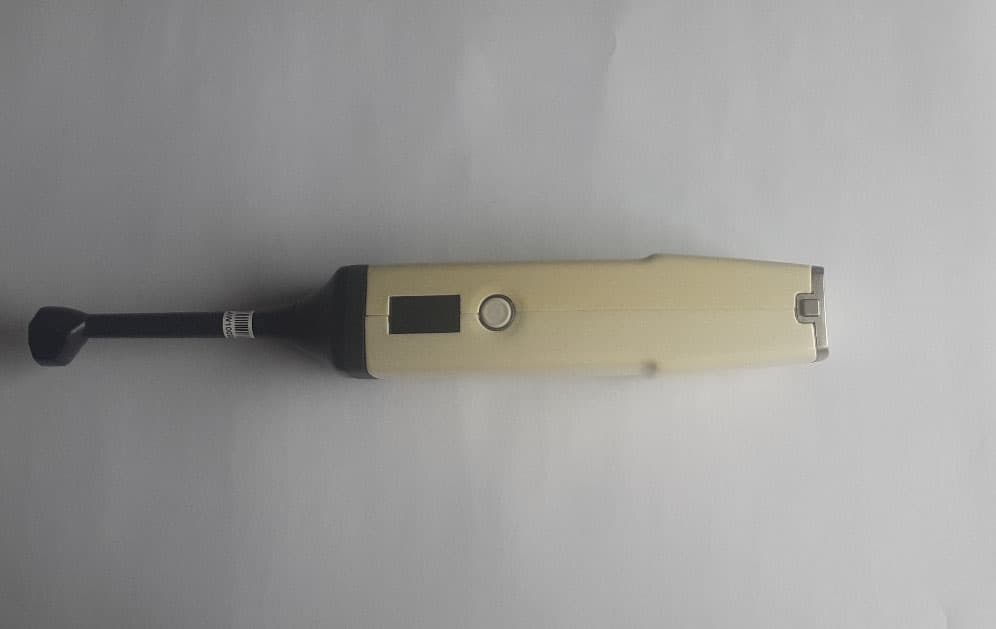
2ASFG-SONOCHART
Aug 07, 2024Dental ultrasonic probe
Equipment Class
NII - Unlicensed National Information Infrastructure TX
2ASFG-CS3800
Jun 02, 2021CS 3800 Wireless, Trophy 3800 Wireless
Equipment Class
NII - Unlicensed National Information Infrastructure TX